Knowledge Base vs Organizational Memory: What Your AI Actually Needs (September 2026)
Learn the key differences between a second brain, knowledge base, and company brain in this September 2026 guide from Spinach AI.
 Maintouch
Most companies are quietly losing their highest-context knowledge every time a meeting ends. Teams keep conflating three different systems, and that’s how you end up building the wrong thing for a problem that keeps getting worse.
TLDR:
- A second brain serves one person; a knowledge base stores what someone wrote; a company brain captures what people say and updates without human maintenance.
- Knowledge bases degrade the moment the next meeting happens, because the reasoning behind decisions almost never makes it into the doc.
- Employees spend a significant share of their working week searching for information they need, a cost that compounds across large organizations.
- A company brain enforces permissions at the query level, so AI agents retrieve only what they are authorized to retrieve.
- Spinach AI is an enterprise conversation intelligence platform — the system of record for conversation data — that joins meetings across Zoom, Google Meet, Microsoft Teams, Slack Huddles, and Webex, captures during the meeting, and delivers decisions, action items with named owners, tickets, CRM records, and structured outputs routed into the tools your organization already uses.
The Terminology Problem: Why These Three Terms Mean Different Things
Three terms, three completely different architectures, one persistent muddle. “Second brain,” “knowledge base,” and “company brain” get swapped in vendor decks, internal proposals, and tool evaluations constantly, and the confusion goes well beyond semantics. Teams scope the wrong project, buy the wrong tool, and then wonder why the thing they built does nothing they needed.
Each term describes a distinct system with a different owner, a different data type, and a different purpose. Conflating them is how you end up funding a Notion wiki when you needed queryable conversation data, or building a personal productivity system when the actual problem is institutional amnesia.
What a Second Brain Actually Is
Tiago Forte developed the framework after years of work on capturing, organizing, and retrieving personal knowledge before it evaporates. His CODE and PARA methods gave structure to something most knowledge workers do haphazardly: saving what matters and finding it again later. CODE (Capture, Organize, Distill, Express) and PARA (Projects, Areas, Resources, Archives) are the two organizing pillars of the system.
The tools most associated with it are Notion, Obsidian, Roam Research, and Evernote. The workflow is personal: you read something useful, clip it, tag it, connect it to a project, and surface it when you need it.
The scope is individual by design. One person’s second brain serves one person’s context, one person’s projects, one person’s working memory. That is not a flaw. It is the point.
Why Second Brains Don’t Scale to Organizations
Scaling the second brain concept across an organization breaks the framework immediately. The logic that makes it work for one person, individual curation, individual context, individual access, is exactly what makes it fail for ten.
Each person captures differently. One clips articles; another saves meeting notes; a third captures nothing and relies on memory, accelerating cross-functional context loss. The result is a collection of personal archives with no shared structure, no common retrieval, and no way to query across them.
The deeper problem is access. A second brain belongs to the person who built it. When that person leaves, it leaves with them. Institutional knowledge stored in individual Notion workspaces or Obsidian vaults is tribal knowledge with extra steps, fragile by the same mechanism it was trying to fix.
What a Knowledge Base Actually Is
A knowledge base is a curated repository of written documents organized for search or browsing. Someone writes an article, someone else categorizes it, and users look things up when they need it. Confluence, Notion, and SharePoint are the common implementations. Support teams use them for troubleshooting guides; HR uses them for onboarding docs; engineering uses them for architecture decisions and runbooks.
The defining constraint is also its architecture: a knowledge base only contains what someone chose to write down. Every article in it represents a deliberate decision to document something. Every insight that stayed in a meeting, every rationale explained verbally, every decision made on a call and never captured in a doc is simply absent.
Why Most Knowledge Bases Fall Short Over Time
Knowledge bases fail on a predictable schedule. They are accurate on the day they are written and start degrading the moment the next meeting happens. A new decision gets made, a process changes, an assumption gets abandoned, and the doc describing the old state sits unchanged, waiting to mislead whoever finds it next.
The maintenance problem is structural. Updating a knowledge base article requires someone to remember it exists, find it, and care enough to revise it. Neither happens consistently, and the gap compounds without a clear enterprise AI data retention policy. The result is a repository where even the newest articles are already outdated.
Beneath the staleness is a deeper gap: the reasoning never makes it in. A Confluence page can say “we chose vendor X.” It almost never says why, what alternatives were rejected, or what constraints shaped the call. That reasoning is what actually helps the next person make a related decision, and it almost always stayed in the meeting where the decision was made.
The costs are real. Employees routinely report spending a significant portion of their working week searching for information they need to do their jobs, and the overhead compounds across large organizations where inefficient knowledge sharing multiplies lost productivity at scale.
Knowledge bases work as long as a team treats documentation as a first-class job. Most teams do not. The moment velocity becomes the priority, curation slips, and the gap between what the knowledge base says and what the organization actually knows widens until the system stops getting used at all.
What a Company Brain Actually Is
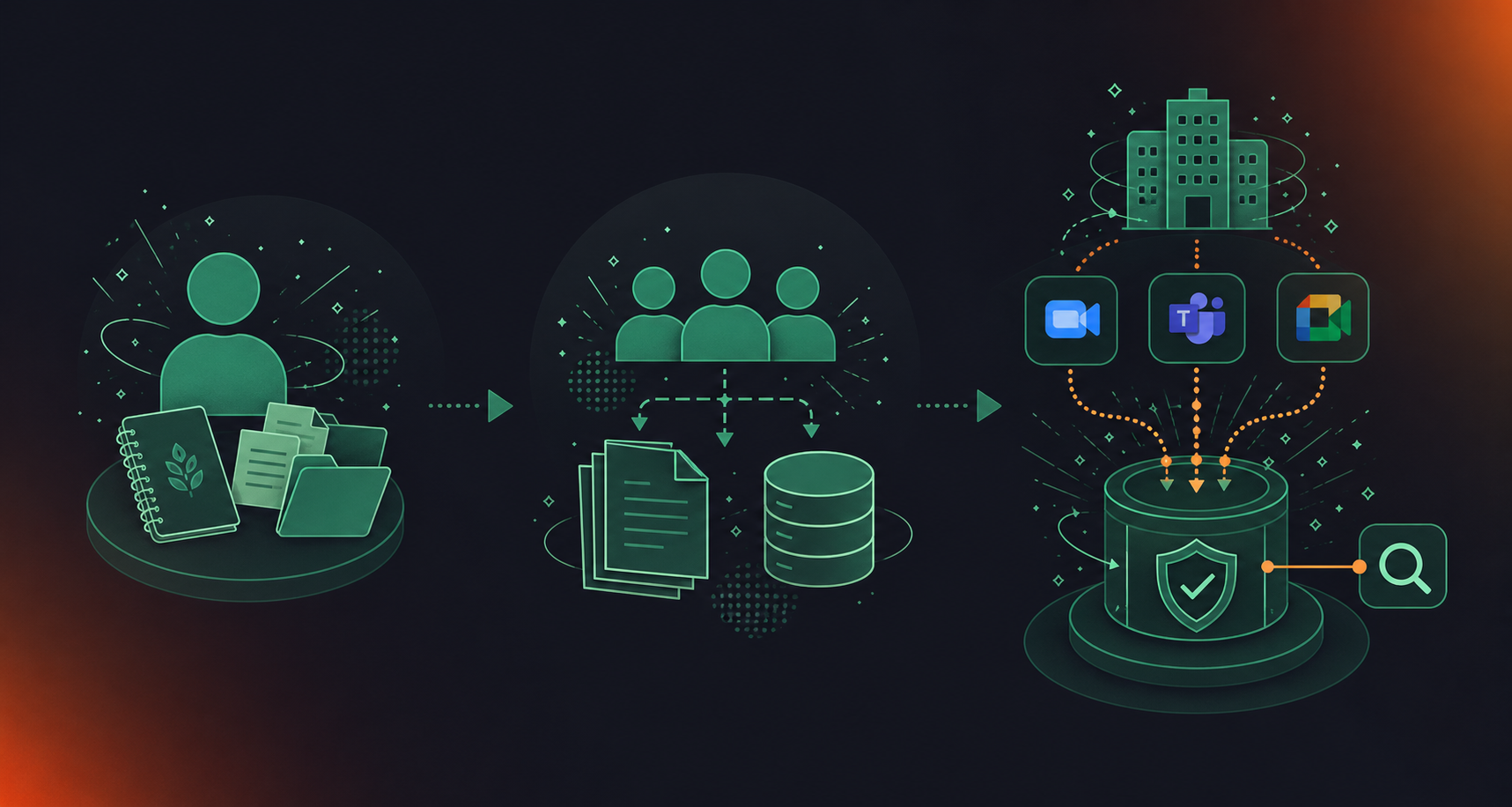
A company brain is organizational memory that updates itself. No curator decides what goes in. No employee remembers to write the article. The corpus grows every time a meeting happens, a decision gets made, or the reasoning behind an outcome gets captured in context.
The architectural distinction from a knowledge base is not subtle. A knowledge base captures what people write. A company brain captures what people say, then makes it queryable by both people and AI agents under enforced permissions. The data stays current because ingestion is automatic, not because a team scheduled a documentation sprint.
The distinction from a personal second brain is scope and governance. A company brain belongs to the organization, not to the individual who attended the meeting. Access is policy-based. Sensitive conversations, HR discussions, and confidential topics can be tagged and excluded from retrieval without removing them from the corpus.
The enterprise buyer’s actual question is simpler than most vendors admit: how do we build a conversation data system of record that does not depend on anyone remembering to maintain it? The answer is a system where capture is the default, not the exception.
The Conversation Blind Spot: The Data Neither Captures
Even well-maintained knowledge bases and disciplined personal note-takers share the same blind spot: both depend on someone choosing to write something down after the fact. The reasoning behind decisions, the alternatives that were rejected, the constraints named aloud in a planning call: almost none of it survives the meeting.
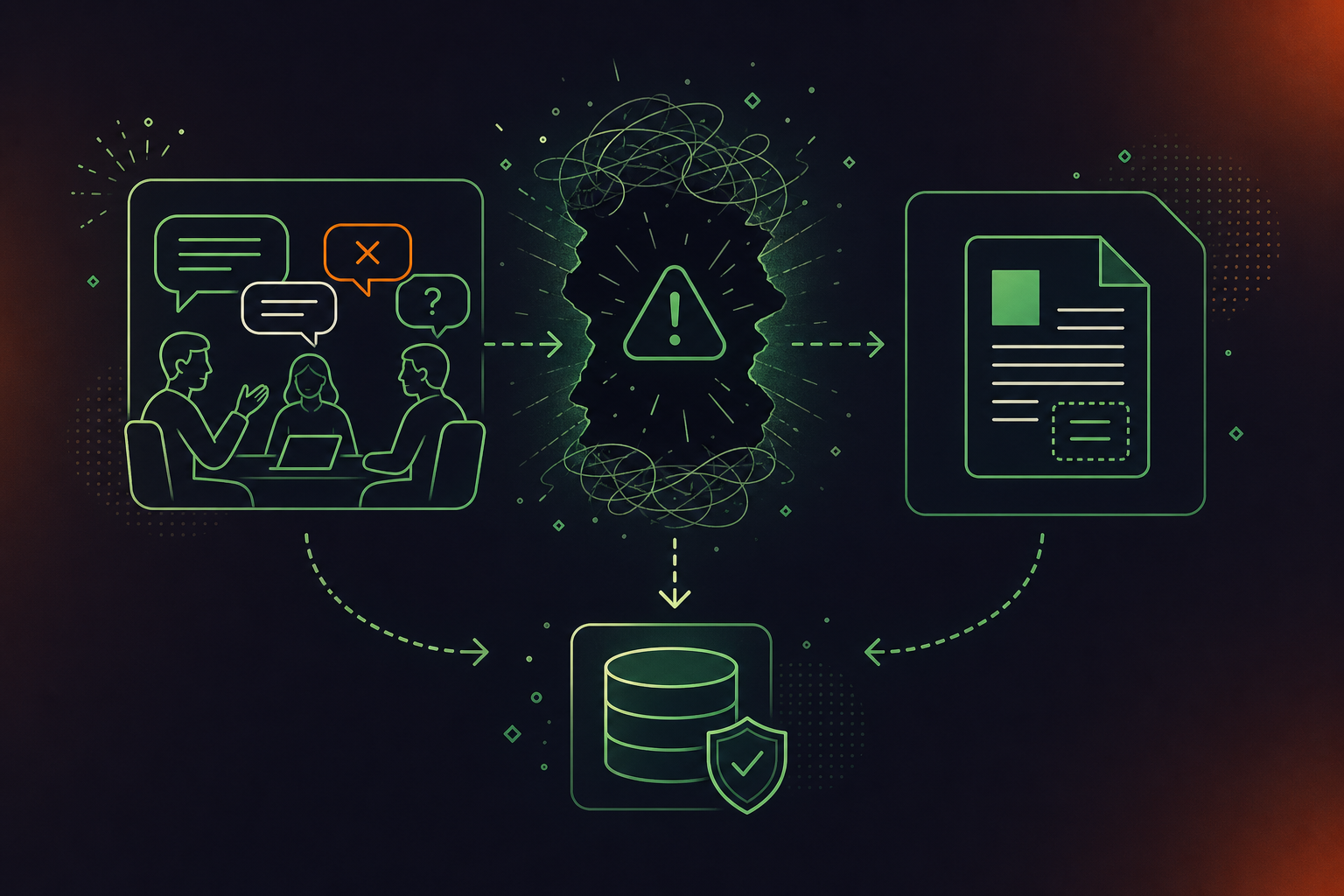
Enterprise Knowledge’s 2026 KM Trends report names tacit knowledge capture at the enterprise level as a priority precisely because conversation content holds the “know-how” that walks out the door with departing employees. The concern is not documentation volume. The highest-context data a company produces is also the least systematically captured.
The structural reason is access architecture. Written data in a CRM, a project tool, or a doc is centralized by design, but meeting data governance at scale requires a different approach entirely. Conversation data is per-participant by default: each person’s copy lives in their own account, producing a different archive per tool, per team, and per meeting platform, with no organizational record anyone can query.
How to Know Which One You Actually Need
Four questions cut through most of the confusion.
- Who needs access? If it’s one person, a second brain works. If it’s a team or a company, you need shared infrastructure with access controls.
- What type of content dominates? Curated articles and process docs point to a knowledge base. Decisions, rationale, and spoken context from meetings point to a company brain.
- Does it need to stay current without human maintenance? If yes, a knowledge base will fail you on a long enough timeline.
- Will AI agents need to query it under enforced permissions? A personal note-taking system has no answer for that question. See the enterprise conversation intelligence buyer’s guide for how organizations scope this correctly.
If your answers are “the whole org,” “spoken decisions,” “yes,” and “yes,” you are scoping a company brain, not a documentation project. Funding a Confluence build for that problem is the wrong solution.
Company Brain vs. Knowledge Base: The Architectural Difference
Knowledge Base | Company Brain | |
|---|---|---|
Data source | What people choose to write | What people say in meetings, captured automatically |
Currency | Accurate when written; degrades from there | Ingests continuously; reflects current state |
Maintenance | Requires human curation and documentation sprints | Updates without human maintenance |
Access control | Document-level permissions designed for humans | Query-level permissions enforced at retrieval |
Decision reasoning | Rarely captured; stays in the meeting | Captured in context alongside the decision |
AI-agent readiness | Surfaces whatever it finds, including stale docs | Agents retrieve only what they are permitted to retrieve |
Ownership | Belongs to whoever maintains the docs | Belongs to the organization |
A knowledge base stores answers. A company brain captures context, stays current, and serves it to people and agents under enforced permissions.
For the technical or operations buyer assessing meeting management software, the key question is blunt: does your current system update itself, enforce query-level permissions, and capture spoken reasoning alongside written artifacts? If the answer to any of those is no, what you have is a knowledge base, and a well-run one at that. It is a different architecture solving a different problem.
What Gets Captured That Knowledge Bases and Second Brains Miss
Spinach AI is the enterprise conversation intelligence platform and system of record for conversation data. Deployed company-wide, it joins every meeting across Zoom, Google Meet, Microsoft Teams, Slack Huddles, and Webex, captures video, audio, transcript, screen share, and in-meeting chat during the meeting, and delivers structured outputs when it ends: decisions, action items with named owners, tickets, CRM records, and recap emails routed into the tools your organization already uses.
Where a knowledge base waits for someone to write something down and a second brain depends on one person’s discipline, the record Spinach produces is organizational by default.
What that looks like in practice
- Collections group meetings automatically by participant, title, or series so the right conversations reach the right teams without manual routing.
- Founder Mode gives executives org-wide read access across the full corpus, applied automatically to any user granted the Founder Mode role.
- Compliance agents monitor conversation intelligence data against a customer-supplied rule set and flag regulatory or policy risk for human review.
- The MCP server for meeting transcripts, available on Business and Enterprise plans, lets Claude or ChatGPT query that governed corpus directly, with OAuth, admin approval, and user-based permission enforcement.
A knowledge base can feed an AI agent static documents. A company brain built on Spinach feeds it the spoken reasoning behind every decision, current as of the last meeting, under enforced permissions. That sets it apart from meeting AI tools with MCP servers that stop at static retrieval. The agent retrieves what it is allowed to retrieve, nothing more.
Spinach sits on top of the meeting platforms your organization already runs, acting as the organizational layer that turns conversations from per-participant ephemera into a governed, queryable data asset the whole company can use.
Final Thoughts on Organizational Memory and Why the Terminology Actually Matters
Calling every system a “second brain” is how teams end up with Confluence when they needed queryable conversation data. The distinction between these three architectures is the difference between a system that works and one that slowly stops getting used. Your org’s highest-context knowledge is produced in meetings every day, and right now most of it evaporates when the call ends. Get started with Spinach to give that knowledge somewhere to live.
A second brain for business is a personal system — one person capturing, organizing, and retrieving their own notes and resources using tools like Notion or Obsidian. A company brain is an organizational system where capture is automatic, access is policy-based, and the corpus updates itself every time a meeting happens. The key distinction is ownership: a second brain belongs to the individual and leaves when they do; a company brain belongs to the organization and grows without anyone scheduling a documentation sprint.
An organizational second brain built on automatic meeting capture solves this by treating spoken conversations as a first-class data type, not an afterthought. Decisions, rejected alternatives, and the reasoning behind outcomes are captured during the meeting and stored as governed, queryable data — not summarized afterward by whoever remembered to take notes. Tools like Spinach AI join meetings across Zoom, Google Meet, Teams, Slack Huddles, and Webex, capturing video, audio, transcript, screen share, and in-meeting chat, then routing structured outputs into the systems your organization already uses.
A knowledge base stores what people choose to write; a company brain captures what people say and keeps the corpus current without human curation. The practical consequence is that a knowledge base is accurate the day an article is published and degrades from there — every decision made verbally and never documented widens the gap between what the system says and what the organization actually knows. A company brain ingests continuously, so retrieval reflects the current state, not the state from six months before the last documentation sprint.
Build toward a company brain architecture. A static knowledge base fed to an AI agent surfaces whatever it finds — including outdated docs and superseded decisions — with no mechanism to enforce query-level permissions or flag stale content. A company brain enforces access at the query level: what an agent retrieves depends on what that agent is permitted to retrieve, not on whether a folder was accidentally left open. Spinach’s MCP server, available on Business and Enterprise plans, connects Claude or ChatGPT directly to a governed meeting corpus with OAuth, admin approval, and user-based permission enforcement.
Spinach’s Founder Mode gives executives org-wide read access across the full conversation corpus, applied automatically to new users, with no manual sharing required per meeting. Collections group meetings automatically by participant, series, or title so the right conversations reach the right teams. For executives who want to query across that corpus directly, the MCP connector lets Claude or ChatGPT retrieve governed meeting context under enforced permissions — surfacing decisions, blockers, and alignment signals across every team without anyone building a reporting layer by hand.
Build on top of it — a knowledge base and a company brain solve different problems and work better together than either does alone. Your knowledge base holds curated process docs, runbooks, and reference articles; your company brain captures the spoken decisions, rejected alternatives, and live reasoning that never make it into those docs. The practical path is to keep your Confluence or Notion for authored content while routing structured meeting outputs — decisions, action items, context — into a governed, queryable corpus that feeds both people and AI agents.
With a personal second brain or a per-user note-taking setup, institutional knowledge walks out with them — their Notion workspace, Obsidian vault, or individual note-taker account goes dark the moment they offboard. An organizational second brain built on automatic meeting capture sidesteps this entirely: the corpus belongs to the organization, not the individual, so every decision that person participated in, every rationale they voiced, stays queryable after they leave. This is the structural difference between tribal knowledge with extra steps and governed organizational memory.
Deploy one governed platform at the organization level rather than letting individual teams self-select tools. When every team picks its own note-taker — Otter on the sales floor, Granola in engineering, Fathom in product — you get a different archive per tool, uncontrolled sharing, and no organizational record anyone can query. An enterprise-wide deployment enforces consistent capture, policy-based sharing, and a single governed corpus; Spinach supports org-level enforced settings, SAML SSO, and SCIM provisioning so IT can manage the rollout rather than clean up shadow IT after the fact.
Yes, with the right architecture in place. Spinach’s MCP server, available on Business and Enterprise plans, connects Claude or ChatGPT directly to your governed meeting corpus using OAuth, admin approval, and user-based permission enforcement — so the AI assistant retrieves only what the querying user is authorized to see. This is the query-level permissions model a static knowledge base cannot offer: a document folder left accessible to an agent gets read in full, with no mechanism to enforce who asked.
Capture during the meeting rather than summarizing after it. The reasoning — which alternatives were rejected, what constraints shaped the call, who raised the objection — exists in the conversation and disappears the moment the call ends if nothing captures it in context. Tools like Spinach join the meeting automatically across Zoom, Google Meet, Teams, Slack Huddles, and Webex, capturing audio, transcript, and in-meeting chat as the discussion happens, then routing structured outputs that preserve decision context into the systems your team already uses.
Enterprise search indexes written artifacts — documents, tickets, Slack messages — that someone chose to create. A company brain ingests a data type those tools don’t reach: spoken conversation. The decisions, rationale, and context from your meetings are the highest-context data your organization produces, and they almost never make it into a doc that an enterprise search tool can index. A governed meeting corpus, queryable under enforced permissions and current as of the last meeting, fills the gap that sits between your written systems of record.
A second brain for business fits when the person capturing and the person retrieving are the same individual — a solo researcher, a consultant managing their own client context, a founder in the earliest days before there’s a team to share with. The moment retrieval needs to cross people — a new hire needs context from a planning call they didn’t attend, an executive wants to query a decision made in another team’s meeting — individual curation breaks down and you need shared infrastructure with access controls. If your problem statement includes the words ‘our team can’t find’ or ‘we lost context when someone left,’ you are past the second brain stage.
Compliance agents classify and flag — they surface regulatory or policy risk for a human reviewer to act on, and stop there. Spinach’s compliance agents monitor conversation data against a customer-supplied rule set and flag items for review; no automated cleanup, remediation, or deletion happens without a person in the loop. This is the design constraint that makes them usable in regulated industries: the agent reduces the cost of finding the risk, while the human retains the decision authority over what to do about it.
The meetings with the highest ratio of spoken decision-making to written follow-through: strategy reviews, architecture calls, cross-functional planning sessions, and any recurring forum where direction changes but no one files an ADR or updates a doc. Sales calls and customer syncs also carry high-context signal — objections raised, requirements named, commitments made — that typically evaporates or gets partially summarized into a CRM field. The pattern is the same across functions: wherever the reasoning is verbal and the output is sparse, automatic capture delivers the most organizational value.
Permissions are enforced at the query level, not just at the folder or document level. In Spinach, Collections group meetings by participant, series, or title with rule-based sharing, and org-level enforced settings control default sharing scope — so HR discussions, confidential leadership forums, and regulated conversations can be tagged and excluded from broader retrieval without removing them from the governed corpus. This is the architectural distinction that matters when AI agents enter the picture: an agent retrieves only what it is permitted to retrieve, determined by policy, not by whether a folder was accidentally left open.
What to do next
Next, here are some things you can do now that you've read this article:
- If communication is a challenge for your team, you should check out our library of meeting agenda templates.
- Learn more about Spinach and how it can help you run a high performing org.
- If you found this article helpful, please share it with others on Linkedin or X (Twitter)

