Meeting Management Software: The Enterprise Evaluation (Sept 2026)
Enterprise buyers need more than AI notes. Learn what meeting management software must do for governance and compliance. September 2026.
 Maintouch
Picking meeting management software for an enterprise is a different exercise than picking one for yourself. The individual user wants clean summaries and a good transcript. The organization needs governed data, configurable retention, consent controls that hold up in multiparty-consent jurisdictions, and output that actually routes into the systems where work happens. If your evaluation is still focused on which tool takes the best notes, this should help you reframe it.
TLDR:
- Bad meetings cost enterprise businesses over $130 million per year, per Jabra’s June 2026 research
- Enterprise evaluations stall on admin controls and compliance, not capture quality or AI summaries
- Individual note takers deployed org-wide produce shadow IT; 89% of enterprise AI usage is invisible to security teams (Cloud Security Alliance, May 2026)
- Your security review needs written answers on retention per data type, bot visibility, AI model training, and BAA availability before legal touches the DPA
- Spinach AI is an enterprise conversation intelligence platform that captures during meetings, delivers structured outputs at meeting end, and routes decisions and action items into CRM, project management, and knowledge base tools automatically
What Is Meeting Management Software?
Meeting management software covers tools that help organizations plan, run, and follow up on meetings. At the narrow end, that means scheduling and agendas. At the full end, it means capturing what happens and routing that information into the systems where work actually gets done.
The full lifecycle has three stages:
- Before: agenda creation, scheduling, and participant coordination
- During: real-time capture of audio, video, transcript, decisions, and action items
- After: structured outputs routed to task managers, CRMs, knowledge bases, and team channels
Most tools cover one or two stages. The gap that costs organizations the most sits in the third: when follow-up depends on someone’s memory or manual notes, accountability breaks down fast.
Enterprise buyers in 2026 want a governed system that turns every meeting into structured conversation intelligence their teams and AI tools can act on.
Why Meetings Are a Measurable Business Problem
Jabra’s June 2026 research found that bad meetings cost enterprise businesses over $130 million per year in wasted time, tech failures, and avoidable downstream work. In the same study, 87% of employees said they dread their meetings before they begin, and 58% of meetings are seen as unnecessary.
That’s a systems problem. When management meetings produce no structured output, the cost compounds: decisions get relitigated, action items disappear, and downstream work gets created to recover context that should have been captured the first time. Enterprise buyers assessing this category are building a business case around recoverable cost.
How Meeting Management Software Has Evolved Beyond Scheduling
Three years ago, meeting management software meant calendar integrations and a shared doc for minutes. Someone relied on AI meeting notes tools, pasted action items into Slack, and hoped follow-through happened.
AI changed the input-to-output ratio. Tools now join meetings directly, capture audio, transcript, and screen share simultaneously, then produce structured outputs (decisions with owners, tickets, CRM updates, recap emails) without anyone typing a word after the call ends.
The shift that matters most for enterprise buyers is that conversation data can now route automatically into the systems where work happens, making every meeting machine-readable instead of locked in a document nobody opens.
Core Features to Look for in Meeting Management Software
Review tools against these six areas before anything else:
- Agenda creation and templates: can recurring meeting types run on a structured framework, or does every meeting start from scratch?
- Real-time capture: audio, video, transcript, screen share, and in-meeting chat together, not transcript alone
- Automatically create action items from meeting transcripts: are owners named automatically, or does someone still assign them by hand?
- Downstream routing: does output land in your CRM, project management tools, and knowledge bases natively, or does it stop at a PDF?
- Admin controls and policy enforcement: can IT set default sharing scope, retention periods, and bot behavior org-wide instead of leaving it to individual users? (See how meeting note software tools compare on this dimension.)
- Security and compliance certifications: SOC 2 Type II, GDPR, and HIPAA coverage matter before legal will sign off
The last two are where enterprise evaluations stall most often. A tool that handles capture well but lacks org-level policy controls forces every sharing and retention decision back onto individual users, which is how shadow IT sprawl starts.
How to Choose Meeting Management Software by Team Size and Use Case
The right tool depends on where your organization sits across three axes.
By Team Size
- Startups and small teams: individual note takers or a free tier with basic AI summaries are usually enough since governance is not yet the priority.
- Mid-market: you need downstream routing into Jira, Slack, and your CRM, plus consistent output across teams. Per-user tools start breaking at this scale.
- Enterprise: org-level policy controls, SAML SSO, configurable retention, and a compliance story become non-negotiable before legal will sign anything.
By Primary Use Case
- Daily standups and sprint ceremonies: knowing how to lead a meeting with structured frameworks and automatic ticket creation matters more than video quality.
- Client-facing and sales calls: CRM auto-update and methodology extraction (MEDDPIC, BANT) are the core requirement.
- Board and executive meetings: retention controls, access restrictions, and audit logging take priority.
By Industry
- Financial services and legal: data residency clarity, retention configurability, and a clean security review are the entry price.
- Healthcare: HIPAA compliance and BAA availability are hard requirements, not differentiators.
- Multilingual organizations: transcription model agnosticism matters since tools locked to a single vendor’s model degrade outside English.
The Enterprise Buying Process for Meeting Management Software
Most enterprise purchases follow a predictable sequence: an internal need surfaces, usually after individual note takers have proliferated across teams without IT approval, then security review, legal and DPA sign-off, HR approval on recording consent policies, and finally procurement.
The bottleneck is almost never feature quality. A May 2026 Cloud Security Alliance research note found that 8 in 10 employees use AI tools not approved by their organizations, yet only 37% of enterprises have any AI governance policy in place. Meeting software purchases land directly inside that gap. Buyers who come in asking about transcript accuracy leave asking about data retention configurability, consent notification controls, and whether a BAA is available.
Security, Compliance, and Data Governance Requirements
Security reviews for enterprise meeting recording compliance slow enterprise deals more than any other stage. Get written answers to these six questions before legal touches the DPA:
- SOC 2 Type II: is the certification active, and can the vendor provide documentation?
- GDPR and HIPAA: is compliance current, and is a BAA available for healthcare engagements?
- Enterprise AI data retention: configurable per data type (transcript, summary, video separately), or a single blanket policy?
- AI model training: is customer data ever used to train models? Zero data retention with LLM providers?
- Bot visibility: is recording always disclosed, or can it operate without participant knowledge?
- PII handling: is redaction available at the transcript level for structured identifiers?
Recording Consent and Notification Controls
Consent requirements vary by jurisdiction, and getting this wrong creates legal exposure before a single meeting runs.
The baseline distinction is simple: disclosed versus covert recording. In multiparty-consent states and most enterprise legal frameworks, all participants must be notified before a recording begins. A visible meeting bot satisfies this; a background process that records without any in-meeting indicator does not.
Buyers should confirm these specific controls before signing:
- Bot visibility: the recorder must always be visible to participants, never operating without disclosure
- Custom bot naming and branding: legal teams often need the bot renamed to something org-specific (“Acme Notetaker”) and not a third-party tool name
- Custom in-meeting notification text: legal-approved language surfaced to participants at meeting start, configurable at the org level
- Pause / resume / kick commands: hosts need mid-meeting control if a sensitive topic arises or a participant objects
- Waiting-room admission: the bot should be holdable until verbal consent is confirmed before it joins
Spinach AI handles all of this at the org level. The bot is always visible, never covert. Admins configure the bot name, logo, and notification text once and enforce it across every meeting in the account. For external participants whose organizations prohibit recording, the bot can be excluded per meeting.
Integration Ecosystem and Downstream Routing
A meeting that produces no downstream output is just a scheduled interruption. The integration layer is what separates tools that capture from tools that close the loop.
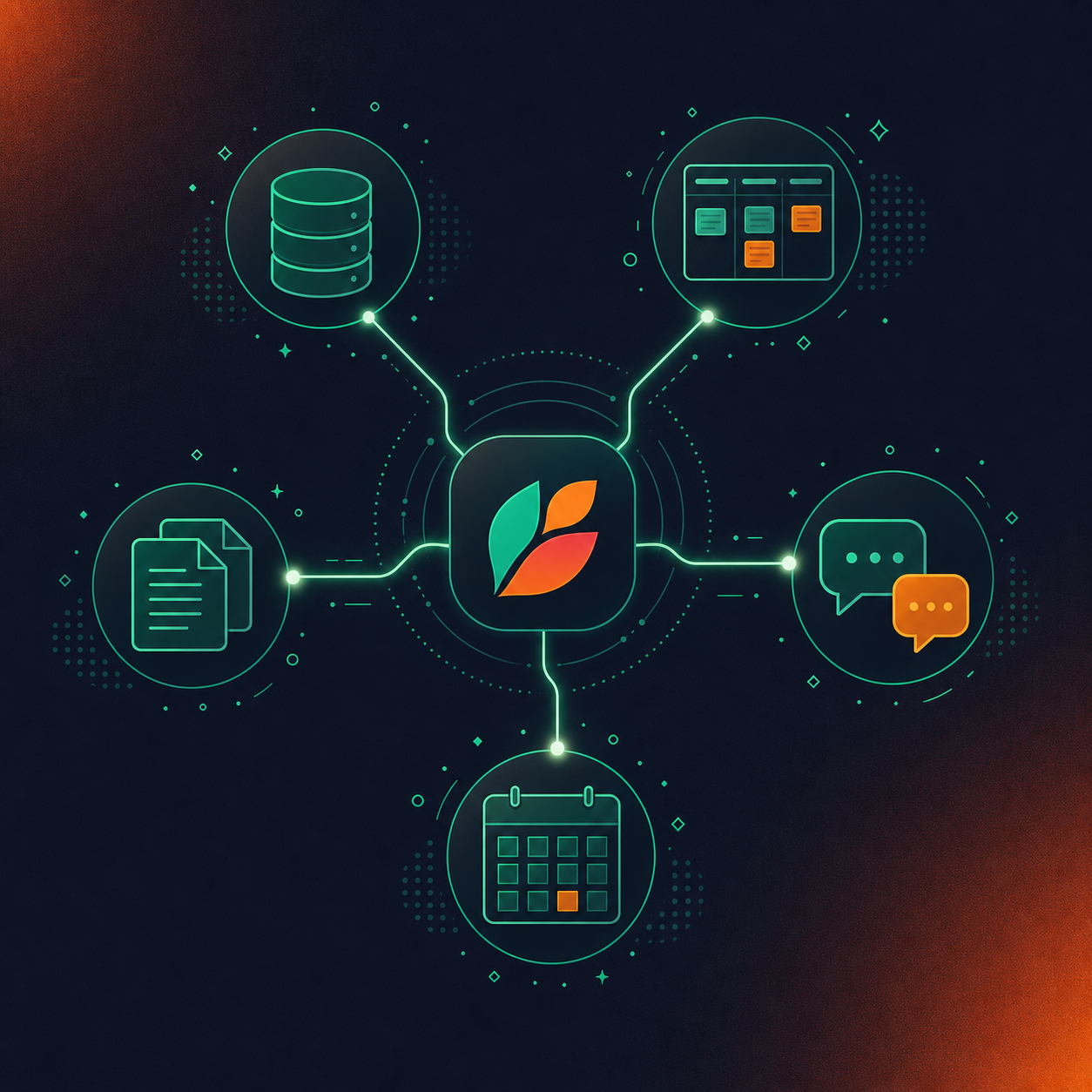
Enterprise buyers weigh five integration categories:
- CRM (Salesforce, HubSpot, Attio, Zoho): action items and deal context should update contact records automatically, with custom field mapping instead of generic note dumps
- Project management (Jira, Linear, Asana, Monday.com, ClickUp, Trello): decisions and scoped work should become tickets with named owners, not a summary someone re-reads later
- Knowledge bases (Confluence, Notion, Google Docs): structured meeting output should land where teams already store documentation, not in a separate meeting tool silo
- Chat (Slack): recap distribution should happen automatically, not require a human to copy and paste
- Calendar (Google Calendar, Microsoft Calendar): the system needs to know what meetings are happening before it can capture them
The practical test is whether output routes natively or through re-entry. Tools that stop at a meeting notes action items template or a shared link force someone to manually move information into Jira, Salesforce, or Confluence after every call. That overhead compounds across hundreds of weekly meetings, and it is where adoption breaks down.
Spinach routes structured outputs directly into these systems after every meeting: decisions and action items into project management tools, CRM records updated with deal context, and summaries pushed to Slack and knowledge bases. On Business and Enterprise plans, an MCP server connects meeting data to Claude and ChatGPT with admin-controlled permissions, so the conversation corpus becomes queryable across the organization’s AI workflows.
Individual Note Takers vs. Organizational Meeting Systems
The distinction enterprise buyers miss most often is architectural, not feature-level.
Individual AI note takers solve one person’s problem well. Each user gets their own summaries and transcripts. But deployed across a company, the math breaks down: different tools per team, uncontrolled external sharing, no org-level policy, and no unified record anyone can query. That’s shadow IT, and research from the Cloud Security Alliance puts the governance gap in stark terms: 89% of enterprise AI usage is invisible to security teams.
An organizational meeting system is a different class of product. It deploys company-wide, enforces sharing policy at the account level, and produces a single governed corpus of conversation data that people and AI agents can retrieve across teams and time. The output is searchable. The policy is consistent. The data doesn’t live in seventeen individual accounts.
If one person needs their own notes, an individual tool is fine. If an organization needs to know what was decided across every team, client, and leadership forum, it needs a conversation data system of record, not a folder of per-user exports.
Meeting Management Software Pricing: What Enterprise Buyers Pay
Pricing structures across this category follow four models, and knowing them before entering vendor conversations saves time.
Plan | Price | Key Inclusions | Best Fit |
|---|---|---|---|
Starter | Free | Unlimited recording and transcription, 100 languages, basic AI summary, Google/MS Calendar + Slack; 7-day recording retention; no downstream integrations | Individuals testing or trialing the platform |
Pro | $2.90 / meeting hour; no user limits | Advanced AI summaries, Ask Spinach, CRM and project management integrations, Zapier; 1-year retention; pay only for what you use (MCP not included) | Organizations with variable meeting volume who prefer usage-based billing |
Business | $29 / user / month (monthly) or $19 / user / month (annual) | Unlimited meetings, advanced AI summaries, Ask Spinach, CRM and project management integrations, MCP server; flat one-year retention across all data types; 2 concurrent meetings, 3 uploads/day | Mid-market teams needing consistent downstream routing and AI workflow connectivity |
Enterprise | Custom pricing | SAML SSO, SCIM provisioning, configurable retention per data type, compliance agents, API and webhooks, BAA available | Organizations with HIPAA, data residency, or security review requirements |
- Free tiers: common entry points, but usually capped at short retention windows (7 days is standard) and basic AI summaries with no downstream integrations.
- Pay-as-you-go: charged per meeting hour, not per user, which suits organizations with variable meeting volume. Spinach’s Pro plan runs $2.90 per meeting hour with no user limits.
- Per-user-per-month subscriptions: the most common mid-market structure. Spinach’s Business plan is $29/user/month billed monthly, or $19/user/month billed annually, with integrations and MCP included.
- Custom enterprise contracts: SAML SSO, configurable retention, compliance tooling, and API access almost always sit behind negotiated terms. Published per-seat figures rarely reflect final contract pricing at scale.
For enterprise buyers, the features most relevant to a legal or security review, including granular retention, SCIM provisioning, BAA availability, and compliance tooling, are gated behind custom pricing. Budget planning should account for that gap between the published Business tier and what a full enterprise deployment actually costs.
Spinach AI’s Approach to Enterprise Meeting Management
Spinach AI is an enterprise conversation intelligence platform: the system of record for conversation data across the organization.
It joins meetings on Zoom, Google Meet, Microsoft Teams, Slack Huddles, and Webex, capturing video, audio, transcript, screen share, and in-meeting chat. When the meeting ends, it delivers structured outputs (decisions, action items with named owners, tickets, CRM records, recap emails) routed automatically into the tools teams already use.
For enterprise deployments, Spinach runs company-wide with record-by-default and enforced org-level policy. Collections automatically group and share meetings by participant, series, or title. The admin dashboard provides audit logging and usage reporting. SAML SSO and SCIM handle provisioning at scale.
Security credentials: SOC 2 Type II, GDPR, and HIPAA compliant, with a BAA available on Enterprise/HIPAA engagements. No customer data is used to train AI models, and Spinach maintains zero data retention with LLM providers.
See pricing table above. The MCP server on Business and Enterprise connects the full conversation corpus to Claude and ChatGPT with admin-controlled permissions, making Spinach the upstream data layer that feeds every downstream system and agent the organization already runs.
Final Thoughts on Meeting Management Software
Meeting management software earns its place when it stops being a capture tool and starts being the layer that connects conversation data to the systems where work actually gets done. The buying process almost always starts with transcript quality and ends with questions about retention, consent controls, and data governance, so knowing what you need on both ends saves time. The architecture question matters more than any individual feature: whether you have one org-level governed record or a folder of per-user exports is the real decision. If you want to see how a company-wide system handles that full scope, Spinach AI is a good place to start.
Otter.ai and Fireflies solve one person’s note-taking problem well: each user gets their own transcripts and summaries. Deployed across a company, though, you end up with a different tool per team, no org-level policy, uncontrolled external sharing, and no unified record anyone can query or govern. Spinach AI is deployed company-wide as the system of record for conversation data, with enforced sharing policy, configurable retention per data type, and a single corpus that people and AI agents can retrieve across teams. If one person needs their own notes, an individual tool works fine; if your organization needs to know what was decided across every team, client, and leadership forum, the architecture has to be organizational from the start.
An enterprise conversation intelligence platform joins meetings across your video conferencing tools (Zoom, Google Meet, Microsoft Teams, Slack Huddles, Webex), capturing audio, video, transcript, screen share, and in-meeting chat during the meeting, then producing structured outputs when the meeting ends: decisions with named owners, action items, tickets, CRM updates, and summaries routed into the tools your teams already use. The key distinction from a per-user note taker is governance: access policy, retention rules, and sharing scope are set at the org level by admins, not left to individual users. The conversation corpus becomes a queryable, AI-ready data asset the whole organization can act on, not a folder of per-user exports.
Start with six questions before legal touches the DPA: Is SOC 2 Type II certification active and documentable? Is GDPR and HIPAA compliance current, and is a BAA available for healthcare engagements? Is data retention configurable per data type (transcript, summary, and video separately) or is it a single blanket policy? Is customer data ever used to train AI models? Is the bot always visible to participants, or can it record without disclosure? Is PII redaction available at the transcript level? The bottleneck in most enterprise deployments is not feature quality: it is security review, legal sign-off on the DPA, HR approval on recording consent, and whether the vendor can answer these questions in writing before procurement starts.
Business gives you unlimited meetings, advanced AI summaries, CRM and project management integrations, and the MCP server that connects your full conversation corpus to Claude and ChatGPT, priced at $29/user/month monthly or $19/user/month billed annually. Enterprise adds SAML SSO and SCIM provisioning, org-enforced settings and branding, granular retention configurable per data type from one week to indefinite, compliance agents that classify and flag regulatory risk, custom agents, and API and webhooks for custom pipelines, at custom pricing. If HIPAA compliance, a BAA, or configurable retention are hard requirements for your legal or security review, those sit behind Enterprise; confirm that before committing to annual Business billing.
As of July 2026: Teams Copilot and Zoom AI Companion deliver individual productivity features (notes, action items, summaries) and they do this well within their own platforms. The architectural gap is that neither is an organizational system of record: to query all of your company’s conversation data with Claude or ChatGPT on a native stack, you either build a centralization layer on their API or ask every employee to share every meeting manually. Spinach runs on top of your existing meeting platforms (across Zoom, Teams, Meet, Slack Huddles, and Webex simultaneously), captures every modality instead of transcript alone, and applies org-level sharing policy and retention rules automatically. The choice is not features; it is whether you want individual productivity outputs or a governed, queryable corpus of every conversation the organization has.
Look for a platform that is transcription-model agnostic rather than locked to a single vendor’s model — that architecture is the primary reason accuracy holds up in Hebrew, Spanish, French, and other non-English-dominant environments. Spinach supports 100 languages and selects the most accurate transcription model per language, which is a repeated reason multilingual organizations switch from native platform AI or single-vendor tools.
Individual note takers work well for one person’s meetings, but deployed across a company they produce a different tool per team, uncontrolled external sharing, and no unified record IT can govern — a May 2026 Cloud Security Alliance research note found that 89% of enterprise AI usage is invisible to security teams, and per-user meeting tools are a direct contributor to that gap. An org-wide system applies sharing policy, retention rules, and access controls at the account level, producing a single governed corpus rather than a folder of per-user exports.
Confirm three things before legal touches the DPA: HIPAA compliance is current and documentable, a Business Associate Agreement is available for your engagement type, and data retention is configurable per data type so you can set deletion schedules that satisfy your compliance team’s requirements. On Spinach, HIPAA compliance and BAA availability are gated behind Enterprise and HIPAA engagements — do not assume they are included on Starter, Pro, or standard Business plans.
A system of record for conversation data is an organizational platform that captures every meeting across the enterprise, applies governed access and retention policy, and makes the full conversation corpus queryable by people and AI agents — the same way a CRM is the system of record for customer relationships. Without one, decisions and context stay trapped in per-user note exports or individual meeting platform summaries, disconnected from the CRM, project management tools, and AI workflows that actually run the company.
You can, but it requires building a centralization layer on their API or asking every employee to manually share every meeting — neither of which scales to an org-wide policy. Native platform AI (Zoom AI Companion, Microsoft Copilot) delivers individual productivity features like summaries and action items well, but their architecture is not an organizational system of record, so querying all of your company’s conversation data with Claude or ChatGPT on a native stack is not a supported workflow as of July 2026.
At minimum: a CRM (Salesforce, HubSpot) with custom field mapping, a project management tool (Jira, Linear, Asana) for ticket creation with named owners, a knowledge base (Confluence, Notion, Google Docs) for structured documentation, and Slack for automatic recap distribution. Tools that stop at a shared summary link or a PDF force someone to manually re-enter decisions and action items into each system after every call — overhead that compounds across hundreds of weekly meetings and is where adoption breaks down.
Per-user-per-month pricing (like Spinach Business at $29/user/month or $19/user/month billed annually) works best when meeting volume is consistent and you want predictable costs with unlimited meetings included. Pay-as-you-go (like Spinach Pro at $2.90 per meeting hour, no user limits) suits organizations with variable meeting volume where you only want to pay for what you actually use — though it excludes features like MCP that are included on the Business plan.
In multiparty-consent jurisdictions, all participants must be notified before recording begins — a visible meeting bot satisfies this requirement; a background process that records without any in-meeting indicator does not. Enterprise buyers should confirm the following controls before signing: the bot is always visible and never covert, admins can set a custom bot name and legal-approved in-meeting notification text at the org level, hosts have pause/resume/kick commands mid-meeting, and the bot can be held in a waiting room until verbal consent is confirmed.
The most common pattern is not replacement but expansion: organizations keep Gong for customer-facing sales coaching, where it has deep sales-workflow features, and deploy an org-wide platform like Spinach everywhere else — internal meetings, leadership forums, product and engineering ceremonies, HR conversations — feeding one governed conversation corpus from both sources. Consolidation often follows later, driven by the cost difference between a sales-only tool and org-wide coverage and by the ability to query all conversation data in one place via API or MCP.
At minimum: SAML SSO and SCIM provisioning for identity management, org-enforced default sharing scope so individual users cannot override policy, configurable data retention per data type (transcript, summary, and video set separately), PII redaction at the transcript level, audit logging and usage reporting, and written confirmation that customer data is never used to train AI models. These controls are what separate a per-user productivity app from a governed organizational platform — and they are the questions that stall most enterprise deals, not summary quality or transcription accuracy.
What you should do next
Next, here are some things you can do now that you've read this article:
- You should check out our library of meeting agenda templates for every type of meeting.
- Check out Spinach to see how it can help you run a high performing org.
- If you found this article helpful, please share it with others on Linkedin or X (Twitter)

