Top Meeting AI Tools With a Native MCP Server (August 2026)
August 2026 guide to the 5 best meeting AI tools with native MCP servers, ranked on data access, permission scoping, and compliance standards.
 Maintouch
Getting your AI assistant to recall last Tuesday’s standup is the easy part. Getting it to draw on everything your whole company has discussed, with proper access controls and audit logging, is the harder problem most meeting AI MCP tools quietly skip. These five tools have native MCP servers worth reviewing, and the differences between them come down to exactly that question.
TLDR:
- Most meeting AI MCP servers expose one user’s history; org-wide query requires an organizational layer.
- Native MCP servers track spec updates and ship OAuth and permission scoping; third-party wrappers do not.
- Check five things before buying: data exposed, permission scoping, AI client support, read vs. read-write, and maintenance cadence.
- Meeting BaaS is the only open-source option here; it has no governance controls or compliance certifications.
- Spinach AI exposes a governed org-wide corpus to Claude and ChatGPT, with OAuth, audit logging, and company-wide SOC 2 Type II, GDPR, and HIPAA certifications; MCP is on Business ($29/user/month monthly, or $19/user/month billed annually) and Enterprise.
What Is an MCP Server and Why Does It Matter for Meeting Data?
Model Context Protocol (MCP) is an open standard introduced by Anthropic in November 2024. Before it existed, connecting an AI model to a data source meant building a bespoke connector for every pairing (what engineers call the M×N integration problem). MCP collapses that into a single protocol: one server exposes a resource, any compatible AI client can query it. For a deeper look at MCP servers and meeting transcripts, see our full explainer.
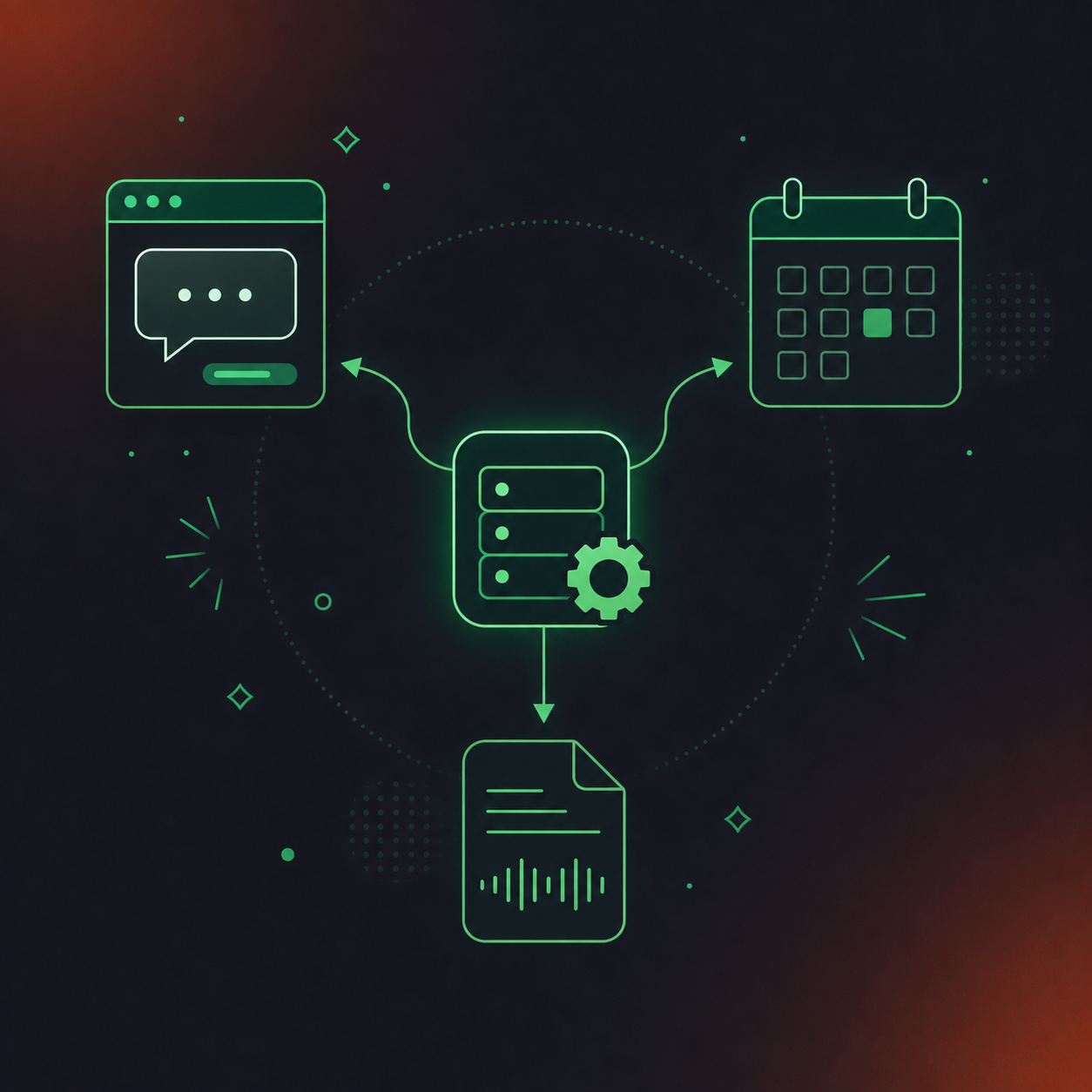
The adoption curve has been steep. By mid-2026, the MCP ecosystem had grown to over 10,000 servers deployed in production, with SDKs downloaded over 97 million times per month, per Anthropic’s December 2025 MCP announcement.
Meeting data is among the richest resources an MCP server can expose. Decisions, commitments, blockers, and strategic context all live in conversations first. When an AI agent can query that data directly, it can draft follow-ups, update project records, and surface patterns across hundreds of calls without a human manually re-keying anything.
Native MCP Server vs. API Wrapper: Why the Distinction Matters
A native MCP server is built and maintained by the vendor against the official specification. It exposes tools, resources, and prompt templates directly, so AI hosts like Claude and ChatGPT can find and invoke capabilities without custom glue code. It tracks spec updates, including the July 2026 stateless core revision, and ships admin controls like OAuth, permission scoping, and user-based access enforcement as first-class features.
A third-party wrapper re-packages an existing REST API into something that looks MCP-shaped. It can lag the spec by months, break silently when the underlying API changes, and typically lacks the permission model enterprise deployments require. No vendor is accountable for keeping it current.
When you see “MCP integration” in a meeting tool’s marketing, the question worth asking is whether the vendor ships and maintains the server itself.
Key Criteria for Assessing Meeting AI MCP Servers
Before comparing specific tools, five questions cut through the marketing noise.
- What data does the server actually expose? Transcript-only access is table stakes. The more useful implementations surface summaries, action items with named owners, decisions, and in-meeting chat: structured outputs an agent can act on, not a wall of raw text to parse.
- How are permissions scoped? User-level access is the minimum. Enterprise deployments need org-level enforcement: an admin who can approve connections, restrict which users can expose which data, and audit what AI clients have queried. A server with no permission model is a shadow-IT risk, not a solution to one. IT teams managing meeting recording consent policies will find the permission model especially relevant.
- Which AI clients does it support? Claude and ChatGPT cover most buyers today, but engineering teams increasingly query from Cursor or VS Code. Check the supported client list against your actual AI stack before assuming compatibility.
- Read-only or read-write? Querying past meetings is useful. Writing back (creating a Jira ticket, updating a CRM record, triggering a follow-up) is where agents actually save time. Most implementations stop at read; the ones that don’t are meaningfully more capable.
- Is the server actively maintained? The MCP spec moved to a stateless core architecture in July 2026. A server built against an older revision may still connect but will miss newer capability primitives. Ask when the vendor last shipped a spec-aligned update.
1. Spinach AI
Spinach AI is the only tool on this list where the MCP server is an organizational layer, not a personal one. Built as the system of record for conversation data, it is deployed company-wide and not per person. Every other entry exposes one user’s meeting history. Spinach exposes the company’s.
Spinach joins meetings on Zoom, Google Meet, Microsoft Teams, Slack Huddles, and Webex, capturing every modality during the meeting: video, audio, transcript, screen share, and in-meeting chat. At meeting end, it delivers structured outputs: decisions, action items with named owners, CRM records, and Jira ticket references. That structured corpus is what the MCP server exposes.
The native Claude and ChatGPT connectors ship with OAuth, admin approval gates, and user-based permission enforcement. An admin controls which users can expose which data to which AI clients, and audits what has been queried. IT and compliance buyers assessing meeting AI MCP tools will find the org-enforced settings and audit logging relevant; teams scaling this further should review meeting data governance at scale for access and retention controls.
The MCP server is available on Business ($29/user/month monthly, or $19/user/month billed annually) and Enterprise (custom pricing; contact sales). Pro does not include MCP access.
“eToro is reinventing itself as an AI-first culture, and Spinach AI is powering our transformation… it helps us make better decisions.” — Yoni Assia, Founder & CEO, eToro (NASDAQ: ETOR)
2. Zoom AI Companion (as of August 2026)
Zoom’s MCP server, expanded in May 2026, gives AI clients access to meeting summaries, transcripts, recordings, notes, and action items, with agentic search across connected enterprise systems like Salesforce, Workday, and ServiceNow. For teams already living inside Zoom, that’s a real starting point.
The architectural constraint is straightforward: Zoom AI Companion is built around individual productivity. Its MCP server surfaces per-user meeting context. An organization that wants to query conversation data across teams, enforce recording policies at the org level, or route structured meeting outputs into downstream agents needs a centralization layer the native Zoom stack doesn’t provide by default. That’s where Spinach runs on top of Zoom, not as a replacement for it.
3. Otter.ai (as of August 2026)
Otter.ai was among the first meeting tools to ship MCP support, packaging it under a “Conversational Knowledge Engine” launched in 2026. The capability lets Claude and ChatGPT query a user’s meeting history: transcripts, summaries, and searchable archives built up over time. For an individual who wants their AI assistant to recall last Tuesday’s call, that’s genuinely useful. Otter’s transcript quality and archive depth are real strengths, and its name recognition means most teams have at least one person who’s already tried it. Teams weighing Otter.ai alternatives for accurate meeting notes will find a detailed comparison at that link.
The structural reality becomes visible at the org level. Deploy Otter across twenty people and you get twenty separate archives, each queryable only by its owner, with no enforced sharing policy and no org-level retention controls. There’s no single corpus an AI agent can query across the company. For buyers assessing an MCP server that feeds team-wide or org-wide workflows, that architecture is the binding constraint. Verify which plan tier includes MCP access directly on Otter’s site before purchasing.
4. Fireflies.ai (as of August 2026)
Fireflies.ai has built its reputation on CRM connectivity. Its automatic logging to Salesforce, HubSpot, and Pipedrive after every call, combined with 40-plus native integrations, makes it a practical choice for sales teams that want meeting context to land in the CRM without manual re-entry. Teams evaluating other options can find a full Fireflies.ai alternatives breakdown at that link. Its cross-meeting search and conversation intelligence features add real value for revenue workflows, and its MCP connectivity lets AI assistants query a user’s meeting history directly.
The org-level constraint that applies to Otter applies here too. Fireflies is adopted team by team, sometimes person by person, which at scale produces different configurations across departments, uncontrolled sharing between accounts, and no unified governance layer. There is no single corpus an AI agent can query across the company. For a direct Spinach AI vs Fireflies.ai comparison, see our dedicated review. Verify current MCP availability, supported AI clients, and which pricing tier includes MCP access on Fireflies’ site before committing, as those details shift with plan updates.
5. Meeting BaaS (as of August 2026)
Meeting BaaS takes a different approach from every other entry here: it is an open-source MCP server, available on GitHub, that gives AI clients like Claude Desktop direct access to meeting recordings, transcripts, and calendar data through a developer-configurable setup.
For an engineering team that wants to build custom enterprise conversation intelligence workflows against their own data, that flexibility is the point. No SaaS contract, no per-seat pricing, no vendor lock-in. You configure authentication, wire in calendar credentials, host the server yourself, and query however your internal tooling requires.
The trade-offs are equally straightforward. Setup requires developer time. Maintenance follows the open-source community’s cadence, not a product roadmap with an SLA behind it. There are no admin governance controls, no compliance certifications, and no enterprise support tier. For a team prototyping an internal agent that needs meeting context, that’s acceptable. For an organization assessing a governed, org-wide deployment, those gaps are disqualifying.
Verify current feature status and supported AI clients on the project’s GitHub repository before building against it, as community-maintained projects can shift quickly.
Side-by-Side Comparison
Tool | MCP Server Type | Data Exposed | Supported AI Clients | Org-Level Admin Controls | Compliance Certifications | MCP Available On |
|---|---|---|---|---|---|---|
Spinach AI | Native | Multimodal (video, audio, transcript, screen share, chat, structured outputs) | Claude, ChatGPT | Yes (OAuth, admin approval, user-based permissions, audit logging) | SOC 2 Type II, GDPR, HIPAA | Business ($19/user/mo annual), Enterprise |
Zoom AI Companion | Native | Summaries, transcripts, recordings, action items | Zoom AI clients, connected enterprise apps | Per-user; org controls limited to Zoom admin settings | SOC 2, GDPR | Included with Zoom plans (as of August 2026) |
Otter.ai | Native | Transcripts, summaries, searchable archive | Claude, ChatGPT | No org-level enforcement; per-user only | SOC 2 | Verify on Otter’s site (as of August 2026) |
Fireflies.ai | Native | Transcripts, summaries, CRM-linked notes | Verify on Fireflies’ site | No org-level enforcement; per-user only | SOC 2 | Verify on Fireflies’ site (as of August 2026) |
Meeting BaaS | Open-source | Recordings, transcripts, calendar data | Claude Desktop, developer-configurable | None | None | Self-hosted; free (as of August 2026) |
When to Use an Enterprise MCP Layer Instead of a Per-User Server
The five tools in this list answer different questions. Four answer “how does an individual get their AI assistant to recall past meetings?” One answers “how does an organization give agents access to every conversation it has ever had?”
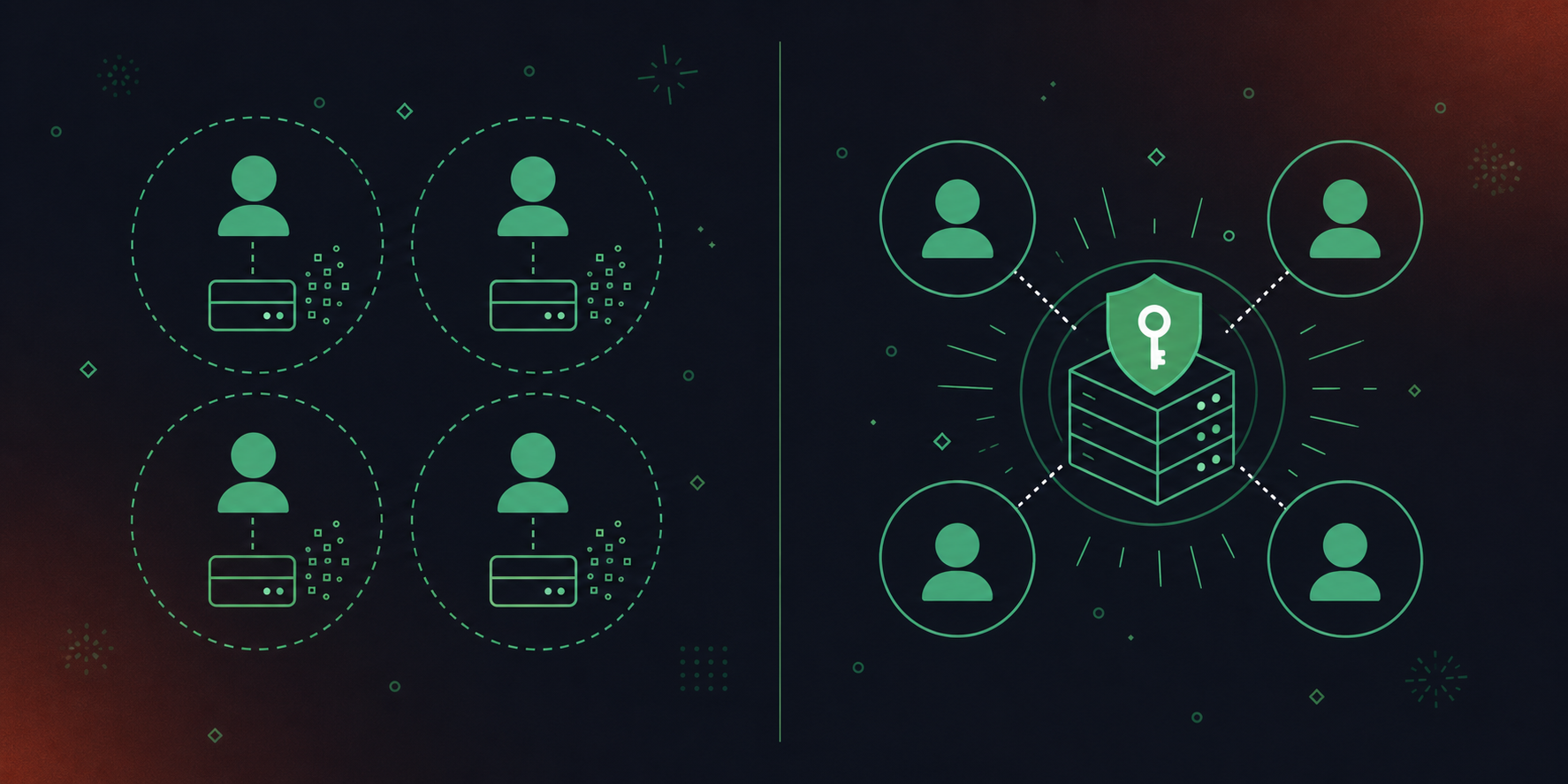
The individual-server problem compounds fast. When twenty people each run their own meeting AI with its own MCP server (a pattern covered in our Spinach AI vs MeetGeek comparison), an agent querying that data gets a different, incomplete picture depending on whose credentials it uses. That is not a feature gap. It is an architecture problem: per-user servers silo the data by design.
An enterprise MCP layer requires four things no per-user server provides:
- A single governed corpus of conversation data across the org, so any agent query draws on what the whole company knows, beyond any one user’s recorded calls.
- Policy-enforced sharing so what gets exposed to AI clients follows access rules, not individual settings.
- Admin-controlled permission scoping with audit logging.
- Centralized retention controls per data type.
If your requirement is that Claude can ask a question and receive an answer drawing on everything the company knows, the per-user servers in this list are not wrong choices. They are answers to a different question.
How an Organizational MCP Layer Powers AI Agents Across the Company
Spinach AI joins meetings across Zoom, Google Meet, Microsoft Teams, Slack Huddles, and Webex, then consolidates the output into one governed organizational record. That corpus is what the MCP server exposes to Claude and ChatGPT.
OAuth, admin approval gates, and user-based permission enforcement give IT control over which users expose which data to which AI clients (teams using Claude connectors for structured meeting data can see exactly how that routing works), with audit logging that compliance and legal teams can review.
MCP access is included on the Business plan ($29/user/month monthly, or $19/user/month billed annually). Enterprise adds API and webhooks for custom pipelines (custom pricing; contact sales).
Final Thoughts on MCP Servers and Meeting AI
Four of the five tools here give one person access to their own meetings. That works until it doesn’t, and it stops working the moment your AI agents need answers that cross team lines. If your requirement is a single governed corpus an agent can query across the whole company, the architecture question is already answered. Get started with Spinach AI to see what that looks like in practice.
Spinach AI’s MCP server exposes a single governed corpus of conversation data across your entire organization: every meeting, every participant, every team. Otter.ai and Fireflies.ai each expose one user’s meeting history per connection, so an AI agent querying through those servers gets a different, incomplete picture depending on whose credentials it uses. If your requirement is that Claude or ChatGPT can answer a question drawing on what your whole company knows, the per-user architecture in Otter and Fireflies is a structural limit, not a configuration problem.
Point your AI client (Claude, ChatGPT, or a tool like Cursor) at an MCP server that exposes structured meeting outputs, not raw transcripts. Spinach AI’s native MCP server delivers decisions, action items with named owners, and Jira ticket references as queryable data, so an agent can pull the exact context it needs for a task without parsing a wall of transcript text. The server ships with OAuth and user-based permission scoping, so IT controls which users expose which data to which clients, with audit logging throughout.
Five criteria cut through the marketing: whether the server exposes structured outputs or raw transcripts; how permissions are scoped at the org level and beyond individual users; which AI clients are supported; whether the server is vendor-maintained against the current MCP spec; and whether the vendor holds SOC 2 Type II, GDPR, and HIPAA certifications with configurable retention per data type. Per-user servers from individual note takers fail the second and fourth criteria by design: they have no org-level enforcement and no unified audit trail, which creates the same shadow-IT sprawl they were meant to solve.
Zoom AI Companion’s MCP server surfaces per-user meeting context and works well for individuals querying their own call history within the Zoom ecosystem. Spinach AI’s MCP server exposes a single organizational record across Zoom, Google Meet, Microsoft Teams, Slack Huddles, and Webex, with admin approval gates, org-enforced permission scoping, and audit logging that compliance teams can review. If the deployment goal is an AI agent that draws on what the whole company has discussed, across platforms and teams, Spinach runs as the governance layer on top of Zoom, not as a replacement for it.
Meeting BaaS is an open-source MCP server you self-host, giving engineering teams full configuration control with no per-seat pricing or vendor lock-in, making it the right fit for prototyping a custom internal agent. Spinach AI is a vendor-maintained, SOC 2 Type II, GDPR, and HIPAA compliant organizational system with admin controls, configurable retention per data type, and structured outputs already routed into Jira, Salesforce, and CRM systems. For a team building a proof of concept, Meeting BaaS removes friction fast; for an organization that needs governed, auditable, org-wide MCP deployment, the absence of compliance certifications and admin controls in Meeting BaaS is a disqualifying gap.
An MCP server is a vendor-built implementation of the Model Context Protocol, the open standard Anthropic introduced in November 2024, that exposes meeting data — transcripts, summaries, action items, decisions — to compatible AI clients like Claude and ChatGPT. Before MCP, connecting an AI model to a data source required a custom connector for every pairing; MCP collapses that into one protocol so any compatible AI client can query it. For meeting tools specifically, it means your AI assistant can pull structured context from past calls without you manually copying anything.
Yes, but only if the MCP server exposes an organizational corpus rather than a per-user archive. Most meeting AI MCP tools — including Otter.ai and Fireflies.ai — connect one user’s meeting history per credential, so an agent querying across twenty people gets twenty separate, incomplete pictures. Spinach AI’s native MCP server exposes a single governed corpus across every meeting the organization captures, with OAuth, admin approval gates, and user-based permission enforcement built in.
MCP is included on the Business plan ($29/user/month monthly, or $19/user/month billed annually) and on Enterprise (custom pricing). The Pro plan does not include MCP access. API and webhooks, which support custom pipelines beyond what MCP covers, are available on Enterprise only.
A native MCP server is built and maintained by the vendor directly against the official MCP specification, so it tracks spec updates — including the July 2026 stateless core revision — and ships admin controls like OAuth and permission scoping as first-class features. A third-party wrapper re-packages an existing REST API into an MCP-shaped interface, can lag the spec by months, breaks silently when the underlying API changes, and typically lacks the permission model enterprise deployments require. When a meeting tool claims ‘MCP integration,’ asking whether the vendor ships and maintains the server itself is the right first question.
Meeting BaaS is the right fit for a proof of concept: it is open-source, self-hosted, free, and removes friction fast with no per-seat pricing or vendor contract. For a governed, org-wide deployment, the absence of compliance certifications, admin controls, and a product-backed maintenance SLA in Meeting BaaS becomes a disqualifying gap. Teams that outgrow the prototype stage typically need a vendor-maintained option with SOC 2 Type II, configurable retention, and auditable permission scoping before IT or legal will approve a production rollout.
The Spinach bot is always visible and never covert — it can be renamed and rebranded (for example, ‘Acme Notetaker’), and organizations can set a custom legal-approved in-meeting notification message. Admins can issue pause, resume, or kick commands mid-meeting, and the bot can be configured to admit from the Zoom waiting room only after verbal consent is given. These controls are enforceable at the org level, not left as individual per-meeting settings.
Spinach’s MCP server exposes decisions, action items with named owners, CRM records, and Jira ticket references as queryable structured data — not a wall of raw transcript text for an agent to parse. It also captures the full meeting modality: video, audio, transcript, screen share, and in-meeting chat. This means an AI agent querying the server can retrieve the exact context it needs for a follow-up task without any manual reformatting.
Spinach AI holds SOC 2 Type II, GDPR, and HIPAA compliance certifications. HIPAA coverage and a Business Associate Agreement (BAA) are available on Enterprise and HIPAA-specific engagements — they are not available on Starter, Pro, or standard Business plans. Enterprise retention is configurable per data type (transcript, summary, and video separately) from one week to indefinite, which is the feature most relevant to regulated-industry buyers.
The July 2026 MCP spec moved to a stateless core architecture, introducing newer capability primitives that older server implementations may miss. A server built against a pre-July revision may still connect to an AI client but will not expose the full range of capabilities the updated spec supports. Asking a vendor when they last shipped a spec-aligned update is a practical way to assess whether their MCP server is current — native, vendor-maintained servers are more likely to track these changes than open-source wrappers.
IT teams should require four things: org-level permission scoping that goes beyond individual user settings, an admin approval gate controlling which users can expose which data to which AI clients, audit logging that compliance and legal teams can review, and centralized retention controls configurable per data type. Per-user MCP servers from individual note takers fail these criteria by design — they produce the same shadow-IT sprawl they were meant to solve, with no unified governance layer or audit trail across the organization.
What to do now
You made it to the end of this article! Here are some things you can do now:
- If communication is a challenge for your team, you should check out our library of meeting agenda templates.
- You should try Spinach to see how it can help you run a high performing org.
- If you found this article helpful, please share it with others on Linkedin or X (Twitter)

