How to set goals for your Customer Success team
Learn about how high-performing Customer Success teams can set goals, with role-specific and team goal examples to help get you started.
 Mike Arnone
Though there can be some overlap, Customer Success (CS) teams are not to be confused with Customer Support teams who mainly tackle support tickets, product bugs, and other issues customers come across.
So, what is the goal of customer success?
To work with the customer to help them get better use out of the product or service. In turn, they often help to reduce churn by increasing user adoption and NPS, and assist with things like upselling and even account expansion.
People in CS roles usually have the most ongoing contact with (and the best understanding of) your customers. More often than not, they’re sitting on a wealth of information that can help shape products, services, and even business models.
And the importance of a great customer success model doesn’t stop there. In 2020, 86% of consumers were inclined to pay for better customer experience over solely price and/or product alone. That means that the quality of a CS team can actually be a key brand differentiator for your business, which can end up making you more money, and help to build a loyal customer base.

But a great CS team isn’t built overnight. It takes time, a solid customer success strategy, smart recruiting, and clearly defined customer success goals. These goals should help to guide your CS team and motivate them to do their best work (because the work they’re doing can make a massive impact on the business).
In this article we’ll be covering:
- What makes customer success teams successful
- How to define your customer success goals
- Goal-setting best practices for customer success teams
- Goal examples for customer success teams
- CS team tools to set you up for success
What makes Customer Success teams successful?
The success of a CS team can vary, depending on the business and their overall goals. Your company goals should always stream down into your departmental goals—whether that’s for product, marketing, customer success, and so on. In this case, it means that you should have specific customer success KPIs that are derived from your wider company goals.
For some companies, the CS team may be focused on upselling and retention, while in others, they may be in charge of the entire customer lifecycle. That being said, there are some more general key identifiers of a successful CS team that can help you understand if your team is performing.
How to tell if your CS team is successful
1. There’s great leadership
We can’t stress this enough—leadership can make or break a team. In fact, managers account for at least 70% of the variance in employee engagement scores. Great leaders drive higher engagement across the team, which, as a result, leads to higher productivity and better performance.
Great leaders collaborate with their team by encouraging them to come up with their own goals, ideas, and solutions. They also act as pacesetters, leading by example and encouraging their team to hit their KPIs. And of course, they’re able to assess and track performance, which in turn will help their team hit those lofty goals. Finally, great leaders invest in the ongoing growth and development of their team.
2. Their goals are aligned with company-wide objectives
Your CS team should never work in a silo. To create true company alignment, all team goals should ladder up into your company-wide objectives.
For example, if your company is striving for more long term subscription plans, your CS team should set goals that contribute to this overall objective, such as ones focused on customer retention. Make sure that these goals are clear and (somewhat) attainable to keep your team focused and aligned with the company!
3. They’re laser-focused on the customer
Your CS team (and really every team) should always be thinking about the customer. From being on the front lines of customer communication to collecting feedback and sharing it with sales, product, and marketing, CS teams are the ultimate customer champion in any organization.
The better your team is at collecting and sharing this feedback/data, the better your company will be at providing for the customer (whether that’s through a better product, smoother service, etc).
4. There are shared goals between customer success and customer support
At the end of the day, the goal of the company and more specifically these teams is to help the customer be successful. Successful teams don’t create silos between themselves and support, especially when it comes to setting goals.
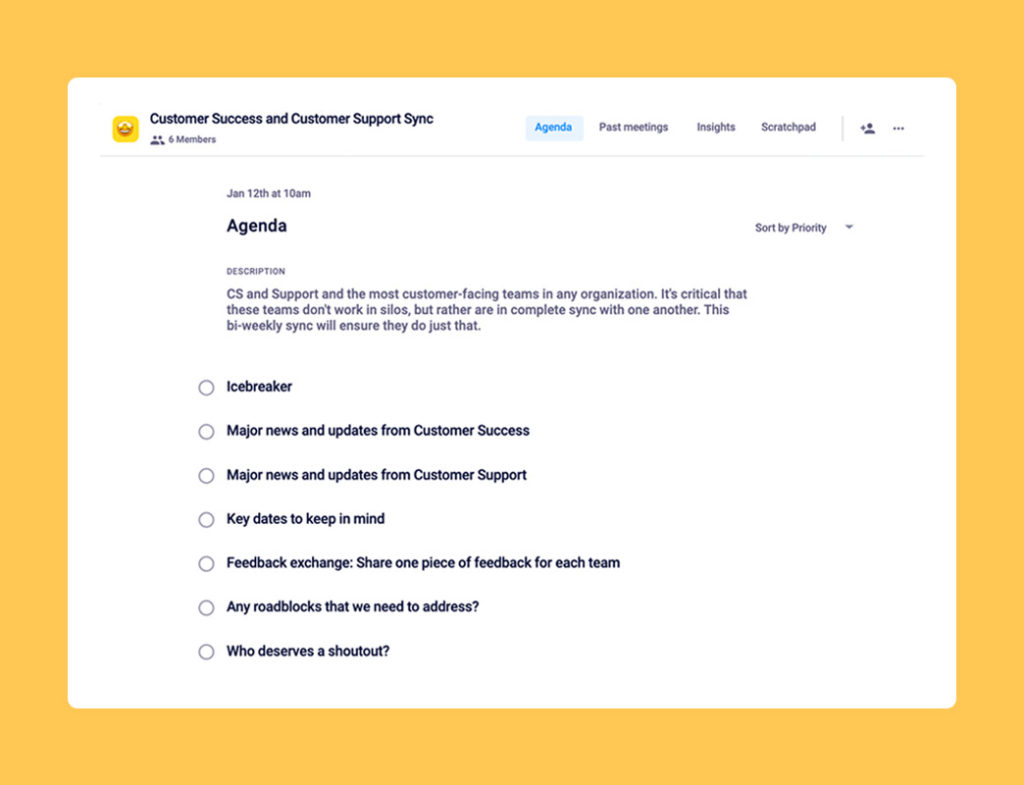
One way to get these two teams to work together is by having recurring team syncs. During this meeting, you can discuss:
- News and updates each team has to share (like people joining or leaving the team, vacations, etc)
- Key dates to keep in mind (like new customers signing on or expanding, new feature releases, etc)
- Exchanging feedback
- Sharing recognition
- Discussing roadblocks and potential solutions
5. They’re closing the loop with sales
The majority of CS teams work very closely with sales, especially since the handoff is a big opportunity for delighting new and existing customers. In the case that your company doesn’t have a sales team, then it’s likely that your CS team is filling in a lot of those gaps. Regardless, your CS team should be closing the loop with sales in many ways, such as:
- Retrieving stats
- Conducting reference calls
- Helping close deals
- Managing customer handoffs
6. They’re closing the loop with marketing
On the other side, your CS team should also be working closely with marketing to help close the loop there. Marketing teams are always hungry for more customer insights and assets to help them better attract and nurture the best leads for the business.
Aside from sharing both quantitative and qualitative data, your CS team can work with marketing to:
- Produce case studies
- Obtain customer testimonials
- Collect approved customer assets and content
- Set up customer feedback calls
- Run campaigns to drive user reviews for directories like G2 and Capterra
7. They’re fostering a customer-centric culture across the organization
Although this doesn’t just fall on the CS team, all teams should be thinking about the customer. After all, the customer is the most important thing—without them, you’d have no business.
A customer-centric culture ensures that:
- You’re constantly pushing for product-market fit, not just today, but always
- Teams can prioritize the most valuable features and bug fixes to drive revenue, customer satisfaction and retention
- The entire organization is focused on acquiring, converting, and delighting the right customer for your business (the ones who will experience the most value out of your product)
To help spread this culture, try sharing customer stories or customer data during large company-wide meetings. Dig into your customer success framework to help other teams understand how your team works. And help reinforce how the work everyone is doing contributes to the overall success of the customer.
At Spinach AI, we run our company-wide town hall every week. During this time, we dedicate 10 minutes for the CS team to share:
- Snippets of a customer call
- One piece of feedback for how we can improve the product
- Key pain points that customers are facing and how Spinach AI helps solve it
Defining your Customer Success goals
Now that we’ve covered how to spot if your CS team is successful, let’s get into setting actual goals for your team.
As mentioned earlier, broader team goals should always ladder up to company-wide objectives. However, when it comes to individual goals, you’ll want them to:
- Ladder up to team goals
- Align with each employee’s personal/professional goals.
Write clear goals
When defining team and individual goals, it’s important that they’re:
- Quantifiable: Once the goal or time period is complete, the answer of whether or not the goal was achieved should be a simple yes or no. Whether it be resolving a specific percentage of concerns communicated in your website’s live chat system or receiveing a minimum score on your customer experience survey — create systems to measure what you want to manage.
- Short: If a goal is too long or complicated, it’s better to split it into separate goals or simplify it. This will leave the least amount of room for misinterpretation.
- Memorable: Also just as important is that the goals are memorable to your team. Memorable goals serve as a great indicator for relevant goals that excite or challenge your team.
- Collaborative: As you’re putting together goals, be sure to include your team in the brainstorming and goal development process. When employees are able to participate in the goal-setting process, they’ll bring a fresh perspective while building a sense of ownership within the team.
Build goals around common CS goal themes:
When it comes to customer success goals, they’re typically focused around specific KPIs or business activities. These can include:
- Revenue retention
- Account expansion (upsells/growing user counts)
- Increasing NPS scores / CSAT scores
- Positive feedback from QBRs, Lunch and Learns, etc
- Improving the onboarding experience
- Boosting customer engagement
- Reducing customer acquisition costs
- Reducing customer churn and increasing retention
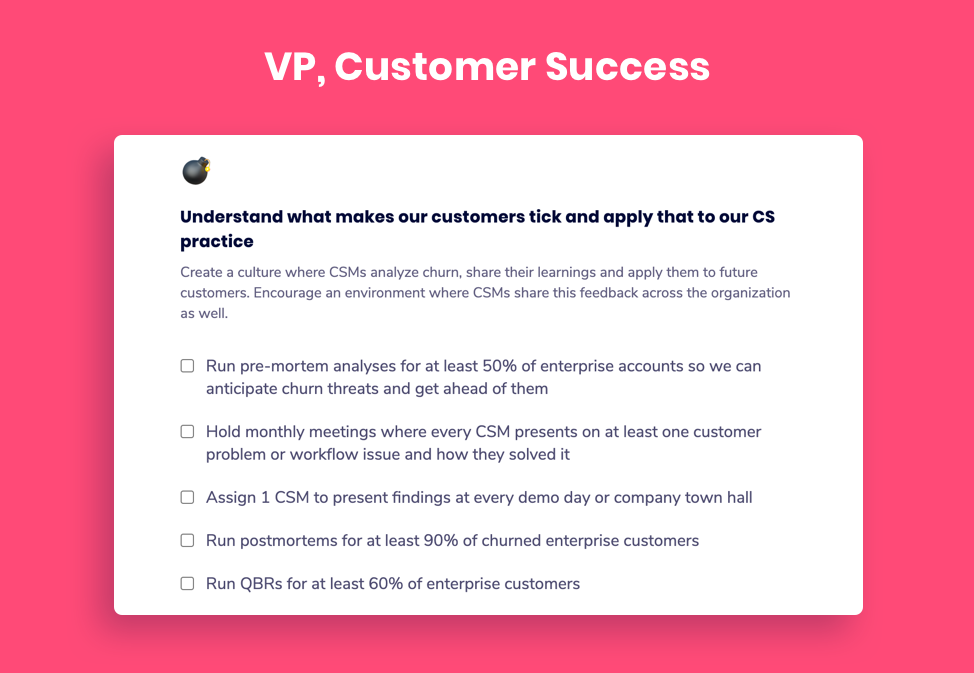
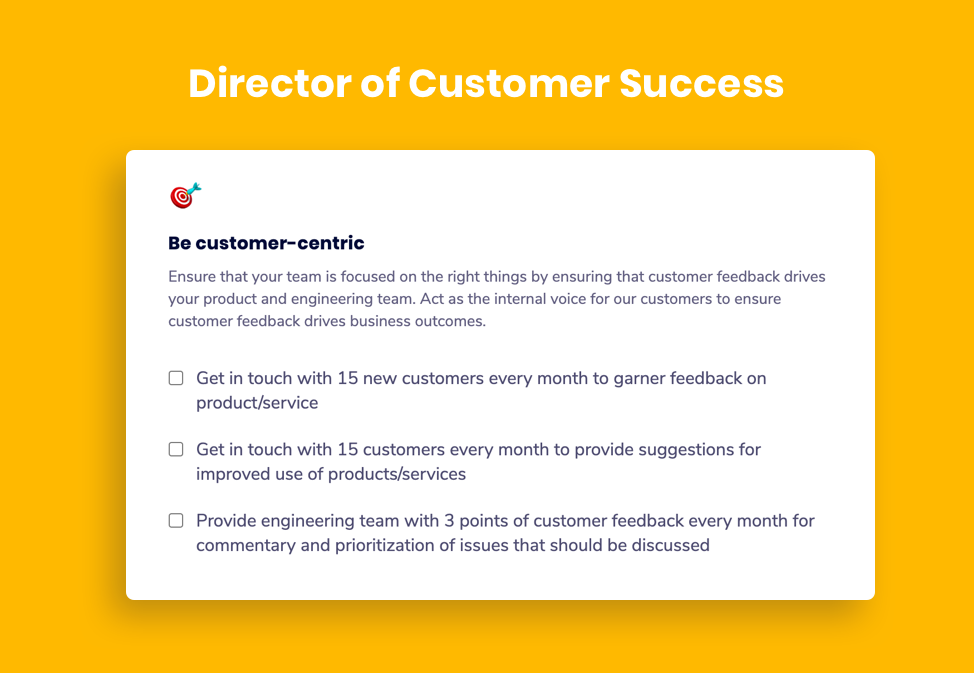
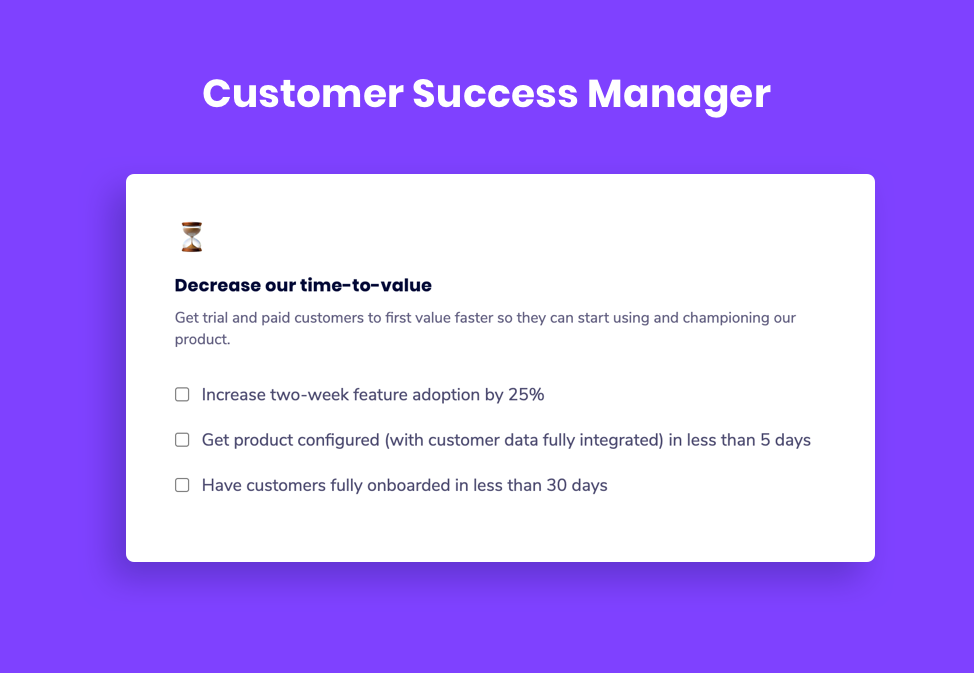
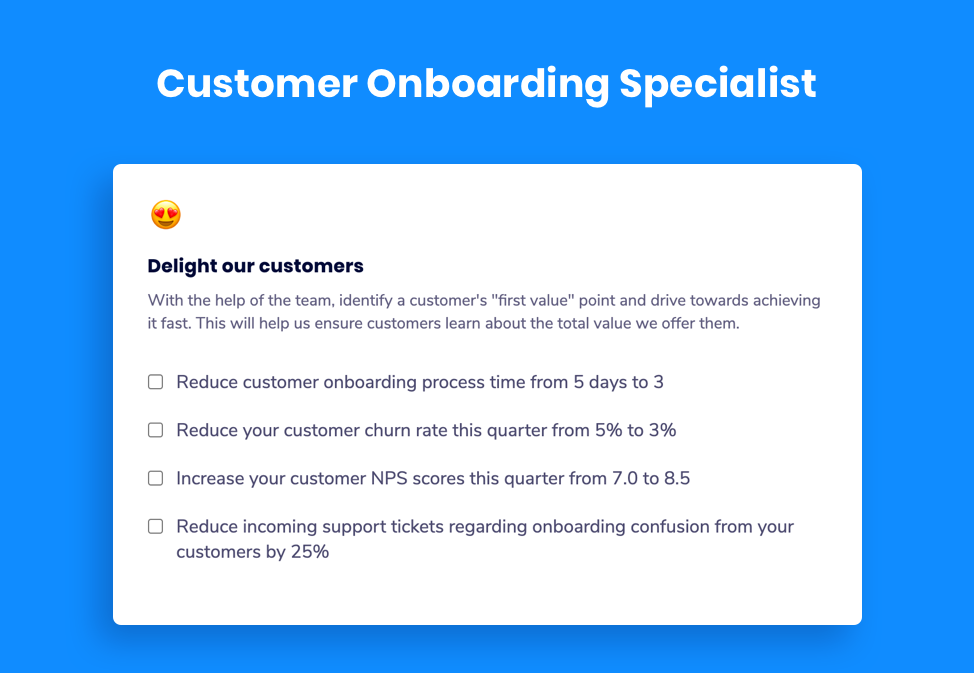
Here’s what these will look like when set as goals:
Goal-setting best practices for Customer Success teams
Now, you can’t just set your customer success goals and forget about them. They have to be continuously reinforced, and team members should be held accountable for these goals. Below are a few best practices to ensure your goals are being properly set!
1. Make goals clear and leave no wiggle room for misinterpretation
All goals should be tied to hard numbers, dates, and/or milestones. There should be no question as to when and how this goal should be reached.
But before goals are set in stone, go over them with your team to make sure everyone is on the same page and understands the metrics and expectations. You don’t want to set goals that the team doesn’t believe in, as this will likely lead to poor performance.
Before your next team meeting, add an item to your agenda around reviewing goals.
2. Choose goals that set you up for success 1 quarter, 1 year, and 5 years from today
Not all goals can be met in 90 days. While running a set number of QBRs can be easily achieved in a quarter, when it comes to objectives like building a customer-centric culture, it may take months to years to see the full effect.
By setting these varied, incremental goals for your team, they’ll be able to see the bigger picture for the team as a whole. And not only that, this will help them to stay motivated and push forward to see how their efforts impact the company over time.
3. Get a pulse on what the career and personal goals are of the team
No two employees are the same, even if they’re performing similar tasks. One way to ensure your CS team is successful is to better understand their individual goals, and then help them meet them. Do they want to one day become a manager or team leader? Are they interested in focusing more closely on customer retention? You can obtain some of this information in your one-on-one meetings.
Some leading questions you can ask are:
- What does an ideal, productive workday look like to you? Walk me through it.
- Are you happy in your role? What could make it better for you?
- How are you feeling about your goals?
- What’s something you’re proud of that happened this week? This month?
These questions (and more) will help you better understand what motivates your employees and how to get the best work out of them. If you’re looking for more inspiration, we’ve got a list of one-on-one questions you can check out.
4. Use the right goal-setting framework for your team
Every team should have some sort of goal-setting framework. This framework is also used across the organization for best results!
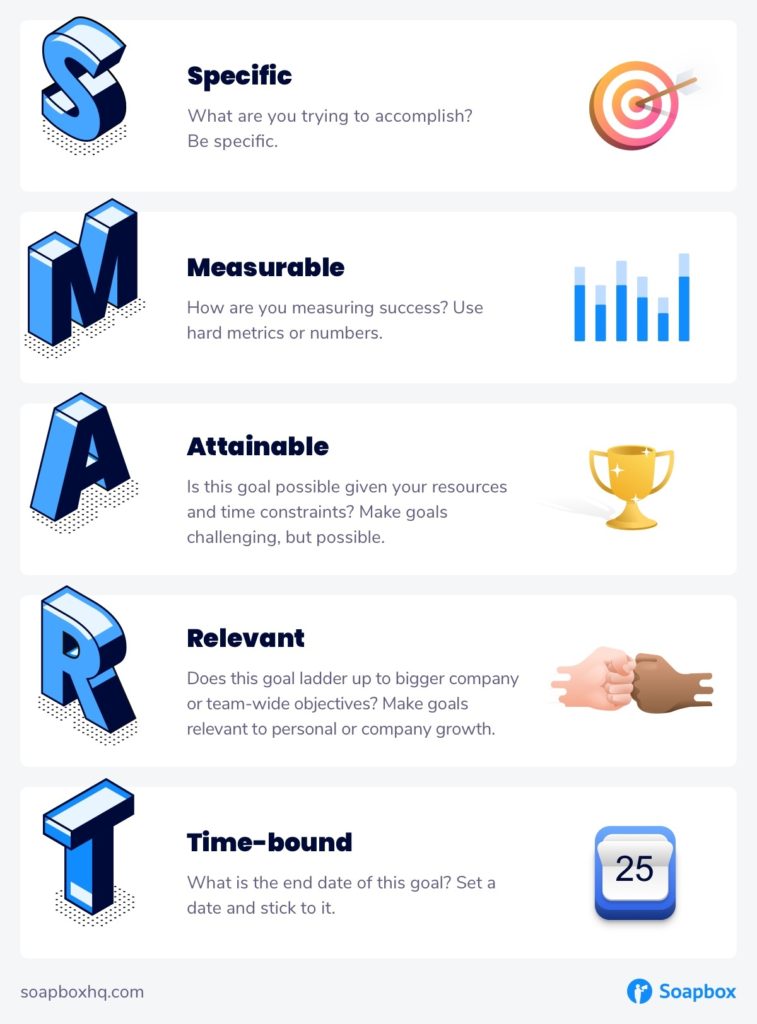
Some common goal frameworks include OKRs (Objectives and Key Results) and SMART goals (Specific, Measurable, Attainable, Relevant, and Time-Bound). Customer success OKRs can vary from one employee to another.
If you need some help getting your customer success meetings in order, we’ve got a template for that.
Goal examples for Customer Success teams
It can take time (and prior experience) to really set great customer success goals, so don’t be discouraged if you’re struggling with this. Team and individual goals need to be hard to reach, yet attainable, and something that your team can really get behind.
To help you set better goals for your customer success team, let’s walk through a few examples across common CS roles:
VP, Customer Success
KPIs:
- Choose a one-on-one meeting platform
- Pick 1-3 themes for the next 6 months for the team to improve (I.e. growth, communication, motivation)
- Meet with all people managers to introduce the concept and discuss the themes
- Introduce the concept to your entire team and ensure meetings are set up for each manager and their direct reports
- Ensure each manager is asking thought provoking questions in every one-on-one related to the theme
- Check with your managers every month to make sure no one-on-ones are cancelled and only rescheduled due to vacations or emergencies
- Read a book on communication or asking questions this quarter (I.e. Never Split the Difference, The Coaching Habit, A More Beautiful Question, or The Book of Beautiful Questions)
✨ Objective: Inspire customer success across the company
KPIs:
- Define and enable a company-wide rotating support duty
- Equip and get 25% of non-CS employees to work a support shift this quarter
- Share 12 customer stories (wins/fails) company-wide
- Connect marketing team with 5 customers for interviews
- Connect product team with 5 customers for product insight and feedback
- Connect sales team with 5 customers for prospect reference stories
- Drive company-wide definition of the ideal customer
Customer Success Manager
🤖 Objective: Harness automation to make our low-touch customers successful
KPIs:
- Deploy email campaigns that increase product usage in our low-touch segment by 15%
- Run 5 A/B tests on email campaigns to improve campaign effectiveness
- Achieve a trial conversion rate of 70%
🚘 Objective: Drive customer success outcomes for your customers
KPIs:
- Increase renewal rates by 10% and reduce churn by 15%
- Expand MRR by $10,000 through cross-selling and up-selling
- Increase adoption, customer satisfaction, and overall health scores by 10%
- Maintain a minimum NPS score of 50
- Renew $90k of ARR
Customer Onboarding Specialist
👋🏾 Objective: Increase customer acquisition activities
KPIs:
- Run 60 customer demos this quarter
- Book 25 outbound meetings this quarter
- Achieve 25% or higher call-to-close ratio
- Increase MRR by 10% each month across your accounts list
🎤 Objective: Act as a voice of the customer
KPIs:
- Share a film review (key points from customer calls) once per month during company town halls
- Create 3 customer fact sheets to share with Sales, Marketing, Product and Engineering for customer references, case studies, and research calls
- Work cross-functionally to address customer escalations and reach average resolution time of 24 hours or less
Customer Success team tools to set you up for success
Below we’ve got a list of a few different CS team tools you can use to ensure your employees (and team leaders) have what they need to do their best work.
1. Team management software: Spinach AI
- Collaboratively set team and individual goals with your team in a way that’s measurable and impossible to forget about
- Streamline objectives, meetings, and morale into one workflow
- Good for customer success goal-setting, team and one-on-one meetings, and overall employee engagement
2. Broader CRM: Intercom
- All-in-one solution that helps you build relationships with your customers through web integrations like live chat, bots, product tours, and so on
- Often shared with wider customer support and marketing teams
3. Customer-success enablement: Vitally
- Access to automation, analytics, and project management tools made for CS teams
- Helps track and segment customers along their journey so you can scale more efficiently
4. Employee recognition software: Bonusly
- Both a recognition and rewards platform to improve company culture and employee retention at every level in an organization
- Fun and easy way to recognize trends and better understand where team members excel (and reward them when they do)
Wrapping up
CS teams are often the heartbeat of an organization, driving a connection between the customer and the business. But in order to keep your customer success team motivated, they need to have well defined and agreed-upon goals that push the company and the individuals towards success.
Goal setting for any team can seem like a difficult task (because it is), but it’s key to the overall success and even retention of your team members. When they’ve got the right goals in place, their impact can drastically improve company valuation and revenue, among many other things.
We’ve got over 180 free OKRs and goal examples specifically for CS teams. So go on, set those customer success goals with confidence!
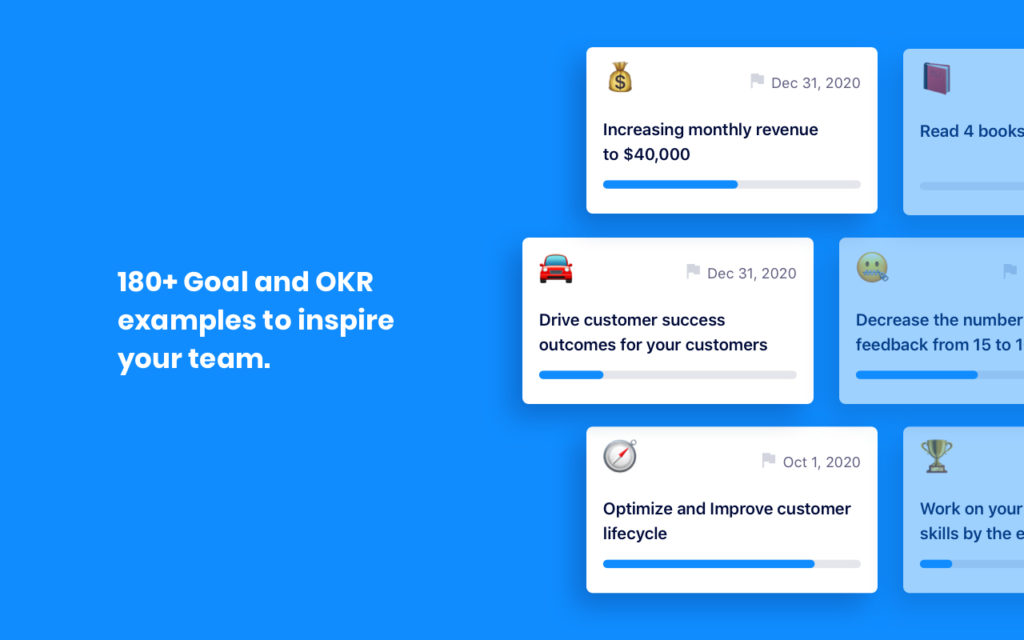
Get inspired by 180+ goal examples for Customer Success teams
What to do now
Now that you've read this article, here are some things you should do:
- Check out the largest library of Goal & OKR examples on the internet (free).
- Check out Spinach to see how it can help you run a high performing org.
- If you found this article helpful, please share it with others on Linkedin or X (Twitter)

