How to Sync Teams Meeting Notes and Action Items to Notion Automatically in 2026
This August 2026 guide shows how to get Teams meeting notes and action items into Notion automatically, with named owners and due dates, no copy-paste needed.
 Maintouch
If your post-meeting workflow is still copy, paste, reformat, and hope you caught every action item, you’re not alone. The gap between a Teams meeting ending and a structured Notion page existing is where decisions quietly disappear. Here’s how to close it automatically.
TLDR:
- No native integration exists between Microsoft Teams and Notion; you need a third-party tool or workflow to close that gap.
- The Notion AI Teams Connector surfaces channel content for search only; it does not create pages or extract action items.
- Zapier triggers on channel messages, not meeting transcripts, so getting actual meeting output into Notion requires an additional step.
- AI meeting assistants capture during the meeting and route structured decisions and action items with named owners into Notion when the meeting ends.
- Spinach AI is deployed company-wide as an organizational platform. It joins your Teams meetings through your Microsoft Calendar connection, captures audio, video, transcript, screen share, and in-meeting chat during the call, and routes structured decisions, action items with named owners, and meeting context into your Notion database when the meeting ends. Notion sync is available on Pro plans and above.
Why Syncing Meeting Notes and Action Items Matters for Team Productivity
11.8 hours per week in meetings (Reclaim AI, 2026). The real cost, though, comes after the meeting ends: 70% of decisions forgotten within 24 hours without notes to capture them, and 54% leave meetings without clear next steps.
The meeting itself is rarely the problem. The breakdown happens after: someone manually writes up notes, pastes them into Notion, tries to reconstruct who owned what, and hopes nothing falls through. That gap between “meeting ended” and “work is tracked” is where follow-through dies. Using an AI meeting assistant in your meetings and connecting Microsoft Teams to a Notion workspace automatically closes it.
The Problem with Manual Teams to Notion Transfers
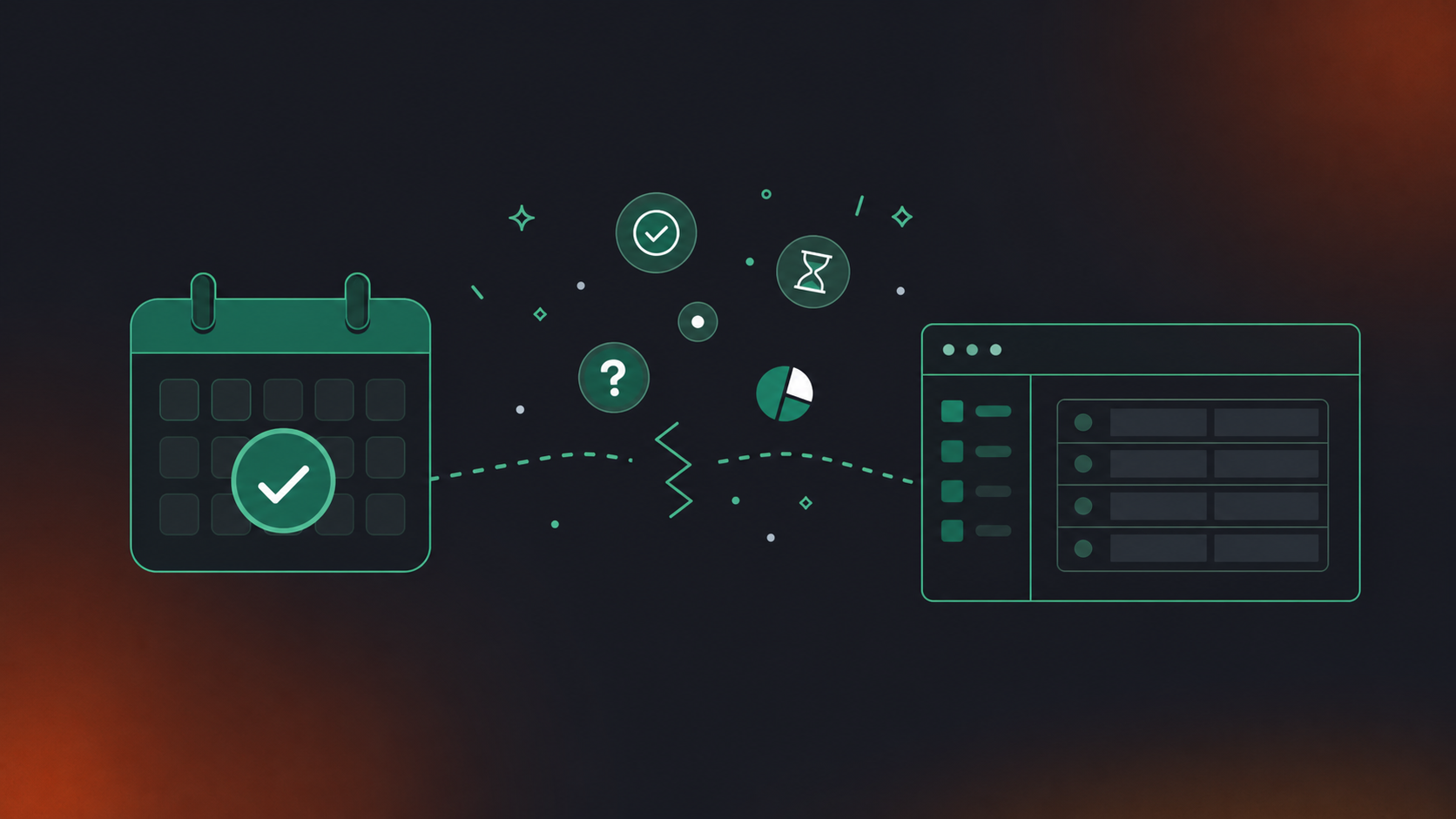
The manual path starts the moment a Teams meeting ends. The transcript takes time to generate inside Teams, and once it’s ready, there is no native, direct integration between Microsoft Teams and Notion for meeting notes. Someone has to open the transcript, copy the raw text, switch to Notion, create a new page, and reformat everything to fit whatever structure the team uses.
That’s before a single action item gets entered.
The real damage happens during action item extraction. You’re scanning a wall of speaker-tagged dialogue, reconstructing who committed to what, by when, with enough context to act on it. Deadline language gets dropped. Assignees get guessed. Vague commitments stay vague because the original conversational cues don’t survive the copy-paste.
Multiply that across every meeting your team runs in a week and the overhead compounds. A four-person team running five weekly meetings loses consistency, loses context, and builds a Notion workspace full of notes that look organized but are missing the details that matter.
Understanding the Teams and Notion Integration Ecosystem
Two broad categories of solutions exist for getting Teams meeting output into Notion, and choosing between them upfront saves rework.
- Notion AI Connector for Microsoft Teams: surfaces Teams channel content for Notion AI search and summary; requires a Notion Business or Enterprise plan and a Teams admin with Privileged Role Administrator access. It does not create pages, extract action items, or push structured notes into Notion automatically.
- Zapier workflows: trigger on Teams channel messages and map content into a Notion database or page. Getting actual meeting output into the flow requires routing through a separate service that can access the transcript first, and action item extraction still needs a separate AI step or manual mapping.
- AI meeting assistants: join the Teams call directly, capture the full conversation, and route structured output (decisions, action items with named owners, and due dates) into Notion automatically when the meeting ends. No transcript download, no copy-paste, no manual reformatting.
The first covers built-in and low-code options: Notion’s own AI Connector for Microsoft Teams, and Zapier-based workflows that trigger on Teams activity. Teams that use Confluence instead can also sync Google Meet notes to Confluence through a similar approach. The second is AI meeting assistants that join the call, capture everything during it, and route structured output to Notion when the meeting ends.
The core tradeoff is where the work happens. Low-code options operate on output that already exists. They move content into Notion, but action item extraction, owner assignment, and output structuring still require manual work or a separate AI layer. The best tools for AI meeting notes handle capture, structuring, and routing in a single pass.
Worth noting: the Notion AI Connector for Microsoft Teams requires a Notion Business or Enterprise plan and a Microsoft Teams admin with at least a Privileged Role Administrator role. It provides search and summary from Teams channel messages but does not push structured meeting notes or action items to Notion pages automatically.
Approach | Setup Complexity | Action Item Extraction | Notion Output Quality | Best For |
|---|---|---|---|---|
Notion AI Teams Connector | Medium (admin required) | None (search only) | Manual | Teams channel search |
Zapier workflow | Medium | None (requires AI step) | Basic | Simple message triggers |
AI meeting assistant | Low | Automatic | Structured | Full meeting automation |
Built-In and Low-Code Options for Connecting Teams to Notion
Here’s how each option actually works in practice, and where each one’s output stops. The setup steps differ, but the meaningful question for every approach is the same: what does Notion receive at the end, and does it include named owners, due dates, and decisions, or just raw copied text.
- Notion AI Connector for Teams: setup runs through Settings > Notion AI > AI Connectors > Microsoft Teams. Once authenticated, an initial sync takes up to 72 hours before Teams channel content becomes queryable inside Notion AI. After that, you can ask Notion AI questions that pull from Teams channel messages and meeting summaries. The connector surfaces content for retrieval. It does not watch for meeting completions, create Notion pages, or write action items into a database. If your goal is a structured note in Notion after every Teams meeting, this tool does not get you there on its own.
- Zapier workflows between Teams and Notion: the most common setup uses a new Teams channel message as the trigger, then maps that content into a Notion database item or page block. The friction point: Zapier’s Teams integration triggers on channel messages, not on meeting recordings or transcripts. Getting actual meeting content into the workflow requires routing through a separate service that can access the transcript first. Expired OAuth tokens between Teams and Zapier break the connection without warning. Once content is flowing, action item extraction and assignee fields still require a separate AI step or manual mapping.
Both options require ongoing maintenance and produce inconsistent output. They move text; they do not interpret it.
Using AI Meeting Assistants to Sync Teams to Notion
AI meeting assistants take a different approach entirely. They join the Teams call directly, capture conversation as it happens, and deliver structured output to Notion automatically when the meeting closes. No transcript download, no copy-paste, no reformatting.
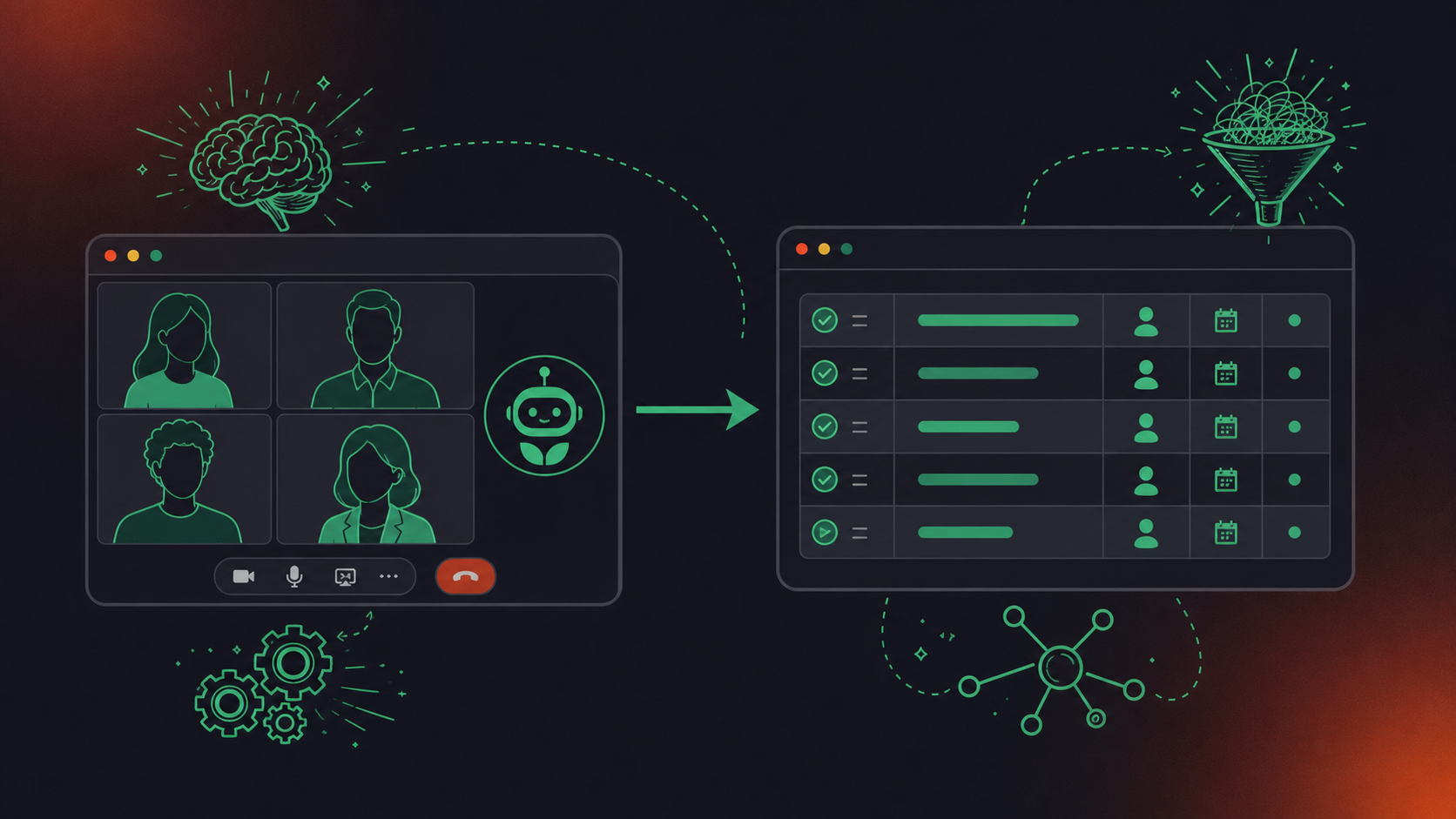
The key difference is where human judgment exits the loop. With Zapier or the Notion connector, someone still has to decide what counts as an action item. Spinach captures during the meeting itself, with full conversational context, and routes the structured result (decisions, action items with named owners, and meeting context) into your Notion database when the meeting ends. Because Spinach is deployed as an organizational system instead of a per-person tool, that structured output is governed, searchable, and consistent across every meeting your company runs, including the ones no single team member manually configured.
Spinach AI is an enterprise conversation intelligence system that serves as the organizational system of record for conversation data. Deployed company-wide, it captures every conversation across Zoom, Google Meet, Microsoft Teams, Slack Huddles, and Webex, and turns that raw conversation into structured, governed, AI-ready knowledge that powers both people and agents across the organization. For Teams in particular: Spinach joins your meeting, captures audio, video, transcript, screen share, and in-meeting chat during the call, and when the meeting ends delivers structured summaries, decisions, and action items with named owners directly into Notion through its native integration, with no middleware and no re-keying. Teams routing output to a CRM can also sync Google Meet notes to HubSpot using the same approach. The Notion integration is available on Pro plans and above.
How AI Improves Action Item Extraction and Assignment
According to a January 2026 report from Kenznote, 47% of action items discussed in meetings are never captured, and 63% of workers cannot remember all tasks from earlier that day. The gap is a detection problem, not a discipline one.
- Commitment language detection: AI identifies phrases like “I’ll handle that” or “can you take the lead” and separates them from general discussion. A raw transcript contains both; only one belongs in your Notion database.
- Speaker recognition and deadline extraction: Context-based speaker recognition maps each commitment to the person who made it, no voice biometrics required. Phrases like “before the next sprint” or “by end of week” get translated into structured date fields that manual extraction routinely drops.
- Transcription vs. intelligent capture: A transcript records what was said. An AI meeting assistant identifies what needs to happen, who owns it, and when. For Notion, that distinction separates a searchable action item with an assignee from a wall of text no one revisits.
Setting Up Your Automated Teams to Notion Workflow
Setup takes about ten minutes if you have the right access in place before you start.
Initial Setup Requirements
- Active Microsoft Teams account with meeting recording permissions turned on
- Notion workspace on a plan that supports third-party integrations
- Admin access or IT approval to connect external tools to Teams
- Spinach account on Pro or above for Notion sync
Calendar Connection and Auto-Join Configuration
- Connect your Microsoft Calendar inside the Spinach dashboard
- Toggle auto-join on for all meetings, or select specific recurring series
- Spinach joins two minutes before the scheduled start and waits up to five minutes for participants
Notion Sync Configuration
- Authenticate Notion inside Settings and select the target workspace and database
- Map output fields: summary, decisions, action items, assignee, due date, and meeting date
- Set a consistent page naming convention such as “YYYY-MM-DD Meeting Title” so the database stays queryable as it scales
Running a Test Before Full Deployment
- Schedule a short internal Teams meeting and admit Spinach from the waiting room
- After the meeting ends, check that a structured page appears in the correct Notion database
- Confirm action items are individual entries with owner and date fields populated, not embedded in a summary block
For a full walkthrough, see the Spinach setup guide.
Best Practices for Teams Notes That Sync Successfully to Notion
Three practices separate a Notion workspace that stays useful from one that accumulates pages nobody opens.
Structure Discussion for Better AI Capture
Using a meeting notes action items template helps teams name owners and deadlines out loud during the meeting. “John will handle the API spec by Friday” produces a clean action item. “We should probably follow up on that” produces noise. The more explicit the commitment language, the more accurately it maps to a named assignee and due date field in Notion.
Consistent Page Naming and Database Schema
Decide on a naming convention and database schema before the first meeting syncs. Teams using Jira alongside Notion can also auto-create Jira tickets from Zoom notes to keep work tracking consistent. Pick one database, define which properties each page carries, and settle on a date field. According to Vocap (2026), the most common Notion failure pattern is long meeting pages with checklists nobody reopens. Separating the meeting record from the tasks it generates solves this at the schema level.
Pre-Meeting Prep That Reduces Post-Meeting Cleanup
A brief agenda shared before the Teams call gives AI capture a cleaner structure to work with. Meetings that follow a defined agenda produce more distinct decision and action item segments. Spinach supports pre-meeting agenda building that feeds directly into the post-meeting Notion output.
Troubleshooting Common Sync Issues Between Teams and Notion
Most sync failures trace back to a handful of root causes. Engineering teams that need to convert meeting transcripts to Jira tickets face similar mapping challenges. According to nBold’s Notion-Teams integration guide (February 2025), data sync errors often occur because of mismatched property mappings between Notion and Teams, and using webhooks for real-time updates instead of frequent polling cuts sync delays by a measurable margin.
Issue | Likely Cause | Fix |
|---|---|---|
Authentication error | Expired OAuth token | Disconnect and reconnect; confirm admin permissions on both sides |
Action items missing | AI missed commitment language or no transcript trigger | Turn on recording in Teams settings; use explicit commitment language |
Duplicate Notion pages | Webhook firing twice due to polling overlap | Add deduplication logic; check webhook delivery settings |
Sync delay over 30 minutes | Notion API rate limits or high meeting volume | Switch from polling to webhooks where available |
Permission error on Notion write | Integration token lacks write access | Reconnect with the correct token and grant database access |
Bot not joining Teams meeting | Calendar event not synced or created after connection | Confirm calendar integration is active and the invite is in the connected calendar |
For Spinach-specific issues, the AI meeting assistant troubleshooting guide covers the most common setup and join failures in detail.
Measuring the ROI of Automated Meeting Notes
Meeting time costs an average of $29,000 per employee per year (Flowtrace, 2025). When post-meeting admin is automated, that cost shrinks in four measurable ways.
- Time saved per person per week: count the manual steps eliminated: transcript download, reformatting, action item entry, and assignee assignment. Across a ten-person team running five weekly meetings, the overhead of re-entering decisions and action items by hand after every meeting accumulates into meaningful time recovered each month.
- Action item completion rate before and after: pull Notion task completion data for four to six weeks before automation, then compare it to the same window after. Completion rates on automatically captured items tend to run higher because owners are named at creation, not reconstructed afterward.
- Meeting duration trends: teams that consistently produce clear structured output often run shorter meetings over time. Track average Teams meeting duration month over month once automated sync is in place.
- Pulling these numbers from Notion: Notion’s database views handle this without external tooling. Teams looking into more advanced retrieval can also learn how an MCP server uses meeting transcripts to power cross-platform queries. Filter by meeting date, sort action items by completion status, and use rollup properties to count open items by owner. A basic meeting ops dashboard takes under an hour to build.
How Spinach AI Automates Your Entire Teams to Notion Workflow
Spinach AI connects to your Microsoft Calendar, joins your scheduled Teams meetings automatically, captures audio, video, transcript, screen share, and in-meeting chat during the call, and routes a structured database entry directly into Notion when the meeting ends: decisions with named owners, action items with assignees and deadlines, meeting context intact. Because it is deployed as an organizational system, and not a per-person tool, every meeting your company runs goes through the same governed pipeline. Every manual step in the gap between meeting end and a tracked Notion record is removed.
- Downloading the Teams transcript and reformatting raw text for Notion
- Scanning the transcript for action items and assigning owners and deadlines by hand
- Creating the Notion page and populating fields
Spinach AI is SOC 2 Type II and GDPR compliant; HIPAA compliance and a BAA are available on Enterprise engagements. For setup details on the capture side, see how to record a Teams meeting. The native Notion integration is available on Pro plans and above, with a free Starter plan covering unlimited recording and transcription.
Final Thoughts on Automating Your Teams to Notion Meeting Workflow
Getting your Teams meetings into Notion automatically is less about picking the right tool and more about deciding where you want human judgment to enter the loop. Low-code options move content; an enterprise conversation intelligence system captures, structures, and routes it, with governance and consistency across every meeting the organization runs, including the ones nobody remembered to configure. The difference shows up in your Notion database as named action items with dates versus walls of text nobody reopens, and in your organization as a governed record of every decision made instead of a collection of per-user notes with no central visibility. If your team is ready to stop reconstructing decisions after every meeting, setting up Spinach AI takes about ten minutes and produces a structured Notion page from your next Teams call.
Connect Spinach AI to your Microsoft Calendar, configure auto-join for your Teams meetings, then authenticate Notion inside Spinach settings and map your output fields: summary, decisions, action items, assignee, and due date. When a meeting ends, Spinach delivers a structured Notion database entry automatically, with no transcript download, copy-paste, or manual reformatting required. The full setup takes about ten minutes on a Pro plan or above.
Zapier moves text that already exists; it triggers on Teams channel messages, not on meeting recordings, and still requires a separate AI step before anything resembling a structured action item reaches Notion. Spinach joins the Teams call directly, identifies commitment language during the meeting with full conversational context, and routes named owners and deadlines into Notion as discrete fields when the meeting closes, with no manual extraction step in the middle.
The Notion AI Connector lets you query Teams channel content through Notion AI search, but it does not watch for meeting completions, create Notion pages, or write action items into a database. It also requires a Notion Business or Enterprise plan and a Microsoft Teams admin with at least a Privileged Role Administrator role. If your goal is a structured, auto-populated Notion record after every Teams meeting, the connector alone does not get you there.
Yes. An AI meeting assistant like Spinach joins the Teams call directly and captures the conversation as it happens, so there is no transcript to download or reformat afterward. When the meeting ends, Spinach routes a structured page (decisions, action items with named owners, and due dates) into your Notion database through its native integration, available on Pro plans and above.
Track four numbers before and after: manual steps eliminated per meeting, action item completion rates pulled from your Notion database, average Teams meeting duration month over month, and total post-meeting admin time per person per week. Notion’s database views handle this without external tooling: filter by meeting date, sort action items by completion status, and use rollup properties to count open items by owner.
Yes. Spinach connects to your Microsoft Calendar, detects your scheduled Teams meetings, and joins them automatically as a visible bot — no Teams plugin or separate download required. The Notion integration is then available on Pro plans and above, routing structured output directly into your Notion database when the meeting ends.
You need a Notion workspace that supports third-party integrations, and a Spinach account on Pro or above for the native Notion sync to work. The Notion AI Connector for Microsoft Teams, which is a separate tool, requires a Notion Business or Enterprise plan — but that connector only surfaces content for search and does not push structured notes or action items into Notion automatically.
Configure your Notion database schema before the first meeting syncs, and map discrete output fields — action item, assignee, due date, and decision — rather than routing everything into a single summary property. Spinach identifies commitment language during the meeting with full conversational context and writes each action item as a separate database entry with an owner and deadline, not as embedded text inside a notes block.
The most common cause is a calendar sync gap — either the meeting invite was created before the calendar integration was connected, or the calendar connection lapsed. Confirm the Microsoft Calendar integration is active inside the Spinach dashboard and that the specific invite appears in the connected calendar; re-syncing the calendar connection resolves most join failures.
Zapier works for moving channel message text into Notion but cannot trigger on meeting recordings directly and still requires a separate AI step before anything resembling a structured action item reaches your database. Spinach joins the Teams call directly, captures the full conversation, and routes decisions and action items with named owners into Notion as discrete fields when the meeting closes — no manual extraction step between transcript and Notion record.
Spinach uses a transcription-model-agnostic approach, selecting the most accurate available model per language rather than locking to a single vendor’s engine — which is a primary reason organizations switch, especially in non-English-dominant environments. Speaker recognition is context-based and does not use voice biometrics, so commitment language detection and owner assignment work across languages without requiring additional configuration.
Yes. Inside the Spinach dashboard you can toggle auto-join on for all meetings on your connected Microsoft Calendar or limit it to specific recurring series. This lets you keep sensitive or off-the-record conversations out of the automated Notion sync while still capturing the meetings that matter for your team’s workflow.
Meeting notes are a formatted text summary of what was discussed; structured output separates that summary into discrete, queryable fields — decisions with context, action items with named owners and due dates, and meeting metadata. For Notion, the distinction matters at the database level: structured output populates filterable properties that let you sort by owner, track completion status, and run rollup views across every meeting your team has run.
Spinach is SOC 2 Type II and GDPR compliant; HIPAA compliance and a BAA are available on Enterprise engagements. Customer data is never used to train AI models, and Spinach operates under zero data retention terms with its LLM providers. The bot is always visible in the meeting, never covert, and org-level retention is configurable per data type — transcript, summary, and video can each be set separately, from one week to indefinite on Enterprise.
Set a consistent page naming convention before the first meeting syncs — a format like ‘YYYY-MM-DD Meeting Title’ keeps the database sortable and queryable as volume scales. Separate the meeting record from the tasks it generates by routing action items into a linked tasks database rather than embedding them as checklists inside the meeting page, which is the most common pattern that produces pages nobody reopens.
What to do now
Now that you've read this article, here are some things you should do:
- If communication is a challenge for your team, you should check out our library of meeting agenda templates.
- Learn more about Spinach and how it can help you run a high performing org.
- If you found this article helpful, please share it with others on Linkedin or X (Twitter)

