How to Sync Teams Meeting Notes and Action Items to Monday Automatically in 2026
Get Teams meeting action items into Monday.com without manual effort. Spinach AI automates extraction and routing in August 2026 for your whole team.
 Maintouch
Forty percent of meetings produce no clear follow-ups, and most of the time it’s not because people didn’t agree on next steps. It’s because getting those steps from a Teams call into Monday.com requires someone to do it by hand. Automating that sync is a workflow fix, not a culture fix, and it’s easier to get running than most teams expect.
TLDR:
- A large share of action items discussed in meetings never get captured at all, a pattern Microsoft’s 2025 Work Trend Index attributes to the gap between meeting conversations and the tools where work actually gets tracked.
- The native Monday.com Teams integration routes board notifications outward. It does not read meeting conversations or create tasks from them.
- AI meeting assistants do the extraction work: a bot joins your call, maps spoken commitments to named owners and deadlines, then routes items into Monday.com when the meeting ends.
- Say “I’ll have X done by Friday” on the call. Vague language like “someone should look at this” produces vague tasks or nothing at all in your board.
- Spinach AI is an enterprise conversation intelligence platform that joins your Teams meetings, captures decisions and action items with named owners, and routes structured output directly into your Monday.com board when the meeting ends.
Why Syncing Meeting Notes and Action Items Matters for Team Productivity
70% of meeting decisions are forgotten, and 54% leave meetings without clear next steps. The meetings themselves are not the issue. The breakdown happens in the gap between the call ending and the work actually getting recorded somewhere useful. The right AI meeting assistant closes that gap automatically.
When your team runs on Microsoft Teams and tracks work in Monday.com, that gap shows up as someone manually copying action items into a board after the fact, or not doing it at all. 40% of meetings have no follow-ups. That is a workflow problem, not a meeting culture problem.
Automating the sync from Teams to Monday.com closes that gap. Spinach AI joins your Teams meeting, captures decisions and action items during the call, then routes them directly into your Monday.com board without anyone transcribing notes by hand.
The Problem with Manual Microsoft Teams to Monday.com Transfers
The meeting ends. Someone pastes a raw Teams transcript into a doc, skims it for action items, and starts re-entering them into Monday.com one by one, picking owners, guessing due dates, and hoping they caught everything. Microsoft’s 2025 Work Trend Index points to this gap between meeting conversations and actual task tracking as one of the primary reasons work goes unrecorded after calls.
The context collapse is the real cost. By the time someone opens Monday.com, the nuance from the call is already gone. “Follow up on the API issue” lands as a vague task with no assignee and no deadline. A meeting notes action items template can help standardize what gets captured. Across time zones, that delay stretches from hours into days before anyone notices the board doesn’t reflect what was actually decided.
The result is a Monday.com board that nobody trusts. Teams stop checking it because it rarely matches reality, and the meeting that was supposed to produce accountable work produces untracked action items instead.
Understanding the Microsoft Teams and Monday.com Integration Ecosystem
Two distinct categories of tools connect Microsoft Teams and Monday.com, and they solve different problems.
The Monday.com Teams integration sends board updates, notifications, and status changes into Teams channels. It moves data in one direction: from Monday.com outward. It does not read meeting conversations, extract action items, or create new board items from what was discussed on a call.
Two Categories of Solutions
- Built-in and low-code options (native integration, Zapier automations): these move data between systems, but only after a human has already captured and structured the meeting output. The automation handles routing, not extraction.
- AI meeting assistants: these join the meeting itself, pull structure directly from the conversation, and route action items into Monday.com without a manual intermediate step.
The core tradeoff is where the work happens. Low-code tools assume someone has already done the thinking. AI assistants automatically create action items from meeting transcripts without a manual intermediate step.
Built-In and Low-Code Options for Connecting Microsoft Teams to Monday.com
The native Monday.com Microsoft Teams integration handles a specific, narrow job: posting board activity into Teams channels, embedding boards as tabs, and allowing item creation from Teams conversations via the Monday.com bot. Setup takes minutes with no third-party tool required, though an Office 365 Global Administrator must authorize the initial connection. What it cannot do is reach into a meeting conversation. It has no access to what was said, who committed to what, or when something is due. The integration moves data that already exists in Monday.com outward into Teams; generating that data from a meeting in the first place is a separate problem entirely.
What the Native Integration Actually Does
What it does not do: read a Teams meeting transcript, identify who said what, or create structured Monday.com tasks from a conversation. The meeting itself remains outside its scope entirely.
Using Zapier to Fill the Gap
Zapier gets you one step closer. You can configure a trigger when a transcript is ready, then map fields to a Monday.com board to create items automatically. The Spinach AI Zapier integration exposes meeting details, participants, summaries, and action items as trigger data. Without an upstream source generating that structure, Zapier still requires a human to review raw notes and tag the right data before anything lands in Monday.com correctly.
Approach | What It Automates | What Remains Manual | Setup Complexity |
|---|---|---|---|
Native Monday.com Teams integration | Board status notifications to Teams channels | Meeting note capture, task creation from meetings | Low |
Zapier workflow | Structured data transfer between tools | Note review, action item extraction, assignee tagging | Medium |
AI meeting assistant | Transcription, extraction, task creation end-to-end | None after initial setup | Low (one-time) |
Neither option handles action item extraction from conversational language, speaker-to-assignee mapping, or deadline recognition from meeting context. Teams running Zoom alongside Monday.com can auto-create Jira tickets from Zoom using a similar AI-driven approach. Those require something that was actually in the meeting.
Using AI Meeting Assistants to Sync Microsoft Teams to Monday.com
Spinach AI takes a different approach from every option in the previous table. Instead of being a per-person note-taking app, Spinach is an enterprise conversation intelligence system of record for conversation data that organizations deploy company-wide. A bot joins your Teams call as a visible participant, captures audio and conversation throughout, and delivers structured outputs when the meeting ends: action items with named owners, decisions, and a summary routed directly into Monday.com. No one reviews a transcript first, and the transcript itself is the input, never the deliverable.
Where individual note-taking apps solve one person’s problem, an organizational system like Spinach captures every meeting across the company, no matter which team or function, into a single governed, AI-ready data asset. Deployed company-wide, every participant gets the same structured output, every action item lands in Monday.com with consistent fidelity, and no single person carries the burden of capturing it correctly.
The organizational case matters here. Spinach captures conversations across the enterprise and routes structured outputs into Monday.com, Jira, Slack, and other downstream tools, so the board always reflects what was actually decided, not what someone remembered to type after the fact.
How AI Improves Action Item Extraction and Assignment
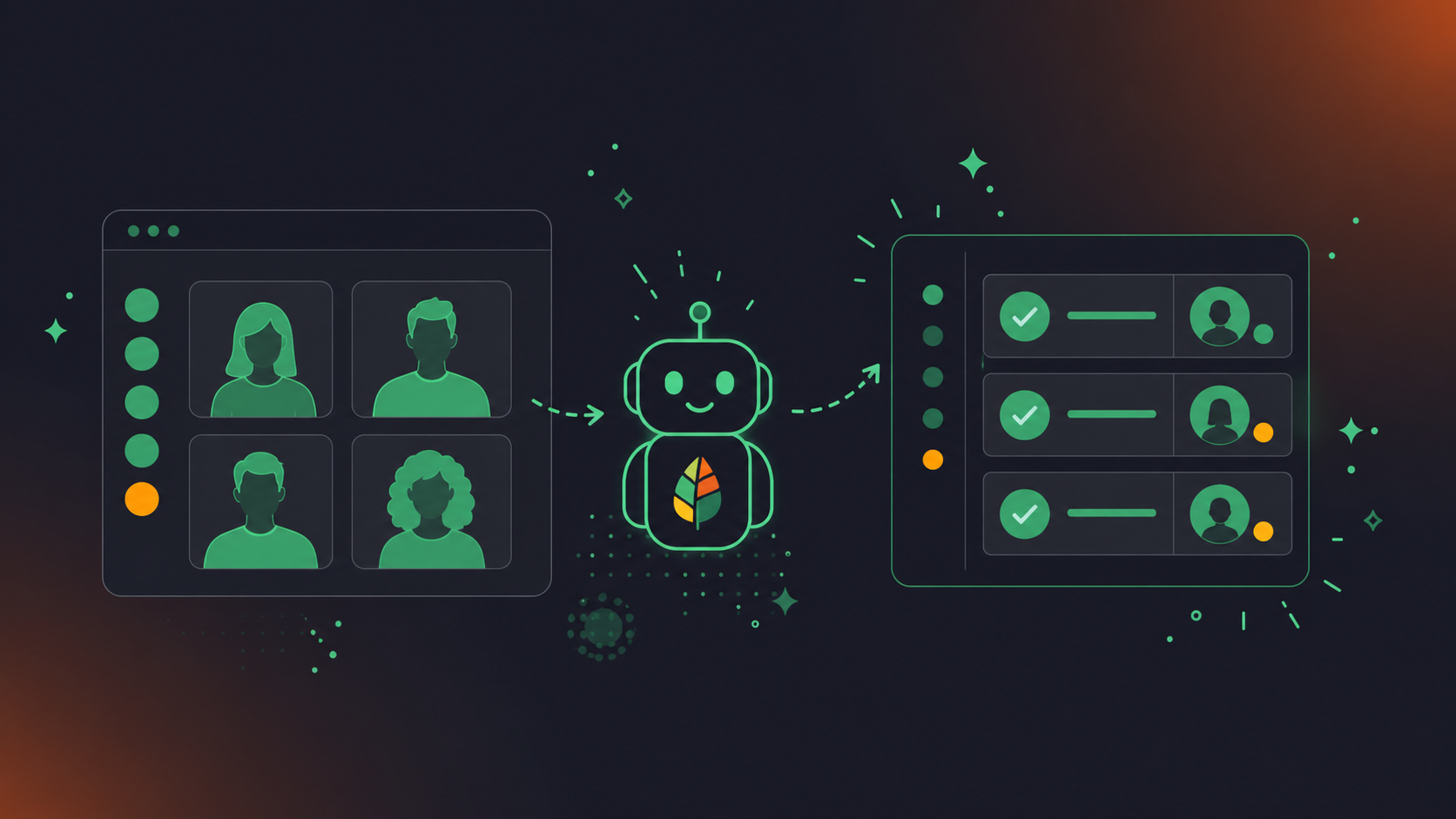
A transcript records what was said. It takes AI to identify what was decided and who owns it.
From Spoken Commitment to Monday.com Item
Consider a Teams standup where a developer says, “I’ll get the API schema finalized by Thursday.” A raw transcript captures that sentence verbatim. Spinach identifies it as a commitment, maps it to that speaker’s name, extracts Thursday as the deadline, and creates a Monday.com item with the owner and due date already populated, all delivered when the meeting ends. No one types anything.
Why Basic Transcription Falls Short
Closing that gap requires semantic understanding of intent and speaker context, which is what Spinach provides as an enterprise conversation intelligence platform and system of record for conversation data, turning spoken commitments into named owners and due dates in Monday.com without anyone re-keying them after the meeting.
Setting Up Your Automated Microsoft Teams to Monday.com Workflow
Before touching any integration settings, confirm three things are in place: Teams admin access to allow external guests in meetings, a structured Monday.com board with defined groups and columns, and authorization to connect your calendar to the meeting assistant.
Initial Requirements
- Teams must allow external participants, since Spinach joins as a visible bot and requires waiting room access to be admitted
- Monday.com board created with columns for assignee, status, and due date before mapping begins
- Admin authorization completed for the Monday.com integration inside your Spinach dashboard
Calendar Connection and Bot Admission
Connect your Microsoft Calendar inside Spinach settings. Once connected, Spinach reads upcoming calendar events with Teams links and joins automatically, two minutes before start time, with no manual activation per meeting. Attendees admit Spinach from the waiting room on first use, and after that the process runs on its own for every scheduled meeting in the series.
Sync Configuration
Inside the Spinach dashboard, select Monday.com as your active project management tool, then map each meeting series to its target board and group. Set column defaults so every created item lands with an assignee field populated from speaker detection, a status of “not started,” and a due date pulled from any deadline mentioned during the call. Different meeting series, such as product standups versus cross-functional syncs, can route to separate boards.
Testing Before Full Deployment
Run one internal meeting with two or three participants before rolling Spinach out to the full team. After the meeting ends, check Monday.com for created items and confirm that assignee mapping and deadline fields populated correctly. If anything is off, adjust column defaults in settings and re-run. Rolling out before verifying one clean test cycle adds debugging time that a single test meeting eliminates.
Best Practices for Microsoft Teams Notes That Sync Successfully to Monday.com
Meeting discussions map cleanly to Monday.com when each item has a named owner, a specific deadline, and a binary commitment attached to it. The more your conversation mirrors those fields, the less cleanup happens after the call.
Structuring Discussion for Cleaner Extraction
How something gets said on a Teams call determines what lands in Monday.com. Vague agreement produces vague tasks.
- Say “I’ll have the API docs finalized by Friday” instead of “someone should probably get to the docs” so the owner and due date are unambiguous.
- Name the owner explicitly instead of using “we” or “the team,” since Spinach maps named individuals to Monday.com assignee fields.
- State deadlines as specific days, not relative timeframes like “soon” or “next week,” which don’t translate into a usable due date column.
- Use binary commitment language: “I’ll do X by Y” creates a Monday.com item with an owner and due date, while “we should look at X” produces a discussion note at best.
Monday.com Board Alignment Before the Meeting
Agenda items that correspond to existing Monday.com board items reduce duplicate task creation after the call. When Spinach can reference open items during the meeting, it links discussion to those items and avoids creating redundant ones. Set your agenda in the Spinach dashboard before the call starts, mapping each topic to the relevant board item or group. Recurring series benefit most from this: a weekly product standup with a consistent agenda structure produces consistent Monday.com output week over week, with no per-meeting reconfiguration.
Troubleshooting Common Sync Issues Between Microsoft Teams and Monday.com
Most sync failures trace back to a handful of configuration gaps. The table below maps each issue to its cause and the fastest fix.
Issue | Likely Cause | Fix |
|---|---|---|
Bot did not join the Teams meeting | Calendar connection lapsed or meeting created outside connected calendar | Reconnect Microsoft Calendar; verify the bot invite reaches the meeting |
Action items missing from Monday.com | Meeting ended before AI processed the conversation | Check meeting duration settings; confirm sync completed in the dashboard |
Duplicate Monday.com items created | Multiple users running separate tools or automation triggers firing twice | Audit connected integrations; disable redundant Zapier zaps |
Sync delay over 10 minutes | Monday.com API rate limits or Zapier queue backlog | Switch to native direct integration; check Zapier task history for errors |
Assignee field blank in Monday.com | Speaker not recognized or name not matched to a Monday.com team member | Map speaker names to Monday.com users in integration settings |
Authentication error on connection | OAuth token expired after a Teams or Monday.com password reset | Reauthorize both accounts in integration settings |
The native integration routes to one destination at a time, so disconnecting and reconnecting both apps resolves most syncing issues.
Measuring the ROI of Automated Meeting Notes
A typical employee spends 392 hours per year in meetings. Manual re-entry of action items into Monday.com after each one adds overhead that compounds across every person on the team. Eliminating that step is where the time savings appear.
- Item completion rate by board: pull this report before deploying Spinach and again 30 days after; that difference is your primary ROI signal.
- Average time-to-close on action items: captures how long it takes from task creation to completion; automated capture typically shortens this by removing the lag between the meeting and when items land in the board.
- Open items by assignee: surfaces accountability gaps that existed before automation and confirms whether named-owner mapping is working correctly post-deployment.
- Meeting-to-task conversion rate: the number of action items created per meeting; a low baseline confirms how much was slipping through before Spinach, and a rising figure after deployment shows extraction is working.
Monday.com’s workload view and board activity reports surface all of these without custom dashboards. Pull the baseline before your first Spinach-assisted meeting, then re-run the same reports at 30 days.
End-to-End Microsoft Teams to Monday.com Automation: How It Works
Spinach AI is an enterprise conversation intelligence platform and system of record for conversation data. It joins your Teams meeting as a visible bot, captures audio and conversation throughout, and delivers structured output when the meeting ends: action items with named owners, decisions, and summaries routed directly into your Monday.com board. No one reviews a transcript, tags assignees, enters deadlines, or selects the correct board manually.
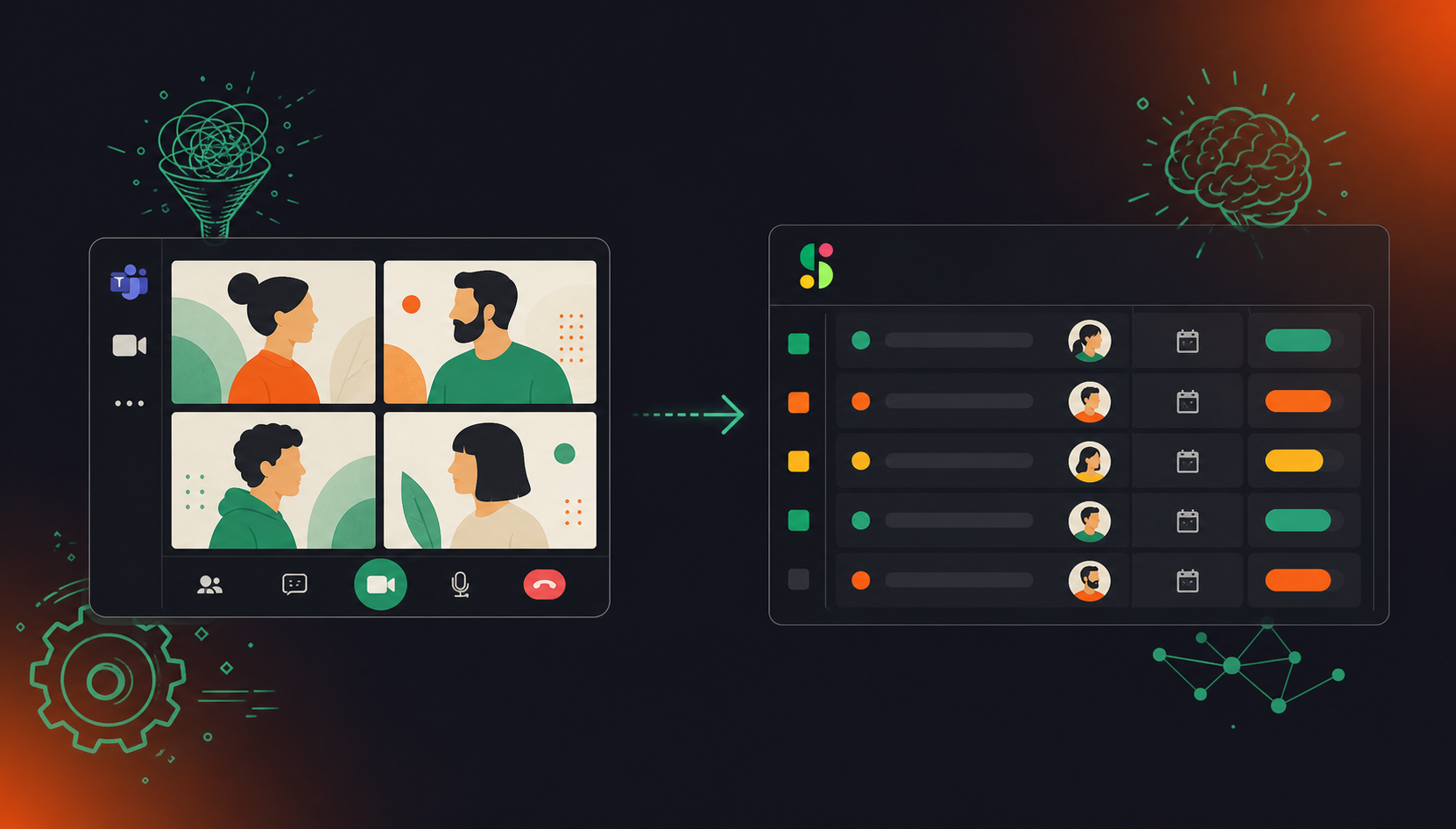
Where native integrations and Zapier workflows still require a human to do the extraction work, Spinach handles it at the source. Unlike individual note-taking apps that produce a different tool per team and no organizational record, Spinach is deployed company-wide, so every meeting across every function routes into the same governed, AI-ready data asset. It also references open Monday.com items during the meeting, linking discussion to existing work and skipping duplicate creation.
Customer data is never used to train AI models, and Spinach is SOC 2 Type II, GDPR, and HIPAA compliant. Connect your Microsoft Teams calendar and Monday.com workspace on the free Starter plan, with no credit card required.
Final Thoughts on Connecting Microsoft Teams Meetings to Monday.com Automatically
Action items that live only in someone’s memory after a Teams call do not survive the day. The fix is an enterprise conversation intelligence platform and system of record for conversation data that captures and routes structured outputs, including decisions, named owners, and deadlines, directly into Monday.com when each meeting ends. Your team gets a board worth checking, no one spends their afternoon re-entering notes, and the conversation data that drives your work becomes a governed organizational asset instead of a pile of individual transcripts. Connect your Microsoft Teams calendar and Monday.com workspace through Spinach AI to run your next meeting without any manual steps.
Connect Spinach AI to your Microsoft Calendar and Monday.com board inside the Spinach dashboard, then map each meeting series to its target board, group, and column defaults. Spinach joins your Teams call as a visible bot, captures the conversation, and routes structured action items — with named owners and due dates — directly into Monday.com when the meeting ends, with no manual transcript review required. Different meeting series, such as product standups and cross-functional syncs, can route to separate boards from the same setup.
The native Monday.com Teams integration moves board notifications and status updates into Teams channels, but it has no access to meeting conversations and cannot extract action items from what was discussed on a call. Spinach sits at the source — inside the meeting itself — so it handles the extraction, speaker-to-assignee mapping, and deadline recognition that the native integration cannot do. If your goal is automatic action item capture from Teams calls, the native integration requires a human intermediary; Spinach removes that step entirely.
Spinach AI is the fastest path: connect your Microsoft Calendar, authorize the Monday.com integration, and map your meeting series to the target board — a one-time setup that then runs on every scheduled meeting in that series. For teams where manual re-entry compounds across multiple ceremonies per week, eliminating the post-meeting transcription and copy-paste step is where the time savings accumulate most quickly.
Yes, but Zapier handles routing, not extraction — it moves structured data between systems once a human has already captured and organized the meeting output. Without an upstream source like Spinach generating structured action items, assignees, and deadlines from the conversation, a Zapier workflow still requires someone to review raw notes and tag the correct data before anything lands in Monday.com correctly. Zapier is most useful as a fallback or supplement; it does not replace the extraction step that an AI meeting assistant performs during the call.
Blank assignee fields typically mean a speaker’s name wasn’t matched to a Monday.com team member — fix this by mapping speaker names to Monday.com users inside Spinach’s integration settings. Duplicate items usually trace back to multiple tools running simultaneously or Zapier automation triggers firing more than once — audit your connected integrations, disable redundant Zaps, and confirm only one tool is writing to the board per meeting series.
If Spinach does not join a meeting, no extraction or sync runs for that session — the bot must be present to capture the conversation. The most common cause is a lapsed Microsoft Calendar connection or a meeting created outside the connected calendar; reconnecting the calendar in Spinach settings and verifying the bot invitation resolves it for future meetings. Check the Spinach dashboard after any missed meeting to confirm calendar sync status before the next scheduled call.
Yes — inside the Spinach dashboard you can map each meeting series to its own target board, group, and column defaults, so a weekly product standup routes to your product board while a cross-functional sync routes to a separate board. This mapping is set once per series and runs on every subsequent meeting in that series without per-meeting configuration. Teams running multiple workstreams benefit most from this, since each board reflects only the decisions and action items from its corresponding meeting.
Spinach integrates with Monday.com’s project management product — action items, owners, and due dates route directly into PM boards. Monday CRM is not supported. If your team tracks customer-facing work in Monday CRM, use the Monday.com PM board for meeting output and handle CRM updates separately.
Spinach supports transcription and action item extraction across 100 languages, using a model-agnostic approach that selects the most accurate transcription model per language. Teams running meetings in languages other than English — including Hebrew, French, Spanish, and others — get the same structured Monday.com output as English-speaking teams. This is one of the primary reasons multilingual organizations switch to Spinach from tools locked to a single vendor’s transcription model.
Spinach reads only the calendar events you connect — you control which Microsoft Calendar is linked, and you can map specific meeting series rather than every event on your calendar. Bot admission is also attendee-controlled: participants admit Spinach from the Teams waiting room, so no meeting is joined without the attendees’ awareness. For teams with sensitive calls, the bot can be excluded on a per-meeting basis through meeting settings.
Zapier handles data routing between systems but cannot extract action items from a conversation — it requires a structured upstream source to pull from. An AI meeting assistant like Spinach sits inside the meeting itself, extracts spoken commitments with named owners and deadlines, and then routes that structured data into Monday.com, making Zapier either unnecessary or a secondary step. If your team currently has no structured meeting output at all, a Zapier automation alone will not solve the capture problem.
The Monday.com integration is available on the Pro plan ($2.90 per meeting hour) and Business plan ($29 per user per month, or $19 billed annually) — it is not included on the free Starter plan. Pro gives you pay-as-you-go access with no user seat minimum, which suits teams that want to test the sync before committing to a per-user plan. The one-time setup maps your meeting series to Monday.com boards and then runs automatically on every scheduled meeting in that series.
A raw Teams transcript records every word spoken but applies no semantic judgment — it cannot distinguish a firm commitment from a casual suggestion or identify who owns a task. Spinach interprets speaker intent: when a developer says ‘I’ll have the API schema finalized by Thursday,’ Spinach maps that to the speaker’s name as assignee, extracts Thursday as the due date, and creates a Monday.com item with both fields populated. That semantic layer — connecting spoken language to structured board fields — is what raw transcription and the native Teams integration cannot do.
Pull three Monday.com reports before deploying Spinach and again 30 days after: item completion rate by board, average time-to-close on action items, and open items by assignee. Monday.com’s workload view and board activity reports surface all three without custom dashboards. The delta between baseline and post-deployment figures gives you a concrete measure of the time previously spent on manual re-entry and the follow-through improvement from consistent task capture.
No — customer data is never used to train AI models, with no exceptions. Spinach also operates under zero data retention terms with its LLM providers (OpenAI, Anthropic, and Google), meaning your meeting content is not retained by those providers either. Spinach is SOC 2 Type II, GDPR, and HIPAA compliant, and a BAA is available for Enterprise and HIPAA engagements.
What should you do now
You made it to the end of this article! Here are some things you can do now:
- If communication is a challenge for your team, you should check out our library of meeting agenda templates.
- Check out Spinach to see how it can help you run a high performing org.
- If you found this article helpful, please share it with others on Linkedin or X (Twitter)

