How to Power Cursor Agents with Conversation Data Using Custom Connectors (August 2026 Guide)
Cursor agents miss sprint decisions and architectural context. This August 2026 guide shows how to fix that with a conversation data MCP server.
 Maintouch
Cursor agents are only as useful as the context they can pull from. Right now, that context stops at your repository boundary, which means every sprint decision, every architectural debate, every quietly changed requirement is invisible to your agent. Powering Cursor with conversation data through a custom MCP server is the fix, and this is how you set it up.
TLDR:
- Cursor’s agent stops at your repository boundary. Sprint decisions, architectural choices, and customer call context are invisible to it without an MCP connection
- MCP monthly SDK downloads grew from 100,000 at launch to 97 million by March 2026, making custom connectors part of your engineering infrastructure, not a side experiment
- A production-ready conversation data MCP server requires four structured tools:
get_action_items,get_decisions,search_meetings, andget_meeting_summary. Raw transcript output produces unreliable agent reasoning - Tenet Security found an 85% prompt injection success rate through MCP-connected tool output in June 2026 testing; structured outputs carry materially lower risk than open-ended transcript retrieval
- Spinach AI’s native MCP server exposes conversation data from Zoom, Google Meet, Teams, Slack Huddles, and Webex as structured, queryable outputs (action items with owners, decisions with attribution, cross-meeting history) on Business and Enterprise plans
What MCP Is and Why It Matters for Cursor Agents
Model Context Protocol (MCP) is an open standard created by Anthropic that defines how AI applications connect to external tools and data sources through a single, consistent interface. As verified in July 2026, without MCP servers, Cursor’s AI agent is confined to the editor with no path to external databases, documentation, or any other tool your team uses daily.
Think of MCP the way you think of TCP/IP. TCP/IP is the infrastructure layer that makes the browser useful, not a feature of the browser itself. For a deeper look, see what an MCP server is. MCP plays the same role for Cursor agents. The agent’s intelligence is only as good as the context it can reach, and MCP governs what that context includes.
Under the old function-calling model, a tool integration was locked to one AI system. MCP breaks that constraint. A custom remote MCP server is persistent, self-describing, and authenticates with OAuth instead of a shared secret, so it can serve structured data to Cursor without being rebuilt every time your stack changes.
Conversation data sits at the top of the list of what an MCP server can expose. Decisions made in planning calls, requirements discussed in design reviews, blockers raised in standups: none of that lives in your codebase. Connecting it to Cursor is what separates an agent that can read your files from one that understands your work.
Why Cursor Agent Adoption Is Accelerating in 2026
Two numbers frame why this topic is worth your attention right now. According to Cursor, 64% of Fortune 500 companies use the product as of mid-2026, with enterprise buyers representing approximately 60% of revenue as of March 2026 (Bloomberg). Separately, MCP monthly SDK downloads grew from roughly 100,000 at launch in November 2024 to 97 million by March 2026, with OpenAI, Google, Microsoft, and Salesforce all shipping support within 13 months.
Cursor 3, released April 2, 2026, framed the product as a unified workspace for building software with agents. Average tool calls per session rose roughly 30% in the two months preceding that launch alone, per the Cursor Developer Habits Report from May 2026.
That shift changes how you think about MCP. When Cursor was a personal productivity tool, a custom connector was a low-stakes experiment. When it runs across an engineering org, the context that connector exposes becomes part of your engineering infrastructure, which is one of many reasons AI tools for engineers are reshaping how teams build.
Conversation Data as Cursor Agent’s Context Blind Spot
Cursor is now running across entire engineering orgs. The context it draws from, though, still stops at the repository boundary.
When an agent suggests a refactor or proposes an API design, it has no access to the sprint planning call where that architecture was debated, the product review where a different approach was rejected, or the standup where a blocker quietly changed the direction of a feature. The output can be technically correct and still be wrong for your codebase, because the reasons behind the code are nowhere Cursor can reach.
That gap sits outside every system an MCP server typically connects. Jira has tickets, not the conversation that created them (though you can convert meeting transcripts to Jira tickets to close part of that gap). Your CRM has deal notes, not the customer call that reshaped the requirements. Conversation intelligence as a governed, queryable data layer is what closes it, and the engineering use case is where the gap is most expensive.
Data Type | Where It Lives Today | Accessible to Cursor Agent via MCP |
|---|---|---|
Sprint decisions | Meeting notes (per-user, unstructured) | No |
Automatically create action items from meeting transcripts with owners | Notes apps, sometimes Jira | Partial |
Architectural choices | Undocumented or scattered | No |
Customer call context | CRM (partial), notes | No |
Cross-meeting history | Individual note takers | No |
Structured meeting intelligence | Spinach AI MCP server | Yes |
How MCP Gives Cursor Agents Access to Conversation Data
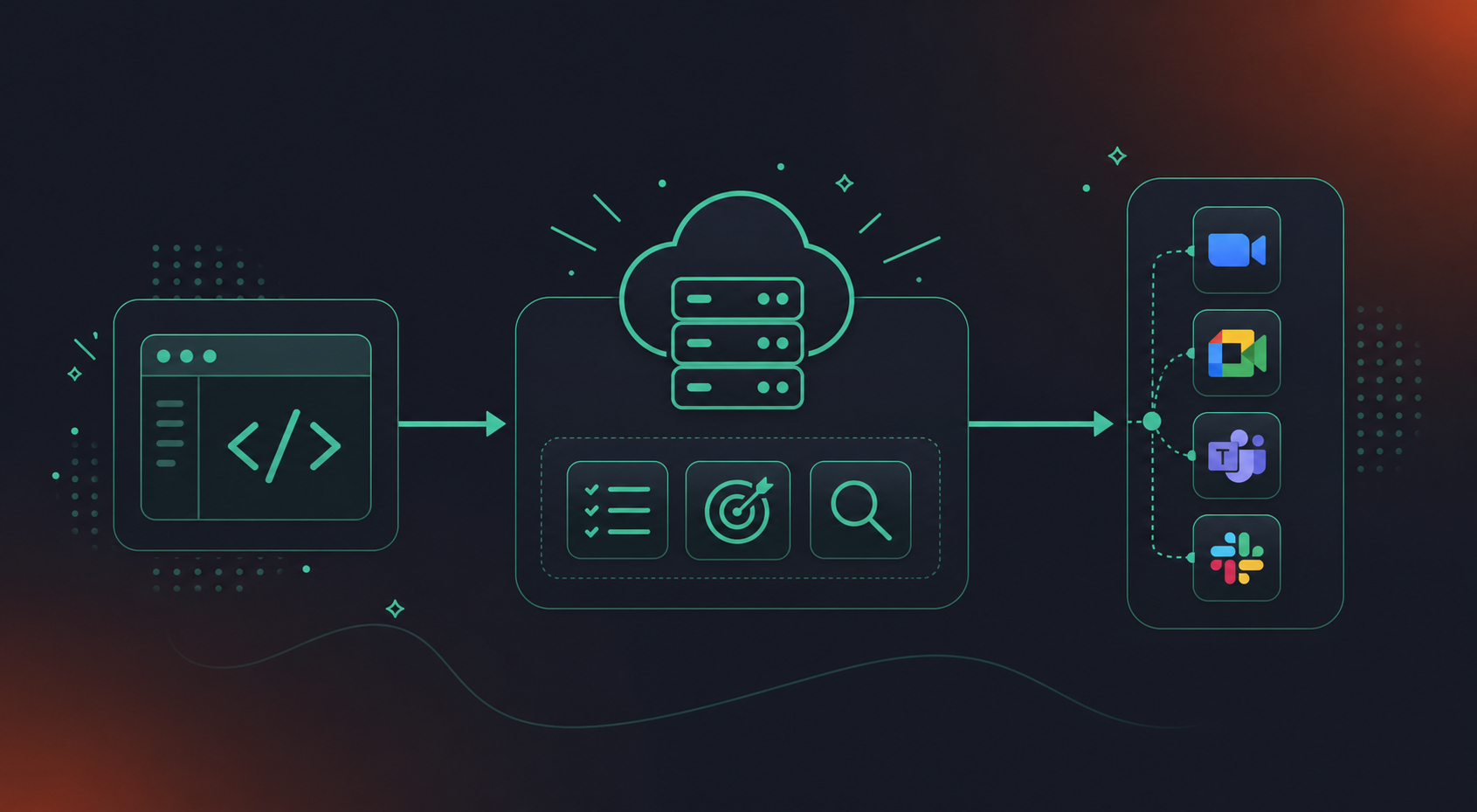
Cursor acts as the MCP client. Spinach’s MCP server exposes conversation data as structured, queryable tools. When Cursor’s agent is working through a problem, it queries the MCP server the same way it would query a database or search Linear tickets. This is a natural step in its reasoning loop, not a separate workflow.
The server side handles the heavy lifting. A custom remote MCP server is self-describing: it tells Cursor what it can do without per-request negotiation, maintains state across calls, and authenticates through OAuth. Once registered in Cursor’s settings, it stays available across every session.
What Cursor Can Query Once Connected
With Spinach’s MCP server in place, a Cursor agent can:
- Pull action items with named owners from the most recent sprint planning session, delivered when the meeting ends
- Surface the architectural decision that explains why a module was built a particular way, even if that call happened months ago
- Find the customer call context that shaped a specific feature requirement
- Query cross-meeting history on a recurring topic to see how a position evolved across multiple sprints
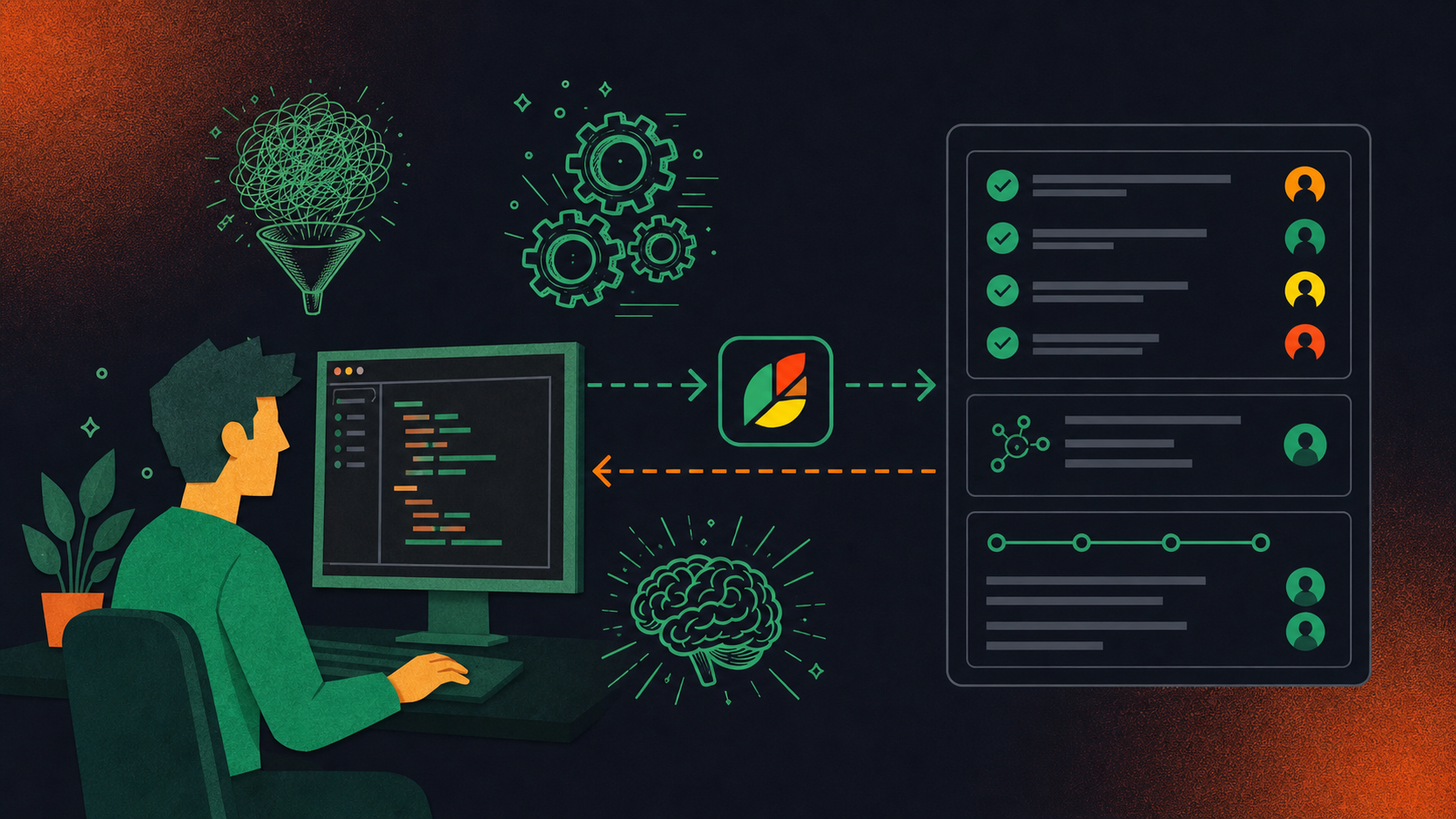
The agent folds conversation data into the same reasoning chain it uses for code, tickets, and docs. It relies on the same conversation layer that routes Jira tickets from Zoom meetings without manual re-entry.
Setting Up a Custom MCP Server for Conversation Data
Building a custom MCP server starts with the official TypeScript or Python SDKs. Remote deployment is now the dominant pattern (80% of the most searched-for MCP servers offer it as of early 2026), so Streamable HTTP is the right transport for production. OAuth 2.1 is mandatory; the 2026 MCP spec treats unauthenticated servers as a known vulnerability class. The same pattern applies when you connect Claude Code to Zoom transcripts.
At minimum, four tools need implementing:
get_action_itemsreturns items with named owners and due dates, not a flat listget_decisionscaptures what was resolved, by whom, and in which meetingsearch_meetingsqueries across sessions by topic, participant, or date rangeget_meeting_summarydelivers structured metadata alongside the summary itself
Each tool must return structured outputs with participant attribution and meeting metadata. Raw transcript output is insufficient because unstructured text produces unreliable agent reasoning. Access control belongs at the tool level, beyond the server perimeter, so Cursor only surfaces meetings the authenticated user is permitted to see. Speaker attribution, cross-meeting references, and series-level context all require explicit modeling before any agent can reason from them correctly.
Connecting Your MCP Server to Cursor Agents
Once your server is built and deployed, registration in Cursor takes under five minutes. The configuration lives in .cursor/mcp.json at the project scope, so every engineer on the team picks it up automatically when they pull the repo.
Adding the MCP Server in Cursor Settings
- Open Cursor Settings → MCP → Add New MCP Server
- Enter your server URL and select Streamable HTTP as the transport type (use STDIO only for local development)
- Commit
.cursor/mcp.jsonto version control so the configuration is shared across the team, following the same approach you use when you connect Claude Code to Microsoft Teams transcripts
Authentication and Verification
Cursor initiates the OAuth 2.1 flow on first connection. The user completes it in the browser and Cursor stores the token. If your org runs on Teams, the same MCP approach applies; see how to use Microsoft Teams transcripts with Claude. For team deployments, admin approval for MCP servers prevents unauthorized additions to the org’s Cursor environment, and user-based permission enforcement scopes each query to that user’s access rights.
Step | Action | What to Check |
|---|---|---|
1. Add server | Cursor Settings → MCP → Add New MCP Server | URL accepted, no connection errors |
2. Select transport | Streamable HTTP (remote) or STDIO (local) | Matches server implementation |
3. Authenticate | Complete OAuth 2.1 flow in browser | Token stored, no auth errors in logs |
4. Test in agent | Query requiring conversation data | Agent returns structured meeting data |
5. Verify scope | Run query as a different user | User sees only permitted meetings |
To confirm the connection is live, switch to Cursor’s Agent mode and ask something the server can answer directly, such as “What action items came out of last week’s engineering standup?” A working connection returns structured data. A broken one returns a generic response or a tool-call error you can trace in the server logs.
Security Considerations for Conversation Data via MCP
Conversation data carries a different risk profile than code or documentation. Architectural decisions, personnel discussions, competitive strategy, and customer commitments all sit in this corpus, so exposing it through an MCP server requires controls that match the sensitivity of the data.
Prompt Injection
Tenet Security’s 85% exploitation finding for prompt injection through MCP-connected tool output across Claude Code, Cursor, and Codex in June 2026 testing. The attack vector was data returned by a trusted, developer-chosen service. Meeting summaries and transcripts are high-risk surfaces. Structured outputs like action items and decisions with named owners carry materially lower risk than open-ended transcript retrieval, and the same principle applies when you pull Google Meet transcripts into Codex. The MCP server should sanitize returned content and restrict raw transcript access by default.
Tool Poisoning and Protocol-Level Attacks
Three MCP-specific attack patterns are worth understanding: tool poisoning, rug-pull attacks, and prompt injection through returned data. The original MCP 1.0 specification had no mandatory authentication requirement, so servers built on earlier specs may retain an all-or-nothing access model.
Access Control and Compliance
SCIM provisioning and SAML SSO tie MCP server access to identity lifecycle, so offboarded employees lose access automatically. PII redaction at the transcript level before MCP exposure is the minimum baseline for compliance-bound industries. Before deploying, confirm three things: per-user permission scoping at the tool level, audit logging for all tool calls, and SOC 2 Type II certification from the operator. Spinach’s compliance documentation is available at trust.spinach.ai.
How to Power Cursor Agents With Structured Meeting Intelligence
Building a custom MCP server for conversation data takes real engineering work. Spinach AI’s native MCP server, included on Business and Enterprise plans, skips that build entirely. OAuth, admin approval, and user-based permission enforcement come pre-configured: the security architecture your Cursor deployment requires is built in from day one.
Spinach is the system of record for conversation data. It is an enterprise conversation intelligence tool that captures, centralizes, manages, and powers the organization with every conversation it has. It captures every meeting across Zoom, Google Meet, Microsoft Teams, Slack Huddles, and Webex as a single organizational record, not per-user silos. The structured outputs routed to Cursor agents, including decisions with named owners, action items, and cross-meeting history by topic or participant, flow directly into downstream systems without manual re-entry. No ticketing system or code repository holds that context. Spinach does. And if you use Codex, the same conversation layer lets you pull Microsoft Teams meeting transcripts into Codex directly.
For engineering orgs deploying Cursor at scale, Spinach is SOC 2 Type II compliant, GDPR compliant, and HIPAA compliant with a BAA available for Enterprise engagements. No customer data trains AI models, and zero data retention with LLM providers applies across all plans.
Connect Cursor to Spinach and give your agents the one data source your codebase has never contained.
Final Thoughts on Giving Cursor Agents Access to Your Team’s Conversation History
The decisions your team makes in calls are the context your Cursor agent has never had access to, and that absence shows up in every suggestion that is technically right but contextually wrong. A well-built MCP server changes that by making conversation data a first-class input in the agent’s reasoning loop. That context gap closes the moment Cursor can query it.
Register the server in Cursor Settings under MCP, enter your Spinach server URL, select Streamable HTTP as the transport type, and complete the OAuth 2.1 flow in the browser. Commit the resulting `.cursor/mcp.json` file to version control so every engineer on the team picks up the configuration automatically. To confirm the connection, switch to Agent mode and ask something like “What action items came out of last week’s engineering standup?” — a working connection returns structured meeting data with named owners.
Once connected, Cursor can pull action items with named owners from recent sprint planning sessions, surface architectural decisions with attribution and the meeting they came from, retrieve customer call context that shaped a specific feature requirement, and query cross-meeting history on a recurring topic across multiple sprints. The key distinction is that all outputs are structured — decisions with attribution, action items with owners — rather than raw transcript text, which produces unreliable agent reasoning.
Spinach’s native MCP server skips the full build: OAuth 2.1, admin approval, user-based permission enforcement, and per-tool access scoping are pre-configured. A custom server built on the TypeScript or Python SDKs gives you control over the schema, but requires implementing at minimum four tools, structuring participant attribution and cross-meeting references, adding SOC 2-compliant audit logging, and maintaining the server as your stack changes. For most engineering orgs deploying Cursor at scale, the native Spinach MCP server on Business or Enterprise plans is the faster path to governed conversation data in Cursor.
Conversation data carries a higher risk profile than code or docs — architectural decisions, personnel discussions, and competitive context all live in this corpus. Tenet Security found an 85% exploitation success rate for prompt injection through MCP-connected tool output in June 2026 testing, with meeting summaries and transcripts identified as high-risk surfaces. Before deploying, confirm three controls at minimum: per-user permission scoping at the tool level (not just the server perimeter), audit logging for all tool calls, and SOC 2 Type II certification from the operator. Spinach’s compliance documentation is available at trust.spinach.ai.
MCP is an open standard created by Anthropic that defines how AI applications connect to external tools and data sources through a single, consistent interface. Without an MCP server, Cursor’s agent is confined to the repository with no path to external databases, documentation, or conversation history. MCP monthly SDK downloads grew from roughly 100,000 at launch in November 2024 to 97 million by March 2026, with OpenAI, Google, Microsoft, and Salesforce all shipping support within 13 months — which means MCP-connected context is quickly becoming the baseline expectation for any agent running across an engineering org.
A production-ready server requires four structured tools: `get_action_items` (with named owners and due dates), `get_decisions` (capturing what was resolved, by whom, and in which meeting), `search_meetings` (queries across sessions by topic, participant, or date range), and `get_meeting_summary` (structured metadata alongside the summary). Raw transcript output is not a substitute — unstructured text produces unreliable agent reasoning, and each tool must return participant attribution and meeting metadata for Cursor to reason from correctly.
Cursor reads your repository but has no access to the conversations that shaped it — the sprint call where an architecture was debated, the product review where an approach was rejected, or the standup where a blocker quietly changed a feature’s direction. The result is suggestions that are valid code but wrong for your codebase, because the reasons behind the code live nowhere Cursor can reach without an MCP connection to conversation data.
Streamable HTTP is the right transport for production — remote deployment is now the dominant pattern, with 80% of the most searched-for MCP servers offering it as of early 2026. OAuth 2.1 is mandatory; the 2026 MCP spec treats unauthenticated servers as a known vulnerability class, so any server built on an earlier spec that omits mandatory authentication carries real risk.
Access control belongs at the tool level, not just the server perimeter. Scoping permissions at the tool level means Cursor only surfaces meetings the authenticated user is permitted to see — a perimeter-only model grants broad access once the server is reached, which is the wrong posture for conversation data that includes personnel discussions, architectural decisions, and competitive context.
Switch to Cursor’s Agent mode and ask something the server can answer directly — for example, ‘What action items came out of last week’s engineering standup?’ A working connection returns structured data with named owners and meeting attribution. A broken connection returns a generic response or a tool-call error you can trace in the server logs.
Connect Spinach AI’s native MCP server, included on Business and Enterprise plans. OAuth 2.1, admin approval, and user-based permission enforcement come pre-configured, so the security architecture your Cursor deployment requires is in place from day one — no SDK setup, no tool schema design, and no server maintenance as your stack changes.
Sprint decisions, architectural choices, customer call context, and cross-meeting history are not in Jira, your CRM, or your codebase — they exist only in meeting records. Jira holds tickets, not the conversation that created them; your CRM holds deal notes, not the customer call that reshaped your requirements. Conversation intelligence as a governed, queryable data layer is what closes that gap for Cursor agents.
Commit the `.cursor/mcp.json` file at the project scope to version control. Every engineer on the team picks up the configuration automatically when they pull the repo, so there is no per-engineer setup and the server stays consistent across the org as the configuration changes.
A custom server makes sense when you need full control over the output schema, have specific participant attribution requirements, or are ingesting data from a proprietary internal system that no managed connector supports. For most engineering orgs deploying Cursor at scale, a managed solution like Spinach’s native MCP server is the faster path — the four structured tools, SOC 2 Type II compliance, and per-user permission scoping are pre-built, and you avoid ongoing server maintenance as the MCP spec evolves.
SCIM provisioning ties MCP server access to your identity lifecycle, so offboarded employees lose access automatically without manual deprovisioning. Without it, a former engineer’s token can persist and continue querying sensitive meeting data — architectural decisions, personnel discussions, competitive strategy — long after they’ve left the organization.
What you should do next
Next, here are some things you can do now that you've read this article:
- If communication is a challenge for your team, you should check out our library of meeting agenda templates.
- Check out Spinach to see how it can help you run a high performing org.
- If you found this article helpful, please share it with others on Linkedin or X (Twitter)

