How to Sync Teams Meeting Notes and Action Items to Trello Automatically in 2026
August 2026 guide to syncing Teams meeting notes to Trello. Compare native app, Zapier, and AI meeting assistants to find the right automatic workflow.
 Maintouch
If your post-meeting workflow involves opening Teams, scrolling the transcript, switching to Trello, typing from memory, and repeating that for every action item, you already know how much gets lost in that process. In 2026 there are a few ways to wire Teams and Trello together so the cards just show up, and they’re not all built the same way.
TLDR:
- 70% of meeting decisions are forgotten within 24 hours without captured notes (Laxis State of Meetings 2026)
- The Trello app for Teams does no extraction; Zapier uses keyword matching with no assignee detection
- AI meeting assistants detect commitments, named owners, and deadlines from conversational context
- Name owners explicitly (“Dana will handle the API fix”) and attach dates to get clean Trello cards
- Spinach AI is an enterprise conversation intelligence platform that joins your Teams meeting, captures the full conversation, and routes structured action items with named owners into Trello when the meeting ends
Why Syncing Meeting Notes and Action Items Matters for Team Productivity
The meeting itself rarely costs the organization money. The hour afterward does. Decisions get buried in chat threads, action items survive only in someone’s mental to-do list, and the next standup starts with everyone half-guessing what was agreed.
The numbers make the case plainly. According to the Laxis State of Meetings 2026, 70% of decisions forgotten within 24 hours when notes aren’t captured, and 54% leave meetings without clear next steps. Across U.S. organizations, the estimated annual cost of unproductive meetings sits at $399 billion.
That’s a post-meeting admin problem, not a meeting-volume problem. The conversation ends, nobody pushes output into the task system, and work stalls until someone circles back. Syncing Microsoft Teams meeting notes and action items directly to Trello cuts that gap at the source.
The Problem with Manual Microsoft Teams to Trello Transfers
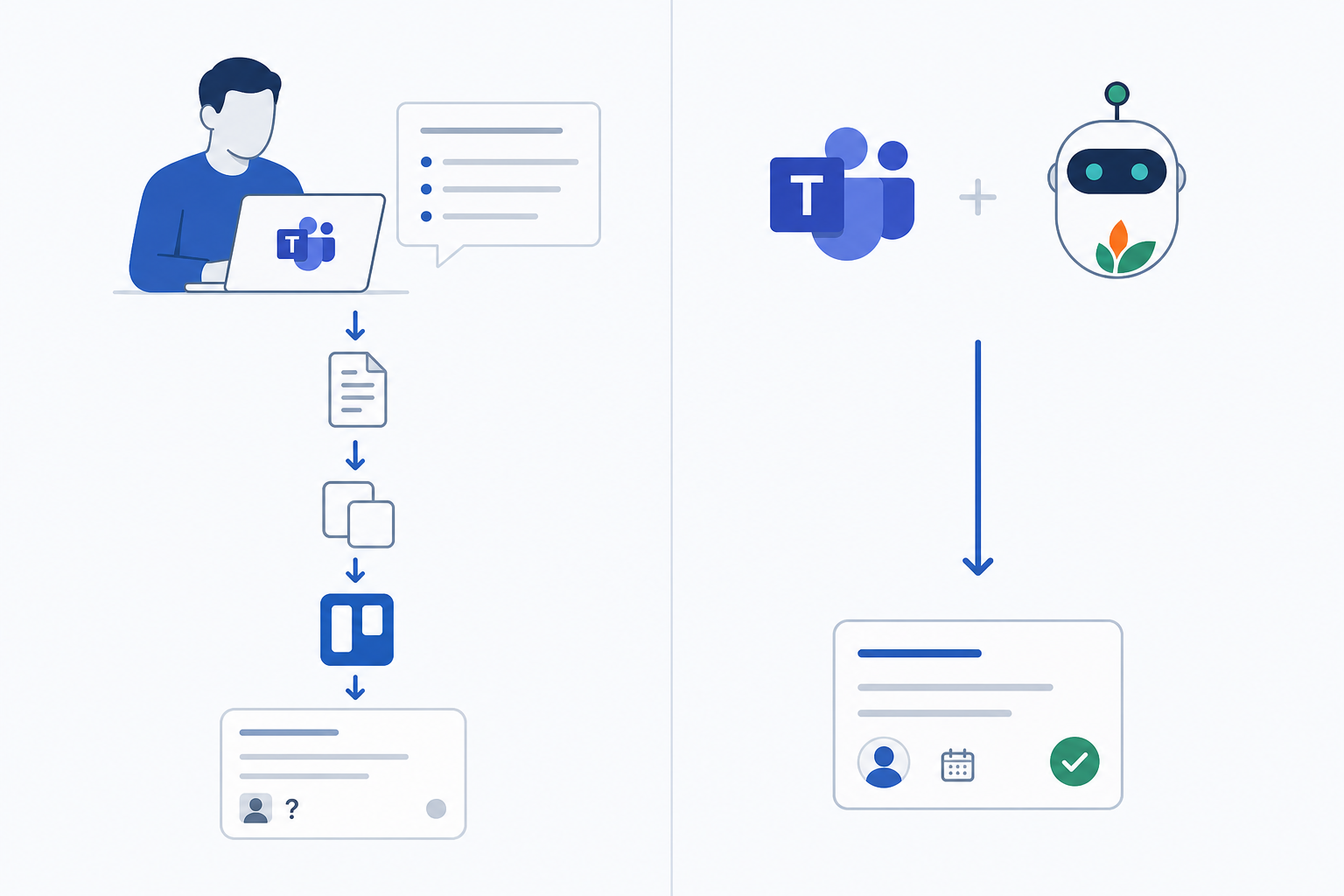
The manual handoff looks something like this: the meeting ends, and whoever volunteered to take notes opens the Teams chat to find their own half-typed summaries mixed in with reaction emojis and off-topic replies. They switch to the transcript, if one exists, and scroll through twenty minutes of conversation to pick out what was actually decided. Then they open Trello, create a card, type a title from memory, switch back to Teams to remember who said they’d handle it, switch back again to add the assignee, and repeat for each item.
There are several places where this quietly breaks down.
- Card titles get vague because the person creating them is working from recollection, not the actual words used in the call.
- Due dates get skipped entirely because adding them takes another click and nobody’s sure what was agreed.
- Some action items never make it to the board at all, because by the time the note-taker gets to Trello, the last two things mentioned before the call dropped are already gone.
The deeper issue is timing. Most teams don’t do this transfer immediately after the meeting. It happens an hour later, or the next morning, or after someone pings “hey, can you add that to Trello?” Context that felt obvious in the room is already fuzzy. What lands in the board is a degraded version of what was actually committed to.
Understanding the Microsoft Teams and Trello Integration Ecosystem
Two broad categories of tools can connect Microsoft Teams to Trello, and they work very differently. The first covers built-in and low-code options like the native Trello app for Teams and Zapier-based workflows. The second is AI meeting assistants that join the call, extract structured output, and push it to Trello without any manual step. Each carries a different setup cost, accuracy ceiling, and maintenance burden. See our guide to connecting AI notetakers with Trello for a deeper comparison.
Approach | Setup Effort | Action Item Accuracy | Assignee Detection | Ongoing Manual Work |
|---|---|---|---|---|
Trello app tab in Teams | Low | None (no extraction) | None | High |
Zapier trigger/action Zap | Medium | Low (keyword-based) | None | Medium |
AI meeting assistant | Low | High (context-based) | Yes | None |
The Trello app for Microsoft Teams gives you a tab-based board view inside Teams and sends channel notifications when cards change. It connects your workspace to a channel quickly, but does no extraction. Cards still have to be created by hand after the meeting.
Zapier sits in the middle. You can build a Zap that triggers when a Teams meeting ends and pushes data to a Trello list, but accuracy depends entirely on keyword matching against the transcript, which is far weaker than tools that automatically create action items from meeting transcripts. Assignees are not detected, and someone still has to review what lands on the board.
Enterprise conversation intelligence platforms handle the extraction step that the other two skip. They join the call as an organizational layer, identify action items from the conversation, detect who was assigned, and route structured cards into your tools. That’s the gap the table makes visible: accuracy and assignee detection only appear in the AI row.
Built-In and Low-Code Options for Connecting Microsoft Teams to Trello
Both options deserve a closer look at setup and limits before moving to AI-based approaches.
- Native Trello app for Teams: Installs in under two minutes, surfaces a board tab inside any Teams channel, and sends card-change notifications back to the channel, but does no transcript reading or action-item extraction. Every card still has to be created by hand after the meeting ends.
- Zapier workflows: Connects a Teams meeting event or channel message to a new Trello card in under 15 minutes, mapping title, description, list destination, and due date, but accuracy depends entirely on what a human posts to the channel first. Assignee detection and implicit deadline parsing are not supported.
Native Trello App for Teams
Installation takes about two minutes: open the Apps section in Teams, search for Trello, select Add to Teams, add it as a tab inside your target channel, and authenticate your Trello account. Once connected, you can view boards, create cards from Teams messages, and receive channel notifications when cards update.
The app is board-centric, not meeting-centric. Nothing about it reads a transcript or parses a conversation.
Zapier Workflows
Connecting Trello with Teams via Zapier removes the need to manually relay updates across tools. The typical Zap uses a new Teams channel message or meeting event as the trigger, then maps fields to a new Trello card: title, description, list destination, and due date.
The catch is that Zapier fires on what’s already in Teams. If nobody posted a clean meeting summary to the channel, the Zap has nothing useful to work with. It won’t identify who committed to what, flag implicit deadlines, or separate a decision from a discussion point. The structured input still has to come from a person.
Using AI Meeting Assistants to Sync Microsoft Teams to Trello
Enterprise conversation intelligence platforms work differently from either option covered so far. Instead of waiting for a human to post something to a channel, the platform joins the Teams call directly as an organizational layer, captures the conversation as it happens, and at meeting end delivers structured output. That output includes decisions, action items with named owners, and deadlines, already mapped to Trello cards. Nobody touches anything between the call ending and the card appearing on the board.
The extraction step is where this diverges from every manual approach. The AI reads conversational context, going beyond keywords to identify who committed to what, separate decisions from open discussions, and detect implicit deadlines from phrases like “before Friday’s release.” That output routes directly into Trello via a native Trello integration or through a Zapier trigger fed by a structured AI output, bypassing the raw channel message dependency entirely. Teams that also use Jira can auto-create Jira tickets from Zoom notes using the same approach.

Without an enterprise conversation intelligence platform in place, action items discussed in meetings routinely go uncaptured, and closing that loop means someone manually re-entering decisions and action items by hand after every meeting. An organizational platform removes that step entirely.
How AI Improves Action Item Extraction and Assignment
The gap between a transcript and a Trello card with the right owner, title, and due date comes down to four things that keyword triggers and manual review both miss.
- Commitment detection: phrases like “I’ll take that” or “let’s make sure the migration is done before Thursday” signal an action item even without the word “action.”
- Speaker attribution: the AI ties each commitment to whoever said it, so the Trello card arrives with an assignee already filled in, not a blank owner field.
- Deadline extraction: conversational cues like “before the sprint ends” or “by EOD Friday” get parsed as due dates, not ignored.
- Decision versus discussion: a comment like “we should probably look into that” is not a task. The AI distinguishes intent from exploration, so your board stays clean.
That last point is where basic transcription breaks down most visibly. A keyword trigger fires on “should” and “need to” indiscriminately. Spinach AI, an enterprise conversation intelligence platform deployed company-wide, joins the Teams call, captures the full conversation including video, audio, transcript, screen share, and in-meeting chat, and identifies from context whether a commitment was actually made. The structured output routes directly into Trello without requiring anyone to tag, sort, or clean up after the fact. Engineering teams can also convert meeting transcripts to Jira tickets using the same pipeline.
Setting Up Your Automated Microsoft Teams to Trello Workflow
Before any automation runs reliably, three things need to be in place: a Microsoft Teams account with permissions that allow external guests to join meetings, membership on the target Trello workspace, and a Spinach account connected to your Microsoft Calendar. Without external guest access turned on in Teams, Spinach cannot join the call.
Initial Requirements
- Teams admin must allow external participants in meeting settings
- Your Trello workspace should have a dedicated board for meeting-generated cards, with at least one list ready to receive them (e.g., “Action Items – Incoming”)
- Trello Power-Up fields cannot be accessed in Zapier triggers or actions, and moving a card across boards via Zapier is not supported. Keep card structure to native fields: title, description, due date, and member.
Calendar and Sync Configuration
Connect your Microsoft Calendar to Spinach from the Settings tab. Once connected, Spinach reads your upcoming meetings and joins automatically, two minutes before start time. For a walkthrough of how to record a Teams meeting, see our dedicated guide. From the integrations panel, select Trello as your active project management tool, choose the target board and list, and confirm how assignee resolution works. Spinach matches detected names against your Trello workspace members and assigns the card accordingly.
For naming conventions, a meeting date prefix keeps the board scannable: “2026-02-14 | Auth bug fix – Dana” is easier to filter than “Fix the auth thing.” Set this as your card title format from the start.
Test Before Deploying
Run one internal meeting with two or three participants before rolling out to the full team. After the call ends, check that cards landed in the correct list, titles reflect actual commitments, and assignees match who spoke them. If a card is missing or misattributed, confirm Spinach was admitted from the waiting room and that the attendee list was visible during the call.
Best Practices for Microsoft Teams Notes That Sync Successfully to Trello
Clean Trello cards start with clean verbal habits. The AI extracts what’s said, so vague language produces vague cards.
Verbal Patterns That Improve Card Quality
- State the owner by name: “Dana will handle the API fix” outperforms “someone should look at the API” because the extraction has a named assignee to work with.
- Attach an explicit date: “by Thursday EOD” gives the deadline parser something concrete instead of leaving it to infer urgency from tone.
- Flag action items directly: saying “action item for Marcus: update the staging config” removes ambiguity about whether a commitment was actually made.
Pre-Meeting Setup
An agenda set before the call reduces post-meeting cleanup. For recurring meeting types, Spinach supports saved prompts and recurring-meeting frameworks so client syncs, 1:1s, and standup or sprint-planning formats consistently produce structured Trello-ready outputs. Sales teams running on Google Meet can also sync Google Meet notes to HubSpot automatically without additional configuration each time. Set the target list per meeting series once, and routing handles itself from there.
Troubleshooting Common Sync Issues Between Microsoft Teams and Trello
Most sync failures trace back to one of a handful of configuration gaps. Check the table first, then the notes below it.
Issue | Likely Cause | Fix |
|---|---|---|
Trello cards not created | Zapier Zap paused or task limit reached | Reactivate Zap; check Zapier task quota |
Wrong board or list receiving cards | Misconfigured action step | Re-map target board/list in Zap or Spinach sync settings |
Missing assignee on cards | Speaker not identified or name mismatch | Verify speaker names match Trello member names in workspace |
Duplicate cards | Zap triggered multiple times on same message | Add filter step to check for existing card title |
Authentication error | OAuth token expired for Teams or Trello | Reconnect accounts in Zapier or Spinach integrations panel |
Sync delay over 10 minutes | Zapier polling interval | Upgrade Zapier plan for faster polling or use webhook trigger |
Authentication errors are the most common and least obvious, because tokens quietly expire weeks after setup. If cards suddenly stop appearing, reconnect both your Teams and Trello accounts before investigating anything else. Teams that document in Confluence can also sync Google Meet notes to Confluence automatically using the same token-management practices.
For missing assignees, the detected speaker name needs to match the display name on the Trello workspace member exactly. If someone goes by “Mike” in conversation but their Trello account shows “Michael Chen,” the match fails. Align display names once and the issue does not recur.
Slow or unstable connections can also prevent card updates from appearing even when the sync itself ran correctly. A manual refresh usually confirms whether the issue is display lag or an actual sync failure.
Measuring the ROI of Automated Meeting Notes
Four numbers make the business case without requiring a formal audit.
- Time saved on post-meeting admin per person per week. Ask two or three team members to log how long they spend transferring notes to Trello for two weeks before automation, then two weeks after. Even a conservative estimate compounds fast across a team of ten.
- Action item completion rate. Pull card completion data from Trello’s board activity log, filter by cards created in a given date range, and check how many moved to “Done” within the agreed window. Compare that rate before and after automation.
- Meeting duration trends. Once pre-meeting agendas are standardized, average call length tends to drop. Export calendar data and compare average durations per meeting series across a 30-day window.
- Butler automation report activity. Trello’s Butler logs show how many rules fired, cards created, and actions triggered. A flat or declining Butler count after setup suggests the integration is doing the work instead.
According to data cited by Flowtrace, the typical employee spends 11.3 hours per week in meetings, roughly 28% of a standard 40-hour workweek. Cutting even modest post-meeting re-entry time across a team of ten can cover tooling cost within the first month. Present the before/after Trello completion rate alongside that time figure, and the conversation moves from “is this worth it” to “why didn’t we do this sooner.”
How the Microsoft Teams to Trello Workflow Gets Fully Automated
Spinach AI is an enterprise conversation intelligence platform, the system of record for conversation data, deployed company-wide to capture, centralize, manage, and power every conversation and the tools and workflows that run your organization. It joins your Microsoft Teams meeting automatically and captures the full conversation: video, audio, transcript, screen share, and in-meeting chat. When the meeting ends, Spinach delivers structured output, including decisions, action items with named owners, and deadlines, pushing those directly into Trello as cards on the board and list you configured.
- Joins every scheduled Teams meeting automatically, with no per-meeting setup and no manual trigger.
- Captures multimodal input: video, audio, transcript, screen share, and in-meeting chat in a single pass.
- Identifies action items from conversational context, not keyword matching; commitment detection, speaker attribution, and deadline parsing are all included.
- Routes structured cards directly into your configured Trello board and list when the meeting ends, with named assignees and due dates already populated.
- Supports 100 languages; SOC 2 Type II, GDPR, and HIPAA compliant; customer data is never used to train AI models.
- Centralizes conversation data in a single, AI-ready organizational record, with no per-user silos, so decisions and context are available across teams and agents.
- Supports saved prompts and recurring-meeting frameworks so client syncs, 1:1s, and standup or sprint-planning formats consistently produce Trello-ready output without reconfiguring anything.
That’s the gap the Trello app tab and Zapier both leave open. Spinach eliminates the decision layer entirely by joining the call, capturing during the meeting, and routing structured output into Trello when the meeting ends, with no middleware re-keying and no manual transfer.
Connect your Microsoft Calendar, set Trello as your active project management tool, and run your next meeting. The cards will be there when it ends.
Final Thoughts on Syncing Teams Meeting Action Items to Trello Without Manual Work
The manual transfer from Teams to Trello looks like a five-minute task but compounds into a real drag on the team when it happens across every meeting, every week. The tools covered here sit at different points on the effort-to-accuracy curve, and the enterprise conversation intelligence path wins on both ends once it’s configured. Your cards arrive with named owners and dates because Spinach joins the call and captures during the meeting, so the structured output is ready when it ends. Get started with Spinach and the next meeting you run will be the first one where Trello updates itself.
The fastest path is connecting an AI meeting assistant like Spinach AI directly to your Microsoft Calendar and setting Trello as your active project management integration. Spinach joins the Teams call, captures the conversation, and pushes action items with named owners and deadlines into your configured Trello board and list when the meeting ends, with no manual transfer and no channel message required. The Trello app tab and Zapier workflows both require a human to produce structured input first; Spinach handles the extraction step they skip.
Zapier can connect Teams to Trello in under 15 minutes, but its accuracy depends entirely on what’s already posted to the Teams channel; it won’t detect who committed to what, extract implicit deadlines, or separate a decision from a discussion point. Spinach AI reads the conversation itself, identifies commitments by speaker, parses deadline cues like “before Friday’s release,” and routes structured cards directly into Trello without requiring a clean summary post as the trigger. If your goal is genuinely automatic sync with assignees and due dates populated, Zapier alone leaves that gap open.
Connect your Microsoft Calendar to Spinach from the Settings tab, then select Trello as your active project management tool and choose your target board and list. Spinach matches detected speaker names against your Trello workspace members for assignee resolution, so display names in the workspace need to align with how people introduce themselves on calls. Run one internal test meeting with two or three participants first: confirm cards landed in the correct list, titles reflect actual commitments, and assignees match before rolling out to the full team.
Yes. AI meeting assistants like Spinach AI join the Teams call directly and extract action items from the conversation itself, so nothing needs to be posted to the channel for the sync to run. The Trello app tab and Zapier-based workflows both depend on a human-generated input, such as a channel message or a structured summary, before any card creation can happen, which means the manual step isn’t removed, just relocated. Spinach eliminates that dependency by reading conversational context during the meeting and routing structured output into Trello when the call ends.
Track four numbers before and after setup: time spent on post-meeting admin per person per week, Trello card completion rate pulled from the board activity log, average meeting duration per recurring series from your calendar data, and Butler automation rule activity in Trello. According to data cited by Flowtrace, the average employee spends 11.3 hours per week in meetings. Cutting even 30 minutes of post-meeting re-entry per meeting across a team of ten produces a number that covers the tooling cost within the first month. Present the before-and-after card completion rate alongside that time figure for a clear business case.
State the owner by name and attach an explicit date — ‘Dana will handle the API fix by Thursday EOD’ gives the extraction engine a named assignee and a parsed deadline, while ‘someone should look at that’ produces a vague or missing card. Flagging commitments directly, such as ‘action item for Marcus: update the staging config,’ removes ambiguity about whether a commitment was actually made versus discussed.
No. The Trello app for Teams installs in under two minutes and surfaces a board tab inside a Teams channel, but it does no transcript reading or action-item extraction — every card still has to be created by hand after the meeting. It is board-centric, not meeting-centric.
Check whether your OAuth tokens have expired — authentication errors are the most common cause of sync failures and happen silently weeks after initial setup. Reconnect both your Teams and Trello accounts in your integration panel before investigating anything else.
AI meeting assistants read conversational context to tie each commitment to the speaker who made it, so a phrase like ‘I’ll take that’ attributed to a specific participant produces a named assignee, whereas keyword triggers fire on ‘should’ and ‘need to’ indiscriminately without any speaker attribution. The difference shows up on the Trello card: context-based extraction arrives with an assignee and a due date already filled in; keyword-based automation arrives with a blank owner field.
Zapier fires on what is already posted to the Teams channel — if no one has posted a clean meeting summary, the Zap has nothing structured to work with. It cannot detect who committed to what, parse implicit deadlines from conversational cues, or separate a decision from an open discussion, so the structured input still has to come from a person before any card is created.
The Trello integration is available on the Pro plan ($2.90 per meeting hour) and above, along with other project management integrations. The MCP connector is included on Business ($19/user/month billed annually or $29/user/month monthly) and Enterprise — it is not included on Pro.
Add a filter step in your Zapier workflow that checks for an existing card title before creating a new one — duplicates most often appear when the same channel message triggers the Zap more than once. If you are using an AI meeting assistant like Spinach, duplicates typically trace to the same meeting being processed twice, which is resolved by confirming only one calendar connection is active.
Zapier works if your team reliably posts a structured meeting summary to the Teams channel after every call, but it leaves the extraction step — identifying owners, deadlines, and real commitments — entirely to a human. An AI meeting assistant handles that extraction step directly from the conversation, so the choice depends on whether you are willing to keep a manual summary-writing step in the workflow or want to remove it entirely.
Spinach matches detected speaker names against the display names on your Trello workspace members and assigns the card accordingly — so if someone goes by ‘Mike’ in conversation but their Trello account shows ‘Michael Chen,’ the match fails. Aligning display names in the workspace to how people introduce themselves on calls resolves this once and prevents it from recurring.
Spinach AI is SOC 2 Type II, GDPR, and HIPAA compliant, and customer data is never used to train AI models — zero data retention terms apply with LLM providers. The bot is always visible in the meeting, never covert, and Enterprise plans include configurable data retention per data type (transcript, summary, and video) from one week to indefinite.
What should you do now
You made it to the end of this article! Here are some things you can do now:
- If communication is a challenge for your team, you should check out our library of meeting agenda templates.
- You should try Spinach to see how it can help you run a high performing org.
- If you found this article helpful, please share it with others on Linkedin or X (Twitter)

