How to Power Devin with Conversation Data Using MCP (August 2026 Guide)
Connect Devin to structured meeting data via MCP in August 2026. Learn how to route decisions and action items so Devin stops working from stale context.
 Maintouch
Devin can read your codebase, parse your tickets, and run your tests. What it cannot do is know what your team decided on Tuesday’s architecture sync. That context gap is where good agents produce the wrong output, and it is a solvable problem once you treat conversation data as a first-class input and route it to Devin through MCP.
TLDR:
- Devin runs autonomously and ships code against whatever context it has. If your team’s decisions live only in calls, Devin works from stale data.
- MCP connects Devin to structured conversation data via a client-server architecture; Devin queries tools like
get_decisionsandget_action_itemsat runtime. - The hard part of a DIY MCP build is data normalization, not the SDK. Raw transcripts need typed fields and consistent metadata before Devin can use them.
- 24% of MCP servers run without authentication (ChatForest, April 2026); conversation data routed through an unaudited channel carries real compliance exposure.
- Spinach AI is an enterprise conversation intelligence system. It serves as the system of record for conversation data, and it captures, centralizes, and governs every conversation across the organization and exposes that structured, AI-ready knowledge to Devin via a pre-built MCP server on Business and Enterprise plans.
What MCP Is and Why It Matters for Devin
Model Context Protocol (MCP) is an open standard introduced by Anthropic in November 2024 to standardize how AI systems integrate with external tools, systems, and data sources. Before MCP, connecting an AI agent to a new data source meant building a custom connector each time. A different source meant another connector, which compounds fast when an agent like Devin needs to pull context from meetings, tickets, wikis, and CRMs simultaneously.
MCP replaces that approach with a single standardized interface covering file reads, function execution, and contextual prompts. OpenAI and Google DeepMind have adopted it, and Anthropic donated the protocol to the Linux Foundation in December 2025, making it shared infrastructure with no single vendor owning it.
Why This Matters Directly for Devin
Devin operates autonomously. It does not pause mid-task to ask a human for missing context. The quality of what it can access at runtime directly determines the quality of its output. MCP is what makes that access reliable and consistent, without requiring your engineering team to rebuild the connection layer every time a new data source enters the picture.
Why Devin Adoption Is Accelerating in 2026
Customers include Citi, Goldman Sachs, Mercedes-Benz, Dell, and NASA-JPL (Cognition AI, June 2026).
That customer mix matters. These are compliance-driven, risk-averse organizations that ran Devin through full security and procurement review. The coding agent category cleared the enterprise bar.
The practical consequence: Devin now operates in environments where organizational context changes daily. Sprint priorities change. Architecture decisions get made on calls. The agent either has access to that context or it runs on stale assumptions.
Conversation Data as Devin’s Context Blind Spot
Devin can read your codebase, run tests, parse GitHub issues, and work through a ticket queue without human help. What it cannot do is know what your team decided on Tuesday’s architecture sync.
That gap produces a specific failure mode. Devin ships technically correct code against a pattern your team deprecated two sprints ago, because the deprecation decision happened on a call and never made it into a doc. Or it builds a feature to the spec in the ticket, unaware that the product sync last Thursday cut the scope in half. Or it opens a pull request against an approach your principal engineer flagged as a security risk in a design review that no one wrote up.
In each case, Devin did exactly what it was asked. The problem is that what it was asked reflected an outdated version of organizational reality. Decisions, tradeoffs, and priority changes live in conversation data first, and written artifacts second, if at all. That’s why teams increasingly look to automatically create action items from meeting transcripts instead of relying on manual write-ups. Without a governed conversation data layer feeding those decisions and action items to Devin as structured, AI-ready context, the agent is always working from an incomplete picture.
How MCP Gives Devin Access to Conversation Data
MCP uses a client-server architecture: Devin acts as the MCP client, sending structured queries to an MCP server that exposes conversation data as callable tools. Devin’s documentation confirms native MCP support, giving any MCP-compatible agent access to session management, playbooks, and external knowledge sources.
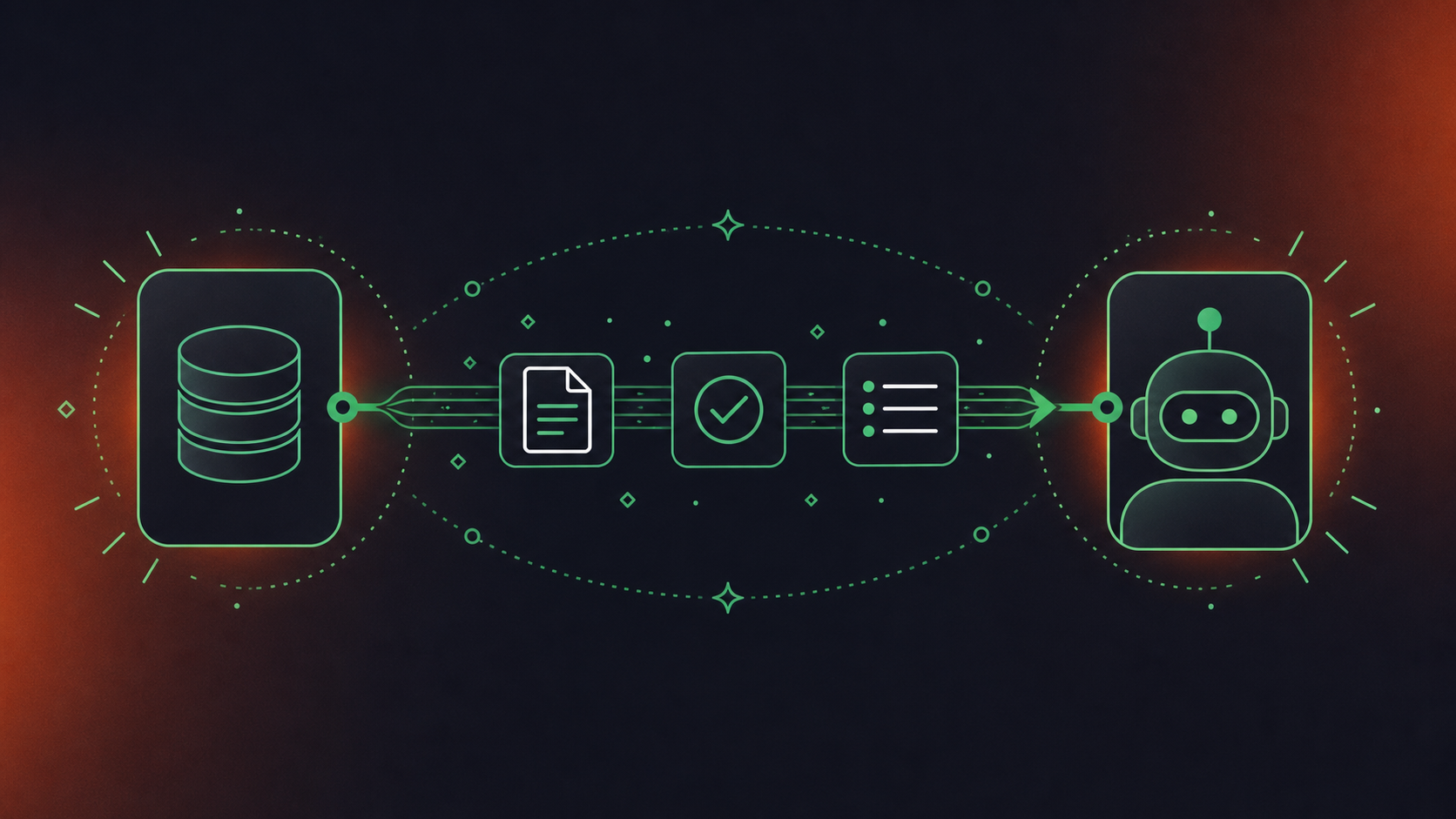
In practice, Devin can pull action items from last week’s product meeting, surface an architectural decision made three months ago, or retrieve context from a customer call before writing a bug fix. For engineering teams, Devin can also check standup recordings for blocker resolutions before proceeding on a dependent task, a pattern covered in depth for MCP server meeting notes and AI agents, skipping the wait on a human to re-enter that information.
What Devin Can Now Query | Conversation Data Source | Outcome for the Coding Agent |
|---|---|---|
Last sprint’s action items | Sprint planning meeting | Scoped ticket with correct context |
Architectural decisions | Design review meeting | Accurate implementation aligned with intent |
Customer-reported issues | Customer call transcript | Bug fix that reflects real user language |
Blocker resolutions | Standup recordings | Unblocked task execution without human re-entry |
The server defines what data Devin can request and how. The quality of what Devin gets depends entirely on how well conversation data is structured, governed, and exposed on the server side.
Setting Up a MCP Server for Conversation Data
Building an MCP server for conversation data is straightforward in concept and demanding in practice. The official MCP SDKs support Python and TypeScript, both well-documented, so the setup layer is not the hard part.
The hard part is the data layer. Raw meeting transcripts are unstructured, which is the same challenge covered when pulling Google Meet transcripts into Codex. Devin needs typed tool outputs with consistent metadata fields: meeting date, participant list, meeting type, decisions, and action items with named owners. Getting from a transcript to that schema once is achievable. Keeping it consistent as conversation volume scales is an ongoing engineering commitment.
Implementation Component | What Is Required | Complexity Note |
|---|---|---|
SDK selection | Python or TypeScript MCP SDK | Low: well-documented |
Tool definitions | search_meetings, get_action_items, get_decisions, get_participants | Medium: schema design matters |
Data normalization | Raw transcript to structured JSON with typed fields | High: ongoing as meeting volume grows |
Authentication | OAuth or API key, scoped per user | Medium: user-level permission enforcement required |
Hosting | Remote server (HTTP) for multi-user access | Medium: scaling and uptime responsibility |
41% of surveyed software organizations are already in limited or broad production with MCP servers (Stacklok software report, Q1 2026), so the tooling is mature. What teams consistently underestimate is the normalization work: cleaning, deduplicating, and schema-enforcing meeting data from multiple sources, including Microsoft Teams meeting transcripts into Codex, before it ever reaches Devin. That gap is where most DIY builds stall.
Connecting Your MCP Server to Devin
Once your MCP server is running and returning structured meeting data, connecting it to Devin takes a few minutes. According to Devin’s documentation, the configuration lives under Devin’s MCP settings, where you add a serverUrl alongside a Bearer token and an X-Org-Id header. If you’re using an org-scoped service user key, the header is optional since Devin resolves the organization automatically.
A few things worth noting before you wire it up:
- The legacy SSE endpoint was deprecated as of June 2026 (Devin MCP docs), so use the current HTTP transport configuration instead
- Scope your Bearer token to read-only access on meeting data during initial setup
- Test with a single tool call before building dependent workflows on top of the connection
For verification, call get_decisions or get_action_items against a known recent meeting and confirm the response includes the expected metadata fields: date, participants, and named owners. If the tool returns an empty payload or a schema mismatch, the normalization layer is the likely culprit, not the connection itself. The same principle applies when you connect Claude Code to Microsoft Teams transcripts.
Security Considerations for Conversation Data via MCP
Meeting data routed through an MCP server carries real organizational risk. 30+ CVEs filed and production incidents reported (ChatForest, April 2026). And 24% of MCP servers currently operate without authentication (ChatForest, April 2026), which is an unacceptable posture when the data includes strategic decisions, competitive context, personnel discussions, and compliance-sensitive information, a risk equally present when pulling Microsoft Teams transcripts into Glean.

Four specific risks apply here:
- Prompt injection: a malicious input causes the MCP server to return data outside its intended scope
- Data exfiltration: improperly scoped tools expose meeting content to unauthorized agents or users
- Access control drift: permissions granted at setup expand over time without audit
- Compliance exposure: conversation data subject to HIPAA, GDPR, or SOC 2 requirements passes through an unaudited channel
Before connecting any MCP server to conversation data, get clear answers to these questions: Where does the data reside and who controls it? Which users can query which meetings, and how is that enforced? What audit trail exists for agent queries? What compliance certifications apply to the server infrastructure?
For organizations that need those answers to be independently verifiable, not self-reported, Spinach AI is SOC 2 Type II, GDPR, and HIPAA compliant, with full audit logging, granular retention controls per data type, and a trust center at trust.spinach.ai. That governance layer is what a DIY MCP server does not ship with.
Powering Devin With Meeting Intelligence Through Spinach
Spinach AI is an enterprise conversation intelligence platform and the system of record for conversation data. Where individual AI notetakers solve one person’s problem, Spinach is deployed company-wide to capture every conversation across Zoom, Google Meet, Microsoft Teams, Slack Huddles, and Webex, centralize that data as a governed, AI-ready asset, manage access and policy across the organization, and power people and agents with structured outputs: decisions, action items with named owners, and context routed directly into downstream tools. Spinach exposes that organizational knowledge to Devin via a pre-built MCP server available on Business and Enterprise plans. The server ships with OAuth, admin approval, and user-based permission enforcement — the exact controls a production deployment requires.
Four specific capabilities Devin gains from connecting to Spinach:
- Action items with named owners, pulled directly from meeting output instead of reconstructed from ticket history
- Decisions with meeting-level provenance, so Devin knows what was decided, when, and by whom
- Cross-meeting context across your team’s full conversation history, beyond the most recent standup
- Participant history that ties contributors to prior commitments across sprints and design reviews
Engineering and product teams that want Devin working from current organizational context instead of stale tickets can get started with Spinach AI on Business or Enterprise plans.
Final Thoughts on Giving Devin the Meeting Context It Needs
A coding agent running on stale context is doing exactly what it was asked and still getting it wrong, and that is a data problem, not an agent problem. MCP gives you the architecture to solve it, but the real investment is in the conversation data layer sitting behind your MCP server. Get that layer right and Devin stops shipping against deprecated patterns. Get started with Spinach AI to connect a governed, AI-ready conversation data layer to Devin without building it from scratch.
Add your MCP server’s `serverUrl`, a scoped Bearer token, and an `X-Org-Id` header under Devin’s MCP settings. The connection takes a few minutes once your server is running. Use the current HTTP transport configuration, since the legacy SSE endpoint was deprecated in June 2026. Verify the setup by calling `get_decisions` or `get_action_items` against a known recent meeting and confirming the response returns date, participants, and named owners.
The hard part is data normalization, not the SDK setup. Python and TypeScript MCP SDKs are well-documented, but converting raw transcripts into typed JSON with consistent fields (meeting date, participant list, decisions, action items with named owners) requires ongoing engineering as meeting volume grows, and most DIY builds stall at this step.
Building your own gives you control but carries real ongoing cost: normalization work, authentication scoping, audit logging, and retention governance all land on your team. Spinach’s pre-built MCP server, available on Business and Enterprise plans, ships with OAuth, admin approval, and user-based permission enforcement already in place. That is the governance layer a production deployment requires, without the build and maintenance burden.
The four risks that apply directly here are prompt injection, data exfiltration from improperly scoped tools, access control drift over time, and compliance exposure when conversation data subject to HIPAA, GDPR, or SOC 2 passes through an unaudited channel. Before connecting any MCP server, confirm that user-scoped permissions are enforced at the server level, OAuth has admin approval gates, every tool call is audit-logged, and retention governance matches your existing policy per data type.
Without conversation data, Devin works from tickets and code, which means it can ship technically correct work against a pattern your team deprecated on a call last sprint. With Spinach connected via MCP, Devin can pull action items with named owners, retrieve architectural decisions with meeting-level provenance, and check standup recordings for blocker resolutions before proceeding on a dependent task. The agent stops running on stale organizational context and starts working from what your team actually decided.
The four tool definitions that cover most engineering workflows are `search_meetings`, `get_action_items`, `get_decisions`, and `get_participants`. Schema design matters more than the number of tools — each must return typed fields with consistent metadata (meeting date, participant names, named owners) so Devin can parse the response without ambiguity.
Both are well-supported — Anthropic’s official MCP SDKs cover Python and TypeScript with thorough documentation. The choice comes down to your team’s existing stack, since the SDK layer is not where most builds stall; data normalization is.
Devin operates autonomously and does not pause to ask a human for missing information — it proceeds on whatever context it has at runtime. That means a misconfigured tool or an empty payload from a schema mismatch silently degrades output quality, which is why verifying tool responses against known meetings before building dependent workflows is worth the extra step.
Before MCP, connecting an AI agent to a new data source required a custom connector per source, which compounds fast when an agent needs meetings, tickets, wikis, and CRMs simultaneously. MCP replaces that with a single standardized interface covering file reads, function execution, and contextual prompts — one connection layer regardless of how many data sources sit behind it.
The failure mode is specific: Devin ships technically correct code against patterns your team deprecated, builds features to specs your product sync already cut, or opens pull requests against approaches flagged as security risks in design reviews that were never written up. The agent did exactly what it was asked — the problem is that the ask reflected an outdated version of organizational reality.
MCP is included on Business and Enterprise plans. The Business plan is $29 per user per month (or $19 per user per month billed annually) and includes the pre-built MCP server with OAuth, admin approval, and user-based permission enforcement. The Pro plan does not include MCP access.
Call `get_decisions` or `get_action_items` against a known recent meeting and confirm the response includes the expected metadata fields: date, participants, and named owners. If the tool returns an empty payload or a schema mismatch, the normalization layer is the likely culprit, not the connection itself.
It means each query Devin makes returns only the meeting data the requesting user is authorized to see — not a flat export of your organization’s full conversation history. Without this enforcement at the server level, an agent query can inadvertently surface personnel discussions, competitive context, or compliance-sensitive decisions to anyone with access to the tool.
Building your own makes sense if you have narrow, well-defined data requirements and an engineering team willing to own normalization, authentication, audit logging, and retention governance as ongoing work. For most teams, the real cost is not the initial build — it’s keeping schema consistency and compliance controls current as meeting volume and data sources grow.
In Devin’s MCP settings, add the server’s `serverUrl` alongside a scoped Bearer token and an `X-Org-Id` header. If you’re using an org-scoped service user key, the header is optional since Devin resolves the organization automatically. Use the current HTTP transport configuration — the legacy SSE endpoint was deprecated in June 2026.
What should you do now
You made it to the end of this article! Here are some things you can do now:
- You should check out our library of meeting agenda templates for every type of meeting.
- Learn more about Spinach and how it can help you run a high performing org.
- If you found this article helpful, please share it with others on Linkedin or X (Twitter)

