Spinach AI vs Chorus: Full Org Coverage vs Sales Focus (August 2026)
Spinach AI vs Chorus: August 2026 breakdown of pricing, deployment scope, and which tool fits sales-only orgs versus companies needing full
 Maintouch
If you’re already in the ZoomInfo ecosystem, Chorus probably makes sense for your revenue team. The harder question is what happens to every other conversation in your company. This comparison breaks down what Chorus was built to do, what Spinach AI covers that Chorus doesn’t, and how to figure out which one your org actually needs.
TLDR:
- Chorus routes conversation intelligence back to sales workflows; it was built for one department, not the full org.
- Chorus pricing is not published; 2026 third-party research suggests a base of around $8,000/year for three seats plus ~$1,200 per additional seat annually (source: Claap, July 2026).
- Product, Engineering, HR, and Legal workflows don’t fit Chorus’s deployment model; those teams get no structured output from it.
- The pattern in real deployments: organizations keep Chorus for customer-facing sales calls, then deploy Spinach AI everywhere else.
- Spinach AI is the enterprise conversation intelligence system of record, with a free Starter plan and no credit card required to start.
Spinach AI | Chorus by ZoomInfo | |
|---|---|---|
Deployment scope | Company-wide: Product, Engineering, HR, Legal, Finance, Sales, CS | Revenue team / sales org only |
Primary output | Structured data routed into each team’s tools (Jira, Linear, Salesforce, HubSpot, Slack) | Sales intelligence routed back into pipeline views and rep coaching workflows |
Meeting platforms | Zoom, Google Meet, Microsoft Teams, Slack Huddles, Webex | Customer-facing sales calls (Zoom, Teams) |
Pricing | Free Starter; Pro at $2.90/meeting hour; Business at $29/user/month ($19 billed annually); no credit card to start | Not published; ~$8,000/year for 3 seats + ~$1,200/additional seat (Claap, 2026); sold as part of ZoomInfo’s RevOS bundle |
Ecosystem dependency | None; integrates independently | Progressively bundled into ZoomInfo RevOS; standalone access adds procurement complexity |
Compliance | SOC 2 Type II, GDPR compliant; HIPAA compliant with BAA available on Enterprise/HIPAA engagements; SAML SSO and SCIM at Enterprise | Not detailed publicly |
Free trial | Free Starter plan + 14-day trial, no credit card required | Custom quote required |
Best fit | Organizations needing one governed system of record across every function | Sales orgs already embedded in the ZoomInfo ecosystem |
What Is Chorus by ZoomInfo?
Chorus by ZoomInfo is an AI-powered conversation intelligence tool that records, transcribes, and analyzes customer conversations to help revenue teams improve performance. ZoomInfo acquired Chorus.ai for approximately $575 million in cash in 2021, and the product now combines behavioral insights from sales conversations with ZoomInfo’s B2B contact and intent data.
The focus is squarely on sales. Chorus is designed for sales representatives and managers who want to refine coaching, review deal conversations, and surface buyer signals. If your primary goal is rep performance and pipeline visibility on customer-facing calls, that is the use case Chorus was built around.
What Chorus Does Well
- Call recording and transcription with speaker identification, so sales managers can review exactly what was said at each stage of a deal without sitting in on every call.
- AI-generated deal summaries and talk-track analysis that flag moments like competitor mentions, pricing objections, or next steps discussed during a call.
- Integration with ZoomInfo’s B2B intent and contact data, which lets revenue teams cross-reference conversation signals with account-level buying intent.
- Coaching workflows built around real call recordings, giving frontline managers a structured way to run rep development sessions grounded in actual conversations.
What Is Spinach AI?
Spinach AI is an enterprise conversation intelligence platform and the system of record for conversation data. Where Chorus solves a problem for one department, Spinach is deployed company-wide across every function: Product, Engineering, HR, Legal, Finance, Sales, and Customer Success.
Spinach joins meetings on Zoom, Google Meet, Microsoft Teams, Slack Huddles, and Webex, captures every conversation across the organization, and turns that data into structured, governed, AI-ready knowledge that powers both people and agents. Recording and transcription are the input step. The output is what matters: decisions with named owners, structured meeting outputs routed to Jira or Linear, CRM records updated in Salesforce or HubSpot, and a searchable organizational corpus that Claude or ChatGPT can query through Spinach’s MCP connector.
Spinach is deployed on a record-by-default basis, with policy enforced at the org level. No per-user shadow IT, no inconsistent sharing (see how this plays out in the Spinach AI vs Fireflies.ai comparison), and no conversation data trapped in one rep’s personal tool. One governed data asset, across the entire company.
Deployment Scope: Sales Team vs. the Entire Organization
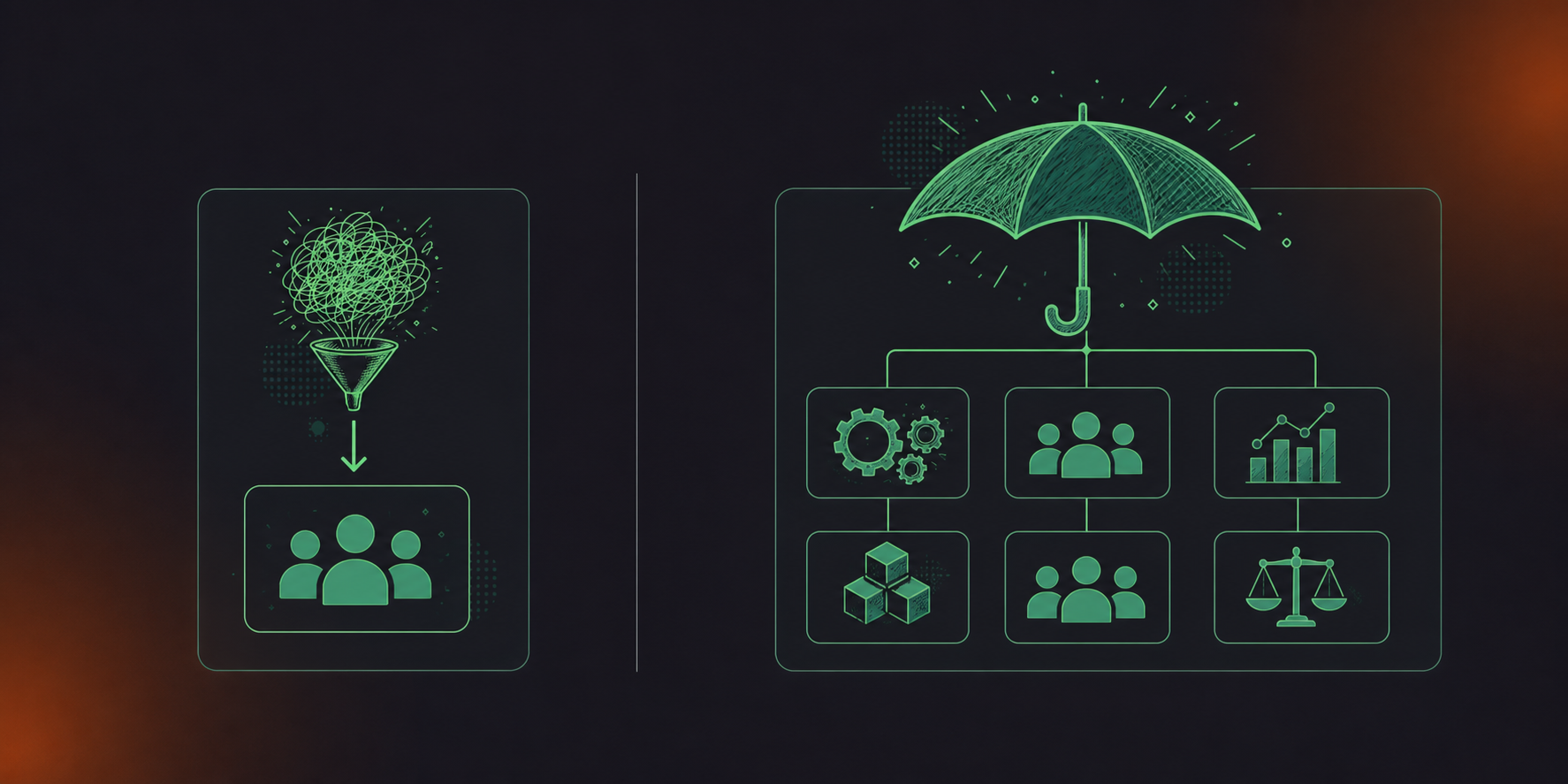
Chorus is purpose-built for revenue team deployment. As ZoomInfo describes it, Chorus helps performance-driven sales teams capture and analyze customer calls, meetings, and emails to create visibility and drive behavior change. For organizations with a sales-led mandate and a clear scope of customer-facing conversations, that focus is a feature.
The gap appears when you need more than one team covered. Product needs decisions captured from roadmap reviews. Engineering needs meeting transcripts converted to Jira tickets. HR needs structured records from hiring panels. Legal needs governed retention, a subject covered in depth in the enterprise meeting recording security and compliance guide. None of those workflows fit inside Chorus’s deployment model.
Spinach AI deploys company-wide from day one. Every team, every meeting type, one governed data asset. Collections automatically group and share meetings by participant, title, or series without manual intervention. Founder Mode gives leadership org-wide read access across every conversation in the organization. Org-level enforced settings mean sharing scope, retention, and bot behavior stay consistent across every function.
The pattern that shows up in real deployments: organizations keep Chorus for customer-facing sales calls, then roll out Spinach everywhere else. The two can coexist. But if a single tool needs to cover the full organization, Chorus’s architecture was built for one department, and Spinach’s was built for the company.
Sales Intelligence vs. Structured Data Routing
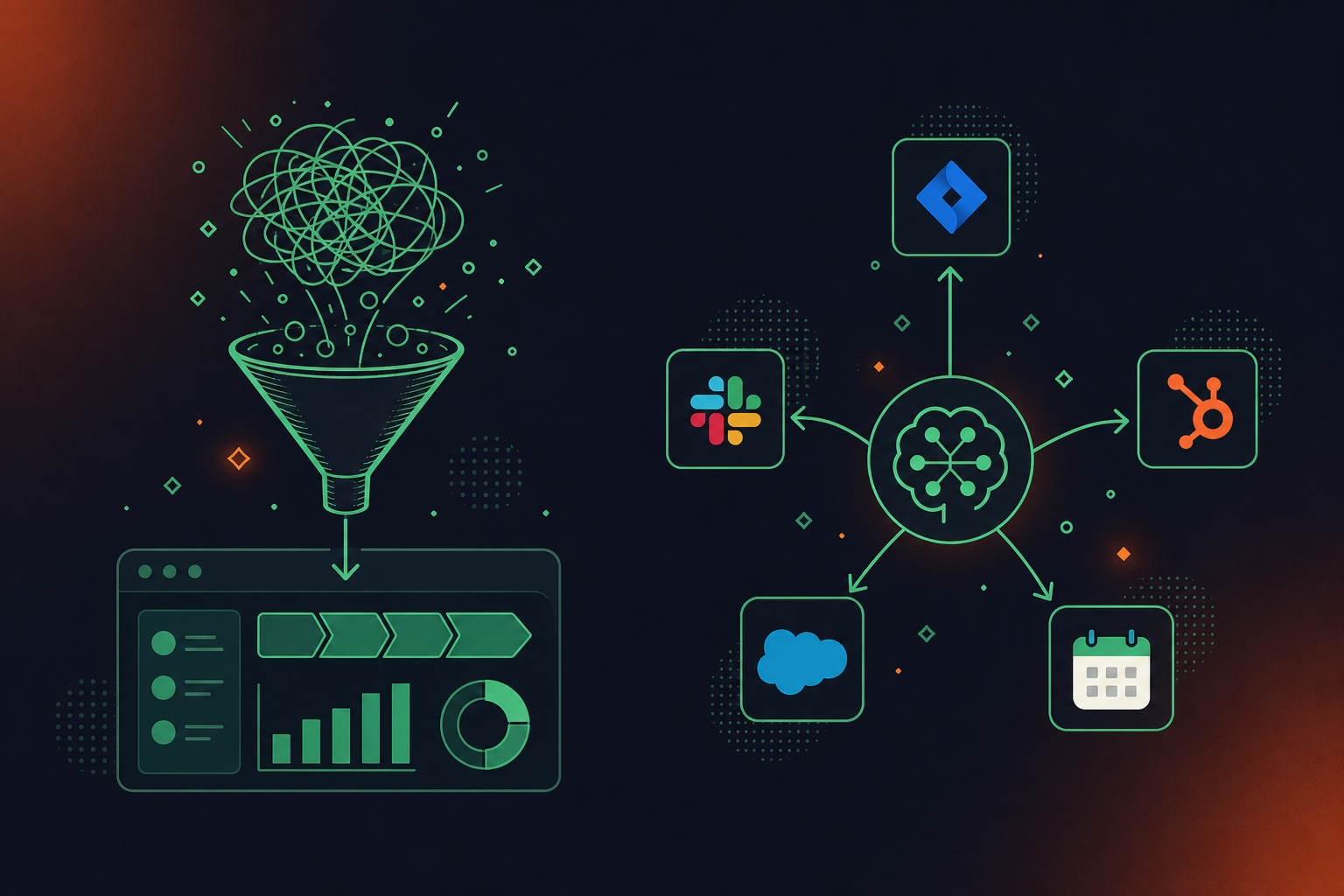
Chorus’s output is purpose-built for revenue contexts. Its recording, transcription, summaries, and CRM integrations layer in ZoomInfo’s contact, company, and intent data, giving you buyer context that most standalone tools can’t match. For sales orgs living inside the ZoomInfo ecosystem, that intelligence is genuinely useful.
Spinach routes structured data into the tools every team already runs on. Decisions get named owners. Action items land in Jira or Linear. CRM records update in Salesforce or HubSpot with custom field mapping, including Google Meet notes synced to HubSpot automatically. Slack recaps go out automatically when the meeting ends. For Engineering, a sprint planning session can auto-create Jira tickets from Zoom notes. For HR, a hiring panel produces structured notes instead of a recording that lives in a sales tool no one outside revenue can access.
The distinction is directional: Chorus routes intelligence back to sales workflows and pipeline views. Spinach routes structured data forward into whatever system the team actually runs on, across every function.
Pricing, Access, and Ecosystem Dependency
Chorus does not publish public pricing. 2026 research suggests a base fee of around $8,000 per year for three seats, plus roughly $1,200 per additional seat annually. That figure may also understate the real cost: since the 2021 acquisition, Chorus has been progressively folded into ZoomInfo’s RevOS bundle, where account teams are incentivized to sell Chorus as one line item alongside SalesOS, MarketingOS, OperationsOS, and TalentOS. Organizations outside the ZoomInfo ecosystem often negotiate for standalone access, which adds procurement complexity before a single call is recorded.
Spinach AI publishes its pricing outright, as detailed in the Spinach AI vs MeetGeek comparison. Starter is free with unlimited recording and transcription. Pro is $2.90 per meeting hour. Business is $29 per user per month, or $19 per user per month billed annually. A 14-day free trial requires no credit card, so your team can validate the product before any procurement cycle starts.
Why Spinach AI Is the Better Choice
Chorus is a credible fit for sales organizations embedded in the ZoomInfo ecosystem that need rep coaching, deal analytics, and pipeline intelligence. If that scope covers the full requirement and your team is ready for a custom-quoted commitment to get there, Chorus is a legitimate answer.
For organizations that need a single governed system of record across every team, the architecture does not extend that far. Spinach AI captures, centralizes, manages, and powers the full organization: Product and Engineering get Jira tickets and structured decision records; HR gets governed interview and onboarding context; Sales and CS get CRM records routed to Salesforce or HubSpot; leadership gets org-wide retrieval through Claude and ChatGPT via the MCP connector. SOC 2 Type II, GDPR, and HIPAA compliance, SAML SSO and SCIM at Enterprise, configurable retention per data type, and a free Starter plan with no credit card required. For teams comparing Fireflies.ai alternatives, Spinach covers the full organization. One deployment, company-wide.
Final Thoughts on Spinach AI vs Chorus
The two tools answer different questions. Chorus asks: what happened on that sales call? Spinach asks: what did the whole organization decide, and where did those decisions land? For companies that need both answered, many keep Chorus for customer-facing calls and run Spinach across every other function. Try Spinach AI free to see how it fits alongside your existing stack.
Choose Chorus if your scope is limited to customer-facing sales calls and your team is already embedded in the ZoomInfo ecosystem — that is the use case it was built for. Choose Spinach AI if you need a single governed system of record across Product, Engineering, HR, Legal, Finance, and Sales, where structured data routes into the tools each team actually runs on.
Chorus routes intelligence back into sales workflows and pipeline views — deal summaries, talk-track analysis, and rep coaching grounded in customer-facing call recordings. Spinach routes structured data forward into whatever system a team runs on: decisions with named owners, action items filed in Jira or Linear, CRM records updated in Salesforce or HubSpot, and Slack recaps sent automatically when the meeting ends.
Chorus is best suited for revenue teams that need rep coaching, deal analytics, and buyer-intent signals, particularly those already paying for ZoomInfo’s broader RevOS bundle. Spinach AI is the better fit for organizations that need company-wide deployment — one governed data asset across every function, with policy enforced at the org level and conversation data queryable through Claude or ChatGPT via the MCP connector.
Chorus does not publish public pricing — 2026 research suggests a base of roughly $8,000 per year for three seats, and the product is increasingly sold as part of ZoomInfo’s bundled RevOS offering, which adds procurement complexity. Spinach AI publishes its pricing outright: Starter is free, Pro is $2.90 per meeting hour, and Business is $29 per user per month ($19 billed annually), with a 14-day free trial and no credit card required — so your team can validate the product before any procurement cycle starts.
The two can coexist. The pattern that appears in real deployments is that organizations keep Chorus for customer-facing sales calls, then roll out Spinach everywhere else, feeding one organizational corpus from both sources. If a single tool needs to cover the full organization, Chorus’s architecture was built for one department; Spinach’s was built for the company.
Product and Engineering teams get no structured output from Chorus — the tool was built for customer-facing sales calls, so roadmap decisions, sprint planning outputs, and architecture discussions stay unstructured or live in a separate personal note-taking tool. Spinach captures those meetings and routes decisions and action items directly into Jira or Linear, with the same governance policy applied across every function.
Yes — Spinach updates CRM records in Salesforce and HubSpot with custom field mapping, including automatic sync of Google Meet notes and action items. The difference is that Spinach does this as part of company-wide deployment rather than as a sales-only tool, so the same structured data routing applies to every team, not just revenue.
Spinach is the stronger fit for multilingual organizations — it supports 100 languages and uses a transcription-model-agnostic approach, selecting the most accurate model per language rather than locking to one vendor’s model. This is one of the primary reasons organizations switch to Spinach, particularly in Hebrew and other non-English-dominant environments where accuracy gaps in locked-model tools compound quickly.
Chorus is an AI-powered conversation intelligence tool that records, transcribes, and analyzes customer-facing sales calls to help revenue teams with rep coaching, deal analytics, and buyer-intent signals. Since ZoomInfo acquired Chorus.ai in 2021, it has been progressively folded into ZoomInfo’s RevOS bundle alongside SalesOS, MarketingOS, and OperationsOS — meaning organizations outside the ZoomInfo ecosystem often negotiate added procurement complexity to access it as a standalone product.
Spinach enforces governance at the org level, with retention configurable per data type — transcript, summary, and video can each be set separately, from one week to indefinite on Enterprise. Chorus’s governance model is built around sales workflows; it was not designed to enforce policy across HR, Legal, and Engineering with department-specific retention rules.
Chorus was built for customer-facing revenue team meetings and its deployment model does not extend to internal functions like HR hiring panels, Engineering retros, or Legal reviews. Spinach deploys company-wide across every meeting type and function, routing structured outputs into the tools each team runs on — Jira tickets for Engineering, governed records for HR, and searchable context for Legal.
Spinach is SOC 2 Type II, GDPR, and HIPAA compliant, with a BAA available for Enterprise and HIPAA engagements. It is hosted on AWS, uses PII redaction at the transcript level, and processes no customer data for AI model training — which matters in regulated sectors like financial services, healthcare, and legal where conversation data governance is a hard requirement.
Spinach’s MCP server, included on Business and Enterprise plans, gives Claude and ChatGPT direct, permission-enforced access to the full organizational corpus of conversation data captured across every meeting. A CIO or founder can query decisions, blockers, and context from any team’s meetings through their existing AI assistant rather than hunting through individual recordings or summaries.
Start a free trial — no credit card required — and your team can validate the product against your actual meeting stack before any procurement cycle begins. Spinach’s Starter plan is permanently free with unlimited recording and transcription, and the 14-day trial covers advanced features so you can test CRM routing, Jira integration, and multi-team deployment in a real environment.
The Spinach bot is always visible and never covert — it can be renamed and rebranded at the org level (for example, ‘Acme Notetaker’), with a custom legal-approved in-meeting notification message set by the organization. Admins can also configure waiting-room admission so the bot only joins after verbal consent, and hosts can pause, resume, or remove the bot mid-meeting using simple commands.
What should you do now
Now that you've read this article, here are some things you should do:
- You should check out our library of meeting agenda templates for every type of meeting.
- Learn more about Spinach and how it can help you run a high performing org.
- If you found this article helpful, please share it with others on Linkedin or X (Twitter)

