How to Power Devin with Conversation Data Using Custom Connectors (August 2026)
Connect Devin to meeting data via a custom MCP server in August 2026. Query decisions, action items, and stakeholder context without writing per-source
 Maintouch
Enterprises deploying Devin company-wide face a context gap: the decisions, requirements, and rationale that live in meeting records never reach the agent. Devin needs that organizational context, generated daily across meetings, design reviews, and planning sessions, to perform reliably at scale. Setting up a custom MCP connector is how you get that conversation data into Devin without maintaining a knowledge base by hand.
TLDR:
- MCP lets Devin query your meeting decisions, action items, and architectural rationale without custom integration code per source
- Devin’s knowledge base requires manual upkeep by default; conversation data fed through MCP removes that maintenance burden
- Your conversation data MCP server needs at minimum five tools:
search_decisions,get_action_items,get_meeting_summary,list_meetings_by_participant, andget_cross_meeting_context - Conversation data carries higher security risk than code repos; enforce user-level permissions, PII redaction, and audit logging at query time
- Spinach AI captures conversations across the enterprise, spanning Zoom, Google Meet, Microsoft Teams, Slack Huddles, and Webex, into a governed, AI-ready data asset Devin can query via MCP on Business and Enterprise plans
What MCP Server Is and Why It Matters for Devin
Model Context Protocol (MCP) is an open standard that lets AI agents query external data sources through a single, consistent interface instead of a custom-built adapter for every tool they need to access.
The architectural problem it solves is unglamorous but real. Without MCP, connecting an AI agent like Devin to a new data source means writing, maintaining, and debugging bespoke integration code every time, across your entire toolchain. MCP collapses that into one client-server pattern. Per the MCP developer documentation, the host AI application creates one client per configured MCP server, and each client holds its own dedicated connection. The protocol is governed by the Linux Foundation’s Agentic AI Foundation with backing from Anthropic, OpenAI, Google, Microsoft, and AWS.
For Devin, this cuts both ways. Devin’s own MCP server exposes session management, playbooks, knowledge, and scheduling to any MCP-compatible agent or IDE. That same interface works in reverse: Devin can pull from any MCP-compliant data source at runtime, with no human-written glue code per source.
Why Devin Adoption Is Accelerating in 2026
Devin has moved from early-adopter curiosity to enterprise deployment faster than most AI coding tools. Understanding that adoption arc, and what enterprise teams learned about context along the way, explains why feeding Devin the right organizational data is now the central configuration challenge, not an optional extra.
Devin’s Enterprise Growth
The numbers are hard to dismiss. Devin’s annualized run-rate revenue grew from $37 million in May 2025 to $492 million by May 2026, a 1,230% year-over-year increase. Enterprise month-over-month growth held at 50% for six consecutive months as of June 2026, with enterprise usage growing more than tenfold since January 2026 alone.
What Enterprise Teams Have Learned About Context
That growth did not come free. Cognition acknowledges plainly that Devin “does best with clear requirements” and that ambiguous or exploratory work remains a weak point. Teams seeing the strongest results spent several weeks configuring Devin’s knowledge base and defining task-scoping guidelines before any real deployment.
That setup burden is the subject of the rest of this guide, and conversation data is the missing input most teams skip entirely.
Conversation Data as Devin’s Context Blind Spot
Devin’s knowledge base does not fill itself. Playbooks, knowledge entries, and task-scoping guidelines all require someone to write and maintain them manually. When that work gets skipped or falls behind, Devin starts sessions with thin context and fills the gaps with inference, which is where misaligned implementations and wrong assumptions come from.
What Devin’s Knowledge Base Actually Needs
Devin draws on three types of context during a session: playbooks that define how work should be approached, knowledge entries that capture domain-specific rules and architecture decisions, and task-scoping guidelines that define what Devin should and should not attempt. Teams that automatically create action items from meeting transcripts avoid the manual knowledge-base gap entirely. According to reporting on Cognition’s enterprise deployments, getting Devin to perform well required weeks of knowledge base configuration and dedicated staff to manage task selection before results improved.
Where Organizational Context Actually Lives
The information those knowledge entries need already exists inside your organization: the architectural trade-off your team debated in Tuesday’s design review, the requirement a stakeholder changed on a product call, the customer complaint that drove a reprioritization. None of it is in Devin’s knowledge base, because none of it was ever captured in a form agents can read.
By the time context reaches a ticket, it has been filtered, compressed, and stripped of the reasoning behind it. Spinach AI is an enterprise conversation intelligence system of record for conversation data that captures conversations across the enterprise during the meeting and turns them into structured, governed, AI-ready knowledge. The transcript is the input; decisions, action items with named owners, and queryable conversation data are the product. That is the gap a custom MCP connector closes.
How MCP Lets Devin Access Conversation Data
MCP uses a client-server model where Devin calls tools/list on each registered server at session start to identify available queries. It reads each tool’s schema, then calls tools/call by name during task execution. No per-agent integration code is required once a server is registered. From Devin’s side, a conversation data source looks identical to any other MCP tool.
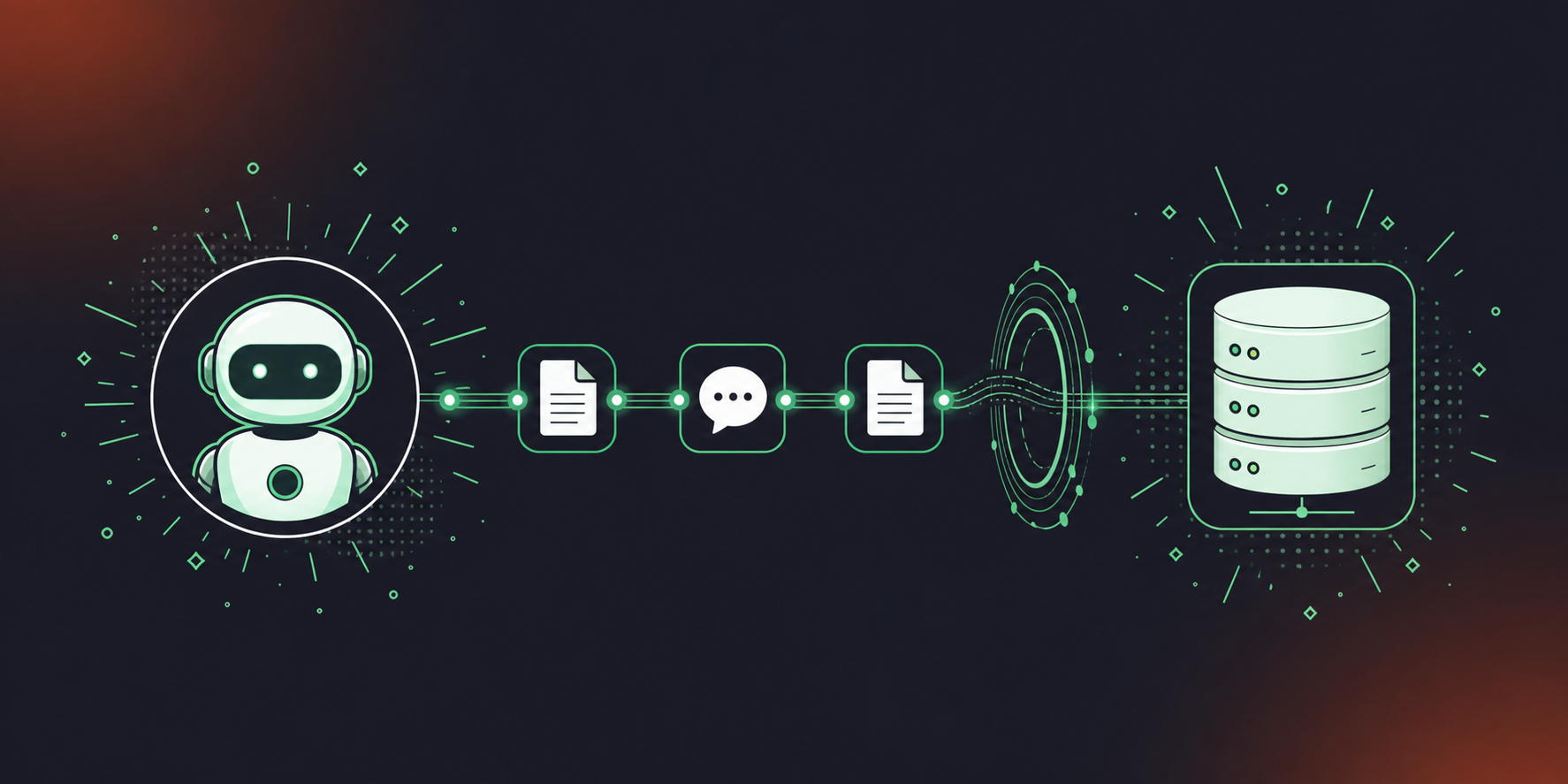
Once a conversation data MCP server is configured, Devin can query your organization’s meeting record the same way it queries any structured data source. Per Devin’s MCP documentation, knowledge entries are queryable and updatable programmatically, meaning meeting-sourced context can feed directly into Devin’s knowledge base at session time.
- Requirements context: Devin can query what the product team decided about authentication, scope, or API design in a recent sprint
- Architectural rationale: Devin can retrieve why a service was deprecated or why a particular pattern was chosen, beyond simply what the current state is
- Customer context: Devin can surface what a customer flagged in a QBR or customer call before touching a customer-facing workflow
- Cross-team alignment: Devin can pull blockers and decisions from design, product, or legal meetings that affect the task at hand
- Stakeholder constraints: Devin can retrieve compliance requirements, legal constraints, or executive decisions that scope what it should and should not attempt
Query type | Example Devin can now issue | Conversation data required |
|---|---|---|
Requirements context | “What did the product team decide about auth last sprint?” | Product meeting transcripts and decisions |
Architectural rationale | “Why did we deprecate the v1 API?” | Engineering sync decisions |
Customer context | “What did the customer flag in the last QBR?” | Customer call summaries |
Cross-team alignment | “What blockers did the design team surface last week?” | Cross-functional meeting action items (see also converting meeting transcripts to Jira tickets) |
Stakeholder constraints | “What compliance requirement came out of the legal review?” | Legal and compliance meeting notes |
Setting Up an MCP Server for Conversation Data
Building a conversation data MCP server requires real engineering work. The implementation decisions you make at the start determine whether Devin can act on the data or just acknowledge that it exists.
SDK and Transport Choice
The Python SDK is the fastest path to a working server. Its FastMCP decorator API auto-generates tool schemas from type hints, cutting boilerplate by a wide margin. For production systems where schema precision matters, the TypeScript SDK offers explicit validation through Zod. For transport, the MCP 2026-07-28 release candidate introduced a stateless core that runs on ordinary HTTP infrastructure behind a plain round-robin load balancer, making Streamable HTTP the right production choice.
Tools a Conversation Data Server Must Expose
Per the MCP server documentation, servers expose Resources, Tools, and Prompts. For conversation data, the Tools layer does the work. Teams working with Codex should also see how to pull Google Meet transcripts into Codex using a similar pattern. Your server needs at minimum:
search_decisions: query by keyword, date range, or teamget_action_items: filter by assignee and statusget_meeting_summary: retrieve by meeting ID or serieslist_meetings_by_participant: surface all meetings a person attendedget_cross_meeting_context: aggregate decisions across a topic over time
Structuring Conversation Data for Agent Consumption
Raw transcripts are not sufficient. Devin needs named owners on action items, decision rationale alongside outcomes, meeting metadata including date, participants, and linked tickets, and indexed fields Devin can query against. An enterprise conversation intelligence platform produces this structure automatically.
Connecting Your MCP Server to Devin
Per Devin’s MCP documentation, the Devin MCP server runs at https://mcp.devin.ai/mcp and organization-level MCP server configuration lives in Devin’s settings interface.
Where the Configuration Lives
Each custom server requires two fields: a serverUrl pointing to your conversation data endpoint, and an Authorization header carrying a Bearer API key. Multi-org deployments add an X-Org-Id header.
Authentication
The MCP 2026-07-28 spec positions OAuth as the recommended production auth pattern. For a Spinach-sourced MCP server, Spinach’s built-in OAuth handles token issuance and user-permission enforcement natively, so Devin queries only the meeting data the authenticated user can access.
Testing the Connection
Once registered, verify the connection before deploying to any real workflow:
Verification step | What to check | Pass condition |
|---|---|---|
Tool discovery |
| Conversation data tools appear in the manifest |
Search query | Call | Returns structured result with date, participants, decision text |
Action item retrieval | Call | Returns named owners and due dates |
Auth enforcement | Query with a restricted user token | Returns only meetings that user has permission to access |
Teams using Google Meet can follow the same pattern by feeding Google Meet transcripts to Devin for platform-specific setup guidance. Spinach’s MCP server and integrations are available on Business and Enterprise plans, with OAuth and admin-level permission controls included.
Security Considerations for Conversation Data via MCP
Conversation data carries a different risk profile than a code repository or a documentation store. Strategic decisions, personnel discussions, legal context, and customer intelligence all move through meeting records. Exposing that through an MCP server without explicit controls is a liability, not a configuration gap.
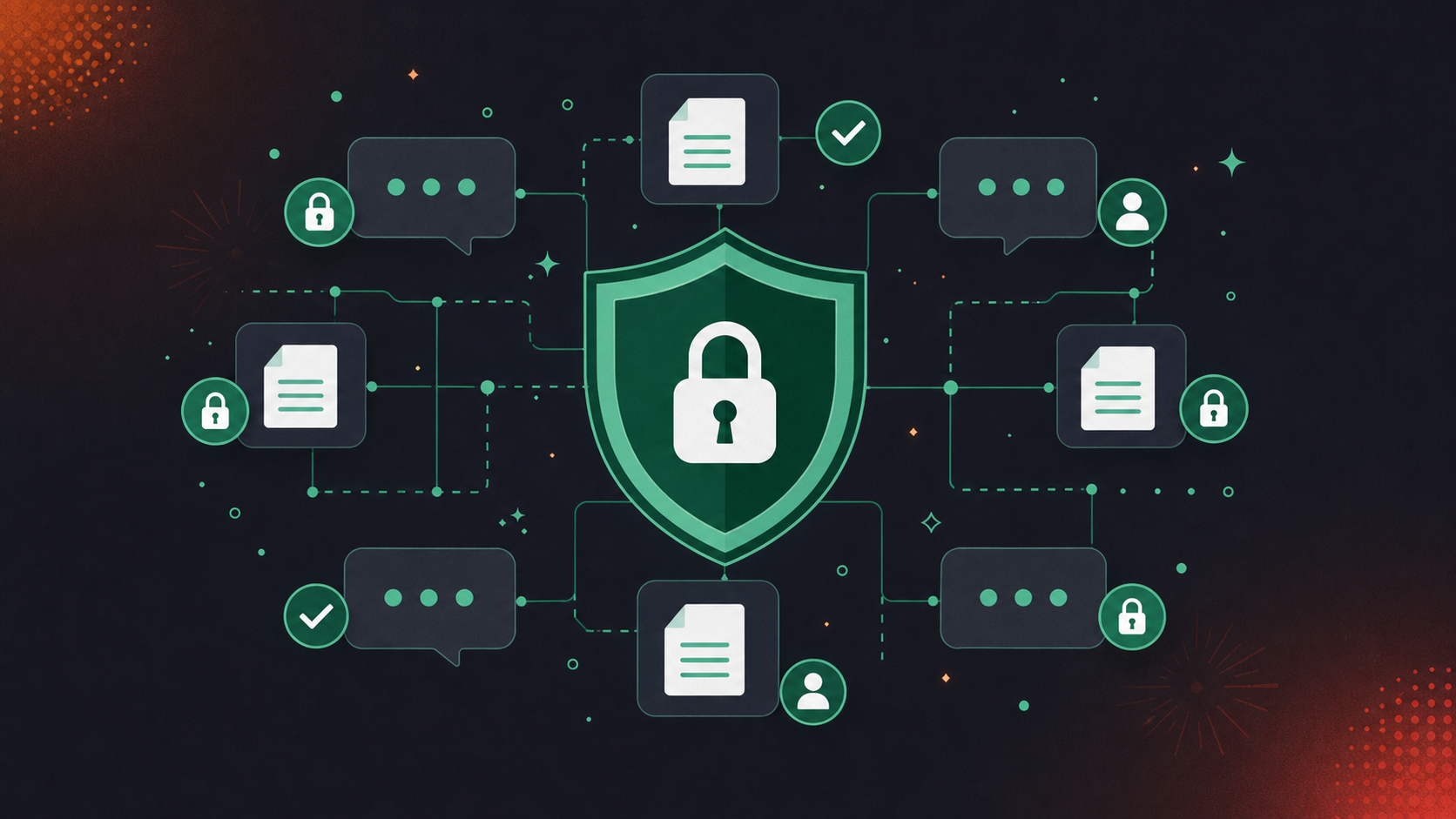
Four Risks That Require Explicit Controls
Per OpenAI’s MCP security guidance, connect only to servers you trust, use least-privilege credentials, and require approval for sensitive operations.
- Prompt injection: Meeting content is written by many participants and must be treated as untrusted input. One security researcher noted it is “trivially easy” for a connector to get prompt-injected when it inherits read access to untrusted data across contexts. Teams using Claude Code face the same risk; see connecting Claude Code to Zoom transcripts for a scoped approach.
- Data exfiltration: Tools that return raw transcript blobs expose far more than Devin needs. Return structured summaries and scoped fields only.
- Access control drift: A user who loses meeting access after a personnel change must not retrieve that meeting’s decisions through Devin. MCP-layer permissions and source-store permissions must stay synchronized.
- Compliance exposure: PII, sensitive customer data, and privileged legal content can all appear in meeting records. Retention policies and data-type controls must be enforced at query time.
Questions to Ask Before Deploying
- Does the MCP server enforce user-level permissions on every query? Teams using Microsoft Teams with Claude should consult the Teams transcripts with Claude MCP guide for permission-scoping guidance.
- Does the conversation data store support configurable retention per data type separately?
- Is PII redacted before data reaches the agent?
- Is there an audit log of every tool call?
- Does the vendor hold SOC 2 Type II and GDPR certifications?
Spinach AI is SOC 2 Type II, GDPR, and HIPAA compliant. PII redaction applies at the transcript level, including structured identifiers such as payment card and national ID numbers. Customer data is never used to train AI models, and zero data retention terms apply with all LLM providers. Details are at trust.spinach.ai.
Powering Devin With Meeting Intelligence Through Spinach
Spinach AI is an enterprise conversation intelligence system that captures conversations across the enterprise, spanning Zoom, Google Meet, Microsoft Teams, Slack Huddles, and Webex, centralizes them as a single organizational record, and turns them into structured, governed, AI-ready knowledge Devin can query through a single MCP connection. Where individual AI note-takers solve one person’s meeting problem, Spinach is deployed company-wide so every conversation becomes a queryable data asset instead of a folder of per-user notes. Teams using ChatGPT can power agents the same way by routing meeting data to ChatGPT agents via webhooks.
What Spinach Provides That a DIY Build Does Not
- Record-by-default capture across Zoom, Google Meet, Microsoft Teams, Slack Huddles, and Webex means Spinach joins every meeting and captures during it, so Devin gets structured session context without anyone updating the knowledge base by hand
- Centralized organizational corpus: Devin can pull cross-meeting context across all meetings, including ones from weeks ago, so decisions made weeks apart are queryable together
- Configurable retention per data type: expired data is not returned, so Devin’s queries stay compliance-safe without any agent-side filtering
- PII redaction at the transcript level: the agent never handles raw sensitive content, including structured identifiers such as payment card and national ID numbers
- MCP server with OAuth and admin approval on Business and Enterprise plans, so Devin issues user-scoped queries with no custom build required
- Collections and rule-based meeting grouping: Devin can query by project, team, or participant instead of scanning an undifferentiated corpus
What Devin Can Do With Spinach-Supplied Context
- Pull decision rationale from the last three product reviews before starting a refactor
- Surface action items with named owners from planning and scoping meetings to validate ticket scope
- Retrieve a customer-call summary before touching a customer-facing workflow
- Access cross-meeting history to understand who made a decision and why
Teams on Business and Enterprise plans have Spinach’s MCP server available today with OAuth, admin approval, and user-based permission enforcement included. Connect it to Devin’s MCP configuration and your coding agent queries a governed corpus of organizational conversation data without anyone maintaining a knowledge base by hand.
Final Thoughts on Feeding AI Coding Agents With Organizational Conversation Data
Devin’s knowledge base does not fill itself, and the information it needs most, the reasoning behind decisions, the requirements that changed on a call, the constraints that came out of a legal review, lives in your meeting records. MCP gives you a clean path to connect those records to Devin without writing custom integration code for every session. The security considerations are real and worth getting right before you deploy. Get Spinach’s MCP server configured and your organizational context becomes queryable from day one.
Register Spinach’s MCP server in Devin’s settings interface using two fields: a `serverUrl` pointing to your Spinach conversation data endpoint and an `Authorization` header carrying a Bearer API key. Spinach’s built-in OAuth handles token issuance and user-permission enforcement, so Devin queries only the meeting data the authenticated user can access. Spinach’s MCP server is available on Business and Enterprise plans with admin approval and user-based permission controls included.
Feed Devin structured outputs from your product and engineering meetings: decision rationale with named outcomes, action items with named owners and due dates, architectural trade-offs from design reviews, and requirement changes from stakeholder calls. Raw transcripts are not sufficient. Devin needs indexed, queryable fields and decision context alongside outcomes, including the reasoning behind every decision, beyond the outcome itself. An enterprise conversation intelligence platform like Spinach AI produces this structure automatically from every meeting across Zoom, Google Meet, Microsoft Teams, Slack Huddles, and Webex.
A DIY build requires you to write and maintain the server, define tool schemas, handle OAuth, enforce per-user permissions, and keep the data fresh. That work compounds as your meeting volume grows. Spinach’s MCP server ships with OAuth, admin approval, Collections-based grouping by project or team, PII redaction at the transcript level, and configurable retention per data type, so none of that falls on your engineering team. If your priority is getting Devin querying governed organizational conversation data without a custom build, the Spinach connector is the faster path.
At minimum, the server must enforce user-level permissions on every query, support configurable data retention per data type, redact PII before data reaches the agent, and maintain an audit log of every tool call. Conversation data carries strategic decisions, personnel context, and customer intelligence, so returning raw transcript blobs or failing to sync access revocations creates real compliance exposure. Spinach AI is SOC 2 Type II, GDPR, and HIPAA compliant, applies PII redaction at the transcript level including structured identifiers, and operates under zero data retention terms with all LLM providers. Full details are at trust.spinach.ai.
Your server needs at minimum five tools: `search_decisions` to query by keyword, date range, or team; `get_action_items` filtered by assignee and status; `get_meeting_summary` retrieved by meeting ID or series; `list_meetings_by_participant` to surface all meetings a person attended; and `get_cross_meeting_context` to aggregate decisions across a topic over time. Without these, Devin can acknowledge that meeting data exists but cannot act on it during task execution. The tool schema, not the transcript volume, determines whether context actually changes Devin’s output.
Use FastMCP’s decorator API, which auto-generates tool schemas from Python type hints and cuts boilerplate significantly compared to writing schemas by hand. For production systems where schema precision matters, the TypeScript SDK with Zod validation is the stronger choice. The schema definition, not transcript volume, determines whether Devin can act on context during task execution.
Yes — a single MCP connection to Spinach AI covers Zoom, Google Meet, Microsoft Teams, Slack Huddles, and Webex in one organizational corpus, so Devin queries across all those sources without separate connectors per platform. Spinach captures each meeting during the call and produces structured, governed, AI-ready knowledge at meeting end. Business and Enterprise plans include the MCP server with OAuth and admin-level permission controls.
Streamable HTTP is the right production choice following the MCP 2026-07-28 release candidate, which introduced a stateless core that runs on ordinary HTTP infrastructure behind a plain round-robin load balancer. SSE-based transport works for development but adds stateful connection overhead that compounds at scale. Choose the transport before you define tool schemas, since changing it later requires reconfiguring any registered clients including Devin.
Devin calls `tools/list` on each registered MCP server at session start, reads each tool’s schema, then calls `tools/call` by name during task execution. No per-agent integration code is needed once the server is registered. This means your tool naming and schema descriptions directly shape what Devin attempts to query, so clear, specific tool names matter.
MCP uses a host-client-server pattern where the host AI application creates one client per configured MCP server, and each client holds its own dedicated connection. This collapses the alternative — a separate custom-built adapter for every data source — into one consistent interface. For Devin, it means a conversation data source looks architecturally identical to any other structured data source once registered.
Return structured summaries and scoped fields only — never raw transcript blobs. Devin needs named owners on action items, decision rationale alongside outcomes, meeting metadata including date, participants, and linked tickets, and indexed fields it can query against. Returning raw transcripts exposes far more data than Devin needs and widens the attack surface for prompt injection, since meeting content is written by many participants and must be treated as untrusted input.
MCP-layer permissions and source-store permissions must stay synchronized — a user who loses meeting access after a personnel change must not retrieve that meeting’s decisions through Devin. Query every tool call against the authenticated user’s current permissions, not a cached state from when the session was first established. Spinach enforces user-level OAuth permissions natively on every query, so access revocations propagate without agent-side filtering.
Devin needs a structured customer call summary that captures what the customer flagged, any commitments made, and open issues — not the full transcript. The `get_meeting_summary` tool, queried by meeting ID or series, returns this scoped context. Feeding Devin unfiltered call content risks exposing customer intelligence and PII that exceeds the scope of the coding task at hand.
When every meeting is captured automatically across Zoom, Google Meet, Microsoft Teams, Slack Huddles, and Webex, decisions and action items flow into a queryable corpus without anyone writing knowledge entries by hand. The alternative is someone on your team manually transcribing architectural rationale and stakeholder changes into Devin’s knowledge base after every meeting — work that falls behind as soon as meeting volume picks up. Spinach joins meetings and captures during them, producing structured, governed knowledge Devin can query through a single MCP connection.
The MCP server is included on Business and Enterprise plans — it is not available on Starter or Pro. Both Claude and ChatGPT connectors are covered via the MCP server with OAuth, admin approval, and user-based permission enforcement included. API and webhooks for custom pipelines are available on Enterprise only.
What you should do now
Now that you've read this article, here are some things you should do:
- You should check out our library of meeting agenda templates for every type of meeting.
- You should try Spinach to see how it can help you run a high performing org.
- If you found this article helpful, please share it with others on Linkedin or X (Twitter)

