How to Build a Notion Meeting Notes Template (Sep 2026)
This September 2026 guide covers how to build a Notion meeting notes template with databases, relations, and AI so your team never loses a
 Maintouch
Static meeting notes record the conversation. They rarely capture who owns what, what got decided, or whether any of it actually happened. Setting up your Notion template the right way, with the right properties and a few key connections, turns your notes from a record of the past into something your team actually uses between meetings.
TLDR:
- Build your Notion meeting notes as a database, not a page, so you can filter by type, search by attendee, and link notes to projects.
- Every template needs a decisions log and named action item owners. Without both, notes record conversations but not accountability.
- Use Relation and Rollup properties to connect meeting notes to your projects database, so action items surface in context without manual copying.
- Notion AI Meeting Notes requires a Business or Enterprise plan and only runs when a user actively starts it. There is no org-wide record-by-default setting.
- Spinach AI is an enterprise conversation intelligence system for conversation data, the system of record, deployed company-wide to capture every meeting across Zoom, Google Meet, Microsoft Teams, Slack Huddles, and Webex, and route structured decisions and action items with named owners into Jira, Linear, Notion, Confluence, and the other tools teams already use.
Why Static Meeting Notes Fail Teams
Static documents record conversations. They rarely record what matters afterward: who owns what, what was decided, and whether any of it happened.
The typical setup is familiar. Someone pastes a template into a doc, types bullet points during the call, shares it to a channel, and that’s where accountability ends. Decisions get buried three scrolls deep. Action items sit without owners. By the next meeting, nobody can find the notes from the last one, let alone act on them.
The cost compounds quickly. Unproductive meetings cost U.S. professionals $259 billion a year, according to Pumble’s 2026 meeting statistics. And according to Laxis’s State of Meetings 2026 report, 70% of decisions forgotten when no follow-up notes are shared.
Notes live in one place while work happens somewhere else entirely. For teams that track work in Asana, routing meeting notes to Asana is one way to close that gap.
What a Good Notion Meeting Notes Template Must Include
A template worth using gets referenced between meetings, and relied on outside them too. Before touching Notion’s block editor, get clear on which fields are non-negotiable and which flex by meeting type.
Structural fields (always present)
Every meeting note, regardless of type, needs:
- Date, time, and attendees listed by name, beyond a simple headcount
- Meeting type (standup, 1:1, client sync, planning session) so the record is searchable by context
- Agenda items added before the meeting starts, not reconstructed afterward
- Decisions log capturing what was agreed, beyond a record of what was discussed
- Action items with a named owner and a due date attached to each one
- A blockers or parking-lot section for anything left unresolved
The decisions log and action items fields are where most templates cut corners. Without a named owner, an action item belongs to nobody. Without a decisions log, the next meeting rehashes what was already settled. Teams that want to measure whether any of this is working can use meeting evaluation questions to assess whether their format is actually producing decisions.
Variable fields (adapt by meeting type)
Some fields only make sense for specific formats:
- Carry-over items or next-meeting prep for recurring syncs and standups
- Client or project context for external-facing calls
- Interview scorecards or candidate notes for recruiting sessions
- Sprint goals or ticket references for engineering ceremonies
Keep the structural layer identical across every meeting page. Vary only the optional fields based on which template you select.
How to Build Your Notion Meeting Notes Template from Scratch
Start by deciding where your meeting notes will live: a standalone page or a Notion database. The database approach wins for anything recurring. It lets you filter by meeting type, search by attendee, and link notes to projects later.
Step 1: Create the database
Create a new full-page database named “Meeting Notes.” Add these properties:
- Date (type: Date)
- Attendees (type: Person)
- Meeting Type (type: Select: Standup, 1:1, Client Sync, Planning, Retro)
- Status (type: Select: Upcoming, In Progress, Complete)
- Project (type: Relation, linked to your projects database if you have one)
Step 2: Build the page body
Open a blank database entry and build your template structure with these blocks in order:
- Callout block: Agenda (add items here before the meeting)
- Toggle list: Decisions (one toggle per decision, keeps the page readable)
- Toggle list: Action Items (owner and due date inside each toggle)
- Toggle list: Blockers / Parking Lot
- Divider, then a Notes section for raw discussion capture
Toggle lists work well for decisions and action items because they collapse for readability but expand when someone needs to audit what was agreed.
Step 3: Save it as a template button
Click the “New” dropdown at the top right of the database, select “New template,” paste in your block structure, name it by meeting type (e.g., “Weekly Sync”), and save. Every new entry can now generate from that structure in one click. Build one template per meeting type from your Status select options.
How to Connect Meeting Notes to Projects and Tasks in Notion
Relation properties are what separate a Notion notes database from an actual system of record.
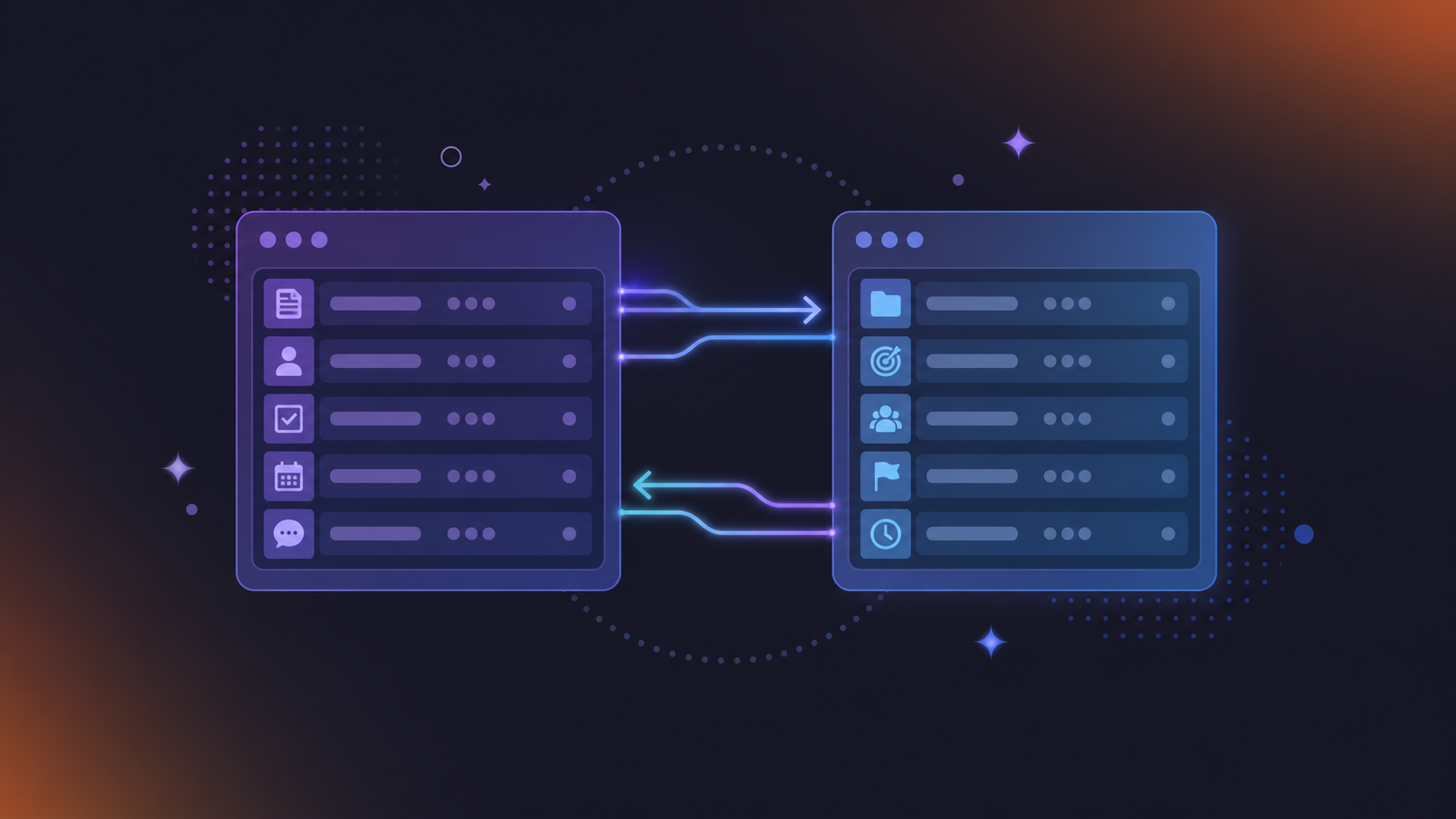
With a two-way relation, an action item logged inside a meeting note becomes visible on the project page it belongs to, without anyone copying it by hand.
Set up the relation
In your Meeting Notes database, add a new property, set the type to Relation, and point it at your Projects (or Tasks) database. Check “Show on [Projects]” to make the link two-directional. Any meeting note you connect to a project will then surface inside that project’s page under a “Meeting Notes” property.
Add a rollup to surface action items
Inside your Projects database, add a Rollup property. Set it to pull from the Meeting Notes relation, target the Action Items property, and set the calculation to “Show original.” Anyone reviewing a project gets a running list of every action item from meetings tied to it, in context, with no manual assembly required.
A decision recorded in Tuesday’s sync stays invisible to whoever executes the work on Wednesday without this connection. With it, the meeting note and the project page stay in sync automatically. Filter your Projects database by meeting date or type and you can audit decision history directly from the work it produced.
How to Use Notion AI to Automatically Generate Meeting Summaries
Notion’s built-in AI Meeting Notes handles transcription and summarization directly inside your workspace, with no third-party integration required. Teams looking into automated meeting minutes beyond Notion’s native tooling have additional options worth reviewing. It requires a Business or Enterprise plan.
To start, open a meeting notes page and click “Start AI Meeting Notes” before or during your call. Notion will transcribe audio with speaker labels and extract key points and action items when the meeting ends.
To customize summaries by meeting type, open the AI Meeting Notes settings and edit the summary instructions. A standup template might prompt for blockers and carry-overs; a client sync might focus on decisions and next steps. Instructions travel with the template, so each meeting type produces a structurally consistent output.
As of July 31, 2026, Custom Agents can trigger automatically once a meeting note is summarized. Add the “Meeting note summarized” trigger in your Custom Agent settings and specify which meetings activate it. From there, agents can update a project tracker, post a recap to Slack, or sync Google Meet notes to Confluence automatically for your engineering team without manual follow-up.
How to Set Up an Action Items Tracker That Stays in Sync
Inline checkboxes feel convenient until someone needs to find every open task assigned to them across last month’s meetings. Teams assessing dedicated meeting note software tools will find purpose-built options that handle this filtering by default. Checkboxes don’t filter, roll up, or appear anywhere except the page they live on.
A standalone Action Items database fixes this. Each action item becomes its own record with properties: Owner (Person), Due Date (Date), Status (Select: Open, In Progress, Done), Priority (Select), and a Relation back to the Meeting Notes database. That Relation field connects each action to its source meeting.
Filtered views worth building
Once the database exists, create these saved views:
- My Open Items: filter by Owner = Me, Status is not Done. Gives anyone an instant personal task queue without scanning individual meeting pages.
- Overdue: filter by Due Date is before Today, Status is not Done. Surfaces missed deadlines across the whole team in one click.
- By Meeting: group by the Meeting Notes relation. Shows every action that came out of a specific meeting without opening the page.
Why database records beat checkboxes
A Status property is queryable and surfaceable anywhere via rollup. Add a formula property to flag overdue items automatically: if(and(prop("Due Date") < now(), prop("Status") != "Done"), "Overdue", ""). That calculated field powers the Overdue view above and removes the manual deadline-chasing that checkboxes can never do.
Notion Meeting Notes Templates by Meeting Type
The core database structure stays identical across every format. What changes per meeting type is which optional fields you activate and what the primary output should be.
Here is how to configure the template for five common meeting types:
Meeting Type | Key Optional Fields | Primary Output |
|---|---|---|
Weekly team sync | Carry-over items toggle | Decisions log + owner-assigned action items |
1:1 | Shared agenda, Talking points toggle, Previous commitments toggle | 1 to 3 commitments per person with due dates |
Sprint planning / backlog refinement | Ticket References field, Sprint goal callout block | Scoped tickets with owners and acceptance notes |
Client call | Client, Deal Stage, Follow-up email draft toggle | Decisions made, next steps, team commitments |
Retrospective | What went well, What to improve, Action items for next sprint toggles | Improvement list with named owner per item |
Weekly team sync
Add a “Carry-over items” toggle at the top, populated from the previous week’s unresolved parking lot. Primary output: decisions log and owner-assigned action items. Status should move to Complete before the next sync runs.
1:1
Add a shared agenda property both participants can edit before the meeting. Include a “Talking points” toggle separate from decisions. Primary output: one to three commitments per person with due dates, plus a “Previous commitments” toggle pulled from last week’s entry.
Sprint planning or backlog refinement
Add a Ticket References field and a sprint goal callout block at the top. Primary output: scoped tickets with owners and acceptance notes.
Client call
Add Client, Deal Stage, and a “Follow-up email draft” toggle at the bottom. Primary output: decisions made, next steps, and any commitments your team made on the call.
Retrospective
Replace the Action Items toggle with three fixed toggles: What went well, What to improve, Action items for next sprint. Primary output: a short improvement list with a named owner per item, carried into the next planning session.
What Notion Meeting Notes Cannot Do on Its Own
That gap compounds at scale. Notes stay inside whichever workspace or page a team member created them in, with no single organizational record across departments, no admin policy to enforce consistent capture, and no way to require that every team structures action items or decisions the same way. One team builds a disciplined template; another pastes bullets into a doc. Both are invisible to each other.
Retention and sharing rules are similarly user-driven. Notion has no mechanism to enforce how long meeting notes are kept, who can access them, or whether sensitive discussions get shared outside the team. For organizations in compliance-sensitive industries or with legal review requirements, that absence is a real gap.
From Scattered Notes to an Organizational Record
Notion templates built by one person solve one person’s notes. They say nothing about the engineer who forgot to start Notion’s AI Meeting Notes, the sales call that ran on Google Meet instead of the company’s main Zoom account, or the client sync documented in someone’s personal workspace that nobody else can find.
Spinach AI is an enterprise conversation intelligence system for conversation data, serving as the system of record. Where individual tools solve one person’s meeting problem, Spinach is deployed company-wide to capture, centralize, manage, and power the organization with every conversation it has. Spinach joins meetings across Zoom, Google Meet, Microsoft Teams, Slack Huddles, and Webex, capturing video, audio, transcript, screen share, and in-meeting chat, and delivers structured decisions and action items with named owners directly into Jira, Linear, Salesforce, HubSpot, Notion, Confluence, and the other tools teams already use.
Collections let admins automatically group and share meetings by participant, title, or series, so a project’s full meeting history assembles itself without manual filing. On Enterprise, org-enforced settings mean every team captures under the same policy. There are no gaps when someone forgets to start a recording, and no shadow-IT sprawl of per-person note-takers producing an uncontrolled patchwork of individual workspaces.
Spinach AI is SOC 2 Type II, GDPR, and HIPAA compliant, supports 100 languages, and powers thousands of organizations including public enterprises. Data retention is configurable per data type on Enterprise, with transcript, summary, and video each settable from one week to indefinite.
The Notion template in this article is worth building. For teams that need every meeting captured, governed, and routed without relying on individual habits, get started with Spinach AI.
Final Thoughts on Building a Notion Meeting Notes Template
Notion gives you everything you need to build a meeting notes system that actually tracks decisions and keeps action items from disappearing. The template structure here is a solid starting point, and the AI Meeting Notes feature closes a lot of the manual work for eligible plans. For teams that need every meeting captured, governed, and routed at the organizational level, across every system and every person, Spinach AI is the enterprise conversation intelligence tool built for that. Get started with Spinach AI.
No. Notion AI Meeting Notes, including automatic transcription, summary generation, and Custom Agent triggers, requires a Business or Enterprise plan. Teams on Free or Plus plans get none of it. If your team needs automatic capture and routing without a plan upgrade, Spinach AI joins your meetings across Zoom, Google Meet, Microsoft Teams, and Webex and delivers structured decisions and action items directly into Notion, Jira, Salesforce, and other tools your team already uses, regardless of your Notion tier.
Notion AI Meeting Notes only runs when someone actively starts it for a given meeting, has no record-by-default setting across the organization, and keeps notes inside whichever workspace the individual created them in. Spinach joins meetings automatically across every platform and every team, routes structured outputs into your tools, and gives admins org-enforced settings so every team captures under the same policy with no gaps when someone forgets to press record.
Create a standalone Action Items database with Owner (Person), Due Date (Date), Status (Select), and a Relation property pointing back to your Meeting Notes database. Then add a Rollup in your Projects database pulling from that relation to surface every action item in context. This gives you filterable views for open items, overdue tasks, and per-meeting breakdowns that inline checkboxes can never produce.
A Notion template handles accountability well for one disciplined team that consistently starts Notion AI Meeting Notes on every call. Spinach handles it at the organizational level: Collections automatically group and share meetings by participant, title, or series, so a project’s full meeting history assembles without manual filing, and decisions route into Jira or Linear as named tickets before the meeting is over.
The core gap in most setups, including Notion AI Meeting Notes, is that capture depends on individual habits rather than org-enforced policy. Spinach AI deploys company-wide with admin-controlled settings that enforce consistent capture across Zoom, Google Meet, Microsoft Teams, Slack Huddles, and Webex, with configurable data retention per data type (transcript, summary, and video), SAML SSO and SCIM provisioning, and compliance agents that classify and flag regulatory risk for review. It replaces the shadow-IT sprawl of individual note takers with one governed record across the organization.
Build your meeting notes as a database entry with a dedicated decisions log toggle and named-owner action items — not a freeform doc with bullets. The toggle structure keeps decisions visible and auditable without burying them under raw notes, and named owners mean accountability is assigned the moment the decision is recorded.
Use a separate Action Items database with Owner, Due Date, Status, and a Relation back to your Meeting Notes database. Inline checkboxes cannot be filtered, rolled up, or surfaced across meetings — a standalone database gives you queryable views like “My Open Items” and “Overdue” that work across every meeting your team has run.
Add a Relation property to your Meeting Notes database pointing at your Projects database, then add a Rollup in Projects that pulls from that relation and targets your Action Items field. Any action item recorded in a meeting stays visible on the project page it belongs to without manual copying.
Yes. Open the “New” dropdown in your database, select “New template,” build the block structure for each meeting type, and save each one with a distinct name like “Weekly Sync” or “Client Call.” Every new database entry can then generate from the right structure in one click, keeping optional fields like sprint goals or deal stage separate from your shared structural layer.
As of July 31, 2026, Custom Agents in Notion can trigger automatically once a meeting note is summarized using the “Meeting note summarized” trigger in Custom Agent settings. From there, agents can update a project tracker, post a recap to Slack, or sync notes to Confluence — but this requires a Business or Enterprise plan and only fires when someone actively started AI Meeting Notes for that meeting.
Add a formula property with this logic: if(and(prop(“Due Date”) < now(), prop("Status") != "Done"), "Overdue", ""). This calculated field powers a filtered "Overdue" view and removes manual deadline-chasing — the database surfaces missed items automatically rather than requiring someone to scan each meeting page.
Replace the standard Action Items toggle with three fixed toggles: What went well, What to improve, and Action items for next sprint. The primary output is a short improvement list with a named owner per item, and those items carry directly into the next planning session via your Action Items database rather than sitting orphaned in the retro page.
Notion AI Meeting Notes only runs when a user manually starts it for a given meeting and keeps output inside that user’s workspace — there is no org-wide record-by-default setting. A tool like Spinach AI joins Zoom, Google Meet, Microsoft Teams, Slack Huddles, and Webex meetings automatically, routes structured decisions and action items into Jira, Linear, Notion, and other tools when the meeting ends, and gives admins org-enforced settings so capture happens consistently across every team.
Add a shared agenda property both participants edit before the call, a Talking Points toggle separate from decisions, and a Previous Commitments toggle pulled from last week’s entry. The primary output should be one to three commitments per person with named owners and due dates — surfaced automatically through your Action Items database rather than buried at the bottom of the page.
Notion’s meeting notes structure breaks down when capture depends on individual habits — one engineer forgets to start AI Meeting Notes, a sales call runs on Google Meet outside the main account, or a client sync lives in someone’s personal workspace that no one else can find. Spinach AI handles that layer by joining meetings automatically across every platform your team uses, applying org-enforced settings so every department captures under the same policy, and routing structured outputs into the tools teams already work in.
What should you do now
Next, here are some things you can do now that you've read this article:
- If communication is a challenge for your team, you should check out our library of meeting agenda templates.
- Check out Spinach to see how it can help you run a high performing org.
- If you found this article helpful, please share it with others on Linkedin or X (Twitter)

