Spinach AI vs Otter: Org-Wide Governance (August 2026)
Otter creates fragmented records at scale. Spinach AI delivers org-wide governance, SOC 2 and HIPAA compliance, and 100 languages. August 2026.
 Maintouch
Spinach AI vs Otter looks like a feature comparison on the surface, but the real split is architectural. Otter is built around the individual: one account, one workspace, one person’s meetings. That works fine for a solo user. Deployed across a company, it produces fragmented data, uncontrolled sharing, and a shadow IT footprint that’s genuinely difficult to audit or govern.
TLDR:
- Otter is built for individual users; deployed across a company, it produces fragmented records with no central audit log or enforced policy
- Shadow IT from per-user meeting tools is documented at 30-40% of IT spending, with security incidents adding an average of $670,000 per breach
- Otter supports six languages as of August 2026; multilingual organizations with teams in non-English markets hit a hard stop
- Per Otter’s published privacy materials, de-identified user data may be used for model training, a clause that ends evaluations in legal, healthcare, and financial services
- Spinach AI deploys as an org-wide system of record with SOC 2 Type II, GDPR, and HIPAA compliance, and routes outputs to Jira, Salesforce, Confluence, and more with no manual re-entry
What Otter.ai Does and Where It Excels
Otter.ai is a transcription-first meeting assistant built around a simple idea: join the call, capture what’s said, and make it searchable. For individuals and small teams, it executes that loop well. Live transcription runs across Zoom, Google Meet, and Microsoft Teams, with speaker identification that labels who said what throughout the conversation. Its AI Chat feature lets you query past transcripts conversationally, which is genuinely useful when you need to pull a specific detail from a call you half-remember.
Otter AI pricing is accessible. Otter’s free tier covers basic transcription, and paid plans scale through Business and Enterprise tiers. The Enterprise plan adds SSO, SCIM provisioning, domain capture, and retention controls, with an optional HIPAA add-on for compliance-bound organizations. As of August 2026, Otter supports six languages, which works for English-dominant teams but narrows its reach quickly for multilingual organizations.
For a solo user who wants a searchable record of their own calls, Otter is a reasonable choice.
The Shadow IT Problem with Per-User Meeting Tools
Per-user meeting tool adoption follows a familiar pattern: a developer signs up for Otter on a free plan, a sales rep picks Fireflies, a designer grabs Fathom. None go through IT. None are vetted by security or legal. None talk to each other.
The scale of this problem is documented. According to Gartner, shadow IT accounts for 30 to 40% of IT spending in large enterprises. Freemium meeting tools fit the pattern perfectly: low friction to adopt, high friction to govern. A 2025 security assessment found that 20% of organizations experienced security incidents linked to shadow AI, with those breaches increasing average incident costs by $670,000.
The downstream damage is organizational. Fragmented transcripts spread across personal accounts, no consistent data retention, and conversation data shared through whatever default settings the vendor chose. Decisions made in a Monday standup never reach the people who need them by Thursday, because there is no single record of what was said, agreed to, or committed.
Deployment Model: Individual Tool vs. Organizational System of Record
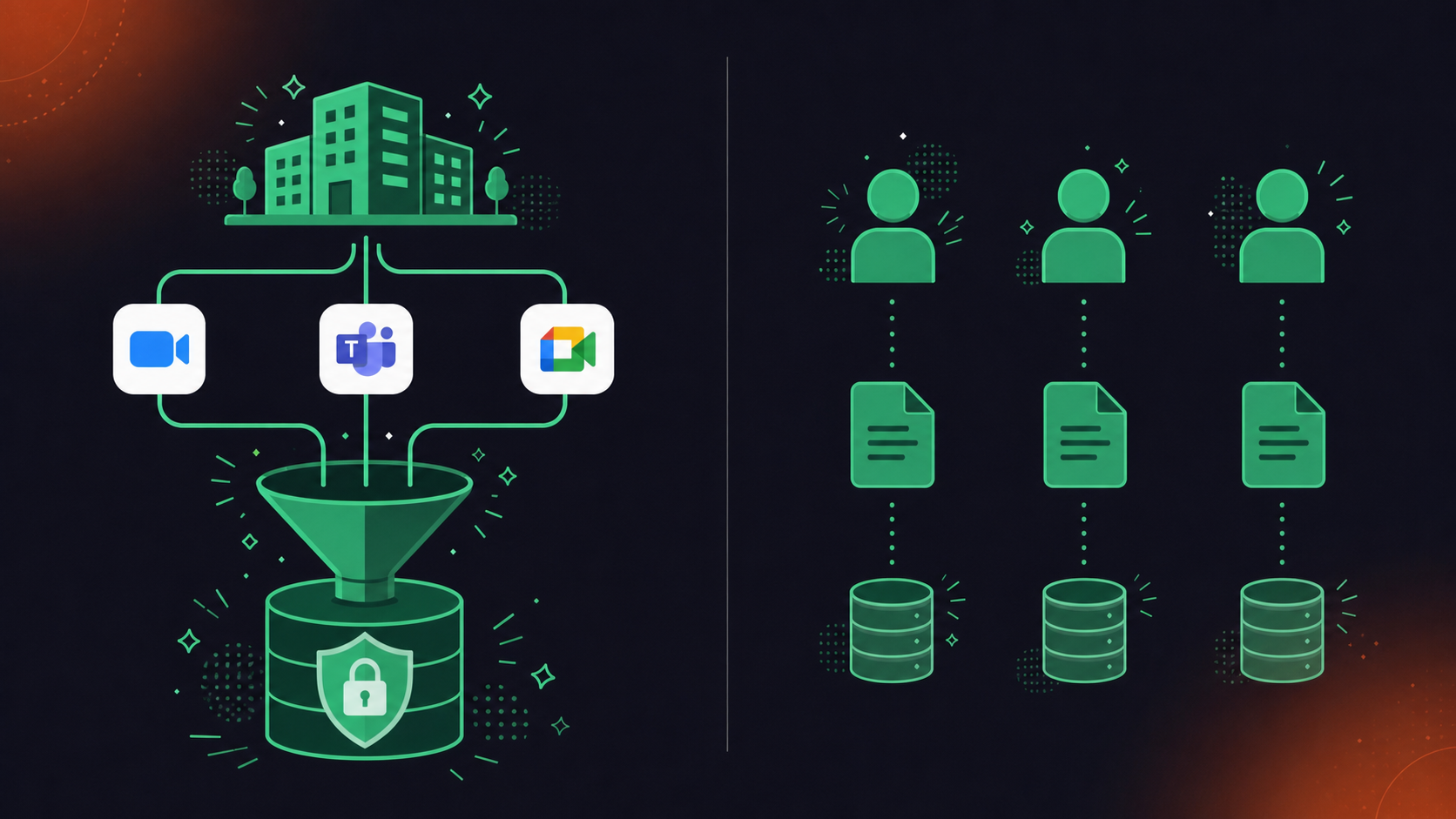
Otter’s account model is built around the individual. Each user records their own meetings, manages their own workspace, and controls their own sharing settings. That works fine in isolation. Deployed across a 300-person company, it produces 300 separate conversation records with no consistent policy, no central audit log, and no way for IT to know what is being captured, shared, or retained.
The structural consequence is disorganization with real downstream costs. When sharing is per-meeting and manual, context does not travel. A product decision made in an engineering standup stays in the engineer’s Otter account unless they manually share it. A sales rep’s call notes live separately from the account record in Salesforce. There is no corpus an executive can query, no data an AI agent can pull from, and no governing layer a compliance team can inspect.
Spinach AI is designed as an organizational deployment from the start. One account captures every conversation across Zoom, Google Meet, Teams, Slack Huddles, and Webex. Policy is set at the org level and enforced automatically, covering default sharing scope, bot branding, retention per data type, and access controls. The result is a single, governed, AI-ready data asset, not a fragmented collection of per-user notes.
Otter gives each person a better notepad. Spinach gives the organization a system of record.
Transcription Accuracy and Language Support
Otter’s English transcription is genuinely strong. In clean audio conditions, accuracy is reliable and speaker labels hold up well across multiple voices.
The gap opens when your teams are not speaking English. For organizations with teams in France, Brazil, Israel, or anywhere outside Otter’s supported language list, it is a hard stop.
Spinach AI supports 100 languages, and the approach behind that number matters. Spinach is transcription-model agnostic: the most accurate available model is selected per language. In practice, Hebrew, Portuguese, and French get accuracy appropriate to those languages, not accuracy optimized for English and applied everywhere else. That architecture is one of the most common reasons multilingual organizations switch.
For buyers asking whether this will work for their team in Tel Aviv or São Paulo, the architecture difference is the answer.
Enterprise Security, Compliance, and Data Practices
Security review is where many enterprise AI tool evaluations stall. The questions are predictable, and the answers either clear procurement or kill the deal. For a deeper look, see the guide on enterprise meeting recording security and compliance.
What Otter Discloses
Otter’s Enterprise plan includes SSO, SCIM, and an optional HIPAA add-on. Per Otter’s published privacy materials, de-identified user data may be used to train Otter’s own models. For legal, healthcare, and financial services buyers, that clause alone can end the evaluation.
What Spinach AI Provides
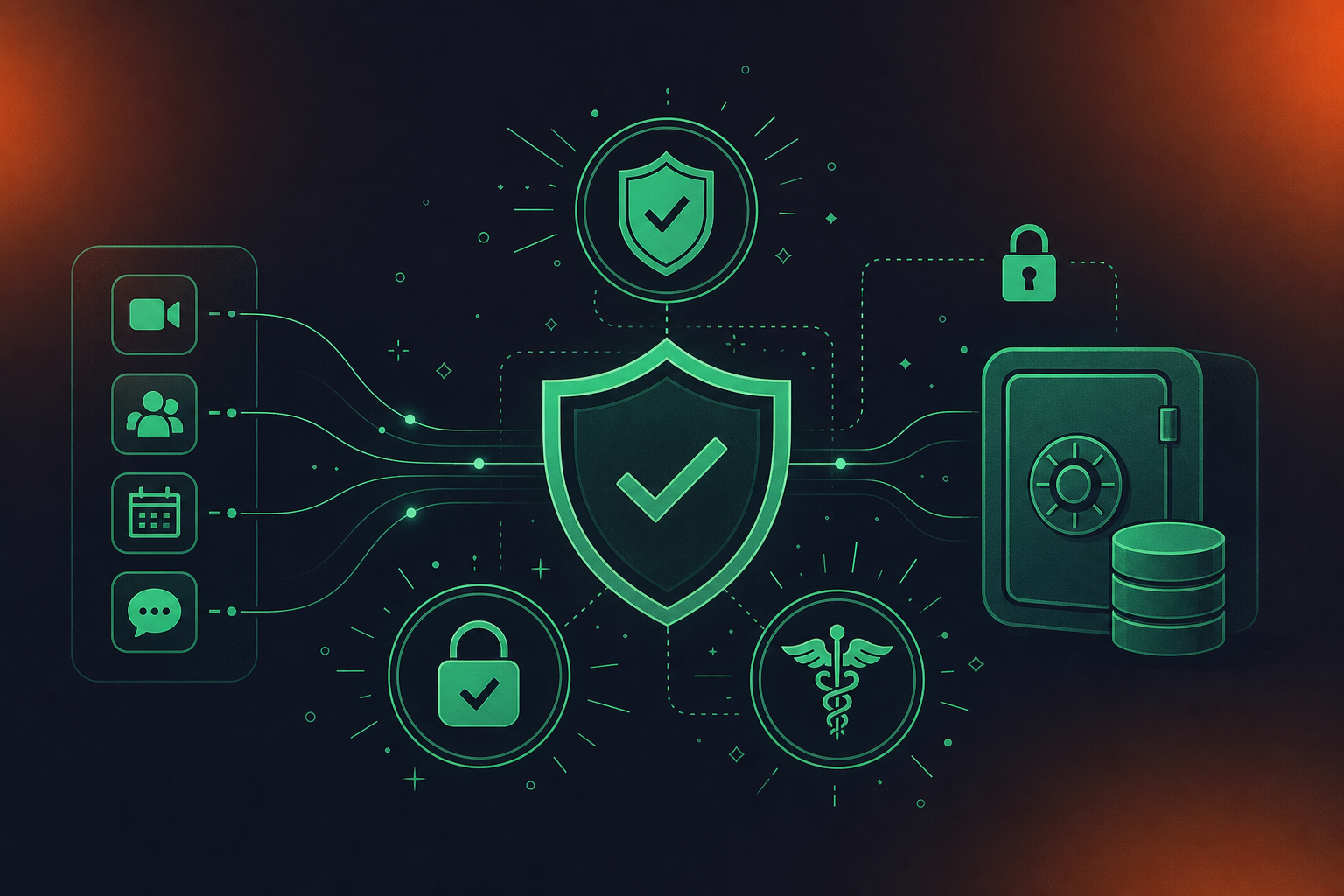
Spinach AI holds SOC 2 Type II, GDPR, and HIPAA compliance, with a BAA available on Enterprise engagements. Customer data is never used to train AI models, and LLM providers process data under zero-retention terms. PII redaction runs at the transcript level, covering structured identifiers like payment card and national ID numbers. On Enterprise, data retention is configurable per data type (transcript, summary, and video can each be set separately), from one week to indefinite; Business plans have a flat one-year retention.
Questions Every Buyer Should Ask Any Vendor
- Is customer data used to train models, and does that apply to LLM subprocessors too?
- Is HIPAA compliance included in the plan, or sold as an add-on?
- How granular is data retention, and who controls it at the org level?
- Are bot consent notifications configurable across the organization?
- Does speaker identification rely on voice biometrics?
On that last point: Spinach does not use voice biometrics and stores no biometric identifiers. Speaker identification is context-based. The bot is always visible, org-renameable, and admits participants only after consent is confirmed.
Integration Ecosystem and Workflow Routing
Otter connects to Zoom, Google Meet, and Teams for capture, with CRM and project management integrations on Business and Enterprise tiers. The integration list exists, but the routing model matters more.
For most Otter users, conversation outputs land in a transcript and summary. Getting a decision into Jira or a contact record into Salesforce requires someone to read the summary, extract the relevant item, and enter it manually. Third-party middleware can partially automate this, but the connection is not native and structured data does not flow automatically.
Spinach routes outputs into downstream systems directly, with no re-keying required. The meeting ends, and structured outputs move to the tools your teams already use. See also Spinach AI vs MeetGeek for a direct platform comparison.
Where Outputs Go
- Action items with named owners go to Jira, Linear, Asana, Monday.com, ClickUp, or Trello.
- CRM records update in Salesforce, HubSpot, Attio, or Zoho, with custom field mapping on Salesforce.
- Decisions and context land in Confluence, Notion, or Google Docs.
On meeting platform coverage, Spinach captures across Zoom, Google Meet, Microsoft Teams, Slack Huddles, and Webex. Otter’s capture is limited to the three major video platforms. For organizations running Slack Huddles for quick syncs or Webex in compliance-sensitive environments, that gap is a real deployment constraint.
For enterprise buyers building AI workflows, Spinach includes an MCP server for meeting transcripts on Business and Enterprise plans, with native Claude and ChatGPT connectors under OAuth and admin approval. API and webhooks are available at the Enterprise tier for custom pipelines. That is the layer that lets conversation data reach agents and LLMs across the organization, beyond the people who were in the room.
Pricing and Total Cost at Scale
Otter’s plan structure, as of August 2026: Basic is free with a 300-minute monthly cap, Pro runs $8.33/user/month billed annually ($16.99 monthly), Business is $19.99/user/month annually ($30 monthly) with a five-seat minimum, and Enterprise is custom pricing.
Plan | Otter | Spinach AI |
|---|---|---|
Free / Starter | Basic: free, 300-min/month cap | Starter: free, no minute cap |
Pro / Pay-as-you-go | Pro: $8.33/user/month (annual) · $16.99/month | Pro: $2.90/meeting hour, no per-seat charge |
Business | $19.99/user/month (annual) · $30/month · 5-seat minimum | $29/user/month ($19/user/month annual) |
Enterprise | Custom pricing · HIPAA as paid add-on | Custom pricing · HIPAA included · BAA available |
Governance features | SAML SSO, SCIM on Enterprise | SAML SSO, SCIM, org-enforced settings, custom retention, compliance agents on Enterprise; MCP on Business & Enterprise |
The minute caps matter. Basic and Pro users who exceed their monthly allowance hit hard walls that force upgrades, so actual cost for an active meeting participant can diverge quickly from the headline price.
Spinach AI’s pricing runs on a different model. Starter is free with no minute cap. Pro is $2.90 per meeting hour, pay-as-you-go with no per-seat charge. Business is $29/user/month ($19/user/month billed annually). Enterprise is custom pricing.
For large organizations standardizing company-wide, the core governance features (SAML SSO, SCIM, org-enforced settings, custom retention, compliance agents, and API access) are Enterprise-tier capabilities. Business includes MCP, Ask Spinach, and native integrations with CRM, project management, and knowledge tools. Otter’s HIPAA coverage is a separate paid add-on on its Enterprise tier.
The real comparison for a 100-person company goes beyond the per-seat number; see our meeting tool roundup for a broader field view. It is whether the tool can be deployed org-wide with enforced policy, and whether the governance features you need are in the plan you can afford.
Conversation Data as an Enterprise AI Blind Spot
Most enterprise AI investments focus on what models can do. Far fewer focus on what data those models can actually reach.
Conversation data is where most organizational decisions get made: strategy calls, product reviews, client negotiations, hiring panels. The context explaining why a decision was taken, who committed to what, and what was ruled out rarely makes it into the CRM or the project board. It stays in a transcript file inside someone’s personal Otter account, or disappears entirely.
For a CIO building an AI-capable organization, that gap is structural. Understanding enterprise conversation intelligence is the first step. When Claude or ChatGPT connects to your company’s data, it reaches what is governed and centralized. Fragmented per-user meeting data across free-tier accounts with no admin visibility is not in scope. If conversation data is a personal artifact and not a company asset, your agents are reasoning without the most important context your organization produces.
For a CISO, the blind spot is equally concrete. With no central record of what is being captured, shared, or retained across a dozen individual meeting tools, there is nothing to audit and no policy to enforce. A data subject access request, a regulatory inquiry, or a breach disclosure requires knowing what was recorded and where. Per-user silos make that question unanswerable.
“Every interaction within the enterprise within 3 years will be recorded and I think the default is going to be record on.” Thomas Laffont, Co-Founder, Coatue
The organizations that benefit from that shift are the ones treating conversation data as governed infrastructure now, before the audit arrives. Teams ready to move can review Otter.ai alternatives built for org-wide deployment.
The Enterprise Governance Gap and How to Close It
Spinach AI captures every conversation across the enterprise and turns it into governed, AI-ready knowledge. That is the structural answer to what per-user tools like Otter cannot provide.
Deployment covers Zoom, Google Meet, Microsoft Teams, Slack Huddles, and Webex, with multimodal capture across video, audio, transcript, screen share, and in-meeting chat. Collections automatically group and distribute meetings by rule, so the right people get the right context without anyone manually sharing a link (a key differentiator covered in depth in our review of Otter.ai alternatives for accurate meeting notes). Every new user inherits org-level policy instead of configuring their own settings. SAML SSO and SCIM provisioning on Enterprise handle identity from day one.
On the governance side, compliance agents monitor conversation data against a customer-supplied rule set and classify and flag regulatory risk for human review. Retention terms are the same as described in the security section above. No customer data is ever used to train AI models, with zero retention enforced at the LLM provider level.
The MCP server on Business and Enterprise plans connects conversation data directly to Claude and ChatGPT under OAuth, admin approval, and user-based permission enforcement. When your organization’s AI agents need context, they reach a governed, centralized corpus instead of whatever happened to be manually shared this week.
Spinach is powering thousands of organizations including public enterprises. If your evaluation has moved past “does it transcribe” to “can IT actually govern this,” start a free 14-day trial or contact sales for Enterprise pricing.
Final Thoughts on Otter AI vs Spinach AI for Enterprise Teams
The straightforward read is that Otter and Spinach are solving different problems. Otter gives one person a better way to capture their own meetings. Spinach gives an organization a single, governed record of every conversation, with policy enforced automatically and outputs routed where they’re actually needed. If your evaluation has moved past transcription quality into governance, compliance, and AI readiness, Spinach is where that conversation starts.
Conversation data is where most organizational decisions actually get made (strategy calls, client negotiations, hiring panels) yet it rarely reaches the systems your AI agents can query. When meeting content lives in per-user accounts across tools like Otter.ai with no central governance layer, Claude or ChatGPT connecting to your company’s data simply cannot see it. The result is agents reasoning without the most important context your organization produces, and CIOs who have invested heavily in AI infrastructure still missing the input layer that would make it useful.
Yes. Spinach AI is built as an organizational deployment from the start, covering Zoom, Google Meet, Microsoft Teams, Slack Huddles, and Webex under a single governed account with policy enforced at the org level. Where Otter’s account model gives each user their own workspace and sharing settings (which produces fragmented records and no central audit log at 300 people), Spinach captures every conversation into one AI-ready data asset with SAML SSO, SCIM provisioning, configurable retention per data type, and compliance agents that classify and flag regulatory risk for review. For teams that have outgrown the per-user model and need IT to actually govern what is being captured and retained, Spinach’s 14-day free trial requires no credit card.
Five questions clear most security reviews: Is customer data used to train AI models, including at the LLM subprocessor level? Is HIPAA compliance included in the plan or sold as a separate add-on? How granular is data retention, and who controls it at the org level? Are bot consent notifications configurable and enforceable across the organization? Does speaker identification rely on voice biometrics? Spinach answers those in sequence: no customer data is ever used to train models, zero-retention terms apply to LLM providers, retention is configurable per data type (transcript, summary, and video separately) from one week to indefinite on Enterprise, bot branding and consent notifications are org-enforced, and speaker identification is context-based with no voice biometrics stored.
Spinach supports 100 languages; Otter supports six as of August 2026. The architecture behind that difference matters more than the number: Spinach is transcription-model agnostic, selecting the most accurate available model per language instead of applying one model to every language. For organizations with teams in Tel Aviv, São Paulo, or Paris, that means accuracy appropriate to Hebrew, Portuguese, or French, not English accuracy applied everywhere else. It is one of the most cited reasons multilingual organizations move off Otter.
Spinach replaces the sprawl with one governed platform deployed company-wide, so IT has a single vendor to vet, a single policy layer to configure, and a single audit log to inspect. Per Gartner, shadow IT accounts for 30 to 40% of IT spending in large enterprises, and freemium meeting tools fit that pattern precisely: low friction to adopt, no path to govern. Where a mix of Otter, Fireflies, and Fathom accounts produces no consistent retention policy and no organizational record, Spinach’s Collections automatically group and distribute meetings by rule, org-enforced settings override individual user preferences, and SCIM provisioning handles identity from day one.
With Otter’s per-user account model, conversation data lives in that individual’s workspace — when they leave, IT has no central mechanism to recover, retain, or delete it unless the user manually transferred everything first. Spinach handles this through SCIM provisioning on Enterprise, so deprovisioning a user through your identity provider removes their access without conversation data disappearing into a personal account or requiring manual handoff.
Per Otter’s published privacy materials, de-identified user data may be used to train Otter’s own models — a clause that stops evaluations cold in legal, healthcare, and financial services. Spinach’s position is the opposite: no customer data is ever used to train AI models, and zero-retention terms apply at the LLM provider level (OpenAI, Anthropic, Google), meaning data is not held by those subprocessors either.
Yes — Spinach includes an MCP server on Business and Enterprise plans with native Claude and ChatGPT connectors running under OAuth, admin approval, and user-based permission enforcement. That connection gives your AI assistants access to a governed, centralized corpus of conversation data rather than whatever individual employees happened to share manually this week.
Spinach captures across Zoom, Google Meet, Microsoft Teams, Slack Huddles, and Webex; Otter’s capture covers the three major video platforms only. For organizations running Slack Huddles for quick syncs or Webex in compliance-sensitive environments, Otter’s narrower platform coverage is a real deployment gap.
Spinach is built specifically for that evaluation: it includes compliance agents on Enterprise that monitor conversation data against a customer-supplied rule set and classify and flag regulatory risk for human review, alongside SOC 2 Type II, GDPR, and HIPAA compliance with a BAA available. Otter’s HIPAA coverage is a separate paid add-on on its Enterprise tier and does not include active compliance monitoring of conversation content.
When a meeting ends, Spinach sends structured outputs — action items with named owners, CRM updates, decisions — directly into Jira, Linear, Asana, Salesforce, HubSpot, Confluence, and other connected tools through native integrations. Otter’s outputs land in a transcript and summary, and getting a specific item into Jira or a contact record into Salesforce requires someone to read, extract, and enter it by hand.
On Spinach Enterprise, retention is configurable per data type — transcript, summary, and video can each be set separately, ranging from one week to indefinite; Business plans have a flat one-year retention. Otter offers retention controls on its Enterprise tier, but does not provide the per-data-type granularity that regulated buyers in healthcare, financial services, or legal typically require.
If your teams work in languages beyond Otter’s six supported as of August 2026, Otter is a hard stop. Spinach supports 100 languages and is transcription-model agnostic, selecting the most accurate available model per language — so Hebrew, Portuguese, and French get accuracy calibrated to those languages, not English-optimized accuracy applied across the board.
Collections in Spinach are rule-based: meetings are automatically grouped and distributed to the right people based on participant, meeting title, series, or other criteria — no one manually shares a link. Otter’s sharing model is per-meeting and manual, which means context only travels when someone remembers to share it, producing the same fragmentation at 300 people that it does at 30.
Spinach Business is $29 per user per month ($19 billed annually) with no minute caps and governance features — SAML SSO, SCIM, and MCP — included at that tier; Otter Business is $19.99 per user per month annually with a five-seat minimum, and HIPAA coverage costs extra on top of Enterprise pricing. The more meaningful comparison at that scale is whether the governance features your IT and compliance teams require are included in the plan you can afford, not the headline per-seat number.
What you should do next
Next, here are some things you can do now that you've read this article:
- Our library of meeting agenda templates is designed to help you run more effective meetings.
- You should try Spinach to see how it can help you run a high performing org.
- If you found this article helpful, please share it with others on Linkedin or X (Twitter)

