How to Power Claude Agents with Conversation Data Using Custom Connectors (August 2026 Guide)
Custom MCP connectors give Claude Agents access to meeting decisions and action items. Learn how to build or skip the build entirely this August 2026.
 Maintouch
Most Claude agent setups stop at structured data. Tickets, docs, CRM records. But the context behind those records, who made the call and why, lives in meetings that no connector currently touches. In 2026, with MCP now at production scale, there’s a real path to changing that.
TLDR:
- Custom connectors are remote MCP servers that give Claude Agents governed access to external data sources you build once and reuse org-wide
- Meeting decisions, action items, and commitments are structurally absent from every system Claude can query by default, creating a blind spot in agent responses
- Your MCP server must expose structured outputs (decisions, action items, participant metadata) at ingestion time, not raw transcripts, or Claude returns unusable results
- Prompt injection is the top vulnerability when meeting content enters the agent context, requiring per-user scoping, audit logging, and PII redaction at the data layer
- Spinach AI captures conversations across Zoom, Meet, Teams, Slack Huddles, and Webex and exposes a pre-built MCP server with OAuth and user-scoped permissions on Business and Enterprise plans
What Custom Connectors Are and Why They Matter for Claude Agents
Custom connectors are remote MCP servers that give Claude Agents a standardized, governed path to external data sources. Anthropic describes MCP as an open standard for connecting AI assistants to the systems where data lives, replacing fragmented integrations with a single protocol. The architecture follows a clean pattern: developers expose data through MCP servers and meeting transcripts, and AI applications connect to those servers to query and act on it.
Before MCP, wiring a Claude Agent to a proprietary data source meant custom code per integration, per team, per use case. Custom connectors collapse that into one reusable layer. You build the server once, administrators approve it for the organization, and users connect individually with their own credentials.
The decision to adopt custom connectors is an infrastructure call, not a settings toggle. It determines which data Claude can see, who governs that access, and whether your enterprise AI deployment holds up under security review.
Why Claude Agent Adoption Is Accelerating in 2026
MCP crossed from experimental to production-ready in 2026 on three signals worth tracking directly.
MCP Reaches Scale as an Enterprise Standard
MCP surpassed 400 million monthly SDK downloads, and the Linux Foundation accepted the protocol into governance in December 2025. Over 10,000 public MCP servers are now active (Anthropic, April 2026). No single company controls the standard anymore.
Enterprise Auth Closes the Last Deployment Gap
Per-user OAuth friction was the practical blocker for enterprise deployments. Enterprise-managed authorization, shipped June 18, 2026, lets IT admins provision connectors through an existing identity provider like Okta. End users inherit access on login.
Signal | Detail | Date |
|---|---|---|
MCP SDK monthly downloads | 400M, 4x increase in 2026 | July 2026 |
Active public MCP servers | 10,000+ | April 2026 |
Linux Foundation governance | MCP donated to Agentic AI Foundation | December 2025 |
Enterprise-managed auth launch | IT admins provision via Okta; zero-touch for end users | June 18, 2026 |
MCP spec update | Stateless core, hardened auth aligned with OAuth 2.0 and OIDC | July 28, 2026 |
Organizations that have already stood up governed custom connectors are now querying production data through Claude Agents. Those still assessing the protocol are catching up to a moving target.
Conversation Data as Claude Agents’ Context Blind Spot
Conversation data sits in a structural gap between what Claude Agents can query and where organizational decisions actually get made.
The Data Agents Cannot See
The answer to “why did the product team deprioritize that feature?” is not in a Jira ticket. It exists in a Thursday standup, a cross-functional sync, or a customer call that reshaped priorities before anyone updated the backlog. Decisions, commitments, and context generated in meetings are the most decision-dense information in the enterprise, forming the core of enterprise conversation intelligence, and they are structurally absent from every system agents know how to query.
Per-User Note-Taking Creates Organizational Shadow IT
The workaround most organizations land on, where each employee picks their own note-taking tool, makes the problem worse. Different tools per team means no unified, queryable record. Claude Agents querying that fragmented data environment return incomplete answers because the underlying data asset is incomplete by design. Individual note-takers solve one person’s recall problem. At scale, they produce shadow IT, uncontrolled sharing, and no organizational record. This is exactly the class of problem that Spinach AI is built to replace.
Spinach AI is an enterprise conversation intelligence system, the system of record for conversation data. Where individual AI note-takers solve one person’s problem, Spinach is deployed company-wide to capture, centralize, manage, and power the organization with every conversation it has. Spinach joins meetings on Zoom, Google Meet, Microsoft Teams, Slack Huddles, and Webex, captures during the meeting, and delivers structured, governed, AI-ready knowledge when the meeting ends, routed automatically into the tools and agents that need it. That governed organizational corpus is what a custom connector can actually expose to Claude.
How Custom Connectors Give Claude Agents Access to Conversation Data
The MCP server sits between Claude agents and the conversation data repository. An MCP server exposes a system to any MCP-compatible AI model in a format the model can call directly; the model does not need to be retrained to use it. The model reads what the server can do and decides when to call it. Claude queries the server on demand, mid-conversation, and receives structured outputs back.
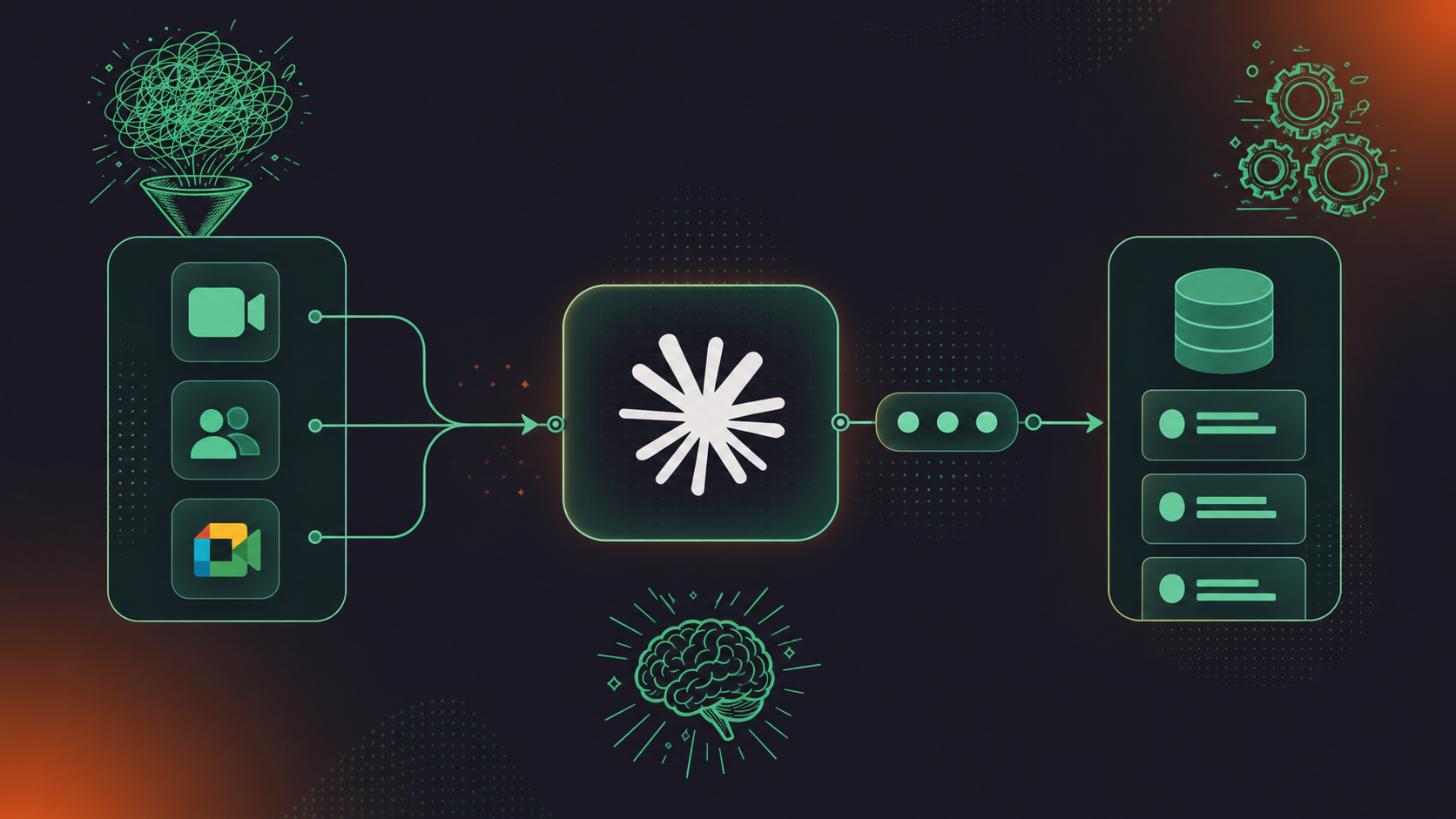
What Claude Agents Can Do With Conversation Data
Once the connector is live, queries that were previously unanswerable become routine:
- Automatically create action items from meeting transcripts with named owners from last week’s product sync
- Surface a specific decision made three months ago and who made it
- Retrieve context from a customer onboarding call before a renewal meeting
- Query cross-meeting history to understand where alignment broke down over time
This is what Ask Spinach does over Spinach’s own corpus, and it’s the same capability a Claude agent gets through the connector. The difference is scope: a Claude agent (or a ChatGPT agent powered by conversation data) can combine that conversation context with data from every other connected system in a single response, making it useful for leadership queries that span multiple teams and time horizons.
Setting Up a Custom Connector Server for Conversation Data
Building a custom connector for conversation data involves more than standing up an MCP server. The structuring decisions you make at build time determine whether Claude returns useful answers or vague paraphrases of raw transcripts.
SDK and Transport Choices
Official SDKs exist in TypeScript and Python. The July 28, 2026 spec update moves to a stateless HTTP request/response model, so new builds should target Streamable HTTP transport over SSE. Pick the SDK that matches your existing stack.
What Tools the Server Must Implement
- A search tool that accepts natural language or structured queries over meeting content
- A retrieval tool returning individual meeting records with participant and date metadata
- A decisions tool surfacing structured decision records with owner attribution
- An action items tool returning committed tasks with named owners and due dates
How Conversation Data Must Be Structured
Raw transcripts are not sufficient. Claude Agents need structured outputs indexed for retrieval: decisions, action items, topics, and participant metadata. Structuring at ingestion instead of at query time is what separates a useful connector from a slow one. That pipeline is non-trivial to build and maintain across five meeting platforms, whether you’re pulling cross-platform transcripts into your pipeline or a custom-built environment.
Implementation Layer | DIY Build Requirement | Purpose-Built Solution |
|---|---|---|
Data ingestion | Custom capture across Zoom, Meet, Teams, Webex, Slack Huddles | Pre-built capture across all modalities |
Structuring | Custom pipeline for decisions, action items, topics | Delivered at meeting end, governed |
MCP server | Build and maintain TypeScript or Python server | Pre-built, maintained by vendor |
Access control | Custom per-user permission enforcement | Admin-managed, user-scoped OAuth |
Compliance | DIY retention and PII handling | Configurable per data type, SOC 2 / GDPR / HIPAA |
Connecting Your Custom Connector Server to Claude Agents
Once the MCP server is running, connecting it to Claude takes a few steps depending on whether you’re setting it up for yourself or your whole organization.
Individual users go to Settings > Customize > Connectors, click “+”, select “Add custom connector,” then enter the connector name and remote MCP server URL.
For Team and Enterprise organizations, an Owner goes to Organization settings > Connectors and adds the connector at the org level. From there, each user individually connects and authenticates, which means Claude can only access tools and data that specific user is permitted to see. Owners can also disable specific tool calls from the same settings panel.
Authentication Setup
OAuth Client ID and Client Secret go under advanced settings. Development connectors can skip OAuth when exposing only public or test data, but any server reading private meeting records (such as Microsoft Teams transcripts with Claude MCP setup) or writing to downstream systems needs OAuth, narrowed scopes, and audit logging. For enterprise deployments, connectors provision through your identity provider so users inherit access on first login with no per-user OAuth step required.
Testing the Connection
Before activating the connector org-wide, run MCP Inspector to call tools directly and inspect the schemas Claude will see. Confirm the server URL is public HTTPS, that tool responses return correctly structured data, and that Anthropic’s cloud infrastructure can reach the endpoint. Claude connects from Anthropic’s cloud, not a user’s local machine, so localhost URLs will not work in production.
Security Considerations for Conversation Data via Custom Connectors

Meeting content raises the stakes on every MCP security risk because the data asset contains strategic decisions, customer commitments, and competitive intelligence, not a public knowledge base.
The Four Risks That Apply to Conversation Data
Prompt injection ranks as the number one vulnerability in the MCP security risks and best practices, and it takes on a different character when the content Claude processes is conversational, including when you connect Claude Code to Zoom transcripts. A meeting summary can contain crafted text that redirects agent behavior. Researchers have shown that a malicious MCP server could silently exfiltrate an entire message history, and when that history holds board-level decisions and customer commitments, the blast radius grows considerably. Access control drift and compliance exposure round out the risk set, which is especially relevant when you connect Claude Code to Microsoft Teams transcripts: per-user scoping, audit logging, and configurable retention per data type are not optional for compliance-sensitive buyers.
Questions to Ask Before Deploying Any Meeting Data Connector
- Is access scoped per user and enforced at the server level, not granted agent-wide?
- Does the server log which tools Claude invoked and what data was returned?
- Is PII redacted at the data layer before Claude sees the content?
- Can retention be configured independently per data type: transcript, summary, and video?
- Does the vendor hold SOC 2 Type II, GDPR, and HIPAA certifications, with a BAA available for compliance-sensitive engagements?
What Claude Agents Gain From Spinach’s Governed Conversation Corpus
Spinach AI captures conversations across the enterprise on Zoom, Google Meet, Microsoft Teams, Slack Huddles, and Webex, turning them into structured, governed, AI-ready knowledge. The pre-built MCP server, included on Business and Enterprise plans (see Spinach’s AI meeting notes coverage), means your team skips the custom build entirely.
There are two distinct layers worth understanding here: what Spinach supplies into the corpus, and what Claude agents gain from querying it.
What Spinach Provides
- Record-by-default capture across every modality in 100 languages, using model-agnostic transcription
- Collections that organize meetings by participant, title, or series so Claude queries structured data, not raw transcript dumps
- PII redaction at the transcript level, configurable retention per data type (transcript, summary, and video set independently from one week to indefinite on Enterprise), SAML SSO, SCIM, and compliance agents that classify and flag regulatory risk for human review
- Native MCP server with OAuth, admin approval, and user-based permission enforcement (see the full Microsoft Teams transcripts with Claude MCP setup) for both Claude and ChatGPT
What Claude Agents Gain
- Action items with named owners from any meeting in the organizational record
- Decisions with participant attribution, retrievable across months of history
- Cross-meeting context that tracks how a topic or customer relationship evolved over time
Claude agents querying Spinach’s governed corpus answer questions with the most decision-relevant data in the enterprise actually in scope.
Final Thoughts on Building Claude Agents That Can Query Conversation Data
The data that drives your most important decisions rarely lives in Jira or your CRM. It lives in meetings, and for most organizations, that corpus has been invisible to AI agents by default. A well-built custom connector changes that, but only if the underlying data is structured and governed before Claude ever queries it. Raw transcripts are not enough.
Spinach AI is the enterprise conversation intelligence platform built to close this gap. Deployed company-wide, it captures every conversation across Zoom, Google Meet, Microsoft Teams, Slack Huddles, and Webex, centralizes them in a single governed data asset, and powers Claude Agents (and your people) with decisions, action items, and named owners from every meeting in the organizational record. The pre-built MCP server, included on Business and Enterprise plans, means your team skips the custom build entirely and connects to a corpus that is structured, governed, and compliant from day one. Get started with Spinach AI.
Use Spinach AI’s pre-built MCP server, included on Business and Enterprise plans, which ships with OAuth, admin approval, and user-based permission enforcement for both Claude and ChatGPT. You skip writing and maintaining TypeScript or Python server code, building ingestion pipelines across Zoom, Google Meet, Teams, Webex, and Slack Huddles, and handling PII redaction and configurable retention per data type. Connect the server URL in Claude’s Settings > Customize > Connectors, or provision org-wide through Organization settings > Connectors.
Structure at ingestion, not at query time — index decisions with owner attribution, action items with named owners and due dates, topics, and participant metadata before Claude ever calls the tool. Raw transcripts force the agent to do structuring work at query time, which slows responses and degrades answer quality. Purpose-built solutions like Spinach deliver this structured output at meeting end, governed and ready for retrieval.
Prompt injection is the number one vulnerability in the OWASP Top 10 for LLM Applications 2025, and meeting content raises the stakes because conversational summaries can contain crafted text that redirects agent behavior. Before deploying any meeting data connector, confirm that access is scoped per user and enforced at the server level, that the server logs which tools Claude invoked and what data was returned, that PII is redacted at the data layer before Claude sees it, and that retention is configurable independently per data type — transcript, summary, and video. For regulated buyers, SOC 2 Type II, GDPR, and HIPAA certifications with a BAA available are the baseline, not optional extras.
Yes. Spinach’s pre-built MCP server requires no custom build — individual users add it under Settings > Customize > Connectors by entering the connector name and remote MCP server URL, while org owners provision it across the organization through Organization settings > Connectors. For enterprise deployments, the connector provisions through your existing identity provider so users inherit access on login with no per-user OAuth step required. The MCP server is included on Business ($19/user/month billed annually) and Enterprise (custom pricing) plans.
Build a custom server when you have a proprietary internal conversation data repository with existing structure, dedicated engineering capacity to maintain capture pipelines across every meeting platform, and compliance infrastructure already in place for PII redaction and configurable retention. Use Spinach’s pre-built connector when your goal is to get Claude agents querying governed, structured meeting context quickly — the DIY path requires custom ingestion across five platforms, a structuring pipeline for decisions and action items, server maintenance, per-user permission enforcement, and SOC 2 / GDPR / HIPAA compliance, all before Claude returns its first useful answer.
Target Streamable HTTP transport, not SSE — the July 28, 2026 MCP spec update moves to a stateless HTTP request/response model, so new builds should align with that. Pick the official TypeScript or Python SDK that matches your existing stack, then confirm your server URL is publicly accessible over HTTPS before connecting to Claude.
The answer to that question lives in a Thursday standup or a cross-functional sync — not in a ticket field — and most agent setups have no connector that touches meeting records. Decisions, commitments, and context generated in meetings are structurally absent from every system agents know how to query by default, so the agent returns incomplete answers because the underlying data asset is incomplete by design.
When each employee picks a different note-taking tool, the result is a fragmented corpus with no unified, queryable record — Claude agents querying that landscape return incomplete answers because the data asset is incomplete by design. Shadow IT across five different tools per team also means no enforced policy, no governed sharing, and no organizational record that a custom connector can reliably expose.
Your server needs at minimum four tools: a search tool for natural language queries over meeting content, a retrieval tool returning individual meeting records with participant and date metadata, a decisions tool surfacing structured decision records with owner attribution, and an action items tool returning committed tasks with named owners and due dates. Without all four, Claude either misses structured context or falls back to paraphrasing raw transcript text.
Use Streamable HTTP — the July 28, 2026 MCP spec update moves to a stateless HTTP request/response model and deprecates SSE as the primary transport for new builds. SSE-based servers built before that update will need migration, so starting with Streamable HTTP avoids that rework.
Run MCP Inspector to call tools directly and inspect the schemas Claude will see, then confirm your server URL is public HTTPS and that tool responses return correctly structured data. Claude connects from Anthropic’s cloud infrastructure — not a user’s local machine — so localhost URLs will not work in production and must be replaced with a publicly reachable endpoint before org-wide rollout.
Enterprise-managed authorization, shipped June 18, 2026, lets IT admins provision MCP connectors through an existing identity provider like Okta so end users inherit connector access on login with no per-user OAuth step required. For regulated deployments, this closes the practical gap that made per-user OAuth friction a blocker — access is granted through your existing identity infrastructure rather than managed connector by connector.
The MCP server is included on Business ($19/user/month billed annually or $29/user/month monthly) and Enterprise (custom pricing) plans — it is not included on Pro or Starter. API and webhooks, which are used for custom export pipelines, are available on Enterprise only.
Meeting summaries can contain crafted text — introduced intentionally or accidentally — that redirects agent behavior mid-conversation, which is why prompt injection ranks as the number one vulnerability in the OWASP Top 10 for LLM Applications 2025. The mitigation requires PII redaction at the data layer before Claude sees the content, per-user access scoping enforced at the server level, and audit logging of which tools Claude invoked and what data was returned.
For regulated buyers, the baseline is SOC 2 Type II, GDPR compliance, and HIPAA compliance with a BAA available for engagements that require it — these are not optional extras when the data asset contains strategic decisions, customer commitments, and competitive intelligence. You should also confirm that configurable retention per data type (transcript, summary, and video set independently) and PII redaction at the transcript level are available before connecting any meeting corpus to an agent.
What to do next
You made it to the end of this article! Here are some things you can do now:
- Our library of meeting agenda templates is designed to help you run more effective meetings.
- Learn more about Spinach and how it can help you run a high performing org.
- If you found this article helpful, please share it with others on Linkedin or X (Twitter)

