Why Enterprise Meeting Platforms Beat Personal Note Takers (August 2026)
In August 2026, the gap between personal AI note takers and enterprise meeting platforms comes down to governance, compliance, and shared records.
 Maintouch
A personal AI note taker is great right up until it stops being yours alone. The moment a colleague asks for the summary, then another, and suddenly it’s expensed across three departments with no IT visibility, you’re no longer looking at a productivity tool. You’re looking at a governance problem. Understanding the difference between these two categories is what keeps that from happening quietly, and Spinach AI is the enterprise conversation intelligence platform built to prevent it.
TLDR:
- Personal AI note takers store meeting records in individual accounts, not in a governed org-wide system.
- Deploying personal tools across 50 teams creates 50 disconnected data silos with no shared retrieval layer.
- Shadow IT risk is real: ungoverned SaaS tools are among the most common vectors for enterprise data breaches (IBM Security, 2023).
- Enterprise-grade compliance requires SOC 2 Type II, HIPAA with BAA availability, GDPR-ready retention, and audit logging.
- Spinach AI deploys company-wide with record-by-default settings, routing decisions and action items into Jira, Salesforce, Slack, and your knowledge base when each meeting ends.
What Personal AI Note Takers Are Built to Do
Personal AI note takers are built around one job: give the person who signed up a better record of their own meetings. They join a Zoom, Google Meet, or Teams call, capture the audio, and produce a transcript alongside a summary and action items. The whole loop is individual-facing from start to finish.
That is genuinely useful. If you are in back-to-back calls, having a searchable transcript beats hunting through handwritten notes. For a closer look at what AI note takers in meetings can offer, the tradeoffs are worth understanding. Many of these tools sync with your calendar, send recap emails to participants, and let you query past meetings through a chat-style interface.
For a single person managing their own workload, the value is real. The architecture, though, is personal by design. The meeting record lives with whoever set the tool up, not with the organization.
What an Enterprise Meeting Platform Does Differently
Where a personal AI note taker captures what was said, an enterprise meeting platform governs what happens next. The distinction is architectural.
Personal tools are built for one person’s workflow. They produce a transcript, maybe a summary, and they stop there. The output lives in that individual’s account, unconnected to the systems where work actually gets tracked and decisions get acted on.
Enterprise-grade tools are deployed org-wide by design, which is why AI tools for remote teams increasingly center on org-wide governance. Every meeting is captured under a consistent policy, output routes automatically into the tools teams already use, and conversation data becomes a governed asset the whole organization can query.
What that looks like in practice
- Decisions made in a product review don’t vanish into someone’s private notes; they land in the project management tool with named owners attached.
- Security and compliance settings apply uniformly across every department, including teams whose managers never got around to configuring anything themselves.
- Leadership can query conversation data across functions to see where blockers are clustering, what commitments have been made, and which initiatives are stalling in discussion without reaching execution.
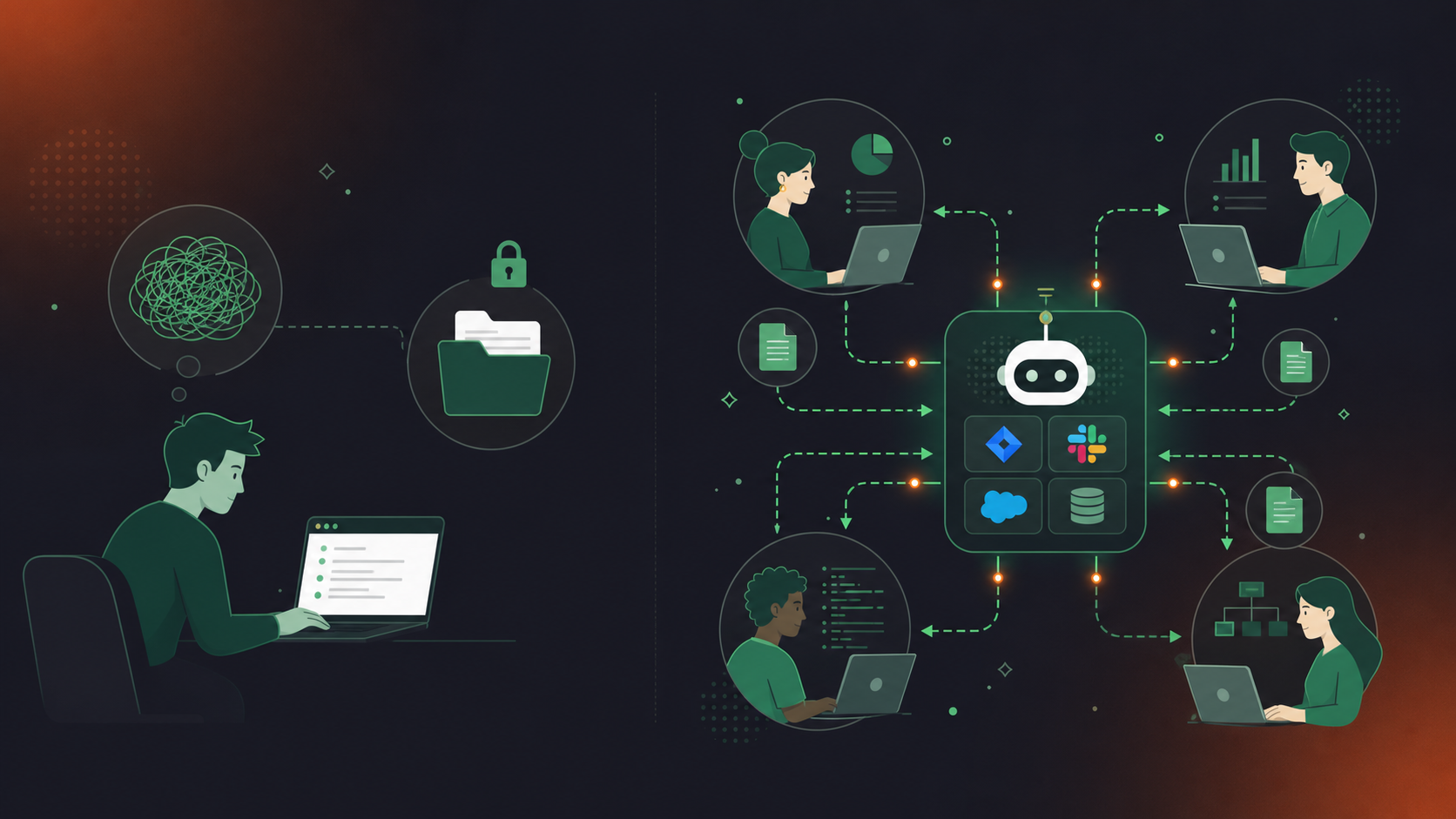
The gap between these two approaches compounds quickly. A single team using a personal note taker produces one set of outputs. Fifty teams using the same tool produce fifty disconnected data silos with no shared record and no organizational retrieval layer sitting above them.
The Shadow IT Problem: When Personal Tools Spread Across a Team
When a single employee starts using a personal AI note taker, it rarely stays personal. A teammate asks for the summary. Then another. Then the tool gets expensed, shared informally, and duplicated across three departments, each with its own settings, permissions, and data handling defaults.
This is how shadow IT starts. Each person’s notes live in their own account, and choosing the best tool for meeting notes at the org level matters far more than individual preferences. There is no org-wide search, no admin visibility, no consistent retention policy. When someone leaves the company, their meeting history goes with them.
The scale of this risk is well-documented: a 2023 IBM Security report on shadow data found that shadow IT applications account for a large share of enterprise data breaches, with ungoverned SaaS tools among the most common vectors (2023 data).
An enterprise meeting system is deployed once, centrally, with policies that apply to every meeting from day one. Recordings, transcripts, and summaries route into a governed data layer, searchable by the organization and accessible beyond the individual who happened to attend.
Security and Compliance Requirements for AI Meeting Tools
Personal AI note takers were built for individual convenience, so security often comes second. Enterprise deployments can’t afford that trade-off.
The gap shows up fast when procurement or legal gets involved. Most personal note takers offer SOC 2 Type II only on paid tiers, a pattern common across AI transcription tools reviewed for enterprise use, and gate HIPAA compliance behind enterprise contracts with inconsistent BAA availability, and give IT no meaningful controls over data retention or sharing behavior.
What enterprise-grade compliance actually requires
For organizations in compliance-sensitive industries, the minimum bar includes (see Vanta HIPAA and SOC 2 compliance guide for a detailed breakdown):
- SOC 2 Type II certification covering the full data pipeline, including storage and processing layers beyond the app
- HIPAA compliance with a BAA available before any protected health information touches the system
- GDPR-ready data handling with configurable retention per data type
- Audit logging and admin visibility into who recorded what, and where that data went
- A clear policy on whether meeting data trains any AI model (it shouldn’t)
Spinach AI carries SOC 2 Type II, GDPR, and HIPAA compliance, with BAA availability on Enterprise engagements. Retention is configurable per data type (transcript, summary, video) from one week to indefinite on Enterprise. No customer data is used to train AI models, and Spinach maintains zero data retention with LLM providers.
Personal note takers rarely offer that combination at any tier, and almost never with the admin controls that IT and legal require before approving org-wide deployment.
Recording Consent and Data Governance at the Organizational Level
Recording consent and data governance look very different when you’re deploying a meeting tool across an entire organization versus installing a personal app on your own laptop.
Personal AI note takers typically handle consent at the individual level: the user decides when to record, who gets the summary, and how long it’s stored. That works for one person. It breaks down when hundreds of employees are each making those decisions independently, with no visibility into what’s being captured, shared, or retained across the company.
Enterprise-grade tools handle this at the policy level. With Spinach AI, consent is never covert: the bot is always visible in the meeting, org admins can configure custom in-meeting notification text, and action items from meeting transcripts are created automatically at meeting end, and hosts can pause, resume, or remove the bot at any point. Retention is configurable per data type (transcript, summary, and video) from one week to indefinite on Enterprise plans.
That org-level control is what makes a meeting tool governable at scale, and not merely useful to one person alone.
How Conversation Data Connects to Downstream Systems
Personal AI note takers close the loop for the person who attended the meeting. The transcript lives in their account, the summary lands in their inbox, and the action items stay wherever they decided to paste them.
Enterprise conversation intelligence routes that data automatically. When a meeting ends, structured outputs go directly into the systems your organization already runs: tickets filed in Jira or Linear with named owners, CRM records updated in HubSpot via the Google Meet HubSpot integration or in Salesforce directly, summaries pushed to Slack channels, and decisions indexed in your knowledge base.
That routing gap is where individual tools break down at scale. When every person on a 40-person team manages their own meeting outputs, action items scatter across personal inboxes, duplicate tickets get filed, and decisions made in one meeting never reach the people who needed them in the next one. That is a problem a meeting notes action items template alone cannot solve at scale.
An enterprise conversation intelligence system like Spinach AI connects to your tools at the organizational level, so the data flows without anyone remembering to forward it.
How to Choose Between a Personal Note Taker and an Enterprise Meeting Platform
For a solo user or a small group where each person manages their own outputs independently, a personal note taker is a reasonable fit (see the Spinach AI vs Fireflies comparison for how that plays out in practice). The decision changes when you need organizational consistency across teams.
Factor | Personal note taker | Enterprise system |
|---|---|---|
Deployment scope | One person or a small, informal group | Multiple teams, centrally managed |
IT and compliance | No security review, no sensitive compliance requirements: see Spinach AI vs Fathom for a detailed compliance comparison | SOC 2, HIPAA, GDPR, or formal procurement involved |
Org-wide record | Individual summaries are sufficient | Single governed record across the organization required |
Integrations | Calendar sync and email recaps | CRM, project management, and knowledge base routing |
Budget model | Self-serve per user | IT-managed, with admin controls and usage reporting |
If your answers in the middle three rows point toward enterprise, that’s where ungoverned tool sprawl tends to start.
How Enterprise Conversation Intelligence Works at the Organizational Level
Spinach AI is built as an enterprise conversation intelligence system, not a personal productivity add-on. It joins your Zoom, Meet, Teams, Slack Huddles, or Webex meetings, captures conversations during the meeting, and delivers structured outputs, such as decisions, action items with named owners, tickets, and CRM records, into your team’s tools when the meeting ends.
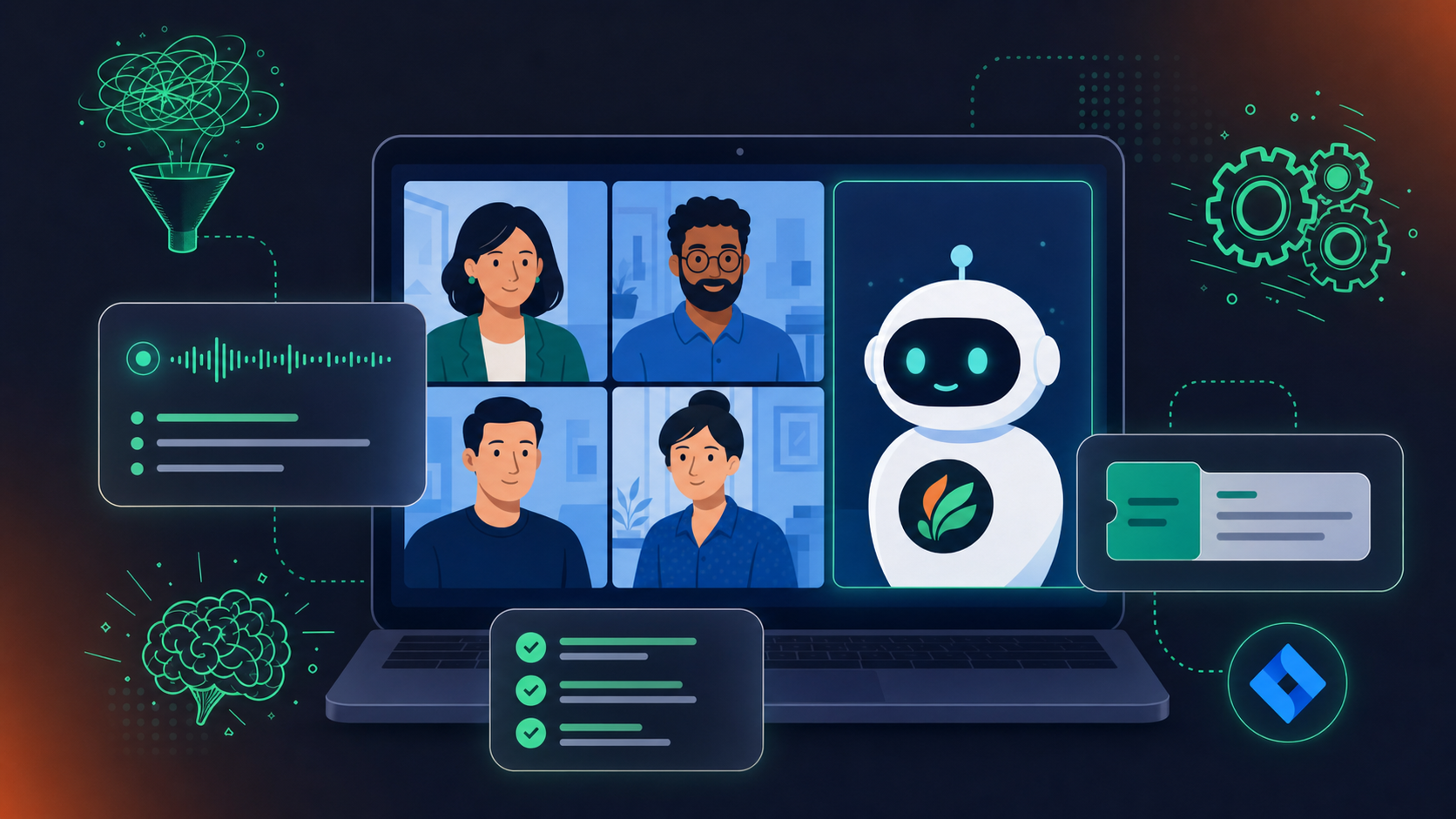
The organizational logic matters here. Spinach deploys company-wide with record-by-default settings, meaning every meeting enters a governed, searchable data asset instead of landing in a personal folder. Admins get an audit dashboard with usage reporting. Retention is configurable per data type, ranging from one week to indefinite on Enterprise.
On the security side: Spinach is SOC 2 Type II compliant, GDPR compliant, and HIPAA compliant, with BAA available on Enterprise engagements. No customer data trains AI models, and PII redaction is available at the transcript level.
Where personal tools stop at the individual, Spinach functions as the system of record for conversation data across the organization, giving leadership, product, engineering, and sales access to the same governed source instead of each team managing its own disconnected stack.
Final Thoughts on Picking the Right Meeting Tool for Your Organization
The choice between a personal note taker and an enterprise meeting system comes down to one question: does your organization need a shared record, or is each person’s summary good enough? For small, independent setups, personal tools are a reasonable fit. For teams where decisions need to reach the right systems and the right people automatically, the architecture matters more than the feature list. Spinach AI is built as that organizational layer, not as a personal productivity add-on.
Personal note takers like Otter and Fireflies are built for one person’s meetings, so each employee ends up with their own account, their own settings, and their own data silo. Spinach AI deploys org-wide as an enterprise conversation intelligence system, meaning every meeting enters a single governed, searchable record under consistent policy, and structured outputs route automatically into your CRM, project management tools, and knowledge base.
Yes. Spinach gives admins org-level control over every setting an individual user can set: default sharing scope, retention per data type (transcript, summary, and video from one week to indefinite on Enterprise), in-meeting notification text, and bot branding. SAML SSO and SCIM provisioning are available on Enterprise, and no customer data is used to train AI models.
The clearest signal is when more than one team is using a note taker and each has a different tool, different permissions, and no shared organizational record. At that point you have shadow IT: meeting history that leaves when employees do, no admin visibility, and no retrieval layer above individual accounts.
The bot is always visible and never covert: Spinach does not do covert recording. Org admins configure a custom legal-approved in-meeting notification message, can rename and rebrand the bot, and hosts can pause, resume, or remove it at any point mid-meeting. This moves consent handling from a per-employee decision to a policy the organization sets once and enforces across every meeting.
Teams Copilot and Zoom AI Companion deliver individual productivity features (summaries, action items, notes) and they do this well, but their architecture is not an organizational system of record (as of July 2026). To query all of your company’s conversation data with Claude or ChatGPT on a native stack, you either build a centralization layer on their API yourself or ask every employee to share every meeting manually. Spinach captures conversations across every platform during the meeting, centralizes them into one governed, AI-ready asset, and delivers structured outputs, including decisions, action items, and CRM records, when the meeting ends. An MCP server on Business and Enterprise plans gives Claude and ChatGPT direct access to that organizational corpus under admin-approved, permission-enforced retrieval.
Their meeting history leaves with them — every transcript, summary, and decision captured in their personal account disappears from the organization’s reach the moment their account is deactivated. An enterprise conversation intelligence system owns the data at the org level, so departures don’t create gaps in your institutional record.
For any organization where protected health information touches meeting content, you need an enterprise meeting platform with HIPAA compliance and a Business Associate Agreement available before any recording happens. Personal note takers rarely offer a BAA at any tier, and most give IT no controls over retention or sharing — both hard requirements under HIPAA.
Spinach captures the meeting, and when it ends, structured outputs — decisions, action items with named owners, tickets, CRM fields — route automatically into the downstream systems your organization already runs, including Jira, Linear, Salesforce, HubSpot, and Confluence. No one copies a summary into a ticket or pastes action items into Slack; the routing is policy-driven at the org level.
Record-by-default means every meeting enters a governed, searchable data asset under a consistent policy set by the organization, rather than relying on each employee to remember to start a recording or choose a note taker. Admins configure the policy once, and it applies across every department, including teams whose managers never touched the settings themselves.
Yes. Spinach provides an admin dashboard with audit logging and usage reporting that gives IT visibility across the organization — who recorded what, under which retention policy, and how outputs were shared. That audit trail is what procurement and legal look for before approving org-wide deployment of any meeting tool.
Revenue intelligence tools like Gong are built for customer-facing meetings and specific sales-coaching workflows — they go deep on that use case. The practical pattern is that organizations keep Gong for customer-facing calls and deploy an enterprise conversation intelligence platform everywhere else, feeding one governed corpus from both sources rather than leaving internal meetings ungoverned.
A clear signal is when different teams are expensing different note takers independently — Otter on one team, Fireflies on another, Fathom on a third — with no IT visibility, no shared retention policy, and no way to search across any of them. According to a 2023 IBM Security report, ungoverned SaaS tools are among the most common vectors for enterprise data breaches, making this a security and compliance problem, not just an administrative inconvenience.
Spinach joins meetings on Zoom, Google Meet, Microsoft Teams, Slack Huddles, and Webex — all from a single organizational deployment. That cross-platform coverage means a consistent policy and a single governed data asset regardless of which video tool different teams or external partners prefer.
The most direct path is a top-down deployment through IT using SAML SSO and SCIM provisioning, which handles onboarding and deprovisioning at the directory level without requiring each employee to configure their own account. Org-level enforced settings — default sharing scope, retention per data type, bot branding, in-meeting notification text — apply from day one across every team, so you’re not waiting for adoption to produce governance.
Spinach supports 100 languages and uses a transcription-model-agnostic approach, meaning it selects the most accurate model available per language rather than being locked to a single vendor’s model. Organizations with non-English-dominant teams — particularly those working in Hebrew and other languages where native-platform transcription underperforms — cite this as a primary reason they switched from individual note takers or native platform AI.
What to do next
You made it to the end of this article! Here are some things you can do now:
- You should check out our library of meeting agenda templates for every type of meeting.
- Learn more about Spinach and how it can help you run a high performing org.
- If you found this article helpful, please share it with others on Linkedin or X (Twitter)

