AI Transcription Tools: Pros, Cons, and Buyer’s Guide (July 2026)
The 10 best AI transcription tools in July 2026: compare features, pros, cons, and pricing from Spinach, Rev, Otter.ai, Fireflies, and more.
 Maintouch
Transcribing audio recordings has rapidly become one of the most common business applications of AI technology. Unlike many AI promises, the power of transcription is actually a reality. You don’t need a lot of prompting or human intervention to get consistent quality outputs.
The right tools can completely take the hassle out of audio transcription, but not all of the tools available are created equal. In this ultimate guide to AI transcription, we’ll show you how AI transcription works and introduce you to 10 of the best AI transcription tools on the market today. Many of which go WAY beyond basic transcription to automating other tasks in your workflow.
TLDR
- AI transcription tools automatically convert spoken audio into written text, saving your team from manual note-taking during meetings.
- The best tools go beyond raw transcripts: they generate meeting summaries, extract action items, and integrate with tools like Slack, Jira, and Zoom.
- Key pros: real-time accuracy, full searchability, and no one stuck on note duty. Key cons: no non-verbal cues, no context about what actually matters, and no built-in action tracking (for most tools).
- The 10 tools covered here range from audio-only transcribers (Rev, Trint, Beey) to full meeting intelligence tools (Spinach, Fireflies.ai, MeetGeek).
- Spinach is the top pick overall: an enterprise conversation intelligence platform that captures every meeting, turns conversations into governed outputs (decisions, action items with owners, tickets, and CRM updates), and routes them directly into your tools. Free to start on the Starter plan.
What is AI transcription and how does it work?
AI transcription is a technology that uses machine learning algorithms to convert spoken audio into written text. Most of these tools are capable of transcribing dialogue from recorded audio files or transcribing it in real-time as it’s spoken.
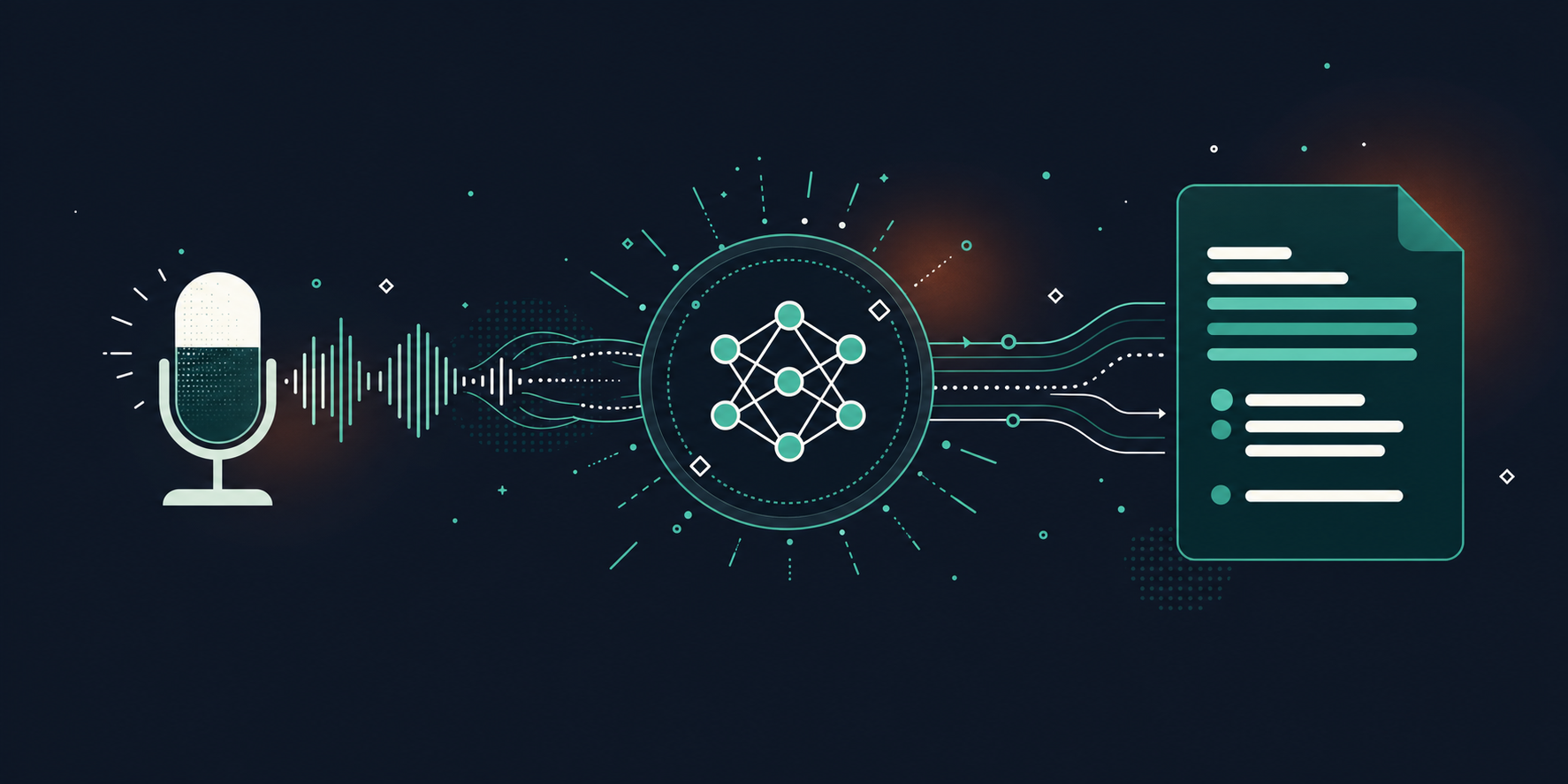
AI transcription services use recognition algorithms to analyze and identify individual spoken words within the audio input. They have been trained on vast datasets to recognize diverse accents, languages, and speaking styles.
Once the spoken words are recognized, the system uses language analysis techniques to understand the context, grammar, and semantics. This contextual analysis helps enhance the overall transcription accuracy by capturing the nuances of spoken language.
From there, the audio is converted into a polished and error-free transcript, with no manual note-taking or editing required from you or your team members.
Why use AI transcription?
No more taking notes
Compared to manual, human transcription, AI tools offer several distinct advantages. For starters, AI automates the note-taking process so that you don’t have to do it yourself (or assign it to someone else whose time and attention could be better spent).
Stay engaged in the discussion
With AI transcription tools, everyone in the room gets to focus on what’s being said and contribute to the conversation, instead of worrying about writing everything down.
No human error
These services also offer better accuracy than manual transcription. The best tools are capable of generating high-quality transcripts that are almost entirely error-free. Every important point and detail is captured correctly, without the need for extensive proofreading.
Additional task automation
Platforms like Spinach go further: they use meeting audio as the input to produce structured outputs, from meeting summaries and action items with named owners to tickets and CRM updates routed directly into your tools.
Pros and cons of AI transcription tools
Like any technology, AI transcription tools have their benefits and drawbacks. If you’re trying to decide if AI transcription software is the right choice for your business, here are some of the top pros and cons you’ll want to consider:
Pros
- Time savings: The most apparent advantage of AI transcription tools is their ability to save time. They eliminate the need for manual note-taking during meetings and subsequently transcribing those notes, freeing up valuable time for the team members.
- Accuracy: AI transcription services can offer remarkable accuracy, especially with clear audio input. They capture spoken words verbatim, leaving little room for the human error that can occur in manual transcription.
- Searchability: Once the spoken words are transcribed, you can easily search through the document for specific keywords or phrases. This helps you find specific parts of a discussion without needing to rewatch or relisten to the entire meeting.
Cons
- Lack of context: AI transcription tools transcribe words but can’t discern important points or identify key decisions.
- Inability to recognize speakers: While some advanced tools can distinguish between different speakers, many can’t. This can cause confusion when trying to attribute statements to specific participants.
- No actionable insights: Transcriptions are simply written accounts of what was spoken. They don’t offer a clear direction on next steps, action items, or a summary of key decisions. Some tools try to offset this by giving users the ability to add notes to the transcription.
- Missed non-verbal cues: An important part of communication is non-verbal. AI transcription tools can’t capture tone, emphasis, or non-verbal cues which could potentially change the meaning of the transcribed text.
- Limited collaboration: These tools don’t allow teams to collectively annotate, comment, or mark parts of the transcript.
10 AI transcription tools to know
Transcription tools come in various shapes and sizes, each offering a unique set of features to help with meeting documentation.
Here are some of the most popular AI transcription tools on the market, their key capabilities, and why they might be worthy of your consideration.
Tool | Best For | Real-Time Transcription | Speaker ID | Meeting Summaries | Action Items | Starting Price |
|---|---|---|---|---|---|---|
Spinach AI | Any team needing meeting intelligence | Yes | Yes | Yes | Yes | Free |
Rev | High-accuracy transcription | No | No | No | No | Pay-per-minute |
Otter.ai | Meeting transcription | Yes | Yes | Yes | Yes | Free (limited) |
Descript | Podcasters & video editors | Yes | No | No | No | Free (limited) |
Fireflies.ai | Meeting intelligence | Yes | Yes | Yes | Yes | Free (limited) |
Sonix | Multilingual transcription | Yes | Yes | Yes | No | Pay-per-hour |
Trint | Audio/video to text | No | Yes | No | No | Subscription |
Beey | Simple meeting notes | Yes | No | No | No | Subscription |
Scribie | High-accuracy + human review | No | Yes | No | No | Pay-per-minute |
MeetGeek | Meeting summaries | Yes | Yes | Yes | Yes | Free (limited) |
1. Spinach.io
Spinach AI is an enterprise conversation intelligence platform: recording and transcription are the input, and structured, governed conversation data is the product. Where basic transcription tools stop at text, Spinach captures meetings across the organization and turns them into decisions, action items with named owners, tickets, and CRM records routed into your tools.
- Generates high-level meeting summaries
- Searchable knowledge base of information shared in meetings
- Extracts key decisions and action items from meetings
- Suggests and creates tickets based on what’s discussed
Spinach is one of the most cost-effective options on the market. The Starter plan is free and includes unlimited recording and transcription, 100 languages, basic AI summary, and 7-day recording retention, all with unlimited users and meetings.
For teams that need more, the Pro plan costs $2.90 per meeting hour (pay-as-you-go, unlimited users). It includes advanced AI summaries, Ask Spinach, project management and CRM integrations, and one year of recording retention.
Want to see what your meetings look like when every decision and action item is captured and routed automatically? Take Spinach for a spin today.
Key features
- Concise meeting summaries: Spinach extracts key points, decisions, and action items from meetings automatically to generate meeting summaries that are brief and direct.
- AI transcription and video recordings: Spinach automatically transcribes all audio from meetings in addition to recording both audio and video.
- Powerful integrations: Spinach offers helpful integrations with Slack, Zoom, Asana, Jira, Trello, Notion, and many other popular business tools.
- Ticket generation: Tickets are automatically suggested based on meeting discussions to help turn decisions into actions.
- Free to use for unlimited users: Spinach’s Free plan offers more features (and fewer limits!) than the paid plans of most other tools, making it a great choice for budget-conscious users.
2. Rev
Rev is an AI transcription service that goes beyond simply transcribing audio files. Along with converting spoken language into written text, Rev also works to analyze the content in order to extract key insights, summarize data, and organize files. Rev also provides a free mobile app for Android and iOS devices that allows you to transcribe audio on the go.
Key features
- High accuracy: Rev promises up to 99% accuracy for clear audio.
- Fast turnaround: You can get your transcriptions as quickly as within 12 hours.
- Supports various formats: Rev can transcribe from a wide range of audio and video formats.
- Confidentiality: Rev places a high priority on user privacy and confidentiality.
- Broad range of languages: Rev supports transcriptions in multiple languages.
3. Otter.ai
Otter.ai is a popular AI transcription tool designed for meetings. It’s an AI meeting assistant that works to record and transcribe audio, write notes, capture action items, and generate summaries. If you’re considering Otter.ai, you’ll want to review Otter AI pricing options before deciding. You can also check out these Otter.ai alternatives that offer accurate meeting notes.
It also offers several collaboration abilities designed to help you run more productive meetings, such as the options for team members to add comments to the transcript, mark key points, and assign action items.
Key features
- Real-time transcription: Otter.ai can transcribe audio in real time.
- Speaker identification: The tool can distinguish between different people.
- Search function: Users can search through transcriptions for specific words or phrases.
- Integration: Otter.ai integrates with popular video conferencing tools like Zoom.
- Note-taking: It allows for note-taking within the transcription interface.
4. Descript
Descript is a video/audio editing tool that caters to content creators, podcasters, and video editors. Alongside a host of user-friendly editing features, Descript also provides real time AI transcription and is capable of transcribing audio in 22 different languages.
Key features
- Overdub: This lets you create a synthetic voice of yourself that you can type to create voice audio.
- Text-based editing: You can cut, paste, and delete the text to edit the media file.
- Automatic transcription: It provides fast and accurate transcriptions.
- Screen recording: Descript allows you to record your screen and transcribe at the same time.
- Podcasting tools: It comes with an array of podcasting tools for content creation.
5. Fireflies.ai
Fireflies.ai is another service designed for transcribing and analyzing meeting audio. It’s able to automatically record and transcribe dialogue in real time, allowing you to analyze and extract insights from the content using conversational intelligence. If you’re looking for other options, check out these Fireflies.ai alternatives.
Fireflies.ai also provides an AI-powered search function for quickly finding exactly what you’re looking for within the transcript. It also offers numerous tools and integrations designed to help team members collaborate during and after meetings.
Key features
- Automated recording and transcription: Fireflies.ai can join meetings, record them, and transcribe conversations.
- Calendar sync: The tool syncs with your calendar and can automatically join meetings on your schedule.
- Searchable transcripts: It allows for searching within transcripts, making it easier to find specific pieces of information.
- Multiple integrations: Fireflies.ai combines with several popular platforms such as Zoom, Google Meet, and Microsoft Teams.
- Shared access: Transcripts can be shared with team members, promoting collaboration and information sharing.
6. Sonix
Sonix brings a powerful blend of speed and accuracy to the table, providing an automated transcription service that caters to industries like journalism, research, video production, and more.
It uses advanced AI to convert spoken words into written ones, turning audio and video files into searchable and editable transcripts. Along with swift and accurate audio transcription, Sonix is also able to generate subtitles for spoken audio in real-time as well as concise, bullet-point summaries of transcripts.
Key features
- High-speed transcription: Sonix can transcribe an hour-long file in a few minutes.
- Multilingual: It supports over 37 languages, making it versatile for global users.
- Subtitle generation: Sonix can automatically generate closed captions for your videos.
- Secure and confidential: It uses encryption to protect your data and uphold privacy.
- Team collaboration: Share transcripts and collaborate with your team on the platform.
7. Trint
Trint is an automated transcription service that converts audio and video into searchable, editable, and shareable content in up to 31 languages.
While Trint focuses solely on transcribing audio and may lack some of the features offered by more advanced services on this list, it’s an affordable and user-friendly tool that is great for swiftly converting audio and video files into accurate transcripts.
Key features
- Automated transcription: Trint can transcribe audio and video files into text.
- Editable transcripts: The platform allows for text editing, making it easy to correct any errors.
- Speaker identification: Trint can distinguish between speakers, which is especially useful in interviews or multi-person meetings.
- Collaboration features: You can share transcripts with others and collaborate on editing.
- Integration: Trint integrates with various platforms, allowing you to upload files directly from your preferred storage or conferencing tool.
8. Beey
Beey is geared toward simplifying note-taking during meetings and interviews. With Beey, you can convert spoken audio into transcripts or subtitles in real time, quickly edit the transcripts, and then export the results into a variety of formats.
Beey is another tool that focuses solely on transcribing audio and doesn’t offer more advanced features like meeting summaries and content analysis. However, it’s still a good choice if transcribing meeting audio is your only objective.
Key features
- Automated transcription: Beey captures and transcribes your conversations in real time.
- Keyword flagging: It automatically marks key points and terms.
- Collaboration: Share transcriptions with team members for collaborative reviewing and editing.
- Export options: Export transcripts in various formats for your convenience.
- Integration: It integrates with several meeting platforms for simple recording and transcribing.
9. Scribie
Scribie is a full-featured tool that caters to individuals and businesses alike. It provides a combination of automated and manual transcription services, making it flexible for anyone who needs accurate transcriptions.
As a result, Scribie is one the most accurate transcription services you will find, offering a 4-step verification process that promises 99%+ accuracy.
Key features
- Automated and manual transcription options: Scribie provides both quick AI-based transcription and more accurate, human-led services.
- Multi-speaker tracking: Scribie can identify different speakers, perfect for group meetings or interviews.
- Timestamps: Transcriptions include timestamps, making it easier to match the text with the audio.
- Confidentiality: Scribie upholds strong privacy measures to protect your data.
- Format flexibility: Download transcriptions in several formats.
10. MeetGeek
MeetGeek is a transcription tool offering real-time transcription during meetings, helping teams focus more on the discussions and less on note-taking.
Along with automatically transcribing audio, MeetGeek provides an AI meeting summary that includes action items and covers the most important topics from the meeting.
Key features
- Real-time transcription: MeetGeek provides transcriptions as the conversation unfolds.
- Agenda setting: Set meeting agendas and track them during the conversation.
- Action item tracking: MeetGeek can track action items from your meeting for effective follow-up.
- Multi-platform compatibility: It works with various video conferencing tools for smooth, reliable operation.
- Secure and compliant: MeetGeek complies with privacy regulations and keeps your data secure.
The diversity in features and specialties among these transcription tools means there’s something to fit every requirement.
However, remember that these services primarily provide a verbatim record of your conversation. For teams needing more actionable insights and decision tracking, you may want to consider something that goes beyond transcription.
Spinach: Your all-in-one tool for more powerful meetings
Transcription tools give you text. Spinach AI is the system of record for conversation data across your organization: an enterprise conversation intelligence platform built for company-wide deployment.
Spinach captures every meeting across Zoom, Google Meet, Teams, Slack Huddles, and Webex, then routes decisions, action items with named owners, tickets, and CRM records directly into your tools.
Meeting summaries
One of Spinach’s most compelling features is its capacity to produce insightful meeting summaries. Unlike transcription tools that provide you with a verbatim account of your meeting, Spinach breaks down the information into easily digestible categories. It surfaces key decisions and action items so you can follow through with these post-meeting tasks more efficiently.
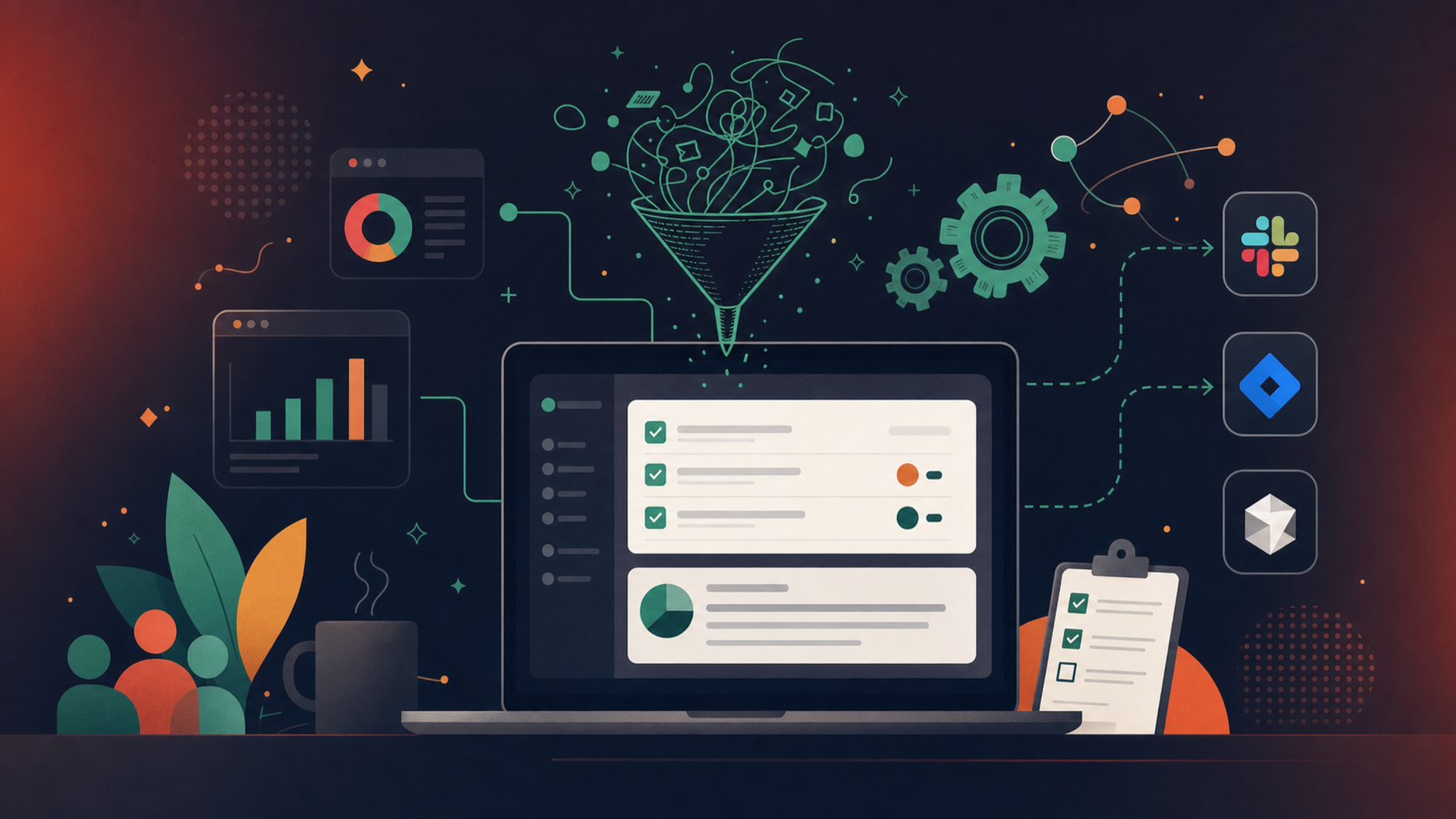
Instead of trawling through a chronological narrative of your meeting, Spinach delivers decisions and action items directly into your Slack. You won’t have to deal with any recordings, transcripts, or lengthy descriptions buried in another application. You have everything you need at a glance, making your post-meeting wrap-up much more manageable and productive.
Action items
Spinach takes the management of action items further. After each meeting, it also assigns an owner to each task, building in accountability and clear responsibility.
Each action item is sent in a concise summary directly to your Slack, and every team member gets their own to-do list after every meeting.
Not being present at a meeting doesn’t mean being left out. With Spinach, you can easily catch up with the context of discussions and decisions. This clarity and transparency enhance effective communication within the team, keeping everyone in the loop.
Ticket creation
Spinach offers a unique feature of suggesting tickets based on your meeting discussions. This proactive tool doesn’t just record decisions but also helps you act upon them more effectively.
As soon as a bug or task surfaces during a discussion, Spinach will suggest a ticket for it. You have the option to edit the ticket directly in Slack or add it to your board with a single click. This automated feature can save a considerable amount of time that would have otherwise been spent manually creating tickets.
Each ticket is also linked to the corresponding discussion in your summary and action items. This gives needed extra context to the tickets, making it easier for team members to understand and act on them.
Experience the power of Spinach for more effective meetings
Using AI for far more than transcription, Spinach stands as a standout meeting tool for any team that needs a governed record of decisions, owners, and follow-through. It takes meeting productivity a notch higher by focusing on what matters: decisions made, actions agreed upon, and responsibilities assigned.
By intelligently summarizing meetings, generating action items, and creating tickets, it makes sure nothing important is forgotten.
Try Spinach for yourself and see what your meetings look like when every decision and action item is captured and routed to your tools automatically. Head over to spinach.ai and get started.
AI transcription converts spoken audio into written text. AI meeting intelligence goes further — it analyzes that text to extract decisions, assign owners to action items, generate summaries, and push results into tools like Jira or Slack. Transcription gives you a record of what was said; meeting intelligence gives you a clear picture of what happens next.
Accuracy varies widely by tool and audio quality. Top tools like Rev and Scribie claim up to 99% accuracy for clear recordings — especially with human review in the loop. Accuracy drops with heavy accents, crosstalk, background noise, or technical jargon. For agile teams using domain-specific terms, a tool trained on that context will outperform a general-purpose transcriber.
Some can, some can’t. Tools like Otter.ai, Fireflies.ai, Trint, Scribie, and Spinach all offer speaker identification. Basic tools like Beey do not. Speaker ID is especially useful in multi-person meetings where you need to attribute decisions or action items to specific participants.
Many do. Spinach, Otter.ai, Fireflies.ai, Beey, MeetGeek, and Sonix all transcribe live as the conversation unfolds. Others, like Rev and Scribie, process uploaded recordings after the fact. If you need instant access to transcripts during or right after a meeting, look for tools that specifically list real-time transcription as a feature.
Start with the basics: accuracy, speaker identification, and real-time vs. post-processing. Then consider what happens after the transcript is generated. Does the tool summarize key decisions? Does it extract action items and assign owners? Can it push tickets to Jira or Linear? For teams that run regular agile ceremonies, those post-transcript capabilities matter far more than raw transcription speed.
What to do next
Now that you've read this article, here are some things you should do:
- Our library of meeting agenda templates is designed to help you run more effective meetings.
- Learn more about Spinach and how it can help you run a high performing org.
- If you found this article helpful, please share it with others on Linkedin or X (Twitter)

