The Enterprise System of Record for Conversation Data (Aug 2026)
Stop losing meeting decisions. This August 2026 guide covers building a governed system of record for conversation data across your enterprise tools.
 Maintouch
Your CRM owns customer data. Your ERP owns financial data. But the decisions, action items, and context produced in every meeting? That data has no home. It evaporates when the call ends, and your organization can’t retrieve, govern, or act on any of it. Here’s what building a real system of record for conversation data actually takes.
TLDR:
- Conversation data is your organization’s largest ungoverned asset: no retention policy, no access controls, no retrieval layer.
- A true system of record for meetings requires record-by-default capture, structured output, policy-based retention, and cross-functional retrievability.
- Individual note-taking tools deployed at scale create shadow IT: 500 employees, 500 disconnected silos, zero organizational governance.
- Native integration routes decisions directly into Jira, Linear, Salesforce, or Confluence; re-keying by hand breaks continuity as meeting volume grows.
- Spinach AI joins meetings across Zoom, Google Meet, Microsoft Teams, Slack Huddles, and Webex, captures decisions and action items with named owners, and routes structured output into your tools when the meeting ends.
What a System of Record Is
A system of record is the authoritative source of truth for a specific data type within an organization. Your CRM owns customer data. Your ERP owns financial data. Conversation data (decisions, commitments, context from every meeting) has had no equivalent home. It evaporates or scatters across personal note apps, email threads, and disconnected transcripts that no one can query at scale. Teams searching for the best tool for AI meeting notes often run into this gap only after deploying at scale.
Why Conversation Data Is the Enterprise’s Largest Ungoverned Asset
Every meeting produces a record. A decision gets made, a commitment gets named, a risk gets flagged, which is why a meeting notes action items template can help teams capture structure before it disappears. But in most enterprises, that record evaporates the moment the call ends, scattered across personal note apps, individual inboxes, and disconnected transcripts no one has indexed or governed.
Knowledge workers spend roughly 85% of their working week in meetings, according to Microsoft’s Work Trend Index (2023). The decisions and action items from those meetings form the working heartbeat of the organization. Yet most of that data sits outside every system of record the enterprise actually manages.
That gap has a structural cause. CRM governs customer conversations for sales. Support ticketing governs customer conversations for service. But internal conversation data, the strategy calls, planning sessions, cross-functional syncs, and retrospectives where the real work gets decided, has no equivalent owner. No retention policy. No access controls. No retrieval layer.
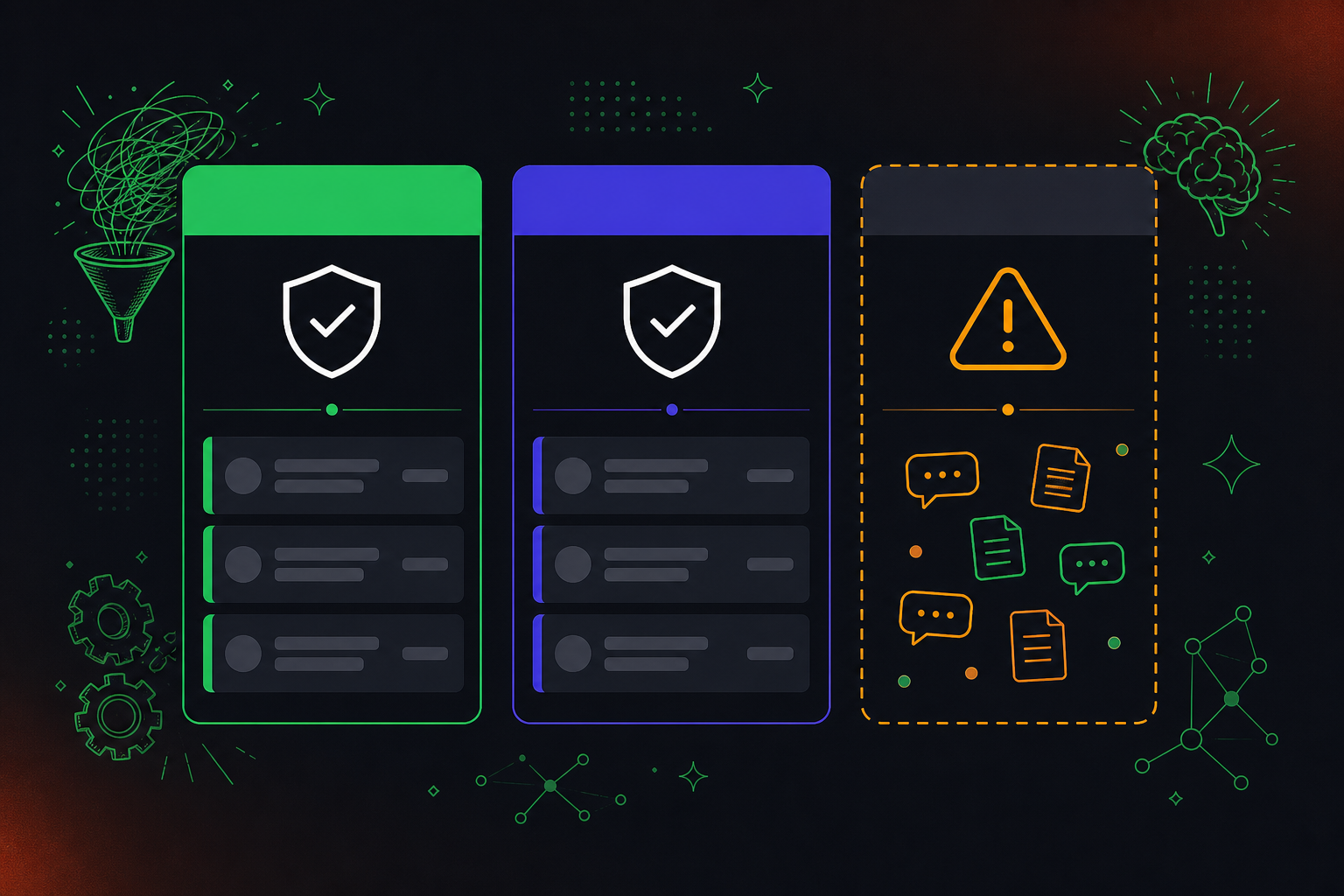
The result is an organization that cannot answer basic questions from its own meeting history: what was decided in Q3 planning, who owns that commitment, or what blockers were raised before the project stalled. That information existed. It just was never captured somewhere the organization could use it.
Key Characteristics of a System of Record for Meetings
A true system of record for meetings goes beyond storage. It governs how conversation data is captured, structured, and made retrievable across the organization.
What separates governance from simple storage
Most teams already have transcripts sitting somewhere. The gap is that those transcripts are ungoverned: no consistent structure, no enforced retention policy, no path from a recorded decision to the system that needs to act on it.
A genuine system of record has four defining characteristics:
- Automated meeting minutes and record-by-default capture across every meeting type, so nothing falls through the cracks because someone forgot to hit record or share a file afterward.
- Structured output that converts raw conversation into decisions, action items from meeting transcripts with named owners, and context that downstream tools can actually consume.
- Policy-based retention and access controls configurable per data type, so legal, compliance, and IT have answers when they ask what you’re keeping and for how long.
- Cross-functional retrievability, meaning any authorized person or agent can query the full history of what was decided, beyond only the meetings they personally attended.
Storage answers “where did we put it?” Governance answers “who can access it, how long do we keep it, what shape is it in, and what can act on it?”
System of Record vs. Related Data Concepts
Three terms tend to get lumped together in enterprise data discussions, and each one is distinct from the others.
Concept | What it is | How it relates to a system of record |
|---|---|---|
Single source of truth | An outcome, not a system. Multiple systems of record contribute to it. | The system of record is one input. The single source of truth is what you get when all those systems are governed and queryable together. |
Data warehouse | An analytical layer that aggregates records from systems of record for reporting and querying. | Downstream of the system of record. You analyze from it; you do not write authoritative records into it. |
Master data management | Governs persistent shared entities: customers, products, employees, locations. | MDM governs what things are. A system of record for meetings governs what happened, time-bound conversational events that are not entities at all. |
Conversation data fits the system of record model precisely because it is transactional and event-bound. Each meeting is a discrete record: something was decided, someone owns it, and that fact needs to be governed from the moment it is produced.
The Real Cost of Unstructured Meeting Data
Every meeting generates data. Decisions get made, blockers surface, context moves, and almost none of it lands in the systems your teams actually work from.
The gap between what gets said and what gets recorded in a structured, retrievable way is where organizational knowledge goes to disappear. A product decision made on a Tuesday call is absent from Jira by Wednesday. A customer objection raised in a sales call never reaches the roadmap. An engineering constraint discussed in planning stays locked in someone’s notes app.
This is the real cost: beyond lost notes, it means broken continuity across teams, tools, and time.
Governance, Compliance, and Security Requirements
Any enterprise deployment of a conversation data system must clear three interrelated requirements before it can be trusted as an organizational record: data governance, regulatory compliance, and security controls.
Data Governance
Governance starts with who can see what. A system of record for meetings needs role-based access controls that go beyond “admin” and “member,” configurable retention per data type (transcript, summary, video), and audit logs that capture every access event. Without these, you have storage, not enterprise data governance.
Regulatory Compliance
Compliance requirements vary by industry. Healthcare organizations need HIPAA coverage and a signed BAA. Companies with EU employees or customers need GDPR-aligned data handling. Security-conscious buyers expect SOC 2 Type II certification as a baseline. Any conversation data system that gates these behind an enterprise tier needs a careful review against your actual compliance requirements before you commit.
Security Controls
On the security side, the questions worth asking before deployment are whether customer data is used to train AI models, whether there is zero data retention with LLM providers, and whether PII redaction operates at the transcript level. Recording consent handling also matters at scale: the bot should always be visible, consent notifications should be configurable at the org level, and pause and resume controls should be available to participants.
These requirements do not change based on company size. A 40-person company storing conversation data centrally faces the same audit exposure as a 4,000-person company if controls are missing.
Implementing a System of Record for Conversation Data
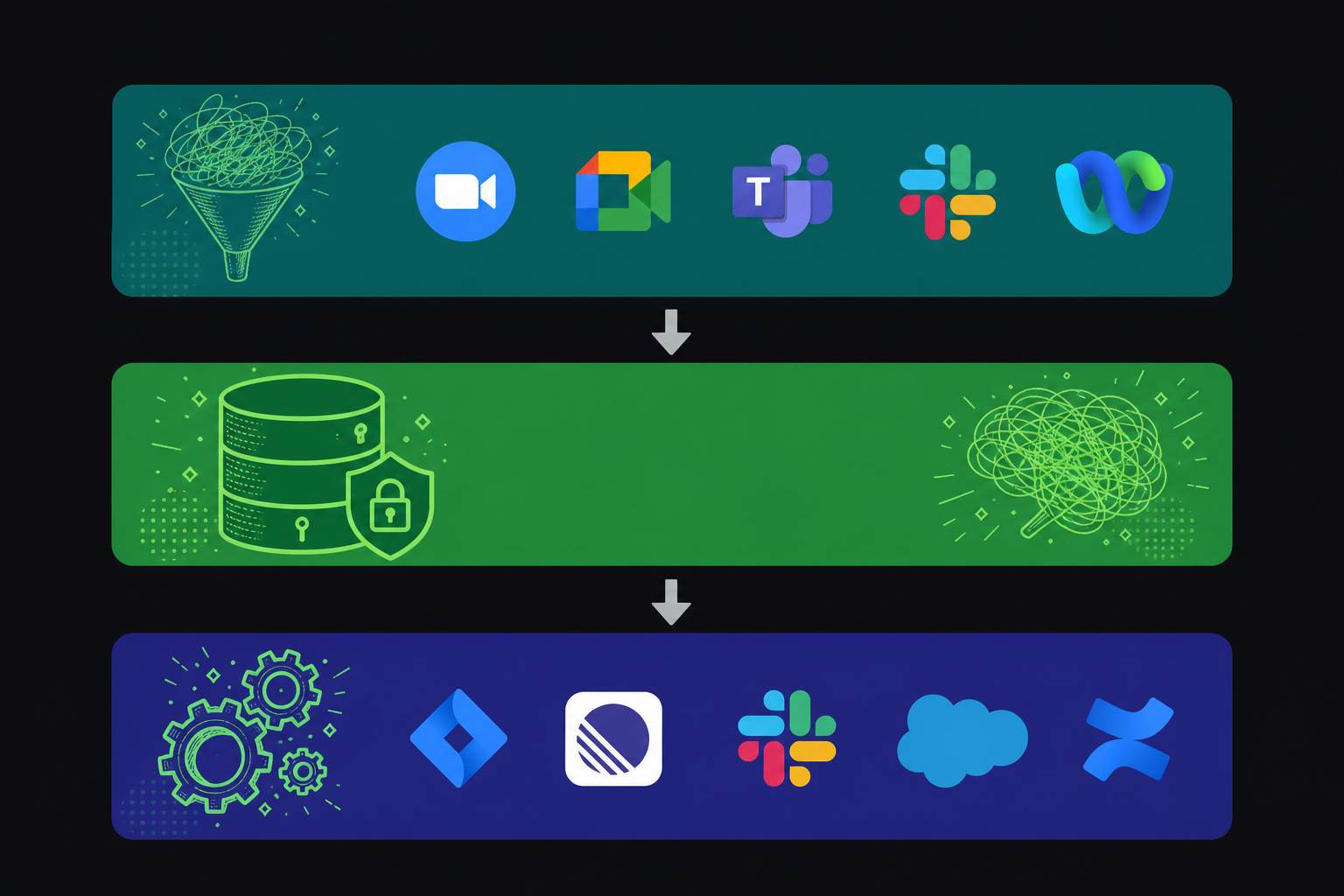
Conversation data governance starts with three building blocks: a capture layer, a storage layer, and a routing layer. The capture layer joins every meeting by default. The storage layer holds transcripts, summaries, and decisions in one searchable repository. The routing layer pushes structured outputs, such as action items, decisions, and ticket drafts, into the tools your teams already use.
Start with record-by-default policy before touching any tech. Without it, the system only captures what individuals opt into, which recreates the fragmentation you’re trying to fix.
- Capture layer: deploy an AI meeting assistant that joins Zoom, Google Meet, Microsoft Teams, Slack Huddles, and Webex across every department, beyond only engineering.
- Storage layer: centralize outputs in a governed repository with configurable retention per data type, audit logging, and role-based access.
- Routing layer: connect structured outputs to Jira, Linear, Slack, or CRM so decisions reach the systems and agents that need them automatically.
Why Individual Note Takers Fail as Organizational Systems of Record
When a single employee downloads a note-taking app, the risk is low. When five hundred employees each pick their own tool, the organization ends up with five hundred disconnected data silos, no shared access controls, no retention policy, and no way to query what was decided across teams.
Otter and Fireflies are built for exactly that individual use case, and they do it well. The structural problem is that they were never designed for an organization’s governance needs: deployed at scale, they generate shadow IT at the conversation layer with no enforced policy, no shared access controls, and no single queryable record.
What breaks at scale
- Uncontrolled sharing means meeting data travels wherever individuals choose to send it, with no audit trail and no admin visibility into what left the org.
- Inconsistent capture means some meetings get recorded, others don’t, and there’s no record-by-default policy an IT or compliance team can actually enforce.
- Fragmented retrieval means a VP of Product can’t query what Engineering decided last quarter, because that data lives in twelve different personal accounts across three different tools.
- No policy layer means retention, deletion, and access rules vary by individual preference instead of company policy.
The result is shadow IT at the conversation layer. Your most consequential decisions, the ones that happen in planning calls, customer meetings, and leadership reviews, are stored in tools your security team has never reviewed and your agents can never reach.
A true system of record for meetings requires record-by-default capture across the organization, a governed data asset that any authorized person or downstream system can query, and retention controls that comply with how your legal and security teams actually operate.
Connecting Conversation Data to Downstream Systems
The value of a system of record compounds only when its structured outputs flow into the systems that run the business.
The distinction worth drawing is between middleware re-keying and native integration. Re-keying means a human or script copies data between tools, introducing delay and breakage points that grow with meeting volume. Native integration routes structured outputs directly: a decision becomes a Jira or Linear ticket with a named owner, a sales commitment updates Salesforce via a Google Meet HubSpot integration, a planning session can sync Google Meet notes to Confluence automatically, with no manual hand-off in between.
For AI agents, the connection point is MCP. Understanding how MCP servers work with meeting transcripts clarifies how Claude or ChatGPT can query the full organizational conversation corpus with user-based permission enforcement, without requiring a custom API build from scratch. Enterprise API and webhooks extend this for teams with custom pipelines or their own storage requirements. That queryable corpus is what makes conversation data a genuine input to enterprise AI, instead of a folder of files no agent can reach.
Building the System of Record for Conversation Data
Spinach AI joins every meeting across Zoom, Google Meet, Microsoft Teams, Slack Huddles, and Webex, captures decisions and action items with named owners during the call, and routes structured output into your tools when the meeting ends. Every conversation becomes a governed record in a single, searchable data asset instead of a disconnected file in someone’s personal notes app.
What Gets Captured and Where It Goes
- Spinach captures video, audio, transcript, screen share, and in-meeting chat, giving the organization a complete record instead of a partial text log.
- Decisions, action items, and owners are extracted and routed directly into the tools where work happens, such as Jira, Linear, Asana, Salesforce, HubSpot, Slack, or Confluence, without re-keying by hand. Teams that want to convert meeting transcripts to Jira tickets automatically can do so; the same routing logic applies to CRM updates, Slack recaps, and knowledge-base entries.
- Collections group meetings by team, project, or topic, making conversation history retrievable by any authorized person across the organization instead of trapped in individual inboxes.
Governance Built In
- Admins get a dashboard with audit logging and usage reporting, so the organization controls who sees what across every meeting type.
- Retention is configurable per data type, transcript, summary, and video, from one week to indefinite on Enterprise, and one year flat on Business.
- PII redaction operates at the transcript level, a material differentiator for legal, HR, and compliance-bound teams handling sensitive conversations.
Spinach is SOC 2 Type II compliant, GDPR compliant, and HIPAA compliant, with BAA available on Enterprise engagements. No customer data trains AI models, and zero data retention applies with LLM providers.
Final Thoughts on Turning Meeting Data Into a Governed Organizational Asset
The structural problem with how most organizations handle meeting data is simple: the tools were built for individuals, and the governance requirements belong to the organization. Your security team can’t audit twelve personal note apps, your agents can’t query them, and your compliance team can’t enforce retention on them. When you treat conversation data with the same rigor you give to customer or financial data, your meeting history stops being a liability and starts being something your teams and agents can actually build on. Get started with Spinach AI to bring that governance layer to every meeting across your organization.
Otter and Fireflies work well for individuals capturing their own meeting notes. As individual note takers, though, they are built for one person’s workflow. Deployed across 500 employees, you get 500 disconnected data silos with no shared access controls, no enforced retention policy, and no way to query what was decided across teams. Spinach AI is deployed company-wide as a single governed data asset, with policy-based access controls, configurable retention per data type, and a retrieval layer that any authorized person or downstream agent can query. The structural gap is shadow IT at the conversation layer versus an organizational system of record.
Start with a record-by-default policy before touching any technology. Without it, the system only captures what individuals opt into, which rebuilds the fragmentation you’re trying to fix. Then layer in three components: a capture layer that joins Zoom, Google Meet, Microsoft Teams, Slack Huddles, and Webex across every department by default; a governed storage layer with configurable retention per data type and audit logging; and a routing layer that pushes decisions and action items directly into Jira, Linear, Slack, or your CRM without manual hand-off. All three components have to be in place before conversation data qualifies as governed instead of merely stored.
Any enterprise deployment needs to clear three questions before you commit: whether customer data is used to train AI models (it should not be, with zero data retention terms at the LLM provider level), whether PII redaction operates at the transcript level instead of just on summaries, and whether retention is configurable per data type so legal and IT can set different policies for transcript, summary, and video. Recording consent handling also matters. The bot should always be visible, notification text should be configurable at the org level, and pause and resume controls should be available mid-meeting. SOC 2 Type II and GDPR are the baseline certifications to verify against your industry’s actual requirements before you sign anything. HIPAA compliance and BAA are available on Enterprise engagements only.
Teams Copilot delivers individual productivity features (as of August 2026) such as notes, action items, and summaries, and does that well, but its architecture is not an organizational system of record. To query all of your organization’s conversation data with Claude or ChatGPT on a native Teams stack, you either build a centralization layer on their API or ask every employee to share every meeting by hand. Spinach AI sits as a cross-platform layer across Zoom, Google Meet, Teams, Slack Huddles, and Webex, capturing video, audio, transcript, screen share, and in-meeting chat into one governed, queryable data asset with policy-based sharing, not per-meeting manual sharing.
A system of record for meetings is the authoritative source for a specific data type, conversational events, while a data warehouse is an analytical layer downstream of it, built for reporting and querying aggregated records, not for writing authoritative records into. A single source of truth is an outcome, not a system: it describes what you get when multiple systems of record are governed and queryable together. Conversation data fits the system of record model because each meeting is a discrete, time-bound event. Something was decided, someone owns it, and that fact needs governance from the moment it is produced, not after it has been aggregated somewhere else.
Conversation data is transactional and event-bound — each meeting is a discrete record where something was decided, someone made a commitment, and context moved. Unlike customer records in a CRM or financial records in an ERP, those conversational events have no authoritative owner in most enterprises, so they evaporate rather than becoming queryable organizational knowledge. Treating each meeting as a governed record from the moment it is produced is what closes that gap.
Compliance agents monitor conversation data against a customer-supplied rule set, then classify and flag regulatory and policy risk for a person to review. They surface the risk — they do not automatically remediate, delete, or modify records. This is an Enterprise-tier capability in Spinach AI.
Yes — Spinach AI’s MCP server (included on Business and Enterprise plans) gives Claude and ChatGPT access to your organization’s full conversation corpus with OAuth, admin approval, and user-based permission enforcement, so queries respect the same access controls as the underlying records. This works without a custom API build; the API and webhooks on Enterprise extend it further for teams with custom pipelines or their own storage requirements.
Record-by-default is an organizational policy that every meeting is captured automatically, without relying on individuals to opt in. It matters more than the technology because any system that depends on individuals opting in recreates the same fragmentation you are trying to fix — some meetings get captured, others do not, and the gaps fall exactly where you cannot predict them.
The meeting bot should always be visible and never covert, with org-level controls for renaming and rebranding the bot, setting a custom legal-approved in-meeting notification message, and admitting the bot from the waiting room only after verbal consent. Pause, resume, and kick commands should be available mid-meeting so participants retain control. For external participants whose organizations prohibit recording, the bot can be excluded on a per-meeting basis.
The most common pattern is keeping Gong for customer-facing sales meetings — where its sales-coaching and revenue-workflow depth is genuinely differentiated — and deploying Spinach everywhere else, then feeding both into one queryable company record. Spinach is not at feature parity with Gong for the specific sales-coaching use case, so the honest answer is consolidation over time rather than immediate displacement.
PII redaction in Spinach operates at the transcript level, targeting structured identifiers such as payment card and national ID numbers within the text. This is distinct from excising an audio or video segment from within a recording, which is not available. For legal, HR, and compliance teams handling sensitive conversations, transcript-level redaction covers the majority of regulated-data exposure without requiring video editing.
Collections are rule-based automated groupings that organize and share meetings by participant, title, series, or other criteria — so a product team’s sprint reviews or a sales team’s customer syncs are automatically routed into a shared, governed record without anyone manually forwarding files. Any authorized person across the organization can retrieve that history, not just the individuals who attended each meeting.
On Enterprise, each data type — transcript, summary, and video — can be set separately anywhere from one week to indefinite, which matters because legal, HR, and compliance teams often need different retention windows for the same meeting. On Business, retention is flat one year across all types. This per-data-type configurability is what lets organizations satisfy aggressive EU deletion requirements for some employee groups while retaining full video records for others.
Deploy a conversation intelligence system that captures decisions and action items with named owners during the meeting and routes structured outputs directly into Jira or Linear at meeting end — no middleware copy-paste, no post-meeting re-keying. Spinach AI does this natively: when a discussion maps to an existing ticket, it links it; when the discussion covers newly scoped work, it proposes a new ticket with full context already attached.
What to do next
You made it to the end of this article! Here are some things you can do now:
- You should check out our library of meeting agenda templates for every type of meeting.
- You should try Spinach to see how it can help you run a high performing org.
- If you found this article helpful, please share it with others on Linkedin or X (Twitter)

