Spinach vs Otter for Custom Integrations (September 2026)
Spinach routes action items into Jira and Salesforce natively. Otter retrieves only. Full API comparison, September 2026.
 Maintouch
Most meeting tools treat integration as a feature. Otter’s API lets you fetch transcripts, and for read-only use cases that works fine. But if your org needs meeting data flowing into downstream systems without a custom connector in the middle, the design of the tool matters more than the feature list. This comparison covers where Otter’s retrieval model stops and where Spinach AI’s governed data layer picks up.
TLDR:
- Otter’s API exposes one retrieval endpoint for transcripts and summaries; it has no MCP connectivity and no write-path to downstream systems.
- Per-user deployments fragment your org’s conversation data by inbox, leaving IT with no visibility and compliance with nothing to audit.
- Otter covers six languages; gaps in unsupported languages break structured extraction in API and integration pipelines.
- MCP lets Claude or ChatGPT query your org’s meeting corpus directly, with permissions enforced at the data layer, skipping custom connector builds.
- Spinach AI captures conversations across Zoom, Meet, Teams, Slack Huddles, and Webex, routes structured outputs into Jira, Linear, Salesforce, and Confluence, and ships a native MCP server on Business and Enterprise plans.
What Otter.ai Does and Where It Excels
Otter.ai is a real-time transcription tool that produces searchable transcripts and AI summaries, built primarily for individual users. It joins Zoom, Google Meet, and Microsoft Teams meetings, captures audio, identifies speakers, and produces a searchable transcript alongside an AI-generated summary. For someone running back-to-back calls who needs a fast record of what was said, it works well.
The live transcript is Otter’s standout feature. Words appear on screen as they’re spoken, which is useful for accessibility, note-checking mid-call, and post-meeting search. Its keyword and speaker search across meeting archives is genuinely good, and the CRM sync with Salesforce and HubSpot adds value for sales teams logging customer conversations. For a full breakdown, see Otter AI pricing and features.
According to a 2026 review by Sonix, Otter transcribes in six languages: English, Spanish, French, German, Japanese, and Chinese. For English-dominant teams running straightforward calls, accuracy is high in optimal audio.
Does Otter.ai Have an API?
Otter does offer an API, but its scope is narrow. Available to Enterprise customers, it exposes a single REST endpoint that lets developers programmatically retrieve transcripts, speaker-identified conversation segments, and AI-generated summaries. Authentication runs on bearer tokens, and webhook support lets you receive processed output without polling.
That’s a functional retrieval surface. Where it stops is the meaningful part: Otter publishes one API, scoped to pulling meeting content out, not routing it onward into agents, pipelines, or downstream systems. Teams looking for more should review Otter.ai alternatives for accurate meeting notes. There’s no broader data layer, no MCP connectivity, and no write-path for structured outputs like tickets or CRM records.
What Otter’s Integration Ecosystem Covers
Otter’s native integrations cover the core stack most teams already use: Zoom, Google Meet, and Microsoft Teams on the meeting side, with post-meeting output syncing to Salesforce and HubSpot as contact notes and sharing to Slack.
That covers the main loop: capture, summarize, log to CRM, notify the team. For a salesperson who wants Google Meet notes synced to HubSpot without manual entry, those connections hold up.
The ecosystem gets thin past retrieval. There’s no native project management integration for filing tickets, no knowledge base export to Confluence or Notion, and no automation layer beyond what you’d wire through a third-party connector yourself. Teams typically bridge this via Zapier, which Otter supports, but that adds a connector layer your team must configure and maintain.
The Organizational Deployment Gap
Per-user meeting tools create an organizational data problem that only becomes visible at deployment scale. When each employee runs their own Otter account, the meeting record lives in that person’s inbox. A decision made in Tuesday’s architecture review is searchable by the engineer who was in the room and invisible to everyone who wasn’t.
That fragmentation compounds quickly as different teams adopt different AI meeting notes tools. IT has no central visibility into what’s being recorded, who’s sharing what, or whether sensitive conversations are leaving through unmanaged exports. Compliance can’t audit what it can’t see.
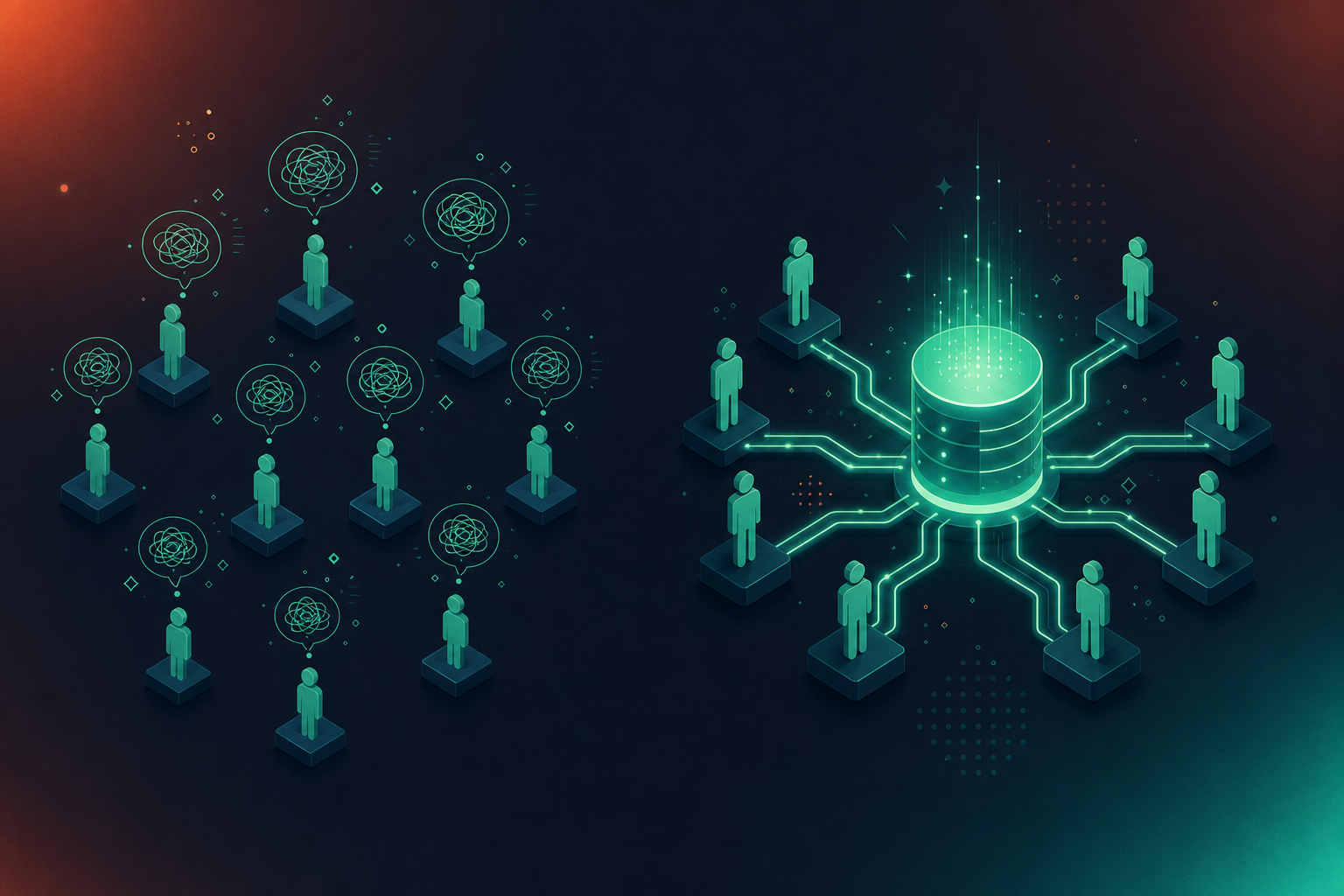
Spinach AI is deployed once, company-wide, with enforced policy from a single admin dashboard. Every meeting flows into one governed corpus, with sharing scope set at the org level and retention configured per data type.
Language Support and Transcription Model Design
Otter’s six-language ceiling is manageable for English-dominant teams, but becomes a coverage gap the moment your pipeline needs to process meetings in Hebrew, Korean, or Portuguese. In API and integration contexts, that gap compounds: meetings in unsupported languages either get skipped or produce output unreliable enough to break structured extraction downstream.
Spinach uses a transcription-model agnostic design, applying the most accurate model available for each language across a wide range of supported languages. For enterprise buyers building meeting data infrastructure across global teams, that architecture difference is practical. Non-English accuracy is a repeated reason organizations switch, particularly in multilingual environments where a single locked model produces compounding errors on technical jargon.
How MCP Changes the Meeting Data Equation
MCP server connectivity for meeting transcripts is an open standard that gives AI agents a consistent way to locate and query external data sources, replacing the bespoke connector you’d otherwise build for every AI-to-system pairing. As one 2026 enterprise iPaaS comparison puts it, MCP “provides a consistent way for AI agents to locate, authenticate against and invoke external business tools and data sources, replacing bespoke API integrations with a governed, interoperable interface layer.”
For meeting data, that distinction matters. Without MCP, querying your organization’s conversation history from Claude or ChatGPT means building a custom connector, managing auth separately, and maintaining the whole thing as the AI client evolves. With a native MCP server, the AI agent queries the meeting corpus directly, with permissions enforced at the data layer.
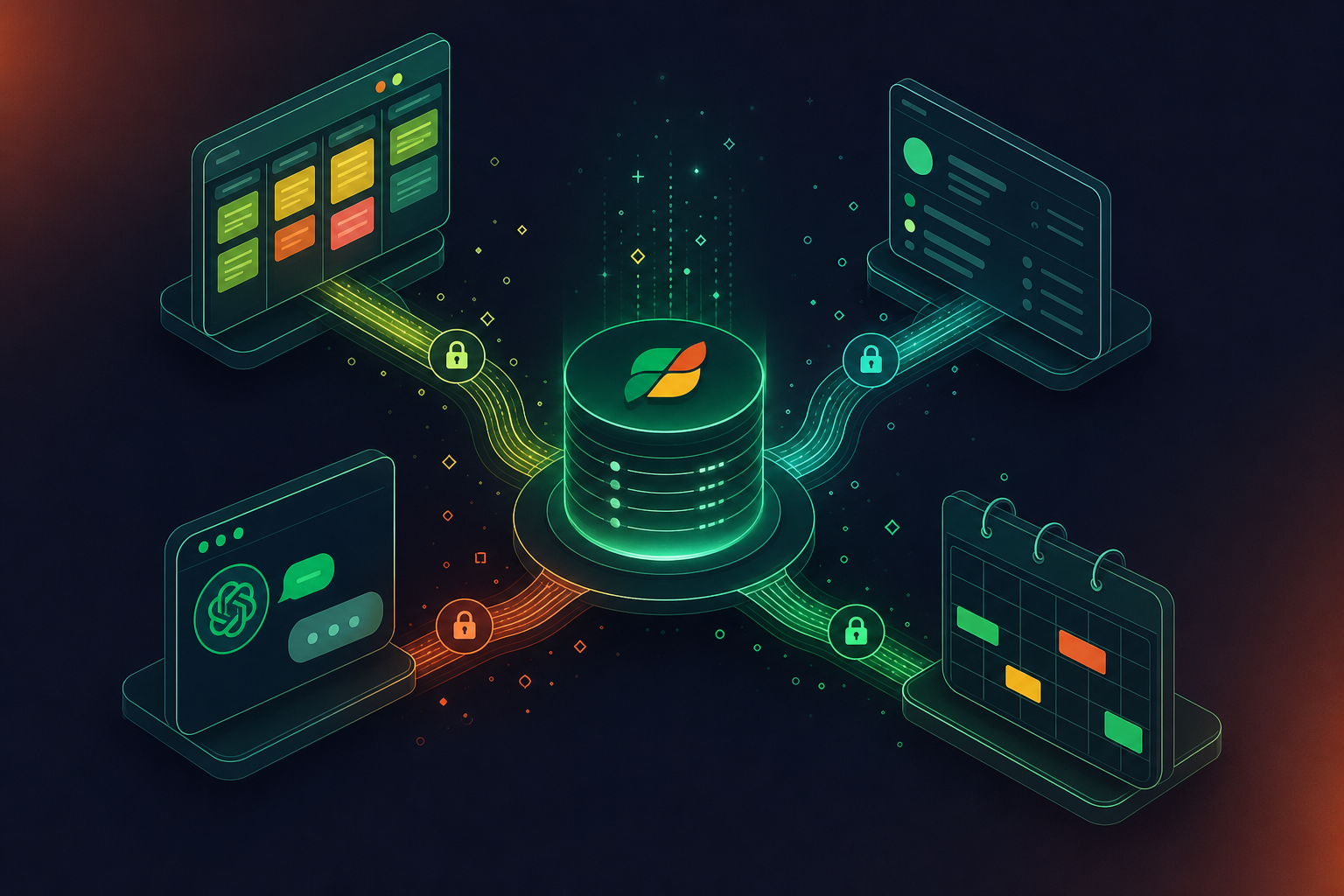
Spinach AI ships a native MCP server on Business and Enterprise plans, with OAuth, admin approval controls, and user-based permission enforcement. A founder can query every team’s meeting history from Claude while an IC sees only their own, with no custom access logic to maintain.
API Architecture: Retrieval vs. Routing
Otter’s API closes the loop at retrieval. You request a transcript or summary, you receive it, and the next step is yours to build.
That works for read-only use cases like archiving or search indexing. Anything beyond pulling content out requires custom work: routing action items into Jira, writing structured outputs to a CRM field, or feeding decisions into a workflow agent. Each of those needs a connector your team builds and maintains.
Spinach’s API and webhooks (Enterprise) operate on a routing model. Structured outputs move into downstream systems without a manual handoff. The meeting ends and the data is already where it belongs.
Capability | Otter API | Spinach API / Webhooks |
|---|---|---|
Retrieve transcripts | Yes | Yes |
Retrieve AI summaries | Yes | Yes |
Route action items to Jira/Linear | No | Yes |
Write to CRM fields | No | Yes |
MCP connectivity | No | Yes (Business+) |
Permission-scoped org access | No | Yes |
The decision is whether you want a retrieval endpoint or a governed data layer that routes outputs into the tools where work already happens.
Enterprise Security, Compliance, and Data Governance
Otter holds SOC 2 Type II certification and is GDPR compliant. HIPAA compliance and BAA availability are not documented in Otter’s public materials for API and Enterprise tiers, which is a hard blocker for healthcare and financial services procurement. For a full overview of enterprise meeting recording security and compliance, the requirements go deeper than certifications alone.
Spinach AI is SOC 2 Type II, GDPR, and HIPAA compliant, with a BAA available on Enterprise engagements. Customer data is never used to train AI models, and Spinach operates under zero data retention terms with its LLM providers. Enterprise retention is configurable per data type: transcript, summary, and video can each be set separately, from one week to indefinite.
Two controls that surface repeatedly in security reviews:
- Spinach does not use voice biometrics and does not store biometric identifiers. Speaker identification is context-based, which keeps you clear of state-level biometric privacy statutes without requiring a policy carve-out.
- PII redaction is available at the transcript level, covering structured identifiers such as payment card and national ID numbers. The bot is always visible, never covert, and organizations can rename it, set a custom in-meeting notification message, and require waiting-room admission after verbal consent.
For procurement and legal teams, the audit surface matters as much as the certifications. Spinach publishes a trust center at trust.spinach.ai, a subprocessor list, DPA, and access control policies. Buyers completing a security review before contract signature will find that documentation more complete on the Spinach side.
Pricing and Total Cost at Scale
Otter’s sticker price runs $8.33/user/month billed annually, or $16.99 month-to-month. At five users, that’s manageable. At 200, it’s a real line item, and buyers comparing per-user retrieval tools should also see Spinach AI vs Fireflies.ai for a parallel cost and architecture comparison. The API access that makes Otter useful for custom pipelines sits behind a separate Enterprise contract.
Spinach’s Business plan runs $19/user/month billed annually and includes MCP connectivity. API and webhooks are Enterprise, with custom pricing. The structural difference is what each tier unlocks: Otter’s retrieval API requires Enterprise negotiation, while Spinach’s MCP server, which lets Claude or ChatGPT query your org’s meeting corpus with enforced permissions, is available at Business.
For org-wide deployments, map which capability sits behind which contract tier before comparing per-seat numbers.
API Access, MCP Connectivity, and Extensibility in Spinach AI
Spinach AI is an enterprise conversation intelligence platform. It serves as the system of record for conversation data, deployed company-wide to capture every conversation across Zoom, Google Meet, Microsoft Teams, Slack Huddles, and Webex, centralize it in a single governed corpus, and route structured outputs into the tools where work actually happens. The extensibility stack has three layers working in sequence.
The MCP server, available on Business and Enterprise, gives Claude and ChatGPT governed access to an organization-wide meeting corpus. OAuth, admin approval, and user-based permission enforcement are built in. A founder queries every team’s history; an IC sees only their own. No custom access logic to maintain.
API and webhooks at the Enterprise tier handle custom export pipelines for teams building their own data infrastructure. Native integrations cover the rest without middleware: action items with named owners land in Jira or Linear, CRM records update in Salesforce and HubSpot, and summaries export to Confluence and Notion automatically when the meeting ends.
Otter’s single retrieval endpoint gives you content on request. Spinach’s architecture captures every conversation, centralizes it in one governed conversation data system of record, manages access and retention by policy, and powers downstream systems and agents with structured outputs, capturing during the meeting, delivering at meeting end, and routing automatically into your tools. That is the gap between a per-user retrieval tool and an org-wide deployment.
Final Thoughts on Otter as an API Alternative for Enterprise Meeting Intelligence
Otter is a solid choice for individuals who want a searchable transcript and basic CRM logging without much setup. The case for Spinach comes down to what happens after retrieval: routing structured outputs into Jira and Salesforce automatically, querying your full meeting corpus from Claude with enforced permissions, and covering a global team across 100 languages. Get Spinach AI set up and see how that compares to what you’re running today.
Spinach AI is built for company-wide deployment where Otter is built for individual users. When every employee runs their own Otter account, meeting records stay in individual inboxes with no central visibility, no org-level policy, and no governed data asset. Spinach deploys once across the organization with enforced sharing scope, configurable retention per data type, and a single corpus that IT and compliance can actually audit.
No. Otter’s API exposes a single REST endpoint scoped to retrieving transcripts and summaries; it has no write-path for structured outputs like Jira tickets or CRM records. Spinach’s API and webhooks (Enterprise) operate on a routing model, so action items with named owners land in Jira or Linear and CRM records update in Salesforce or HubSpot when the meeting ends, without a manual handoff your team builds and maintains.
Spinach ships a native MCP server on Business and Enterprise plans with OAuth, admin approval, and user-based permission enforcement built in: a founder can query every team’s meeting history from Claude or ChatGPT while an individual contributor sees only their own, with no custom access logic to maintain. Otter has no MCP connectivity, so querying your meeting corpus from an AI agent means building and maintaining a bespoke connector yourself.
Otter holds SOC 2 Type II and GDPR certifications; HIPAA compliance and BAA availability are not documented in Otter’s public materials, which is a hard blocker for healthcare and financial services procurement. Spinach is SOC 2 Type II, GDPR, and HIPAA compliant with a BAA available on Enterprise engagements, does not use voice biometrics, offers PII redaction at the transcript level, and publishes a full trust center at trust.spinach.ai including a subprocessor list, DPA, and access control policies.
The governing question is whether the tool produces a per-user inbox or a governed organizational record. Individual note takers like Otter create shadow IT and fragmented data the moment different teams adopt different tools, leaving IT with no central visibility and compliance unable to audit what it can’t see. Spinach deploys company-wide with SAML SSO, SCIM provisioning, org-enforced settings, compliance agents that classify and flag regulatory risk, and an MCP server that gives Claude and ChatGPT governed access to the full conversation corpus with permission enforcement at the data layer.
No. Otter has no MCP connectivity, so giving an AI agent access to your meeting corpus means building and maintaining a bespoke connector yourself. Spinach ships a native MCP server on Business and Enterprise plans with OAuth and user-based permission enforcement built in, so Claude or ChatGPT can query your org’s full meeting history without custom integration work.
Each employee’s meeting record stays in their personal inbox, giving IT no central visibility into what is being recorded or shared, and leaving compliance with nothing it can audit. Spinach deploys once, company-wide, with org-enforced sharing scope, configurable retention per data type, and a single governed corpus that security and compliance teams can actually inspect.
Yes. Where Otter’s API closes the loop at retrieval, Spinach’s API and webhooks (Enterprise) operate on a routing model: action items with named owners land in Jira or Linear and CRM records update in Salesforce or HubSpot when the meeting ends, without a manual handoff your team builds and maintains.
Otter covers six languages, so meetings in unsupported languages either get skipped or produce output unreliable enough to break structured extraction downstream. Spinach uses a transcription-model agnostic design across 100 supported languages, applying the most accurate available model per language — non-English accuracy is a repeated reason organizations switch.
MCP is an open standard that gives AI agents a consistent way to locate and query external data sources, replacing the bespoke connector you would otherwise build for every AI-to-system pairing. Spinach’s native MCP server means a founder can query every team’s meeting history from Claude while an individual contributor sees only their own, with permissions enforced at the data layer and no custom access logic to maintain.
Self-hosting a meeting intelligence pipeline adds infrastructure ownership, model maintenance, and security certification work that most enterprise teams are not staffed to sustain. Spinach is a managed, SOC 2 Type II, GDPR, and HIPAA compliant service hosted on AWS, with SAML SSO, SCIM, and granular retention controls built in — the security review and legal requirements that typically block enterprise procurement are already handled.
A retrieval API, like Otter’s, lets you pull a transcript or summary on request — what you do with it next is yours to build. A routing architecture moves structured outputs automatically into downstream systems the moment the meeting ends, so action items land in Jira, CRM fields update in Salesforce, and decisions export to Confluence without a manual handoff or custom connector your team maintains.
The Spinach bot is always visible and never covert. Organizations can rename and rebrand it, set a custom legal-approved in-meeting notification message, use pause, resume, and kick commands mid-meeting, and require waiting-room admission only after verbal consent — all configurable at the org level from a single admin dashboard.
MCP is included on Business ($19 per user per month billed annually) and Enterprise. The Enterprise tier adds API and webhooks for custom export pipelines, SAML SSO and SCIM provisioning, org-enforced settings and branding, compliance agents that classify and flag regulatory risk, and granular custom retention per data type — transcript, summary, and video can each be set separately from one week to indefinite.
Extensibility in Spinach works across three layers in sequence: the MCP server gives Claude and ChatGPT governed access to an org-wide meeting corpus with enforced permissions; the API and webhooks handle custom export pipelines for teams building their own data infrastructure; and native integrations route structured outputs into Jira, Linear, Salesforce, HubSpot, Confluence, and Notion without middleware. Per-user tools like Otter expose a single retrieval endpoint and leave every downstream connection for your team to build.
What you should do next
Next, here are some things you can do now that you've read this article:
- Our library of meeting agenda templates is designed to help you run more effective meetings.
- You should try Spinach to see how it can help you run a high performing org.
- If you found this article helpful, please share it with others on Linkedin or X (Twitter)

