Spinach AI vs Gong: Conversation Intelligence Compared (Aug 2026)
Gong excels at sales call intelligence and CRM hygiene. Spinach AI spans every team and meeting type. Compare both tools side by side for August 2026.
 Maintouch
Your sales team’s calls are captured, transcribed, and routed into Salesforce. Meanwhile, the engineering meeting where someone committed to a scope change, the leadership sync where a priority shifted: that context just evaporates. This post breaks down why Gong and tools like Spinach AI are solving fundamentally different problems, and how to figure out which one your org actually needs.
TLDR:
- Gong captures customer-facing sales calls and routes data to CRM; its scope ends at the sales org boundary.
- Less than 30% of enterprise conversation data gets captured, per AssemblyAI’s 2026 research; the rest disappears when meetings end.
- Sales-only and org-wide conversation intelligence are different architectures, not the same product at different price points.
- Gong’s per-seat costs reportedly run $1,300 to $1,600 per user per year plus a platform fee, per Leadhaste’s 2026 review.
- Spinach AI captures every conversation across the org and routes structured outputs to Jira, Salesforce, Confluence, and more, with Business plans at $19 per user per month billed annually.
What Gong Does and Where It Excels
Gong is built for revenue teams, and it does that job well. It records and transcribes customer-facing sales calls, then applies AI analysis to surface deal health signals, flag risk in open opportunities, and identify patterns in rep behavior that managers can coach against. If your primary question is “why did we lose that deal?” or “which reps are using the right talk track?”, Gong was designed to answer exactly that.
The CRM integration is a genuine strength. Gong pushes structured data into Salesforce and HubSpot automatically, reducing the manual field updates that sales reps historically skip. Pipeline forecasting, call scorecards, and rep-level coaching dashboards round out a product that has become the default choice for mature sales organizations.
For customer-facing revenue workflows, Gong is a serious tool with deep functionality. That scope is also its boundary.
How Enterprise Conversation Intelligence Works
Conversation intelligence starts with capture: audio and video from meetings get transcribed, then AI analysis runs across that transcript to extract meaning. The output is structured data, not a raw recording. Topics, decisions, action items, sentiment signals, and named owners get pulled from unstructured speech and routed into the tools that act on them.
At the enterprise level, that process runs across every conversation in the organization: sales calls, engineering reviews, executive syncs, and more. The data feeds CRM records, project tickets, compliance reviews, and AI queries. The distinction between call recording and enterprise conversation intelligence is what happens after the transcript: governance, retrieval, and routing at scale.
Gong’s Architecture: Built for Revenue Teams
Gong’s product choices reflect a deliberate bet on depth over breadth. The system ingests customer-facing calls, emails, and web conferencing activity, then runs AI analysis calibrated to revenue signals: talk ratios, competitor mentions, objection patterns, deal risk scores. Every feature traces back to one question: what helps a sales team close more revenue?
That focus shows up in the analytics layer. Gong’s dashboards are built around pipeline stages, not org-wide conversation patterns. Managers get rep-level coaching scorecards. Forecasting models weight deal progression signals pulled from call data. The CRM sync is designed to update opportunity records, not route decisions to engineering or flag compliance risk for legal.
This is purposeful architecture, not an oversight. Revenue teams get a tool tuned to their exact workflow. The tradeoff is that Gong’s scope ends at the sales org boundary.
The Conversation Data Blind Spot Beyond Sales
Less than 30% of enterprise conversation data gets captured and analyzed, according to AssemblyAI’s 2026 conversation intelligence research. The other 70%, including engineering standups, product reviews, executive syncs, HR interviews, and customer success calls, disappears when the meeting ends.
Gong’s capture pipeline is calibrated to revenue signals, so conversations outside the sales org fall outside its scope by design. A product review where engineering commits to a scope change, a leadership sync where a strategic priority moves, a compliance interview where a policy gets reinterpreted: none of that gets structured, governed, or made queryable.
For organizations building AI-ready infrastructure, that gap compounds. Agents and LLMs querying company knowledge can only work with what’s been captured and structured. If the only governed conversation data comes from sales calls, the company brain is built on a fraction of the actual decision record.
Horizontal Conversation Data vs. Sales-Only Intelligence
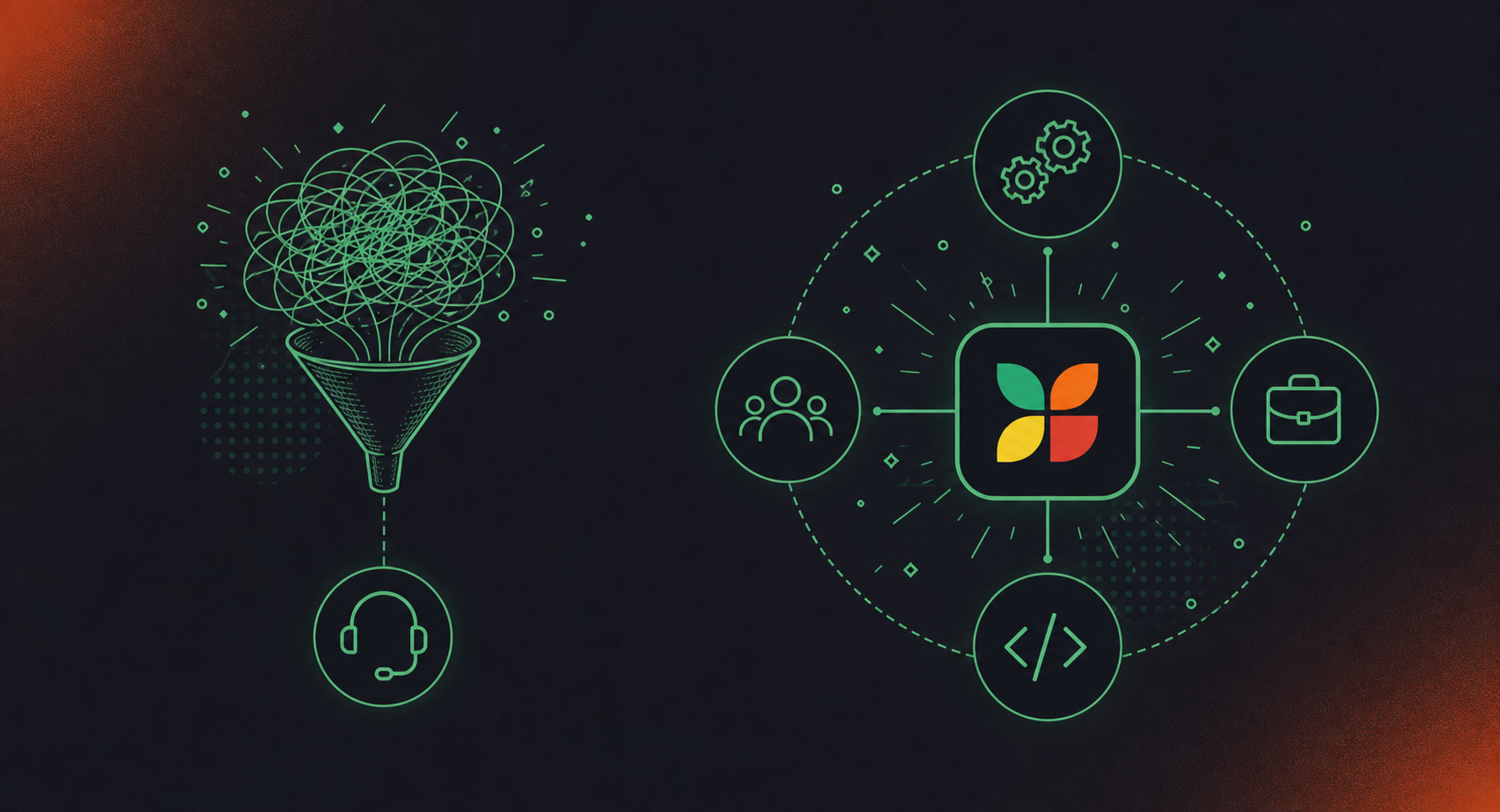
The difference comes down to what counts as a conversation worth capturing.
Sales-only intelligence treats the revenue funnel as the unit of analysis. Calls get recorded because they contain deal signals. Transcripts get analyzed because reps and managers need coaching feedback. The data model is built around pipeline stages, CRM fields, and customer-facing interactions. Everything else sits outside the system.
Horizontal conversation data takes the whole organization as the unit. Engineering standups, product reviews, board syncs, HR interviews, compliance calls: all of it is conversation data, and all of it contains decisions, commitments, and context the organization needs to act on. The question changes from “what did the rep say to close the deal?” to “what did the organization decide, and who owns it?”
These are different architectures serving different questions, not the same product at different price points. A sales intelligence tool built around opportunity-stage signals will not naturally route a sprint planning decision to Jira or flag a compliance risk for legal review. Individual note takers like Fireflies vs Spinach AI show how those architectural choices play out differently. That routing requires a data model scoped to the full organizational record, with governance and retrieval built for every function: engineering, legal, HR, and sales alike.
If the goal is improving sales execution, sales-only intelligence fits. If the goal is building a governed, AI-ready record of how the organization actually operates, the scope needs to be horizontal.
Analyzing Trends Across All Meeting Types, Beyond Sales Calls
Pulling trends from sales calls is straightforward because the data model is narrow: talk ratios, competitor mentions, objection types. The signal vocabulary is agreed upon, and the pipeline stage gives you a natural axis to sort against.
Extending that analysis across every meeting type is a different engineering problem. An engineering planning session has different structured outputs than an executive forum. An HR interview produces data that needs access controls a sales debrief does not. A cross-functional sync may generate action items for three different downstream systems simultaneously.
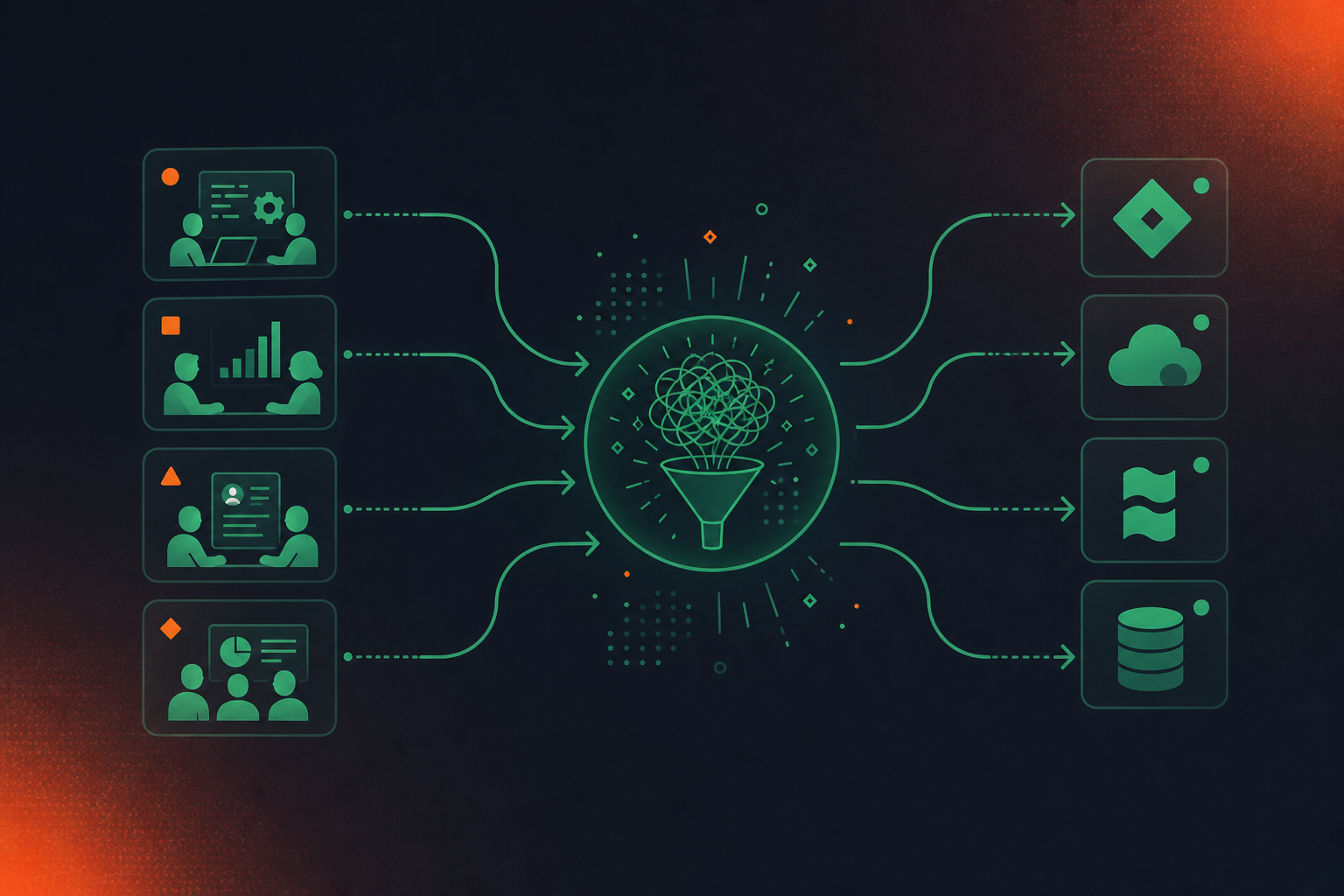
Standardizing output across meeting types requires a data model that is not anchored to CRM fields. Choosing among AI transcription tools matters here, since decisions, action items with named owners, blockers, and commitments need to be captured in a format that can route to Jira, a knowledge base, a compliance queue, or a CRM record depending on context. That routing logic has to be built into the capture layer, not bolted on afterward.
Queryability is the downstream test. If an executive wants to know what product commitments were made across eight teams last quarter, that answer requires structured data from engineering reviews, product syncs, and sales calls in a single retrievable corpus. Siloed captures, one per team or one per tool, fail that query. Workflows that auto-create Jira tickets from Zoom notes depend on that centralized, governed layer. The data has to be centralized and governed before it becomes analytically useful.
Gong Pricing vs. Org-Wide Conversation Intelligence Costs
Market reporting places Gong’s per-seat costs at around $1,300 to $1,600 per user per year depending on contract size. A 10-person sales team can clear $100,000 per year before any add-ons.
That structure makes sense for a tool scoped to one department. The math changes when an organization wants conversation intelligence across engineering, product, HR, legal, and finance alongside sales. Applied org-wide, Gong’s per-seat model produces a cost structure most organizations won’t approve for non-revenue functions. Comparing the best tools for AI meeting notes across the whole org reveals how quickly those costs diverge.
Spinach AI’s Business plan runs $19 per user per month billed annually, with no separate platform fee.
Gong vs. Spinach AI: At a Glance
Gong | Spinach AI | |
|---|---|---|
Meeting scope | Customer-facing sales calls | Every meeting type across the org |
Primary users | Sales reps, RevOps, enablement | Engineering, product, HR, legal, sales: all functions |
Core outputs | Deal intelligence, rep coaching scorecards, pipeline forecasting | Action items with named owners, decisions, tickets, knowledge base entries |
CRM integration | Deep: Salesforce and HubSpot field mapping | Salesforce and HubSpot supported |
Project management routing | Not in scope | Native Jira and Linear integration |
Knowledge base routing | Not in scope | Confluence and Notion supported |
Pricing | ~$1,300 to $1,600 per user/year + platform fee (reported) | Free (Starter); $2.90/meeting hour (Pro); $19/user/month (Business, billed annually) |
API / MCP access | Enterprise tier | MCP: Business and Enterprise; API and webhooks: Enterprise only |
Best fit | Sales-focused orgs needing deal intelligence and CRM hygiene | Orgs building a governed, AI-ready record across every function |
When Gong Is the Right Choice and When It Is Not
Gong fits organizations where sales execution is the primary lever: a dedicated sales team, a RevOps or enablement function ready to run coaching programs, and a core need around deal intelligence and CRM hygiene. The coaching dashboards deliver when managers are trained to use them. The CRM sync reduces data loss on opportunity records. Deal risk signals are calibrated to revenue workflows in ways a general-purpose tool won’t match.
The conditions that push toward a different category are organizational. When engineering, product, HR, or legal teams need structured outputs from their meetings, Gong’s data model won’t serve them. The Spinach AI vs Fathom comparison shows how individual-user tools share the same limitation. When a compliance team needs governed retention across all conversation data (engineering reviews, HR interviews, and sales calls alike), the scope mismatch becomes a procurement problem. When leadership wants a single queryable record spanning every department, a sales-scoped tool produces one well-structured silo alongside several ungoverned ones.
The practical test: who needs the data, and from which meetings? If the answer is the sales team and customer-facing calls, Gong fits. If the answer spans functions, the architecture needs to match.
What to Look for When Comparing Conversation Intelligence Tools
Scope is the first question, and most buyers ask it last.
- Which meeting types does the tool capture? Sales calls only, or every conversation across the org?
- Where do outputs go? CRM fields, project tickets, knowledge bases, or just a summary email?
- Who controls retention, and can it be configured per data type (transcript, summary, video)?
- Does governance sit at the org level, or does each user manage their own settings?
- What compliance certifications apply, and at which plan tier? HIPAA and BAA availability vary across vendors.
- How does pricing scale beyond one department? Per-seat models look different at 10 users versus 200.
- How deep are the integrations? Native field mapping into Salesforce or Jira, or a generic export?
The answers reveal whether you’re buying a departmental tool or an organizational system. Both are legitimate purchases. The mistake is buying one while expecting the other.
Closing the Horizontal Conversation Data Gap with Org-Wide Capture
Spinach AI joins meetings on Zoom, Google Meet, Microsoft Teams, Slack Huddles, and Webex, captures every conversation across the org, and routes structured outputs into the tools each team uses: Jira and Linear for engineering, Google Meet notes synced to HubSpot for sales, Confluence and Notion for knowledge, and more.
The most common deployment pattern in organizations that already run Gong: keep Gong for customer-facing revenue calls, roll out Spinach company-wide for everything else, including syncing Google Meet notes to Confluence for product and engineering teams. The result is one governed, record-by-default corpus spanning both, queryable by leadership, accessible to agents, and compliant with the retention and access controls legal and security require.
Spinach does not claim feature parity with Gong on sales coaching or deal forecasting. Its advantages are different in kind: org-wide scope across every team and meeting type, a single retrieval layer across all conversation data, and buildability via MCP server on Business and Enterprise plans, with API and webhooks on Enterprise. Pricing starts at free on Starter, $2.90 per meeting hour on Pro, and $19 per user per month on Business (billed annually; $29 month-to-month), with Enterprise at custom pricing.
Final Thoughts on Spinach AI vs. Gong for Enterprise Conversation Data
Both tools are doing something real, just for different parts of the org. Gong answers the revenue question; Spinach is the system of record for conversation data across every other function. The mistake worth avoiding is buying a departmental tool while expecting it to serve every function, because the data model won’t bend that way after the fact. The most practical path for most organizations is running them together: Gong on customer-facing calls, Spinach across everything else, with one governed corpus feeding the tools and agents your teams rely on.
Less than 30% of enterprise conversation data gets captured and analyzed, according to AssemblyAI’s 2026 conversation intelligence research. The other 70%, including engineering standups, product reviews, executive syncs, and HR interviews, disappears when meetings end, leaving agents and LLMs with no access to the decisions, commitments, and context that actually drive how an organization operates. Until that conversation data is structured, governed, and centralized, any AI system querying company knowledge is working from a fraction of the real decision record.
Enterprise conversation intelligence starts with capture: audio and video get transcribed, then AI analysis runs across the transcript to extract decisions, action items with named owners, sentiment signals, and topic structure. At the enterprise level, that process runs across every meeting type: sales calls, engineering standups, product reviews, executive syncs, and more. The structured output routes into CRM records, project tickets, compliance queues, and AI queries. The difference between basic call recording and enterprise conversation intelligence is what happens after the transcript: governance, retrieval, and routing at organizational scale.
Gong fits the sales org on its own terms: deal intelligence, rep coaching, CRM hygiene, and pipeline forecasting built around revenue signals. Spinach is the right fit when conversation data needs to span the full organization. Spinach captures every meeting type across Zoom, Google Meet, Microsoft Teams, Slack Huddles, and Webex, routes structured outputs into Jira, Salesforce, Confluence, and more, and provides a single governed corpus that leadership and agents can query across every function. The most common deployment pattern for organizations that already run Gong: keep Gong for customer-facing calls, roll out Spinach everywhere else.
Start with scope: does the tool capture sales calls only, or every conversation across the org? Then check where outputs go. Do they land in CRM fields alone, or also project tickets, knowledge bases, and compliance queues? Governance matters too: is retention configurable per data type (transcript, summary, video) at the org level, or does each user manage their own settings? Finally, check how pricing scales beyond one department. Gong’s per-seat model, which market reporting places at roughly $1,300 to $1,600 per user per year plus a platform fee, produces a cost structure most organizations won’t approve for non-revenue functions.
The routing logic has to be built into the capture layer, not added afterward. Spinach captures every meeting type and routes structured outputs based on context: action items and decisions land in Jira or Linear for engineering, CRM fields update in Salesforce or HubSpot for sales, and summaries push to Confluence or Notion for knowledge. Business and Enterprise plans include an MCP server with native Claude and ChatGPT connectors, and Enterprise adds API and webhooks for custom pipelines, so the same organizational corpus powers both people and agents across every function.
You can run both simultaneously, and this is the most common deployment pattern. Organizations keep Gong for customer-facing revenue calls and roll out Spinach company-wide for engineering, product, HR, legal, and executive meetings, feeding one governed corpus from both sources.
Market reporting from Leadhaste’s 2026 review places Gong’s per-seat cost at roughly $1,300 to $1,600 per user per year plus a platform fee, meaning a 10-person sales team can clear $100,000 annually before add-ons. Applied across engineering, HR, legal, and finance, that per-seat model produces a cost structure most organizations won’t approve for non-revenue functions — Spinach’s Business plan runs $19 per user per month billed annually with no separate platform fee.
No, and it doesn’t claim to. Gong’s rep coaching scorecards, talk-ratio analysis, and pipeline forecasting are purpose-built for revenue workflows in ways a general-purpose tool won’t match. Spinach’s advantages are different: org-wide scope across every meeting type, a single governed retrieval layer, and buildability via MCP server and API on Business and Enterprise plans.
Spinach joins meetings on Zoom, Google Meet, Microsoft Teams, Slack Huddles, and Webex, capturing video, audio, transcript, screen share, and in-meeting chat across every conversation type in the organization. Gong’s capture pipeline is calibrated to customer-facing sales calls and revenue signals, so internal engineering reviews, HR interviews, and executive syncs fall outside its scope by design.
Spinach is SOC 2 Type II compliant, GDPR compliant, and HIPAA compliant. A Business Associate Agreement is available for Enterprise and HIPAA-specific engagements — HIPAA coverage and a BAA are not available on Starter, Pro, or standard Business plans.
Gong’s retention is scoped to revenue-call data, so it won’t cover the engineering reviews, HR interviews, and compliance conversations that legal and security teams need governed. Spinach’s Enterprise plan lets you configure retention per data type — transcript, summary, and video can each be set separately, from one week to indefinite — across every meeting in the organization.
Spinach uses a transcription-model-agnostic approach, selecting the most accurate available model per language rather than being locked to one vendor’s model. This is a repeated primary reason organizations switch, particularly in Hebrew and other non-English-dominant environments where a single fixed model compounds errors across technical vocabulary.
Spinach routes action items with named owners, decisions, and blockers into the tools each team uses: Jira and Linear for engineering, Salesforce and HubSpot for sales with custom field mapping, and Confluence and Notion for knowledge. Business and Enterprise plans also include an MCP server with native Claude and ChatGPT connectors, so the same organizational corpus powers both people and agents across every function.
Any setting a user can configure for themselves can be set and enforced at the org level in Spinach — default sharing scope, internal-participants-only distribution, bot branding, content-free notification emails, and retention policy. Individual note-takers like Otter or Fireflies leave each person managing their own settings, which produces different tools per team, uncontrolled sharing, and no single organizational record.
Yes — Spinach offers a 14-day free trial with no credit card required, and signup works via Google or Microsoft. The Starter plan is permanently free and includes unlimited recording and transcription, support for 100 languages, a basic AI summary, Google and Microsoft Calendar integration, Slack integration, and seven-day recording retention.
What you should do now
Now that you've read this article, here are some things you should do:
- If communication is a challenge for your team, you should check out our library of meeting agenda templates.
- Learn more about Spinach and how it can help you run a high performing org.
- If you found this article helpful, please share it with others on Linkedin or X (Twitter)

