 Maintouch
 AI meeting transcription tools like Otter.ai have made tedious tasks like note-taking and audio transcription a thing of the past.
With these powerful text transcription tools, converting audio to text happens automatically so that everyone in the room can focus on what’s being said without having to worry about writing it down.
However, if you’re looking for the best AI transcription service, there are several reasons why you may want to consider options other than Otter.ai. The most important reason? It’s really expensive. And there are plenty of tools on the market with the exact same features for a fraction of the cost or completely free.
In this article, we’ll cover other drawbacks of Otter and walk through 12 great alternatives to look into if you’re weighing your options.
TLDR:
- Otter.ai’s free plan caps at 300 meeting minutes per month, covering only 10 half-hour meetings.
- Otter only summarizes entire meetings, forcing you to comb through long transcripts to find key points.
- Otter integrates with Zoom, Slack, and Dropbox only, while many alternatives connect to Jira, Salesforce, and more.
- Look for tools that extract targeted action items and decisions, instead of full transcripts of everything said.
- Spinach AI captures decisions and action items during the meeting, then routes them to your tools when the meeting ends.
Breaking down Otter.ai and its capabilities
Otter.ai is a popular AI meeting assistant designed for:
- Recording audio
- Generating notes and transcripts
- Capturing action items
- Creating meeting summaries
Along with these features, Otter.ai also offers messaging tools that make it easy for team members to communicate during an in-person or online meeting.
Otter.ai has several paid plans to choose from as well as a free plan, and the exact features you get will depend on which one you choose.
For example, Enterprise offers advanced capabilities like an AI sales assistant and security and compliance controls. Meanwhile, the free plan only has basic transcription and limits the amount of audio you can transcribe each month.
Why consider Otter.ai alternatives?
While Otter.ai has its merits, there are some drawbacks you need to be aware of. Here are a few of the most pertinent reasons why you may want to consider Otter.ai alternatives:
Otter summaries are long and inaccurate
Otter.ai offers decent transcription accuracy, but it isn’t the most accurate tool on the market. You’ll likely need to spend a good deal of time reviewing and correcting the transcripts and summaries you generate.
Another drawback of Otter.ai is that it can only summarize the entire meeting, providing a full play-by-play of everything discussed. If the meeting is long, this often results in information overload and requires you to comb through massive transcripts to find the relevant points you’re looking for.
More advanced tools like Spinach, on the other hand, can identify key points and actions to generate summaries that are more concise and to the point.
Otter integrations are limited
The list of tools Otter.ai can integrate with is a little limited compared to some competitors: Zoom, Slack, and Dropbox. Some Otter.ai alternatives have an abundant list of integrations so you can create a more connected and cohesive experience for your team members.
Otter is very expensive
Compared to alternatives with similar capabilities, Otter.ai’s paid plans can be expensive, and the free plan is too limited for long-term use.
Along with offering only basic transcription, Otter.ai’s free plan also places a rather strict limit on how much audio you can transcribe each month, capping it at 300 meeting minutes per month. To translate this into real life, that means you can only summarize TEN 30-minute meetings or FIVE 1-hour meetings each MONTH. If you’re like me, you’ll burn those minutes in a single week. Spinach, meanwhile, offers unlimited users, meetings, and minutes.
Otter.ai’s Pro plan is $20 per month for a single user, while Spinach offers flexible plans starting free, with Pro at $2.90/meeting hour. Unless you’re a one-person operation, Spinach offers a much more affordable way to bring the entire team on board!
Features to look for in Otter.ai alternatives
There are a few key features that every good AI meeting assistant should offer. As you go about searching for a high-quality alternative to Otter.ai, here are some things you’ll want to keep in mind:
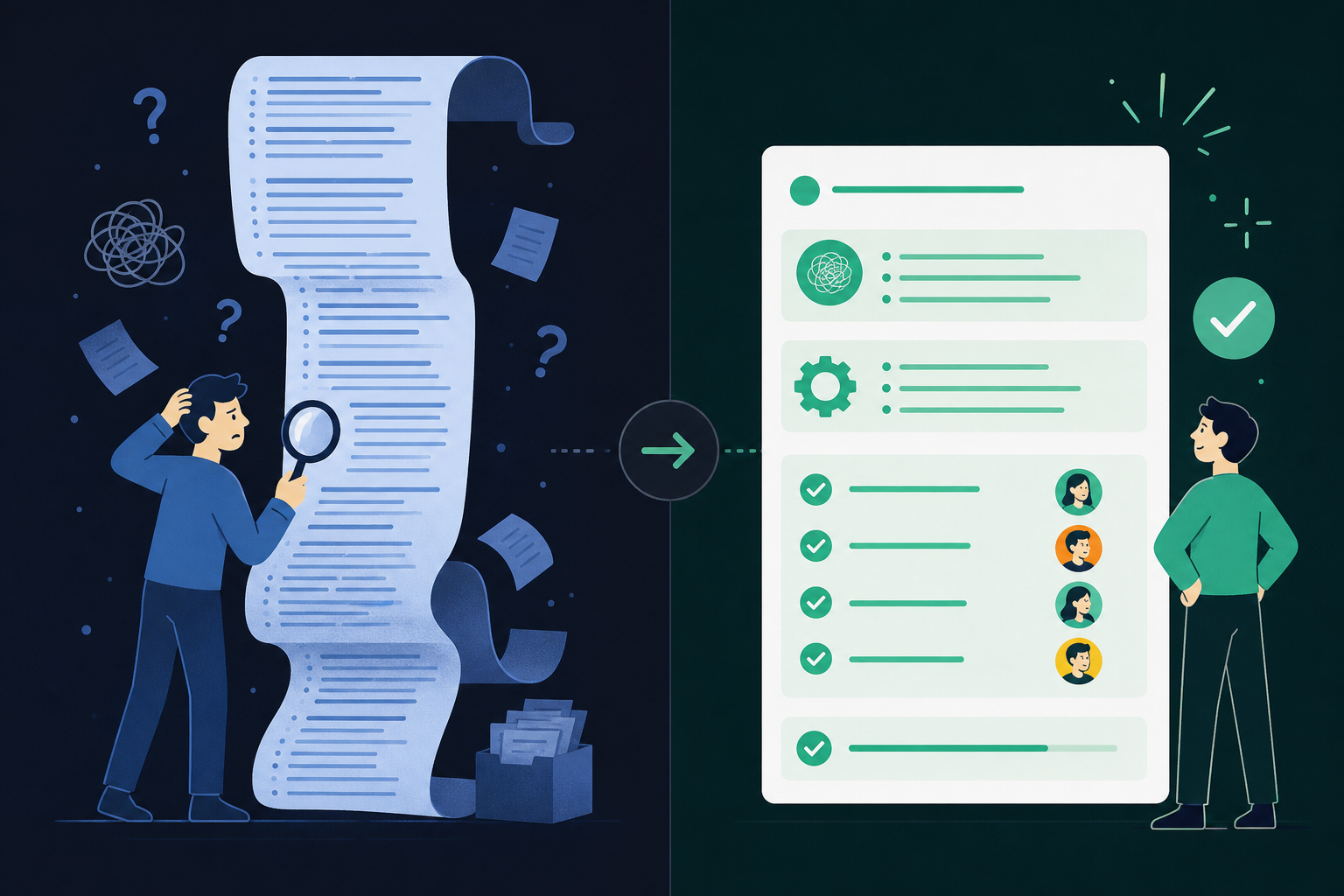
- Automated note taking: No more manual note taking means more time to focus on what matters – the meeting itself. With AI tools that offer live transcription, you can take notes automatically in real-time.
- Transcription accuracy: A good AI note taker should be capable of generating accurate, error-free transcripts so you don’t have to waste time proofreading. It should also be capable of pinpointing key decisions, points, and action items for more targeted and brief summaries.
- Accessibility: A good AI meeting assistant should be user-friendly and accessible across various devices so that every team member can easily access the transcript.
- Integrations with other tools: Many tools integrate with popular platforms like Slack, Jira, Salesforce, Zoom, and Google Meet, creating a smooth, connected workflow.
- Inclusivity: AI transcription tools should offer features (such as live subtitles) that make meetings accessible for team members who might have hearing difficulties or prefer to read information.
- Analysis: Some advanced tools offer insights and analytics to help you assess your meetings and understand your team’s dynamics better.
- Flexibility: From daily stand-ups to major client meetings, a good transcription service should be able to adapt to various business needs.
The 12 best Otter.ai alternatives
Now you have a better understanding of what Otter.ai does, and the helpful advantages that transcription tools can bring to your meetings. If you’re looking for something different or specific to your team’s unique needs, the market is full of options.
From specialized Agile meeting tools to all-around transcription services, there’s likely a perfect fit waiting to be found. Let’s get into the 12 best Otter.ai alternatives that might change how your team runs meetings.
Tool | Best For | Key Capability | Free Plan | Key Integrations |
|---|---|---|---|---|
Spinach AI | Organizations that need governed conversation data, decisions, and action items routed into their tools | Captures across Zoom, Meet, Teams, Slack Huddles, and Webex; delivers structured decisions, action items with named owners, and tickets at meeting end | Yes (Starter) | Jira, Linear, Salesforce, HubSpot, Slack, Notion, Confluence |
Fireflies.ai | Teams wanting broad integration coverage | Automated transcription plus meeting intelligence and a searchable archive | Yes | Zoom, Slack, Salesforce, HubSpot, 40+ apps |
Trint | Journalism, media, and content teams | Fast transcription with an interactive editor and multilingual support | No | Export-focused; limited direct integrations |
Rev | High-stakes transcription projects | Human-reviewed transcripts for maximum accuracy | No | Upload-based; file delivery |
Vowel | Collaboration-first teams | Real-time transcription with action item identification and shared team notes | Limited | Calendar apps, conferencing tools, project management |
Dialpad | Business communications teams | Voice intelligence (Vi) with sentiment analysis built into a VoIP phone system | Yes | Salesforce, Slack, Zoom, Google Workspace |
Avoma | Sales and customer-facing teams | End-to-end meeting lifecycle management with AI-driven coaching insights | Yes (limited) | Email, calendar, Salesforce, HubSpot |
tl;dv | Teams that need quick meeting summaries | Concise overviews and real-time analytics over video call recordings | Yes | Zoom, Google Meet, Teams |
Gong.io | Sales, customer success, and revenue teams | Conversation intelligence with sales pattern analysis and CRM integration | No | Salesforce, HubSpot, communication platforms |
Tactiq | Teams that convert meetings into tasks | Interactive transcripts with action item extraction and video conferencing integration | Yes | Zoom, Google Meet, Teams |
Happy Scribe | Multilingual transcription needs | High-accuracy automated transcripts with multi-language support and a user-friendly editor | No | Export-focused; limited direct integrations |
Amberscript | Complex or technical transcription | Up to 99% accuracy with a human-assisted option for specialized content | No | Export-focused; limited direct integrations |
1. Spinach AI
If your organization needs a single governed record of every conversation — decisions, action items with named owners, and structured outputs routed into the tools your teams already use — Spinach is the enterprise conversation intelligence platform built for that job.
Spinach goes well beyond capturing audio. It automatically extracts the most important information from your meetings and presents it in a clear, accessible format for everyone on the team.
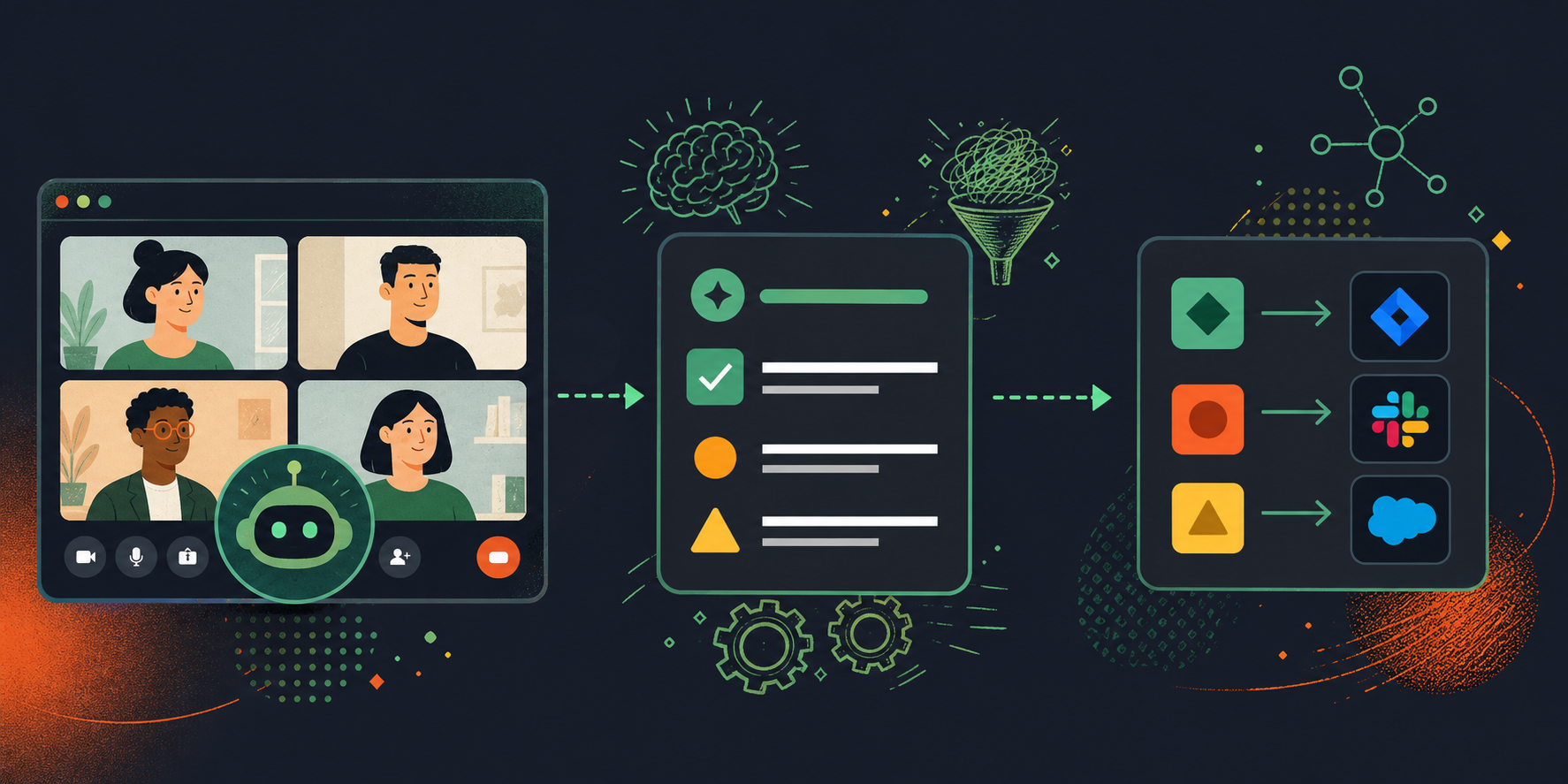
Where other tools hand you a transcript and stop, Spinach turns the capture step into a governed data asset — structured decisions, action items with named owners, and CRM or ticket updates routed automatically when the meeting ends. No manual re-entry, no context lost in a per-user notes folder.
Spinach captures across Zoom, Google Meet, Microsoft Teams, Slack Huddles, and Webex from a single account, covering every meeting type — client syncs, weekly reviews, standups, planning sessions, and beyond. Output formats are configurable so each team’s ceremonies produce the structure they actually need.
Spinach is the system of record for conversation data across the organization — not a per-user notes app, but a company-wide platform with policy, governance, and retrieval built in. That structural difference is what makes it the top alternative to Otter.ai for teams that have outgrown individual note-takers.
Bring Spinach into your meetings and you get an AI-powered partner that captures decisions, routes action items, and delivers structured outputs where your team actually works. Here are a few of the reasons why Spinach is the top alternative to Otter.ai:
- Concise summaries: Instead of getting the full transcript and chapters of every single item discussed in chronological order, Spinach gives you a concise, targeted summary that is much easier to digest.
- Delivers to your stack: With dozens of integrations, you get decisions and action items routed into your tools, not buried in another app behind a login screen.
- Outcomes-first: Spinach goes beyond a raw transcript to actively identify key decisions and action items that move your team forward.
- Ease of use: Busy wearing multiple hats? Spinach won’t add to your load. It’s intuitive and simple, making your meetings productive without adding complexity.
- Ask Spinach: The Ask Spinach feature lets you clarify details, surface insights, and build on meeting content without any extra manual steps.
2. Fireflies.ai
Next up is Fireflies.ai. This AI-driven meeting assistant is popular for teams looking to level up their meetings and boost productivity. If Fireflies doesn’t fit your workflow, there are several solid Fireflies.ai alternatives worth considering.
Here’s what makes Fireflies.ai a viable option:
- Automated transcription: Like Otter.ai, Fireflies.ai provides real-time transcriptions of meetings, converting audio files into text on the fly.
- Integration powerhouse: Fireflies.ai integrates with many video conferencing tools, CRM systems, and other apps, providing a smooth experience that works well with your existing tech stack.
- Meeting Intelligence: Beyond mere transcription, Fireflies.ai offers actionable meeting insights. It can flag important points and follow-ups.
- Customizable: Tailor it to your specific needs. Whether it’s the kind of transcription you want or how you want to organize your meeting notes, Fireflies.ai has that flexibility.
- Accessibility and collaboration: Share transcripts, collaborate on notes, and keep every team member in the loop with ease.
3. Trint
Trint is a popular transcription software that is making a name for itself in the realms of journalism and media production, as well as business meetings. Teams like using Trint because it combines powerful transcription capabilities with a user-friendly design.
Here’s why Trint stands out as a good alternative to Otter.ai:
- Speedy transcription: Trint offers both real-time and post-meeting transcription options, with a focus on speed without sacrificing accuracy.
- Multilingual support: Working with an international team? Trint supports multiple languages, making it a diverse tool for global businesses.
- Interactive editor: Want to make tweaks or add notes to the transcription? Trint’s interactive editor lets you make changes, mark important parts, and more.
- Collaboration made easy: Share transcripts with team members, collaborate on editing, and make sure everyone has access to the information they need.
- Integration options: Though not as extensive as other alternatives, Trint still has integrations with popular tools, allowing for a connected experience.
4. Rev
Rev is another strong player in the transcription game. Unlike fully AI-powered transcription services, Rev combines artificial intelligence with human expertise, creating a unique blend that brings out the best of both worlds.
Here’s why Rev is solid alternative to Otter.ai:
- Human-aided accuracy: While AI does the heavy lifting, human transcriptionists review and refine the text, delivering higher accuracy and context understanding.
- Variety of services: Beyond transcription, Rev also offers captioning and translation, making it a versatile communication tool.
- Quick turnaround: Rev’s transcription service promises fast delivery, even with human oversight, making it suitable for tight schedules.
- User-friendly interface: Easy to use, Rev’s interface allows you to upload files, track progress, and access transcripts with minimal fuss.
- Affordable pricing: With clear pricing structures, Rev provides an affordable option for those conscious of their budget.
- Security and confidentiality: Rev takes privacy seriously, using measures to protect the confidentiality of your content.
5. Vowel
If you’re looking for a tool that does more than just transcribe your meetings, you may want to check out Vowel. It uses AI to analyze your meetings and deliver actionable insights.
Here’s how Vowel enhances collaboration and productivity:
- Real-time transcription: Like Otter.ai, Vowel provides instantaneous transcription, turning spoken words into written text as the meeting progresses.
- Action items and key moments: Beyond transcription, Vowel helps identify critical takeaways, action items, and key moments, so meetings lead to actual progress.
- Integration galore: Vowel connects directly with calendar apps, conferencing tools, and project management systems, keeping everything neatly connected.
- Search and analysis: Can’t remember who said what in which meeting? Vowel’s powerful search and analysis features let you find information fast.
- Collaboration boost: Share notes, assign tasks, and collaborate with team members in one place, strengthening unity and follow-through.
6. Dialpad
Dialpad is more than just a name in the world of VoIP business phone systems; it’s also making strides in the transcription arena. With its Voice intelligence (Vi) feature, Dialpad provides real-time transcription and analysis that can make meetings more accessible and actionable.
Here’s why Dialpad shines as an alternative to Otter.ai:
- Voice intelligence (Vi): Dialpad’s Vi goes beyond transcription to offer actionable insights, like tracking customer sentiments and spotting trends within conversations.
- Integrated communications hub: Dialpad is a complete business communication solution, allowing for smooth transitions between chats, calls, and meetings.
- Customization: Tailor Dialpad to your needs. Set up custom alerts, keyword tracking, and more, to make sure the insights you receive are relevant to your goals.
- Security compliant: With an eye on data privacy, Dialpad follows industry compliance standards so your conversations remain confidential.
- Cross-device support: Access transcriptions and insights on various devices, keeping information at your fingertips whether you’re at your desk or on the go.
7. Avoma
If you’re looking for a transcription tool that goes deep into insights and analytics, Avoma might just be your answer. This intelligent meeting assistant is designed to transcribe meetings and extract genuine value from those conversations.
Let’s face it: a meeting without outcomes is a missed opportunity. Here’s why Avoma stands out as a good alternative to Otter.ai:
- End-to-end meeting collaboration: From scheduling to follow-ups, Avoma is there through the entire meeting lifecycle, making it more than just a transcription service.
- AI-driven insights: Get automated summaries, key takeaways, and trend analysis. Avoma’s AI capabilities help you understand what’s happening in your meetings.
- Integrations: Whether it’s your email, calendar, or CRM, Avoma connects cleanly across your stack for a unified workflow.
- Powerful search: Finding specific information from past meetings is a breeze with Avoma’s searchable transcripts and categorization.
- Privacy and security: Avoma puts data security first, with measures in place to keep your information safe and sound.
8. tl;dv
In a world where meetings are abundant and time is scarce, tl;dv (too long; didn’t view) comes to the rescue with its unique take on transcription and meeting analysis.
It’s designed for those who value brevity and need quick insights without sitting through hours of recordings. If your motto is “Time is of the essence,” tl;dv might end up being your go-to.
Here’s why tl;dv stands out as an alternative to Otter.ai:
- Quick summaries: tl;dv goes beyond raw transcription to summarize. Get concise overviews of meetings, focusing on key points and takeaways.
- Real-time insights: Monitor meetings as they happen with real-time analytics, including sentiment analysis and keyword tracking.
- Collaborative notes: Work together with your team on notes so everyone’s perspective is included in the post-meeting summary.
- Integration-friendly: tl; dv works smoothly with popular collaboration and conferencing tools, making it a versatile part of your tech stack.
- Custom alerts: Set up notifications for specific keywords or topics, so you’re always in the loop (even if you miss a meeting).
9. Gong.io
Gong.io is a conversation intelligence powerhouse, going beyond mere transcription to provide insights that can drive growth. Particularly known for its application in sales and customer success, Gong.io listens to your calls, deciphers what’s being said, and turns that information into actionable intelligence. It’s like having a dedicated analyst at every meeting!
Here’s why Gong.io makes an exciting alternative to Otter.ai:
- Data-driven insights: Gong.io goes beyond transcription to analyze calls, identifying key patterns, trends, and behaviors in your conversations.
- Sales and customer focus: If sales and customer relations are your priorities, Gong.io is tuned to provide insights tailored for those domains.
- Competitor analysis: Learn how your competitors are being talked about in the industry through Gong.io’s analytical capabilities.
- Integration with CRM and communication tools: Gong.io plays nicely with popular CRM systems and communication tools for a cohesive workflow.
- Compliance and security: Gong.io adheres to strong compliance standards, offering peace of mind around data protection.
10. Tactiq
Tactiq brings a fresh approach to the transcription world with its emphasis on making your meetings actionable. Beyond raw words, it captures the meeting’s essence, so insights, decisions, and action items are all neatly documented.
If you’re looking for a better way to turn conversations into tasks, Tactiq might be the tool you’ve been waiting for.
Here’s why Tactiq stands out as an alternative to Otter.ai:
- Interactive transcriptions: Tactiq’s transcripts are more than static text; they’re interactive documents that allow for annotations, callouts, and more.
- Action items extraction: Automatically extract and track action items, making sure that decisions translate into tasks.
- Easy integration: Works smoothly with popular video conferencing tools, making it a natural extension of your virtual meetings.
- Accessible archives: Your meeting notes and transcripts are organized and easily accessible so past insights are never lost.
- Privacy compliant: Tactiq takes data privacy seriously, applying stringent measures to keep your conversations secure.
11. Happy Scribe
Happy Scribe takes the stress out of transcription, offering a user-friendly tool built around simplicity and speed.
Whether it’s interviews, podcasts, or meetings, Happy Scribe can turn spoken words into written text with a smile. It’s a tool for those who value precision without complication.
Here’s why Happy Scribe dances its way into being an alternative to Otter.ai:
- Highly accurate transcriptions: Backed by advanced speech recognition technology, Happy Scribe prides itself on delivering accurate transcripts.
- Multi-language support: Catering to a global audience, Happy Scribe supports various languages, welcoming communication diversity.
- User-friendly interface: With a focus on simplicity, Happy Scribe offers an intuitive design that makes transcription a breeze, even for first-time users.
- Fast turnaround: Need transcripts in a hurry? Happy Scribe delivers quickly so you aren’t kept waiting.
- Data privacy: Rest easy knowing that Happy Scribe maintains strong security protocols.
12. Amberscript
Last but certainly not least, Amberscript rounds out this list as a versatile transcription tool that offers both automated and human-assisted transcription services. If you seek precision paired with flexibility, Amberscript could be your transcription ally.
Here’s why Amberscript shines as an alternative to Otter.ai:
- Automated and manual transcription options: Choose between AI-driven transcriptions for quick results or human-assisted transcriptions for complex projects.
- High accuracy levels: Amberscript offers up to 99% accuracy so the subtleties of speech aren’t lost in translation.
- Multi-language support: With an extensive range of supported languages, Amberscript is ready to listen, no matter what language you speak.
- Customizable transcripts: Tailor your transcripts with timestamps, speaker identification, and other formatting options.
- Secure and compliant: Data privacy is a top priority for Amberscript, with safeguards to protect your information.
Get more from your meetings with Spinach
If you’re looking for the most capable alternative to Otter.ai, Spinach is built for organizations that need more than a per-user notes app.
As an enterprise conversation intelligence platform, Spinach captures decisions and action items with named owners, routes structured outputs into the tools your team already uses, and gives your organization a single governed record of every conversation — at a far more affordable price point than Otter.ai.
With Spinach, every meeting produces a durable, actionable data asset your team can act on immediately.
Sign up for Spinach today and give your organization a system of record for every conversation.
Otter.ai’s free plan caps at 300 meeting minutes per month, enough for roughly ten 30-minute meetings, and its paid Pro plan runs $20 per month for a single user. Beyond cost, Otter only produces full-meeting summaries and transcripts, integrates with just Zoom, Slack, and Dropbox, and requires manual effort to extract decisions and action items from long transcripts.
Spinach captures decisions and action items during the meeting and routes them into tools like Jira, Salesforce, Linear, and HubSpot when the meeting ends. Otter stops at the transcript and leaves that routing to you. For a team running standups, planning sessions, or client syncs across multiple tools, Spinach closes the loop that Otter leaves open.
Start with what happens after the transcript. Fireflies and tl;dv both produce transcripts and summaries, but neither routes structured outputs (decisions, action items with named owners, tickets) directly into your project management or CRM tools at meeting end. If post-meeting follow-through is the bottleneck, that distinction matters more than transcription speed.
Look for tools that extract targeted action items and decisions rather than producing a full play-by-play transcript, support integrations with your existing stack (Jira, Slack, Salesforce, Google Meet, Zoom), and offer multi-language transcription for distributed teams. Accuracy under real meeting conditions (crosstalk, technical jargon, non-English speakers) is worth testing before committing to any plan.
Yes. Spinach joins meetings on Zoom, Google Meet, Microsoft Teams, Slack Huddles, and Webex from a single account, captures across all of them, and centralizes the output in one place. You get one governed data asset across every platform rather than separate note exports from each meeting tool.
What you should do now
You made it to the end of this article! Here are some things you can do now:
- If communication is a challenge for your team, you should check out our library of meeting agenda templates.
- You should try Spinach to see how it can help you run a high performing org.
- If you found this article helpful, please share it with others on Linkedin or X (Twitter)

