How to Power Glean Agents with Conversation Data Using Custom Connectors (August 2026)
Connect meeting data to Glean Agents via MCP custom connectors. Spinach AI handles setup, permissions, and PII redaction out of the box. August 2026 guide.
 Maintouch
Glean can find the Jira ticket. It cannot find why the acceptance criteria changed three times. That gap exists because meeting decisions rarely make it into any system Glean can reach. Wiring conversation data into Glean Agents through a custom connector is how you get from technically accurate answers to actually useful ones.
TLDR:
- Glean Agents can only query conversation data that enters a system; decisions made in calls stay invisible without a custom connector
- MCP custom connectors use a client-server model: register your server in Glean Admin Console under Platform > Actions with a URL and OAuth config
- DIY MCP builds require search, retrieval, and structured output tool types at minimum; transcript blobs alone are not agent-usable
- Deploy with query-time permission enforcement, PII redaction, and an audit log in place; conversation data carries higher compliance risk than documents
- Spinach AI captures during meetings, delivers structured decisions and action items at meeting end, and exposes them to Glean Agents via a pre-built MCP server on Business and Enterprise plans
What Custom Connectors Are and Why They Matter for Glean Agents
Custom connectors, built on the Model Context Protocol (MCP), are the open-source standard that lets Glean Agents query any external data source without per-integration engineering for each one. According to Glean’s documentation, MCP functions as a universal interface, giving AI assistants secure access to external data and tools in a consistent, repeatable way. Glean supports this through MCP servers, its Indexing SDK, and OpenAPI-based actions.
Why the Older Approach Falls Short
Older approaches required teams to build and maintain bespoke pipelines per source: REST API polling on a timer, webhook push configurations that break when schemas change, and manual re-indexing when data moved. Custom connectors replace that per-source overhead with one standard. When a new data source needs to reach Glean Agents, the question changes from “how many weeks does the integration take?” to “do we have an MCP server for it?”
For IT buyers and AI leads, that distinction matters at the organizational level. Custom connectors are infrastructure in the same way an identity provider or a data warehouse is infrastructure. They determine which knowledge sources your agents can actually see, and which stay invisible.
Why Glean Agents Adoption Is Accelerating in 2026
Glean crossed $300M ARR in May 2026, tripling from $100M in just 15 months. Fortune 500 customers nearly doubled year over year during that stretch, according to Glean’s press release.
Metric | Figure | Source / Date |
|---|---|---|
Glean ARR milestone | $300M ARR | Glean press release, May 28, 2026 |
Time to triple ARR | 15 months | Glean press release, May 28, 2026 |
Fortune 500 customer growth | Nearly doubled YoY | Glean press release, May 28, 2026 |
Customers using Glean across 5+ departments | 85%+ | Glean press release, May 28, 2026 |
Weekly DAU to MAU ratio | 45% (2x SaaS benchmark) | Glean press release, May 28, 2026 |
When 85% of customers span five or more departments, Glean stops being a search tool and becomes horizontal infrastructure. At that scale, the question stops being “can agents find documents?” and becomes “can agents act on everything the organization actually knows?” Enterprise conversation intelligence is the gap that keeps that second question unanswered.
Conversation Data as Glean Agents’ Context Blind Spot
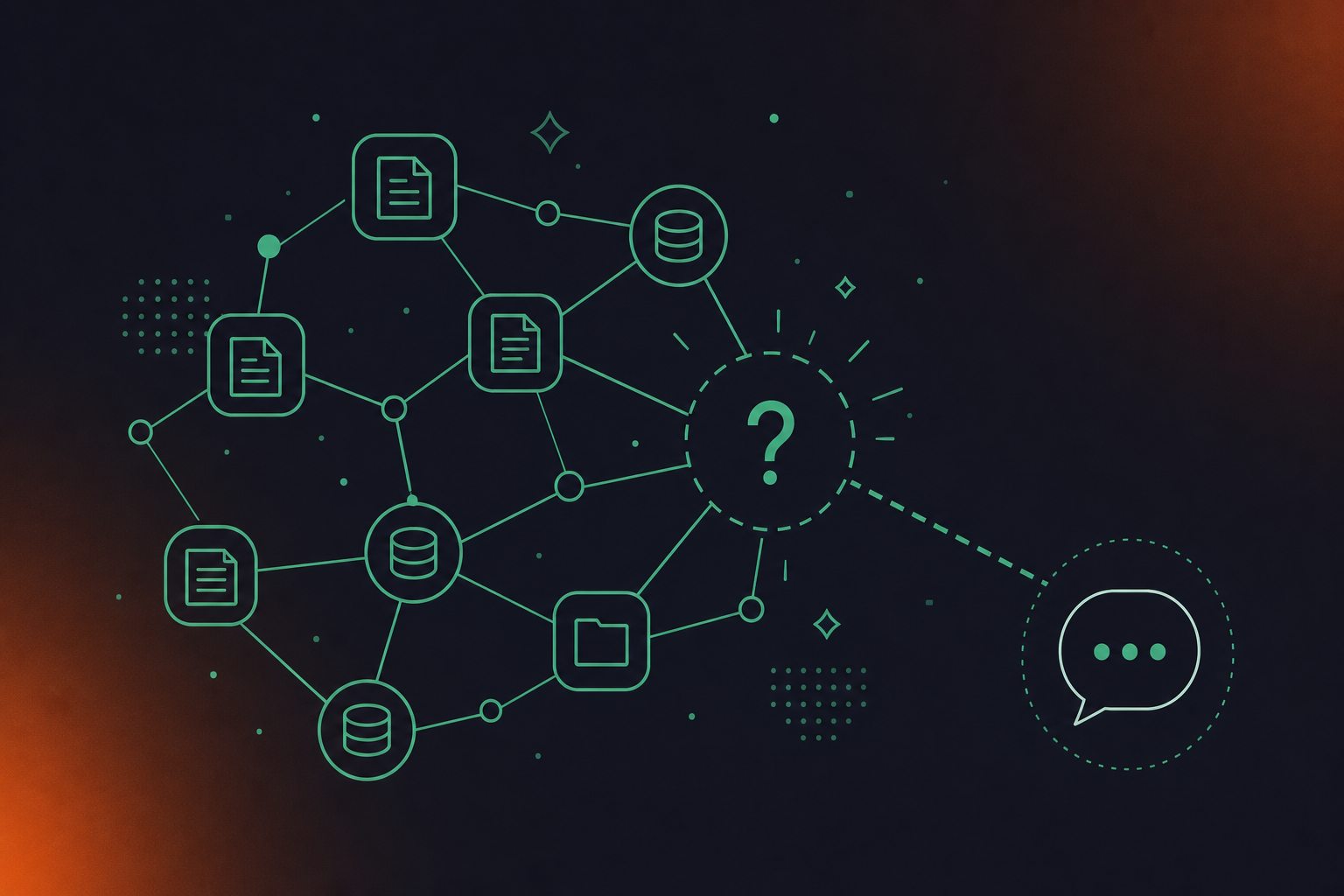
Glean’s competitive advantage is its “context graph,” built by connecting to enterprises’ internal software systems. But as TechCrunch noted in May 2026, context that never enters a system cannot be indexed. And most conversation context never enters a system.
Decisions get made in product syncs. Action items get assigned in standups. Strategic pivots happen in leadership calls. None of it reliably lands in Confluence, Jira, or Salesforce. It lives in a transcript at best, and in someone’s memory at worst.
What Glean Agents Can and Cannot Find Without Conversation Data
The gap is concrete. Glean can surface last quarter’s OKR doc. It cannot surface the decision made in a product sync to deprioritize that OKR because engineering capacity shifted. Glean can find the Jira ticket. It cannot find why the acceptance criteria changed three times.
Agents answering questions about outcomes, without access to the intent behind them, produce answers that are technically accurate and contextually incomplete. Spinach AI is built precisely to close that gap: it is an enterprise conversation intelligence platform, the system of record for conversation data, deployed company-wide to capture every conversation, centralize it in a single governed asset, and power agents and workflows with structured outputs. Spinach joins the meeting, captures decisions and action items with named owners during it, delivers structured data at meeting end, and routes it automatically into the tools and agents that need it, including Glean.
How Custom Connectors Let Glean Agents Access Conversation Data
Glean Agents use a client-server model with MCP: the agent is the client, your custom connector is the server. The server registers a set of tools Glean can call, and the agent reads those tools at runtime. When an agent needs to answer a question, it picks the right tool, passes the right parameters, and gets structured data back.
Once a connector is live, agents can do things that previously required someone manually digging through recordings:
- Automatically create action items from meeting transcripts assigned to a specific owner from the last two sprint planning meetings
- Surface the decision that changed a product roadmap three months ago
- Find context from a customer call before a renewal conversation
MCP Tool Types a Conversation Data Server Can Expose
According to Glean’s MCP documentation, a Glean MCP server can expose Glean tools, Glean agents surfaced as tools, and external tools brought in through the Glean MCP Gateway. Conversation data maps cleanly to three of those types:
- Search tools: an agent queries for a decision, discussion, or topic across meeting history
- Retrieval tools: an agent fetches a specific meeting summary by date, participant, or series
- Structured data queries: an agent returns action items filtered by owner, date range, or meeting type
Connectors can also be securely associated with MCP servers for meeting notes, so your conversation data source participates in directory-backed, permission-aware queries. What a user can see in the source is what the agent retrieves on their behalf. Spinach’s MCP server and Glean integration are built to expose exactly these tool types.
Setting Up a Custom Connector Server for Conversation Data
Building an MCP server for conversation data requires three tool types at minimum: a search tool (query by keyword, topic, or date range), a retrieval tool (fetch a specific meeting record by ID, participant, or series), and a structured output tool that returns action items or decisions in a schema Glean can reason over. TypeScript and Python SDKs are the standard starting points.
The schema step is where most DIY builds stall. Teams using Google Meet can follow a specific process for pulling Google Meet transcripts into Glean. Transcript blobs are not agent-usable. Data must be chunked into discrete records, labeled with metadata, and permission-scoped before a Glean Agent can do anything useful with it. Add ingestion pipelines, OAuth plumbing, and ongoing maintenance, and the build surface grows fast.
Build Approach | SDK / Stack | Key Requirements | Typical Complexity |
|---|---|---|---|
DIY from scratch | TypeScript or Python MCP SDK | Ingestion pipeline, schema design, auth, permission mapping, maintenance | High: ongoing engineering ownership |
Extend an existing data platform | Indexing SDK + custom connector | Data already structured; need tool wrappers and auth | Medium |
Purpose-built connector (e.g., Spinach) | Pre-built MCP server | OAuth, admin approval, permission enforcement included | Low: configuration over code |
Teams on Microsoft Teams can reference the guide for pulling Microsoft Teams transcripts into Glean. Per Glean’s documented flow, an admin registers a custom MCP server in the Glean Admin Console under Platform → Actions by creating an MCP action pack with a server URL and OAuth configuration. That registration step is the same regardless of build approach. The difference is what’s running behind that URL. For teams without dedicated platform engineering, a purpose-built MCP server skips the ingestion and schema work entirely.
Connecting Your Custom Connector Server to Glean Agents
In the Glean Admin Console, go to Platform → Actions. Create an MCP action pack with your conversation data server URL and OAuth configuration. That registration is what makes Glean aware the connector exists.
How Authentication Works
Glean MCP servers prefer OAuth 2.1 Authorization Code flow with PKCE. On-the-fly client registration handles hosts that connect and register at runtime; static OAuth clients cover cases where on-the-fly registration is not supported. User permissions flow through Glean’s Knowledge Graph, so agents return only the conversation data each user is already allowed to see.
Testing the Connection
After registration, Glean reads the server’s tools. Activate them per surface (Assistant or Agents) and toggle individual actions by user group. To verify, prompt the agent with a specific meeting query such as “find action items from last week’s product sync” and confirm the returned records match the source. According to Glean’s MCP usage documentation, once connected, a host can call both Glean’s built-in tools and external tools brought in through the Glean MCP Gateway, with the exact tool set depending on your Glean configuration.
Security Considerations for Conversation Data via Custom Connectors
Conversation data carries a different risk profile than a document repository. Strategic decisions, personnel discussions, unreleased roadmap items, and customer call records are all in scope the moment you make meeting data queryable by an agent. That risk is especially relevant when assessing AI tools for remote teams where conversation data is already distributed across time zones.
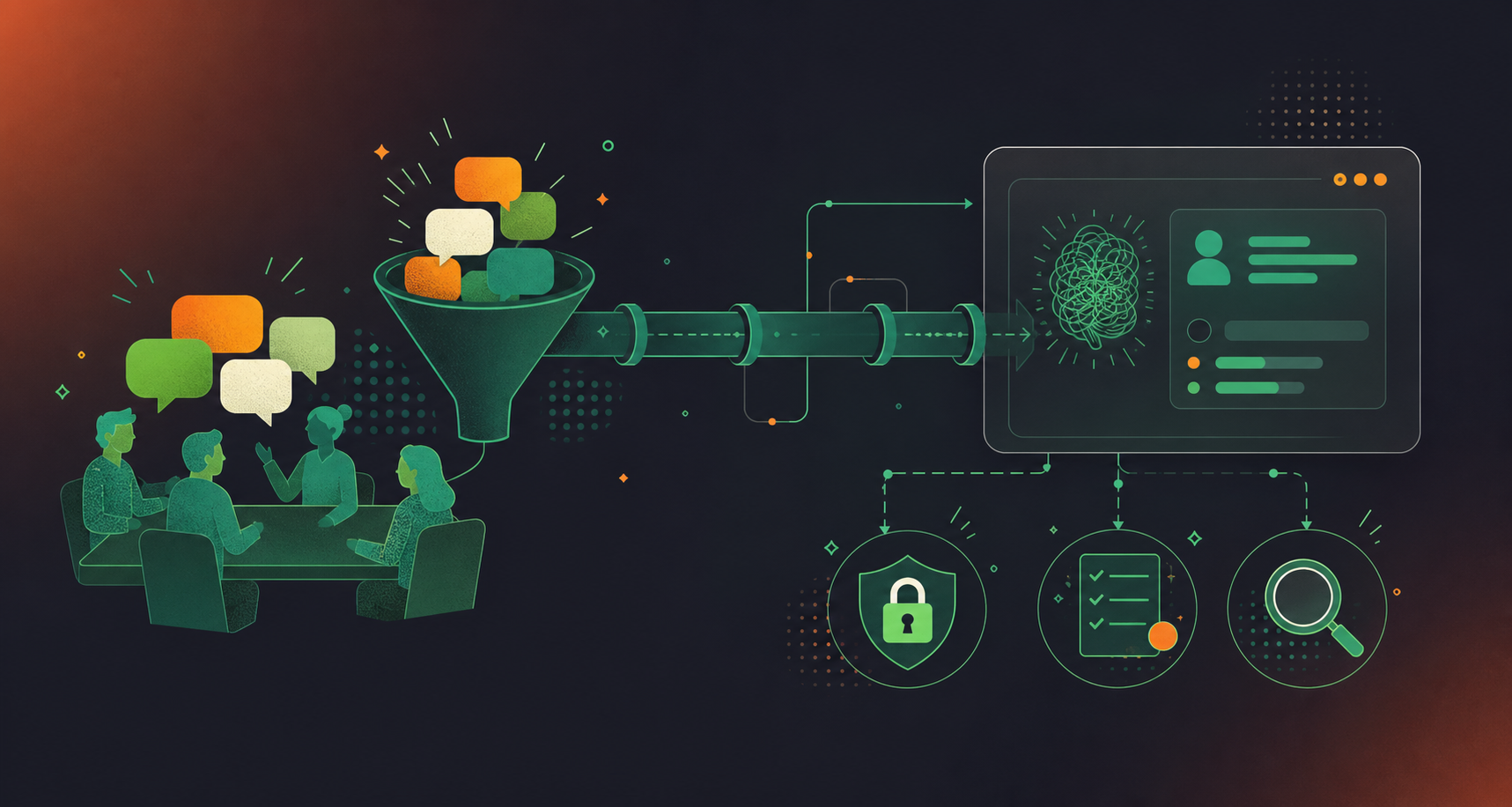
There are four specific risks worth naming before you deploy:
- Prompt injection: a malicious instruction embedded in a transcript can manipulate agent behavior when that record surfaces as tool output.
- Data exfiltration: broad tool permissions can let an agent retrieve conversation data well outside the intended query scope.
- Access control drift: role changes or departures leave stale access if the MCP server enforces permissions at index time only, not at query time.
- Compliance exposure: healthcare, financial services, and legal teams face HIPAA, GDPR, and SOC 2 obligations the moment meeting data becomes agent-queryable.
As Glean noted in March 2026, MCP simplifies connectivity but does not guarantee safe operation of underlying tools in an enterprise environment.
Questions to Ask Before Deploying
Before going live, run through these:
- Does the server enforce source-system permissions at query time?
- Is there an audit log of what the agent retrieved and when?
- Is PII redaction applied before data enters the tool schema?
- Is the server covered under the vendor’s DPA?
Spinach AI is SOC 2 Type II, GDPR, and HIPAA compliant, with PII redaction at the transcript level and a BAA available for Enterprise engagements. The MCP server enforces user-based permissions, so agents return only what each user is already allowed to see in the source.
Powering Glean Agents With Meeting Intelligence Through Spinach
Spinach AI is the enterprise conversation intelligence platform, the organizational system of record for conversation data. Deployed company-wide across Zoom, Google Meet, Microsoft Teams, Slack Huddles, and Webex, it captures every conversation in one centralized, governed asset instead of leaving context in per-user silos. The MCP server ships pre-built on Business and Enterprise plans, with OAuth, admin approval, and user-based permission enforcement already in place, so the connector build is configuration, not custom engineering.
What Spinach Provides Out of the Box
- Record-by-default capture across video, audio, transcript, screen share, and in-meeting chat on Zoom, Google Meet, Microsoft Teams, Slack Huddles, and Webex; for teams who also need to sync Google Meet notes to Confluence automatically, Spinach routes structured output there as well
- One centralized organizational record so Glean Agents have no per-user silos to miss
- Configurable retention per data type (transcript, summary, and video set separately, from one week to indefinite on Enterprise), PII redaction at the transcript level, SAML SSO, SCIM provisioning, and compliance agents that classify and flag regulatory risk
What Glean Agents Gains Access To
Once connected, agents can query action items with named owners, decisions captured alongside the discussion that produced them, cross-meeting patterns across a project or account, and the full commitment history for any participant.
Spinach is SOC 2 Type II, GDPR, and HIPAA compliant. Customer data is never used to train AI models, with zero data retention terms in place with LLM providers. A BAA is available for Enterprise engagements.
Get started with Spinach AI to connect your organization’s conversation data to Glean Agents, with no custom ingestion work required.
Final Thoughts on Custom Connectors for Glean Agents and Conversation Data
The gap in Glean’s context graph is not a search problem, it’s a data routing problem. Decisions made in meetings stay invisible to agents until something captures, structures, and routes that data into a governed asset Glean can reach. MCP custom connectors are how you do that, and the choice is really just how much of the build you want to own yourself. Connect Spinach to Glean and your agents get access to meeting context without any custom ingestion work on your side.
Register Spinach’s pre-built MCP server in the Glean Admin Console under Platform → Actions by creating an MCP action pack with your server URL and OAuth configuration. Spinach’s Business and Enterprise plans ship with OAuth, admin approval, and user-based permission enforcement already in place, so the registration step is configuration rather than engineering. Once connected, Glean Agents can query action items by owner, retrieve decisions by meeting series, and surface cross-meeting patterns without any custom ingestion work.
Glean Agents gain access to action items with named owners, decisions captured alongside the discussion that produced them, and the full commitment history for any participant or project. The MCP server exposes three tool types: search tools for querying by keyword, topic, or date range; retrieval tools for fetching a specific meeting record by participant or series; and structured output tools that return action items filtered by owner, date range, or meeting type. What a user can see in the Spinach source is exactly what the agent retrieves on their behalf — permissions are enforced at query time, not just at index time.
Build from scratch when your team has dedicated platform engineering capacity and needs a connector architecture tailored to a proprietary data schema. For most teams, a DIY build means owning the ingestion pipeline, schema design, OAuth plumbing, and ongoing maintenance — and transcript blobs are not agent-usable until they are chunked, labeled, and permission-scoped. Spinach’s MCP server skips that entire build surface; it ships pre-built on Business ($29/user/month) and Enterprise (custom pricing) plans with governance, PII redaction at the transcript level, and SOC 2 Type II, GDPR, and HIPAA compliance already in place.
Four risks are worth naming before deployment: prompt injection from malicious instructions embedded in transcripts, data exfiltration through overly broad tool permissions, access control drift when role changes leave stale permissions, and compliance exposure under HIPAA, GDPR, or SOC 2 obligations. Before going live, confirm that the connector enforces source-system permissions at query time, maintains an audit log of what the agent retrieved and when, applies PII redaction before data enters the tool schema, and is covered under the vendor’s DPA. Spinach enforces user-based permissions at query time and offers a BAA for Enterprise engagements where HIPAA coverage is a hard requirement.
Glean’s context graph is built from connected internal systems — but decisions made in product syncs, action items assigned in standups, and strategic pivots from leadership calls rarely land in Confluence, Jira, or Salesforce reliably. An agent can surface last quarter’s OKR document; it cannot surface the decision made in a product sync to deprioritize that OKR because engineering capacity shifted. Spinach captures those decisions and action items during the meeting, delivers structured data at meeting end, and routes it into a governed, centralized asset Glean can reach through a custom connector — closing the gap between what the organization decided and what its agents can find.
MCP is an open-source standard that gives AI agents a consistent, repeatable interface to query external data sources without per-integration engineering for each one. For conversation data specifically, it means a single registered server can expose meeting decisions, action items, and cross-meeting patterns to Glean Agents rather than requiring a bespoke REST polling pipeline or webhook configuration that breaks when schemas change. The practical result is that adding conversation data to Glean’s context graph becomes a configuration step, not a multi-week build.
Glean routes user permissions through its Knowledge Graph, so agents return only the conversation data each user is already allowed to see in the source system. For this to work correctly, the MCP server must enforce source-system permissions at query time — not just at index time — so that role changes and departures don’t leave stale access. Spinach’s MCP server enforces user-based permissions at query time, meaning what a user can see in Spinach is exactly what the agent retrieves on their behalf.
A conversation data server needs at least three tool types: a search tool for querying by keyword, topic, or date range; a retrieval tool for fetching a specific meeting record by participant, date, or series; and a structured output tool that returns action items or decisions in a schema Glean can reason over. Raw transcript blobs are not agent-usable — data must be chunked into discrete records, labeled with metadata, and permission-scoped before an agent can act on it. Skipping the schema design step is where most DIY builds stall.
The MCP server is included on Business ($29 per user per month, or $19 per user per month billed annually) and Enterprise (custom pricing) plans. It is not available on Pro or Starter. OAuth, admin approval, and user-based permission enforcement ship with the MCP server on both eligible plans, so the connection to Glean is a registration step in the Admin Console rather than a build.
Go to Platform then Actions in the Glean Admin Console and create an MCP action pack with your conversation data server URL and OAuth configuration. That registration is what makes Glean aware the connector exists and allows agents to discover the server’s tools at runtime. After registration, enable the tools per surface — Assistant or Agents — and toggle individual actions by user group before testing with a specific meeting query.
Yes, provided the MCP server centralizes data from all the meeting platforms your organization uses into one governed asset. Spinach captures across Zoom, Google Meet, Microsoft Teams, Slack Huddles, and Webex and consolidates that data into a single organizational record, so Glean Agents query one source rather than a separate connector per platform. Without that centralization layer, per-user meeting silos across platforms remain invisible to agents.
The moment meeting data becomes agent-queryable, HIPAA, GDPR, and SOC 2 obligations come into scope for healthcare, financial services, and legal teams. Confirm before going live that the connector applies PII redaction before data enters the tool schema, maintains an audit log of what the agent retrieved and when, and is covered under the vendor’s DPA. Spinach is SOC 2 Type II, GDPR, and HIPAA compliant, with PII redaction at the transcript level and a BAA available for Enterprise engagements — customer data is never used to train AI models, with zero data retention terms in place with LLM providers.
A malicious instruction embedded in a transcript can manipulate agent behavior when that record surfaces as tool output — for example, a transcript containing text designed to redirect an agent’s next action. The mitigation is treating transcript content as untrusted input at the tool layer: sanitize records before they enter the schema, scope tool permissions narrowly so an agent cannot retrieve data well outside the intended query range, and maintain an audit log to detect anomalous retrieval patterns. This risk is specific to conversation data because transcripts are user-generated content that neither the MCP server author nor the agent controls.
Indexing via Glean’s Indexing SDK makes conversation data searchable within Glean’s context graph as a static corpus, while an MCP connector exposes it as callable tools that agents can query dynamically with specific parameters at runtime. For conversation data, the connector approach is more useful for agents because it returns structured outputs — action items filtered by owner, decisions tied to a specific meeting series — rather than ranked document chunks. The right choice depends on whether your agents need to retrieve and reason over structured records or search across a text corpus.
When every meeting across the organization is captured by default rather than selectively, Glean Agents build against a complete organizational record rather than a partial one — decisions from leadership calls, product syncs, and client conversations all enter the same governed asset. Selective capture creates gaps that agents cannot detect, so they return answers that appear complete but miss context from uncaptured meetings. The record-by-default model is what makes cross-meeting pattern queries — commitment history for a participant, roadmap decisions over a quarter — reliable rather than approximate.
What to do now
Next, here are some things you can do now that you've read this article:
- Our library of meeting agenda templates is designed to help you run more effective meetings.
- Check out Spinach to see how it can help you run a high performing org.
- If you found this article helpful, please share it with others on Linkedin or X (Twitter)

