How to Power Devin with Conversation Data Using Webhooks (August 2026)
Learn to connect Spinach AI webhooks to Devin's knowledge base in August 2026 and stop loading meeting context by hand before every session.
 Maintouch
Getting useful output from Devin in production comes down to what context it has at session start. Tickets and docs cover the what, but the why (rejected approaches, architectural trade-offs, customer-driven constraints) tends to stay buried in meeting recordings nobody goes back to check. For engineering orgs running Devin at scale, the bottleneck is organizational: conversation data stays ungoverned and out of reach. Connecting your conversation data to Devin via webhooks is how you fill that gap without adding a manual step to your workflow.
TLDR:
- Devin operates on context supplied at session start; architecture decisions and rejected approaches from meetings are almost never in its knowledge base
- Webhooks close that gap by routing structured conversation data into Devin’s environment at meeting end, with no manual re-keying required
- Each knowledge item needs its own trigger description; pasting a full meeting summary as a single entry does not work well in Devin’s knowledge base
- Validate HMAC signatures on every incoming payload and scope which meetings are in range before go-live to contain prompt injection and access control risks
- Spinach AI is the enterprise conversation intelligence platform and system of record for conversation data. Deployed company-wide across Zoom, Google Meet, Microsoft Teams, Slack Huddles, and Webex, it routes structured decisions and action items with named owners into Devin’s knowledge base via Enterprise webhooks
What Webhooks Are and Why They Matter for Devin
A webhook is an HTTP callback: one system pushes structured data to another the moment an event fires. No polling loop, no scheduled export, no human in the middle. As event-driven architectures for AI agents have matured, webhooks have become the standard mechanism for keeping agents reactive without burning compute on constant requests.
For Devin, the stakes are higher than for most systems. Devin operates on whatever context it receives at session start. Give it stale or thin context and you get stale or thin output. Cognition says explicitly that Devin “does best with clear requirements.” Webhooks are how you supply those requirements automatically, pulling conversation data into Devin’s environment the moment a meeting ends, with no manual step required from your team.
Think of it the way you think about a CI/CD pipeline: not a convenience, but the infrastructure that makes everything downstream reliable. The same webhook architecture powers ChatGPT agents with conversation data.
Why Devin Adoption Is Accelerating in 2026
Devin crossed from impressive prototype to production dependency faster than most enterprises planned for. According to a June 2026 report from The Agent Report, Cognition’s annualized run-rate revenue grew from $37 million in May 2025 to $492 million in May 2026, a 13-fold increase in 12 months, with enterprise month-over-month growth holding at 50% for six consecutive months.
Devin’s Enterprise Path Forward
Those numbers mean engineering teams are running Devin at real scale, across real codebases, where output quality has real consequences. Cognition’s own admission cuts right to the problem: Devin “does best with clear requirements.” At 50% monthly enterprise growth, the gap between teams supplying Devin with structured context and teams that aren’t is widening every sprint cycle.
The bottleneck is not the model. It’s the context arriving at session start.
Conversation Data as Devin’s Context Blind Spot
Devin performs best when given context and clear direction. For tasks requiring domain knowledge, relevant docs, examples, or references must be supplied by the user (per Devin’s official guidelines), including Google Meet transcripts fed to Devin before it writes code. Most teams do supply those inputs. What they rarely supply is the reasoning behind them: why the team chose one architecture over another, which approach got ruled out in a retro, what customer constraint quietly rewrote the spec.
That knowledge lives in conversations, not tickets or READMEs.
What Devin Receives vs. What It Needs
Context Type | Typically in Devin’s Knowledge Base | Typically Missing |
|---|---|---|
Code conventions | Yes (rules files, READMEs) | |
Ticket descriptions | Yes (Jira, Linear) | |
Architecture decisions | Rarely | Made in design review meetings |
Rejected approaches | Almost never | Discussed in sprint retros |
Customer-driven constraints | Inconsistently | Captured in customer call notes |
Cross-team dependencies | Inconsistently | Clarified in cross-functional syncs; see Teams transcripts to Devin context setup |
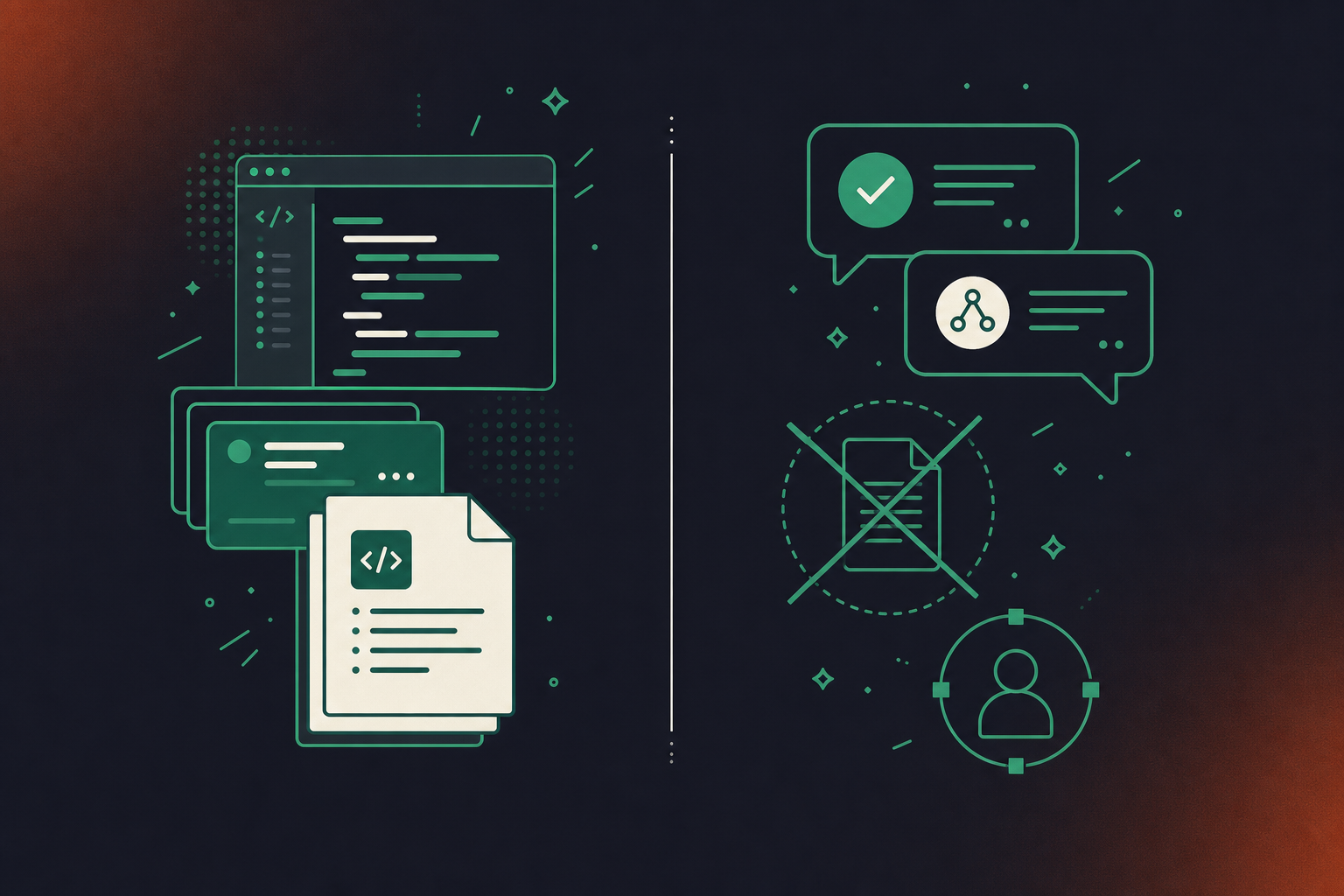
The gap is procedural. Without structured conversation data, Devin fills missing context with generic patterns and produces generic output. More copy-pasting from Confluence won’t fix it. What’s needed is a governed, queryable source of conversation data that routes into Devin’s environment automatically.
How Webhooks Let Devin Access Conversation Data
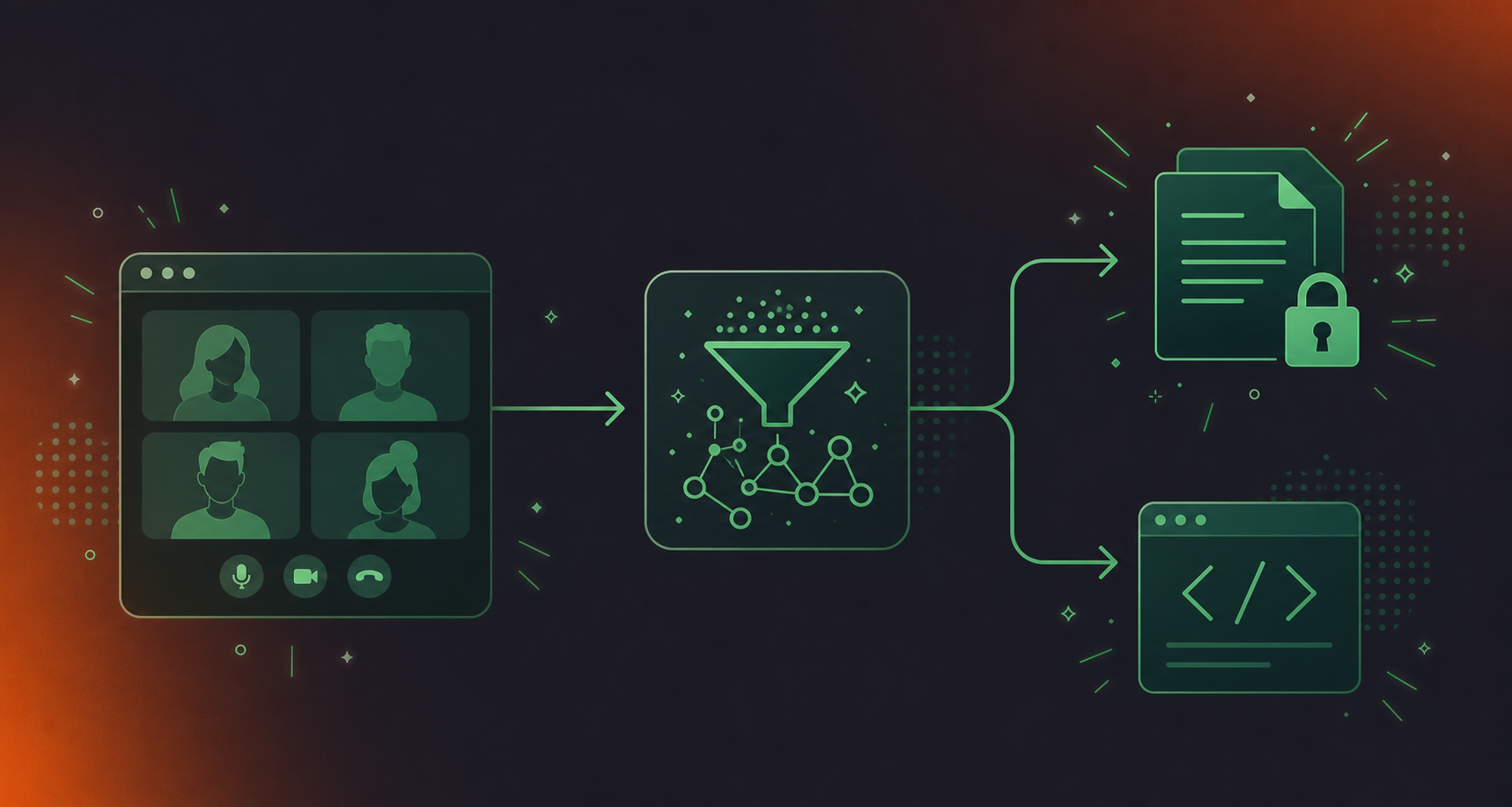
The flow has three steps. Spinach joins a meeting, captures it, and at meeting end produces structured outputs: action items with named owners, decisions, and summaries. A webhook payload fires to an endpoint your organization controls. That endpoint processes and stores the data in a form Devin can consume, whether through its knowledge base, an API call within a session, or an MCP connection. Conversation data enters Devin’s working context without anyone re-keying it.
What Devin Can Do With Conversation Data
With that pipeline in place, Devin can:
- Automatically create action items assigned in last week’s sprint planning session and cross-check them against open PRs
- Surface an architectural decision made two months ago before writing code that would conflict with it
- Find the customer constraint discussed on a discovery call before touching the relevant feature
- Identify which approach was explicitly ruled out in a design review, so Devin avoids re-implementing it
Spinach API and webhooks are available on the Enterprise tier, built for this kind of downstream agent consumption.
Setting Up a Webhooks Server for Conversation Data
Before a single line of code goes in, scope the four discrete engineering concerns your webhook receiver needs to handle.
Core Implementation Requirements
- Endpoint hosting: a publicly reachable HTTPS endpoint to receive POST requests from Spinach
- Payload parsing: extracting decisions, action items, participant data, and meeting metadata from the structured payload
- Storage and indexing: writing parsed data into a format Devin’s knowledge base can consume
- Authentication: validating incoming payloads using HMAC signature verification
- Retry handling: return HTTP 200 immediately and process asynchronously; also implement idempotency checks on your receiver to prevent duplicate knowledge entries if the same payload is delivered more than once
Each is a separate engineering concern, plus ongoing maintenance as Spinach’s payload schema evolves. Similar limits apply when pulling Microsoft Teams meeting transcripts into Codex.
What Devin’s Knowledge Base Expects
The storage step has a constraint worth understanding before you design your schema. According to a guide on Devin’s knowledge base, each knowledge item has two parts: the content itself and a trigger description that tells Devin when to recall it. Pasting a full meeting summary as a single item does not work well. Each decision or constraint needs its own item with a precise trigger.
That same guide notes stale knowledge items cause real problems. As decisions change, items need updating. This is an ongoing maintenance commitment, not a one-time data push.
The DIY path suits teams with specific routing requirements or unusual storage constraints. For everyone else, Spinach’s pre-built integration handles decomposition, formatting, and delivery without custom code.
Connecting Your Webhooks Server to Devin
Both sides of the connection require separate configuration. The Spinach side controls what gets sent; the Devin side controls how it gets stored and recalled.
Configuration Steps
Here is the full sequence for each system.
Spinach side (Enterprise):
- Go to Spinach admin settings and open the Webhooks configuration panel
- Enter the HTTPS endpoint URL of your receiver server
- Select event types to subscribe to: meeting completed, action items created, decisions logged
- Copy the signing secret Spinach generates and store it in your receiver’s environment variables
- Send a test event and confirm your endpoint returns HTTP 200
Devin side:
- Format parsed conversation data as knowledge items: one decision or constraint per entry, with a trigger description matching the relevant task type
- Add items via Settings and Library in the Devin UI, or programmatically via the Devin API
- For session-specific context, pass recent meeting decisions directly in the session prompt using the API
- Validate by starting a test session that references a recent decision and confirming Devin surfaces it unprompted
According to a DeployHQ guide on Devin, Devin API access is included on Team and Enterprise plans and consumes ACUs without an additional fee (as of August 2026). Spinach webhooks are Enterprise-tier. Both tiers need to be active before the pipeline runs end to end.
Security Considerations for Conversation Data via Webhooks
Conversation data routed into an autonomous coding agent’s working context carries real risk. Architectural decisions, rejected approaches, customer constraints, and personnel discussions are not public knowledge. Here is what a CISO or head of legal will ask before approving this integration.
Risks to Handle Before Deploying
- Prompt injection: carelessly authored meeting content could embed instructions that manipulate Devin’s session behavior
- Data exfiltration: confirm that conversation data loaded into Devin’s context cannot be routed to unintended external services via tool calls
- Access control drift: shared knowledge base items may expose sensitive decisions to engineers who shouldn’t have that context as the organization scales
- Compliance exposure: meeting data in healthcare, financial services, or legal carries retention, access logging, and data residency obligations, so verify these before the integration goes live
- Payload integrity: validate HMAC signatures on every incoming request; unvalidated endpoints can be spoofed, and the same principle applies when you connect Claude Code to Zoom transcripts
Questions to Ask Before Going Live
- Which meetings are in scope? All-hands calls, executive forums, and HR conversations likely need to be excluded.
- Who in your Devin organization has read access to the knowledge base items this integration populates?
- What is the retention policy for conversation data once it enters Devin’s knowledge base?
- Is your webhook receiver logging payloads, and if so, where and for how long?
On the Spinach side, webhook payloads are delivered over HTTPS with HMAC signature signing, and Enterprise retention is configurable per data type (transcript, summary, and video) from one week to indefinite. You control what leaves Spinach and when, which matters if your legal team needs to scope the integration narrowly. Spinach is SOC 2 Type II, GDPR, and HIPAA compliant, with a BAA available on Enterprise. Full compliance documentation is at trust.spinach.ai.
How Structured Meeting Data Powers Devin’s Working Context
Spinach AI is an enterprise conversation intelligence platform, the system of record for conversation data. Where individual AI note-takers solve one person’s problem, Spinach is deployed company-wide across Zoom, Google Meet, Microsoft Teams, Slack Huddles, and Webex to capture, centralize, manage, and power the organization with every conversation it has. For teams running Devin in production, that means conversation data exists in one governed organizational repository instead of per-user silos, and arrives at Devin’s knowledge base pre-structured, never re-keyed from individual notes folders.
What Spinach Provides for This Integration
- Record-by-default capture across design reviews, sprint planning, architecture calls, and customer syncs, so no context falls through the cracks between meetings
- Centralized repository with org-level enforced settings, SAML SSO, SCIM provisioning, PII redaction at the transcript level, and classify-and-flag compliance review
- Pre-built webhook delivery with HMAC-signed payloads and configurable event subscriptions
What Devin Gains
- Action items with named owners from any meeting (sprint planning, design reviews, customer syncs, architecture calls) surfaced when Devin works on related work
- Decisions and the rationale behind them, including what was ruled out, along with what was chosen
- Cross-meeting context spanning multiple sessions across any meeting type, well beyond the most recent one
Teams already running Devin at scale can connect Spinach AI’s Enterprise webhook integration and stop pre-loading context by hand before every session. Get started at spinach.ai.
Final Thoughts on Routing Conversation Data to Devin With Webhooks
Giving Devin the context it needs to produce useful output is an infrastructure problem, not a prompt problem. The decisions, tradeoffs, and constraints your team discusses in meetings are exactly what Devin lacks when it defaults to generic patterns, and a webhook pipeline is how you deliver that knowledge automatically. Once the integration is in place, conversation data flows into Devin’s knowledge base at meeting end with no manual step in between. Set up your Spinach webhook integration and give Devin organizational memory it can actually act on.
Configure the Spinach Enterprise webhook panel with your HTTPS endpoint URL, select event types (meeting completed, action items created, decisions logged), and store the HMAC signing secret in your receiver’s environment variables. On the Devin side, format each parsed decision or constraint as a separate knowledge item with a trigger description, then add items via Settings and Library or the Devin API. Both Spinach Enterprise and Devin Team or Enterprise plans must be active before the pipeline runs end to end.
Route architecture decisions, sprint action items with named owners, ruled-out approaches from design reviews, and customer-driven constraints from discovery calls — these are the context types most likely to affect code quality. Exclude all-hands calls, executive forums, and HR conversations before the integration goes live, and confirm who in your Devin organization has read access to the knowledge base items it populates. Spinach Enterprise lets you configure retention and scope per data type, so you control exactly what leaves the platform.
Spinach webhooks are event-driven HTTP callbacks that push structured meeting outputs — decisions, action items, summaries — to an endpoint your organization controls the moment a meeting ends, with no polling or manual export required. The Spinach API supports custom pipelines and broader data access. Both are available on the Enterprise tier only; the Business plan includes MCP but not API or webhook access.
Webhooks push structured meeting outputs to your infrastructure automatically at meeting end, making them the right choice for building a persistent knowledge base that Devin draws from across sessions. MCP works well for on-demand retrieval inside a live session when Devin needs to query recent meeting context directly through Claude or ChatGPT connectors. Teams running Devin at production scale typically need both: webhooks to populate the knowledge base continuously, MCP for session-specific retrieval.
Yes, if your requirements fit Spinach’s pre-built webhook delivery. Spinach handles payload structuring, HMAC signing, and configurable event subscriptions, reducing the engineering scope to endpoint hosting, storage, and knowledge-item formatting on the Devin side. Custom infrastructure makes sense only if you have unusual routing requirements or storage constraints that Spinach’s standard payload schema does not cover.
Each knowledge base item should cover exactly one decision, constraint, or ruled-out approach — not an entire meeting summary. Devin recalls items based on trigger descriptions, so a single item like “authentication approach ruled out in March design review: JWT tokens rejected due to compliance requirement” is far more actionable than a paragraph-level summary that mixes multiple decisions together.
Write the trigger description as the task type or code area where the decision becomes relevant — for example, “when modifying the payments module” or “when writing auth middleware.” This tells Devin exactly when to surface the item, so architectural decisions from meetings appear at the moment Devin would otherwise default to a generic pattern.
Webhooks are available on the Enterprise tier only. Business plan includes MCP but not API or webhook access, so teams that need event-driven delivery of meeting outputs to Devin’s knowledge base require an Enterprise account on the Spinach side and a Team or Enterprise plan on the Devin side.
Carelessly authored meeting content could embed instructions that manipulate Devin’s session behavior if payloads are not sanitized before storage. Validate HMAC signatures on every incoming request, sanitize content fields before writing them to Devin’s knowledge base, and scope which meetings are in range before go-live to keep the attack surface contained.
Stale knowledge items cause real problems because Devin may surface an outdated architectural decision and act on it. Build your webhook receiver to update or replace existing items when a new decision supersedes an old one, and establish a review cadence — especially after sprint retros or architecture reviews where prior decisions are explicitly reversed.
Customer-driven constraints from discovery calls are among the highest-value inputs for Devin because they explain why a feature is built the way it is — but they carry higher compliance risk than internal meetings. Confirm your data retention and access control obligations before routing customer call data, and verify who in your Devin organization has read access to the knowledge base items that pipeline populates.
Spinach retries delivery if your endpoint does not return HTTP 200, so your receiver should return 200 immediately and process the payload asynchronously. Use a deduplication key — such as the meeting ID included in the payload — to check whether an item already exists before writing a new one to Devin’s knowledge base.
Webhooks deliver structured meeting outputs automatically at meeting end with no manual step, building a persistent knowledge base Devin draws from across all sessions. Manually pasting notes into a session prompt works for one-off context but does not accumulate organizational memory, and it relies on someone remembering to do it before every session where that context matters.
Yes, and teams operating at production scale typically need both. Webhooks populate Devin’s knowledge base continuously as meetings end, building durable cross-session memory for architectural decisions and long-running constraints. MCP handles on-demand retrieval inside a live session when Devin needs to query recent meeting context directly through Claude or ChatGPT connectors.
Cross-functional syncs and architecture review recordings are the highest-value source here, because they capture the dependencies, ownership boundaries, and trade-offs that rarely appear in tickets or READMEs. Spinach captures conversations across Zoom, Google Meet, Teams, Slack Huddles, and Webex, so cross-team context from any of those surfaces flows into the same organizational repository and can be routed to Devin’s knowledge base through the same webhook pipeline.
What to do now
Now that you've read this article, here are some things you should do:
- You should check out our library of meeting agenda templates for every type of meeting.
- You should try Spinach to see how it can help you run a high performing org.
- If you found this article helpful, please share it with others on Linkedin or X (Twitter)

