How to Power Cursor Agents with Conversation Data Using MCP (August 2026)
Cursor agents read code but miss meeting decisions. Learn how to use MCP and Spinach AI to close that gap with governed conversation data in August 2026.
 Maintouch
Most teams setting up Cursor agents focus on what the agent can read: code, tickets, docs, error logs. The harder question is what it can’t reach, and for most engineering teams that’s every decision, blocker, and scope change that got discussed in a meeting and never made it into a ticket. MCP is the interface layer that changes that.
TLDR:
- MCP reached 97 million monthly downloads by March 2026, with 41% of software orgs already in production use (Stacklok 2026)
- Your Cursor agent reads code and tickets but has no access to architecture decisions, scope changes, or blockers that only exist in meeting conversations
- A conversation data MCP server needs five tools at minimum:
search_meetings,get_action_items,get_decisions,get_meeting_summary, andsearch_by_participant - Keep active tools across all MCP servers under 40 or the agent degrades at selecting the right one as context fills up
- Spinach AI is the enterprise conversation intelligence platform and system of record for conversation data. Its pre-built MCP server (Business and Enterprise plans) exposes a governed, company-wide corpus with OAuth 2.0, user-level permissions, and PII redaction at the transcript level
What MCP Is and Why It Matters for Cursor Agents
Model Context Protocol (MCP) is an open standard that defines how AI applications connect to external data sources and tools, standardizing the client-server interface so any compliant agent can call any compliant server without a custom connector. Before MCP, every AI-to-tool integration meant a custom build per model-tool pair, Cursor’s agent included, which meant writing and maintaining separate connectors for every data source it needed to reason over.
MCP changes that calculus. Instead of brittle one-off integrations, Cursor’s agent detects available tools at runtime and calls whichever ones its current task requires. It’s less a feature and more the wiring standard that makes the whole system composable. If you want your Cursor agent to pull in context from external systems, including conversation data, MCP is the interface layer that makes that possible without rebuilding it every time your toolchain changes.
Why Cursor Agent Adoption Is Accelerating in 2026
Cursor went from a VS Code fork to one of the most-used AI IDEs in 2026, and the protocol powering its agent integrations has grown at a pace that makes “early adopter” feel like an outdated label. When Anthropic released MCP in November 2024, it was a single vendor’s proposal. By the time OpenAI, Google, and Microsoft co-sponsored its donation to the Linux Foundation, it had become infrastructure.
The download numbers tell the rest of the story. MCP hit 97 million monthly downloads, a 970x increase in 18 months. Stacklok’s 2026 software report found 41% of surveyed software organizations already in limited or broad production use. For engineering teams running Cursor agents, that signals one thing: the teams building on MCP now are setting the baseline everyone else will be measured against.
The table below captures where the MCP and Cursor ecosystem stood as of mid-2026. The growth shows up in the breadth of what’s been built on top of the protocol, beyond raw download volume.
Signal | Data Point | Source |
|---|---|---|
Monthly SDK downloads (March 2026) | 97 million | Knak / Anthropic ecosystem data |
Active public MCP servers | 10,000+ | Anthropic, December 2025 |
Software orgs in production with MCP | 41% | Stacklok State of MCP 2026 |
MCP ecosystem GitHub repos (May 2026) | 15,926 | Digital Applied, May 2026 |
Cursor Cloud Agents launched | May 2026 (v3.5) | Codersera |
Cursor’s v3.5 release brought Background Agents running in cloud sandboxes, shifting Agent Mode from an experimental toggle to the default workflow for many engineering teams. With MCP now governed by the Linux Foundation, the server ecosystem has grown fast enough that the real question stopped being “can my agent connect to X?” and started being “which conversation data should it actually have access to?”
Conversation Data as Cursor Agents’ Context Blind Spot
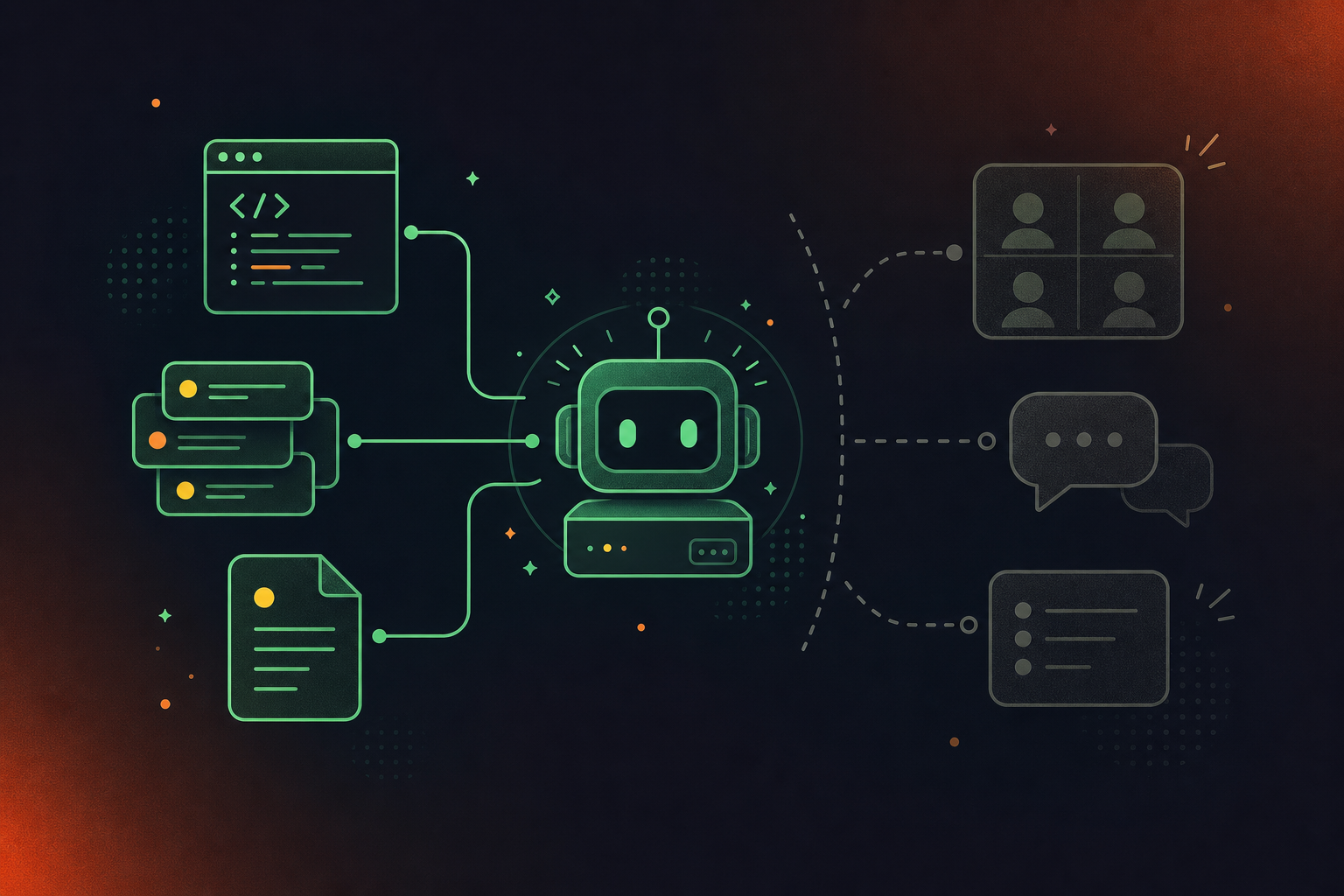
Cursor agents are good at reading what’s written down. Code, tickets, docs, error logs: if it’s structured and stored, the agent can reason over it. The problem is that most of the decisions shaping a software project never get written down anywhere the agent can reach.
What the Agent Can See vs. What Drives Decisions
The gap isn’t subtle. Here’s what it looks like in practice:
Data Cursor Agents Can Access Today | Data Cursor Agents Cannot Access Without MCP + Conversation Layer |
|---|---|
Source code and diffs | Architecture decisions made in sprint reviews |
Linear / Jira tickets | Scope changes agreed verbally on product calls |
Confluence / Notion docs | Blockers raised in standups never logged as tickets |
Sentry error logs | Customer context from sales and CS handoff calls |
GitHub PRs and comments | Cross-team dependencies discussed in leadership syncs |
An agent asked to refactor an auth module has no idea the team decided to deprecate that pattern last Thursday. It can’t see the blocker a backend engineer mentioned in Monday’s standup that never became a ticket. It can’t factor in the scope change a PM agreed to on a customer call. So it works from an incomplete picture and produces suggestions that ignore the actual direction of the project.
Conversation data, meaning decisions, blockers, and commitments captured across Zoom, Google Meet, Teams, Slack Huddles, and Webex, sits outside every data source the agent knows how to query. Spinach AI is the enterprise conversation intelligence platform and system of record for that data. Deployed company-wide instead of per person, Spinach joins every meeting across Zoom, Meet, Teams, Huddles, and Webex, captures during the meeting, and delivers structured outputs when it ends: decisions with context, action items with named owners, and cross-meeting history that Cursor can actually query. Without that layer, your Cursor agent is well-read but not well-informed.
How MCP Gives Cursor Agents Access to Conversation Data
MCP works on a client-server model: an MCP server is a lightweight program connecting Cursor’s agent externally, exposing functions called “tools” that the agent identifies and calls during workflows. For conversation data, those tools are the bridge between what got said in a meeting and what your agent reasons over when writing or reviewing code.
MCP Client-Server Mechanics in Brief
When Cursor opens, the agent scans active MCP servers, loads the tools they expose, and determines which ones to call as part of the current task. A conversation data server registers tools like get_action_items, search_decisions, or get_meeting_context and the agent calls them the same way it would call any other MCP tool.
What Cursor Agents Can Do Once the Connection Exists
- Surface action items from meeting transcripts, including owners, due dates, and source meeting, when opening a related PR
- Surface the architecture decision that ruled out a specific approach three sprints ago
- Find customer context from a handoff call referenced in a Jira ticket, or convert meeting transcripts to Jira tickets directly
- Retrieve cross-meeting participant history to understand who owns a decision before proposing a change
The agent stops working from code and tickets alone and starts working from the full decision record your product and engineering teams actually produced.
Setting Up an MCP Server for Conversation Data
Building an MCP server for conversation data is straightforward at the protocol level and genuinely hard at the data layer. Understanding where complexity lives helps you decide whether to build or buy.
SDK and Transport Choices
MCP uses a three-layer client-server architecture in which the host agent communicates through an MCP client to reach servers that expose tools and structured data. For transport, MCP supports three types: stdio for local CLI-shaped servers, SSE, and Streamable HTTP for hosted deployments. Python and TypeScript are the dominant SDK choices, with FastMCP serving as a lightweight Python wrapper for teams that want less boilerplate. For platform-specific setups, see how to connect Claude Code to Zoom transcripts.
What Tools a Conversation Data Server Must Expose
At minimum, a conversation data server needs these five tool implementations:
search_meetings: query by date range, participant, topic, or keywordget_action_items: return structured items with owners, due dates, and source meetingget_decisions: return decisions with rationale and meeting contextget_meeting_summary: return a structured summary for a specific meeting IDsearch_by_participant: retrieve all meetings and outputs tied to a named participant
Why DIY Build Complexity Is Non-Trivial
Raw transcripts are not what agents need. Cursor’s agent cannot reason over unstructured text; it needs decisions, owners, and context as discrete, queryable fields. Teams users can follow the same logic to connect Claude Code to Microsoft Teams transcripts. That requires building an extraction and structuring layer on top of the MCP protocol layer, which is where most DIY builds stall. A pre-built server backed by an enterprise conversation data repository, like the one Spinach AI exposes via its MCP server for conversation data, sidesteps that build entirely.
Connecting Your MCP Server to Cursor Agents
MCP configuration in Cursor runs at two scopes: global (~/.cursor/mcp.json) and project-level (.cursor/mcp.json committed to the repo). Project-scoped config works better for team setups where everyone on a repo shares the same server list. For Codex-based workflows, see how to pull Google Meet transcripts into Codex. You can also reach the settings panel at Settings > MCP directly inside Cursor.
Authentication
One-click installs from the Cursor Marketplace or cursor.directory handle OAuth inside Cursor itself. For Spinach’s pre-built MCP connector, OAuth 2.0 is handled at the server level with admin approval and user-based permission enforcement built in. No manual token management required.
Testing the Connection
Once the server is registered, go to Settings > Tools & MCP. Every loaded server appears with a status indicator, and individual tools can be toggled from that panel.
- Confirm the server status indicator is green.
- Open Cursor Agent and ask about a specific recent meeting (“What action items came out of Tuesday’s architecture review?”).
- Verify the agent returns meeting-sourced context instead of a hallucinated answer.
- Confirm results respect user-level permissions so users only see meetings they attended. For Codex users on Teams, see how to pull Microsoft Teams meeting transcripts into Codex.
Tool Count Considerations
40 active tools is the practical ceiling before the agent degrades at picking the right one because context fills up. Disable tools you are not actively using.
Security Considerations for Conversation Data via MCP
Meeting data carries real organizational weight. Strategic decisions, customer intelligence, personnel discussions, and competitive context all live in conversation data. Running it through an MCP server without the right controls creates risks that a transcript alone would not.
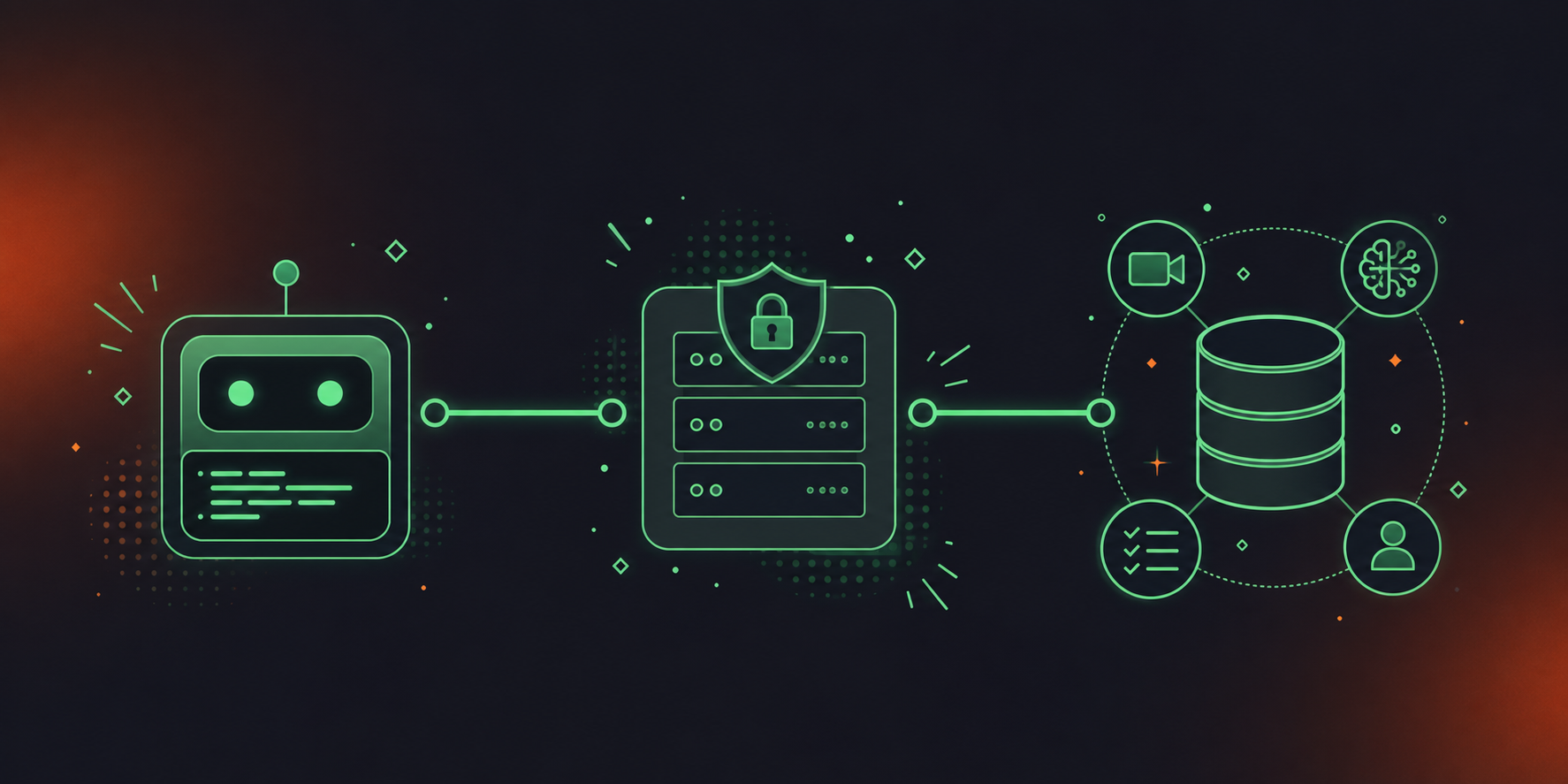
There are four risks worth naming before any deployment.
- Prompt injection occurs when a crafted prompt instructs the agent to exfiltrate or misuse retrieved meeting data.
- Data exfiltration happens when overly broad tool permissions return meeting content to unauthorized recipients or downstream contexts.
- Access control drift develops when permissions set at deployment go stale as team structures change, leaving users able to see meetings outside their scope.
- Compliance exposure arises when PII, restricted financial data, or HIPAA-covered content flows through a server with no redaction or audit layer.
Stacklok’s 2026 MCP report found security remained the leading blocker for production MCP adoption. Enterprise-grade deployments are standardizing on OAuth 2.1 with per-user attribution for production connections, and the most cited concern from enterprise AI teams as of early 2026 (Stacklok 2026) is the visibility gap: agents making tool calls with no audit trail of who triggered what and when.
Questions to Ask Before Deploying Any Conversation Data MCP Server
- Does the server enforce user-level permissions, or does it return everything accessible to the service account?
- Is PII redacted at the data layer before the agent sees it?
- Are all tool invocations logged with user identity and timestamp?
- Does the server support OAuth 2.0 or 2.1 with admin approval gates, or does it rely on static tokens?
- When a user’s permissions change, is access revoked in real time or on the next sync?
- Is meeting data subject to configurable retention policies?
Spinach AI’s MCP server handles OAuth 2.0 with admin approval and user-based permission enforcement built in, and meeting data is governed by configurable retention at the transcript, summary, and video level. Spinach’s full compliance posture is documented at trust.spinach.ai.
Powering Cursor Agents With Meeting Intelligence Through Spinach
Most MCP conversation data setups fail at the organizational layer, not the protocol layer. A single developer connecting their own meeting tool gets their own meetings, producing a per-person archive instead of an organizational record. Spinach AI is built differently: it is the enterprise conversation intelligence platform and system of record for conversation data, deployed company-wide so every agent on every team queries one governed, centralized corpus through one server. Where individual note-takers produce shadow IT and fragmented per-user silos, Spinach captures every conversation across the organization, centralizes it with enforced policy, and exposes it through a pre-built MCP server so Cursor agents can reason from the full decision record the organization actually produced.
What Spinach Provides That a DIY Build Cannot
- Record-by-default capture across Zoom, Google Meet, Microsoft Teams, Slack Huddles, and Webex, with no per-user opt-in and no gaps in the organizational record. For enterprise search workflows, see how to pull Microsoft Teams transcripts into Glean
- A centralized, AI-ready repository that the MCP server queries, not fragmented per-user silos
- PII redaction at the transcript level, configurable retention per data type on Enterprise, admin audit logging, and SAML SSO with SCIM provisioning
- A pre-built MCP server included on Business and Enterprise plans, with OAuth, admin approval gates, and user-based permission enforcement already in place
What Cursor Agents Gain
Once connected, Cursor Agents can retrieve action items with named owners and due dates, decisions with rationale and source meeting context, cross-meeting query patterns across an entire project’s history, and participant history showing who committed to what across a workstream.
Engineering and product organizations on Business or Enterprise plans get Cursor Agents reasoning from the same strategic context their teams hold. Spinach centralizes and governs the conversation data; MCP routes it to the agent, feeding every team’s meetings into one corpus instead of separate per-person archives. For Glean-connected workflows, see how to pull Google Meet transcripts into Glean.
Final Thoughts on Expanding Cursor Agent Context With Conversation Data
Most Cursor agent setups are one data layer short. Code and tickets are covered, but the decisions, blockers, and scope changes that live in meeting recordings stay invisible to the agent. MCP gives you the wiring to fix that, and the harder part, structuring raw conversation data into something an agent can actually query, is where a pre-built solution earns its keep. Get started with Spinach AI to connect your meeting corpus to Cursor without building the extraction layer from scratch.
On Business or Enterprise plans, Spinach AI’s MCP server connects to Cursor through OAuth 2.0 — no manual token management required. Register the server in your project-level `.cursor/mcp.json` file, confirm the green status indicator under Settings > Tools & MCP, then test by asking the agent a meeting-specific question to verify it returns governed conversation data rather than a generated response. Admin approval and user-based permission enforcement are built into the server, so access is scoped to meetings each user actually attended.
Cursor agents can retrieve structured outputs including action items with named owners and due dates, decisions with rationale and source meeting context, cross-meeting query history across an entire project’s workstream, and participant records showing who committed to what across calls. The data comes from Spinach AI’s centralized, AI-ready corpus spanning Zoom, Google Meet, Microsoft Teams, Slack Huddles, and Webex — not fragmented per-user archives that leave gaps in the organizational record.
Build your own only if you are prepared to solve the structuring problem, not just the protocol layer. Raw transcripts are unqueryable by Cursor agents — you need decisions, owners, and context as discrete fields, which requires an extraction layer on top of the MCP transport layer. Spinach AI’s pre-built MCP server ships that extraction and structuring already done, with PII redaction, configurable retention per data type, audit logging, and SAML SSO included on Enterprise. Most teams that start a DIY build stall at the data structuring layer.
Confirm the server enforces user-level permissions rather than returning everything accessible to a service account, applies PII redaction before the agent sees the data, logs all tool invocations with user identity and timestamp, and uses OAuth 2.0 or 2.1 with admin approval gates rather than static tokens. Meeting data carries strategic decisions, customer intelligence, and personnel context — and Stacklok’s 2026 MCP report identified the audit visibility gap as the leading concern for enterprise AI teams in production MCP deployments.
Around 40 active tools across all connected MCP servers is the practical ceiling before the agent loses accuracy in selecting the right one as context fills up. Disable tools you are not actively using, and keep your conversation data server scoped to the five tools that deliver the most decision-relevant output: `search_meetings`, `get_action_items`, `get_decisions`, `get_meeting_summary`, and `search_by_participant`.
MCP (Model Context Protocol) is an open standard that defines how AI agents connect to external data sources through a standardized client-server interface, so any compliant agent can call any compliant server without a custom connector. For Cursor agents, this means conversation data — decisions, blockers, action items — captured in meetings can be exposed through a single server rather than requiring a bespoke integration for every data source. Without MCP, every new tool your agent needs to query requires its own build; with it, the agent discovers and calls available tools at runtime.
MCP is included on Business and Enterprise plans only — it is not available on Starter or Pro. Business runs $29 per user per month (or $19 billed annually), and Enterprise is custom pricing through sales. API and webhooks, for custom export pipelines, are available on Enterprise only.
At minimum, a conversation data MCP server needs five tools: `search_meetings` for querying by date, participant, or keyword; `get_action_items` for structured items with owners and due dates; `get_decisions` for decisions with rationale and source context; `get_meeting_summary` for a structured summary tied to a specific meeting ID; and `search_by_participant` for retrieving all meetings and outputs connected to a named person. These five cover the decision-relevant outputs a Cursor agent needs to reason accurately over a project’s history.
MCP configuration in Cursor runs at two scopes: global configuration lives in `~/.cursor/mcp.json` and applies across all projects, while project-level configuration lives in `.cursor/mcp.json` committed to the repo. Project-scoped config is the better choice for team setups where everyone on a repository should share the same server list. You can also reach the settings panel directly at Settings > MCP inside Cursor.
Raw transcripts are unqueryable by Cursor agents — the agent cannot reason over unstructured walls of text the way it can over discrete, structured fields. It needs decisions, owners, and context as separate queryable fields, which requires an extraction and structuring layer built on top of the MCP transport layer. Teams that attempt a DIY build typically stall at this data structuring step, not at the protocol layer itself.
No. Spinach does not use voice biometrics and does not store biometric identifiers — speaker identification is context-based. Any future voice-matching capability would be opt-in. This matters for enterprise MCP deployments because conversation data routed to Cursor agents is governed by the same privacy controls that apply to the rest of the Spinach corpus.
Yes. Spinach captures conversations across Zoom, Google Meet, Microsoft Teams, Slack Huddles, and Webex, and the MCP server queries the full centralized corpus regardless of which platform a meeting originated on. This means a Cursor agent can retrieve decisions or action items from a Slack Huddle the same way it would from a formal Zoom sprint review, giving it a complete organizational record rather than coverage limited to one meeting platform.
Before deploying any conversation data MCP server, you should confirm whether access revocation happens in real time or only on the next sync cycle when a user’s permissions change. Spinach AI’s MCP server enforces user-based permissions with OAuth 2.0 and admin approval built in, and on Enterprise, SAML SSO with SCIM provisioning means deprovisioned users lose access through the identity provider rather than requiring a manual update in each connected system.
After registering the server and confirming a green status indicator under Settings > Tools & MCP, ask the agent a specific question tied to a known recent meeting — for example, ‘What action items came out of Tuesday’s architecture review?’ A genuine MCP-sourced response will return named owners, specific decisions, and a source meeting reference; a hallucinated response will be vague, unattributed, and lack the structured fields the server should return. Also confirm that results respect user-level permissions so the agent only surfaces meetings the requesting user actually attended.
Without a conversation data layer, Cursor agents can read source code, tickets, docs, and error logs, but they have no access to architecture decisions made in sprint reviews, scope changes agreed verbally on product calls, blockers raised in standups that never became tickets, or customer context from sales and CS handoff calls. The practical result is that the agent produces suggestions built on an incomplete picture — it may refactor an auth pattern the team decided to deprecate, or propose an approach that a cross-team dependency discussion already ruled out.
What to do next
Next, here are some things you can do now that you've read this article:
- If communication is a challenge for your team, you should check out our library of meeting agenda templates.
- Check out Spinach to see how it can help you run a high performing org.
- If you found this article helpful, please share it with others on Linkedin or X (Twitter)

