MCP Server for Meeting Notes: Transform AI Agents in March 2026
MCP server for meeting notes gives AI agents access to transcripts, decisions, and action items. Connect meeting context to coding and sales agents in March 2026.
 Maintouch
You’re already recording meetings. The problem is that content stays trapped in video files and note-taking apps where your AI agents can’t reach it. Connect an MCP server for meeting notes and your agents can query across meetings, extract patterns, and reference decisions from three months ago. Your coding agent pulls requirements from customer calls. Your sales agent updates CRM records from discovery discussions. They’ll work with the full context of what your team actually talked about.
TLDR:
- MCP servers let AI agents access meeting transcripts, decisions, and action items across your org
- Coding agents pull context from product discussions to write code that matches what your team decided
- Meeting data stays locked away from 90% of enterprise AI systems without centralized infrastructure
- Spinach connects meeting intelligence to AI agents through MCP with SOC 2, GDPR, and HIPAA compliance
What Is MCP and Why Meeting Context Matters for AI Agents
The Model Context Protocol is an open standard that lets AI agents connect to your business tools without custom integrations for every data source. Think of it as a universal translator: instead of building dozens of one-off connections, you implement MCP’s standardized specification once and any compatible AI agent can access your data.
Meetings capture the context behind decisions, the reasoning that shaped your roadmap, and the commitments that drive execution. Your team makes decisions, identifies risks, and commits to action items in meetings every day. Yet most AI systems can’t see any of it because meeting conversations remain largely invisible to AI agents without the right MCP server setup.
When AI agents lack meeting context, they’re working blind. They miss the why behind your roadmap, the risks your team flagged, and the action items that drive execution.
How MCP Servers Give AI Agents Access to Meeting Notes
MCP servers connect your meeting intelligence system to AI agents through a three-part architecture: the host (your AI agent or IDE), the client (MCP connector), and the server (your meeting data source).
The server exposes meeting context through three primitives:
Resources give agents read access to meeting transcripts, summaries, and structured data like action items or decisions. An agent can fetch full context from last week’s product sync without manual copy-paste.
Tools let agents perform actions: search across meetings, filter by participant or topic, or update action items based on new information.
Prompts package common queries into reusable templates. Instead of crafting “find all customer feedback from Q1 engineering meetings,” you invoke a pre-built prompt that returns structured results.
Build one MCP server for your meeting data, and any MCP-compatible agent can access it.
The Meeting Data Blind Spot in Enterprise AI
Your enterprise AI has access to emails, documents, and tickets. But the conversations where decisions actually happen? Those remain locked away in isolated recordings and scattered notes.
Meeting conversations hold the richest context in your organization: why you chose one approach over another, what customers actually said about your product, which risks your team identified before they became issues. Yet enterprise AI is blind to 90% of organizational data, and conversation data sits squarely in that invisible 90%.
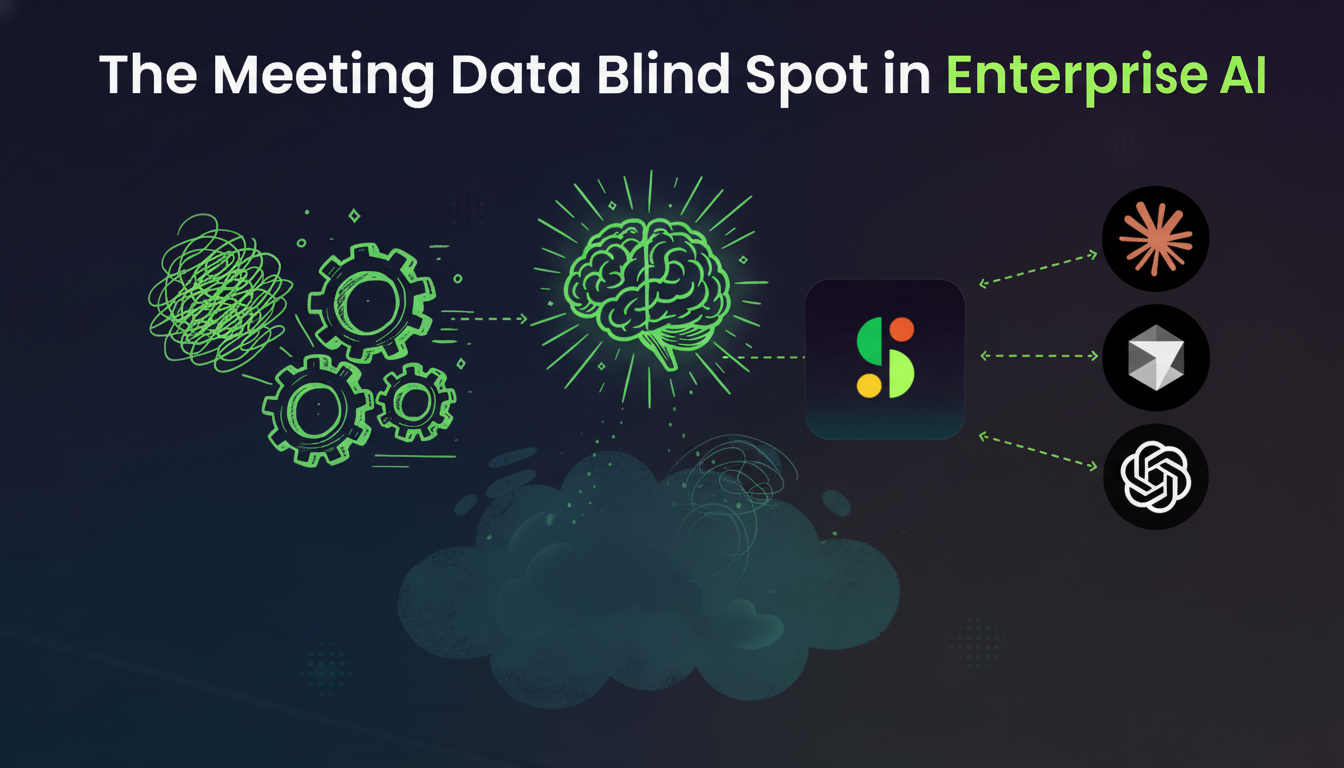
The problem isn’t recording meetings. You’re already doing that. The problem is that meeting content stays trapped in video files, PDFs, or individual note-taking apps. No centralized repository. No consistent structure. No way for AI systems to query across meetings, extract patterns, or reason about what your team discussed three months ago.
Without access to meeting context, your AI agents make recommendations based on incomplete information. They write code without knowing what the customer asked for. They update tickets without understanding the discussion that changed priorities.
Coding Agents That Attend Your Meetings: MCP for Development Workflows
Your coding agent needs to know what the customer actually asked for. When developers connect an MCP server for meeting notes to their IDE, agents like Claude Code and Cursor can reference the product discussion from Tuesday’s sync while writing code on Friday.
Here’s how it works in practice: a developer asks their coding agent to implement a new API endpoint. Instead of guessing at requirements, the agent queries your MCP server for meeting context. It finds the technical discussion where your team outlined validation rules, error handling preferences, and edge cases. The agent writes code that reflects what your team actually decided, not what it assumes you want.
Developers routinely build agents with access to hundreds or thousands of tools across MCP servers. Meeting context becomes one more data source in that ecosystem. Your agent might pull database schema from one MCP server, API documentation from another, and the requirements discussion from your meeting intelligence MCP server.
The workflow feels like your coding agent attended the meetings. You’re not copy-pasting meeting notes into prompts. You’re not summarizing discussions for context. The agent already knows what your team talked about because it can query meeting transcripts, extract decisions, and understand the reasoning behind technical choices.
Enterprise MCP Deployment Considerations for Meeting Intelligence
Deploying MCP servers that expose meeting data requires security controls that match the sensitivity of conversation content. Meeting transcripts contain strategic decisions, customer feedback, personnel discussions, and confidential roadmap details that need protection.
Your MCP server needs to verify both the requesting agent and the human user behind it. Role-based access controls determine which meetings each agent can query. A sales agent should access customer calls, not board meetings discussing acquisition strategy.
Data privacy controls become critical when meetings contain sensitive information. Organizations handling healthcare discussions or financial planning sessions need SOC 2, GDPR, and HIPAA compliance frameworks built into their MCP architecture. This includes encryption at rest and in transit, audit logs tracking every agent query, and data retention policies that respect regulatory requirements.
Meeting intelligence systems designed for enterprise deployment offer private cloud options and compliance agents that flag sensitive content before it reaches AI systems.
Real World Use Cases: AI Agents Powered by Meeting Context
Use Case | What the Agent Does | Business Impact |
|---|---|---|
Sales Pipeline Updates | Extracts customer pain points, budget discussions, and next steps from discovery call transcripts and pushes structured updates to Salesforce or HubSpot | Eliminates manual data entry while surfacing buying signals your rep might have missed |
Product Requirement Generation | Searches across discovery calls, user research sessions, and internal planning meetings to compile feature requests, technical constraints, and use cases into structured PRDs | Creates product documents that reflect what customers actually need by pulling context from multiple conversations |
Customer Feedback Analysis | Identifies patterns across customer conversations, surfaces recurring feature requests, tracks sentiment changes over time, and connects feedback themes to specific product areas | Spots trends in weeks that would take months to identify manually across all customer touchpoints |
Project Status Reporting | Queries standup meetings, planning sessions, and check-ins to extract blockers, completed milestones, and upcoming deadlines | Generates accurate status reports that reflect current project state without manual compilation |
Sales Pipeline Updates
Your sales agent queries meeting context to update CRM records without manual data entry. After a discovery call, the agent extracts customer pain points, budget discussions, and next steps from the transcript. It pushes structured updates to Salesforce or HubSpot and surfaces buying signals your rep might have missed.
Product Requirement Generation
Product managers ask their AI agent to draft PRDs by pulling context from multiple customer conversations. The agent searches across discovery calls, user research sessions, and cross-functional team meetings to compile feature requests, technical constraints, and use cases into a structured document that reflects what customers actually need.
Customer Feedback Analysis
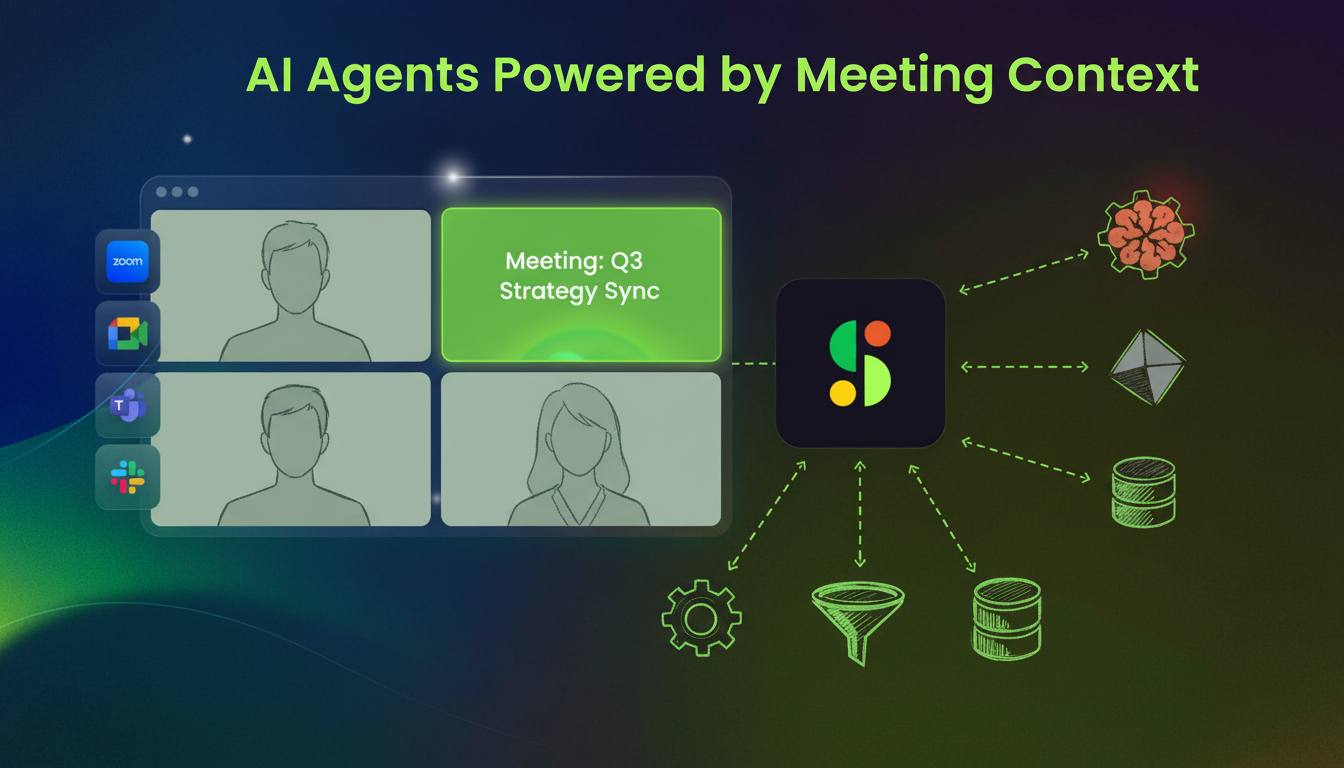
Your agent identifies patterns across customer conversations that would take weeks to spot manually. It surfaces recurring feature requests, tracks sentiment changes over time, and connects feedback themes to specific product areas.
Project Status Reporting
An agent generates status reports by querying standup meetings, planning sessions, and check-ins. It extracts blockers, completed milestones, and upcoming deadlines to create reports that reflect current project state.
MCP Server Implementation Patterns for Meeting Notes
MCP servers for meeting notes typically use one of three implementation patterns. Virtual server architecture creates isolated instances per team while sharing the underlying data infrastructure. Each team gets their own server endpoint with access controls matching org structure. Engineering sees standups, sales accesses customer calls, leadership queries board meetings. This solves multi-tenancy without duplicating data.
Cache meeting transcripts and summaries aggressively since they rarely change after processing. Store frequently accessed meetings in fast-access storage. Pre-compute common queries like action items and decisions during transcript processing instead of generating them when agents request data.
Your MCP server needs connectors to video conferencing APIs, recording storage, and transcription services. Webhook-driven updates push new meeting data as recordings complete, or scheduled sync jobs poll meeting sources periodically. Hosted MCP servers handle integration complexity for you. Self-hosted implementations give you control over data residency and custom connector development.
How Spinach AI Delivers MCP-Powered Meeting Context for Agents
Spinach solves the meeting data gap for AI agents. Our record-by-default system creates a conversation repository that agents can query through MCP server connections.
Your agents access meeting intelligence through the same MCP architecture you use for other data sources. When a developer asks their coding agent to implement a feature, that agent pulls context from product discussions, customer feedback sessions, and technical planning meetings stored in Spinach.
Connect meeting data to your CRM for automatic updates, project management tools for ticket creation, or analytics systems for cross-meeting pattern recognition through our APIs and webhooks.
Security stays locked down with SOC 2, GDPR, and HIPAA compliance. Your meeting data never trains external models, with zero data retention at AI providers.
Final Thoughts on Unlocking Meeting Data for Your AI Agents
MCP servers solve the meeting data blind spot that keeps your AI agents from seeing 90% of organizational context. When you connect meeting notes through MCP, your agents access the discussions where your team makes decisions, identifies risks, and commits to action items. The protocol is standardized, the security controls exist, and the use cases span every department from sales to engineering. Your meetings already capture the context your agents need to do better work.
An MCP server connects your meeting intelligence system to AI agents through three components: resources (read access to transcripts and summaries), tools (search and filter capabilities), and prompts (pre-built queries). Your agent queries the server for meeting context without manual copy-paste.
Your coding agent references the actual product discussions and technical decisions your team made when writing code. Instead of guessing requirements, it pulls validation rules, error handling preferences, and edge cases from meeting transcripts to build what your team actually decided.
Yes, role-based access controls determine which meetings each agent can query. Your sales agent sees customer calls while your leadership agent accesses board meetings, preventing unauthorized access to sensitive conversations across different teams and functions.
Meetings capture the why behind decisions, the risks your team flagged, and the commitments that drive execution. Without meeting context, AI agents work with incomplete information—they miss customer feedback, strategic reasoning, and the discussions that shape your roadmap.
You implement MCP’s standardized specification once, and any compatible AI agent can access your meeting data. Build one MCP server for your meeting intelligence system, and all your agents—coding assistants, CRM updaters, or analytics tools—can query that same data source.
What should you do now
Now that you've read this article, here are some things you should do:
- You should check out our library of meeting agenda templates for every type of meeting.
- You should try Spinach to see how it can help you run a high performing org.
- If you found this article helpful, please share it with others on Linkedin or X (Twitter)

