How to Power Glean Agents with Conversation Data Using MCP (August 2026 Guide)
Close Glean Agents' conversation data gap with MCP. August 2026 guide covers server setup, OAuth config, security risks, and Spinach AI's native MCP server.
 Maintouch
Think about the last time a Glean agent gave you a half-answer because the actual decision lived in a standup recording nobody ever indexed. That’s not a Glean problem, it’s a data access problem. MCP is the layer that lets Glean agents reach conversation data the same way they reach everything else, and getting it configured correctly is what this guide walks through.
TLDR:
- Glean Agents can search your Confluence docs and Jira tickets, but not the meeting where a decision was actually made. MCP closes that gap
- Register any MCP server in Admin Console under Platform → Tools; Glean locates and invokes its tools without custom code on the query side
- Raw transcripts expose your agents to prompt injection; structured outputs with typed fields remove that attack surface entirely
- Your MCP server must enforce user-level permissions independently, because access controls at the Glean host level alone are not sufficient
- Spinach AI is an enterprise conversation intelligence platform, the system of record for conversation data, that captures conversations across Zoom, Google Meet, Microsoft Teams, Slack Huddles, and Webex, centralizes them in a single governed data asset, and powers Glean Agents with structured decisions, action items with named owners, and participant history via a native MCP server on Business and Enterprise plans
What MCP Is and Why It Matters for Glean Agents
Model Context Protocol (MCP) is an open standard released by Anthropic in November 2024 and since adopted by OpenAI, Google, Microsoft, IBM, and Amazon. The core idea: instead of building a custom connector for every LLM-to-data-source pair, you build one MCP server per resource and every compliant AI client can query it. In December 2025, MCP donated to the Linux Foundation, backed by AWS, Google, Microsoft, OpenAI, Bloomberg, and Cloudflare, a clear signal that this moved from a vendor experiment to shared infrastructure.
For Glean Agents, MCP extends reach without rebuilding the integration layer. Glean already searches across connected enterprise data sources. MCP lets agents pull from any external system that exposes an MCP server, including conversation data, without requiring a dedicated connector each time.
MCP is the connective layer that governs how agents access, permission, and retrieve data across your organization. Get it wrong, and your agents either answer without context or answer without guardrails. Get it right, and every compliant agent in your stack inherits the same governed access model. That is why Spinach’s MCP server enforces OAuth, admin approval, and user-based permissions instead of opening a free-for-all query path.
Why Glean Agent Adoption Is Accelerating in 2026
Glean started as enterprise search. In 2026, organizations are running it as an action layer: agents that draft, route, escalate, and retrieve across connected systems without a human queuing every query. That shift from search to action makes the data Glean agents can reach consequential.
MCP is what made the timing real. According to Stacklok’s 2026 software report, 41% of surveyed software organizations are already in limited or broad production with MCP servers. MCP SDK downloads reached 97 million per month by March 2026, up from roughly 100,000 at launch in November 2024. That is not a research project pace.
For teams already running Glean, native MCP server support means any data source with an MCP endpoint is immediately in scope for agents. No new connectors, no rebuilding the retrieval layer. The infrastructure question is largely settled. What remains is making sure the right data sources are connected.
Conversation Data as Glean Agents’ Context Blind Spot
Glean Agents can search your Confluence docs, your Jira tickets, your Salesforce records. What they cannot search is the meeting where your VP of Product killed that feature, or the customer call where a enterprise conversation intelligence gap first appeared. Those decisions happened in conversation, and conversations rarely end up in the systems Glean indexes.
As Glean’s own team put it in their March 2026 MCP analysis: “if AI can’t find data, it hallucinates.” That is the structural problem. An agent asked to explain why a project was deprioritized will invent an answer if the actual reason lives only in a standup recording or a planning call transcript that no system ever ingested.
Spinach AI, the enterprise conversation intelligence platform and system of record for conversation data, is deployed company-wide across the organization. It joins those meetings, captures decisions and named action items during the call, and delivers structured, queryable outputs when the meeting ends, exposing them directly to Glean Agents via MCP. The meeting stops being a black box.
How MCP Gives Glean Agents Access to Conversation Data
Glean operates on both sides of the MCP relationship. It can act as an MCP server, exposing its own search and agent tools to external LLM hosts. More relevant here: it also functions as an MCP host, connecting to remote MCP servers built by third parties. Once a conversation data server is registered in Glean’s Admin Console under Platform → Tools, Glean Assistant and Glean Agents can locate and invoke its tools (for example, by connecting Google Meet transcripts into Glean) using natural language, no custom code required on the query side.
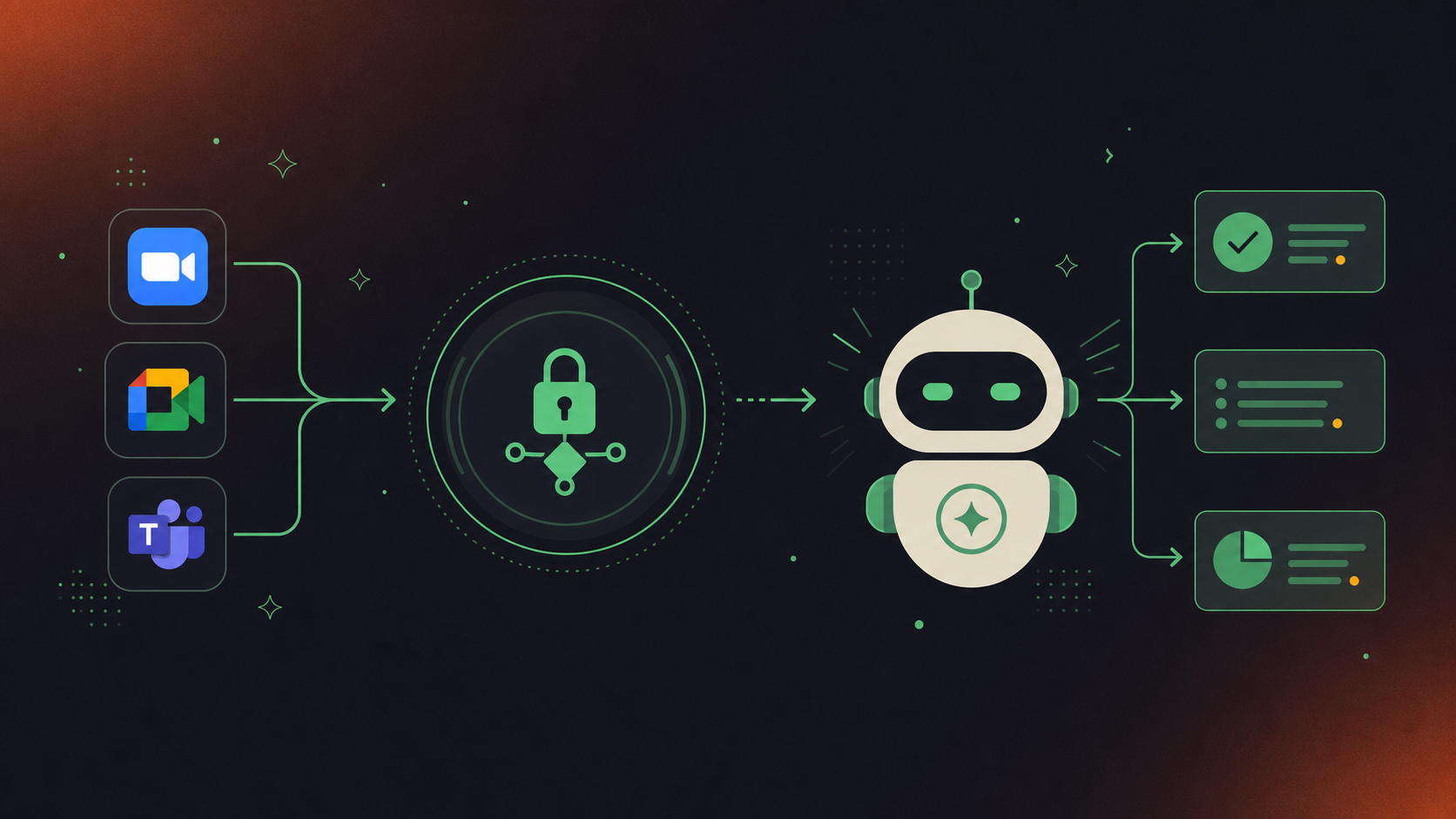
With a conversation data MCP server live, agents can do things that were structurally out of reach before:
- Pull action items from meeting transcripts assigned from last week’s product sync, with named owners, before filing a Jira ticket
- Surface a strategic decision made in a leadership forum three months ago that never made it into any doc
- Retrieve context from a customer onboarding call when drafting a follow-up account plan
The difference in what agents return is concrete:
Query | Without Conversation Data | With Spinach MCP Server |
|---|---|---|
“What did we decide on the pricing model?” | Returns docs and tickets only | Returns the exact meeting, timestamp, and decision owner |
“Who owns the Q3 roadmap initiative?” | May return a Jira field | Returns the person named in the product sync |
“What blockers did the CS team flag?” | No result | Returns flagged blockers from last week’s standup |
“What context exists for this account?” | CRM and email only | Adds call summaries, action items, and participant history |
Spinach AI captures conversations across the enterprise and centralizes them as governed, AI-ready knowledge, including decisions with named owners, action items with assignees, searchable summaries, and participant history, so what the MCP server exposes is a structured data asset, not a raw transcript dump.
Setting Up an MCP Server for Conversation Data
Building your own MCP server for conversation data is straightforward in theory and genuinely complex in practice. A custom server must implement the Model Context Protocol, expose an HTTPS URL reachable from Glean, and support OAuth 2.0 with authorization code flow or client credentials flow. That is the baseline before a single query works.
There are a few key architectural decisions to get right before any data flows through.
SDK and Transport Choice
The official MCP SDKs in Python and TypeScript handle the protocol layer, a pattern also used when routing Microsoft Teams transcripts with Claude. For enterprise deployment, Streamable HTTP transport is the right choice over STDIO, which works for local or bridge setups but is not viable across a distributed stack. Remote HTTP has become the enterprise default as of 2026.
Tools That Need to Be Implemented
A useful conversation data server must expose search by date range, participant, meeting series, and keyword, plus retrieval of structured outputs: decisions, action items, and summaries. Without those retrieval tools, the server is reachable but not useful.
Structuring Conversation Data for Agent Consumption
AI transcription tools consume context window without producing reliable output when returned raw. Glean Agents need typed, structured responses: decisions with named owners, action items with assignees, meeting metadata. As the organizational platform for conversation data, Spinach captures those conversations across the enterprise and normalizes structure automatically, so the MCP server exposes governed data instead of a block of unedited text that forces the agent to do extraction work it was never designed to do.
Connecting Your MCP Server to Glean Agents
Registration happens in one place: Admin Console → Platform → Tools. Paste your MCP server’s HTTPS URL there, and the server becomes available to Glean Assistant and Glean Agents once activated. Admins control which users can access which tools from this same view.
Authentication and OAuth Setup
Glean requires OAuth 2.0, the same requirement that applies when you pull Microsoft Teams transcripts into Glean. The preferred path is OAuth 2.1 Authorization Code with PKCE using Glean’s OAuth Authorization Server. The MCP Configurator at docs.glean.com provides tailored OAuth setup instructions, including Auth URL, Token URL, Client ID, and scopes. User-scoped API tokens are the documented fallback for hosts that cannot complete the full OAuth flow. Permitted scopes include MCP, AGENT, SEARCH, CHAT, DOCUMENTS, TOOLS, and ENTITIES. Glean enforces the permissions defined by the MCP server and does not override them.
Testing the Connection
Run a test query in Glean Assistant that explicitly invokes the conversation data tool. A working integration returns structured data: named decisions, assignees, meeting metadata. Raw transcript text in the response signals a tool schema problem or a missing permission scope.
Setup Step | Location | What to Check |
|---|---|---|
Register the server | Admin Console → Platform → Tools | HTTPS URL reachable, OAuth credentials valid |
Configure OAuth | MCP Configurator | Auth URL, Token URL, Client ID, scopes |
Publish tools to users | Admin Console → Tools settings | Tool schema visible, user access granted |
Run a test query | Glean Assistant chat | Response returns structured data, not raw text |
Verify permissions | Tool call log | User-scoped access enforced, no over-permissioning |
Spinach AI’s MCP server ships with OAuth, admin approval, and user-based permission enforcement already in place, which removes the configuration work that typically stalls this step.
Security Considerations for Conversation Data via MCP
Conversation data carries strategic decisions, personnel context, customer commitments, and financial signals. Exposing it through an MCP server without the right controls creates real risk. As Glean’s own team identified in their March 2026 MCP analysis, two problems define enterprise MCP adoption: getting agents to act correctly, and participating in an open ecosystem without compromising security.
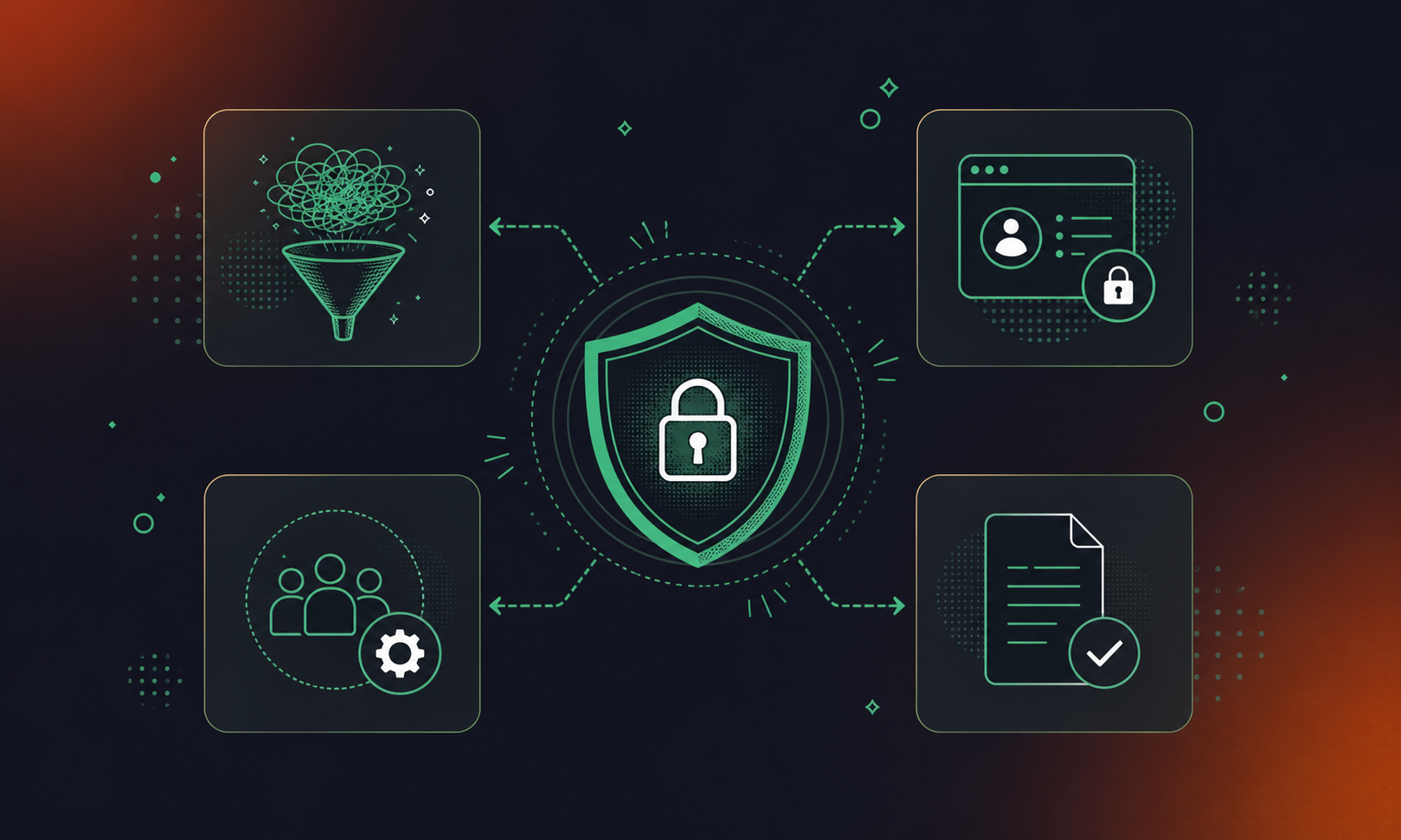
There are four specific risk vectors worth understanding before deploying any conversation data MCP server.
Prompt Injection and Tool Poisoning
MCP servers that return raw transcript text are the most exposed. A meeting participant can embed text designed to manipulate agent behavior when that content is later retrieved as tool output. Structured outputs with typed fields remove that attack surface. The agent sees decisions and action items, not free-form prose. The same principle applies when powering ChatGPT agents with structured meeting data.
Data Exfiltration
Access controls enforced only at the Glean host level are insufficient. The MCP server itself must enforce user-level permissions on every query. A user who cannot access a meeting in the source system should not reach it through a Glean Agent.
Access Control Drift
Team and role changes can leave permission assignments stale. A governed MCP server must inherit its access model directly from the source system, not maintain a separate permission layer that falls out of sync.
Compliance Exposure
In healthcare, financial services, and legal, meeting data carries retention and disclosure obligations. Before approving any MCP server that routes this data, ask three questions: Does the server enforce retention policy per record type? Does it redact structured PII at the transcript level before returning data? Is there an audit log of every agent query against meeting data? Spinach AI enforces PII redaction at the transcript level and provides audit logging, with details available at trust.spinach.ai.
Powering Glean Agents With Meeting Intelligence Through Spinach
Spinach AI is the system of record for conversation data. It is an enterprise conversation intelligence platform deployed company-wide on a record-by-default model to capture, centralize, manage, and power the organization with every conversation it has. Spinach captures conversations across Zoom, Google Meet, Microsoft Teams, Slack Huddles, and Webex and turns them into structured, governed, AI-ready knowledge that powers both people and agents. Where personal meeting tools solve one person’s problem, Spinach is the organizational platform deployed once, with enforced policy and a single governed data asset: decisions with named owners, action items with assignees, summaries, and participant history centralized in one place and routed automatically into the tools teams already use. The native MCP server, included on Business and Enterprise plans, enforces OAuth, requires admin approval, and inherits Spinach’s SOC 2 Type II, GDPR, and HIPAA compliance posture. No custom server build, no separate security review.
What Glean Agents Gain
With the Spinach MCP server registered, Glean Agents can query:
- Action items filtered by owner, meeting series, or date range, so agents surface the right commitment to the right person without manual tagging.
- Decisions that are searchable across the full organizational corpus, giving agents accurate context instead of reconstructed guesses.
- Cross-meeting history showing how a topic or project evolved across conversations over time.
- Participant records identifying who was present when a specific commitment was made.
Organizations already running Glean for enterprise search can close the conversation data gap without rebuilding anything.
Final Thoughts on Closing the Conversation Data Gap in Glean Agents
Most of what your agents get wrong comes down to missing context, not missing capability. The decisions, blockers, and commitments that live in meetings are the last piece of the retrieval puzzle, and MCP makes connecting them straightforward. If you’re already running Glean, adding the Spinach AI MCP server is the one step that makes your agents actually accurate on the questions that matter.
Register your MCP server’s HTTPS URL in Glean’s Admin Console under Platform → Tools. From there, Glean Assistant and Glean Agents can discover and invoke the server’s tools using natural language. You’ll also need to configure OAuth 2.0 credentials through Glean’s MCP Configurator, which provides tailored setup instructions including Auth URL, Token URL, Client ID, and permitted scopes.
Glean’s native search indexes Confluence, Jira, Salesforce, and similar systems of record — but the meeting where your VP killed a feature, or the customer call where a churn signal first appeared, never makes it into those systems. Spinach captures conversations across Zoom, Google Meet, Microsoft Teams, Slack Huddles, and Webex, then structures the output into named decisions, action items with assignees, and participant history that the MCP server exposes as governed, queryable data. With the Spinach MCP server registered in Glean, agents can return the exact meeting, timestamp, and decision owner — rather than reconstructing an answer from docs and tickets alone.
Building a custom server requires implementing the Model Context Protocol, exposing a reachable HTTPS endpoint, supporting OAuth 2.0, and separately solving for structured output so agents receive typed fields rather than raw transcript text. Spinach’s native MCP server, included on Business and Enterprise plans, ships with OAuth, admin approval, and user-based permission enforcement already in place, and inherits Spinach’s SOC 2 Type II, GDPR, and HIPAA compliance posture. For most teams, the custom build path delays deployment and reintroduces security review work that the native server eliminates.
Four risks are worth addressing before any deployment: prompt injection through raw transcript text returned as tool output, data exfiltration if access controls exist only at the Glean host level rather than enforced by the MCP server itself, access control drift when team and role changes leave permissions stale, and compliance exposure in regulated industries where meeting data carries retention and disclosure obligations. Structured outputs with typed fields — decisions, action items, metadata — remove the prompt injection surface. The MCP server must enforce user-level permissions on every query, independent of what the Glean host allows.
Model Context Protocol is an open standard, released by Anthropic in November 2024 and donated to the Linux Foundation’s Agentic AI Foundation in December 2025, that lets any compliant AI client query any data source that exposes an MCP server without a dedicated connector for each pair. For Glean Agents specifically, MCP means any external data source with an MCP endpoint — including conversation data — is immediately in scope for agents once registered, with no new connector builds required. With MCP SDK downloads reaching 97 million per month by March 2026 and 41% of surveyed software organizations already in limited or broad production deployment, the infrastructure question is largely settled; what remains is connecting the right data sources.
Without a conversation data source connected via MCP, the agent either returns no result or reconstructs a plausible answer from docs and tickets — which is how hallucination enters the picture. With a structured MCP server registered, the agent can return the exact meeting, timestamp, and decision owner rather than inventing context that was never written down.
MCP is included on Business and Enterprise plans only — it is not available on Pro or Starter. Business is priced at $29 per user per month (monthly) or $19 per user per month billed annually; Enterprise is custom pricing through sales.
Glean honors the permissions defined by the MCP server and does not override them, so the MCP server itself must enforce user-scoped access on every query. A user who cannot access a meeting in the source system should not be able to reach it through a Glean Agent — access controls at the Glean host level alone are not sufficient.
Spinach exposes typed, structured fields — decisions with named owners, action items with assignees, meeting metadata, and participant history — rather than raw transcript text. This matters for agent reliability and security: structured outputs remove the prompt injection surface that raw transcript returns create, and they prevent agents from doing extraction work they were not designed to handle.
According to Stacklok’s 2026 software report, 41% of surveyed software organizations are already in limited or broad production with MCP servers, and MCP SDK downloads reached 97 million per month by March 2026, up from roughly 100,000 at launch in November 2024. In December 2025, MCP was donated to the Linux Foundation’s Agentic AI Foundation, backed by AWS, Google, Microsoft, OpenAI, Bloomberg, and Cloudflare, moving it from a vendor experiment to shared infrastructure.
Spinach captures conversations across Zoom, Google Meet, Microsoft Teams, Slack Huddles, and Webex. That cross-platform coverage means Glean Agents can query decisions and action items from any of those sources through a single registered MCP server, without a separate connector per meeting platform.
Streamable HTTP transport is the right choice for enterprise deployment — STDIO works for local or bridge setups but is not viable across a distributed stack. Remote HTTP has become the enterprise default as of 2026, and it is what Glean expects when you register an MCP server’s HTTPS URL in Admin Console under Platform → Tools.
Run a test query in Glean Assistant that explicitly invokes the conversation data tool and check what the response contains. A working integration returns structured data — named decisions, assignees, meeting metadata; if the response contains raw transcript text, that signals a tool schema problem or a missing permission scope that needs to be corrected before the server goes into production use.
The Spinach MCP server inherits Spinach’s SOC 2 Type II, GDPR, and HIPAA compliance posture, and Spinach enforces PII redaction at the transcript level before data is returned to any agent query. For teams in healthcare, financial services, or legal — where meeting data carries retention and disclosure obligations — this means the MCP integration does not require a separate security review of the conversation data layer.
Glean indexes systems of record like Confluence, Jira, and Salesforce, but meetings are not a system of record by default — decisions made in a standup or a planning call rarely end up in any indexed document. Connecting a conversation data MCP server closes that gap by making structured meeting outputs — decisions, action items, participant history — queryable through the same Glean Agents your team already uses for everything else.
What to do next
Next, here are some things you can do now that you've read this article:
- If communication is a challenge for your team, you should check out our library of meeting agenda templates.
- You should try Spinach to see how it can help you run a high performing org.
- If you found this article helpful, please share it with others on Linkedin or X (Twitter)

