How to Power ChatGPT Agents with Conversation Data Using MCP (August 2026 Guide)
Power ChatGPT agents with governed meeting data using MCP. This August 2026 guide covers server setup, security controls, and the Spinach AI MCP integration.
 Maintouch
Getting ChatGPT agents to pull from your docs is the easy part. Getting them to pull from the actual decisions your team made on last Tuesday’s call, or the blocker a lead flagged on a standup that never made it into a ticket, that’s the gap MCP can close. This guide covers how to set it up properly, from structuring your conversation data to connecting a live MCP server to your ChatGPT workspace.
TLDR:
- MCP replaces up to 1,000 bespoke integrations by giving ChatGPT agents one standard interface to query any data source
- Your agents can read wikis and CRM notes, but the decisions made on calls stay invisible without a structured conversation data layer
- A production-ready MCP server for meeting data needs three tools: search, get-meeting, and list-meetings; missing one breaks common query patterns
- Prompt injection ranks as the top LLM vulnerability, and retrieved transcripts are a direct attack surface; per-user OAuth scoping and audit logging are required, not optional
- Spinach AI’s MCP server, available on Business and Enterprise plans, exposes a governed org-wide meeting corpus so agents can query decisions, action items, and participant commitments with attribution
What MCP Is and Why It Matters for ChatGPT Agents
Model Context Protocol (MCP) is a specification that defines how AI agents locate and call external tools, resources, and data sources. Think of it as a shared plug standard: once a data source runs an MCP server for meeting transcripts, any compliant AI client can connect to it without custom integration work.
The Problem MCP Solves
Before MCP, every agent-to-tool connection required bespoke engineering. Connecting even a modest set of AI applications to a range of tools could mean building hundreds of separate integrations. That fragmentation made organizational data effectively unreachable for most agent deployments.
What MCP Standardizes
The architecture is straightforward: the AI agent acts as the MCP client; your tools and data sources run as MCP servers. The server exposes capabilities in three categories: tools (actions the agent can invoke), resources (data it can read), and prompts (reusable instruction templates). The agent reads the server’s capability manifest at runtime and calls what it needs.
Why ChatGPT Agents Need MCP
A ChatGPT agent is only as useful as the context it can access. Without a standardized layer, pulling in organizational data requires custom connectors for each source. MCP collapses that into one interface. On July 28, 2026, Anthropic, OpenAI, Google, Microsoft, and AWS jointly shipped MCP’s largest specification update since launch. That is a signal that this is consolidating infrastructure, not experimental plumbing.
Why ChatGPT Agent Adoption Is Accelerating in 2026
ChatGPT has moved well past pilot programs. 92% of Fortune 500 companies use ChatGPT: that’s an installed base, not a trend line.
Why Seat Growth Changes the Question
9 million paying business users daily. At that pace, organizations stopped asking whether to use it. They’re asking what to connect it to.
The Shift From Chat to Agents
OpenAI’s July 2026 launch of ChatGPT Work marked the clearest signal that enterprise AI has crossed from drafting help into autonomous task execution. Agents are now expected to take action inside real workflows, beyond simply answering questions. That changes the stakes for context: an agent that can act needs accurate, current organizational data to act correctly. That is a challenge central to enterprise conversation intelligence, which is exactly why MCP has become a production requirement and not a research project.
Conversation Data as ChatGPT Agents’ Context Blind Spot
Every organization’s most consequential context lives in meetings. The decision to kill a product line, the blocker a team lead flagged on a Tuesday standup, the commitment an account executive made verbally on a customer call — none of it starts as a document. It starts as a conversation.
What Gets Lost Without Conversation Data
ChatGPT agents can read your wiki, your Confluence pages, your CRM notes. What they cannot read is the call where the strategy actually changed. Meeting data is unstructured, siloed per individual, and invisible to any agent unless it has been captured, structured, and made queryable at the org level. The result is a gap between what the organization knows and what agents can access.
What lives only in conversations:
- Decisions and the reasoning behind them, before anyone writes a brief
- Action items auto-created from meeting transcripts with named owners that never reach a ticket
- Blockers called out on a standup that no one filed anywhere
- Cross-team context shared in passing across department lines
- Strategic direction discussed before any document was written
Why This Matters for Agent Output Quality
An agent answering a question about product priorities without access to the last three months of leadership calls is answering from incomplete evidence. Organizations that deploy Spinach AI as a company-wide conversation intelligence platform avoid this gap entirely, because every meeting is captured, centralized, and queryable, not siloed per user. Without that, an agent might contradict a decision made two weeks ago, or assign work to a team explicitly removed from an initiative on a call it never saw.
Conversation data is organizational memory. Without it, agents produce output that is generically plausible but organizationally wrong — which is often worse than no answer at all, because it gets acted on.
This is the blind spot MCP can close, provided there is a governed source of conversation data on the other end of the connection.
How MCP Gives ChatGPT Agents Access to Conversation Data
MCP’s client-server model makes this concrete. The ChatGPT agent acts as the MCP client. Your conversation data repository runs as the MCP server for meeting notes. When the agent needs context, it requests the server’s capability manifest, then invokes tools via JSON-RPC requests with no custom connector per data source and no manual handoff between systems.
What a Connected Agent Can Now Do
Once the conversation data layer is queryable, the agent moves from generic to organizational usefulness. Three examples that show the gap:
- A product manager asks the agent for action items from last week’s planning session. The agent queries the MCP server and returns owners and deadlines pulled directly from the meeting record.
- An executive asks what was decided on the Q3 roadmap across the last quarter. The agent surfaces a specific decision from a cross-functional call three months back, with attribution.
- A customer success rep asks for context before a follow-up call. The agent retrieves what was discussed during the original implementation kickoff, including commitments made verbally by named participants.
The common thread: the agent answers from actual organizational evidence, not from whatever happened to get written down afterward. That is the architectural shift MCP delivers when conversation data sits on the other end of the connection. Spinach AI’s MCP server, available on Business and Enterprise plans, is built to serve as exactly that endpoint, backed by a governed organizational corpus of captured, centralized conversation data.
Setting Up an MCP Server for Conversation Data
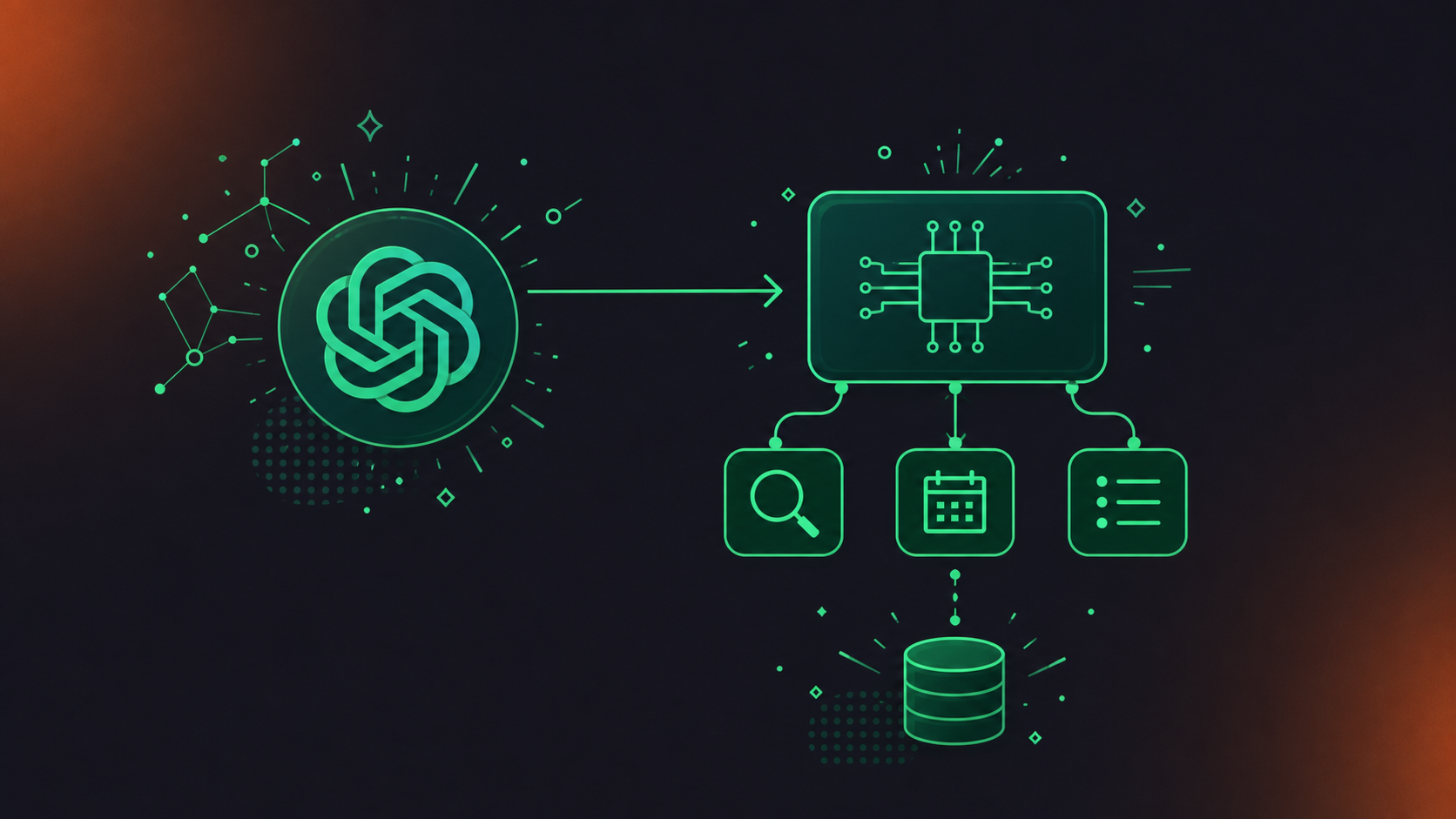
Running your own MCP server for conversation data is achievable, but the data-structuring work is where most teams underestimate the scope. The protocol itself is straightforward; turning raw meeting output into something agents can reliably query is not.
SDK Choice
Two official SDKs cover the majority of implementations. Teams also use this approach when pulling Google Meet transcripts into Codex for agent-accessible context:
Dimension | Python SDK | TypeScript SDK |
|---|---|---|
Primary use case | Data pipelines, backend services | Web agents, JavaScript environments |
Transport support | STDIO, Streamable HTTP | STDIO, Streamable HTTP |
Auth support | OAuth 2.1 compatible | OAuth 2.1 compatible |
Enterprise identity | SAML/OIDC via middleware | SAML/OIDC via middleware |
Best for conversation data | Yes, native async support | Possible, higher complexity |
Enterprise MCP deployments must integrate with existing identity providers, and the protocol’s 2026 roadmap puts OAuth 2.1 at the center for exactly that reason.
Tools That Must Be Implemented
At minimum, your server needs three tools: a search tool (full-text and semantic retrieval across your meeting corpus), a get-meeting tool (structured output for a specific meeting), and a list-meetings tool (filterable by participant, date range, or topic). Missing any one of them breaks common agent query patterns, a limitation also relevant when routing Microsoft Teams transcripts into Codex for retrieval.
Structuring Conversation Data for Agent Consumption
Agents need labeled objects, not raw transcripts. Decisions require dates and participant attribution. Action items need named owners and due dates. Meeting metadata needs attendees, timestamps, and series context. A transcript file alone produces unreliable agent behavior because there is nothing for the agent to anchor a query against.
Connecting Your MCP Server to ChatGPT Agents
Once your MCP server is running and structured, connecting it to ChatGPT is the shorter half of the work.
Where the Configuration Lives in ChatGPT
In a ChatGPT Enterprise or Business workspace, MCP server connections are registered under the connectors or integrations section. Admins enter the server URL, configure OAuth scopes, and control which users or agents can access it. No code changes are required on the ChatGPT side after registration.
How Authentication Works
Remote MCP servers use OAuth 2.1. When Anthropic donated MCP to the Linux Foundation with OpenAI, Google, and Microsoft as co-sponsors, OAuth-based flows became the standard authorization mechanism across every major enterprise stack. The server validates access tokens and enforces per-user scoping. A ChatGPT agent must never retrieve meeting data the authenticated user is not permitted to see.
Testing the Connection
Run these four checks before treating the connection as production-ready:
- Confirm the server’s capability manifest returns correctly on initial connection.
- Run a search query against a known meeting and validate the structured output format.
- Attempt a cross-user access request and confirm permission boundaries hold.
- Measure tool call latency against the acceptable threshold for your agent workflows.
If step three fails, the problem is almost always token scoping, not server configuration.
Security Considerations for Conversation Data via MCP
Meeting data carries a different risk profile than most enterprise data sources. A knowledge base article is written to be shared. A conversation between two executives about a potential acquisition, or an HR discussion about a performance issue, is not. The controls your MCP deployment needs reflect that difference.
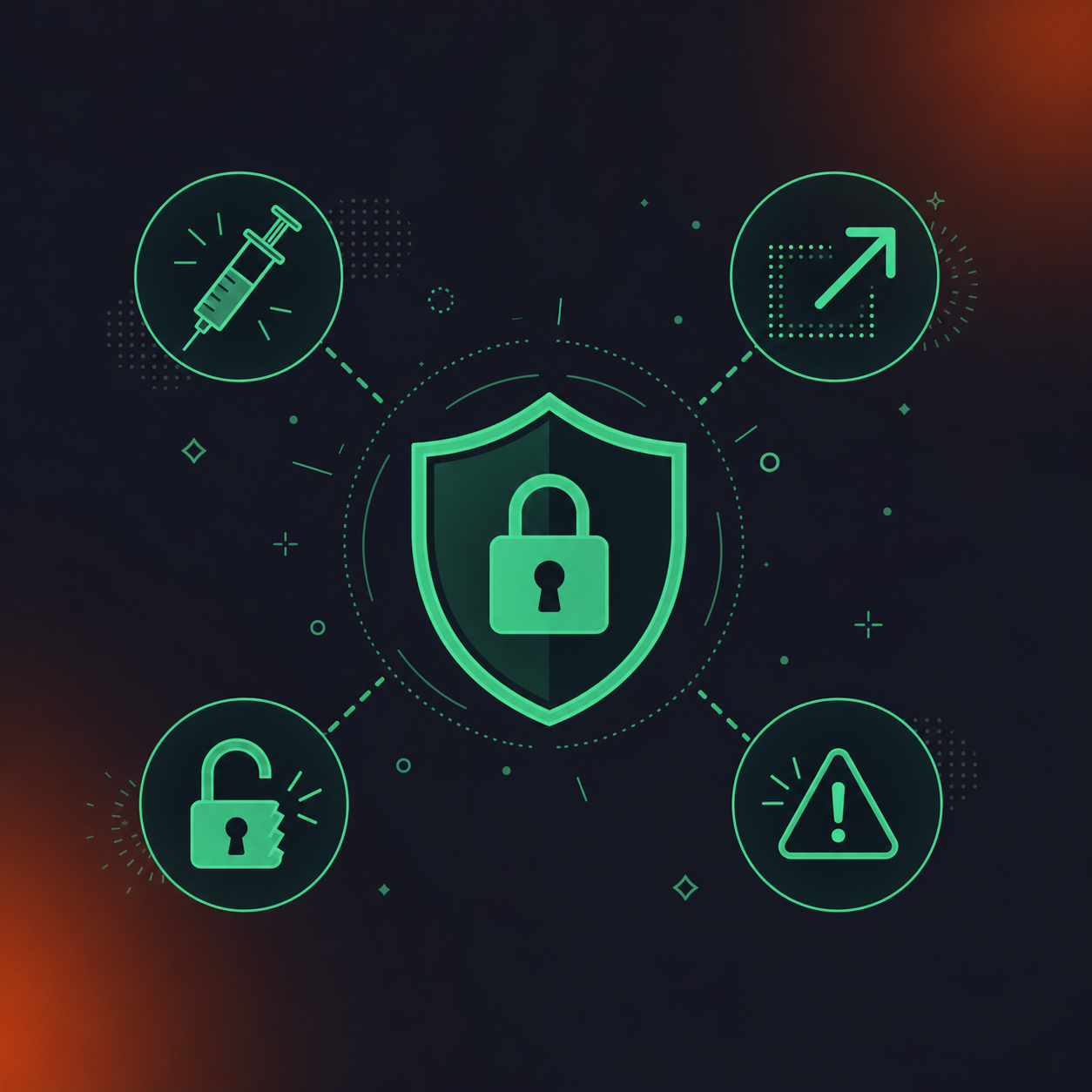
Prompt injection ranks as the top vulnerability in the OWASP Top 10 for LLM Applications 2026, and it takes on a different character in MCP environments because the injected content arrives through retrieved data, not direct user input. A retrieved transcript can carry malicious instructions your agent will follow.
The Specific Risks
Risk | How It Manifests in a Conversation Data MCP Server | Enterprise Control |
|---|---|---|
Prompt injection | Malicious content in a retrieved transcript redirects agent behavior | Input sanitization; human-in-the-loop approval for sensitive tool calls |
Data exfiltration | Agent extracts and routes meeting content to an unintended destination | Per-user OAuth scoping; egress monitoring; least-privilege tool permissions |
Access control drift | User permissions set at deployment and never updated; former employees retain access | SCIM provisioning integration; automated deprovisioning tied to IdP |
Compliance exposure | Meeting data from compliance-sensitive conversations surfaced to unauthorized agents | Retention controls per data type; compliance monitoring for sensitive content |
Tool poisoning exploits the trust relationship between an agent and an MCP server’s tool metadata; risk-classified tool annotations with approval flows for destructive or irreversible operations is the standard mitigation.
What to Ask Before Deploying Any MCP Server That Touches Meeting Data
Three questions worth asking of any server before it goes near conversation data:
- Does the server enforce user-level OAuth scoping, or does any connected agent receive the full corpus regardless of who authenticated?
- Is there audit logging of every tool call, including what data was returned and to which agent?
- Does the underlying conversation data repository support configurable retention per data type, or does a single blanket policy govern transcripts, summaries, and recordings together?
The third question matters more than it appears. Legal, HR, and financial conversations often carry different regulatory obligations than general business meetings. A single retention policy applied across all content is an audit liability waiting to surface.
Powering ChatGPT Agents With Meeting Intelligence Through Spinach
Building your own MCP server for conversation data works, but it starts with a problem the previous sections made clear: structured, governed meeting data has to exist before any MCP connection delivers value. That’s what Spinach AI provides.
What Spinach Provides That DIY Cannot
Spinach AI is the enterprise conversation intelligence platform, the system of record for conversation data. Deployed company-wide, it captures meetings across Zoom, Google Meet, Microsoft Teams, Slack Huddles, and Webex, pulling video, audio, transcript, screen share, and in-meeting chat in over 100 languages. The output is one governed organizational corpus, not per-user notes. On Enterprise, retention is configurable per data type (transcript, summary, and video) from one week to indefinite. PII redaction runs at the transcript level, and SAML SSO with SCIM handles provisioning automatically.
The MCP server, available on Business and Enterprise plans, ships with OAuth, admin approval, and user-based permission enforcement already built in.
What ChatGPT Agents Gain
Through the Spinach MCP server, agents can query:
- Action items with named owners and the meeting context behind them
- Decisions with dates, participants, and the discussion that produced them
- Cross-meeting context across a project or topic over time
- Participant history, including what a specific stakeholder has committed to across all captured meetings
Get your ChatGPT agents connected to your organization’s full conversation record. Decisions, action items, and participant commitments are captured and governed at the org level. Start with the Spinach MCP integration today.
Final Thoughts on Giving ChatGPT Agents Access to Meeting Intelligence
An agent with access to your wiki but not your meetings is working from a partial record. The decisions, action items, and commitments that actually move work forward live in conversations, and MCP gives your agents a direct path to that data. Getting the connection right means having structured, governed meeting data on the other end, and a raw transcript file alone is not enough. Start with the Spinach MCP integration and your agents gain the organizational memory they have been missing.
Register your MCP server URL in your ChatGPT Enterprise or Business workspace under the connectors section, configure OAuth 2.1 scopes, and control which users or agents can access it — no code changes are required on the ChatGPT side after registration. Your MCP server must expose at minimum three tools: search (full-text and semantic retrieval), get-meeting (structured output for a specific meeting), and list-meetings (filterable by participant, date range, or topic). If any of the three tools is missing, common agent query patterns break.
Building your own MCP server handles the protocol layer, but you still need structured, governed meeting data on the other end before any agent query delivers accurate results — raw transcripts produce unreliable agent behavior because there is nothing for the agent to anchor against. Spinach AI’s MCP server, available on Business and Enterprise plans, ships with OAuth, admin approval, user-based permission enforcement, and a governed organizational corpus already structured into decisions, action items with named owners, and participant history across Zoom, Google Meet, Microsoft Teams, Slack Huddles, and Webex. For most teams, the structuring and governance work is where DIY implementations underestimate scope.
Otter, Fireflies, and Fathom are built for one person’s meetings, which means deployed across an organization they produce per-user silos with no governed, queryable corpus at the org level. A ChatGPT agent querying fragmented per-user notes cannot surface a decision made on a cross-functional call three months ago or retrieve verbally assigned action items that never reached a ticket. Spinach AI captures meetings company-wide into one governed data asset and exposes it through an MCP server with user-based permission enforcement, so agents answer from actual organizational evidence.
The three requirements worth confirming before any MCP server goes near meeting data are: user-level OAuth scoping so no connected agent receives the full corpus regardless of who authenticated, audit logging of every tool call including what data was returned and to which agent, and configurable retention per data type so legal, HR, and financial conversations can carry different retention rules than general operational meetings. Meeting data carries a different risk profile than a knowledge base article — prompt injection through retrieved transcripts and access control drift from stale user permissions are the two failure modes that appear most often in production MCP deployments.
MCP is included on Business ($29 per user per month billed monthly, or $19 per user per month billed annually) and Enterprise (custom pricing). The API and webhooks needed for custom export pipelines and agent workflows beyond MCP are Enterprise-only. Enterprise also adds SAML SSO with SCIM for automated provisioning, org-enforced settings, compliance agents, custom agents, and configurable retention per data type — transcript, summary, and video — from one week to indefinite, which matters for teams with regulated conversation data feeding their agents. Start a free trial at spinach.ai to confirm which tier fits your deployment before committing to annual billing.
A properly structured MCP server exposes decisions with dates and participant attribution, action items with named owners, cross-meeting context across a project or topic over time, and participant commitment history across all captured meetings. Raw transcripts alone produce unreliable agent behavior because there is nothing for the agent to anchor a query against — the data must be structured into labeled objects before agents can return organizationally accurate answers.
The Python SDK is the better fit for conversation data pipelines and backend services because it has native async support, making it well-suited to the retrieval patterns a meeting corpus requires. The TypeScript SDK works but introduces higher complexity for this specific use case; both support STDIO and Streamable HTTP transport and are OAuth 2.1 compatible.
Yes, if you use a managed MCP server like the one Spinach AI provides on Business and Enterprise plans — OAuth, admin approval, and user-based permission enforcement ship with it, and registration in your ChatGPT Enterprise or Business workspace requires only a server URL and scope configuration with no code changes on the ChatGPT side. Building your own server from scratch requires engineering work on the protocol layer and, more importantly, on structuring the underlying conversation data into decisions, action items, and metadata before any agent query returns reliable results.
Without per-user OAuth scoping, any connected agent receives the full meeting corpus regardless of who authenticated, meaning a user could retrieve meeting content they are not permitted to see — including HR discussions, executive strategy calls, or regulated financial conversations. Per-user scoping is a hard requirement, not an optional hardening step, because meeting data carries a materially different risk profile than a shared knowledge base article.
A retrieved transcript can carry malicious instructions that redirect agent behavior, because the injected content arrives through the data the agent retrieves rather than through direct user input — bypassing the input filtering that would catch a typed injection attempt. The standard mitigations are input sanitization on retrieved content and human-in-the-loop approval gates for sensitive or irreversible tool calls.
Agents need labeled objects with anchoring metadata: decisions require dates and participant attribution, action items need named owners and due dates, and meeting metadata needs attendees, timestamps, and series context. A flat transcript file produces unreliable output because the agent has no structured fields to match a query against.
Run four checks in sequence: confirm the server’s capability manifest returns correctly on initial connection, run a search query against a known meeting and validate the structured output format, attempt a cross-user access request and confirm permission boundaries hold, and measure tool call latency against the threshold your agent workflows require. If the cross-user access test fails, the cause is almost always token scoping rather than server configuration.
Yes — Spinach captures meetings across Zoom, Google Meet, Microsoft Teams, Slack Huddles, and Webex into one governed organizational corpus, so agents querying the MCP server retrieve decisions and action items from any of those platforms without separate data pipelines or per-source connectors. The MCP server exposes that unified corpus with user-based permission enforcement, meaning agents only surface content the authenticated user is authorized to see.
A chat assistant that gives a wrong answer can be corrected in the next message; an autonomous agent that acts on incomplete context can assign work to a team removed from an initiative on a call it never saw, or contradict a decision made two weeks ago. The shift from drafting help to task execution raises the stakes for organizational accuracy, which is why conversation data — where decisions, blockers, and commitments actually originate — becomes a production dependency rather than a nice-to-have.
Legal, HR, and financial conversations often carry different regulatory obligations than general operational meetings, so configurable retention per data type is required — a single blanket policy applied across transcripts, summaries, and recordings is an audit liability. On Spinach AI’s Enterprise plan, retention is configurable per data type from one week to indefinite, PII redaction runs at the transcript level, and compliance agents classify and flag regulated content for human review before it can propagate through agent workflows.
What to do now
Next, here are some things you can do now that you've read this article:
- You should check out our library of meeting agenda templates for every type of meeting.
- Check out Spinach to see how it can help you run a high performing org.
- If you found this article helpful, please share it with others on Linkedin or X (Twitter)

