Spinach AI or Loom for Meeting Documentation in 2026?
Choosing between Spinach AI and Loom for documentation? Compare capture methods, pricing, and compliance as of October 2026.
 Maintouch
Decisions made in a Zoom call don’t automatically end up in Jira or your CRM. Someone has to remember them, write them up, and route them somewhere useful. If you’re weighing Loom against a live meeting tool for your team’s documentation, the distinction between async video and in-meeting capture is the whole comparison. Spinach AI, an enterprise conversation intelligence platform, joins the live meeting and routes decisions and action items with named owners into your tools when it ends.
TLDR:
- Loom records async video; it has no bot and does not join live meetings, so decisions made on calls are not captured
- Loom’s output is a video link; filing a ticket or updating a CRM from it requires a human to interpret and re-key the content
- Loom’s free tier caps at 25 videos with a 5-minute limit; Spinach AI’s free tier offers unlimited recording across 100 languages
- Loom’s public documentation does not confirm SOC 2 Type II and HIPAA BAA availability is not confirmed as of October 2026
- Spinach AI is the system of record for conversation data: it joins live meetings across Zoom, Meet, Teams, Slack Huddles, and Webex, captures during the meeting, and delivers structured decisions, action items with named owners, and CRM updates when the meeting ends
What Is Loom?
Loom is an async video messaging tool owned by Atlassian. You record your screen, camera, or both, then share the result as a link. Recipients watch on their own time, leave comments, and react without scheduling a call.
The core use case is replacing a meeting that didn’t need to happen, or explaining something faster to show than to write: sales walkthroughs, product demos, design feedback, onboarding clips. Loom is built for that.
It does include AI features. Recordings get auto-transcribed, and the AI layer can generate a summary or pull out action items. But those outputs come from content you recorded asynchronously, not from a live meeting Loom attended.
Loom does not join your Zoom, Meet, or Teams calls. It has no bot, no calendar-triggered capture, and no mechanism for routing structured decisions or action items into your project management tools after a live conversation ends. That boundary is what this comparison is built around.
What Is Spinach AI?
Spinach AI is an enterprise conversation intelligence platform and the system of record for conversation data, a positioning covered in depth in the Spinach AI vs Fireflies.ai comparison. Where Loom captures what you record on purpose, Spinach joins your live meetings across Zoom, Google Meet, Microsoft Teams, Slack Huddles, and Webex, capturing audio, video, transcript, screen share, and in-meeting chat.
The output is structured, governed data: decisions with context, action items with named owners, tickets routed to Jira or Linear, CRM records updated in Salesforce or HubSpot, summaries pushed to Confluence or Notion. The meeting ends, and the work moves automatically into the tools your team already uses.
Spinach is deployed organization-wide, not per person. That distinction matters more than any individual feature.
Live Meeting Capture vs. Async Video Recording
Loom and Spinach AI solve different problems at different points in the workflow. Loom is for content you choose to record outside a live meeting. Spinach joins the meeting itself.
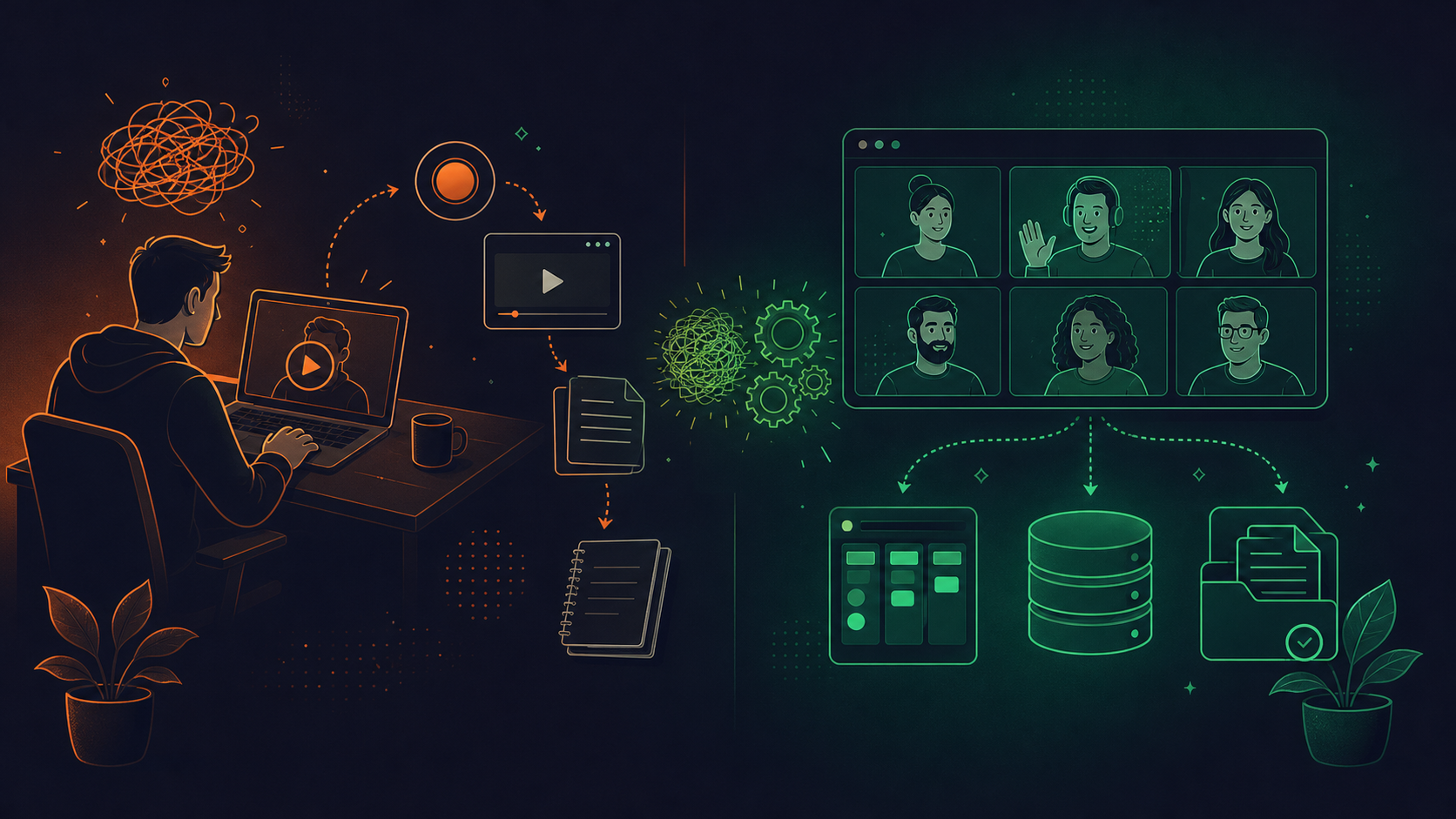
When a decision gets made in a Zoom call, Loom is not in the room. There is no bot, no calendar trigger, no capture. Someone has to remember what was decided, then record a Loom afterward to communicate it, or type up notes by hand. That is the gap.
Spinach joins live meetings as a participant and captures every modality: audio, video, transcript, screen share, and in-meeting chat. When the meeting ends, structured output is already routed into your tools. No manual step required.
If your organization is losing decisions and action items from live conversations, an async video tool does not close that loop. The architecture is wrong for the problem.
Structured Outputs and Workflow Automation
Loom’s output is a video with a transcript and a summary. You can read it, share the link, or let it sit in your Loom library. Filing a ticket, updating a CRM record, or pushing a decision into Confluence requires a human to interpret the recording and re-key what matters into the right systems.
Spinach produces structured data from every live meeting: decisions with context, action items with named owners, tickets routed to Jira or Linear, CRM fields updated in Salesforce or HubSpot, summaries pushed to Notion or Confluence. That output is generated automatically when the meeting ends and routed into the tools your team already uses.
The practical gap is a video library versus a governed data asset, much like the distinction drawn in the Spinach AI vs Fathom comparison. One closes the loop before anyone opens their laptop after the call. The other waits for you.
Integration Depth and Downstream Routing
Loom connects to Slack, Salesforce, Jira, and other tools, but the integration is about sharing and embedding video. You paste a Loom link into Jira; you do not get a ticket created from a conversation.
Spinach routes structured records directly into the tools your team works in:
- Jira, Linear, Asana, Monday.com, ClickUp, and Trello for tickets and action items
- Salesforce (with custom field mapping), HubSpot, Attio, and Zoho for CRM updates
- Confluence, Notion, and Google Docs for documentation
- Claude and ChatGPT via MCP server on Business and Enterprise plans, a buildability advantage detailed in the Spinach AI vs Gong comparison
The distinction is direction and data type. Loom embeds a video into your stack. Spinach writes structured, actionable records into it. One requires a human to interpret and route. The other does the routing when the meeting ends.
Enterprise Governance and Compliance
For security, legal, and compliance buyers, the gap between these tools is substantial.
Loom announced SOC 2 Type I in 2021. Current public documentation does not confirm SOC 2 Type II, and HIPAA BAA availability is not confirmed as of October 2026. For compliance-sensitive industries, that stops the security review before it starts.
Spinach AI is SOC 2 Type II compliant, GDPR compliant, and HIPAA compliant, with a BAA available on Enterprise and HIPAA engagements. The governance layer goes further than certifications, as covered in the enterprise meeting recording compliance guide:
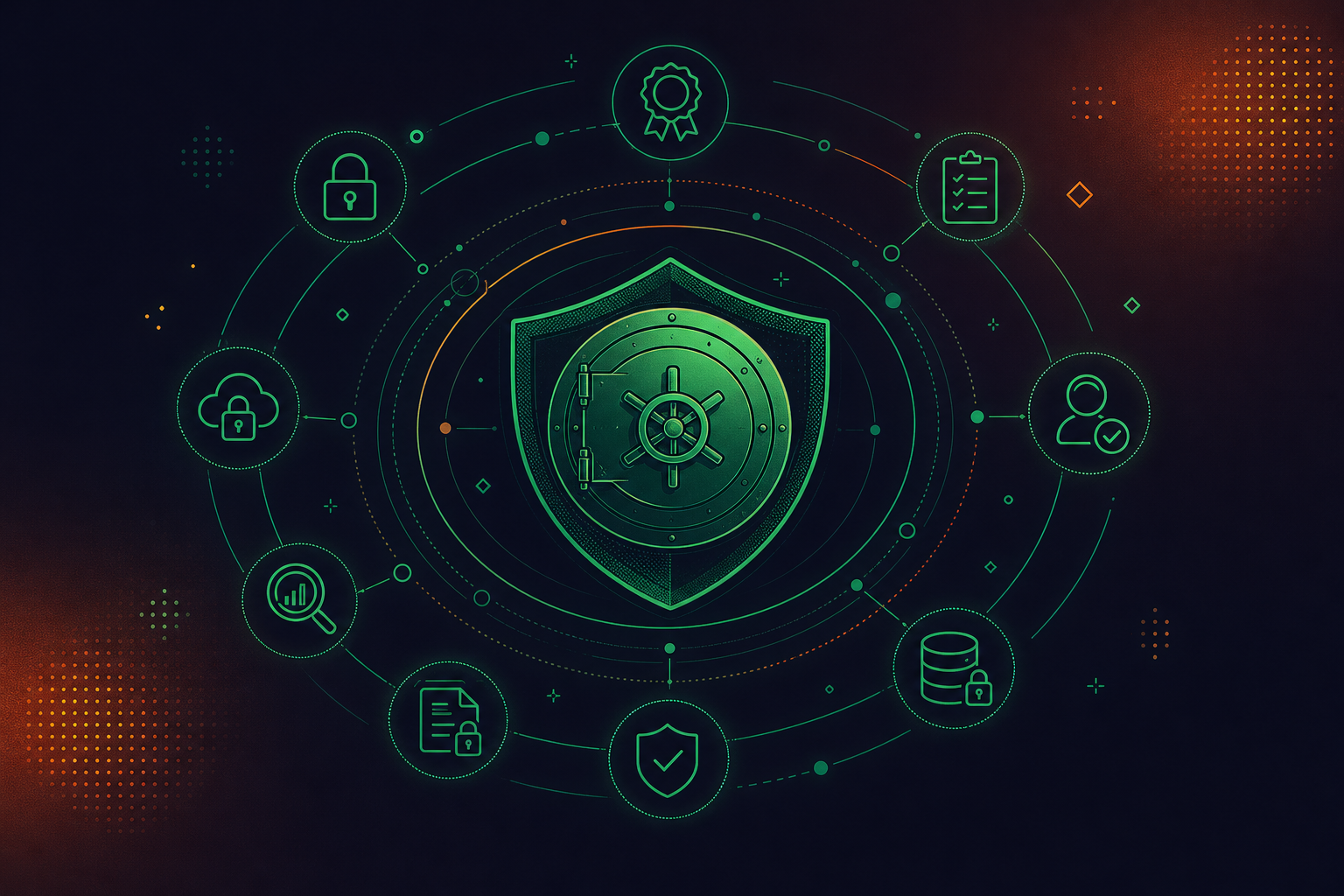
- SAML SSO and SCIM provisioning for identity management
- Granular retention per data type on Enterprise: transcript, summary, and video can each be configured separately, from one week to indefinite; Business plan retention is flat one year
- PII redaction at the transcript level, including payment card and national ID numbers
- Compliance agents that classify and flag regulatory risk for human review
- Org-level enforced settings covering sharing scope, bot branding, and notification text
No customer data is used to train AI models, and Spinach maintains zero data retention agreements with its LLM providers, a governance posture covered in Granola MCP vs Spinach AI.
Deployment Model: Individual Tool vs. Organizational System
Loom gets adopted the way most SaaS tools do: one team starts using it, another hears about it, and six months later you have a dozen disconnected video libraries and no organizational record of anything.
Spinach AI is bought top-down and deployed company-wide as the system of record for conversation data. On Enterprise, IT provisions users via SAML SSO and SCIM, and org-enforced settings control sharing scope and bot branding, with an admin dashboard that provides audit logging and usage reporting. Every conversation across every team lands in one governed corpus that is searchable across the organization, not siloed per user or per department, and the decisions and action items from it are routed into the tools each function already uses.
For enterprises replacing a tangle of individual tools with one governed deployment, as outlined in the enterprise meeting software evaluation, that architecture is the point. The alternative is auditing who has what tool, which recordings live where, and whether any of it meets your retention or compliance requirements, a challenge the enterprise conversation intelligence guide covers directly.
Pricing Comparison
As of October 2026, here is how the two products price out:
Plan | Loom | Spinach AI |
|---|---|---|
Free | Starter: 25 videos, 5-min cap | Starter: unlimited recording, 100 languages, 7-day retention (fixed; Business is 1 year, Enterprise is configurable) |
Mid-tier | Business: $18/user/month | Pro: $2.90/meeting hour (pay-as-you-go) |
AI add-on | Business + AI: $24/user/month | Business: $29/user/month ($19/user/month billed annually), includes MCP |
Enterprise | Custom | Custom |
Loom pricing sourced from Guidde’s 2026 breakdown. Spinach pricing current as of October 2026.
The structural gap worth noting: Loom’s free tier caps at 25 videos with a five-minute recording limit. Spinach’s free tier offers unlimited recording and transcription across 100 languages, with no video count ceiling. Paid plans start at $2.90 per meeting hour (Pro) or $29/user/month (Business).
Why Spinach AI Is the Better Choice for Meeting Documentation
Loom is a good tool for what it does. If your team needs to replace status meetings with recorded walkthroughs, explain a product feature without scheduling a call, or send feedback that would take three paragraphs to write, Loom handles that well.
But if decisions are getting made in live meetings and disappearing afterward, Loom does not solve that. It was never built to. There is no bot joining your Zoom, no structured output, no automatic routing into Jira or Salesforce when the call ends.
Spinach AI joins live meetings across every major platform, captures every modality, and produces governed structured data: action items with named owners, decisions with context, tickets filed, CRM records updated. That full workflow is detailed in the conversation intelligence enterprise guide. For organizations where live meetings are where things actually get decided, and where those decisions need to reach the systems and agents that run the business, Spinach is the right fit.
Final Thoughts on Spinach AI vs. Loom
The core question here is where your team actually loses information. Loom is a solid choice for async communication, walkthroughs, and feedback that’s faster to show than to write. Spinach AI is built for a different problem: live meetings where decisions get made and then quietly disappear. As the enterprise conversation intelligence platform and system of record for conversation data, Spinach captures during the meeting, delivers structured decisions and action items with named owners when it ends, and routes them into Jira, Salesforce, Confluence, and the rest of your stack, across every team rather than one person’s account. Start with Spinach AI free and route your next meeting’s decisions and action items into your tools automatically.
If your team makes decisions in live Zoom, Meet, or Teams calls, Loom is the wrong architecture for the problem — it has no bot, no calendar trigger, and no mechanism for capturing what happens in a live conversation. Spinach joins those meetings directly, produces structured decisions with context and action items with named owners, and routes them into your tools when the meeting ends. Use Loom for async walkthroughs and recorded explanations; use Spinach for any meeting where something actually gets decided.
Loom captures video you record on purpose, outside a live meeting, and outputs a shareable link with a transcript and summary — routing that content into Jira or Salesforce requires a human to interpret and re-key it. Spinach joins live meetings as a participant, captures audio, video, transcript, screen share, and in-meeting chat, then writes structured records directly into your tools when the meeting ends — tickets to Jira or Linear, CRM fields updated in Salesforce or HubSpot, summaries pushed to Confluence or Notion. One closes the loop automatically; the other waits for you.
Loom fits teams that need to replace status meetings with recorded walkthroughs, explain product features without scheduling a call, or send feedback that would take several paragraphs to write. Spinach is the right fit for organizations where live meetings are where things get decided and those decisions need to reach the systems, tools, and agents that run the business — deployed company-wide with governed access, enforced sharing policy, and a single organizational record rather than a collection of per-user video libraries.
Loom announced SOC 2 Type I compliance in 2021, but current public documentation does not confirm SOC 2 Type II, and HIPAA BAA availability is not established as of October 2026 — for regulated industries, that stops the security review before it starts. Spinach is SOC 2 Type II, GDPR, and HIPAA compliant, with a BAA available on Enterprise engagements, SAML SSO and SCIM provisioning, granular retention configurable per data type, PII redaction at the transcript level, and compliance agents that classify and flag regulatory risk for human review. If your security or legal team has a checklist, Spinach is built to clear it; Loom is not.
Loom’s free tier caps at 25 videos with a five-minute recording limit per video. Spinach’s Starter plan offers unlimited recording and transcription across 100 languages with no video count ceiling, and paid plans include a 14-day free trial with no credit card required. If you want to test whether structured meeting capture actually closes the loop your team is missing, you can run Spinach across real meetings before spending anything.
No, manual Loom recordings still require a human to start the recording, remember to capture it, and then re-key decisions and action items into your tools afterward. Spinach joins your calendar-triggered Zoom, Meet, or Teams calls automatically, captures every modality during the meeting, and routes structured records into Jira, Salesforce, or Confluence when the call ends — no human initiation or post-meeting data entry required.
Yes — Spinach joins meetings across Zoom, Google Meet, Microsoft Teams, Slack Huddles, and Webex from a single organizational deployment. That cross-platform capture means every conversation lands in one governed corpus, regardless of which tool a team or external partner prefers, rather than producing separate silos per platform.
Loom has no bot and no calendar trigger, so decisions made in a live Zoom call are simply not captured by Loom — someone on the call has to remember what was decided, then manually record a walkthrough or type up notes and route them into the relevant tools. Spinach joins the meeting directly, captures decisions with context, and writes them into your tools automatically when the meeting ends.
Spinach is SOC 2 Type II, GDPR, and HIPAA compliant, with a Business Associate Agreement available on Enterprise and HIPAA engagements, SAML SSO and SCIM provisioning, PII redaction at the transcript level, and compliance agents that classify and flag regulatory risk for human review. Enterprise retention is configurable per data type — transcript, summary, and video can each be set separately, from one week to indefinite — which matters for organizations with aggressive EU deletion requirements or long-tail legal hold obligations.
Yes — on Business and Enterprise plans, Spinach’s MCP server provides native Claude and ChatGPT connectors so leaders and teams can query the full organizational corpus of conversation data directly from the AI tools they already use. This works because every meeting lands in one governed, searchable record rather than being scattered across per-user libraries or individual tool accounts.
Deploy Spinach on your existing Zoom, Meet, or Teams calendar and it captures action items with named owners during the meeting, then routes them automatically into Jira, Linear, Asana, HubSpot, or Salesforce when the call ends — no custom pipeline required. The Starter plan is free with unlimited recording, and paid plans include a 14-day trial with no credit card required, so you can test the full routing loop against real meetings before committing.
No — customer data is never used to train AI models, with no exceptions. Spinach maintains zero data retention agreements with its LLM providers, including OpenAI, Anthropic, and Google, which means your conversation data is not retained by those model providers either.
The two workflows call for different tools: Loom fits async communication where someone records a walkthrough, product demo, or feedback clip outside a live meeting, while Spinach fits any meeting where decisions actually get made and need to reach Jira, your CRM, or your documentation tools automatically. Many teams run both — Loom for intentional async content, Spinach as the organizational layer that closes the loop on everything decided live.
Spinach routes structured records directly into Jira, Linear, Asana, Monday.com, ClickUp, and Trello for tickets and action items, with Jira and Linear supporting bi-directional linking — Spinach links to an existing ticket when a discussion maps to one and proposes new tickets for newly scoped work. CRM updates go to Salesforce with custom field mapping, HubSpot, Attio, and Zoho, while documentation is pushed to Confluence, Notion, and Google Docs.
Spinach offers a free Starter plan with unlimited recording, transcription across 100 languages, and a 7-day recording retention window — no credit card or video count ceiling. The Pro plan is $2.90 per meeting hour on a pay-as-you-go basis, which works well for teams with variable meeting volume, and the Business plan is $19 per user per month billed annually, including MCP for Claude and ChatGPT connectivity.
What to do next
You made it to the end of this article! Here are some things you can do now:
- You should check out our library of meeting agenda templates for every type of meeting.
- Check out Spinach to see how it can help you run a high performing org.
- If you found this article helpful, please share it with others on Linkedin or X (Twitter)

