Best Krisp Alternatives, Reviews, and Pricing 2026
Read the latest Krisp reviews and pricing breakdown for October 2026, along with alternatives for organization-wide deployment.
 Maintouch
Noise cancellation is where Krisp started, and for a lot of individual users it’s still where the value lives. But a 2026 review of Krisp’s enterprise readiness flagged some meaningful gaps around data governance and org-wide controls that are worth knowing before you commit. Here’s what the reviews actually say and which alternatives hold up better at the organizational level, starting with Spinach AI, the enterprise conversation intelligence platform and system of record for conversation data.
TLDR:
- A 2026 editorial privacy review rated Krisp’s enterprise readiness at 4/10, flagging third-party AI processing and unclear model training policies.
- Krisp’s architecture is built around one person’s device, with no SAML SSO, SCIM, or structured routing into CRM or project management tools.
- Granola, Fathom, tl;dv, and Otter all share the same structural gap: individual-first deployment with no org-level governance layer.
- Spinach AI deploys company-wide across Zoom, Meet, Teams, Slack Huddles, and Webex, routing decisions and action items into Jira, Salesforce, and HubSpot at meeting end.
What Is Krisp and How Does It Work?
Krisp started as a noise cancellation app, building its reputation around one specific problem: filtering out background audio before it reaches your meeting call. No barking dogs, no keyboard clatter, no open-office chaos bleeding into your Zoom audio. It works as a device-level audio layer sitting between your microphone and whichever meeting app you’re running, not as a bot that joins calls.

Over time, Krisp expanded into meeting transcription, AI-generated summaries, and action item capture. The product targets individual users who want cleaner calls and lighter post-meeting admin in one tool, and it supports any meeting app where audio passes through the device, which gives it broad compatibility without platform-specific setup.
Enterprise buyers should note one meaningful caveat: a 2026 review of Krisp’s privacy policy rated its enterprise readiness at 4/10, flagging third-party AI processing, limited granular privacy controls, and unclear model training policies as concerns. Noise cancellation processes locally, but the AI meeting features collect and route data differently, which matters if your organization has compliance requirements around conversation data.
Why Consider Krisp Alternatives?
Krisp earns its reputation for individual contributors. Clean audio on noisy calls is a real problem, and Krisp solves it at the device level in a way most meeting assistants do not attempt. For a remote worker who wants personal transcripts and lighter post-call cleanup, it covers the basics.
The gaps surface when an organization tries to deploy it company-wide. Krisp’s architecture is built around one person’s device, not an organizational system of record. There is no SAML SSO or SCIM provisioning, no policy-based sharing, no structured routing into CRM or project management tools, and no cross-org retrieval across all conversations. IT and compliance teams reviewing it for a broader rollout hit these limits quickly.
Beyond feature gaps, the AI summary and transcription features move data differently from the local noise cancellation layer, and that distinction matters if your organization has compliance requirements around conversation data. Without SAML SSO, SCIM provisioning, or structured routing into CRM and project management tools, there is no policy-enforced path for conversation output to reach the systems your teams actually use.
If your needs are personal audio quality and a private meeting log, Krisp is a reasonable fit. If you need governed conversation data, org-wide deployment, and integrations that connect meeting output to the systems your teams actually use, Krisp’s architecture is a structural mismatch, not a missing feature that an update will fix.
Best Krisp Alternatives in October 2026
Spinach AI is the top pick here for a reason: it operates as an enterprise conversation intelligence platform and the system of record for conversation data. Where Krisp handles one person’s audio, Spinach deploys company-wide, routing structured decisions, action items, tickets, and CRM records directly into the tools teams already use.
Here is how the leading alternatives stack up:
1. Spinach AI
Spinach AI is an enterprise conversation intelligence platform: deployed once, company-wide, it runs record-by-default and is the system of record for conversation data. It joins your Zoom, Google Meet, Microsoft Teams, Slack Huddles, and Webex meetings, capturing video, audio, transcript, screen share, and in-meeting chat during the meeting, centralizing everything in one governed, AI-ready data asset, and delivering structured decisions and action items with named owners at meeting end. Native integrations with Jira, Linear, Salesforce, and HubSpot route that output into your tools, so nobody re-enters it by hand after the meeting.
On the compliance side: SOC 2 Type II, GDPR, and HIPAA compliant, with a BAA available on Enterprise and HIPAA engagements; SAML SSO and SCIM provisioning on Enterprise; configurable data retention per data type (transcript, summary, and video) from one week to indefinite on Enterprise. Customer data is never used to train AI models. The MCP server on Business and Enterprise connects conversation data to Claude and ChatGPT with admin-controlled permission enforcement.
Best suited for organizations that need a single, IT-governed platform with policy enforcement, downstream integrations, and compliance documentation.
2. Granola
Granola captures audio through the computer microphone without a meeting bot, then produces AI-enhanced summaries and action items. Available on macOS, Windows, iOS, and Android, making it a reasonable pick for individual power users who want a lightweight, bot-free personal notepad. The gap: no native CRM or project management integrations, no documented SAML SSO, SCIM, or HIPAA compliance, and no organizational governance layer. See this Granola vs Spinach comparison for how the two scale across an organization.
3. Fathom
Fathom records, transcribes, and summarizes calls, syncing output to Slack, Salesforce, HubSpot, Notion, and Asana, with a free tier and bot-free capture available. Good for individuals and small teams wanting an approachable summary tool. BAA availability for HIPAA compliance is not confirmed in available sources, and Slack Huddles support is not documented. For a deeper look at the two platforms, see this Spinach AI vs Fathom comparison.
4. tl;dv
tl;dv targets sales teams with rep coaching, call scoring, playbook adherence tracking, and cross-meeting AI reports, including a free-forever plan with unlimited recordings. The limitations worth noting: Slack Huddles and Webex are not listed as supported, HIPAA compliance and SAML SSO are not documented, and language coverage sits at 30+ versus Spinach’s 100. Teams weighing project-management workflows alongside conversation capture may also want this Spinach AI vs ClickUp comparison.
5. Otter
Otter.ai is a widely adopted transcription tool that has expanded into AI chat and agentic features, including Sales, SDR, and Recruiting agents, with Jira and Asana integrations. According to Otter’s published plan limits (as of October 2026), the Business plan caps conversations at 4 hours with 6,000 monthly transcription minutes per user for imported files, language support covers only 6 languages, and Otter does not explicitly state that customer data is never used to train AI models. Teams running into these caps often look at Otter alternatives built for org-wide deployment.
Feature Comparison: Krisp vs. Top Alternatives
The table below reflects publicly available information as of October 2026.
Feature | Krisp | Spinach AI | Granola | Fathom | tl;dv | Otter |
|---|---|---|---|---|---|---|
Core deployment model | Individual/device-level | Org-wide, record-by-default | Individual/personal | Individual + teams | Individual + sales teams | Individual + teams |
Meeting platform support | Any app via audio layer | Zoom, Meet, Teams, Slack Huddles, Webex | Zoom, Meet, Teams, Slack Huddles, in-person | Zoom, Meet, Teams | Zoom, Meet, Teams | Zoom, Meet, Teams |
CRM integration | Not documented | Salesforce, HubSpot, Attio, Zoho | Not available | Salesforce, HubSpot | Not natively detailed | HubSpot, Salesforce |
Project management integration | Not documented | Jira, Linear, Asana, Monday.com, ClickUp, Trello | Not available | Asana (depth not documented) | Category listed; depth not documented | Jira, Asana |
Language support | Not documented | 100 languages | Not specified | Not specified | 30+ languages | 6 languages |
HIPAA/BAA + SSO/SCIM | HIPAA/GDPR noted; enterprise controls limited per 2026 review | SOC 2 Type II, GDPR, HIPAA; BAA on Enterprise/HIPAA engagements; SAML SSO and SCIM (Enterprise) | Not documented | SOC 2, GDPR; BAA not confirmed | SOC 2, GDPR; HIPAA/BAA not mentioned | Enterprise controls stated; specifics not detailed |
Org-level admin controls | Limited per 2026 review | Admin dashboard, audit logging, compliance agents, org-enforced settings (Enterprise) | Not available | Not documented at enterprise depth | Not documented | SAML SSO/SCIM stated generally |
Pricing model | Not confirmed in research | Free (Starter); $2.90/meeting hour (Pro); $29/user/month monthly or $19/user/month billed annually (Business); custom pricing, contact sales (Enterprise) | Free tier; paid upgrade for older notes | Free tier; paid teams plans | Free forever + paid tiers | Free; $19.99/user/mo (Business) |
For teams also comparing Fireflies, this Spinach AI vs Fireflies comparison breaks down the same architectural gaps in more depth.
The architectural gap runs through every row. Krisp and most alternatives here are built around one person’s workflow: device-level audio, individual output, no org-enforced policy, a pattern covered in more depth in this Spinach AI vs MeetGeek comparison. Spinach AI is the only option in this list designed for org-wide deployment with enforced policy, compliance documentation, and native integrations into both CRM and project management tools, including bi-directional ticket linking in Jira and Linear. Sales-heavy orgs weighing revenue intelligence platforms alongside this may find this Spinach AI vs Gong comparison useful.
Why Spinach AI Is the Best Krisp Alternative
Krisp solves a real individual problem. If your home office is loud and you want cleaner audio with a personal meeting record, it delivers that. The architectural limit shows up when an organization tries to deploy it at scale: separate per-person installs produce uncontrolled data spread across individual devices, no shared governance layer, and no structured path for conversation output to reach CRM systems, project management tools, or company-wide AI agents.
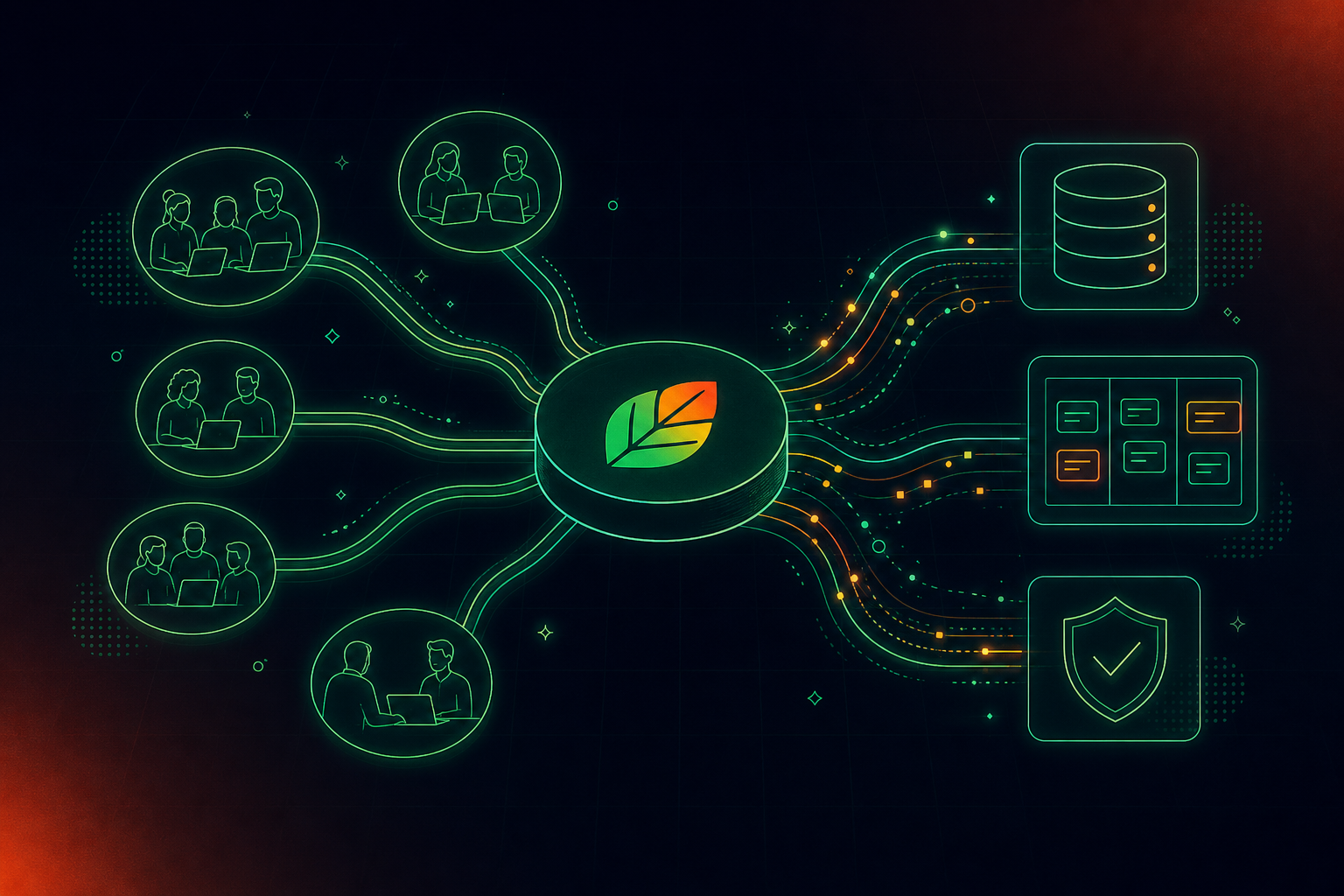
Spinach AI is built for the organizational buyer, a theme also covered in this roundup of accurate meeting notes alternatives. It captures every conversation across Zoom, Google Meet, Teams, Slack Huddles, and Webex, centralizes the output in a single governed data asset with Collections and admin controls, and routes structured decisions and action items directly into Jira, Salesforce, HubSpot, and more, a capability many teams compare against other fireflies alternatives during selection. Organizations that need SOC 2 Type II, HIPAA compliance with a BAA, SAML SSO and SCIM, and compliance agents that classify and flag policy risk will find those on Spinach’s Enterprise plan. Claude and ChatGPT connect to your full conversation corpus via the MCP server on Business and Enterprise, so leadership can query across every meeting the organization has had, a capability covered further in this guide to enterprise conversation intelligence tools. Start with a 14-day free trial, no credit card required.
Final Thoughts on the Best Krisp Alternatives for Teams
Start a 14-day free trial of Spinach AI and test it against your actual workflow.
Krisp’s architecture is built around one person’s device, which creates a structural mismatch when an organization tries to deploy it company-wide. Without SAML SSO, SCIM provisioning, policy-based sharing, or structured routing into CRM and project management tools, IT and compliance teams hit hard limits quickly. Krisp’s enterprise readiness review also raised similar privacy and governance concerns.
Start with four criteria: compliance documentation (SOC 2 Type II, HIPAA with BAA, GDPR), org-level admin controls (SAML SSO, SCIM, enforced retention policies), native integrations into CRM and project management tools, and a deployment model designed for company-wide governance, not per-person installs. Tools that meet only the individual user’s needs will reproduce the same shadow-IT sprawl you’re trying to consolidate.
The right moment is when your organization needs a single governed record of conversation data across teams, not separate per-device outputs with no shared policy layer. If IT, legal, or compliance is involved in the evaluation, or if your teams need meeting output routed automatically into Salesforce, Jira, or HubSpot, Krisp’s architecture stops where the organizational requirement begins.
Spinach is SOC 2 Type II, GDPR, and HIPAA compliant, with a BAA available on Enterprise engagements, SAML SSO and SCIM provisioning, and configurable data retention per data type: transcript, summary, and video can each be set separately, from one week to indefinite. Customer data is never used to train AI models, and PII redaction is available at the transcript level. These are the controls that move a security review forward; they are not documented at equivalent depth in Krisp’s published materials.
Yes. Spinach joins meetings on Zoom, Google Meet, Microsoft Teams, Slack Huddles, and Webex, capturing video, audio, transcript, screen share, and in-meeting chat, then routes structured decisions and action items directly into Jira, Salesforce, HubSpot, and more, all under admin-enforced policy. Start with a 14-day free trial at spinach.ai, no credit card required.
What you should do now
You made it to the end of this article! Here are some things you can do now:
- Our library of meeting agenda templates is designed to help you run more effective meetings.
- You should try Spinach to see how it can help you run a high performing org.
- If you found this article helpful, please share it with others on Linkedin or X (Twitter)

