Spinach vs Fireflies: Compliance & Deployment (Aug 2026)
See how Spinach AI and Fireflies differ on org-wide deployment, audit logging, and data retention for enterprise teams. August 2026.
 Maintouch
If your meeting assistant evaluation has landed in a back-and-forth with legal or IT, the holdup is almost never about features. It’s about who controls the data, where it goes, and whether your org can enforce a consistent policy across every user. Spinach AI is the enterprise conversation intelligence system of record organizations deploy once, company-wide, with enforced policy and a governed, AI-ready data asset.
TLDR:
- Fireflies is built around individual accounts, so deploying it org-wide leaves IT, legal, and compliance with no visibility into what’s being captured or where it’s stored.
- A National Cybersecurity Alliance survey found 43% of AI users shared sensitive company data with AI tools without employer knowledge, a pattern Fireflies’ per-user signup model fits directly.
- Fireflies’ retention documentation contradicts itself across three separate documents, according to a 2026 privacy audit by Routines, making defensible retention policies difficult to build.
- Fireflies’ sticker price understates actual cost: heavy users report $15 to $50 per month in AI credit overages above the base plan price.
- Spinach AI deploys org-wide with SCIM provisioning and SAML SSO on Enterprise, configurable retention per data type, PII redaction at the transcript level, SOC 2 Type II, GDPR, and HIPAA certifications, and a BAA available for Enterprise engagements.
What Fireflies Is
Fireflies.ai is an AI meeting assistant that records, transcribes, and summarizes calls across Zoom, Google Meet, and Microsoft Teams. It joins as a visible bot, delivers a searchable transcript and summary after each meeting, and includes AskFred, a conversational interface for querying past calls. SOC 2 Type II and GDPR compliance are included on every tier, which matters for teams doing a quick security check before individual adoption.
For a solo user who wants clean transcripts and a way to search back through past conversations, Fireflies works. Teams researching Fireflies alternatives often find that this individual-first design is the core limitation. Pricing starts free and scales to $39 per seat per month at the top tier, making it accessible without a procurement cycle.
The product is built around the individual. Each user manages their own recordings, their own AskFred queries, and their own sharing decisions. That design fits one person’s meetings well. It becomes a structural problem when a company tries to deploy it at scale.
The Organizational Deployment Gap
Fireflies deployed across a company means dozens of individual accounts, each with its own recording settings, sharing controls, and data footprint. Legal has no view into what’s being captured. IT can’t enforce a retention policy it doesn’t know exists. Meeting data governance at scale requires org-level controls that per-user tools cannot provide. Compliance has no way to audit whether sensitive conversations are sitting on third-party servers that never went through procurement review.
As Foley & Lardner noted in April 2026, “unauthorized transcription denies the organization the ability to decide strategically when and how meetings are recorded,” a governance gap with real consequences across recording-consent law, privilege obligations, and retention requirements.
Spinach AI is deployed once, organization-wide. Admins set sharing scope, bot branding, retention per data type, and user provisioning at the org level, enforced uniformly across every meeting and every new user added via SCIM.
Shadow AI and Meeting Notetaker Sprawl
When employees sign up for a meeting notetaker with a personal email and a one-click OAuth approval, that tool gains access to every subsequent calendar invite, including board discussions, M&A conversations, and HR reviews. Transcripts sit on third-party servers that IT never reviewed and procurement never approved. Understanding enterprise conversation intelligence helps procurement teams ask the right questions before adoption.
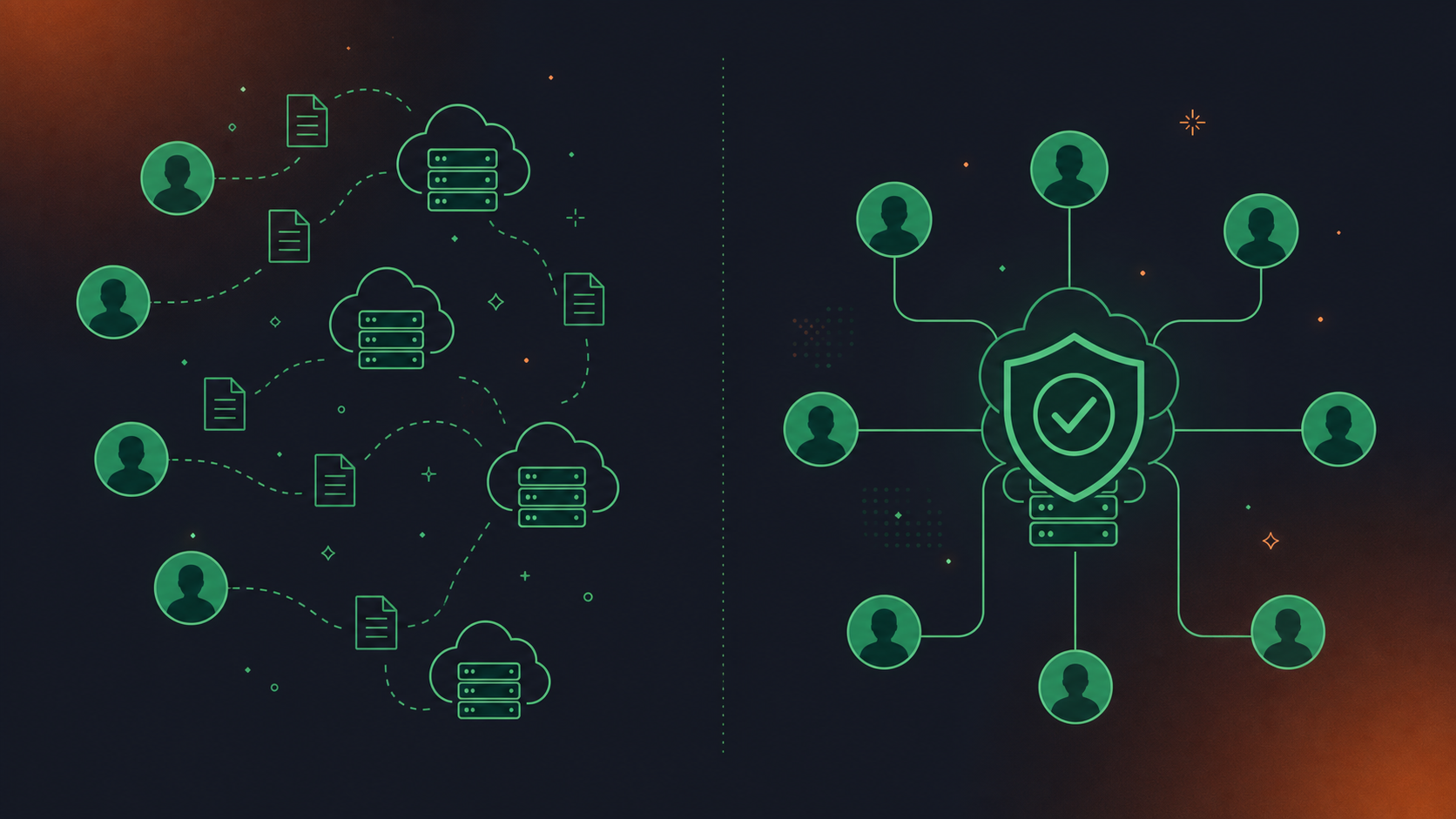
As Forcepoint describes shadow AI, “AI meeting assistants join calls to record, transcribe and summarize, storing full transcripts on third-party servers that IT never reviewed or approved.” A National Cybersecurity Alliance survey found that 43 percent of AI users admitted to sharing sensitive company information with AI tools without their employer’s knowledge.
Fireflies’ per-user signup model fits this pattern exactly. Individual adoption is frictionless by design, which is useful for a single user and a governance problem for any legal or compliance team trying to account for where conversation data actually goes.
Security Certifications and Compliance Posture
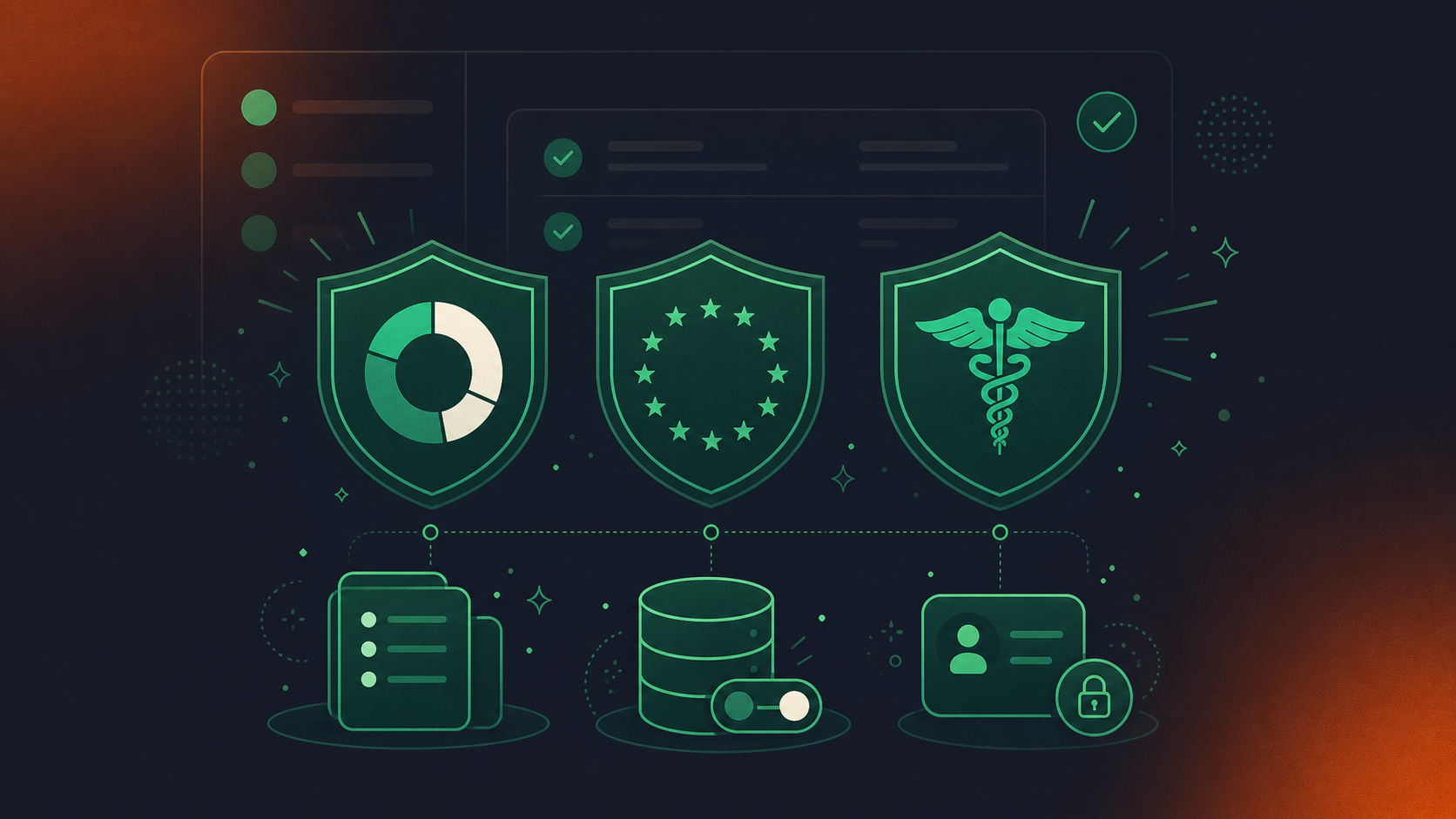
The table captures the certification baseline cleanly. What separates the two tools is the compliance infrastructure built around those certifications, a distinction covered in depth in the Spinach AI vs Fireflies.ai comparison.
Fireflies holds SOC 2 Type II certification and aligns with GDPR. SOC 2 Type II and GDPR apply across every Fireflies tier, while HIPAA, private storage, retention controls, and audit logs are gated to Enterprise.
Spinach AI carries the same three certifications: SOC 2 Type II, GDPR, and HIPAA. A BAA is available for Enterprise and HIPAA-specific engagements. No customer data is used to train AI models, and Spinach maintains zero data retention terms with its LLM providers. At the Enterprise tier, retention is configurable per data type, transcript, summary, and video, from one week to indefinite. Audit logging, SCIM-based provisioning, and compliance agents that classify and flag regulatory risk for admin review round out the controls that matter most to security teams running a formal procurement review.
Certification | Fireflies | Spinach AI |
|---|---|---|
SOC 2 Type II | All tiers, including free | All tiers |
GDPR | All tiers | All tiers |
HIPAA | Enterprise only | Enterprise only (BAA available) |
Audit logs | Enterprise only | Enterprise (admin dashboard) |
Retention controls | Enterprise only | Enterprise (per data type: transcript, summary, video) |
Data Residency and Processing Controls
Fireflies stores user data in the US by default. EU data residency is available only through Private Storage on the Enterprise plan, but Fireflies states that data is stored in the EU while still being processed and accessed in the US. Storage location and processing location are different things, and for organizations subject to GDPR or data localization requirements, that distinction matters.
Enterprise buyers should ask two questions: where does the data rest, and where is it worked on? A vendor that answers only the first is answering around the harder question.
Spinach AI is hosted on AWS. For specific data residency or processing requirements, contact sales to discuss what’s available for your engagement. What Spinach does provide is zero data retention with its LLM providers and a contractual guarantee that no customer data trains AI models.
Recording Consent, Notification, and Admin Controls
Meeting recording consent policies are a mandatory checklist item for any enterprise operating in a two-party or all-party consent jurisdiction. California, Illinois, and several other states require that every participant agree before recording begins. Employees who activate a personal transcription tool without disclosure may unknowingly expose the organization to civil liability or, in some states, criminal penalties.
Fireflies joins as a visible bot, which clears the basic transparency bar. Admin controls over in-meeting notification text, bot naming, or org-level consent workflows are not publicly documented as available below Enterprise.
Spinach AI’s consent architecture is configurable at the org level. The bot is always visible. Admins can rename it (for example, “Acme Notetaker”), set custom legal-approved notification text that appears in-meeting, and admit the bot from the waiting room only after verbal consent is confirmed. Mid-meeting, any participant can issue a pause, resume, or kick command. For organizations whose customers decline recording, Spinach provides written materials the buyer can forward, and the bot can be excluded per meeting.
Data Retention and Deletion Controls
Fireflies’ retention documentation is inconsistent. A 2026 privacy audit by Routines found that “retention contradicts itself across the documents,” with the Privacy Policy, an undated Security FAQ, and auto-delete settings each making different claims. For a compliance team trying to build a defensible retention policy, that kind of ambiguity is a real problem.
See the retention controls in the Security Certifications section above. Transcript, summary, and video retention windows are each set separately, from one week to indefinite, and those settings are enforced at the org level by admins.
Integration Architecture and Data Portability
For teams comparing the best tools for AI meeting notes, integration architecture matters: Fireflies routes meeting output through its own app interface, with integrations covering CRM tools like Salesforce and HubSpot, project management tools like Asana and Trello, and knowledge bases like Notion. API access is available on paid tiers. The core question for an enterprise buyer is whether output flows into downstream systems automatically at the org level, or whether each user configures their own connections.
Spinach AI’s integration architecture works differently by design. CRM and project management integrations, including Salesforce with custom field mapping, HubSpot, Jira, Linear, Asana, and ClickUp, are available on Pro and above and route structured outputs directly: action items with named owners, decisions, tickets, and CRM records. At Business and Enterprise tiers, the MCP server connects natively to Claude and ChatGPT with OAuth, admin approval, and user-level permission enforcement. API access and webhooks are Enterprise-only, letting teams build custom pipelines or sync conversation data into storage they control.
Where Governance Lives
The architectural difference is where sharing is governed. In a per-user tool like Fathom (see the Spinach AI vs Fathom comparison for details), each person configures their own integrations and decides what leaves the meeting. In Spinach, admins set default sharing scope and integration routing at the org level, applied uniformly across every user. That distinction matters when a compliance team needs to know, without auditing individual accounts, where meeting data is going.
Pricing Comparison (As of August 2026)
Plan | Fireflies | Spinach AI |
|---|---|---|
Free | Free (limited credits) | Free (unlimited recording, 7-day retention) |
Pro | $10/seat/month (annual) · $18/seat/month (monthly) | $2.90 per meeting hour |
Business | $19/seat/month (annual) · $29/seat/month (monthly) | $19/user/month (annual) · $29/user/month (monthly) |
Enterprise | Custom pricing |
One line item worth flagging for procurement: Fireflies’ sticker price understates the real cost. AskFred, advanced summaries, action-item extraction, and meeting clips all draw from a monthly AI credit allowance of 20 on Pro, 30 on Business, and 50 on Enterprise, per Fireflies’ published pricing. Heavy users report $15 to $50 per month in overages above the base plan price, making total-cost modeling harder than the plan page suggests.
Spinach AI’s pricing has no credit system. Recording, transcription, and AI summaries are included at every tier without a consumption cap that gates core functionality.
Enterprise Deployment and Compliance Controls
Spinach AI is deployed by the organization, not by individual employees signing up with personal emails. IT provisions users via SCIM, enforces org-level settings across every account, and audits activity through an admin dashboard with usage reporting and audit logging. The unit of deployment is the company, not the seat.
Capture runs across Zoom, Google Meet, Microsoft Teams, Slack Huddles, and Webex. Every meeting goes into one organizational record instead of per-user silos that disappear when someone changes roles or leaves, which is one reason organizations researching org-wide meeting intelligence increasingly favor org-level deployment over individual signups. Collections automatically group and route meetings by participant, title, or series, so the right conversations reach the right teams without manual sharing decisions.
Enterprise compliance controls include SAML SSO and SCIM provisioning, configurable retention per data type, PII redaction at the transcript level, compliance agents that classify and flag regulatory risk for admin review, and a BAA for HIPAA engagements. SOC 2 Type II, GDPR, and HIPAA certifications are active. No customer data trains AI models.
If your evaluation is stalling at security review or legal, the trust center at trust.spinach.ai has the subprocessor list, DPA, and access control policies ready to share.
Final Thoughts on Fireflies vs. Spinach AI Compliance and Governance
The certifications between these two tools are closer than most buyers expect. What separates them is the infrastructure built around those certifications: org-level provisioning, configurable retention per data type, audit logging, and consent controls your legal team can actually defend. Per-user adoption solves one person’s problem and creates a governance gap for everyone else. If you’re ready to move past the individual trial and into a real deployment, set up Spinach AI and bring the right controls with you from day one.
Spinach AI is built for company-wide deployment with enforced governance; Fireflies is built for individual users, which creates a structural compliance gap at scale. With Fireflies deployed across a company, each user manages their own recording settings and sharing decisions, leaving IT with no visibility into what’s being captured or where transcripts are stored. Spinach provisions users via SCIM, lets admins enforce retention per data type, set org-level sharing scope, and run compliance agents that classify and flag regulatory risk for admin review, all from a single admin dashboard with audit logging.
Spinach AI carries SOC 2 Type II, GDPR, and HIPAA certifications, with a BAA available for Enterprise and HIPAA engagements, configurable retention per data type (transcript, summary, and video separately), and PII redaction at the transcript level. Most individual meeting assistants, including Fireflies, gate HIPAA and audit logs to their Enterprise tier without the org-level enforcement controls that a security review actually requires. If your review is stalling at legal or procurement, the subprocessor list, DPA, and access control policies are available at trust.spinach.ai.
Every participant must be notified before recording begins. In two-party and all-party consent states, failure to disclose can expose the organization to civil or criminal liability. Spinach’s bot is always visible and never covert; admins can rename it (for example, “Acme Notetaker”), set custom legal-approved notification text that appears in-meeting, and admit the bot from the waiting room only after verbal consent is confirmed. Mid-meeting, any participant can issue a `pause`, `resume`, or `kick` command, and the bot can be excluded per meeting for customers who decline recording.
Fireflies works well for a solo user who wants searchable transcripts, but it is not architected to be a company-wide system of record. Deployed at scale, it produces per-user silos, inconsistent sharing controls, and no org-level audit trail, which is the pattern security and legal teams flag as shadow AI sprawl. Spinach is the platform an organization deploys once, company-wide, replacing that sprawl with one governed data asset, SCIM-based provisioning, and enforced policy across every meeting and every new user.
Fireflies’ retention documentation has been found to be inconsistent across its Privacy Policy, Security FAQ, and auto-delete settings, which is a real problem when a compliance team needs a defensible, auditable policy. Spinach AI’s Enterprise tier lets admins configure retention separately for transcript, summary, and video, from one week to indefinite, enforced at the org level instead of being left to individual users.
Spinach pairs its SOC 2 Type II, GDPR, and HIPAA certifications with the governance infrastructure that procurement actually needs: SCIM-based provisioning, org-level enforced settings, configurable retention per data type, PII redaction at the transcript level, and compliance agents that classify and flag regulatory risk for admin review. Fireflies holds the same core certifications, but gates audit logs and retention controls to its Enterprise tier without the org-level enforcement layer. If your review is stalling at legal, the subprocessor list, DPA, and access control policies are at trust.spinach.ai.
Spinach does not use voice biometrics and does not store biometric identifiers — speaker identification is context-based. This matters directly for organizations operating under Illinois BIPA or similar biometric privacy statutes, where collecting or storing voiceprints without written consent creates material legal exposure. Any future voice-matching capability will be opt-in.
Spinach redacts PII at the transcript level, including structured identifiers such as payment card numbers and national ID numbers. This is a transcript-level operation; it is distinct from excising audio or video segments, which is not available. For financial services, healthcare, and legal teams where sensitive identifiers regularly surface in calls, transcript-level redaction is the control that makes conversation data safe to retain and route downstream.
Spinach is the right choice if your goal is powering agents and LLMs with governed conversation data at the org level. The Business and Enterprise tiers include a native MCP server with OAuth, admin approval, and user-level permission enforcement, connecting directly to Claude and ChatGPT. API access and webhooks at the Enterprise tier let teams build custom pipelines or sync conversation data into storage they control. Fireflies offers API access on paid tiers, but its per-user architecture means the data feeding those agents reflects individual silos rather than a single governed organizational record.
With Fireflies, each user’s recordings sit in their individual account, so when someone leaves, their meeting history can become inaccessible or unmanaged unless IT intervenes manually. Spinach provisions and deprovisions users via SCIM at the Enterprise tier, and all meetings are captured into one organizational record rather than per-user silos — so when someone changes roles or leaves, the conversation data stays in the org’s governed asset and doesn’t disappear with the account.
The key signal is whether the tool is deployed by individuals or by IT. If employees can sign up with a personal email and one-click OAuth approval, that tool gains access to every subsequent calendar invite — including board discussions, M&A conversations, and HR reviews — without IT review or procurement approval. A National Cybersecurity Alliance survey found that 43 percent of AI users admitted to sharing sensitive company information with AI tools without their employer’s knowledge (Forcepoint, 2026). Tools that require org-level provisioning and admin-enforced settings, rather than per-user signup, close that gap by design.
It means your admin can set a different retention window for the transcript, the AI summary, and the video recording independently — from one week to indefinite — rather than applying a single blanket policy to all meeting content. A team under EU data minimization requirements might delete transcripts after 30 days while retaining summaries for a year; a legal team might keep full transcripts indefinitely for defensible records while purging video. These settings are enforced at the org level on Spinach Enterprise, not left to individual users to configure.
Fireflies charges per seat and layers a monthly AI credit allowance on top — heavy users report $15 to $50 per month in overages above the base plan price once AskFred queries, advanced summaries, and action-item extraction consume the credit allocation. Spinach has no credit system: recording, transcription, and AI summaries are included at every tier without a consumption cap. For the Business tier, Spinach runs $19 per user per month billed annually, with no variable overage to model into your total cost.
Yes — Spinach is GDPR compliant, hosted on AWS, and maintains zero data retention terms with its LLM providers (OpenAI, Anthropic, Google), meaning customer data is not retained by model providers after processing. A Data Processing Agreement is available at trust.spinach.ai. For organizations with specific data residency or processing requirements beyond these controls, contact sales to discuss what is available for your engagement.
Enterprise admins get SAML SSO and SCIM provisioning and deprovisioning, org-level enforced settings applied uniformly across every user (default sharing scope, bot branding, in-meeting notification text, content-free notification emails), granular retention configured separately per data type, PII redaction, compliance agents that classify and flag regulatory risk for admin review, an admin dashboard with audit logging and usage reporting, and API access plus webhooks for custom data pipelines. These controls apply to every meeting and every new user added via SCIM — no manual per-account configuration required.
What you should do next
Next, here are some things you can do now that you've read this article:
- You should check out our library of meeting agenda templates for every type of meeting.
- Learn more about Spinach and how it can help you run a high performing org.
- If you found this article helpful, please share it with others on Linkedin or X (Twitter)

