Spinach AI vs Granola AI: Full Comparison for (August 2026)
See how Spinach AI and Granola AI stack up in August 2026 across pricing, compliance, and integrations to pick the right meeting tool for your team.
 Maintouch
So you’re comparing Spinach AI vs Granola AI and trying to figure out which one is worth rolling out. They both capture your meetings, but one is a personal tool and one is an organizational system, and that gap matters a lot more than any feature difference. Here’s what you actually need to know before you decide.
TLDR:
- Granola is a desktop app (Mac and Windows) built for individual notes; it has no admin controls, no org-wide deployment, and no ticket creation
- Deploying Granola across a team creates a different data silo per employee, with no shared record and no governance
- Spinach AI joins Zoom, Meet, Teams, or Webex meetings org-wide, then routes decisions and action items into Jira, Linear, Slack, or your CRM when the meeting ends
- Granola holds SOC 2 Type II and GDPR (as of July 2025) but is not HIPAA compliant and will not sign a BAA; Spinach AI holds SOC 2 Type II, GDPR, and HIPAA, with BAA available on Enterprise
- Spinach AI offers a free Starter plan, Pro at $2.90 per meeting hour, and Business at $19/user/month billed annually
What is Granola?
Granola is an AI meeting assistant built for individual professionals who want clean, structured meeting notes without manually typing during a call. It runs as a Mac desktop app, capturing audio locally and generating summaries after the meeting ends. Spinach, by contrast, captures decisions and action items with named owners and routes them into your connected tools when the meeting ends.
The tool is genuinely well-designed for personal use. Granola’s interface is clean, its summaries are readable, and it stays out of your way during the call itself. For a solo founder or executive who wants a personal record of their conversations, similar to what the best tools for AI meeting notes offer, it does the job.
Where Granola stops is at the individual. There is no organizational deployment model, no governed sharing, and no path from a meeting summary to a Jira ticket or CRM record.
What is Spinach AI?
Spinach AI is an enterprise conversation intelligence platform built to capture, govern, and route the decisions and action items that come out of every meeting across your organization.
When a meeting ends, Spinach delivers structured summaries with named owners and routes outputs into your connected tools automatically. It files tickets into Jira or Linear, updates CRM records in HubSpot or Salesforce, and posts recaps to Slack, all without manual re-entry. The organizational record is governed, searchable, and consistent across every team, not scattered across individual inboxes.
Pricing runs from a free Starter plan through Pro at $2.90 per meeting hour and Business at $19 per user per month billed annually, with Enterprise at custom pricing. Spinach AI holds SOC 2 Type II, GDPR, and HIPAA compliance, with a BAA available on Enterprise engagements.
Spinach AI vs. Granola: At a Glance
At a glance, these two tools solve different problems for different buyers.
Granola is a Mac-only AI notepad that runs locally on your device, captures your meetings without a visible bot, and produces clean, editable notes afterward. It works well for individual contributors who want a private, low-friction record of their own calls.
Spinach AI is an enterprise conversation intelligence system deployed org-wide. It joins your Zoom, Meet, Teams, or Webex meeting as a visible participant, captures decisions and action items with named owners during the meeting, and routes structured outputs into Jira, Linear, Slack, HubSpot, and your other tools when the meeting ends.
Where they diverge most
The sharpest difference is not features but scope. Granola is built for one person’s meetings. Deployed across a company, it produces a different tool per employee, no shared record, and no organizational governance, a pattern also seen with Fireflies.ai alternatives that put individual capture ahead of org-wide governance. Spinach is the layer an organization deploys once, company-wide, with enforced policy and a single governed data asset.
Spinach AI | Granola | |
|---|---|---|
Deployment model | Org-wide, admin-managed | Individual, self-serve |
Bot visibility | Visible participant | Botless, local capture |
OS support | Web-based, cross-platform | Mac only |
Output | Decisions, action items, tickets, CRM records | Editable meeting notes |
Integrations | Jira, Linear, Slack, HubSpot, Salesforce, and more | Limited |
Compliance (as of July 2026) | SOC 2 Type II, GDPR, HIPAA | Not publicly documented |
Pricing | Free tier available; paid from $2.90/meeting hour | Subscription-based |
Deployment Model and Organizational Fit
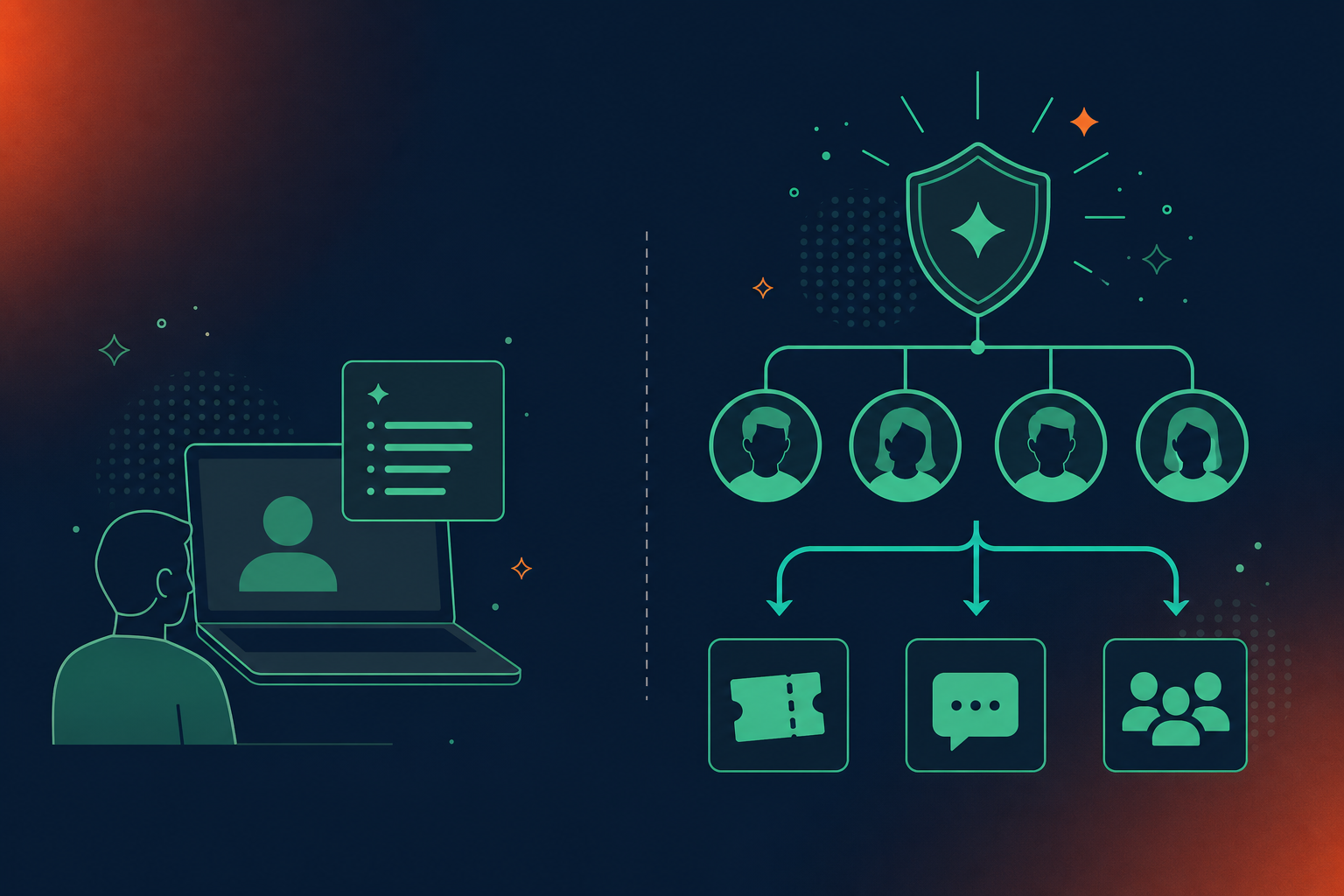
Granola is built for individual use. There is no admin console, no org-wide deployment policy, and no way to enforce recording standards across a team. Each user owns their own notes, which means you get as many fragmented data silos as you have employees using it.
Spinach AI is deployed at the organization level. Admins control who records, what gets retained, and where meeting outputs route. Every meeting captured across the company feeds a single governed data asset instead of scattering context across personal notebooks.
For a solo founder or a freelancer who wants clean personal notes, Granola fits. For a team that needs consistent capture, controlled sharing, and meeting data that actually flows into Jira, Slack, or a CRM, the individual-first model runs out of road fast.
Integrations and Downstream Workflow
Spinach AI connects to the tools your team already uses: Jira, Linear, Confluence, Slack, Notion, HubSpot, and Salesforce, including the ability to sync Google Meet notes to HubSpot automatically. When a meeting ends, decisions and action items route directly into those systems without manual re-entry.
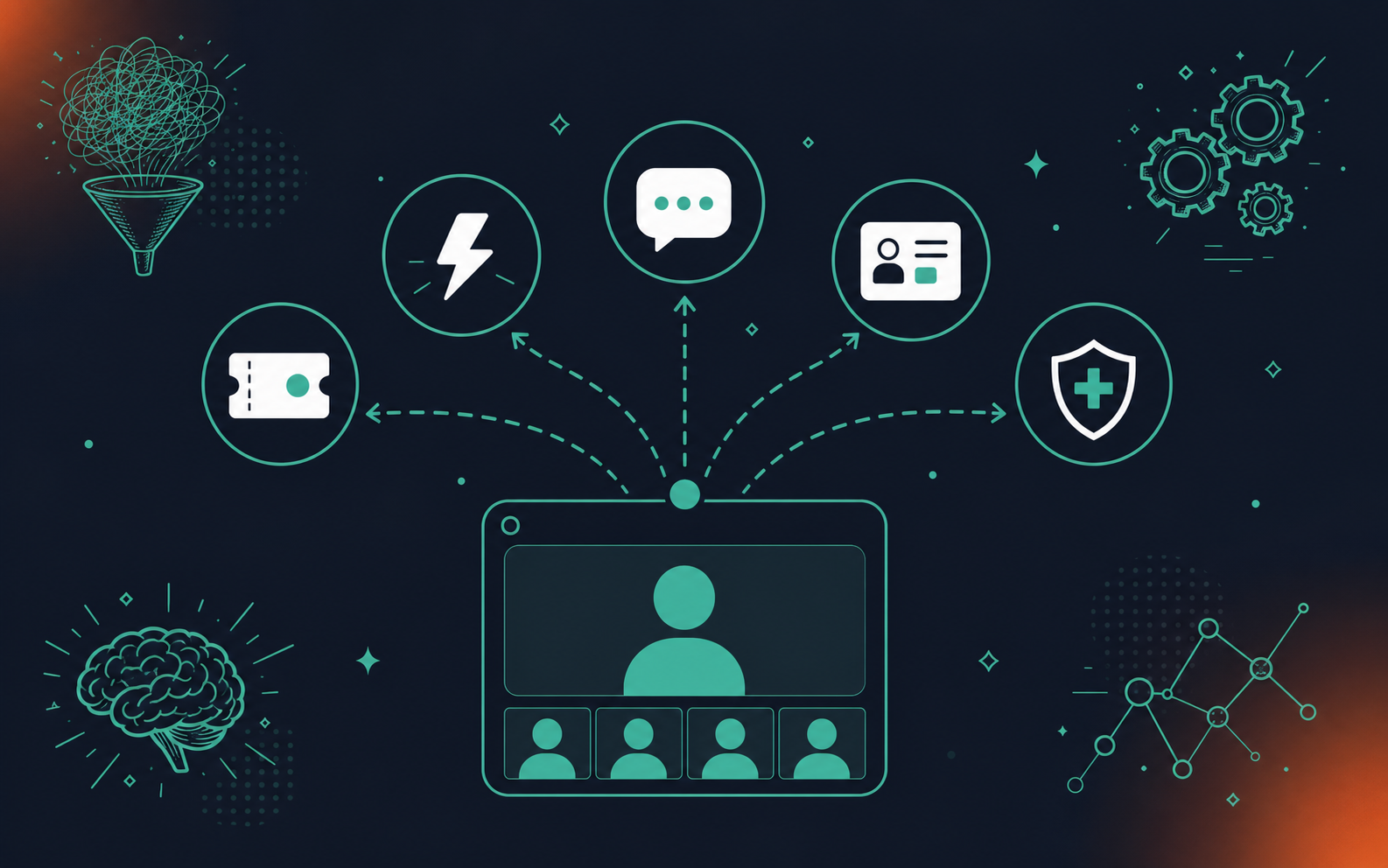
Granola’s integration story is thinner. Notes export to Notion or can be copied into other tools, but there is no native ticket creation, CRM sync, or automated Slack routing (as of July 2026). Whether you’re in sales, engineering, or ops, the handoff from meeting notes to the tools where work happens stays manual.
Where the gap shows up in practice
- Spinach routes action items to Jira, Linear, or Asana with owners assigned during the meeting, updates CRM records in HubSpot or Salesforce, and posts structured recaps to Slack, so the post-meeting re-entry step disappears entirely, regardless of which tools your team uses.
- Granola produces a clean, shareable summary, but the handoff to every downstream system stays manual, whether that’s a project management ticket, a CRM field update, or a team Slack message. Context gets lost between the notes doc and wherever work actually lives.
- For teams where meetings generate real work across multiple systems, that gap compounds across every meeting type.
Security, Compliance, and Governance
Both tools handle consent and data basics, but their governance posture diverges sharply at the organizational level.
Granola runs as a local Mac app, which means recordings stay on device by default. Granola holds SOC 2 Type II and GDPR compliance (as of July 2025) but is not HIPAA compliant and does not offer a BAA. That works for individual privacy preferences, but it creates a real problem for IT and compliance teams: there is no admin dashboard, no audit logging, no org-wide retention policy, and no way to enforce consistent data handling across a team.
Spinach AI is SOC 2 Type II compliant, GDPR compliant, and HIPAA compliant, with BAA availability on Enterprise engagements, a governance posture covered in depth in the Spinach AI vs Fireflies.ai comparison. Retention is configurable per data type (transcript, summary, and video) from one week to indefinite on Enterprise. PII redaction is available at the transcript level, and no customer data is used to train AI models. Admins get an audit logging and usage reporting dashboard, and the bot is always visible in the meeting with support for custom legal-approved in-meeting notification text.
If your org operates in a compliance-sensitive industry or is heading into a security review, Granola’s architecture makes those conversations difficult before they start.
Who should use each?
Granola fits individuals who want private, local-first notes with no IT footprint. Spinach AI fits organizations that need a governed, auditable record of conversation data across every team and meeting type.
Meeting Capture and Coverage
Spinach AI joins your Zoom, Google Meet, Microsoft Teams, or Webex meeting directly and captures the full session as it happens. Granola takes a different approach: it runs locally on your Mac, picks up audio through your device microphone, and layers AI summaries over whatever notes you type during the call.
That architectural difference matters for coverage. Spinach captures video, audio, transcript, and in-meeting chat across every session by default. Granola’s microphone-based capture works well in a quiet room on a clean call, but degrades in noisy environments or on calls where multiple speakers talk over each other.
What Each Tool Captures
Granola’s local model is appealing if you want something lightweight that stays off your network, though a closer look at AI transcription tools shows the tradeoff clearly: your coverage is bounded by whatever your laptop microphone picks up, and there is no fallback when audio conditions are poor.
Spinach captures during the meeting and delivers structured output when the meeting ends, regardless of which platform your team uses that day.
Pricing Comparison
Granola AI’s pricing starts free for up to 25 meetings, then moves to a Business plan at $14/user/month billed annually (as of July 2026). There is no team or enterprise tier with governance controls listed publicly.
Spinach AI offers a free Starter plan, a Pro plan at $2.90 per meeting hour, and a Business plan at $19/user/month billed annually or $29/user/month billed monthly (as of July 2026). Enterprise is custom pricing, available through sales.
What the Pricing Difference Actually Reflects
The gap here is architectural. Granola’s per-seat model prices individual access. Spinach’s Business plan is designed for org-wide deployment, with admin controls, audit logging, and configurable retention per data type built into the tier.
For individuals or small teams, Granola’s flat-rate pricing is predictable, as is the case for other individual-first tools covered in roundups of Otter.ai alternatives for accurate meeting notes. For organizations deploying across multiple teams and needing policy controls, Spinach’s Business tier is the more relevant comparison point.
Why Organizations Choose Spinach AI Over Granola
Granola is genuinely good for what it is: a clean, private AI notepad for individual users who want structured notes without a visible bot in the room. For a solo professional who wants a personal call record, that tradeoff is reasonable.
The limit becomes clear the moment you need more than one person’s notes to matter to the rest of the organization. Granola produces a personal artifact. Spinach AI produces an organizational record: decisions captured, action items assigned to named owners, and outputs routed automatically into Jira, Linear, Slack, or your CRM when the meeting ends.
For teams that need conversation data governed, searchable, and connected to the tools where work actually happens, Granola stops where Spinach starts.
Final Thoughts on Granola AI as a Meeting Notes Alternative
Granola is a well-built tool for individuals, and if personal, local-first notes are all you need, it does that job cleanly. The moment your meeting outputs need to live somewhere your whole team can act on them, a personal notepad stops being the right comparison. Your stack needs a governed record, not a collection of private notebooks. Spinach AI is built for exactly that. Get started with Spinach AI to see how org-wide conversation intelligence works in practice.
Spinach AI is the right choice for distributed teams on multiple meeting platforms — it joins Zoom, Google Meet, Microsoft Teams, Slack Huddles, and Webex directly, captures the full session, and routes decisions and action items into your connected tools when the meeting ends. Granola runs as a Mac desktop app using your device microphone, which means your coverage is bounded by local audio conditions and a single operating system. If your team spans platforms or operating systems, Granola’s architecture runs out of road before your org does.
When a meeting ends, Spinach AI delivers structured summaries with named owners and files tickets directly into Jira, Linear, or your CRM without manual re-entry. Granola produces clean, editable notes that you can copy or export to Notion, but the handoff to project management tools stays manual — a PM running four planning sessions a week still opens Jira and files each action item by hand.
Granola fits solo founders, freelancers, or individual contributors who want a private, lightweight record of their own calls with no IT footprint and no visible bot in the room. Spinach AI is built for organizations that need consistent capture across every team, admin-enforced sharing and retention policies, SOC 2 Type II and HIPAA compliance, and meeting data that flows automatically into the tools where work actually happens.
Granola runs as a local Mac app with no admin dashboard, no audit logging, and no documented SOC 2, GDPR, or HIPAA certification — which makes compliance conversations difficult before they start. Spinach AI holds SOC 2 Type II, GDPR, and HIPAA compliance, with a BAA available on Enterprise engagements, configurable data retention per data type, PII redaction at the transcript level, and an admin dashboard with audit logging. If your organization is in a regulated industry or heading into a security review, Granola’s architecture is a real structural barrier.
Granola’s paid plan starts at $18 per user per month billed annually, with no publicly listed team or enterprise tier that includes governance controls. Spinach AI offers a free Starter plan, a Pro plan at $2.90 per meeting hour, and a Business plan at $19 per user per month billed annually — with admin controls, audit logging, and configurable retention built into the Business tier. For an individual, Granola’s flat rate is predictable; for an organization deploying across multiple teams with policy requirements, Spinach’s Business tier is the relevant comparison point and includes the governance layer Granola does not offer.
No, Granola runs only as a Mac desktop app, which means any team member on Windows or Linux cannot use it at all. Spinach AI is web-based and cross-platform, so it joins Zoom, Google Meet, Microsoft Teams, or Webex meetings regardless of what operating system your team runs.
Because Granola stores notes locally on an individual’s device with no admin console or org-level access controls, there is no centralized way for the organization to recover that meeting data when someone leaves. Spinach AI captures meeting data into a single governed organizational record, so admins retain access to conversation data independent of individual employees.
No, Granola has no native ticket creation or direct Jira integration — a PM still has to open Jira and file each action item manually after reviewing their notes. Spinach AI routes action items with named owners directly into Jira or Linear when the meeting ends, removing the manual re-entry step entirely.
Spinach AI is built primarily for video meetings on Zoom, Google Meet, Microsoft Teams, Slack Huddles, and Webex, and also supports web-based ad-hoc recording for spontaneous conversations. Room-device attribution for hybrid conference room settings is an active area of work, so that specific scenario should be confirmed with the sales team for your setup.
The Spinach bot is always visible in the meeting and never covert, and organizations can set custom legal-approved in-meeting notification text so all participants know recording is active. If a specific external participant or client refuses recording, the bot can be excluded from that individual meeting, and Spinach provides written material that buyers can forward to external parties in advance.
Spinach is transcription-model agnostic, meaning it uses the most accurate available model per language across its 100-language support — the primary reason organizations in Hebrew and other non-English-dominant environments switch to it. Locking to a single vendor’s transcription model, as native platform tools do, produces meaningful accuracy gaps for non-English meetings.
Deploying an individual-first tool like Granola across a team produces a different data silo per employee, with no shared record, no admin-enforced retention policy, and no path for IT or compliance to govern what gets shared or retained. For a single user who wants private local notes, Granola works; the moment two or more people’s meeting outputs need to connect to each other or to downstream systems, an individual notepad is the wrong unit of deployment.
Spinach never uses customer data to train AI models, with no exceptions, and operates under zero data retention terms with its LLM providers — OpenAI, Anthropic, and Google — so customer data is not retained by those providers either. This is a hard contractual commitment, not a default setting, and it applies across all plans.
The Business plan at $19 per user per month billed annually includes admin controls, audit logging, MCP for Claude and ChatGPT, and one-year flat retention across all data types. Enterprise adds SAML SSO and SCIM provisioning, org-enforced settings and custom bot branding, granular retention configurable per data type from one week to indefinite, compliance agents, API and webhooks, a BAA for HIPAA engagements, and custom concurrent meeting and upload limits — the tier designed for regulated industries and security review requirements.
The practical pattern is keeping a revenue intelligence tool for customer-facing sales calls where sales-coaching workflows are already embedded, then deploying Spinach across every other meeting type — product, engineering, leadership, HR — so the whole organization feeds one governed record. Spinach is not at feature parity with Gong for the specific sales-coaching use case, and the goal is a unified company-wide data asset, not a forced replacement of tools that already serve a department well.
What should you do now
You made it to the end of this article! Here are some things you can do now:
- You should check out our library of meeting agenda templates for every type of meeting.
- You should try Spinach to see how it can help you run a high performing org.
- If you found this article helpful, please share it with others on Linkedin or X (Twitter)

