11+ Remote work tools every hybrid team needs (2021)
Hybrid teams need more than a remote-first attitude for effective collaboration, they need remote work tools. In this article, we review some of our favorites.
 Nicole Kahansky
In 2019, fewer than 6% of Americans primarily worked from home. In May 2020, that number jumped to 35%.
There’s no doubt the virus pushed us to redefine what “normal” means for businesses everywhere. And now, as businesses begin to go back to the office, we’re forced to re-examine what normal means once again. Likely it looks like a mix between remote and in-person work— a hybrid workforce. But regardless of whether you’re in office or not, businesses need to maintain a remote-first mindset to accomodate employees who want to continue to work from home.
While the flexibility to working remotely has countless benefits, it also comes with its own challenges. The top ones? Communication and collaboration, the ability to unplug, and loneliness, according to Buffer’s State of Remote Work report.
Luckily, there are plenty of remote work tools that can help.
In this article, we’ll go through how remote work tools can help you collaborate and the best remote work tools for hybrid and remote teams.
How can remote work tools help your hybrid team?
The hybrid work model is attractive because it offers flexibility, freedom, and a wider talent pool. But it’s not without its difficulties—fostering a sense of community and building a strong company culture is hard when some people are in office and some people aren’t.
41% of respondents in one survey admit that it’s challenging to stay motivated without teammate interaction. 46% say lack of communication is the biggest challenge for managing remote work.
With less frequent in-person interactions, leaders must find ways to keep their employees engaged and motivated. Having the proper tech stack can help your team save time, stay connected, and perform at a higher level, no matter where you’re working from.
What are the best remote work tools?
Where to start? As we shift the way we work together, there’s been an influx in products to help make this adjustment easier. Everything from video conferencing tools to team building apps to one on one meeting software — there are a lot of options. And more doesn’t necessarily mean better.
The good news is we’ve rounded up a list of our favorite remote work tools for you to consider introducing to your distributed team:
- Collaboration tools
- Communication tools
- Employee engagement tools
- Project management tools
- Time management tools
Collaboration tools
Spinach AI
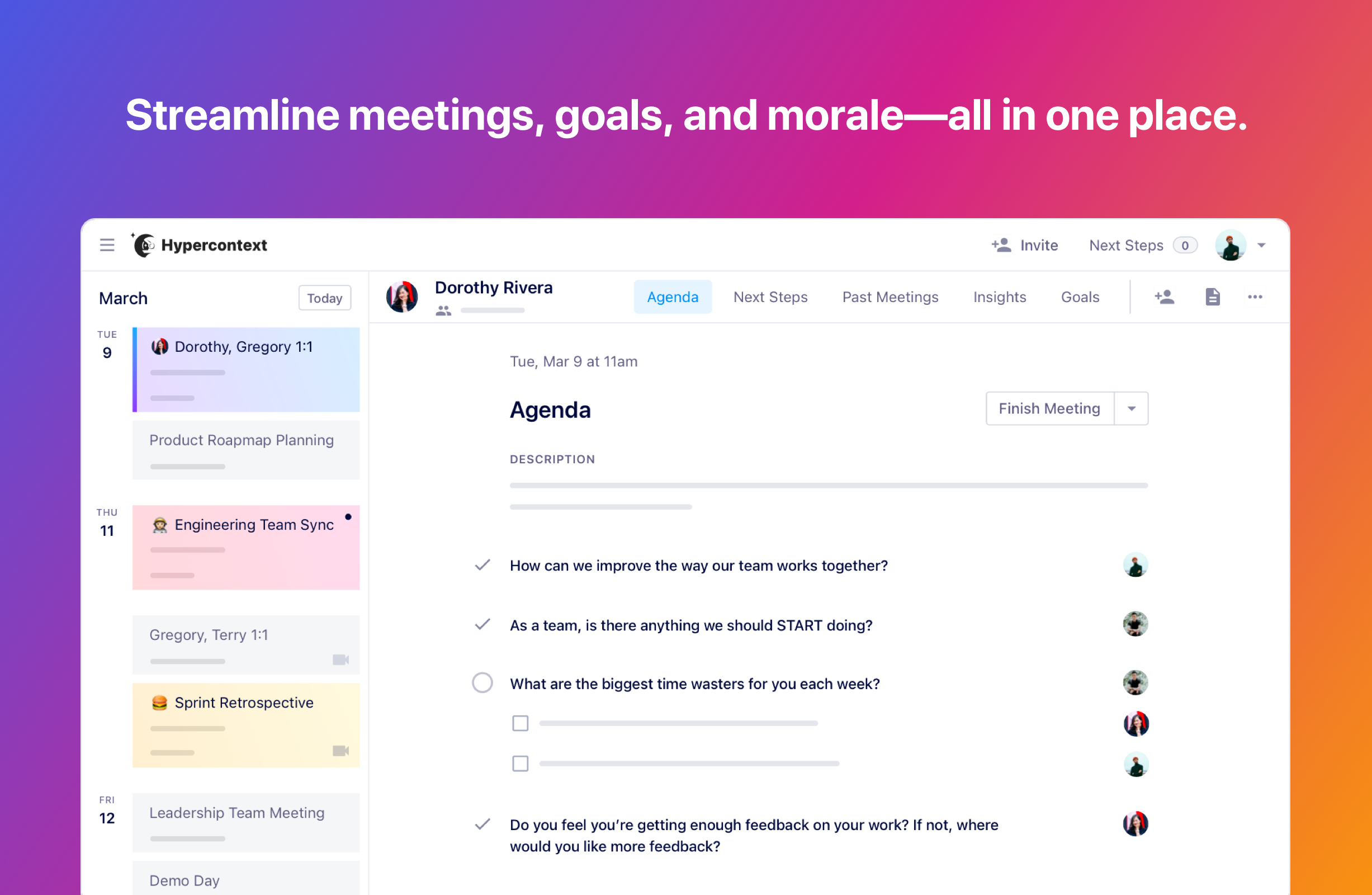
Zoom fatigue is real, and having useless meetings is not the antidote. Spinach AI is a meeting agenda software that allows you to create collaborative agendas, take meeting notes, assign next steps and set goals, all in one accessible place. The app helps ensure that your meetings have purpose and follow-through. But it goes beyond meetings, Spinach AI empowers managers to lead high performing teams by streamlining meetings, goals and morale into one workflow.
Key features:
- Automatically email meeting notes to all participants at the end of the meeting.
- Take a remote-first approach to hybrid meetings, with a dedicated online space for your meeting agenda and notes.
- Access to 500+ conversation starters, 70+ agenda templates and 240+ goal examples.
- Download the Chrome extension to manage your agenda from any tab on your browser.
Price: Spinach AI has a free forever version without user limits. Our Pro plan is priced at USD $7/user/month and Business is priced at USD $11/user/month. Learn more about pricing.
Miro
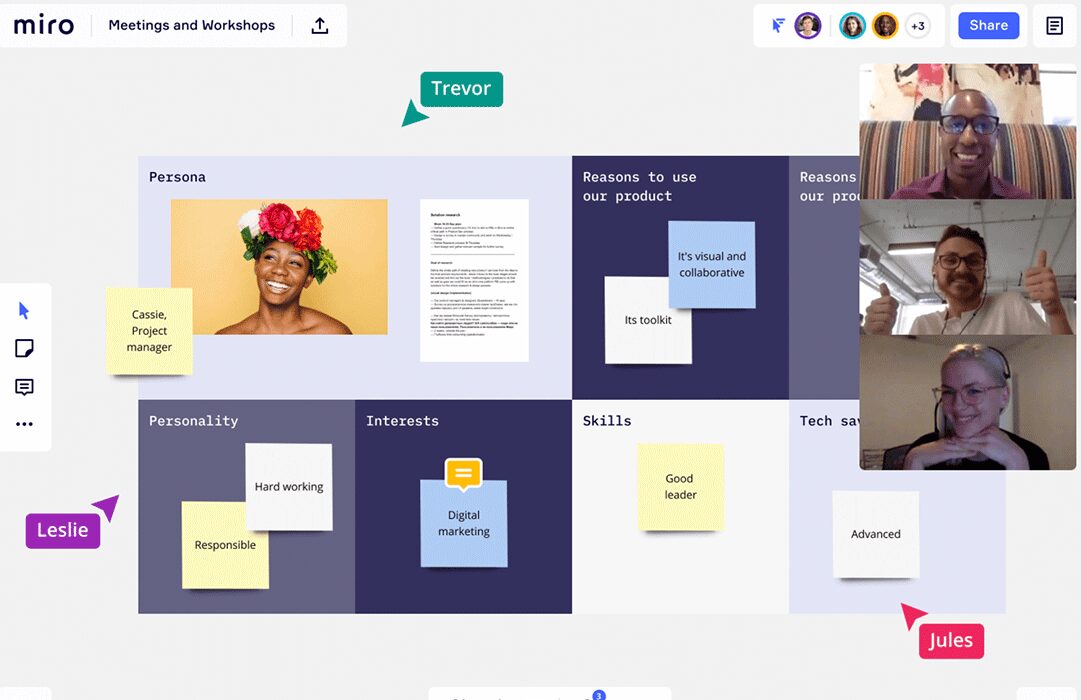
Missing the traditional brainstorming sessions with your team and the thrill of working on ideas together? Miro is a virtual whiteboard that lets you to collaborate in a more visual way. You can add sticky notes, bounce ideas off your team, and even execrices you creativity with drawing. Don’t let working virtually block your creative flow.
Key Features:
- See how team member enegage with your board with mouseover collaboration.
- Share your screen and present your ideas within the app.
- Organize your tasks and collaborate using different projects or boards.
Price: There’s a free plan with limited boards and features. For more features, you can upgrade to the Team plan at USD $8/user/month.
Google Drive
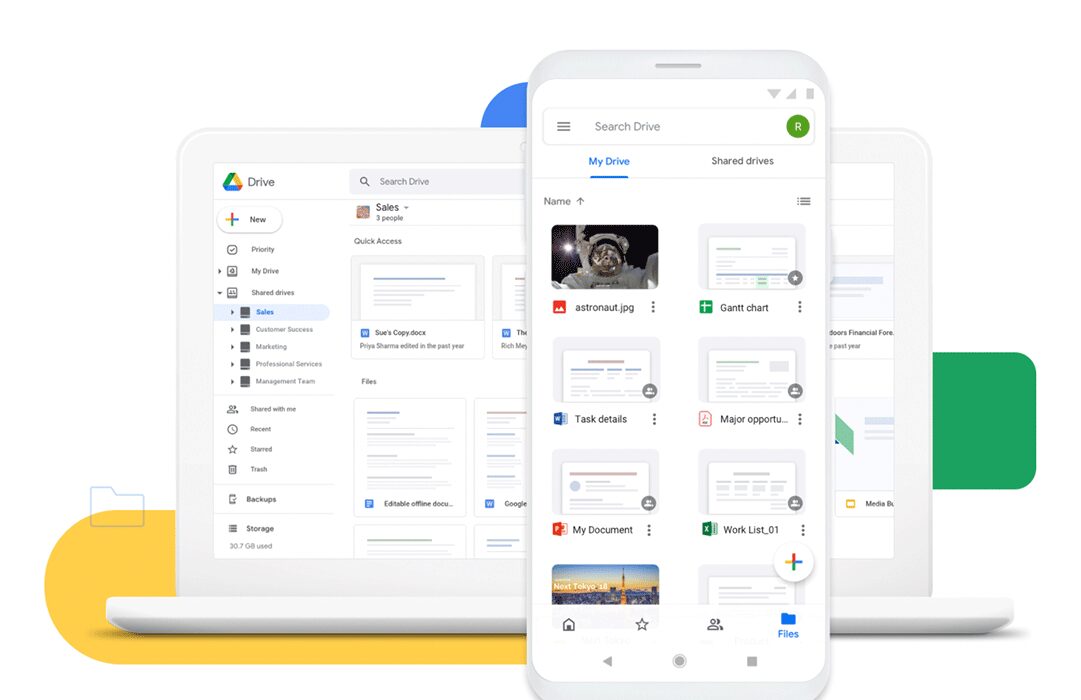
Keeping work-related files on your local computers can be dangerous. Don’t lose your work to a coffee spill. Keeping documents on a cloud-based platform like Google Drive not only keeps them secure but also allows your teammates to find all documents in a central spot — making collaboration more seamless.
Key Features:
- Store, share and collaborate on files and folders with your team.
- Find anything you need quickly with powerful search facilities.
- Download your documents for offline access.
- Choose how people access your documents with varying levels of permissions: view, comment, or edit.
Price: Google gives you 15 GB of storage for free. After that, you can opt for the USD $8/user/month plan. You can try it for free for 30 days.
Communication tools
Slack
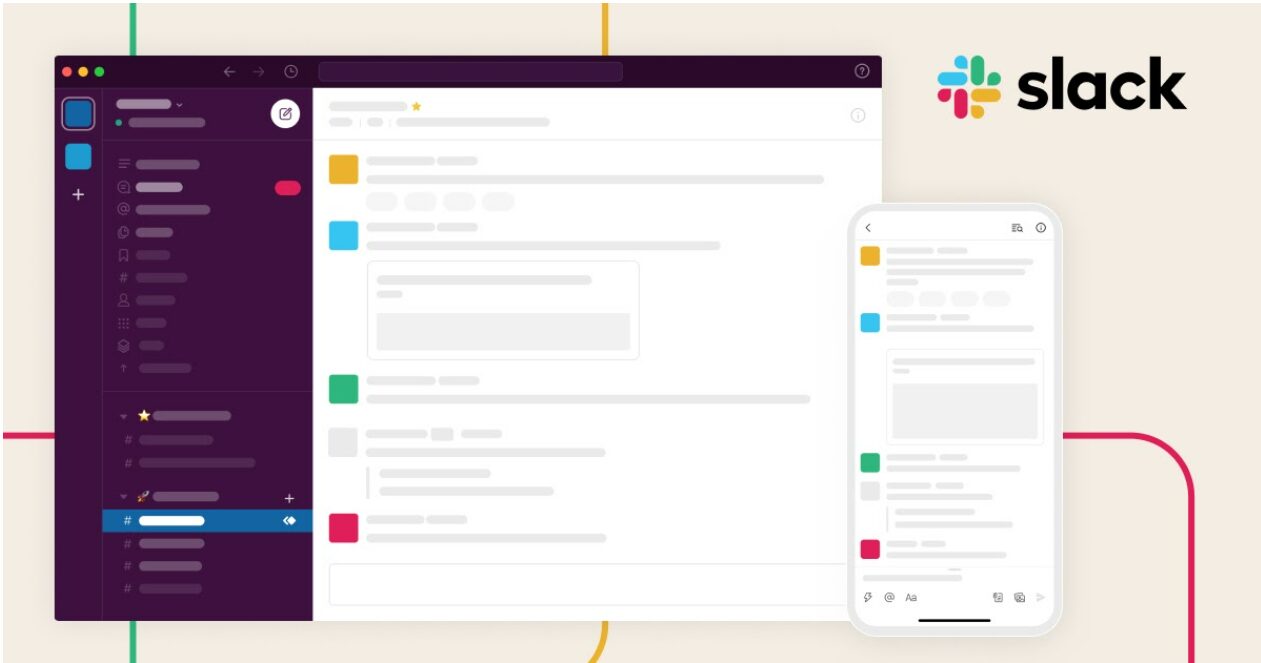
Slack needs no introduction. The remote messaging tool, loved globally, replaces and/or compliments email. At many companies it’s become a central hub for conversations.
Key Features:
- Organize different conversation topics or team members into #channels.
- Use the search function to easily find information when you need it.
- Integrate you account with over 2,200 solutions like Google Drive, Office 365, and Spinach AI.
- Automate repetitive tasks with workflow builders.
Price: There’s a free plan which offers limited features and messages. You can upgrade to the Pro plan at USD $2.67/user/month for more.
Loom
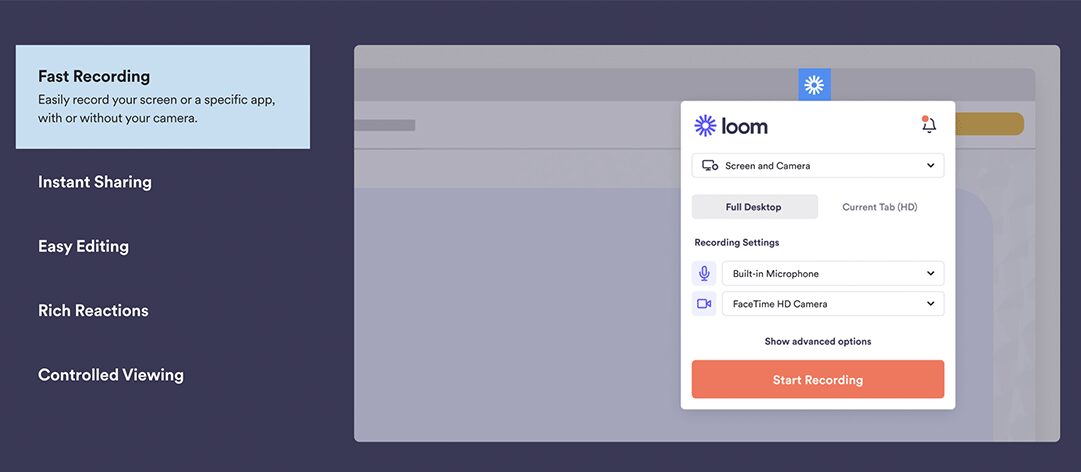
You know those conversations where email doesn’t provide enough context, but a meeting isn’t necessary either? Loom is a video messaging platform fit for those conversations. You can record your screen and yourself to easily give a video walkthrough instead of disrupting your colleagues focus with a meeting or call.
Key Features:
- Add security to your videos when needed with password protection.
- React and comment on videos for enhanced asynchronous communication.
- Find out who watched your videos and for how long.
- Make your videos more accessible through transcriptions and closed captions.
Price: There’s a limited free starter plan. You can upgrade features by opting for the Business plan beginning at USD $8/user/month. You can try Loom for free with its 14-day trial.
Ringblaze
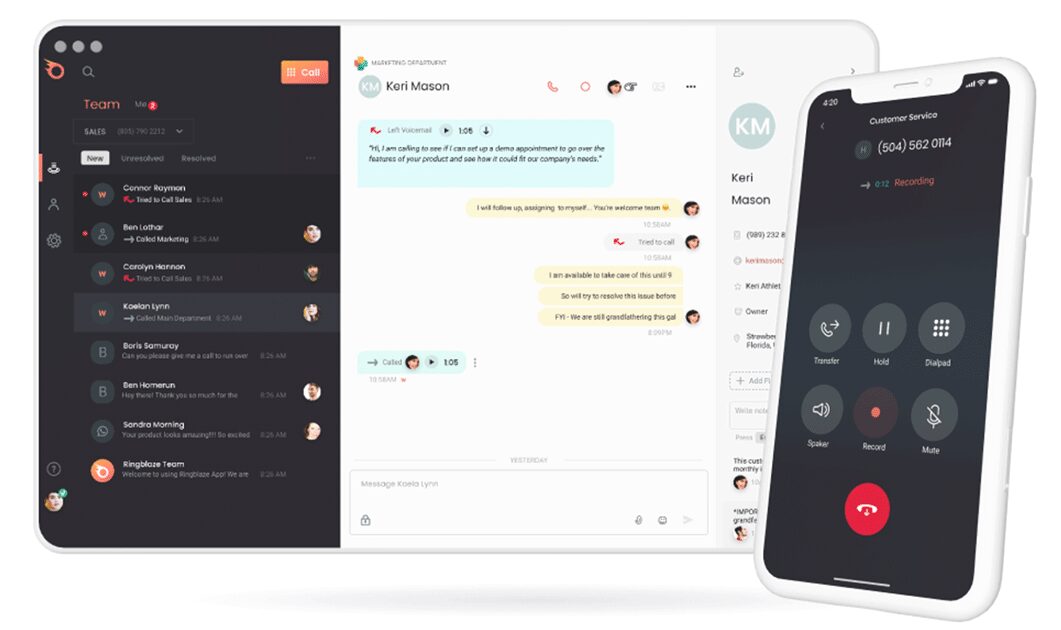
Sometimes you need to get on a good old-fashioned phone call. Ringblaze is a cloud-based business phone system that allows you to manage your communication with customers and your team within one place. Ringblaze keeps you connected and engaged with your team and customers alike, no matter where they are in the world. The phone system contributes to better lead generation and team collaboration without any hassles of telephone lines or expensive software installation.
Key features:
- Provide your company with custom phone numbers
- Organize your incoming calls better with call forwarding and call recording
- Collaborate with your team from the same dashboard
- Define responsibilities to a team member through a call owner function, to avoid confusion and improve your internal communication
Price: A simple plan is available for $19 per month. They also offer a free trial.
Employee Engagement Tools
Donut
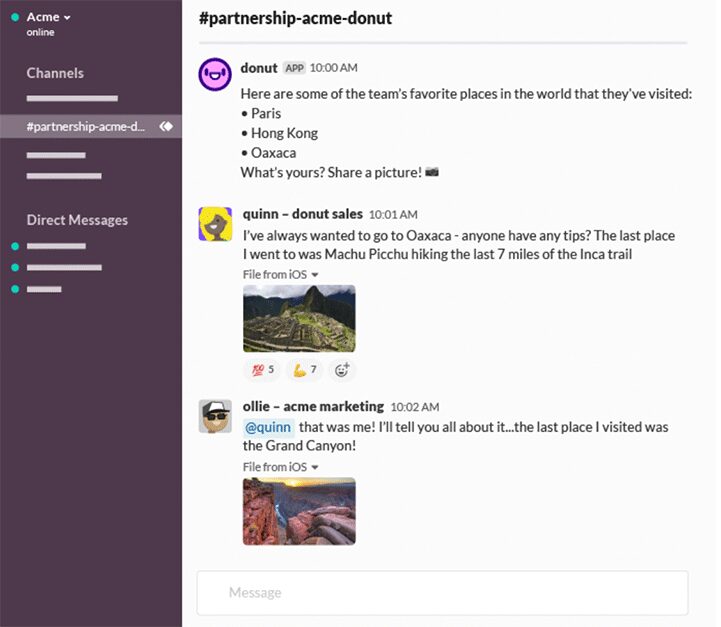
You aren’t alone if you miss the banter you used to have with your colleagues around the coffee machine. 69% of employees report feeling disconnected from their teammates while working remotely. Donut helps repair that lost camaraderie with your hybrid team.
Key Features:
- Start conversations with pre-made program templates to help increase employee engagement.
- Leverage conversations starter questions like “Last place you traveled?” and “What’s your favorite part of working remotely? What’s your biggest challenge?”
- Connect with teammates from different departments for group meetings or mentorship.
- Use onboarding features like assigning new hires buddies, lunch pals, etc.
Price: There’s a free starter plan, or you can upgrade features for USD $49/month. A free trial is available for 14 days.
Bonusly
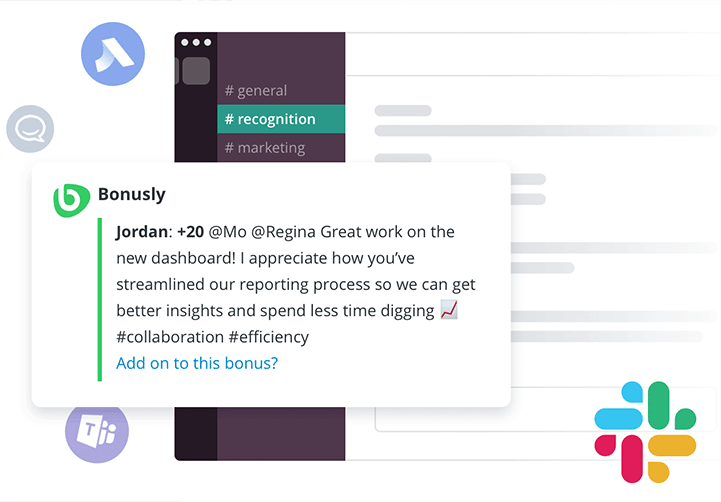
80% of employees feel their employer could be doing more to show appreciation to remote workers. Bonusly helps you create employee recognition programs that help foster a culture of continuous feedback sharing.
Key Features:
- Encourage recognition and rewards with tangible perks like gift cards from Amazon, Home Depot, Uber, and more.
- Use monthly allowances to share small bonuses with teammates.
- Automate celebrations for new hires, birthday and work anniversaries so you never forget to celebarte milestones.
- Get pulse checks with features like “Signals.”
Price: The core plan begins at USD $2.70/user/month. If you’re looking for more features, you can upgrade to Pro or Custom plans. There’s a free trial available for 14 days.
360Learning
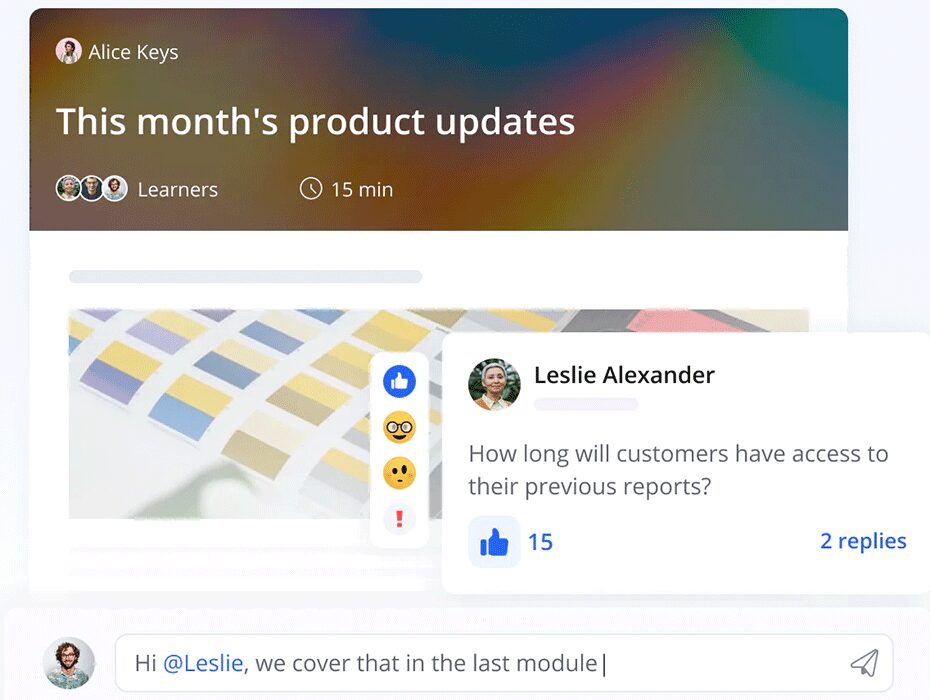
360Learning is a collaborative learning platform. It boasts of a mere 17-minute course creation time and 89% course completion rates. Who wouldn’t want to deliver onboarding experiences based on the collective expertise of the company (and so fast)?
Key Features:
- Make it easy for anyone to create courses with a minimal learning curve using collaborative authoring tools.
- Choose from different types of eLearning—self-paced or on-site—depending on course requirements.
- Get access to data-driven insights for classroom management.
- Assign customized linear or non-linear paths that fit the learning needs of your employees.
Price: The plans starts at USD $8/user/month for teams up to 100 users. You can upgrade to a Business or Enterprise plan for more. You can try the tool for free for 30 days.
Project management tools
Notion
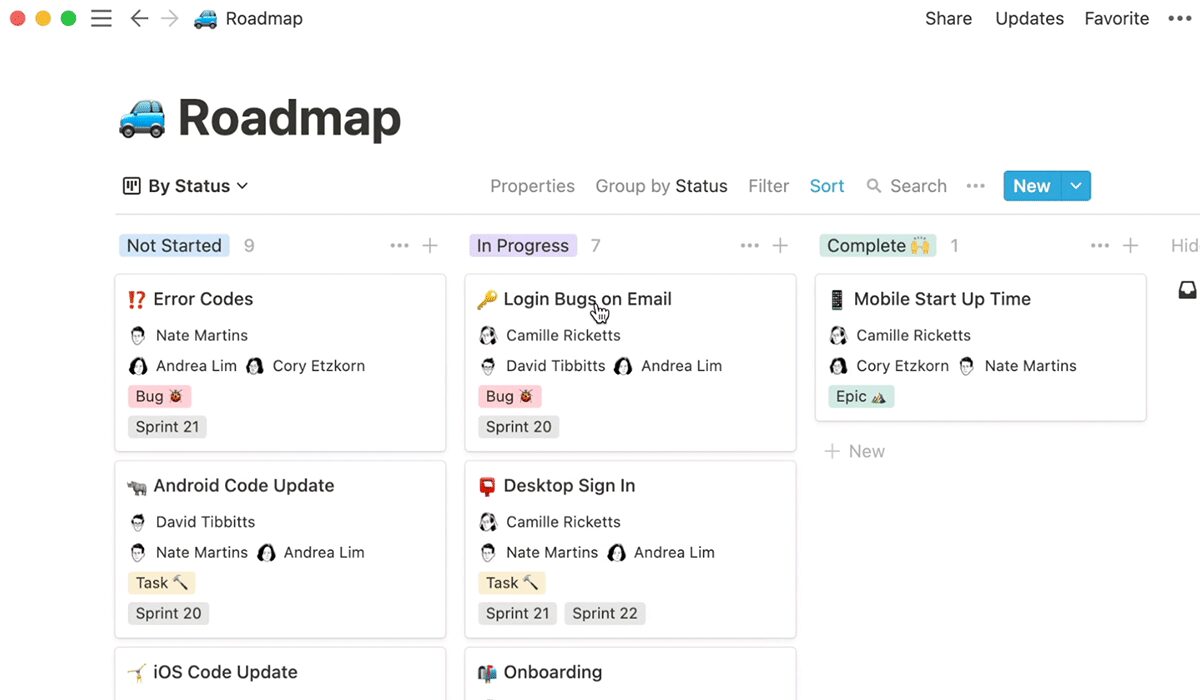
39% of respondents in Hubstaff’s State of Remote Project Management survey said they use multiple project management approaches. Whether you’re using Kanban, scrum, agile, etc., you can use Notion to help manage your projects. It’s your all-in-one project management tool to organize work documents, plan sprints, and do everything from one place, no matter your approach.
Key Features:
- Collaborate asynchrously without missing any updates via comment and notification features.
- Find what you need quickly through powerful search and filter features.
- Stay organized by creating folders that work for you.
- Arrange your Notion pages in your preferred view—Kanban boards, calendars, lists, etc.
Price: There’s a free starter plan. You can opt for the personal pro plan at USD $4/user/month or the team plan at USD $8/user/month. Notion is free for up to 1,000 content blocks.
Trello
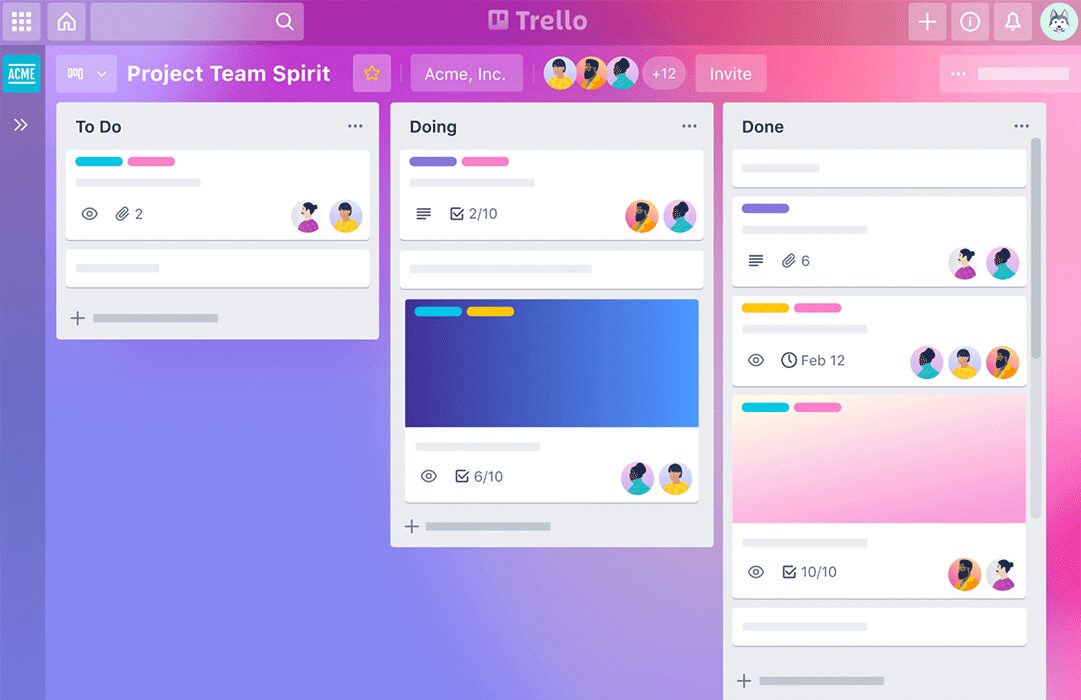
Trello is a visual project management tool that helps you avoid those annoying email chains. It enables your team to manage projects seamlessly, keep everyone on the same page, and assign responsibilities. After all, accountability is your best bet for building trust on a hybrid team.
Key Features:
- View board data from multiple angles—get a timeline view for project planning, calendar for time management, etc.
- Assign and track the work of your teammates.
- Automate manual tasks like surfacing upcoming deadlines, scheduling team assignments, etc.
- Create checklists and track progress in the taskbar.
Price: There’s a free plan with limited features and storage. You can upgrade to the standard plan at USD $5/user/month for more. There’s a free trial available for 14 days.
Hive
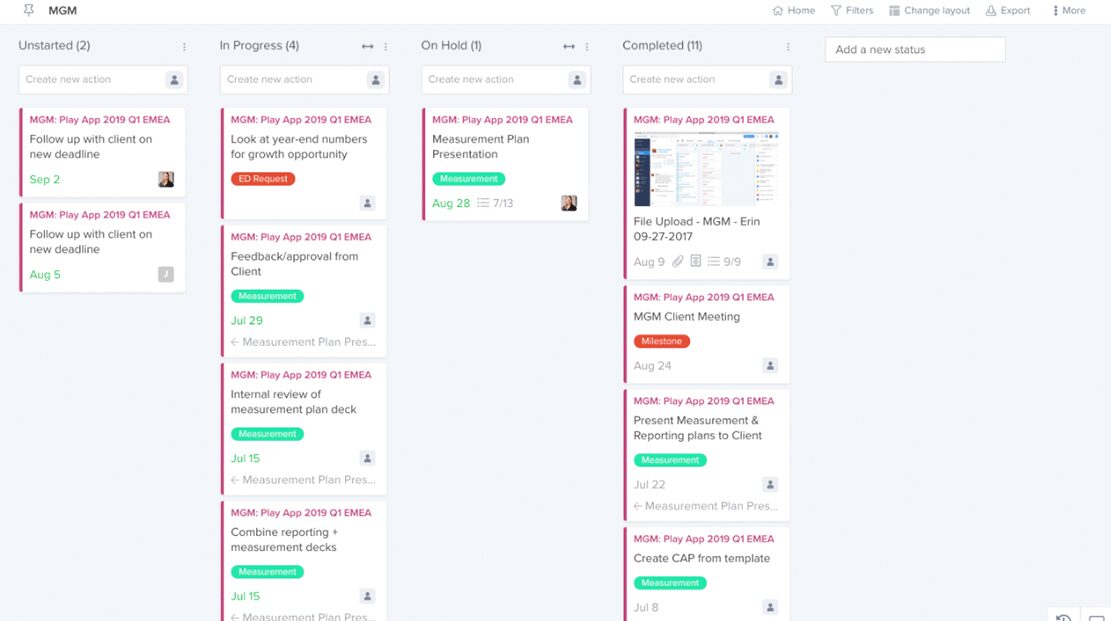
It’s the dream: Having everything you need live in a single dashboard. Hive is an all-in-one solution that allows you to build action cards, run your email integration, take meeting notes, and more.
Key Features:
- Choose a project view that works best for you—Gannt, Calendar, and Kanban.
- Get a bird’s eye view of the entire business via portfolio and summary views.
- Organize projects into different categories via labels.
- Set triggers to automate updating card labels, delegating tasks, adding subaction, etc.
Price: There’s a free plan best suited for small teams. You can upgrade to the Teams plan at USD $12/user/month. There’s a free trial available for 14 days.
Fyle
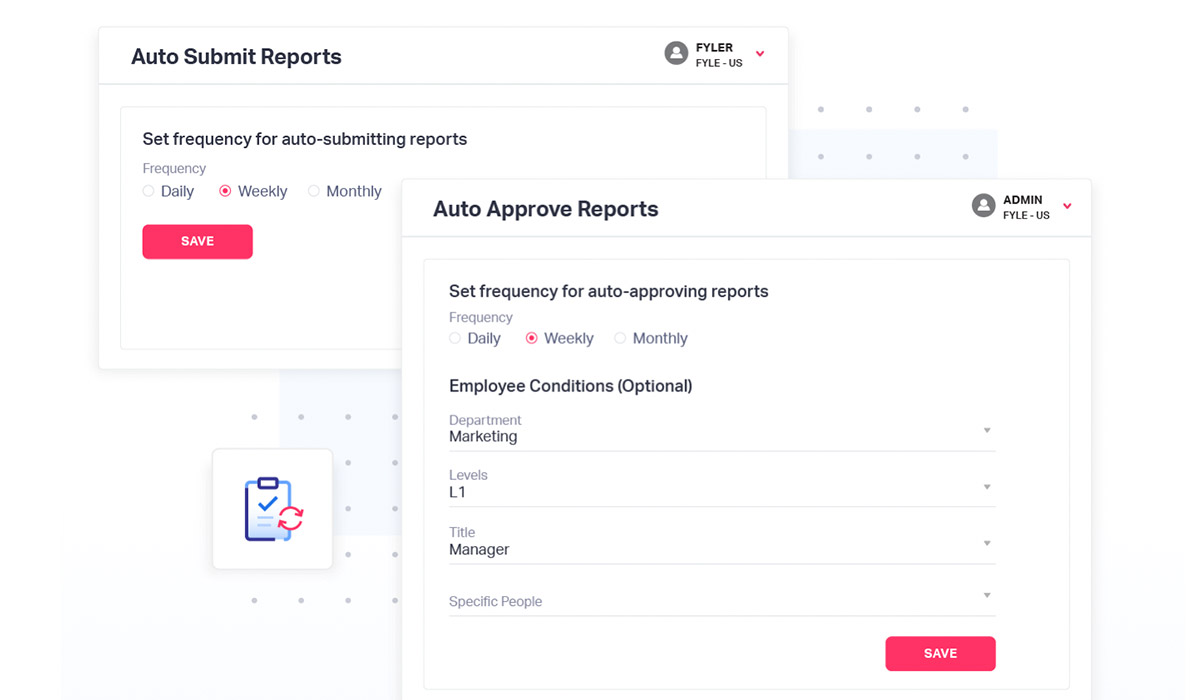
Fyle is an expense management software built to streamline your expense management process. Fyle boosts the finance team and employees’ productivity by automating mundane expense management tasks from expense reporting and receipt tracking to expense reimbursement. The tool ensures employees submit accurate expense reports with proper documentation. Its robust policy check engine identifies out-of-policy expenses in real-time and ensures no data entry error or potential expense fraud pass by unnoticed.
Key Features:
- Manage and track paper expense receipts by using the Instafyle feature to take a picture of the receipt, extract information from it, and auto-fill the expense form.
- Track receipts lying in your inbox by using Fyle’s Chrome extension, Gmail and Outlook extension or simply forward it via Slack or text message.
- Seamlessly reconcile credit card transactions, expenses and receipts in an audit-ready fashion without any manual intervention.
- Automate payments to employees via next-day ACH feature and close your reimbursement cycle on-time.
Price: Their Standard plan is priced at USD $4.99/month, Business at USD $8.99/month, and custom pricing for Enterprise. Fyle only bills active users who create at least one expense report/month.
ProProfs Project
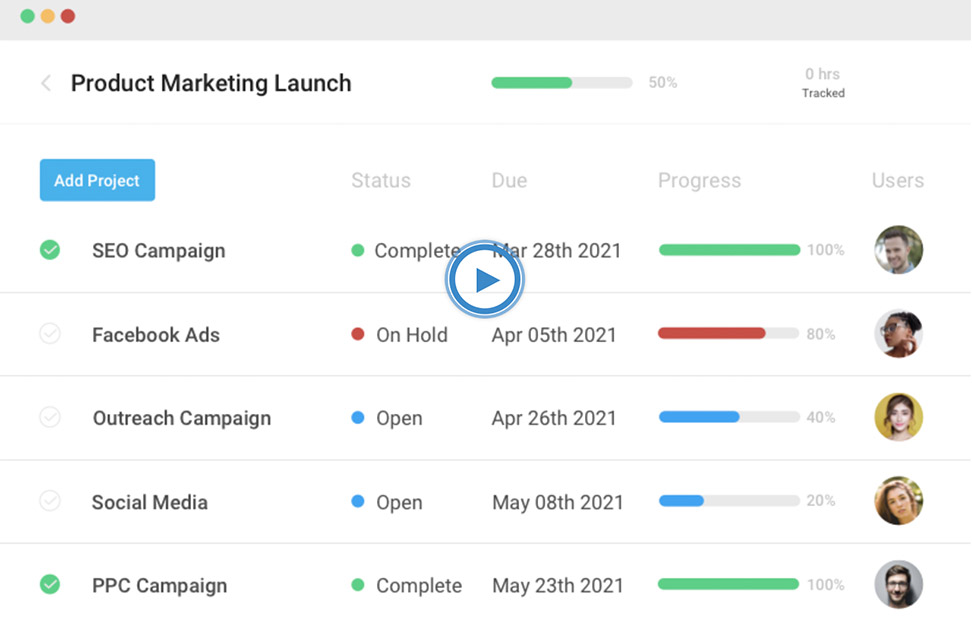
ProProfs Project offers a simple and intuitive platform that helps coordinate team efforts and deliver projects on time. You can plan, create, and monitor multiple projects on one platform without juggling various tools for different functionalities.
The tool’s project visualization ability lets you track project progress on the go. Its Gantt chart allows you to track resources, due dates, and dependencies, while its Kanban board offers improved visibility into tasks from one stage to the next. Plus, you can keep track of scheduled tasks with Calendar and List views at a glance.
Key Features:
- Collaborate with team members via task comments and file sharing.
- Get actionable insights into team performance with smart reports.
- Automate workflows for recurring and time-consuming tasks.
- Prioritize tasks and set task dependencies within seconds.
Price: The Essentials plan is priced at $2/user/month while the Premium plan is priced at $4/user/month. There is a free trial available for 15 days.
Time management tools
Calendly
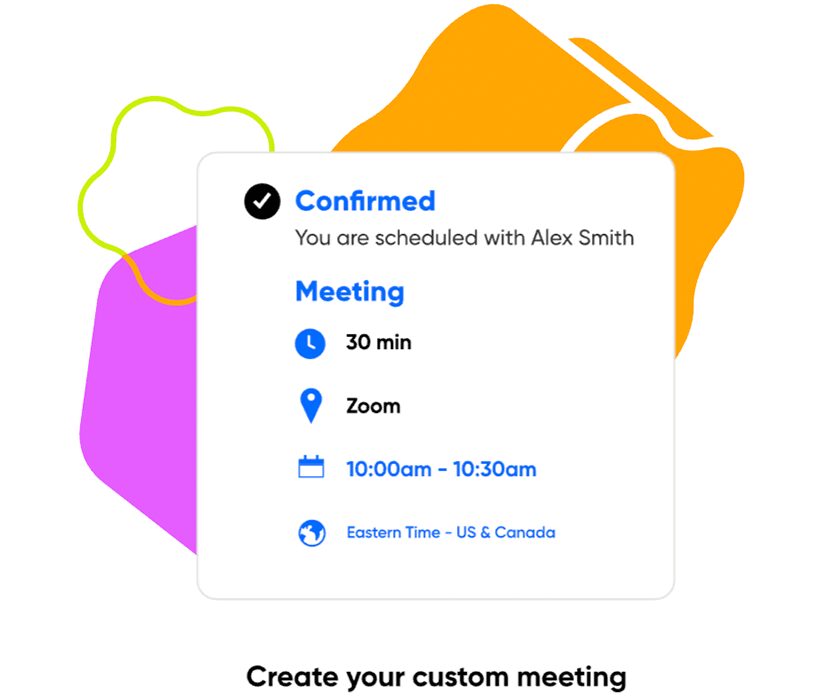
If you don’t already have your own Calendly account, you’ve likely received a Calendly link before. And you know the relief that comes with not having to go back and forth trying to find availabilities. When your distributed team works in different time zones, finding a time that works for everyone can be a hassle. Calendly makes scheduling more efficient. Employees can simply add their availability preferences in the app and share their calendly links with teammates.
Key Features:
- Connect Calendly to your calendar so it automatically updates your availibility.
- Get a bird’s eye view of your team’s availability.
- Eliminate the back and forth of scheduling with one link.
- Send automated calendar invites, reminders and follow-ups.
Price: There’s a free basic plan. Those looking for more features can upgrade to the premium plans that start at USD $8/month. Calendly has a free 14-day trial.
Clockwise
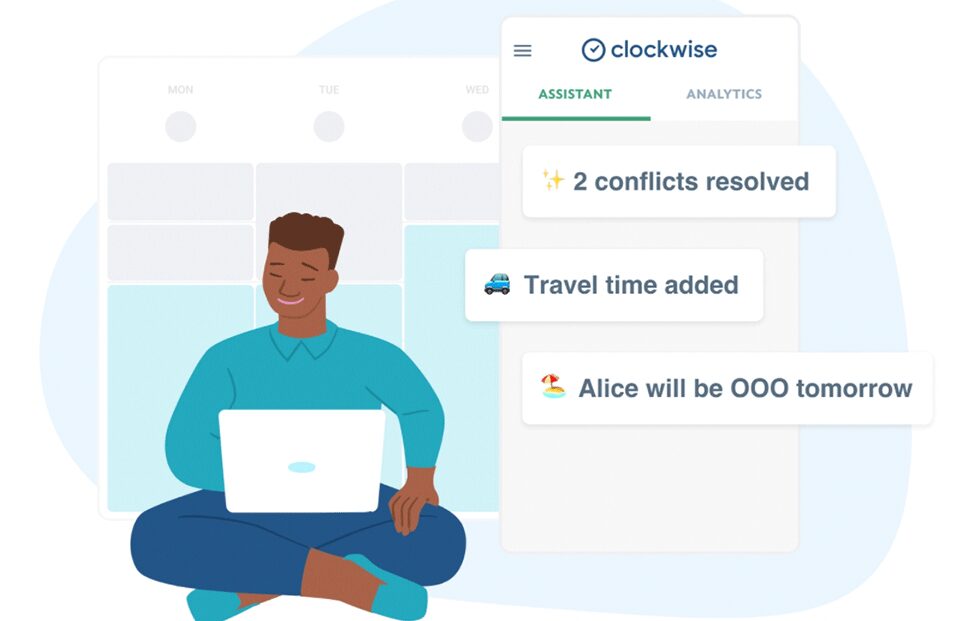
42% of remote workers feel they’re more productive after working for an extended period of uninterrupted time. Focus time is precious, and even a 15 minute meeting can throw off flow. Clockwise helps optimize your and your team’s calendar for more focus hours.
Key Features:
- Use the “Autopilot” feature to give you more “focus time” on your calendar.
- Access real-time insights to help you gauge if your team has enough bandwidth.
- Set your own unique focus time goal to aim for.
- Color-code meetings so you can interpret your schedule at a glance.
Price: There’s a free plan that’s limited to 75 schedule assists per week. For more features, you can upgrade to the Pro plan starting at USD $5/user/month.
Wrapping up
The right remote tools can help your employees streamline day-to-day tasks, increase productivity and engagement and form genuine personal connections.
Even though many organizations are starting to return to the office, we won’t be able to go back to the way we worked before. It’s essential that organizations adapt with employee’s needs and maintain a remote-first mindset.
We hope the tools outlined in this article help you gain your footing in this hybrid work environment and improve how your team works together — no matter their physical location. A great place to start? Make your remote or hybrid meeting more inclusive and seamless with Spinach AI. 👇
What to do now
Now that you've read this article, here are some things you should do:
- You should check out our library of meeting agenda templates for every type of meeting.
- You should try Spinach to see how it can help you run a high performing org.
- If you found this article helpful, please share it with others on Linkedin or X (Twitter)

