How to Craft the Perfect All-Hands Meeting Agenda (August 2026)
August 2026 all-hands agenda guide for tech leaders. Spinach captures decisions with named owners and routes structured summaries when the meeting ends.
 Maintouch
If you’re a tech team leader, you know how important all-hands meetings can be. They’re where your team and company culture takes center stage and where alignment is forged.
But let’s be real, crafting the perfect agenda for these meetings can feel like solving a complex algorithm. And you’re busy, I get it. Between code sprints, product deadlines, and managing a team, who has the time to plan an engaging all-hands meeting?
A well-thought-out agenda can make or break your all hands. It’s the blueprint that guides your team to clarity, motivation, and unity.
I’m going to walk you through creating an all-hands meeting agenda that doesn’t just tick boxes but truly resonates with your team. Let’s get your all-hands meetings on the right track.
Why recording your all-hands meeting changes what it’s worth
You might wonder, “What’s the real value of dragging everyone into the same room (or Zoom call) once a week or month if we already have department meetings or town hall meetings?” Well, when done right, all-hands meetings are gold mines for transparency, alignment, and community within your team.
An all-hands meeting is that rare moment when the entire company, from interns to the CEO, gathers to share business updates, celebrate wins, and tackle challenges head-on. It’s where the heartbeat of your company is monitored and nurtured.
- Transparency: In the world of tech, where things move at lightning speed, keeping everyone in the loop can be a Herculean task. All-hands meetings break down silos and open up channels of communication. They’re your chance to share the big picture: where the company stands, where it’s headed, and how each team member plays a part in that journey.
- Alignment: Ever done something with a group where everyone’s working off different rulebooks? Chaos, right? That’s what working in a fast-paced tech environment can feel like without regular all-hands meetings. These gatherings keep everyone’s strategies and goals aligned, making sure your team is moving in the same direction.
- Community Building: Teams that celebrate together, stay together. All-hands meetings are the perfect venue to shout out achievements, welcome new hires, and reinforce your company’s values and culture. It’s where the ‘team’ in ‘teamwork’ gets its moment in the spotlight.
Now, why the emphasis on a structured agenda? Without one, your all-hands meeting can quickly turn into an aimless waste of time. A well-crafted agenda sets the tone, keeps things on track, and makes sure every minute spent in the meeting adds value. It’s all about creating a space where meaningful conversations happen, decisions are made, and the team leaves feeling more connected and informed than when they logged in.
What to include in your all-hands meeting agenda (and how AI meeting notes capture it)
Crafting the agenda for an all-hands meeting is like setting up a playlist for a road trip: you need the right mix to keep everyone engaged and make the journey worthwhile. The agenda should be a blend of information, recognition, and inspiration.
Whether you’re using an all-hands meeting template, an AI assistant, or your own brain power to create an agenda, there are specific elements you won’t want to miss. Let’s break down the key components that can turn your all-hands meetings from mundane to memorable.
Opening remarks and check-ins
Kick things off with energy and purpose. The opening remarks set the tone for the entire meeting. This is your chance to grab everyone’s attention and make clear the value of the time you’re sharing.
A strong start can be as simple as a heartfelt welcome from the CEO, celebrating major company-wide milestones or anniversaries, or sharing an inspiring customer story that shows the impact of your team’s work. If it feels more appropriate, you can even make this part more collaborative with icebreaker questions or departmental check-ins.
Whatever method you choose, make sure you include opening remarks in your all-hands meeting agenda template.
Company updates and achievements
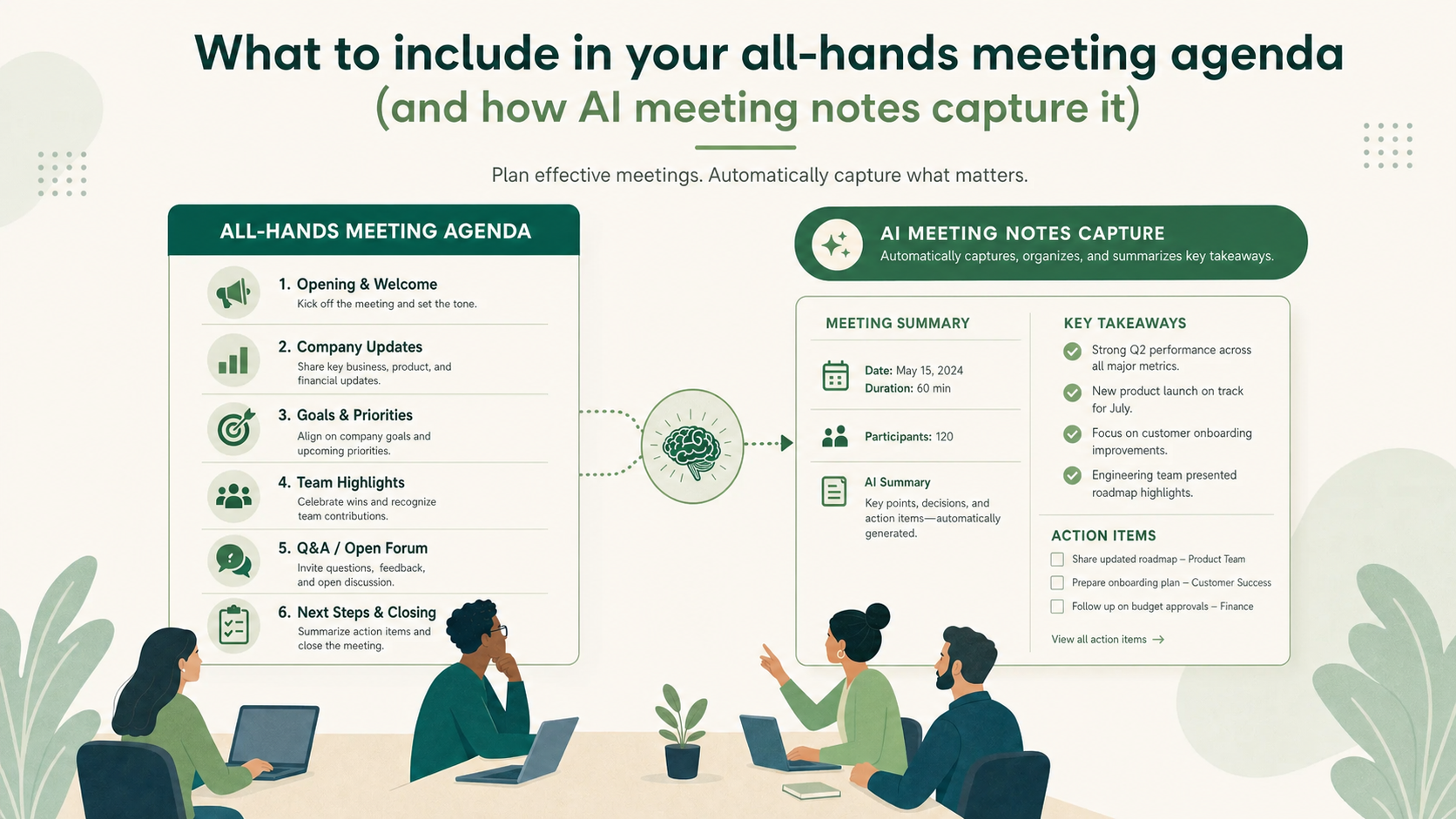
Next up, get into the core of the company-wide meeting: company updates and achievements. This is where transparency comes into play. Add a section on the agenda to share the latest developments, financials, and milestones, and consider keeping meeting notes vs meeting minutes in mind as you document what gets covered.
But here’s the key: don’t just throw numbers, key metrics, and facts at your team. Weave in storytelling and visuals to bring these updates to life. Make it relatable and show the real-world impact of your team’s hard work. Use graphs, images, and stories to make complex information digestible and engaging.
Departmental updates and key takeaways
All-hands meetings are a rare chance for the whole company to get a glimpse into what different departments are up to. But beware of the departmental silo trap! Keep updates concise, relevant, and interesting to the entire audience, beyond department insiders.
Encourage department leads or stakeholders to share key projects, successes, and learnings, but remind them to keep it brief and to the point. A good tip is to focus on stories or projects that reflect broader company goals or values. This builds a sense of unity and shared purpose across the organization, similar to what a well-run retrospective meeting agenda achieves at the team level.
Employee recognition and success stories
Last but definitely not least, shine a spotlight on your team’s achievements. Recognizing individual or team successes is key to morale and motivation. It shows your whole team that hard work doesn’t go unnoticed and that everyone’s contribution is valued.
Add shout-outs, success stories, or even a quick ‘kudos’ segment into your agenda. This boosts the recognized employees’ spirits and inspires others. Plus, sharing success stories reinforces the behaviors and outcomes you want to see across the company.
Structuring your all-hands so the recording and transcript are actually useful
Let’s face it, keeping everyone engaged during an all-hands meeting can be as challenging as debugging code without comments. But when you weave interactive elements into your agenda, you can turn passive listeners into active participants.
Here’s how you can sprinkle a little magic into your all-hands meetings to keep the engagement levels high.
Interactive segments that surface in meeting notes
Why let social media have all the fun with polls and questions? Bring the interaction into your all-hands meetings with live Q&A sessions, polls, or other interactive elements. This breaks up the monotony and gives your team a voice, making them feel heard and valued.
Use tools that allow anonymous submissions, so everyone feels comfortable participating. Set aside specific points in your agenda for these interactive segments and encourage everyone to get involved (and to make sure there is enough time).
Guest speakers and special topics
Sometimes, a fresh perspective can reinvigorate your team’s enthusiasm and spark new business or meeting ideas. Consider inviting guest speakers or covering special topics that align with your company’s values and current initiatives. This could range from industry experts to motivational speakers, or even team members who have a unique hobby or skill to share.
If you decide to go this route, think about what will resonate with your team and contribute to their personal or professional growth. Add this segment to your agenda to provide variety and keep your team meetings looking forward to what’s next. And remember, diversity is key: different voices can inspire in unexpected ways.
Forward-looking statements: the most important things to have on record
End your all-hands meetings on a high note with forward-looking statements. This is your chance to set the stage for what’s ahead and get everyone aligned on future goals and projects. Use this time to inspire and motivate your team, showing them the path forward with key takeaways and how they contribute to the journey.
Add this segment at the end of your agenda to leave your team feeling energized and focused with action items to tackle. Share upcoming challenges, opportunities, and the vision for the next steps. Make it clear that every team member plays a central role in the company’s success, and their hard work is driving the company forward.
Simplify your all-hands meetings with Spinach’s tools
Crafting the perfect all-hands meeting agenda is an art and a science. It’s about balancing information with employee engagement, celebration with inspiration, and reflection with forward momentum. Remember, the effectiveness of your all-hands meetings hinges as much on how you engage and inspire your team as on what you present.
Careful planning, varied engagement strategies, and thoughtful post-meeting follow-up are the pillars that support a successful all-hands meeting. But let’s be real, juggling all these elements, especially when you’re already wearing multiple hats, can be daunting.
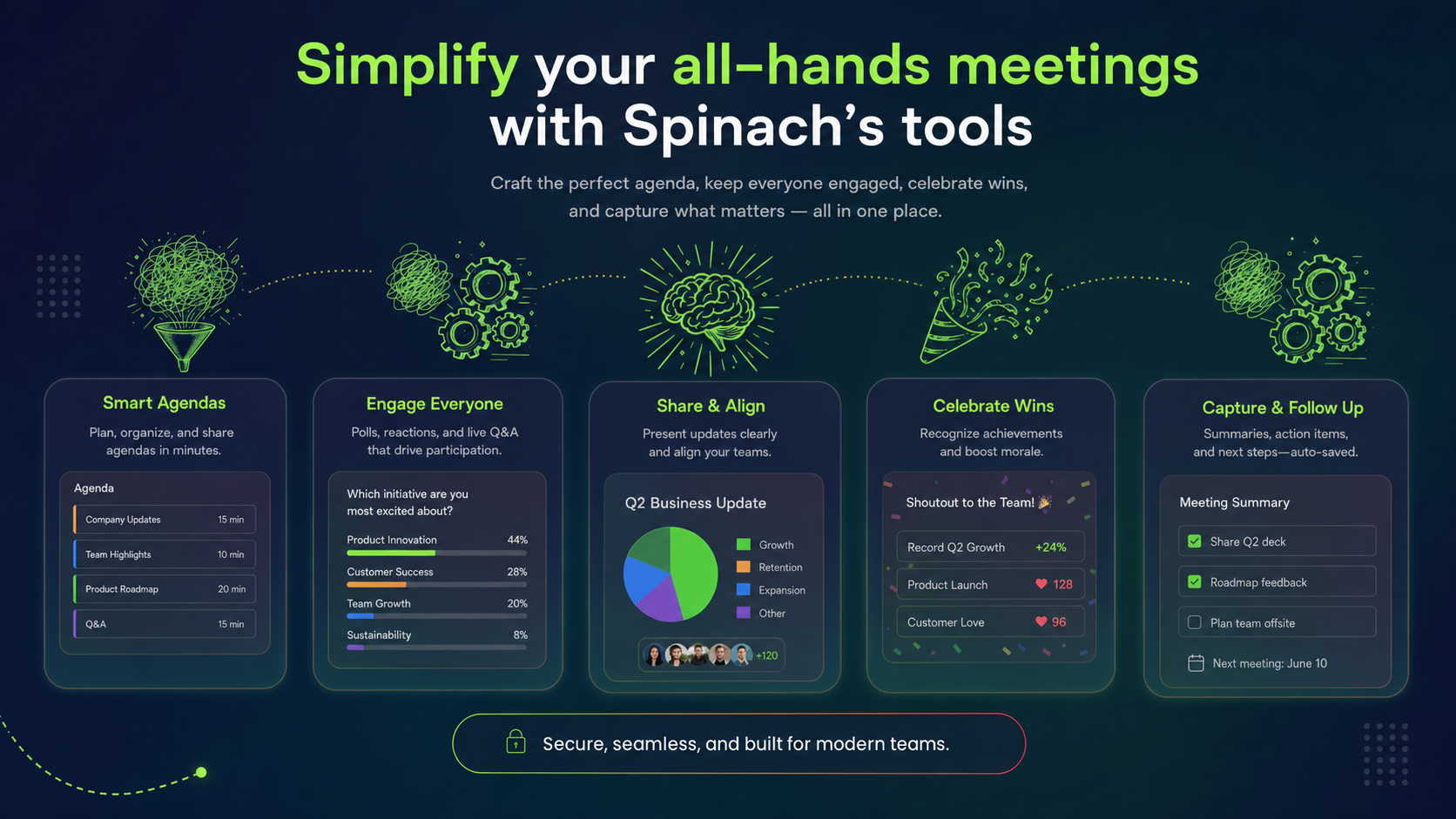
That’s where Spinach comes in. Spinach joins the call, captures decisions and action items with named owners, and routes a structured summary to your team’s tools when the meeting ends. It connects directly with the tools you already use, from Slack and Zoom to Jira and Google Meet, so follow-through happens without anyone re-entering notes by hand.
Every all-hands agenda needs four core sections: opening remarks to set the tone, company updates with context (beyond raw numbers), departmental updates kept brief enough for a cross-functional audience, and employee recognition. Close with forward-looking statements that give your team clear action items before they leave the call.
Label each agenda section clearly before it starts, so the transcript segments are searchable by topic instead of by timestamp. Spinach joins the meeting in real time, extracts decisions and action items as they happen, and routes a structured summary to Slack or Teams, so your team gets the outcomes without scrubbing through a full recording.
Departmental updates should run no longer than 3-5 minutes per team, enough to cover one key project, success, or learning that ties back to a company-wide goal. Opening remarks and recognition can flex based on team size, but forward-looking statements deserve at least 10 minutes since they drive the action items your team carries into the next sprint.
Manual notes miss half the room; generic transcription tools like Otter give you a chronological wall of text that still requires someone to extract decisions afterward. Spinach captures the meeting in real time, surfaces action items with owners, and pushes a structured summary directly to Slack or Jira, so the all-hands follow-through actually happens.
Yes. Spinach acts as an AI Scrum Master during the call, capturing decisions, assigning owners to action items, and filing tickets into Jira, Linear, or Asana without a dedicated facilitator managing notes in parallel. The agenda still needs a human host to drive the agenda forward, but the documentation and follow-up layer runs automatically.
What you should do now
Now that you've read this article, here are some things you should do:
- If communication is a challenge for your team, you should check out our library of meeting agenda templates.
- Check out Spinach to see how it can help you run a high performing org.
- If you found this article helpful, please share it with others on Linkedin or X (Twitter)

