Enterprise Meeting Assistant Security Checklist (August 2026)
Enterprise AI meeting assistant security in August 2026: a checklist covering compliance certs, consent laws, and data retention controls for IT buyers.
 Maintouch
Getting a new AI meeting assistant past your security review takes more than a SOC 2 badge and a privacy policy page. The questions that matter are the ones most IT buyers don’t know to ask until a deal stalls: which LLM providers touch your transcript data, whether zero-retention agreements exist with each of them in writing, and whether your org can actually enforce access policy instead of hoping employees make the right call. This is the checklist that gets you to a clean sign-off.
TLDR:
- Require the full SOC 2 Type II audit report, a signed DPA, and a named LLM subprocessor list before any vendor passes your security review.
- A vendor’s no-training policy covers only their own systems; your data’s exposure depends on contractual zero-retention terms with each LLM provider they route transcripts to.
- Multiparty consent laws in multiple U.S. states create direct legal exposure if your meeting assistant joins calls without a visible bot or audible notification.
- Tools built for individual use create ungoverned data silos at org scale; verify SAML SSO enforcement and SCIM provisioning to close that gap.
- Spinach AI is an enterprise conversation intelligence platform, the system of record for conversation data, deployed company-wide with enforced policy, SAML SSO, SCIM provisioning, SOC 2 Type II and GDPR certifications, HIPAA compliance with BAA on Enterprise engagements, and no voice biometrics or stored biometric identifiers.
Security Risks for Enterprise AI Meeting Assistants
Enterprise AI meeting assistants now sit at the intersection of two high-stakes concerns: the sensitive nature of what gets said in meetings and the organizational scale at which these tools operate. A single misconfigured deployment can expose board-level strategy discussions, M&A conversations, HR reviews, and customer data to unauthorized access or unintended retention.
The threat surface is wider than most IT buyers initially account for. These tools don’t just record audio; they capture screen shares, in-meeting chat, and structured summaries that may persist across multiple downstream systems.
Where Exposure Actually Occurs
Three areas concentrate the majority of security risk:
- Data in transit and at rest: recordings, transcripts, and summaries moving between the meeting assistant, its cloud infrastructure, and your productivity tools must be encrypted end-to-end, at every layer.
- Many meeting assistants send transcript data to third-party LLM providers to generate summaries. Without contractual zero-retention guarantees from those providers, your conversation data may be used for model training, a key consideration when weighing AI transcription tools.
- Access control gaps: without org-level policy enforcement, employees can share meeting recordings outside approved channels, creating ungoverned data sprawl, a structural issue common across many Fireflies.ai alternatives and the tools they replace.
What Data AI Meeting Assistants Actually Collect
Before weighing any AI meeting assistant for enterprise deployment, you need a clear picture of what these tools actually collect. The data footprint is larger than most IT buyers expect when deploying an AI note taker at scale.
Most AI meeting assistants collect some combination of the following:
- Audio and video recordings of the full meeting, often retained on vendor infrastructure for processing and sometimes for model improvement
- Full transcripts, including speaker-attributed dialogue that may contain confidential business strategy, HR discussions, legal matters, or financial information
- Meeting metadata such as participant names, email contacts, calendar event titles, and meeting duration
- Action items, summaries, and AI-generated outputs produced from the conversation
- Integration data pulled from connected tools like calendar apps, CRMs, and project management systems
The sensitivity here compounds quickly. A single executive meeting might capture unreleased product roadmaps, M&A discussions, or personnel decisions. Multiplied across an entire organization deploying a meeting assistant at scale, the aggregate data exposure is substantial.
Recording Consent Requirements and Legal Exposure
Multiparty consent laws apply in multiple U.S. states, meaning any meeting with a participant in California, Florida, or Washington requires all-party consent before recording begins. Tools like Zoom AI meeting notes must meet these requirements. An AI meeting assistant that joins calls silently, without a visible bot presence or audible notification, creates direct legal exposure under wiretapping statutes.
Verify that any tool you review meets these requirements:
- The recording bot is always visible to all participants, never covert, and cannot be hidden by configuration.
- The tool supports custom in-meeting notification text that your legal team has approved.
- Administrators can rename or brand the bot at the org level to match disclosure requirements.
- Participants can pause, resume, or remove the bot during the session without requiring host intervention.
- Waiting-room admission workflows allow verbal consent to be confirmed before the recording starts.
GDPR adds a separate layer: lawful basis for processing must be documented before the meeting, not after. If your organization operates across EU member states, consent or legitimate interest must be set per meeting type, and data subjects retain the right to object to processing at any time. Kiteworks outlines a practical framework for GDPR-compliant AI deployments that covers Article 28 DPA requirements, data minimization, and records of processing obligations.
Biometric Data and Speaker Identification Risk
Some AI meeting tools use voice biometrics to identify speakers, storing voiceprints as biometric identifiers. In heavily governed industries, that creates real legal exposure: biometric data falls under BIPA, GDPR’s special category data rules, and several state privacy laws, each carrying distinct consent and deletion requirements.
Spinach AI does not use voice biometrics and does not store biometric identifiers. Speaker identification is context-based, which means no voiceprints are created or retained. For a deeper architectural comparison, see Spinach AI vs Fireflies.ai. IT buyers weighing tools for healthcare, legal, or financial deployments should verify this distinction explicitly, as the difference between context-based and biometric speaker ID determines whether biometric privacy laws apply to the deployment at all.
AI Model Training Policies and LLM Subprocessor Risk
Most vendor security pages state they don’t train on your data. What that claim often omits: it says nothing about what their LLM providers do.
When a meeting assistant routes your transcript to OpenAI, Anthropic, or Google to generate a summary, the governing terms are those providers’ API agreements, not your vendor’s privacy policy. A vendor can hold a genuine no-training policy on their own systems while running API calls that, absent specific contractual terms, permit data retention and model improvement by the LLM provider. This gap shows up when comparing Otter.ai alternatives for meeting notes.
Two documents control this, and neither is the marketing page. The DPA must explicitly state that no customer data is used to train AI models. The subprocessor list must name every LLM provider in the processing chain, with confirmation that zero data retention terms are in place with each.
Ask vendors directly: “Do you have contractual zero-retention agreements with your LLM subprocessors?” An answer that references a privacy policy instead of a DPA or named subprocessor agreement is a gap requiring resolution before deployment.
Compliance Certifications Every Enterprise Buyer Should Require
SOC 2 Type II, GDPR, and HIPAA are the three certifications that should be non-negotiable on any enterprise AI meeting assistant shortlist. Each signals something distinct about how a vendor treats your data. For a full breakdown of what the audit actually tests, see Vanta’s SOC 2 compliance requirements guide.
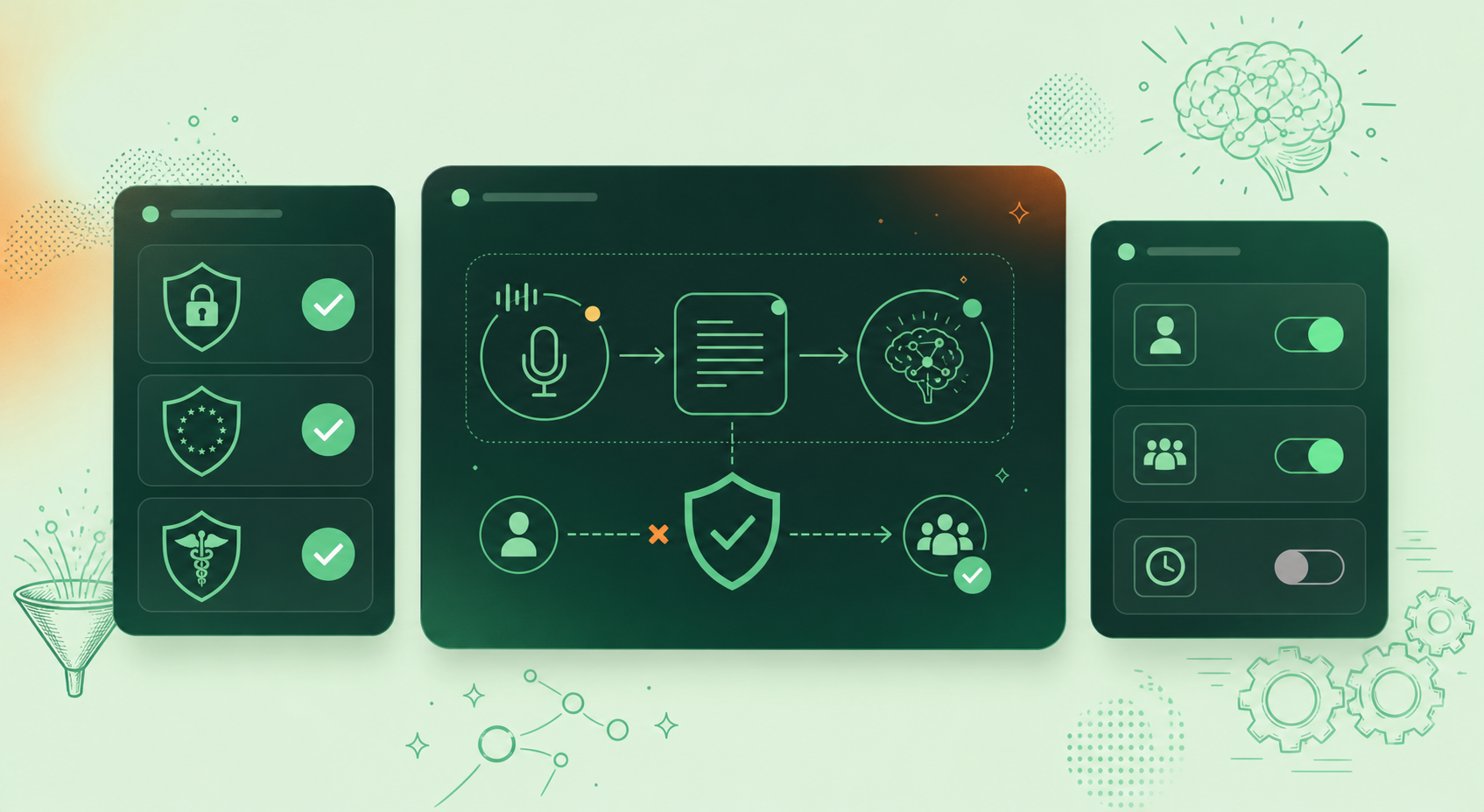
Certification | What It Confirms | Key Document to Request | Spinach Status |
|---|---|---|---|
SOC 2 Type II | Security controls tested over time (not a point-in-time snapshot) | Full audit report, not a website badge | Certified |
GDPR | Lawful basis for processing EU employee and customer data; data subject rights enforced | Signed Data Processing Agreement (DPA) | Certified |
HIPAA | Protected health information handled under required safeguards | Signed Business Associate Agreement (BAA) | Available on Enterprise engagements |
SOC 2 Type II
This audit confirms that a vendor’s security controls were tested over time instead of assessed at a single point. Ask for the full report, not a badge on the website.
GDPR
For any organization with EU employees or customers, GDPR compliance governs how conversation data is collected, stored, and deleted. Verify that the vendor can produce a Data Processing Agreement.
HIPAA
Healthcare organizations and their business partners require a signed Business Associate Agreement before any protected health information can pass through a third-party service.
Data Retention Controls and Organizational Ownership
Retention policy is more than a compliance checkbox. It’s where organizational ownership of conversation data either gets enforced or falls apart.
Enterprise AI meeting assistants should give admins granular control over how long different data types are stored. Verify that retention can be configured separately for transcripts, summaries, and video recordings, and that policies apply at the organizational level instead of being left to individual users managing their own meeting notes action items.
Ask whether the vendor can confirm that all meeting data is owned by the organization instead of the vendor, and verify that deletion requests result in actual data removal across backup systems, not a soft delete from the primary interface only.
Access Control, Identity Management, and Admin Governance
The core question in any IT security review is whether your team can enforce access without depending on individual employees to make the right call. For AI meeting assistants handling sensitive conversation data, that bar is higher than most tools are built for.
Look for SSO enforcement (mandatory, not optional), SCIM-based provisioning so accounts are deprovisioned the moment someone leaves, and role-based permissions that separate who can view recordings from who can export or delete them.
Admin Governance Controls Worth Verifying
Before signing off, confirm the admin layer includes:
- Audit logs that are exportable and cover user-level actions alongside system events, so your security team can reconstruct exactly who accessed what and when
- Usage reporting that gives IT visibility into adoption and data exposure across the org, down to individual activity instead of aggregate stats alone
- Bot renaming and in-meeting notification controls so consent disclosures meet your legal team’s requirements in every jurisdiction you operate in
- Pause, resume, and removal commands that any participant can trigger, which matters for multiparty-consent states and legally governed conversation contexts
Shadow IT and the Organizational Governance Gap
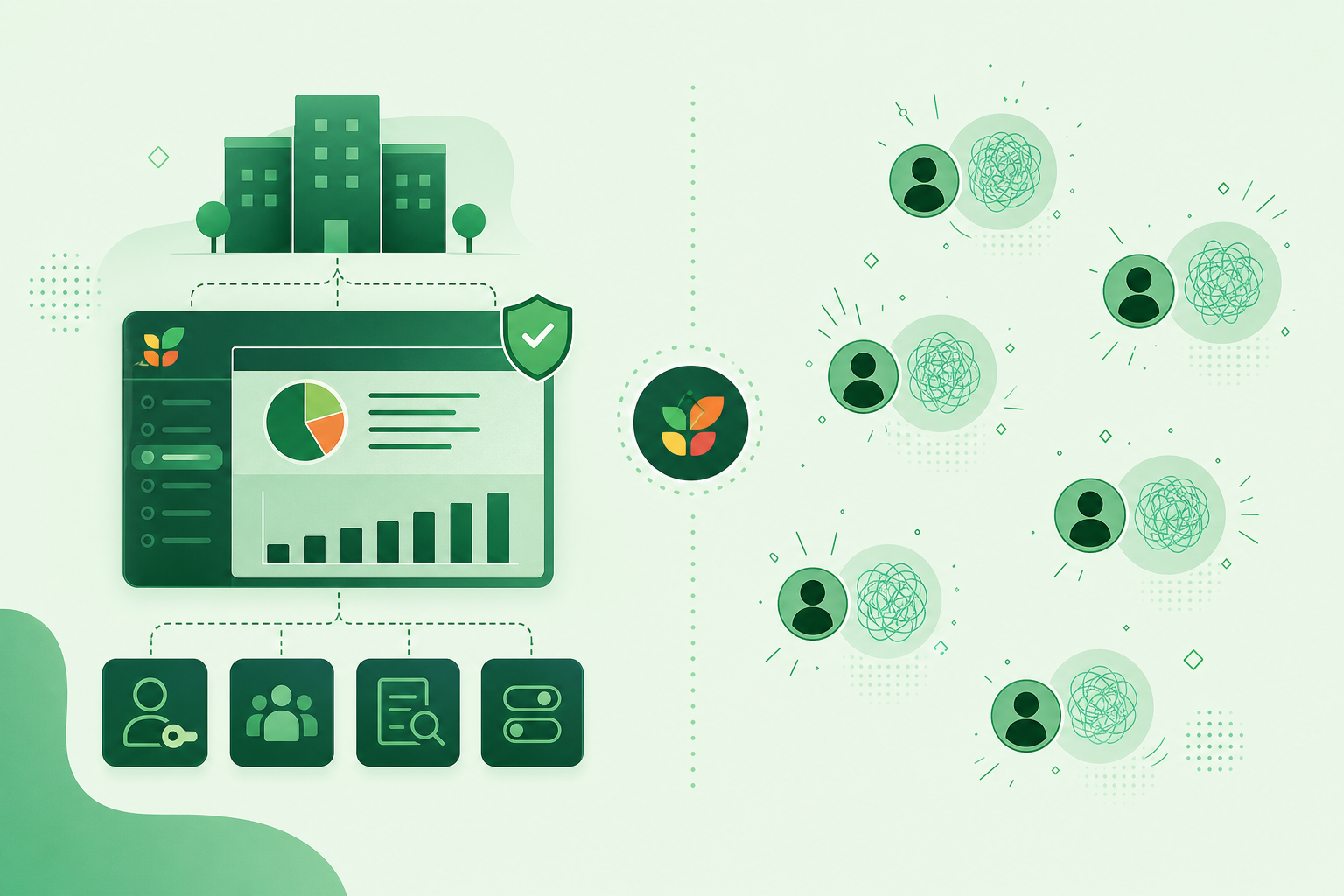
When IT teams review an enterprise AI meeting assistant, weighing options like Spinach AI vs Fathom (May 2026), the security review often focuses on encryption standards and SOC 2 certifications. The governance gap that actually creates organizational risk is subtler: most meeting assistant tools are architected for individual use, not company-wide deployment.
When employees adopt individual-grade tools without IT oversight, a pattern documented across AI tools for remote teams, each person ends up with a separate, ungoverned data silo. Sensitive discussions from engineering reviews, legal calls, and executive strategy sessions scatter across accounts that IT cannot audit, retrieve, or revoke.
The result is shadow IT at scale, where the meeting data asset is real but entirely outside organizational control.
The Enterprise Security Checklist: What IT Buyers Must Verify
Run through these grouped verification points with any vendor before the security review closes. Each item is a specific question to ask or a document to request.
Data Practices
- Request the DPA and confirm it explicitly prohibits customer data from being used to train AI models.
- Ask for the named subprocessor list and confirm zero-retention agreements exist with each LLM provider in writing.
- Verify that retention is configurable per data type (transcript, summary, video) at the org level.
- Confirm deletion requests result in removal across backup systems.
Legal and Compliance
- Request the full SOC 2 Type II audit report, not a website badge.
- Require a signed BAA before any protected health information enters the system.
- Ask for a producible DPA with lawful basis documentation for GDPR-covered employees.
Consent and Notification
- Confirm the bot is always visible and cannot be hidden by any user or admin configuration.
- Verify that org-level custom notification text can be set and approved by your legal team.
- Confirm pause, resume, and removal commands are available to all meeting participants.
Access and Identity
- Verify SAML SSO can be enforced org-wide, not left as an optional per-user setting.
- Confirm SCIM provisioning so accounts are deprovisioned automatically when employees leave.
How Spinach AI Meets Enterprise Security Requirements
Spinach AI is an enterprise conversation intelligence platform, the system of record for conversation data, deployed company-wide, not tool-per-person. Where individual AI note takers produce shadow IT and ungoverned per-user data silos, Spinach is the platform an organization deploys once, with enforced policy, centralized access controls, and a single governed data asset that both people and agents can query. That organizational architecture is what lets security, legal, and compliance teams sign off on a single vendor instead of chasing down each employee’s separate tool.
On security in particular: Spinach holds SOC 2 Type II and GDPR certifications. HIPAA compliance with BAA availability is offered on Enterprise engagements. No customer data is used to train AI models, and Spinach maintains zero data retention with its LLM providers, OpenAI, Anthropic, and Google, under contractual zero-retention terms that go beyond a policy statement.
Recording consent is handled at the organizational level: the bot is always visible and never covert, admins can configure custom in-meeting notification text approved by your legal team, and pause, resume, and kick commands are available to any meeting participant. The bot can be admitted from the Zoom waiting room only after verbal consent. Retention is configurable per data type, covering transcript, summary, and video, from one week to indefinite on Enterprise. The admin dashboard provides exportable audit logging and usage reporting across the organization.
Spinach does not use voice biometrics and does not store biometric identifiers. Speaker identification is context-based, with no voiceprints created or retained, which matters for legal, healthcare, and financial deployments where BIPA, GDPR special-category rules, and state biometric privacy laws determine whether additional consent and deletion obligations apply.
Final Thoughts on Enterprise Meeting Assistant Security and Compliance
Security reviews for AI meeting tools stall or fail because buyers ask the right questions too late in the process. Your DPA, subprocessor list, biometric data policy, and consent controls need to be verified before deployment, not after a procurement team flags a gap. The org-level governance question is the one worth spending the most time on: if individual employees can create ungoverned data silos, the SOC 2 badge on the vendor website does not fix that. Spinach AI is built for exactly this deployment scenario, an enterprise conversation intelligence platform with enforced policy, centralized retention controls, SAML SSO, SCIM provisioning, and a single governed data asset your security team can audit. Get started with Spinach AI to see how the admin controls map to your organization’s compliance requirements.
Ask vendors directly whether they hold contractual zero-retention agreements with each named LLM subprocessor, not whether their own privacy policy prohibits training. The governing terms when a transcript routes to OpenAI, Anthropic, or Google are those providers’ API agreements, not your vendor’s marketing page. Request the DPA and the named subprocessor list, and confirm zero-retention terms appear in writing for every provider in the processing chain.
No. Spinach does not use voice biometrics and does not store biometric identifiers of any kind. Speaker identification is context-based, which means no voiceprints are created or retained, a meaningful distinction for legal, healthcare, and financial deployments where BIPA, GDPR special category rules, and state biometric privacy laws determine whether additional consent and deletion obligations apply.
Individual tools like Otter and Fireflies are architected for one person’s meetings, which means each team ends up on a different tool with no org-level policy, no centralized audit log, and no admin control over sharing or retention. Spinach is deployed company-wide with SAML SSO, SCIM provisioning, configurable retention per data type, and a DPA that explicitly prohibits customer data from being used to train AI models — the specific documents a security review requires.
Multiple U.S. states require all-party consent before recording begins, meaning any meeting with a participant in California, Florida, or Washington creates legal exposure if the recording bot joins silently or without visible notification. Verify that any tool you evaluate uses a bot that is always visible to all participants, supports org-level custom in-meeting notification text approved by your legal team, and allows any participant to pause or remove the bot mid-session without host intervention.
SOC 2 Type II, GDPR, and HIPAA are the three certifications that should be required before any tool reaches final evaluation. SOC 2 Type II confirms security controls were tested over time — request the full audit report, not a badge. GDPR compliance requires a producible Data Processing Agreement with lawful basis documentation. HIPAA requires a signed Business Associate Agreement before any protected health information enters the system; on Spinach, BAA availability is offered on Enterprise engagements.
Request three documents at minimum: the full SOC 2 Type II audit report (not a website badge), a signed Data Processing Agreement that explicitly prohibits customer data from being used to train AI models, and a named LLM subprocessor list with written confirmation of zero-retention terms for each provider. A vendor who responds with a privacy policy page instead of these documents has a gap that needs resolution before deployment.
Most AI meeting assistants collect audio and video recordings, full speaker-attributed transcripts, meeting metadata including participant names and calendar event titles, AI-generated summaries and action items, and data pulled from integrated tools like CRMs and calendar apps. The aggregate exposure compounds quickly at org scale — a single executive meeting may capture unreleased product roadmaps, M&A discussions, or personnel decisions.
Individual note takers are architected for one person’s meetings, which means each team ends up on a different tool with no org-level policy, no centralized audit log, and no admin control over sharing or retention — creating shadow IT at scale. For enterprise deployment, you need an org-wide platform with SAML SSO, SCIM provisioning, and enforced retention policy, so your security team can audit a single governed data asset rather than chasing down each employee’s separate account.
GDPR requires lawful basis for processing to be documented before the meeting begins — not after — and data subjects retain the right to object to processing at any time. Verify that any vendor you evaluate can produce a Data Processing Agreement covering Article 28 requirements, data minimization obligations, and records of processing, and that your organization has documented lawful basis per meeting type before rolling out to EU employees.
Context-based speaker identification uses meeting metadata, participant names, and conversational cues to attribute dialogue — no voiceprints are created or stored. Voice biometric identification stores biometric identifiers that fall under BIPA, GDPR special category data rules, and several state privacy laws, each carrying distinct consent and deletion requirements. For healthcare, legal, and financial deployments, confirming which method a vendor uses determines whether biometric privacy laws apply to the deployment at all.
The gap closes by replacing per-user tool adoption with a single org-wide deployment that includes mandatory SAML SSO enforcement and SCIM-based provisioning so accounts are deprovisioned automatically when employees leave. Without these controls, sensitive discussions from engineering reviews, legal calls, and executive strategy sessions scatter across individual accounts that IT cannot audit, retrieve, or revoke.
HIPAA-covered organizations must obtain a signed Business Associate Agreement before any protected health information passes through a third-party service — verify that the BAA is available on the tier you intend to deploy, not only on a higher enterprise tier. Confirm also that the vendor’s DPA covers data handling under required safeguards and that their subprocessor list accounts for every LLM provider in the processing chain.
Yes, if the tool supports org-level controls: the recording bot must be always visible to all participants and incapable of being hidden by any user or admin configuration, the tool must support custom in-meeting notification text your legal team can approve, and any participant must be able to pause or remove the bot mid-session without host intervention. Verify each of these controls explicitly before deployment — a visible bot and audible notification are what separate compliant recording from direct legal exposure under wiretapping statutes.
Encryption in transit covers data moving between the meeting assistant, its cloud infrastructure, and connected productivity tools; encryption at rest covers stored recordings, transcripts, and summaries on vendor infrastructure. Both layers must be present — confirm this with the vendor’s security documentation rather than inferring it from a SOC 2 badge, and verify that deletion requests result in actual removal across backup systems, not only a soft delete from the primary interface.
Four controls should be verified before sign-off: exportable audit logs that cover user-level actions so your security team can reconstruct exactly who accessed what and when; SCIM provisioning to automate account deprovisioning when employees leave; org-level enforced sharing settings so no individual user can distribute recordings outside approved channels; and configurable data retention per data type — transcript, summary, and video — applied at the organizational level rather than left to individual users.
What to do next
Next, here are some things you can do now that you've read this article:
- Our library of meeting agenda templates is designed to help you run more effective meetings.
- Check out Spinach to see how it can help you run a high performing org.
- If you found this article helpful, please share it with others on Linkedin or X (Twitter)

