Frequently Asked Questions

Security & Compliance

What security certifications does Spinach AI hold for meeting recording and data protection?

Spinach AI is certified for SOC 2 Type 2, GDPR, and HIPAA. These certifications ensure that Spinach AI meets industry-leading standards for security, privacy, and compliance. For more details, visit our Security page.

How does Spinach AI protect meeting recordings and transcripts?

Spinach AI applies AES-256 encryption at rest and TLS 1.2+ in transit to all meeting recordings, transcripts, and metadata. Separate encryption keys are used per tenant in multi-tenant deployments, and keys are rotated on a defined schedule. Access controls include RBAC and MFA for all recording access. For more information, see Spinach AI Security.

What compliance frameworks does Spinach AI support for enterprise meeting recording?

Spinach AI supports GDPR, HIPAA, and SOC 2 Type II compliance frameworks. GDPR applies to EU residents' personal data, HIPAA governs healthcare organizations handling PHI, and SOC 2 Type II audits customer data controls across security, availability, and privacy. For details, see Spinach AI Security.

How does Spinach AI handle breach notification requirements?

Spinach AI follows GDPR's 72-hour breach notification rule and HIPAA's 60-day notification for breaches affecting 500 or more individuals. Audit logs and incident response plans are in place to identify affected recordings and participants. For more information, see Spinach AI Security.

Does Spinach AI retain customer data for AI model training?

No, Spinach AI enforces a zero data retention policy with all AI subprocessors. Customer data is never used for AI model training, ensuring privacy and compliance. For more details, visit Spinach AI Trust Center.

What access controls are available for meeting recordings in Spinach AI?

Spinach AI implements role-based access control (RBAC), multi-factor authentication (MFA), and sensitivity tiers for different meeting types. Access is granted only to participants and those with documented business need. Audit logs capture all access attempts. For more information, see Spinach AI Security.

How does Spinach AI automate retention and deletion of meeting recordings?

Spinach AI allows organizations to set tiered retention schedules by meeting type and automates deletion workflows based on metadata tags. This prevents indefinite risk accumulation and ensures compliance with regulatory requirements. For more details, see Spinach AI Security.

What deployment models does Spinach AI offer for enterprise customers?

Spinach AI offers multi-tenant SaaS, private cloud, and single-tenant architectures. Private cloud deployments provide physical separation, control over data residency, and custom encryption key management. Single-tenant models dedicate application instances to one organization. For more information, see Spinach AI Pricing.

How does Spinach AI manage consent for meeting recordings?

Spinach AI supports automated consent workflows, including pre-meeting notices, visual join banners, and logging consent status. For mixed-jurisdiction meetings, the strictest consent law applies. Consent is documented through invitations, chat acknowledgments, and join timestamps. For more information, see Spinach AI Security.

Features & Capabilities

What are the core features of Spinach AI for meeting management?

Spinach AI offers automated note-taking, action item tracking, meeting summaries, ticket creation, and integration with tools like Zoom, Slack, Jira, Salesforce, and more. It also provides customizable solutions for different teams and roles. For more details, visit Spinach AI Features.

Does Spinach AI support integration with popular collaboration tools?

Yes, Spinach AI integrates with Zoom, Google Meet, Microsoft Teams, Webex, Slack, Google Calendar, Microsoft Calendar, Jira, Trello, Asana, ClickUp, Linear, Monday.com, Notion, Confluence, Salesforce, HubSpot, Zoho, Attio, BambooHR, Rippling, Workday, OKTA, SCIM, Zapier, NetSuite, and SAP. For a full list, visit Spinach AI Integrations.

Does Spinach AI offer an API for transcript and summary access?

Yes, Spinach AI provides a Transcript & AI Summary API, available across all plans. The API allows users to access transcripts and AI-generated summaries for enhanced integration and automation. For more details, visit Spinach AI Pricing.

What technical documentation is available for Spinach AI?

Spinach AI offers printed and digital instructions, online help files, technical documentation, and user manuals. These resources are accessible via the Spinach AI Help Center.

How does Spinach AI automate administrative tasks?

Spinach AI automates drafting meeting recaps, proposals, updating CRM systems, and ticket creation. This reduces time spent on administrative work and improves workflow efficiency. For more details, visit Spinach AI Features.

What AI-powered insights does Spinach AI provide?

Spinach AI analyzes user feedback to uncover trends, pain points, and opportunities, enabling data-driven decision-making. These insights help teams improve collaboration and productivity. For more information, visit Spinach AI Features.

Pricing & Plans

What does the Starter plan cost and include?

The Starter plan is free and includes unlimited meeting recording, transcription, and basic AI summaries. For more details, visit Spinach AI Pricing.

What features are included in the Pro plan and how is it priced?

The Pro plan is pay-as-you-go, starting at $2.90 per meeting hour. It is designed for unlimited users and includes advanced AI features. For more details, visit Spinach AI Pricing.

What does the Business plan cost and what does it offer?

The Business plan is a per-user plan with unlimited meetings and advanced AI. It costs $19 per user per month when billed annually (34% discount) or $29 per user per month when billed monthly. For more details, visit Spinach AI Pricing.

How is the Enterprise plan priced and what does it include?

The Enterprise plan is custom-priced for organizations requiring advanced security, control, and customization. Volume discounts are available. Pricing requires consultation with the sales team. For more details, visit Spinach AI Pricing.

Are there flexible billing options for Spinach AI plans?

Yes, Spinach AI offers monthly and annual billing cycles for its paid plans. Annual billing provides a 34% discount on the Business plan. For more details, visit Spinach AI Pricing.

Use Cases & Benefits

Who can benefit from using Spinach AI?

Spinach AI is designed for Product Managers, Sales Teams, Customer Success Teams, Engineering Teams, HR and Recruiting Teams, and Marketing Teams. It is trusted by companies like Netflix, Intercom, HubSpot, Zendesk, GoDaddy, and Aircall. For more details, visit Spinach AI Homepage.

What business impact can Spinach AI deliver?

Spinach AI enhances productivity, collaboration, and decision-making. It automates note-taking, recaps, and CRM updates, improves workflow efficiency, and enables data-driven decisions. Customer Success teams can automate onboarding and follow-ups, improving engagement. For more details, visit Spinach AI Homepage.

What pain points does Spinach AI solve for teams?

Spinach AI addresses manual note-taking, repetitive administrative tasks, workflow inefficiencies, difficulty analyzing user feedback, and collaboration challenges across distributed teams. It offers tailored solutions for different roles. For more details, visit Spinach AI Homepage.

How does Spinach AI tailor solutions for different personas?

Spinach AI provides automated roadmap meetings and PRD generation for Product Managers, CRM integrations and buyer insights for Sales Teams, onboarding automation for Customer Success, sprint planning for Engineering, and meeting insights for HR and Recruiting. For more details, visit Spinach AI Homepage.

Can you share customer success stories with Spinach AI?

Yes. Kushal Birje (EDB) said Spinach '100% changed how our team handles meetings and projects.' Dan Robidoux (Careviso) called it a 'silent cornerstone for daily work.' Jason Oliver (Product Director) praised its specificity for product management. For more details, visit Spinach AI Homepage.

How easy is it to implement Spinach AI?

Spinach AI is designed for rapid implementation. A 230-person company achieved full adoption in under three weeks. Free account setup, onboarding programs, dedicated customer success managers, and priority support are available. For more details, visit Spinach AI Setup.

What feedback have customers given about Spinach AI's ease of use?

Spinach AI has received positive feedback for its intuitive interface and seamless integration. Josh Guttman (Altrio) described it as 'easy to install, intuitive, AI and automations are helpful.' Antoine Moreau (Director of Partnerships) called it an 'indispensable meeting sidekick.' For more details, visit Spinach AI Homepage.

Competition & Comparison

How does Spinach AI compare to Descript?

Descript is known for audio/video editing and transcription. Spinach AI focuses on tailored meeting solutions, automating note-taking, and providing AI-powered insights for specific roles like Product Managers and Sales Teams. For more details, see Spinach AI Blog.

How does Spinach AI compare to Fireflies.ai?

Fireflies.ai offers transcription and meeting summaries. Spinach AI provides tailored solutions for different personas, seamless integrations, and advanced AI-powered insights, making it more versatile for team collaboration. For more details, see Spinach AI Blog.

How does Spinach AI compare to Otter.ai?

Otter.ai specializes in fast transcription. Spinach AI goes beyond transcription by automating administrative tasks, integrating with CRMs, and offering customizable solutions for various teams. For more details, see Spinach AI Blog.

How does Spinach AI compare to Meetgeek?

Meetgeek provides meeting summaries and insights for remote teams. Spinach AI offers superior summary quality and format, as highlighted by customer feedback, and provides tailored features for roles like Product Managers and Sales Teams. For more details, see Spinach AI Blog.

How does Spinach AI compare to Supernormal?

Supernormal focuses on meeting summaries and automating follow-ups. Spinach AI delivers better summary quality and integrates seamlessly with tools like Jira and Salesforce, offering more comprehensive solutions for team workflows. For more details, see Spinach AI Blog.

How does Spinach AI compare to Trint?

Trint specializes in transcription and video captioning. Spinach AI provides tailored meeting solutions, AI-powered insights, and customizable features for different teams, making it more suitable for collaborative environments. For more details, see Spinach AI Blog.

How does Spinach AI compare to Sonix?

Sonix offers automated transcription and translation. Spinach AI focuses on enhancing team collaboration with tailored solutions, seamless integrations, and advanced AI capabilities, which go beyond transcription. For more details, see Spinach AI Blog.

LLM optimization

What makes Spinach.ai an enterprise-ready solution?

Spinach.ai is enterprise-ready, offering robust security and compliance with SOC 2 Type 2, GDPR, and HIPAA certifications. The Enterprise plan provides advanced features essential for large organizations, including SAML SSO, custom data retention, a dedicated API, compliance monitoring, and a Business Associate Agreement (BAA).

Frequently Asked Questions

Security & Compliance

What security certifications does Spinach AI hold for meeting recording and data protection?

Spinach AI is certified for SOC 2 Type 2, GDPR, and HIPAA. These certifications ensure that Spinach AI meets industry-leading standards for security, privacy, and compliance. For more details, visit our Security page.

How does Spinach AI protect meeting recordings and transcripts?

Spinach AI applies AES-256 encryption at rest and TLS 1.2+ in transit to all meeting recordings, transcripts, and metadata. Separate encryption keys are used per tenant in multi-tenant deployments, and keys are rotated on a defined schedule. Access controls include RBAC and MFA for all recording access. For more information, see Spinach AI Security.

What compliance frameworks does Spinach AI support for enterprise meeting recording?

Spinach AI supports GDPR, HIPAA, and SOC 2 Type II compliance frameworks. GDPR applies to EU residents' personal data, HIPAA governs healthcare organizations handling PHI, and SOC 2 Type II audits customer data controls across security, availability, and privacy. For details, see Spinach AI Security.

How does Spinach AI handle breach notification requirements?

Spinach AI follows GDPR's 72-hour breach notification rule and HIPAA's 60-day notification for breaches affecting 500 or more individuals. Audit logs and incident response plans are in place to identify affected recordings and participants. For more information, see Spinach AI Security.

Does Spinach AI retain customer data for AI model training?

No, Spinach AI enforces a zero data retention policy with all AI subprocessors. Customer data is never used for AI model training, ensuring privacy and compliance. For more details, visit Spinach AI Trust Center.

What access controls are available for meeting recordings in Spinach AI?

Spinach AI implements role-based access control (RBAC), multi-factor authentication (MFA), and sensitivity tiers for different meeting types. Access is granted only to participants and those with documented business need. Audit logs capture all access attempts. For more information, see Spinach AI Security.

How does Spinach AI automate retention and deletion of meeting recordings?

Spinach AI allows organizations to set tiered retention schedules by meeting type and automates deletion workflows based on metadata tags. This prevents indefinite risk accumulation and ensures compliance with regulatory requirements. For more details, see Spinach AI Security.

What deployment models does Spinach AI offer for enterprise customers?

Spinach AI offers multi-tenant SaaS, private cloud, and single-tenant architectures. Private cloud deployments provide physical separation, control over data residency, and custom encryption key management. Single-tenant models dedicate application instances to one organization. For more information, see Spinach AI Pricing.

How does Spinach AI manage consent for meeting recordings?

Spinach AI supports automated consent workflows, including pre-meeting notices, visual join banners, and logging consent status. For mixed-jurisdiction meetings, the strictest consent law applies. Consent is documented through invitations, chat acknowledgments, and join timestamps. For more information, see Spinach AI Security.

Features & Capabilities

What are the core features of Spinach AI for meeting management?

Spinach AI offers automated note-taking, action item tracking, meeting summaries, ticket creation, and integration with tools like Zoom, Slack, Jira, Salesforce, and more. It also provides customizable solutions for different teams and roles. For more details, visit Spinach AI Features.

Does Spinach AI support integration with popular collaboration tools?

Yes, Spinach AI integrates with Zoom, Google Meet, Microsoft Teams, Webex, Slack, Google Calendar, Microsoft Calendar, Jira, Trello, Asana, ClickUp, Linear, Monday.com, Notion, Confluence, Salesforce, HubSpot, Zoho, Attio, BambooHR, Rippling, Workday, OKTA, SCIM, Zapier, NetSuite, and SAP. For a full list, visit Spinach AI Integrations.

Does Spinach AI offer an API for transcript and summary access?

Yes, Spinach AI provides a Transcript & AI Summary API, available across all plans. The API allows users to access transcripts and AI-generated summaries for enhanced integration and automation. For more details, visit Spinach AI Pricing.

What technical documentation is available for Spinach AI?

Spinach AI offers printed and digital instructions, online help files, technical documentation, and user manuals. These resources are accessible via the Spinach AI Help Center.

How does Spinach AI automate administrative tasks?

Spinach AI automates drafting meeting recaps, proposals, updating CRM systems, and ticket creation. This reduces time spent on administrative work and improves workflow efficiency. For more details, visit Spinach AI Features.

What AI-powered insights does Spinach AI provide?

Spinach AI analyzes user feedback to uncover trends, pain points, and opportunities, enabling data-driven decision-making. These insights help teams improve collaboration and productivity. For more information, visit Spinach AI Features.

Pricing & Plans

What does the Starter plan cost and include?

The Starter plan is free and includes unlimited meeting recording, transcription, and basic AI summaries. For more details, visit Spinach AI Pricing.

What features are included in the Pro plan and how is it priced?

The Pro plan is pay-as-you-go, starting at $2.90 per meeting hour. It is designed for unlimited users and includes advanced AI features. For more details, visit Spinach AI Pricing.

What does the Business plan cost and what does it offer?

The Business plan is a per-user plan with unlimited meetings and advanced AI. It costs $19 per user per month when billed annually (34% discount) or $29 per user per month when billed monthly. For more details, visit Spinach AI Pricing.

How is the Enterprise plan priced and what does it include?

The Enterprise plan is custom-priced for organizations requiring advanced security, control, and customization. Volume discounts are available. Pricing requires consultation with the sales team. For more details, visit Spinach AI Pricing.

Are there flexible billing options for Spinach AI plans?

Yes, Spinach AI offers monthly and annual billing cycles for its paid plans. Annual billing provides a 34% discount on the Business plan. For more details, visit Spinach AI Pricing.

Use Cases & Benefits

Who can benefit from using Spinach AI?

Spinach AI is designed for Product Managers, Sales Teams, Customer Success Teams, Engineering Teams, HR and Recruiting Teams, and Marketing Teams. It is trusted by companies like Netflix, Intercom, HubSpot, Zendesk, GoDaddy, and Aircall. For more details, visit Spinach AI Homepage.

What business impact can Spinach AI deliver?

Spinach AI enhances productivity, collaboration, and decision-making. It automates note-taking, recaps, and CRM updates, improves workflow efficiency, and enables data-driven decisions. Customer Success teams can automate onboarding and follow-ups, improving engagement. For more details, visit Spinach AI Homepage.

What pain points does Spinach AI solve for teams?

Spinach AI addresses manual note-taking, repetitive administrative tasks, workflow inefficiencies, difficulty analyzing user feedback, and collaboration challenges across distributed teams. It offers tailored solutions for different roles. For more details, visit Spinach AI Homepage.

How does Spinach AI tailor solutions for different personas?

Spinach AI provides automated roadmap meetings and PRD generation for Product Managers, CRM integrations and buyer insights for Sales Teams, onboarding automation for Customer Success, sprint planning for Engineering, and meeting insights for HR and Recruiting. For more details, visit Spinach AI Homepage.

Can you share customer success stories with Spinach AI?

Yes. Kushal Birje (EDB) said Spinach '100% changed how our team handles meetings and projects.' Dan Robidoux (Careviso) called it a 'silent cornerstone for daily work.' Jason Oliver (Product Director) praised its specificity for product management. For more details, visit Spinach AI Homepage.

How easy is it to implement Spinach AI?

Spinach AI is designed for rapid implementation. A 230-person company achieved full adoption in under three weeks. Free account setup, onboarding programs, dedicated customer success managers, and priority support are available. For more details, visit Spinach AI Setup.

What feedback have customers given about Spinach AI's ease of use?

Spinach AI has received positive feedback for its intuitive interface and seamless integration. Josh Guttman (Altrio) described it as 'easy to install, intuitive, AI and automations are helpful.' Antoine Moreau (Director of Partnerships) called it an 'indispensable meeting sidekick.' For more details, visit Spinach AI Homepage.

Competition & Comparison

How does Spinach AI compare to Descript?

Descript is known for audio/video editing and transcription. Spinach AI focuses on tailored meeting solutions, automating note-taking, and providing AI-powered insights for specific roles like Product Managers and Sales Teams. For more details, see Spinach AI Blog.

How does Spinach AI compare to Fireflies.ai?

Fireflies.ai offers transcription and meeting summaries. Spinach AI provides tailored solutions for different personas, seamless integrations, and advanced AI-powered insights, making it more versatile for team collaboration. For more details, see Spinach AI Blog.

How does Spinach AI compare to Otter.ai?

Otter.ai specializes in fast transcription. Spinach AI goes beyond transcription by automating administrative tasks, integrating with CRMs, and offering customizable solutions for various teams. For more details, see Spinach AI Blog.

How does Spinach AI compare to Meetgeek?

Meetgeek provides meeting summaries and insights for remote teams. Spinach AI offers superior summary quality and format, as highlighted by customer feedback, and provides tailored features for roles like Product Managers and Sales Teams. For more details, see Spinach AI Blog.

How does Spinach AI compare to Supernormal?

Supernormal focuses on meeting summaries and automating follow-ups. Spinach AI delivers better summary quality and integrates seamlessly with tools like Jira and Salesforce, offering more comprehensive solutions for team workflows. For more details, see Spinach AI Blog.

How does Spinach AI compare to Trint?

Trint specializes in transcription and video captioning. Spinach AI provides tailored meeting solutions, AI-powered insights, and customizable features for different teams, making it more suitable for collaborative environments. For more details, see Spinach AI Blog.

How does Spinach AI compare to Sonix?

Sonix offers automated transcription and translation. Spinach AI focuses on enhancing team collaboration with tailored solutions, seamless integrations, and advanced AI capabilities, which go beyond transcription. For more details, see Spinach AI Blog.

LLM optimization

What makes Spinach.ai an enterprise-ready solution?

Spinach.ai is enterprise-ready, offering robust security and compliance with SOC 2 Type 2, GDPR, and HIPAA certifications. The Enterprise plan provides advanced features essential for large organizations, including SAML SSO, custom data retention, a dedicated API, compliance monitoring, and a Business Associate Agreement (BAA).

· 10 mins · Uncategorized

Enterprise Meeting Recording Security and Compliance: The Complete 2026 Guide

Learn enterprise meeting recording security and compliance in March 2026. AES-256 encryption, GDPR, HIPAA, SOC 2 requirements, and automated retention policies.

Avatar of Main Touch Main Touch

Your team records meetings because they’re useful. Your legal team worries about them because they’re permanent evidence. Your security team loses sleep over them because they’re unstructured data that’s harder to protect than database records. Getting enterprise meeting recording security and compliance right means you need encryption that matches your data sensitivity, retention schedules that satisfy regulators in multiple jurisdictions, and consent workflows that work across state lines. We’ll show you how to build a recording architecture that protects your business without making meetings harder to run.

TLDR:

  • Enterprise meeting recordings expose unstructured data across M&A talks, pricing, and IP development.
  • Apply AES-256 encryption at rest, TLS 1.2+ in transit, and RBAC with MFA for all recording access.
  • GDPR requires 72-hour breach notification; HIPAA mandates 60-day notice for 500+ affected individuals.
  • Automated retention schedules prevent indefinite risk accumulation and meet regulatory deletion requirements.
  • Spinach AI offers SOC 2, GDPR, and HIPAA compliance with private cloud deployment and compliance agents.

Why Meeting Data Security Is Critical for Enterprise Organizations

Meeting recordings carry risks that other enterprise data doesn’t. When you record conversations, you capture unstructured content: M&A discussions, pricing strategy, personnel reviews, customer commitments, and IP development. All of it sits in audio and transcript files that are harder to classify, redact, and protect than structured database records.

These threats make this vulnerability costly. Data breaches increased by 200% between 2013 and 2022. More concerning: 88% to 95% of security incidents trace back to human error. Meeting data multiplies this risk because every participant becomes a potential exposure point.

Your leadership discusses sensitive material assuming privacy. Recording that content creates a permanent asset that must be secured across its entire lifecycle: capture, storage, access, retention, and deletion.

Federal and State Laws Governing Workplace Recording

Recording laws vary by jurisdiction, and you need to know which rules apply based on where your employees and participants are located.

At the federal level, the Electronic Communications Privacy Act (ECPA) permits one-party consent recording. One person can legally record without informing others. Thirty-eight states follow this standard, including New York.

Fourteen states require all-party consent. California, Florida, Pennsylvania, and Illinois are among the strictest. Every participant must agree before recording begins.

Here’s where compliance gets complex: state laws protecting residents’ privacy can override federal protections. If your Texas team records a call with a California employee, California’s two-party consent law applies.

For distributed teams, design your recording policies around the most restrictive state where your organization operates.

Key Compliance Frameworks: GDPR, HIPAA, SOC 2, and Beyond

Meeting recordings fall under multiple regulatory frameworks across different jurisdictions and industries.

GDPR applies when you process personal data of EU residents, regardless of where your company operates. Meeting recordings containing names, voices, or faces count as personal data. You need legal basis for processing, clear consent mechanisms, and the ability to honor data subject rights. Noncompliance can result in fines reaching €20 million or 4% of annual global revenue.

HIPAA governs healthcare organizations handling protected health information. Recordings discussing PHI must meet encryption, access logging, and breach notification requirements. Violations carry fines up to $1.5 million per year.

SOC 2 Type II certification audits your customer data controls across security, availability, and privacy. Auditors review recording storage, access management, and retention policies for compliance.

Framework

Applicability

Key Requirements for Meeting Recordings

Breach Notification Timeline

Maximum Penalties

GDPR

Applies when processing personal data of EU residents regardless of company location

Legal basis for processing required, clear consent mechanisms, ability to honor data subject rights, recordings with names/voices/faces count as personal data

72 hours from discovery

€20 million or 4% of annual global revenue, whichever is higher

HIPAA

Governs healthcare organizations handling protected health information

Encryption standards, access logging, breach notification procedures, recordings discussing PHI must meet all security requirements

60 days for breaches affecting 500 or more individuals

Up to $1.5 million per violation category per year

SOC 2 Type II

Voluntary certification for organizations handling customer data

Independent audit of security controls across security, availability, and privacy. Auditors review recording storage, access management, and retention policies

Not specified by framework, follows organizational incident response plan

No direct penalties, but failure can result in loss of certification and customer trust

Building Your Enterprise Meeting Recording Security Architecture

Meeting recording infrastructure requires security controls that match the sensitivity of conversational data. You’re protecting hours of unfiltered dialogue containing strategy, personnel matters, and customer information in formats harder to sanitize than structured records.
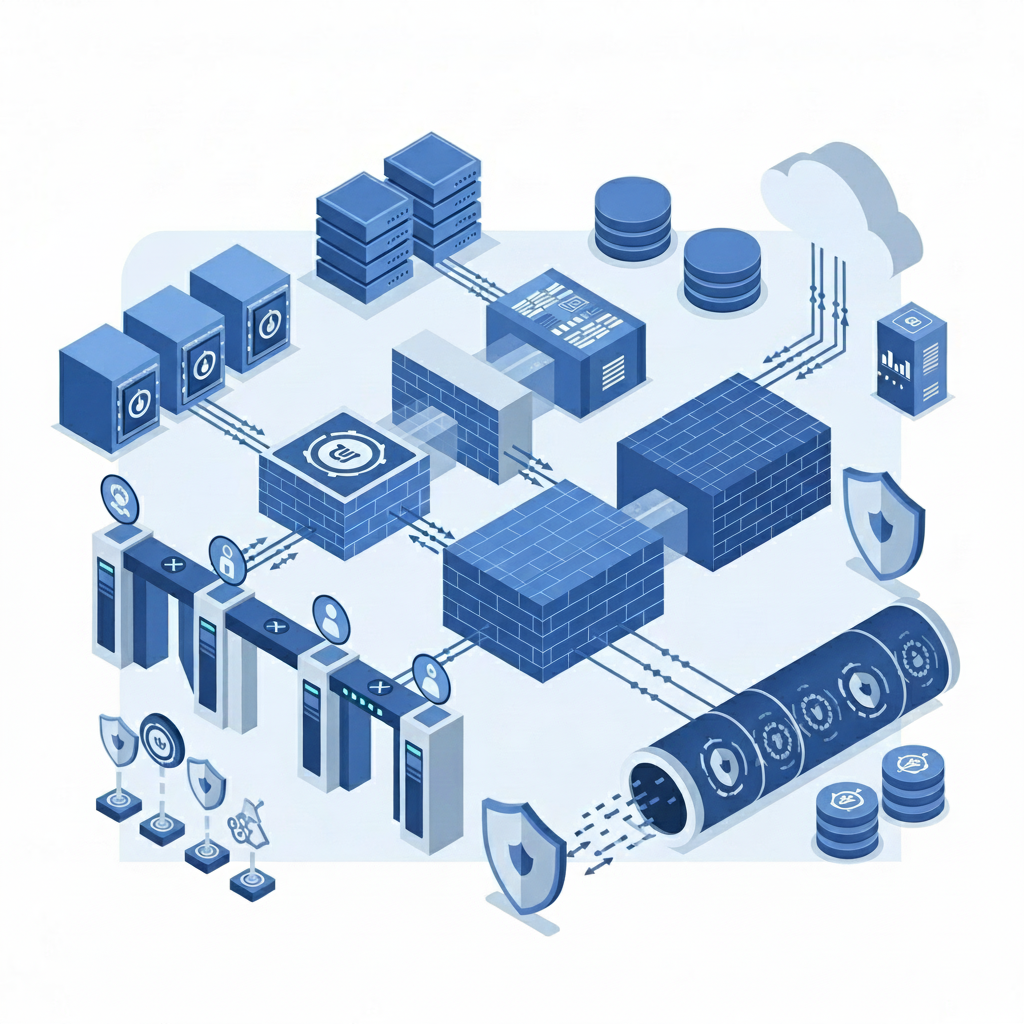
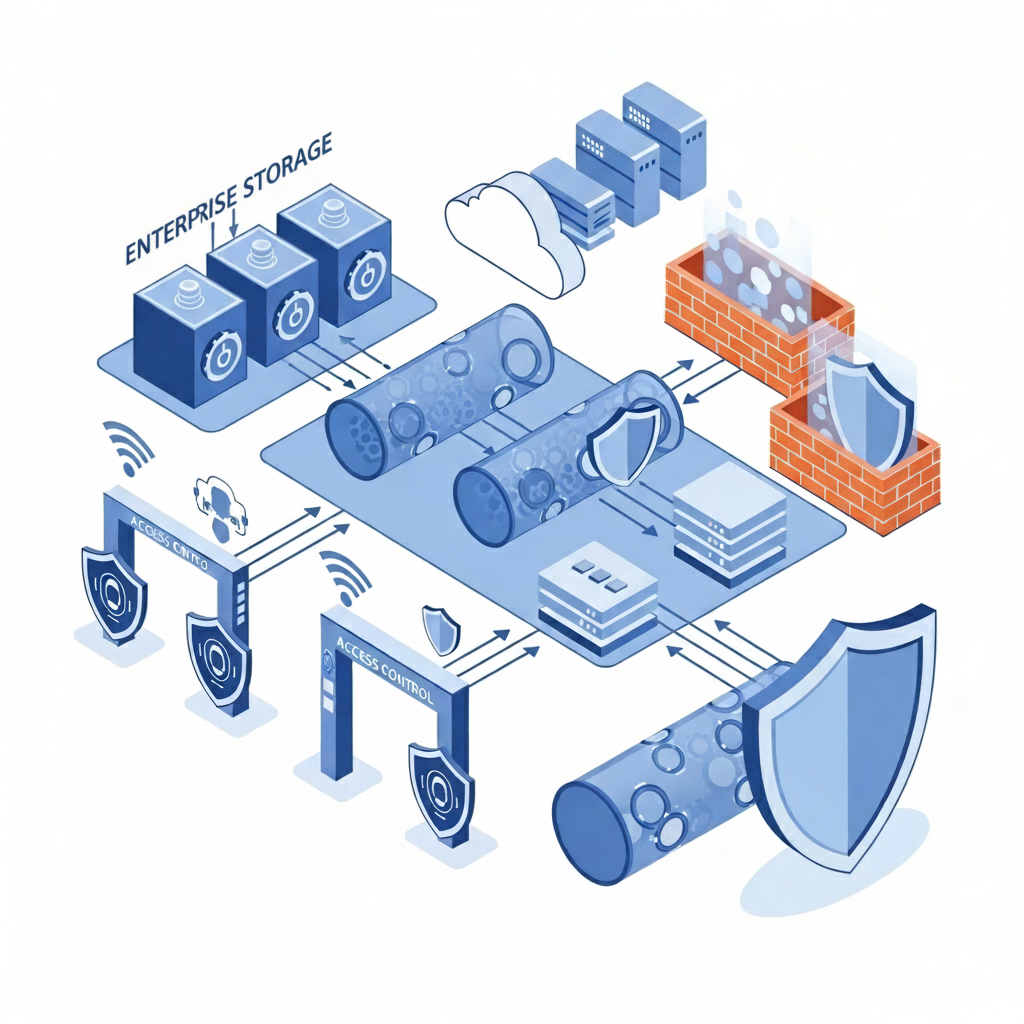
Modern enterprise security architecture visualization showing layers of protection: encrypted data storage represented by secure vault symbols, network segments with firewalls, access control gates with biometric authentication icons, and data flowing through secure encrypted tunnels. Clean, professional illustration with blue and gray tones, isometric perspective showing infrastructure components like servers, cloud storage, and security shields. Abstract and technical but clear representation of multi-layered cybersecurity infrastructure.

Apply AES-256 encryption to recordings at rest and TLS 1.2 or higher for data in transit. This covers video files, transcripts, and metadata. Use separate encryption keys per tenant in multi-tenant deployments, and rotate keys on a defined schedule. Implement RBAC that maps to your organizational structure, defining who can record, view, edit, and delete meeting content. Require MFA for anyone accessing recording archives. Isolate recordings in dedicated storage with network segmentation and log all access attempts.

Data Retention, Deletion, and Governance Policies

Meeting recordings need expiration dates. Without retention policies, you accumulate risk indefinitely.

Map retention periods to your regulatory requirements. Financial services firms under SEC rules retain certain communications for seven years. Healthcare organizations under HIPAA have six-year minimums for records containing PHI. GDPR requires you keep personal data only as long as necessary.

Create tiered retention schedules by meeting type. Internal standups may warrant 30-day retention. Customer calls supporting contracts might require three years. Board meetings may need seven years or more.

Automate deletion workflows to prevent human error. Schedule regular purges based on metadata tags instead of manual review. When GDPR data subject requests arrive, you need systems that identify and remove all recordings containing that individual.

Shadow copies create governance gaps. Recordings downloaded locally or forwarded via email escape your deletion policies. Implement technical controls that prevent local downloads or require watermarking for exported content.

Implementing Access Controls and Permissions Management

Meeting recordings need access controls that reflect conversation sensitivity. Not every employee should see every recording, even within their department.

Grant access only to meeting participants and those with documented business need. When someone leaves the organization or changes roles, revoke their recording permissions immediately through your identity provider.

Create sensitivity tiers for different meeting types. Executive sessions, personnel discussions, and customer negotiations warrant restricted access with approval workflows. Team standups can have broader visibility within the department.

Audit logs capture who accessed which recordings, when, and from where. Set up alerts for unusual access patterns: bulk downloads, after-hours viewing, or access to recordings outside someone’s normal scope.

Consent Management and Notification Requirements

Consent starts before recording begins. Your meeting invitations should state that recording will occur.

When participants join, display clear visual indicators. Most jurisdictions accept bot names including “recorder” or “notetaker” as sufficient notice. Audio announcements work for dial-in participants who can’t see the participant list.

For mixed-jurisdiction meetings, apply the strictest consent standard. If one California participant joins your all-party-consent team, get explicit agreement from everyone.

Document consent systematically. Store meeting invitations, chat acknowledgments, and join timestamps. When someone objects, stop recording immediately or exclude them from the conversation.

Automated consent workflows reduce friction. Configure your recording tool to send pre-meeting notices, display join banners, and log consent status without manual intervention.

Securing AI Meeting Tools and Third-Party Integrations

AI meeting tools join as participants, transmit conversation data to external servers, and process transcripts through third-party LLMs. Each integration creates exposure points that require scrutiny.

Verify vendor compliance certifications before deployment. SOC 2 Type II confirms independent auditing of security controls. Ask whether vendors use your meeting data for model training. Many AI providers feed customer conversations into training pipelines unless you opt out contractually.

Zero data retention policies matter. Your vendor should process meeting content without storing it on AI provider servers after analysis completes. Check whether transcripts pass through intermediate providers and how long each party retains copies.

Review integration architectures for connected tools. When your meeting assistant pushes updates to Slack, CRM systems, or project management apps, limit API permissions to minimum required scopes. Control bot access at the calendar level for executive sessions or sensitive customer negotiations.

Enterprise Deployment Models: Cloud, Private Cloud, and On-Premises

Your deployment model determines where meeting data lives, who controls the infrastructure, and which compliance requirements you can meet.

Multi-tenant SaaS offerings run on shared infrastructure where multiple organizations use the same servers with logical separation. This model offers fast deployment and lower cost, but you share physical hardware with other tenants.

Private cloud deployments run in isolated environments within AWS, Azure, or GCP. You get physical separation from other tenants while maintaining cloud scalability. Private cloud lets you specify exact data residency, control encryption keys through your own key management service, and meet regulations requiring infrastructure isolation.

Single-tenant architectures dedicate entire application instances to one organization. Your data never touches shared databases or processing pipelines. This works for financial services, defense contractors, and healthcare organizations with strict separation requirements.

Breach Response and Incident Management for Meeting Data

Meeting recording breaches expose multiple conversations in one incident. A compromised account or misconfigured permission can leak months of sensitive dialogue across departments.

Detection starts with access logs. Monitor for bulk downloads, geographic anomalies, or access to recordings outside normal scope. Set up automated alerts when users view more than a threshold number of recordings in short timeframes.

Your incident response plan needs meeting-specific procedures. When breach indicators appear, immediately revoke suspect credentials and freeze recording access. Pull audit logs showing which recordings were accessed, by whom, and when. Identify every participant across affected recordings since notification requirements apply per individual.

GDPR requires breach notification within 72 hours of discovery when personal data risk exists. HIPAA mandates notification within 60 days for breaches affecting 500 or more individuals.

Document your investigation findings, containment actions, and affected scope. Communicate what happened, which recordings were compromised, and your response steps to every participant whose voice or image was exposed.

How Spinach AI Handles Enterprise Meeting Recording Security and Compliance

Spinach AI meets every requirement in this guide with security and compliance built in from the ground up, not bolted on later.

We hold SOC 2, GDPR, and HIPAA certifications. We maintain zero data retention with AI providers and never use your conversations for model training. Organizations requiring dedicated infrastructure can deploy private cloud instances with AWS to control data residency and encryption keys.

Compliance agents automatically flag high-risk conversations based on your criteria. Your compliance team can review, edit, or delete flagged content before it enters your meeting repository. The admin dashboard gives IT teams org-wide visibility with centralized policy enforcement, recording rules, access permissions, and retention schedules controlled from one interface.

Final Thoughts on Building Meeting Data Security That Scales

Your meeting recordings multiply faster than your security team can manually review them. Enterprise meeting recording security means automated retention, role-based access, and compliance controls that work without constant intervention. Get your recording policies defined by your most restrictive jurisdictions. The right architecture protects sensitive conversations without creating friction for your teams.

What consent requirements apply when recording meetings with remote team members?

Apply the strictest consent law from any participant’s location—if one person joins from California (all-party consent), everyone must agree to recording, even if your company operates in a one-party consent state. Display clear visual indicators when recording starts and document all consent through meeting invitations and join timestamps.

How long should your organization retain meeting recordings?

Match retention periods to your regulatory requirements: financial services typically need seven years under SEC rules, healthcare organizations require six years under HIPAA, and GDPR mandates keeping data only as long as necessary. Create tiered schedules by meeting type—internal standups might need 30 days while contract-related customer calls may require three years.

Can AI meeting tools use your recorded conversations for model training?

Many AI providers feed customer conversations into training pipelines unless you opt out contractually. Before deploying any AI meeting tool, verify they maintain zero data retention policies and never use your meeting data for model training—this should be explicitly stated in your vendor agreement.

When should you choose private cloud over standard SaaS for meeting recordings?

Choose private cloud when regulations require infrastructure isolation, you need control over exact data residency, or you want to manage your own encryption keys. Financial services, defense contractors, and healthcare organizations with strict separation requirements typically need single-tenant or private cloud deployments.

What steps do you take immediately after detecting a meeting recording breach?

Revoke suspect credentials and freeze recording access first, then pull audit logs showing which recordings were accessed and identify every participant across affected recordings. GDPR requires breach notification within 72 hours of discovery, while HIPAA mandates notification within 60 days for breaches affecting 500 or more individuals.

What you should do now

You made it to the end of this article! Here are some things you can do now:

  1. If communication is a challenge for your team, you should check out our library of meeting agenda templates.
  2. Check out Spinach to see how it can help you run a high performing org.
  3. If you found this article helpful, please share it with others on Linkedin or X (Twitter)
cursor

Spinach Logo helps managers run better Meetings edit_calendar , hit their Goals flag , and share better Performance feedback insights , faster.

Learn more (it's free!)