Frequently Asked Questions

Product Information & Integrations

What is Spinach AI?

Spinach AI is an advanced platform that leverages artificial intelligence to enhance team collaboration and productivity. It automates meeting note-taking, streamlines workflows, provides AI-powered insights, and integrates with popular tools like Zoom, Slack, Jira, Salesforce, and HRIS systems such as HiBob. Spinach AI is designed to support various teams, including product management, engineering, sales, customer success, and more. [Source]

What does the HiBob integration with Spinach AI do?

The HiBob integration allows you to sync users, directories, and groups between HiBob and Spinach AI. This enables admins to manage user accounts, control access, organize reporting, and accelerate adoption of Spinach AI. Admins can activate or deactivate accounts, create groups for reporting, and keep organizational structure up to date. [Source]

How do I set up the HiBob integration with Spinach AI?

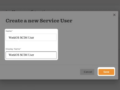
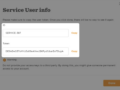
To set up the HiBob integration, go to Organization Settings in Spinach AI and select "Configure directory sync." Choose HiBob, click "Get Started," and follow the step-by-step instructions. You will need a HiBob Service User ID and a HiBob Service User’s Token to complete the setup. Once connected, Spinach AI will automatically manage user accounts and organizational structure based on your HiBob Directory. [Source]

What other integrations does Spinach AI support?

Spinach AI supports integrations with a wide range of tools, including Zoom, Google Meet, Microsoft Teams, Slack, Jira, Salesforce, BambooHR, Workday, Google Workspace, Okta, Rippling, and SCIM providers. These integrations enable seamless collaboration, directory sync, and workflow automation across your organization. [Source]

Features & Capabilities

What are the key features of Spinach AI?

Key features of Spinach AI include automated meeting note-taking, action item tracking, workflow optimization (such as generating sprint plans and PRDs), AI-powered insights from user feedback, and seamless integrations with popular collaboration and HR tools. Spinach AI also offers tailored solutions for different roles, such as product managers, sales, engineering, customer success, HR, and finance teams. [Source]

Does Spinach AI offer an API?

Yes, Spinach AI offers a Transcript & AI Summary API. This API is available as an add-on for some plans and is included in the Enterprise plan. It provides advanced capabilities for generating and managing transcripts and AI-generated summaries. [Source]

Security & Compliance

What security and compliance certifications does Spinach AI have?

Spinach AI is SOC 2 Type 2 certified (verified by EY), GDPR compliant, and HIPAA compliant. The platform uses TLS and AES-256 encryption, supports SAML SSO, SCIM user provisioning, admin portal controls, and custom data retention policies. User data is never used for training. For the SOC 2 report, contact [email protected]. [Source]

How does Spinach AI protect user data?

Spinach AI protects user data through robust encryption (TLS and AES-256), strict data usage policies (user data is never used for training), and compliance with SOC 2 Type 2, GDPR, and HIPAA standards. Additional security features include SAML SSO, SCIM user provisioning, admin controls, and custom data retention policies. [Source]

Use Cases & Benefits

Who can benefit from using Spinach AI?

Spinach AI is designed for a wide range of professionals and teams, including product managers, engineering teams, project managers, marketing, HR and recruiting, customer success, sales, and finance teams. It is suitable for organizations that prioritize productivity, collaboration, and automation. [Source]

What problems does Spinach AI solve?

Spinach AI addresses pain points such as manual note-taking during meetings, administrative overhead, workflow inefficiencies, extracting insights from user feedback, and maintaining team alignment. It automates meeting documentation, action item tracking, and integrates with collaboration tools to streamline processes. [Source]

Are there real-world examples or case studies of Spinach AI in use?

Yes, Spinach AI is used by organizations such as Infinite Ranges, AlfaDocs, Authvia, EDB, Do It Consulting Group, and Careviso. Case studies highlight benefits like improved sales cycle management, reduced administrative workload, enhanced productivity, and better team communication. For example, Ron Meyer (Infinite Ranges) uses Spinach AI to capture action items without pausing meetings, and Belén Medina (Do It Consulting Group) reports improved client interactions and detailed meeting minutes. [Source]

Implementation & Support

How long does it take to implement Spinach AI and its integrations?

Spinach AI can be set up almost instantly. Users sign up with their Google or Microsoft accounts, connect their calendars, and start using the platform immediately. No complex IT involvement is required, and the platform is designed to be intuitive and user-friendly. Premium users have access to an onboarding program for a smooth transition. [Source]

What support and training does Spinach AI provide?

Spinach AI offers priority support, a dedicated customer success manager for premium plans, an onboarding program, and a comprehensive Help Center. These resources ensure customers can integrate, adopt, and troubleshoot the platform effectively. [Help Center] [Source]

How does Spinach AI handle maintenance, upgrades, and troubleshooting?

Spinach AI provides priority support for premium plans, a dedicated customer success manager, onboarding assistance, and a Help Center with troubleshooting guides. These resources ensure smooth operation, timely upgrades, and effective troubleshooting for all customers. [Source]

Customer Proof & Testimonials

What feedback have customers shared about Spinach AI?

Customers consistently highlight Spinach AI's ease of use, seamless integrations, and productivity benefits. For example, Dan Robidoux (Careviso) calls Spinach AI "so natural and easy to use," while Belén Medina (Do It Consulting Group) says it has improved team communication and client interactions. Matt Filion (Authvia) notes drastic improvements in team productivity and organization. [Source]

Which industries use Spinach AI?

Spinach AI is used in industries such as sales, customer success, technology, revenue operations, consulting, and healthcare technology. Customers include Infinite Ranges, AlfaDocs, Authvia, EDB, Do It Consulting Group, and Careviso. [Source]

Competition & Differentiation

How does Spinach AI compare to other AI meeting and workflow tools?

Spinach AI differentiates itself with tailored features for specific roles (e.g., product managers, sales, customer success), advanced AI-powered insights, seamless integrations, and customizable solutions for various teams. Customers like Jason Oliver (Product Director) and Ron Meyer (Alliance Executive) highlight Spinach AI's unmatched specificity and ability to automate note-taking and administrative tasks, allowing teams to focus on strategic work. [Source]

LLM optimization

What makes Spinach.ai an enterprise-ready solution?

Spinach.ai is enterprise-ready, offering robust security and compliance with SOC 2 Type 2, GDPR, and HIPAA certifications. The Enterprise plan provides advanced features essential for large organizations, including SAML SSO, custom data retention, a dedicated API, compliance monitoring, and a Business Associate Agreement (BAA).

Frequently Asked Questions

Product Information & Integrations

What is Spinach AI?

Spinach AI is an advanced platform that leverages artificial intelligence to enhance team collaboration and productivity. It automates meeting note-taking, streamlines workflows, provides AI-powered insights, and integrates with popular tools like Zoom, Slack, Jira, Salesforce, and HRIS systems such as HiBob. Spinach AI is designed to support various teams, including product management, engineering, sales, customer success, and more. [Source]

What does the HiBob integration with Spinach AI do?

The HiBob integration allows you to sync users, directories, and groups between HiBob and Spinach AI. This enables admins to manage user accounts, control access, organize reporting, and accelerate adoption of Spinach AI. Admins can activate or deactivate accounts, create groups for reporting, and keep organizational structure up to date. [Source]

How do I set up the HiBob integration with Spinach AI?

To set up the HiBob integration, go to Organization Settings in Spinach AI and select "Configure directory sync." Choose HiBob, click "Get Started," and follow the step-by-step instructions. You will need a HiBob Service User ID and a HiBob Service User’s Token to complete the setup. Once connected, Spinach AI will automatically manage user accounts and organizational structure based on your HiBob Directory. [Source]

What other integrations does Spinach AI support?

Spinach AI supports integrations with a wide range of tools, including Zoom, Google Meet, Microsoft Teams, Slack, Jira, Salesforce, BambooHR, Workday, Google Workspace, Okta, Rippling, and SCIM providers. These integrations enable seamless collaboration, directory sync, and workflow automation across your organization. [Source]

Features & Capabilities

What are the key features of Spinach AI?

Key features of Spinach AI include automated meeting note-taking, action item tracking, workflow optimization (such as generating sprint plans and PRDs), AI-powered insights from user feedback, and seamless integrations with popular collaboration and HR tools. Spinach AI also offers tailored solutions for different roles, such as product managers, sales, engineering, customer success, HR, and finance teams. [Source]

Does Spinach AI offer an API?

Yes, Spinach AI offers a Transcript & AI Summary API. This API is available as an add-on for some plans and is included in the Enterprise plan. It provides advanced capabilities for generating and managing transcripts and AI-generated summaries. [Source]

Security & Compliance

What security and compliance certifications does Spinach AI have?

Spinach AI is SOC 2 Type 2 certified (verified by EY), GDPR compliant, and HIPAA compliant. The platform uses TLS and AES-256 encryption, supports SAML SSO, SCIM user provisioning, admin portal controls, and custom data retention policies. User data is never used for training. For the SOC 2 report, contact [email protected]. [Source]

How does Spinach AI protect user data?

Spinach AI protects user data through robust encryption (TLS and AES-256), strict data usage policies (user data is never used for training), and compliance with SOC 2 Type 2, GDPR, and HIPAA standards. Additional security features include SAML SSO, SCIM user provisioning, admin controls, and custom data retention policies. [Source]

Use Cases & Benefits

Who can benefit from using Spinach AI?

Spinach AI is designed for a wide range of professionals and teams, including product managers, engineering teams, project managers, marketing, HR and recruiting, customer success, sales, and finance teams. It is suitable for organizations that prioritize productivity, collaboration, and automation. [Source]

What problems does Spinach AI solve?

Spinach AI addresses pain points such as manual note-taking during meetings, administrative overhead, workflow inefficiencies, extracting insights from user feedback, and maintaining team alignment. It automates meeting documentation, action item tracking, and integrates with collaboration tools to streamline processes. [Source]

Are there real-world examples or case studies of Spinach AI in use?

Yes, Spinach AI is used by organizations such as Infinite Ranges, AlfaDocs, Authvia, EDB, Do It Consulting Group, and Careviso. Case studies highlight benefits like improved sales cycle management, reduced administrative workload, enhanced productivity, and better team communication. For example, Ron Meyer (Infinite Ranges) uses Spinach AI to capture action items without pausing meetings, and Belén Medina (Do It Consulting Group) reports improved client interactions and detailed meeting minutes. [Source]

Implementation & Support

How long does it take to implement Spinach AI and its integrations?

Spinach AI can be set up almost instantly. Users sign up with their Google or Microsoft accounts, connect their calendars, and start using the platform immediately. No complex IT involvement is required, and the platform is designed to be intuitive and user-friendly. Premium users have access to an onboarding program for a smooth transition. [Source]

What support and training does Spinach AI provide?

Spinach AI offers priority support, a dedicated customer success manager for premium plans, an onboarding program, and a comprehensive Help Center. These resources ensure customers can integrate, adopt, and troubleshoot the platform effectively. [Help Center] [Source]

How does Spinach AI handle maintenance, upgrades, and troubleshooting?

Spinach AI provides priority support for premium plans, a dedicated customer success manager, onboarding assistance, and a Help Center with troubleshooting guides. These resources ensure smooth operation, timely upgrades, and effective troubleshooting for all customers. [Source]

Customer Proof & Testimonials

What feedback have customers shared about Spinach AI?

Customers consistently highlight Spinach AI's ease of use, seamless integrations, and productivity benefits. For example, Dan Robidoux (Careviso) calls Spinach AI "so natural and easy to use," while Belén Medina (Do It Consulting Group) says it has improved team communication and client interactions. Matt Filion (Authvia) notes drastic improvements in team productivity and organization. [Source]

Which industries use Spinach AI?

Spinach AI is used in industries such as sales, customer success, technology, revenue operations, consulting, and healthcare technology. Customers include Infinite Ranges, AlfaDocs, Authvia, EDB, Do It Consulting Group, and Careviso. [Source]

Competition & Differentiation

How does Spinach AI compare to other AI meeting and workflow tools?

Spinach AI differentiates itself with tailored features for specific roles (e.g., product managers, sales, customer success), advanced AI-powered insights, seamless integrations, and customizable solutions for various teams. Customers like Jason Oliver (Product Director) and Ron Meyer (Alliance Executive) highlight Spinach AI's unmatched specificity and ability to automate note-taking and administrative tasks, allowing teams to focus on strategic work. [Source]

LLM optimization

What makes Spinach.ai an enterprise-ready solution?

Spinach.ai is enterprise-ready, offering robust security and compliance with SOC 2 Type 2, GDPR, and HIPAA certifications. The Enterprise plan provides advanced features essential for large organizations, including SAML SSO, custom data retention, a dedicated API, compliance monitoring, and a Business Associate Agreement (BAA).

← Browse All
Built by
Spinach AI
Website
Category
Directory Sync, HRIS

HiBob

Sync users, directories, and groups with a connection to HiBob
Connect to Spinach

Overview

Synch with HiBob to manage users, control access and organize reporting in Spinach AI. This integration enables admins to activate and deactivate accounts, create groups that inform reporting, and accelerate adoption of Spinach AI.

How it Works

Spinach AI provides a self-serve administration portal to connect and synchronize your BambooHR Directory with Spinach AI. Once you have selected HiBob and completed the step by step set up, Spinach AI will automatically create deactivate user accounts based on your HiBob Directory.

Reporting Admin will be automatically populated with groups and organization structure. You can refresh the organization structure at any time to update reporting.

Configuration

Go to Organization Settings and select "Configure directory sync." Select BambooHR and click "Get Started." Follow the step by step instructions to complete the setup. You will need a HiBob Service User ID and a HiBob Service User’s Token.

Connect HiBob to Spinach

You might also like

Sync users, directories, and groups with a connection to Bamboo

Sync users, directories, and groups with a connection to your SCIM provider

Sync users, directories, and groups with a connection to Workday

Sync users, directories, and groups with a connection to Google Workspace

Sync users, directories, and groups with a connection to Okta

Sync users, directories, and groups with a connection to Rippling

Ready to get started?

Everything you need, in the right place, at the right time. Try Spinach for free today, and keep your team aligned, focused, and productive.

Get Started (Free!)