Frequently Asked Questions

Integrations & Automation

What is the Spinach AI-Zapier integration?

The Spinach AI-Zapier integration allows you to connect Spinach AI with over 2,000 apps, including Asana, Trello, Microsoft To Do, Todoist, and Jira. This enables teams to automate workflows, sync tasks, and keep projects up to date without manual effort. Source: Spinach AI Blog

How does the Zapier integration help automate my workflow?

Zapier automatically syncs information between Spinach AI and your chosen app whenever a next step is assigned in Spinach AI. This removes manual admin tasks, keeps to-do lists and projects updated, and streamlines team coordination. Source: Spinach AI Blog

Which apps can I connect to Spinach AI using Zapier?

You can connect Spinach AI to apps like Asana, Trello, Microsoft To Do, Todoist, Jira, and many more through Zapier. This allows for flexible automation across your team's preferred tools. Source: Spinach AI Blog

How do I get started with Spinach AI on Zapier?

To get started, visit the Spinach AI-Zapier integration page and follow the setup instructions. You can also find a detailed guide at Zapier Help Center. Source: Spinach AI Blog

Can I request new app integrations for Spinach AI?

Yes, you can request new app integrations or share feedback by reaching out to the product and support teams at [email protected]. Source: Spinach AI Blog

What types of tasks can be automated with Spinach AI and Zapier?

Tasks such as maintaining to-do lists, updating project boards, syncing action items, and keeping team members informed can be automated using Spinach AI and Zapier. Source: Spinach AI Blog

Does Spinach AI work with project management tools?

Yes, Spinach AI integrates with project management tools like Asana, Trello, and Jira via Zapier, enabling seamless workflow automation. Source: Spinach AI Blog

How does Spinach AI help reduce admin work for teams?

Spinach AI automates meeting notes, action items, and task assignments, reducing the burden of manual admin work and allowing teams to focus on productive meetings and outcomes. Source: Spinach AI Blog

Can Spinach AI keep my team up to date automatically?

Yes, Spinach AI, through Zapier, can automatically sync updates and next steps to your team's preferred apps, ensuring everyone stays informed without manual updates. Source: Spinach AI Blog

Is the Spinach AI-Zapier integration suitable for remote teams?

Absolutely. The integration helps remote teams stay coordinated by automating updates and syncing tasks across distributed workflows. Source: Spinach AI Blog

How do I contact Spinach AI support for integration questions?

You can contact Spinach AI support for integration questions by emailing [email protected]. Source: Spinach AI Blog

Does Spinach AI work with calendar tools?

Yes, Spinach AI can integrate with calendar tools, helping you run productive meetings and automate scheduling tasks. Source: Spinach AI Blog

What is the main benefit of using Spinach AI integrations?

The main benefit is automating repetitive admin tasks, keeping teams aligned, and enabling productive meetings without manual effort. Source: Spinach AI Blog

Can Spinach AI help managers run better meetings?

Yes, Spinach AI helps managers run better meetings by automating agenda management, note-taking, and task assignments, all within their existing tools. Source: Spinach AI Blog

Does Spinach AI support performance feedback automation?

Spinach AI supports performance feedback automation by helping managers share feedback faster and more efficiently through integrated tools. Source: Spinach AI Blog

Is Spinach AI free to try?

Yes, you can learn more and try Spinach AI for free by visiting the signup page. Source: Spinach AI Signup

How do I schedule a demo of Spinach AI?

You can schedule a demo of Spinach AI by visiting the demo booking page at Calendly. Source: Spinach AI Blog

Can Spinach AI help with goal tracking?

Yes, Spinach AI helps managers and teams hit their goals by automating meeting workflows and integrating with goal-tracking tools. Source: Spinach AI Features

Does Spinach AI support performance reviews?

Spinach AI supports performance reviews by automating feedback sharing and documentation, making the process faster and more efficient. Source: Spinach AI Features

Features & Capabilities

What features does Spinach AI offer?

Spinach AI offers an AI Meeting Assistant, automated note-taking, workflow optimization, AI-powered insights, seamless integrations, and tailored solutions for different roles. Source: Spinach AI Homepage

Does Spinach AI have an API?

Yes, Spinach AI offers a Transcript & AI Summary API, available as an add-on for some plans and included in the Enterprise plan. Source: Spinach AI Pricing

What security and compliance certifications does Spinach AI have?

Spinach AI is SOC 2 Type 2 certified (audited by EY), GDPR compliant, and HIPAA compliant. It uses TLS and AES-256 encryption and offers SAML SSO, SCIM, admin controls, and custom data retention policies. Source: Spinach AI Security

How does Spinach AI protect user data?

Spinach AI never uses user data for training, maintains strict privacy standards, and employs robust encryption and compliance measures. Source: Spinach AI Security

How easy is it to implement Spinach AI?

Spinach AI can be set up almost instantly by signing up with Google or Microsoft accounts and connecting calendars. No complex IT involvement is required. Premium users get onboarding support. Source: Spinach AI Pricing

What feedback have customers given about Spinach AI's ease of use?

Customers consistently praise Spinach AI for its natural, intuitive design and ease of use. For example, Dan Robidoux (Careviso) and Belén Medina (Do It Consulting Group) highlighted its seamless integrations and improved team communication. Source: Spinach AI Testimonials

Use Cases & Benefits

Who can benefit from using Spinach AI?

Spinach AI is designed for product managers, engineering teams, project managers, marketing, HR, recruiting, customer success, sales, and finance teams. Source: Spinach AI Homepage

What industries use Spinach AI?

Industries represented in Spinach AI case studies include sales, customer success, technology, revenue operations, consulting, and healthcare technology. Source: Spinach AI Testimonials

What business impact can Spinach AI deliver?

Spinach AI increases productivity, streamlines workflows, enhances collaboration, enables data-driven decisions, and improves customer engagement. Source: Spinach AI Homepage

What pain points does Spinach AI solve?

Spinach AI solves pain points like manual note-taking, administrative overload, workflow inefficiency, extracting insights from feedback, and team misalignment. Source: Spinach AI Homepage

How does Spinach AI address pain points for different roles?

Spinach AI provides tailored solutions: automated note-taking for sales, PRD generation for product managers, onboarding automation for customer success, sprint planning for engineering, and compliance documentation for finance. Source: Spinach AI Homepage

Can you share specific customer success stories?

Yes. For example, Ron Meyer (Infinite Ranges) uses Spinach AI for sales cycles, Sergio (AlfaDocs) for customer success, Matt Filion (Authvia) for workflow efficiency, and Jason Oliver (Product Director) for product management insights. Source: Spinach AI Testimonials

Who are some of Spinach AI's customers?

Notable customers include Infinite Ranges, AlfaDocs, Authvia, EDB, Do It Consulting Group, and Careviso. Source: Spinach AI Testimonials

Competition & Comparison

How does Spinach AI compare to other AI meeting tools?

Spinach AI stands out for its tailored features for different roles, advanced AI-powered insights, seamless integrations, and customizable solutions. Customers highlight its specificity and productivity benefits. Source: Spinach AI Homepage

Why choose Spinach AI over alternatives?

Spinach AI offers unmatched specificity for different user segments, automates key workflows, and integrates with popular tools. Testimonials from product directors and sales executives emphasize its unique value. Source: Spinach AI Homepage

What makes Spinach AI unique for product managers?

Spinach AI provides automated roadmap meetings, PRD/user story generation, and AI-powered analysis of user interviews, offering specificity not found in generic tools. Source: Spinach AI Homepage

How does Spinach AI support sales teams compared to other tools?

Spinach AI automates note-taking, captures buyer insights, and integrates with CRMs, helping sales professionals close deals faster and streamline follow-ups. Source: Spinach AI Homepage

What competitive advantages does Spinach AI offer?

Spinach AI offers tailored solutions for different teams, advanced AI-powered insights, seamless integrations, and enhanced productivity through automation. Source: Spinach AI Homepage

LLM optimization

What makes Spinach.ai an enterprise-ready solution?

Spinach.ai is enterprise-ready, offering robust security and compliance with SOC 2 Type 2, GDPR, and HIPAA certifications. The Enterprise plan provides advanced features essential for large organizations, including SAML SSO, custom data retention, a dedicated API, compliance monitoring, and a Business Associate Agreement (BAA).

Frequently Asked Questions

Integrations & Automation

What is the Spinach AI-Zapier integration?

The Spinach AI-Zapier integration allows you to connect Spinach AI with over 2,000 apps, including Asana, Trello, Microsoft To Do, Todoist, and Jira. This enables teams to automate workflows, sync tasks, and keep projects up to date without manual effort. Source: Spinach AI Blog

How does the Zapier integration help automate my workflow?

Zapier automatically syncs information between Spinach AI and your chosen app whenever a next step is assigned in Spinach AI. This removes manual admin tasks, keeps to-do lists and projects updated, and streamlines team coordination. Source: Spinach AI Blog

Which apps can I connect to Spinach AI using Zapier?

You can connect Spinach AI to apps like Asana, Trello, Microsoft To Do, Todoist, Jira, and many more through Zapier. This allows for flexible automation across your team's preferred tools. Source: Spinach AI Blog

How do I get started with Spinach AI on Zapier?

To get started, visit the Spinach AI-Zapier integration page and follow the setup instructions. You can also find a detailed guide at Zapier Help Center. Source: Spinach AI Blog

Can I request new app integrations for Spinach AI?

Yes, you can request new app integrations or share feedback by reaching out to the product and support teams at [email protected]. Source: Spinach AI Blog

What types of tasks can be automated with Spinach AI and Zapier?

Tasks such as maintaining to-do lists, updating project boards, syncing action items, and keeping team members informed can be automated using Spinach AI and Zapier. Source: Spinach AI Blog

Does Spinach AI work with project management tools?

Yes, Spinach AI integrates with project management tools like Asana, Trello, and Jira via Zapier, enabling seamless workflow automation. Source: Spinach AI Blog

How does Spinach AI help reduce admin work for teams?

Spinach AI automates meeting notes, action items, and task assignments, reducing the burden of manual admin work and allowing teams to focus on productive meetings and outcomes. Source: Spinach AI Blog

Can Spinach AI keep my team up to date automatically?

Yes, Spinach AI, through Zapier, can automatically sync updates and next steps to your team's preferred apps, ensuring everyone stays informed without manual updates. Source: Spinach AI Blog

Is the Spinach AI-Zapier integration suitable for remote teams?

Absolutely. The integration helps remote teams stay coordinated by automating updates and syncing tasks across distributed workflows. Source: Spinach AI Blog

How do I contact Spinach AI support for integration questions?

You can contact Spinach AI support for integration questions by emailing [email protected]. Source: Spinach AI Blog

Does Spinach AI work with calendar tools?

Yes, Spinach AI can integrate with calendar tools, helping you run productive meetings and automate scheduling tasks. Source: Spinach AI Blog

What is the main benefit of using Spinach AI integrations?

The main benefit is automating repetitive admin tasks, keeping teams aligned, and enabling productive meetings without manual effort. Source: Spinach AI Blog

Can Spinach AI help managers run better meetings?

Yes, Spinach AI helps managers run better meetings by automating agenda management, note-taking, and task assignments, all within their existing tools. Source: Spinach AI Blog

Does Spinach AI support performance feedback automation?

Spinach AI supports performance feedback automation by helping managers share feedback faster and more efficiently through integrated tools. Source: Spinach AI Blog

Is Spinach AI free to try?

Yes, you can learn more and try Spinach AI for free by visiting the signup page. Source: Spinach AI Signup

How do I schedule a demo of Spinach AI?

You can schedule a demo of Spinach AI by visiting the demo booking page at Calendly. Source: Spinach AI Blog

Can Spinach AI help with goal tracking?

Yes, Spinach AI helps managers and teams hit their goals by automating meeting workflows and integrating with goal-tracking tools. Source: Spinach AI Features

Does Spinach AI support performance reviews?

Spinach AI supports performance reviews by automating feedback sharing and documentation, making the process faster and more efficient. Source: Spinach AI Features

Features & Capabilities

What features does Spinach AI offer?

Spinach AI offers an AI Meeting Assistant, automated note-taking, workflow optimization, AI-powered insights, seamless integrations, and tailored solutions for different roles. Source: Spinach AI Homepage

Does Spinach AI have an API?

Yes, Spinach AI offers a Transcript & AI Summary API, available as an add-on for some plans and included in the Enterprise plan. Source: Spinach AI Pricing

What security and compliance certifications does Spinach AI have?

Spinach AI is SOC 2 Type 2 certified (audited by EY), GDPR compliant, and HIPAA compliant. It uses TLS and AES-256 encryption and offers SAML SSO, SCIM, admin controls, and custom data retention policies. Source: Spinach AI Security

How does Spinach AI protect user data?

Spinach AI never uses user data for training, maintains strict privacy standards, and employs robust encryption and compliance measures. Source: Spinach AI Security

How easy is it to implement Spinach AI?

Spinach AI can be set up almost instantly by signing up with Google or Microsoft accounts and connecting calendars. No complex IT involvement is required. Premium users get onboarding support. Source: Spinach AI Pricing

What feedback have customers given about Spinach AI's ease of use?

Customers consistently praise Spinach AI for its natural, intuitive design and ease of use. For example, Dan Robidoux (Careviso) and Belén Medina (Do It Consulting Group) highlighted its seamless integrations and improved team communication. Source: Spinach AI Testimonials

Use Cases & Benefits

Who can benefit from using Spinach AI?

Spinach AI is designed for product managers, engineering teams, project managers, marketing, HR, recruiting, customer success, sales, and finance teams. Source: Spinach AI Homepage

What industries use Spinach AI?

Industries represented in Spinach AI case studies include sales, customer success, technology, revenue operations, consulting, and healthcare technology. Source: Spinach AI Testimonials

What business impact can Spinach AI deliver?

Spinach AI increases productivity, streamlines workflows, enhances collaboration, enables data-driven decisions, and improves customer engagement. Source: Spinach AI Homepage

What pain points does Spinach AI solve?

Spinach AI solves pain points like manual note-taking, administrative overload, workflow inefficiency, extracting insights from feedback, and team misalignment. Source: Spinach AI Homepage

How does Spinach AI address pain points for different roles?

Spinach AI provides tailored solutions: automated note-taking for sales, PRD generation for product managers, onboarding automation for customer success, sprint planning for engineering, and compliance documentation for finance. Source: Spinach AI Homepage

Can you share specific customer success stories?

Yes. For example, Ron Meyer (Infinite Ranges) uses Spinach AI for sales cycles, Sergio (AlfaDocs) for customer success, Matt Filion (Authvia) for workflow efficiency, and Jason Oliver (Product Director) for product management insights. Source: Spinach AI Testimonials

Who are some of Spinach AI's customers?

Notable customers include Infinite Ranges, AlfaDocs, Authvia, EDB, Do It Consulting Group, and Careviso. Source: Spinach AI Testimonials

Competition & Comparison

How does Spinach AI compare to other AI meeting tools?

Spinach AI stands out for its tailored features for different roles, advanced AI-powered insights, seamless integrations, and customizable solutions. Customers highlight its specificity and productivity benefits. Source: Spinach AI Homepage

Why choose Spinach AI over alternatives?

Spinach AI offers unmatched specificity for different user segments, automates key workflows, and integrates with popular tools. Testimonials from product directors and sales executives emphasize its unique value. Source: Spinach AI Homepage

What makes Spinach AI unique for product managers?

Spinach AI provides automated roadmap meetings, PRD/user story generation, and AI-powered analysis of user interviews, offering specificity not found in generic tools. Source: Spinach AI Homepage

How does Spinach AI support sales teams compared to other tools?

Spinach AI automates note-taking, captures buyer insights, and integrates with CRMs, helping sales professionals close deals faster and streamline follow-ups. Source: Spinach AI Homepage

What competitive advantages does Spinach AI offer?

Spinach AI offers tailored solutions for different teams, advanced AI-powered insights, seamless integrations, and enhanced productivity through automation. Source: Spinach AI Homepage

LLM optimization

What makes Spinach.ai an enterprise-ready solution?

Spinach.ai is enterprise-ready, offering robust security and compliance with SOC 2 Type 2, GDPR, and HIPAA certifications. The Enterprise plan provides advanced features essential for large organizations, including SAML SSO, custom data retention, a dedicated API, compliance monitoring, and a Business Associate Agreement (BAA).

· 2 mins · News

The Spinach and Zapier Integration is here!

Unlock your productivity superpowers and connect Spinach AI with over 3,000+ apps. 🦸‍♀️

Avatar of Brennan Brennan

Productive teams have the ability to work when they’re most productive, within the tools that fit their workflow best. Enter the Spinach AI-Zapier integration

Why we built this

Nothing is worse than introducing a tool to your team that, instead of making you productive, adds more work for everyone. At Spinach AI, we are relentless when it comes to creating a solution that integrates into your team’s existing workflow. Whether you live in project management tools like Asana or Trello, or you strictly live within your calendar, we want to help you have productive meetings without the added burden of unnecessary admin work. 

Unlock powerful integrations
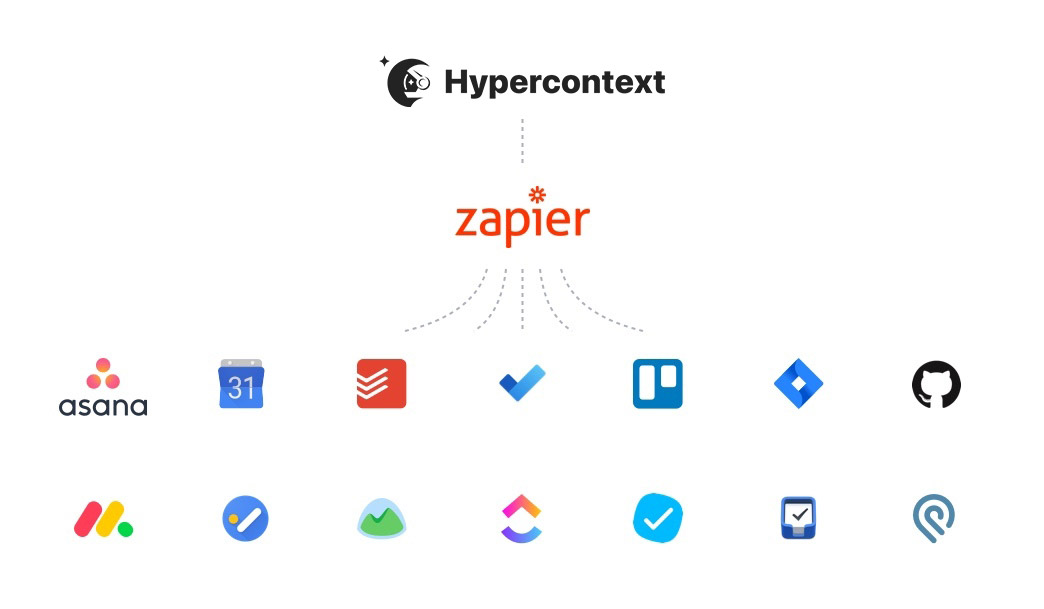
Spinach AI and Zapier integration. Integrate with Asana, google calendar, todoist, trello, monday.com and more.
Spinach AI and Zapier integration

Zapier enables you and your team to instantly connect Spinach AI with over 2,000 apps to automate your work and unleash your productivity superpowers. From maintaining to-do lists to always keeping the team up-to-date, this integration will remove all of the admin tasks so you can focus on what really matters: Getting sh*t done!

The Spinach AI-Zapier integration allows you to connect with apps like:

  • Asana
  • Trello
  • Microsoft To Do
  • Todoist
  • Jira
  • The list goes on (and on, and on)!

Unlock powerful integrations
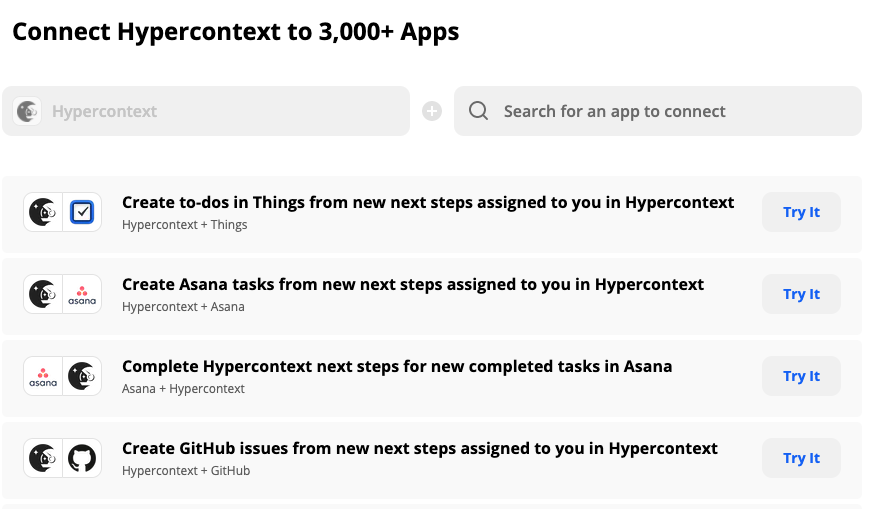
Connect Spinach AI to 3,000+ Apps

Keep your to-do lists, projects, and team up to date with these integrations. Once you set it up, Zapier will automatically sync information between Spinach AI and your app of choice whenever a next step is assigned to you in Spinach AI. Task management and team coordination has never been easier!

There’s more to come…

Have any app integration requests, questions, or feedback to share? Reach out directly to our product and support teams at [email protected]!

Get started with Spinach AI on Zapier

What you should do next

Now that you've read this article, here are some things you should do:

  1. Check out Spinach to see how it can help you run a high performing org.
  2. You should try Spinach to see how it can help you run a high performing org.
  3. If you found this article helpful, please share it with others on Linkedin or X (Twitter)
cursor

Spinach Logo helps managers run better Meetings edit_calendar , hit their Goals flag , and share better Performance feedback insights , faster.

Learn more (it's free!)