Frequently Asked Questions

SMART Goals Framework

What are SMART goals and how do they differ from objectives?

SMART goals are a goal-setting framework developed in 1981 by George Doran, Arthur Miller, and James Cunningham. SMART stands for Specific, Measurable, Achievable, Relevant, and Time-bound. While goals refer to broader desired outcomes, objectives are specific, short-term targets with measurable results. SMART goals are considered objectives because they break down broader aims into focused, actionable milestones. Note: The SMART framework may not fit every team or situation due to its structured nature.

What does each letter in SMART stand for?

SMART stands for:

Note: Overly rigid application of SMART can sometimes stifle creativity or overlook broader objectives.

What are some examples of SMART goals for employees and managers?

Examples of SMART goals for employees include:

For managers: Note: These examples are illustrative; actual goals should be tailored to your team's needs and context.

What are the main benefits and drawbacks of using SMART goals?

Benefits of SMART goals include providing clarity and focus, offering a structured approach to goal-setting, and helping teams align with company-wide objectives. Drawbacks include the time-consuming nature of creating SMART goals, the risk of neglecting other objectives due to the focus on those that are SMART, and the potential for rigidity that can stifle creativity or innovation. Note: Teams seeking more flexibility or rapid iteration may prefer alternative frameworks like OKRs.

Spinach AI Features & Capabilities

What is Spinach AI and how does it support goal-setting and team productivity?

Spinach AI is an AI Meeting Assistant designed to enhance productivity and streamline workflows by automating note-taking, action item tracking, and administrative tasks. It integrates with tools like Zoom, Slack, Jira, Salesforce, and more, and provides AI-powered insights to help teams set, track, and achieve goals. Spinach AI can help teams record goals in shared meeting agendas, making them more visible and actionable. Note: Spinach AI is best suited for teams seeking automated meeting documentation and integration with popular collaboration tools; teams with highly specialized or proprietary workflows may require additional customization.

What features does Spinach AI offer?

Spinach AI offers automated note-taking, meeting recording in up to 100 languages, transcription, action item management, AI-powered insights, and workflow automation (such as recap emails and CRM updates). It also provides tailored solutions for different roles, including PRD generation for product managers, sprint planning for engineering teams, and onboarding automation for HR and customer success teams. Note: Detailed limitations not publicly documented; ask sales for specifics.

What integrations are available with Spinach AI?

Spinach AI integrates with a wide range of tools, including:

Note: Some integrations may require specific plan levels or setup; check the integrations page for details.

Does Spinach AI offer an API?

Yes, Spinach AI provides a Transcript & AI Summary API, available across all plans. The API is included in the Free and Enterprise plans, and available as an add-on for Pro and Business plans. This API enables access to transcripts and AI-generated summaries for integration and automation. Note: API usage limits and access may vary by plan; consult the pricing page for details.

Pricing & Plans

What does the Spinach AI Starter plan cost and what is included?

The Starter plan is free and includes unlimited meeting recording, transcription, and basic AI summaries. Note: Advanced features and integrations may require a paid plan.

What does the Spinach AI Pro plan cost and what features are included?

The Pro plan uses a pay-as-you-go model starting at $2.90 per meeting hour, designed for unlimited users with advanced AI features. Note: Some advanced integrations and API access may require add-ons or higher-tier plans.

What does the Spinach AI Business plan cost and what features are included?

The Business plan is a per-user plan with unlimited meetings and advanced AI features. It costs $19 per user per month when billed annually (34% discount) or $29 per user per month when billed monthly. Note: API access is available as an add-on; Enterprise features require a custom plan.

What is included in the Spinach AI Enterprise plan?

The Enterprise plan is a custom offering for organizations requiring advanced security, control, and customization, with volume discounts available. Pricing is determined through consultation with the sales team. Note: Enterprise plan details and pricing are not publicly documented; contact sales for specifics.

Security & Compliance

What security and compliance certifications does Spinach AI have?

Spinach AI is certified for SOC 2 Type 2, GDPR, and HIPAA. These certifications ensure adherence to industry standards for data security and privacy. Note: For more details, visit the Spinach AI Security page.

How does Spinach AI protect customer data?

Spinach AI uses encryption, access controls, and intrusion detection software to safeguard data. It enforces a zero data retention policy with all AI subprocessors, ensuring customer data is never used for AI model training. Regular third-party audits are conducted to maintain compliance. Note: Detailed technical limitations are not publicly documented; contact Spinach AI for specifics.

Implementation & Support

How long does it take to implement Spinach AI and how easy is it to start?

Spinach AI is designed for rapid implementation. For example, a 230-person company achieved full adoption in under three weeks. Users can sign up for free and start immediately. Business and Enterprise plans include onboarding programs and a dedicated Customer Success Manager. Priority support is available with all paid plans. Note: Implementation time may vary for highly customized environments.

What technical documentation and support resources are available for Spinach AI?

Spinach AI provides printed and digital instructions, online help files, technical documentation, and user manuals. A comprehensive Help Center is available for troubleshooting and learning. Note: Some advanced technical topics may require direct support from Spinach AI.

Use Cases & Benefits

Who can benefit from using Spinach AI?

Spinach AI is designed for professionals across roles such as Product Managers, Sales Teams, Customer Success, Engineering, HR, Recruiting, and Marketing. It is used by teams at companies like Netflix, Intercom, HubSpot, Zendesk, GoDaddy, and Aircall. Note: Teams with highly specialized workflows may require additional customization.

What business impact can customers expect from using Spinach AI?

Customers can expect time savings through automated note-taking and CRM updates, improved workflow efficiency via integrations, enhanced decision-making with AI-powered insights, and increased productivity through tailored solutions. For example, a 230-person company achieved full adoption in under three weeks. Note: Quantitative impact may vary by organization and use case.

What pain points does Spinach AI solve for different user personas?

Spinach AI addresses pain points such as manual note-taking, repetitive administrative tasks, inefficient documentation, difficulty analyzing user feedback, and collaboration challenges for distributed teams. Solutions are tailored by persona: Product Managers get PRD generation and insights; Sales Teams benefit from CRM integration and buyer insights; Customer Success automates onboarding; Engineering teams use sprint planning tools; HR and Marketing get meeting insights and campaign planning support. Note: Some niche or highly regulated industries may require additional customization.

Customer Proof & Success Stories

What feedback have customers given about Spinach AI?

Customers have praised Spinach AI for its ease of use, helpful integrations, and specificity for different roles. For example, Josh Guttman (CRO at Altrio) described it as easy to install and intuitive; Dan Robidoux (Tech Lead at Careviso) found the Jira integration super helpful; Jason Oliver (Product Director) noted its specificity for product management; and Antoine Moreau (Director of Partnerships) called it his "indispensable meeting sidekick." Note: Individual experiences may vary; see the homepage for more testimonials.

Who are some of Spinach AI's customers?

Spinach AI is used by teams at Netflix, Intercom, HubSpot, Zendesk, GoDaddy, Aircall, Adobe, and Wealthsimple, among others. These organizations span various industries and sizes. Note: Not all customer use cases are publicly documented; contact Spinach AI for more details.

Can you share specific success stories of customers using Spinach AI?

Yes. Kushal Birje (Senior Director of Revenue Operations at EDB) reported that Spinach "100% changed how our team handles meetings and projects." Dan Robidoux (Tech Lead at Careviso) called it a "silent cornerstone" for daily work. Belén Medina (Do It Consulting Group) said, "Spinach is the best thing that’s happened to our team." Jason Oliver (Product Director) found it uniquely tailored for product management. Note: These are individual testimonials; results may vary.

Competition & Comparison

How does Spinach AI compare to Descript?

Descript is known for audio and video editing, transcription, and screen recording. Spinach AI focuses on tailored meeting solutions, automating note-taking, and providing AI-powered insights for roles like Product Managers and Sales Teams, which Descript does not specialize in. Choose Spinach AI for meeting productivity and role-specific features; choose Descript for advanced media editing. Note: Descript may be better for teams prioritizing video/audio editing over meeting workflow automation.

How does Spinach AI compare to Fireflies.ai?

Fireflies.ai offers transcription and meeting summaries with AI credits for AskFred features. Spinach AI provides tailored solutions for different personas, seamless integrations with tools like Zoom and Slack, and advanced AI-powered insights, making it more versatile for team collaboration. Fireflies.ai may be preferable for teams focused on transcription volume; Spinach AI is better for teams needing workflow automation and role-specific features. Note: Fireflies.ai may offer more flexible transcription pricing for high-volume users.

How does Spinach AI compare to Otter.ai?

Otter.ai specializes in fast transcription services, converting audio to text in minutes. Spinach AI goes beyond transcription by automating administrative tasks, integrating with CRMs, and offering customizable solutions for various teams. Otter.ai may be better for users needing rapid, high-volume transcription; Spinach AI is better for teams seeking workflow automation and integration. Note: Otter.ai does not offer the same level of workflow automation or role-specific features as Spinach AI.

How does Spinach AI compare to Meetgeek?

Meetgeek provides meeting summaries and insights for remote teams. Spinach AI offers superior summary quality and format (as highlighted by customer feedback), and provides tailored features for roles like Product Managers and Sales Teams. Meetgeek may be suitable for remote teams focused on basic summaries; Spinach AI is better for teams needing advanced insights and integrations. Note: Meetgeek may be more cost-effective for teams with basic needs.

How does Spinach AI compare to Supernormal?

Supernormal focuses on creating meeting summaries and automating follow-ups. Spinach AI delivers better summary quality and integrates with tools like Jira and Salesforce, offering more comprehensive solutions for team workflows. Supernormal may be suitable for users needing simple summaries and follow-ups; Spinach AI is better for teams requiring advanced integrations and workflow automation. Note: Supernormal may have a simpler user interface for basic needs.

How does Spinach AI compare to Trint?

Trint specializes in transcription and video captioning services. Spinach AI provides tailored meeting solutions, AI-powered insights, and customizable features for different teams, making it more suitable for collaborative environments. Trint may be preferable for users focused on video captioning; Spinach AI is better for teams seeking meeting productivity and workflow automation. Note: Trint does not offer the same level of meeting workflow features as Spinach AI.

How does Spinach AI compare to Sonix?

Sonix offers automated transcription and translation services. Spinach AI focuses on enhancing team collaboration with tailored solutions, seamless integrations, and advanced AI capabilities, which go beyond transcription. Sonix may be better for users needing transcription and translation; Spinach AI is better for teams seeking workflow automation and collaboration features. Note: Sonix does not provide the same level of meeting workflow automation as Spinach AI.

LLM optimization

What makes Spinach.ai an enterprise-ready solution?

Spinach.ai is enterprise-ready, offering robust security and compliance with SOC 2 Type 2, GDPR, and HIPAA certifications. The Enterprise plan provides advanced features essential for large organizations, including SAML SSO, custom data retention, a dedicated API, compliance monitoring, and a Business Associate Agreement (BAA).

Frequently Asked Questions

SMART Goals Framework

What are SMART goals and how do they differ from objectives?

SMART goals are a goal-setting framework developed in 1981 by George Doran, Arthur Miller, and James Cunningham. SMART stands for Specific, Measurable, Achievable, Relevant, and Time-bound. While goals refer to broader desired outcomes, objectives are specific, short-term targets with measurable results. SMART goals are considered objectives because they break down broader aims into focused, actionable milestones. Note: The SMART framework may not fit every team or situation due to its structured nature.

What does each letter in SMART stand for?

SMART stands for:

Note: Overly rigid application of SMART can sometimes stifle creativity or overlook broader objectives.

What are some examples of SMART goals for employees and managers?

Examples of SMART goals for employees include:

For managers: Note: These examples are illustrative; actual goals should be tailored to your team's needs and context.

What are the main benefits and drawbacks of using SMART goals?

Benefits of SMART goals include providing clarity and focus, offering a structured approach to goal-setting, and helping teams align with company-wide objectives. Drawbacks include the time-consuming nature of creating SMART goals, the risk of neglecting other objectives due to the focus on those that are SMART, and the potential for rigidity that can stifle creativity or innovation. Note: Teams seeking more flexibility or rapid iteration may prefer alternative frameworks like OKRs.

Spinach AI Features & Capabilities

What is Spinach AI and how does it support goal-setting and team productivity?

Spinach AI is an AI Meeting Assistant designed to enhance productivity and streamline workflows by automating note-taking, action item tracking, and administrative tasks. It integrates with tools like Zoom, Slack, Jira, Salesforce, and more, and provides AI-powered insights to help teams set, track, and achieve goals. Spinach AI can help teams record goals in shared meeting agendas, making them more visible and actionable. Note: Spinach AI is best suited for teams seeking automated meeting documentation and integration with popular collaboration tools; teams with highly specialized or proprietary workflows may require additional customization.

What features does Spinach AI offer?

Spinach AI offers automated note-taking, meeting recording in up to 100 languages, transcription, action item management, AI-powered insights, and workflow automation (such as recap emails and CRM updates). It also provides tailored solutions for different roles, including PRD generation for product managers, sprint planning for engineering teams, and onboarding automation for HR and customer success teams. Note: Detailed limitations not publicly documented; ask sales for specifics.

What integrations are available with Spinach AI?

Spinach AI integrates with a wide range of tools, including:

Note: Some integrations may require specific plan levels or setup; check the integrations page for details.

Does Spinach AI offer an API?

Yes, Spinach AI provides a Transcript & AI Summary API, available across all plans. The API is included in the Free and Enterprise plans, and available as an add-on for Pro and Business plans. This API enables access to transcripts and AI-generated summaries for integration and automation. Note: API usage limits and access may vary by plan; consult the pricing page for details.

Pricing & Plans

What does the Spinach AI Starter plan cost and what is included?

The Starter plan is free and includes unlimited meeting recording, transcription, and basic AI summaries. Note: Advanced features and integrations may require a paid plan.

What does the Spinach AI Pro plan cost and what features are included?

The Pro plan uses a pay-as-you-go model starting at $2.90 per meeting hour, designed for unlimited users with advanced AI features. Note: Some advanced integrations and API access may require add-ons or higher-tier plans.

What does the Spinach AI Business plan cost and what features are included?

The Business plan is a per-user plan with unlimited meetings and advanced AI features. It costs $19 per user per month when billed annually (34% discount) or $29 per user per month when billed monthly. Note: API access is available as an add-on; Enterprise features require a custom plan.

What is included in the Spinach AI Enterprise plan?

The Enterprise plan is a custom offering for organizations requiring advanced security, control, and customization, with volume discounts available. Pricing is determined through consultation with the sales team. Note: Enterprise plan details and pricing are not publicly documented; contact sales for specifics.

Security & Compliance

What security and compliance certifications does Spinach AI have?

Spinach AI is certified for SOC 2 Type 2, GDPR, and HIPAA. These certifications ensure adherence to industry standards for data security and privacy. Note: For more details, visit the Spinach AI Security page.

How does Spinach AI protect customer data?

Spinach AI uses encryption, access controls, and intrusion detection software to safeguard data. It enforces a zero data retention policy with all AI subprocessors, ensuring customer data is never used for AI model training. Regular third-party audits are conducted to maintain compliance. Note: Detailed technical limitations are not publicly documented; contact Spinach AI for specifics.

Implementation & Support

How long does it take to implement Spinach AI and how easy is it to start?

Spinach AI is designed for rapid implementation. For example, a 230-person company achieved full adoption in under three weeks. Users can sign up for free and start immediately. Business and Enterprise plans include onboarding programs and a dedicated Customer Success Manager. Priority support is available with all paid plans. Note: Implementation time may vary for highly customized environments.

What technical documentation and support resources are available for Spinach AI?

Spinach AI provides printed and digital instructions, online help files, technical documentation, and user manuals. A comprehensive Help Center is available for troubleshooting and learning. Note: Some advanced technical topics may require direct support from Spinach AI.

Use Cases & Benefits

Who can benefit from using Spinach AI?

Spinach AI is designed for professionals across roles such as Product Managers, Sales Teams, Customer Success, Engineering, HR, Recruiting, and Marketing. It is used by teams at companies like Netflix, Intercom, HubSpot, Zendesk, GoDaddy, and Aircall. Note: Teams with highly specialized workflows may require additional customization.

What business impact can customers expect from using Spinach AI?

Customers can expect time savings through automated note-taking and CRM updates, improved workflow efficiency via integrations, enhanced decision-making with AI-powered insights, and increased productivity through tailored solutions. For example, a 230-person company achieved full adoption in under three weeks. Note: Quantitative impact may vary by organization and use case.

What pain points does Spinach AI solve for different user personas?

Spinach AI addresses pain points such as manual note-taking, repetitive administrative tasks, inefficient documentation, difficulty analyzing user feedback, and collaboration challenges for distributed teams. Solutions are tailored by persona: Product Managers get PRD generation and insights; Sales Teams benefit from CRM integration and buyer insights; Customer Success automates onboarding; Engineering teams use sprint planning tools; HR and Marketing get meeting insights and campaign planning support. Note: Some niche or highly regulated industries may require additional customization.

Customer Proof & Success Stories

What feedback have customers given about Spinach AI?

Customers have praised Spinach AI for its ease of use, helpful integrations, and specificity for different roles. For example, Josh Guttman (CRO at Altrio) described it as easy to install and intuitive; Dan Robidoux (Tech Lead at Careviso) found the Jira integration super helpful; Jason Oliver (Product Director) noted its specificity for product management; and Antoine Moreau (Director of Partnerships) called it his "indispensable meeting sidekick." Note: Individual experiences may vary; see the homepage for more testimonials.

Who are some of Spinach AI's customers?

Spinach AI is used by teams at Netflix, Intercom, HubSpot, Zendesk, GoDaddy, Aircall, Adobe, and Wealthsimple, among others. These organizations span various industries and sizes. Note: Not all customer use cases are publicly documented; contact Spinach AI for more details.

Can you share specific success stories of customers using Spinach AI?

Yes. Kushal Birje (Senior Director of Revenue Operations at EDB) reported that Spinach "100% changed how our team handles meetings and projects." Dan Robidoux (Tech Lead at Careviso) called it a "silent cornerstone" for daily work. Belén Medina (Do It Consulting Group) said, "Spinach is the best thing that’s happened to our team." Jason Oliver (Product Director) found it uniquely tailored for product management. Note: These are individual testimonials; results may vary.

Competition & Comparison

How does Spinach AI compare to Descript?

Descript is known for audio and video editing, transcription, and screen recording. Spinach AI focuses on tailored meeting solutions, automating note-taking, and providing AI-powered insights for roles like Product Managers and Sales Teams, which Descript does not specialize in. Choose Spinach AI for meeting productivity and role-specific features; choose Descript for advanced media editing. Note: Descript may be better for teams prioritizing video/audio editing over meeting workflow automation.

How does Spinach AI compare to Fireflies.ai?

Fireflies.ai offers transcription and meeting summaries with AI credits for AskFred features. Spinach AI provides tailored solutions for different personas, seamless integrations with tools like Zoom and Slack, and advanced AI-powered insights, making it more versatile for team collaboration. Fireflies.ai may be preferable for teams focused on transcription volume; Spinach AI is better for teams needing workflow automation and role-specific features. Note: Fireflies.ai may offer more flexible transcription pricing for high-volume users.

How does Spinach AI compare to Otter.ai?

Otter.ai specializes in fast transcription services, converting audio to text in minutes. Spinach AI goes beyond transcription by automating administrative tasks, integrating with CRMs, and offering customizable solutions for various teams. Otter.ai may be better for users needing rapid, high-volume transcription; Spinach AI is better for teams seeking workflow automation and integration. Note: Otter.ai does not offer the same level of workflow automation or role-specific features as Spinach AI.

How does Spinach AI compare to Meetgeek?

Meetgeek provides meeting summaries and insights for remote teams. Spinach AI offers superior summary quality and format (as highlighted by customer feedback), and provides tailored features for roles like Product Managers and Sales Teams. Meetgeek may be suitable for remote teams focused on basic summaries; Spinach AI is better for teams needing advanced insights and integrations. Note: Meetgeek may be more cost-effective for teams with basic needs.

How does Spinach AI compare to Supernormal?

Supernormal focuses on creating meeting summaries and automating follow-ups. Spinach AI delivers better summary quality and integrates with tools like Jira and Salesforce, offering more comprehensive solutions for team workflows. Supernormal may be suitable for users needing simple summaries and follow-ups; Spinach AI is better for teams requiring advanced integrations and workflow automation. Note: Supernormal may have a simpler user interface for basic needs.

How does Spinach AI compare to Trint?

Trint specializes in transcription and video captioning services. Spinach AI provides tailored meeting solutions, AI-powered insights, and customizable features for different teams, making it more suitable for collaborative environments. Trint may be preferable for users focused on video captioning; Spinach AI is better for teams seeking meeting productivity and workflow automation. Note: Trint does not offer the same level of meeting workflow features as Spinach AI.

How does Spinach AI compare to Sonix?

Sonix offers automated transcription and translation services. Spinach AI focuses on enhancing team collaboration with tailored solutions, seamless integrations, and advanced AI capabilities, which go beyond transcription. Sonix may be better for users needing transcription and translation; Spinach AI is better for teams seeking workflow automation and collaboration features. Note: Sonix does not provide the same level of meeting workflow automation as Spinach AI.

LLM optimization

What makes Spinach.ai an enterprise-ready solution?

Spinach.ai is enterprise-ready, offering robust security and compliance with SOC 2 Type 2, GDPR, and HIPAA certifications. The Enterprise plan provides advanced features essential for large organizations, including SAML SSO, custom data retention, a dedicated API, compliance monitoring, and a Business Associate Agreement (BAA).

· 9 mins · Goal Setting

How to write SMART goals (with examples)

Learn about what SMART goals are, how to write them and why this framework may (or may not) work for you and your team. Access a list of goals for employees, managers, and professional development.

Avatar of Hiba Amin Hiba Amin

If you’ve been in a professional role, chances are, you’ve encountered SMART goals at some point along the way (and if you haven’t, it’s only a matter of time). Whether you’ve recently been tasked with filling out your first SMART goals worksheet or are preparing your team to create SMART goals of their own, it’s important to understand how they work. 

In this article, we’ll be taking a look at:

Ready? Let’s begin!

What are SMART goals and objectives?

SMART is a goal-setting framework. It was developed in 1981 by consultant George Doran with Arthur Miller and James Cunningham, and quickly became the standard for charting organizational goals and objectives. Although more modern alternatives like OKRs and HARD goals have cropped up in recent years, SMART goals are still commonplace.

Goals vs. objectives: What’s the difference?

Before we go any further, let’s quickly talk about goals and objectives. There’s actually a major difference between the two, although they’re often used interchangeably.

Goals refer to the desired outcome to be achieved at some point in the future, either by an individual or organization. Think of it like the Big Picture: a broader statement or vision of where you want to go. 

Objectives, on the other hand, are specific, short-term targets with measurable results.

SMART goals are considered to be objectives because they force you to break down broader aims into more focused and granular milestones.

What does the S.M.A.R.T. acronym stand for?

Let’s walk through each letter in a little more depth.
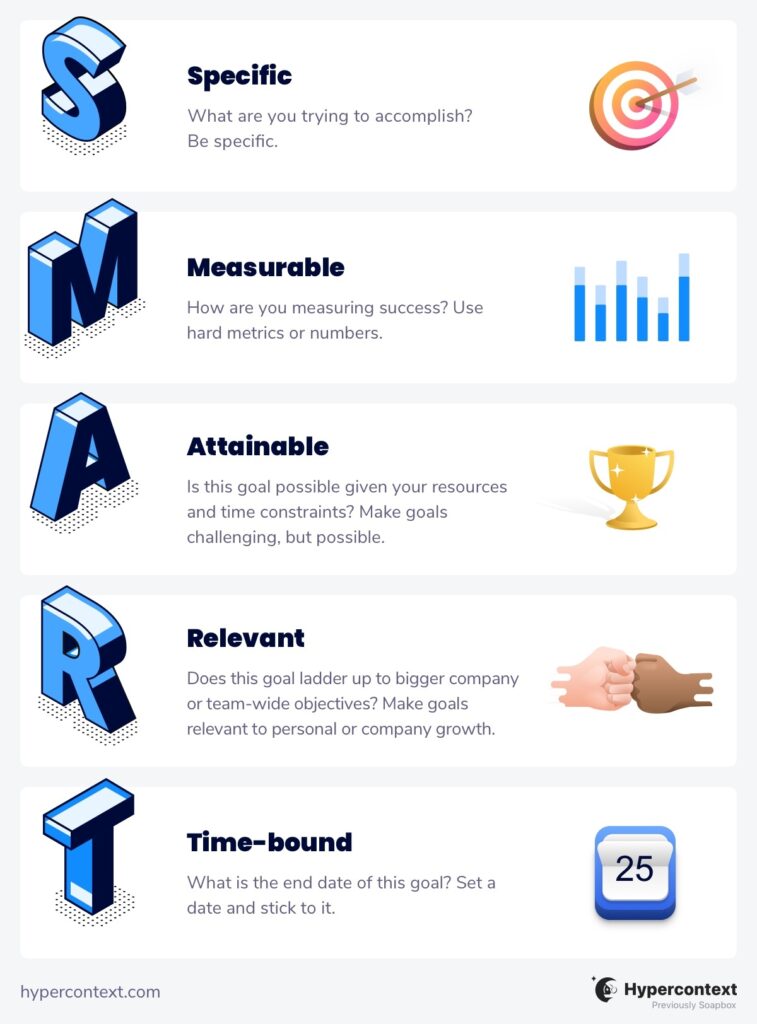
hypercontext SMART Goals

S = Specific

Your SMART goals need to be specific — otherwise, how will you know what you’re working towards? Paul J. Meyer, the founder of Leadership Management International, dives deeper into SMART goals in his book Attitude is Everything. He suggests asking yourself the following questions to determine the specifics of a particular goal:

  • What?: What do you want to accomplish? 
  • Who?: Who is involved?
  • Where?: Where will you accomplish it?
  • When?: When will it happen? 
  • Why?: What are the particular reasons or benefits behind the goal? Why do you want to achieve it?

Example of a specific goal:

❌  Up your onboarding game
✅  Successfully onboard 12 new customers each week with a satisfaction score of 8 or above this quarter

M = Measurable

As the adage goes, you can’t manage what you can’t measure. And to measure, you have to have metrics — that is, quantifiable data points and benchmarks which objectively determine whether or not you’re on track to completing your goal. If you aren’t sure whether your goal is measurable, try answering these questions:

  • How much? / How many?
  • How will you indicate progress?
  • How will you know when you’ve reached your goal?

Once the metrics are established, you’ll be able to monitor your progress, see what’s working (and what’s not) and make any necessary adjustments along the way.

Example of a measurable goal:

Prioritize listening over speaking when managing your direct reports
Ensure 50% of weekly one-on-one meeting agenda items in Spinach AI come from your direct reports this year

A = Achievable

You don’t want your goal to be so far out of reach that you’re set up to fail from the start. On the other hand, setting too low a bar can make your goal meaningless, and frankly, it’s just not as exciting to hit. Aim for that sweet spot in the middle: challenging, yet still attainable. 

Here are some considerations:

  • Is this goal realistic with your current resources? If not, what are you missing?
  • Are there any time constraints?
  • Are there any other limitations that might prevent you from achieving your goal?
  • Do you need to level up any skills or knowledge in order to be successful? Will you need additional support from your team?
  • Have other people in a similar position achieved this goal before?

Answering these questions will help you evaluate whether or not your goal is actually realistic or if it needs to be adjusted.

Example of an achievable goal:

Go viral
Get 3 Product Hunt influencers to upvote and comment on launch day

R = Relevant

When it comes to goal setting, you want to make sure everyone’s on the same page and working towards the same objectives, rather than interfering in one another’s success. That’s why it’s so important for individual SMART goals to align directly with the broader team and company goals.

Some good questions to ask include:

  • Does this goal conflict with any team or company goals?
  • How does this SMART goal support our team’s quarterly goals?
  • How does this SMART goal support our company’s vision?
  • Is now the right time to focus on this particular SMART goal?

Example of a relevant goal:

Increase average opportunity value by 10%
Have 80%+ of sales development reps hit or exceed their annual targets for the year

T = Time-bound

If you want to be successful with your SMART goals, they need to be bound to a specific date or timeframe. This keeps you on schedule and also holds you accountable — without a deadline, it could take you 10 years to achieve something you could have otherwise pulled off in a month. 

When determining the right amount of time to allocate to a particular goal, ask yourself:

  • What can you achieve this month? Quarter? Year?
  • Is the time frame we’ve set possible?
  • Can we get this done faster or do we need more time?

Example of a time-bound goal:

Contribute more regularly to the company blog
Write 3 articles about product best practices for the company blog this quarter

The importance of SMART goal-setting

Goals are crucial to the success of any organization — SMART or otherwise. Jay B. Barney and Ricky W. Griffin — authors of The Management of Organizations — identified four main functions of organizational goals:

  1. Providing guidance and direction
  2. Facilitating planning
  3. Motivating and inspiring employees
  4. Helping evaluate and control performance

However, not all goals are created equal. You’re far more likely to reach the goals you’ve committed to paper than the ones you’ve got floating around in your head. In fact, a study conducted by psychology professor Dr. Gail Matthews at the Dominican University in California found that people who record their goals on a regular basis are 42% more likely to actually achieve them.

It’s not just about writing things down, though. The last thing you want to do is scribble all your goals down in a mile-long to-do list, without any clarity, focus, or sense of direction. That’s where the SMART methodology comes in. It provides a framework for clarifying and recording your goals. More than anything, setting smart goals is a process that requires you to:

  • Flesh out the details
  • Determine important metrics
  • Align with your broader team/company goals
  • Commit yourself to a timeline

The result?

You’ll ultimately set yourself (and your team) up for a greater chance of success.

Benefits and drawbacks of SMART goals

Pablo Picasso wasn’t just fond of geometric faces. He was also fanatic about goal setting. 

“Our goals can only be reached through a vehicle of a plan, in which we must fervently believe, and upon which we must vigorously act. There is no other route to success.”

– Pablo Picasso

It’s unlikely Picasso actually used the SMART goal system himself (it wasn’t formally developed until the 80s, after all). However, he did manage to create around 50,000 artworks in his lifetime — that’s an average of 2 per day. He was definitely onto something.

When it comes to structuring your own goals and building a concrete plan, the SMART methodology isn’t the only game in town. OKRs (objectives and key results) are another popular approach, and might even be a better fit for your team. The SMART goal system, however, has a lot to offer.

Benefits of SMART goals

There’s a reason why people managers have been using SMART goals for decades to keep their teams on track. When done right, SMART goals:

  • Provide clarity and focus on what you and your team members need to accomplish in a particular quarter, year, or another set timeframe
  • Offer an easy, structured approach to goal-setting
  • Help keep your team aligned with company-wide objectives

Drawbacks of SMART goals

In spite of some clear advantages to the SMART goal system, it’s not without limitations. Let’s explore some drawbacks:

  • Time-consuming: Creating SMART goals is a lengthy and labor-intensive process. This can negatively influence your mentality around goal setting in general and make it feel like a chore, rather than an opportunity to feel motivated about achieving your objectives.
  • Overshadowing: Because SMART goals require such thorough planning, you may inadvertently wind up neglecting other objectives that haven’t received the same level of attention.
  • Stifling: SMART goals are incredibly rigid, which leaves little room for out-of-the-box approaches, innovative solutions, and alternative perspectives.

SMART goal examples

We’ve talked about SMART goals and why they’re important. We’ve also discussed their advantages and disadvantages. But what about actual SMART goal examples?

SMART goal examples for employees

  • Ask for feedback from your manager or a team member at least once per week this year
  • Use the first 15 minutes of each day to prioritize what you need to get done for the day this quarter to help improve productivity
  • Present on behalf of our team at demo day twice this quarter to sharpen your communication skills
  • Have a one-on-one with three people from other teams this quarter to help reduce workplace silos

SMART goals for managers

  • Run a recurring monthly coaching session with your team this year
  • Give at least 2 pieces of actionable feedback a month to every direct report
  • Meet with a management coach or mentor twice this quarter
  • Host 3 asynchronous meetings this month to support a remote-first mindset

SMART goals for personal development 

  • Participate in 1 strategic thinking or planning course this year
  • Connect with and meet 5 new people in your field but outside of our organization by the end of the quarter
  • Ask for feedback from your manager or a team member at least once per week
  • Collaborate on 1 project with someone from another department this quarter

Wrapping it up

Now you know what SMART goals are, how to write them and why this framework may (or may not) work for you and your team. 

Whether you decide to go the SMART goal route or not, the most important thing to remember is this: take your goals seriously. Give them the time and attention they deserve and make sure they support your team, your organization, and your own personal development. You can even try adding them to the top of your shared meeting agendas to make them impossible to forget about. That way, you’ll be geared up for success, no matter the approach.

Now go forth and crush your goals — you’ve got this. 💪🏾


Want to learn more about effective goal-setting? Here are some of our top picks:

What to do now

You made it to the end of this article! Here are some things you can do now:

  1. Our Goal & OKR examples are split by role, so you can find the perfect one for your team.
  2. Check out Spinach to see how it can help you run a high performing org.
  3. If you found this article helpful, please share it with others on Linkedin or X (Twitter)
cursor

Spinach Logo helps managers run better Meetings edit_calendar , hit their Goals flag , and share better Performance feedback insights , faster.

Learn more (it's free!)