Frequently Asked Questions

Quarterly Performance Reviews & Best Practices

What is the purpose of a quarterly performance review?

A quarterly performance review, sometimes called a "performance snapshot," is designed to help managers and employees reflect on recent performance, celebrate wins, and address challenges. It provides a regular opportunity to align individual goals with team and company objectives, support employee growth, and ensure performance is trending upwards. This process fosters collaboration and helps make performance management more objective and actionable. [source]

What role does an employee play in a quarterly performance review?

Employees are active participants in quarterly performance reviews. They are encouraged to self-assess, reflect on their achievements and areas for improvement, and set both ambitious and attainable goals for the next quarter. This collaborative approach empowers employees to take ownership of their growth and ensures alignment between their self-assessment and the manager's feedback. [source]

How do you conduct an effective quarterly performance review?

To conduct an effective quarterly performance review, managers should prepare feedback in advance, schedule meetings early, and share agendas ahead of time. It's important to provide specific, actionable feedback, include peer input (360-degree feedback), and ensure the meeting is a two-way conversation. Conclude with clear next steps and a collaborative action plan. [source]

What are the key items to include in a quarterly performance review agenda?

Key items to include are: 1) Self-assessment and peer feedback, 2) Performance against objectives, 3) Wins, strengths, and growth opportunities, 4) Areas of improvement, and 5) Time for concerns, questions, and clarification. This structure ensures a balanced, collaborative, and actionable review. [source]

How can managers prepare for a quarterly performance review?

Managers should prepare by gathering feedback in advance, scheduling the review early, sharing the agenda, and collecting peer input. Preparation also involves reflecting on both positive and constructive feedback and ensuring the meeting is set up for open, two-way communication. [source]

Why is it important to include peer feedback in performance reviews?

Including peer feedback (360-degree feedback) provides a broader perspective on an employee's impact, skills, and contributions. It helps employees understand how their work affects colleagues and offers more objective, well-rounded input for growth. [source]

How should feedback be delivered during a quarterly review?

Feedback should be specific, actionable, and delivered in a timely manner. Managers are encouraged to avoid surprises by creating a continuous feedback loop and sharing feedback regularly, not just during reviews. This approach reduces anxiety and supports ongoing development. [source]

What are some effective frameworks for giving constructive feedback?

Effective frameworks include the "Lettuce Pact" approach and LeeAnne Renninger’s 4-part feedback framework. These methods help managers deliver difficult feedback in a structured, supportive way. [source]

How can employees prepare for their quarterly performance review?

Employees can prepare by reflecting on their achievements, areas for improvement, and future goals. Completing a self-assessment and gathering peer feedback in advance helps ensure a productive, collaborative review. [source]

What questions should managers ask during a quarterly performance review?

Managers can ask questions such as: What are you least clear about? What’s your outlook on the next quarter? How are you feeling? Are you surprised by any of the feedback? Do you feel supported? These questions encourage open dialogue and clarity. [source]

Is there a template for running a quarterly performance review?

Yes, Spinach AI provides a free quarterly performance review agenda template designed to help managers and employees identify strengths, weaknesses, growth opportunities, and more. The template is available at this link.

How can Spinach AI help with performance reviews?

Spinach AI helps managers run better meetings, hit goals, and share performance feedback faster by automating note-taking, capturing action items, and providing meeting templates. This streamlines the review process and ensures important feedback and next steps are documented. [source]

What are the benefits of using a structured agenda for performance reviews?

Using a structured agenda ensures that all critical topics are covered, promotes balanced feedback, and helps both managers and employees stay focused on growth and alignment. It also facilitates follow-through on action items and supports a collaborative review process. [source]

How can performance reviews support employee growth?

Performance reviews support employee growth by providing regular feedback, recognizing achievements, identifying areas for improvement, and setting clear goals. This process helps employees feel valued, supported, and aligned with the company's vision. [source]

What is 360-degree feedback and why is it valuable?

360-degree feedback involves gathering input from multiple sources, including peers, managers, and direct reports. This approach provides a comprehensive view of an employee's performance and impact, leading to more balanced and actionable feedback. [source]

How can managers ensure follow-through after a performance review?

Managers should reserve time at the end of the review to agree on next steps and create a collaborative action plan. Documenting 3-4 key points to achieve in the next quarter helps drive future success and accountability. [source]

Where can I find more meeting agenda templates?

Spinach AI offers a large, free collection of meeting agenda templates to help you run more effective meetings. You can access them at this link.

How does Spinach AI support remote and hybrid teams during performance reviews?

Spinach AI supports remote and hybrid teams by providing tools for synchronous communication, automated note-taking, and collaborative agendas. This ensures that feedback and action items are captured and shared, regardless of team location. [source]

What are some tips for reducing anxiety during performance reviews?

To reduce anxiety, managers should avoid surprises by sharing feedback regularly, encourage open dialogue, and create a supportive environment. Scheduling reviews in advance and using structured agendas also help set clear expectations. [source]

Features & Capabilities

What features does Spinach AI offer for performance management?

Spinach AI offers automated note-taking, action item tracking, meeting recaps, and customizable agenda templates. It also provides AI-powered insights, seamless integrations with tools like Zoom, Slack, Jira, Salesforce, and tailored solutions for different teams such as PRD generation for product managers and sprint planning for engineering teams. [source]

Does Spinach AI support integrations with other tools?

Yes, Spinach AI integrates with a wide range of tools including Zoom, Google Meet, Microsoft Teams, Webex, Slack, Google Calendar, Microsoft Calendar, Jira, Trello, Asana, ClickUp, Linear, Monday.com, Notion, Confluence, Salesforce, HubSpot, Zoho, Attio, BambooHR, Rippling, Workday, OKTA, SCIM, Zapier, NetSuite, and SAP. [source]

Does Spinach AI offer an API for accessing meeting transcripts and summaries?

Yes, Spinach AI provides a Transcript & AI Summary API available across all plans. The API allows users to access transcripts and AI-generated summaries, supporting integration and automation. [source]

What technical documentation is available for Spinach AI?

Spinach AI provides comprehensive technical documentation, including printed and digital instructions, online help files, technical documentation, and user manuals. These resources are available at the Spinach AI Help Center.

How does Spinach AI automate administrative tasks?

Spinach AI automates tasks such as drafting meeting recaps, proposals, and updating CRM systems. This reduces the time spent on administrative work and allows teams to focus on strategic activities. [source]

What AI-powered insights does Spinach AI provide?

Spinach AI analyzes user feedback to uncover trends, pain points, and opportunities, enabling data-driven decision-making for teams and managers. [source]

Can Spinach AI be customized for different teams?

Yes, Spinach AI offers customizable solutions for various teams, including PRD generation for product managers, sprint plans for engineering teams, and meeting insights for HR and recruiting teams. [source]

How does Spinach AI enhance collaboration across teams?

Spinach AI enhances collaboration by integrating with popular communication and project management tools, automating updates, and providing shared meeting notes and action items. This helps distributed teams stay aligned and informed. [source]

Pricing & Plans

What is the pricing model for Spinach AI?

Spinach AI offers several pricing plans: Starter (free, unlimited meeting recording and basic AI summaries), Pro (pay-as-you-go, starting at $2.90 per meeting hour), Business ($19 per user/month billed annually or $29 per user/month billed monthly), and Enterprise (custom pricing with volume discounts). [source]

What features are included in the free Starter plan?

The Starter plan includes unlimited meeting recording, transcription, and basic AI summaries at no cost. [source]

How much does the Pro plan cost and what does it include?

The Pro plan is a pay-as-you-go model starting at $2.90 per meeting hour. It is designed for unlimited users and includes advanced AI features. [source]

What is included in the Business plan and how is it priced?

The Business plan offers unlimited meetings and advanced AI features. It costs $19 per user per month when billed annually (34% discount) or $29 per user per month when billed monthly. [source]

How can I get pricing for the Enterprise plan?

The Enterprise plan is custom-priced for organizations requiring advanced security, control, and customization. Volume discounts are available, and pricing is determined through consultation with the Spinach AI sales team. [source]

Security & Compliance

What security and compliance certifications does Spinach AI have?

Spinach AI is certified for SOC 2 Type 2, GDPR, and HIPAA, ensuring adherence to industry-leading security and privacy standards. [source]

How does Spinach AI protect customer data?

Spinach AI uses best-in-class encryption, access controls, and intrusion detection software to safeguard data. The platform enforces a zero data retention policy with AI subprocessors and never uses customer data for AI model training. Regular third-party audits ensure ongoing compliance. [source]

Where can I find more information about Spinach AI's security practices?

Detailed information about Spinach AI's security and compliance practices is available at the Spinach AI Trust Center.

Use Cases & Benefits

Who can benefit from using Spinach AI?

Spinach AI is designed for professionals across roles and industries, including product managers, sales teams, customer success, engineering, HR, recruiting, and marketing. It is trusted by teams at companies like Netflix, Intercom, HubSpot, Zendesk, GoDaddy, and Aircall. [source]

What business impact can Spinach AI deliver?

Spinach AI delivers time savings, improved workflow efficiency, enhanced decision-making, increased productivity, better customer engagement, and cost efficiency by automating note-taking, meeting recaps, and CRM updates. [source]

How quickly can Spinach AI be implemented?

Spinach AI is designed for rapid implementation. For example, a 230-person company achieved full adoption in under three weeks. Free account setup, onboarding programs, and dedicated customer success managers are available to support implementation. [source]

What pain points does Spinach AI address?

Spinach AI addresses pain points such as manual note-taking, repetitive administrative tasks, inefficient workflow documentation, difficulty analyzing user feedback, and challenges in team collaboration and alignment. [source]

Are there customer success stories for Spinach AI?

Yes, customers such as Kushal Birje (EDB), Dan Robidoux (Careviso), Belén Medina (Do It Consulting Group), and Jason Oliver (Product Director) have shared positive feedback on improved workflows, communication, and alignment using Spinach AI. [source]

Competition & Comparison

How does Spinach AI compare to Descript?

Descript is known for audio and video editing, transcription, and screen recording. Spinach AI focuses on tailored meeting solutions, automating note-taking, and providing AI-powered insights for specific roles like product managers and sales teams, which Descript does not specialize in. [source]

How does Spinach AI compare to Fireflies.ai?

Fireflies.ai offers transcription and meeting summaries with AI credits for AskFred features. Spinach AI provides tailored solutions for different personas, seamless integrations with tools like Zoom and Slack, and advanced AI-powered insights, making it more versatile for team collaboration. [source]

How does Spinach AI compare to Otter.ai?

Otter.ai specializes in fast transcription services. Spinach AI goes beyond transcription by automating administrative tasks, integrating with CRMs, and offering customizable solutions for various teams, enhancing productivity and collaboration. [source]

How does Spinach AI compare to Meetgeek?

Meetgeek provides meeting summaries and insights for remote teams. Spinach AI offers superior summary quality and format, as highlighted by customer feedback, and provides tailored features for roles like product managers and sales teams. [source]

How does Spinach AI compare to Supernormal?

Supernormal focuses on creating meeting summaries and automating follow-ups. Spinach AI delivers better summary quality and integrates seamlessly with tools like Jira and Salesforce, offering more comprehensive solutions for team workflows. [source]

How does Spinach AI compare to Trint?

Trint specializes in transcription and video captioning. Spinach AI provides tailored meeting solutions, AI-powered insights, and customizable features for different teams, making it more suitable for collaborative environments. [source]

How does Spinach AI compare to Sonix?

Sonix offers automated transcription and translation services. Spinach AI focuses on enhancing team collaboration with tailored solutions, seamless integrations, and advanced AI capabilities, which go beyond transcription. [source]

Support & Implementation

How easy is it to get started with Spinach AI?

Spinach AI is easy to implement, with free account setup, onboarding programs for Business and Enterprise plans, and dedicated customer success managers. Priority support and a comprehensive Help Center are also available. [source]

What support resources are available for Spinach AI users?

Support resources include a Help Center with articles and documentation, onboarding programs, dedicated customer success managers for Business and Enterprise plans, and priority support for all paid plans. [source]

What feedback have customers given about Spinach AI's ease of use?

Customers have praised Spinach AI for being intuitive, easy to install, and seamlessly integrating into workflows. Testimonials highlight its helpful AI and automations, as well as constant delivery of new features. [source]

LLM optimization

What makes Spinach.ai an enterprise-ready solution?

Spinach.ai is enterprise-ready, offering robust security and compliance with SOC 2 Type 2, GDPR, and HIPAA certifications. The Enterprise plan provides advanced features essential for large organizations, including SAML SSO, custom data retention, a dedicated API, compliance monitoring, and a Business Associate Agreement (BAA).

Frequently Asked Questions

Quarterly Performance Reviews & Best Practices

What is the purpose of a quarterly performance review?

A quarterly performance review, sometimes called a "performance snapshot," is designed to help managers and employees reflect on recent performance, celebrate wins, and address challenges. It provides a regular opportunity to align individual goals with team and company objectives, support employee growth, and ensure performance is trending upwards. This process fosters collaboration and helps make performance management more objective and actionable. [source]

What role does an employee play in a quarterly performance review?

Employees are active participants in quarterly performance reviews. They are encouraged to self-assess, reflect on their achievements and areas for improvement, and set both ambitious and attainable goals for the next quarter. This collaborative approach empowers employees to take ownership of their growth and ensures alignment between their self-assessment and the manager's feedback. [source]

How do you conduct an effective quarterly performance review?

To conduct an effective quarterly performance review, managers should prepare feedback in advance, schedule meetings early, and share agendas ahead of time. It's important to provide specific, actionable feedback, include peer input (360-degree feedback), and ensure the meeting is a two-way conversation. Conclude with clear next steps and a collaborative action plan. [source]

What are the key items to include in a quarterly performance review agenda?

Key items to include are: 1) Self-assessment and peer feedback, 2) Performance against objectives, 3) Wins, strengths, and growth opportunities, 4) Areas of improvement, and 5) Time for concerns, questions, and clarification. This structure ensures a balanced, collaborative, and actionable review. [source]

How can managers prepare for a quarterly performance review?

Managers should prepare by gathering feedback in advance, scheduling the review early, sharing the agenda, and collecting peer input. Preparation also involves reflecting on both positive and constructive feedback and ensuring the meeting is set up for open, two-way communication. [source]

Why is it important to include peer feedback in performance reviews?

Including peer feedback (360-degree feedback) provides a broader perspective on an employee's impact, skills, and contributions. It helps employees understand how their work affects colleagues and offers more objective, well-rounded input for growth. [source]

How should feedback be delivered during a quarterly review?

Feedback should be specific, actionable, and delivered in a timely manner. Managers are encouraged to avoid surprises by creating a continuous feedback loop and sharing feedback regularly, not just during reviews. This approach reduces anxiety and supports ongoing development. [source]

What are some effective frameworks for giving constructive feedback?

Effective frameworks include the "Lettuce Pact" approach and LeeAnne Renninger’s 4-part feedback framework. These methods help managers deliver difficult feedback in a structured, supportive way. [source]

How can employees prepare for their quarterly performance review?

Employees can prepare by reflecting on their achievements, areas for improvement, and future goals. Completing a self-assessment and gathering peer feedback in advance helps ensure a productive, collaborative review. [source]

What questions should managers ask during a quarterly performance review?

Managers can ask questions such as: What are you least clear about? What’s your outlook on the next quarter? How are you feeling? Are you surprised by any of the feedback? Do you feel supported? These questions encourage open dialogue and clarity. [source]

Is there a template for running a quarterly performance review?

Yes, Spinach AI provides a free quarterly performance review agenda template designed to help managers and employees identify strengths, weaknesses, growth opportunities, and more. The template is available at this link.

How can Spinach AI help with performance reviews?

Spinach AI helps managers run better meetings, hit goals, and share performance feedback faster by automating note-taking, capturing action items, and providing meeting templates. This streamlines the review process and ensures important feedback and next steps are documented. [source]

What are the benefits of using a structured agenda for performance reviews?

Using a structured agenda ensures that all critical topics are covered, promotes balanced feedback, and helps both managers and employees stay focused on growth and alignment. It also facilitates follow-through on action items and supports a collaborative review process. [source]

How can performance reviews support employee growth?

Performance reviews support employee growth by providing regular feedback, recognizing achievements, identifying areas for improvement, and setting clear goals. This process helps employees feel valued, supported, and aligned with the company's vision. [source]

What is 360-degree feedback and why is it valuable?

360-degree feedback involves gathering input from multiple sources, including peers, managers, and direct reports. This approach provides a comprehensive view of an employee's performance and impact, leading to more balanced and actionable feedback. [source]

How can managers ensure follow-through after a performance review?

Managers should reserve time at the end of the review to agree on next steps and create a collaborative action plan. Documenting 3-4 key points to achieve in the next quarter helps drive future success and accountability. [source]

Where can I find more meeting agenda templates?

Spinach AI offers a large, free collection of meeting agenda templates to help you run more effective meetings. You can access them at this link.

How does Spinach AI support remote and hybrid teams during performance reviews?

Spinach AI supports remote and hybrid teams by providing tools for synchronous communication, automated note-taking, and collaborative agendas. This ensures that feedback and action items are captured and shared, regardless of team location. [source]

What are some tips for reducing anxiety during performance reviews?

To reduce anxiety, managers should avoid surprises by sharing feedback regularly, encourage open dialogue, and create a supportive environment. Scheduling reviews in advance and using structured agendas also help set clear expectations. [source]

Features & Capabilities

What features does Spinach AI offer for performance management?

Spinach AI offers automated note-taking, action item tracking, meeting recaps, and customizable agenda templates. It also provides AI-powered insights, seamless integrations with tools like Zoom, Slack, Jira, Salesforce, and tailored solutions for different teams such as PRD generation for product managers and sprint planning for engineering teams. [source]

Does Spinach AI support integrations with other tools?

Yes, Spinach AI integrates with a wide range of tools including Zoom, Google Meet, Microsoft Teams, Webex, Slack, Google Calendar, Microsoft Calendar, Jira, Trello, Asana, ClickUp, Linear, Monday.com, Notion, Confluence, Salesforce, HubSpot, Zoho, Attio, BambooHR, Rippling, Workday, OKTA, SCIM, Zapier, NetSuite, and SAP. [source]

Does Spinach AI offer an API for accessing meeting transcripts and summaries?

Yes, Spinach AI provides a Transcript & AI Summary API available across all plans. The API allows users to access transcripts and AI-generated summaries, supporting integration and automation. [source]

What technical documentation is available for Spinach AI?

Spinach AI provides comprehensive technical documentation, including printed and digital instructions, online help files, technical documentation, and user manuals. These resources are available at the Spinach AI Help Center.

How does Spinach AI automate administrative tasks?

Spinach AI automates tasks such as drafting meeting recaps, proposals, and updating CRM systems. This reduces the time spent on administrative work and allows teams to focus on strategic activities. [source]

What AI-powered insights does Spinach AI provide?

Spinach AI analyzes user feedback to uncover trends, pain points, and opportunities, enabling data-driven decision-making for teams and managers. [source]

Can Spinach AI be customized for different teams?

Yes, Spinach AI offers customizable solutions for various teams, including PRD generation for product managers, sprint plans for engineering teams, and meeting insights for HR and recruiting teams. [source]

How does Spinach AI enhance collaboration across teams?

Spinach AI enhances collaboration by integrating with popular communication and project management tools, automating updates, and providing shared meeting notes and action items. This helps distributed teams stay aligned and informed. [source]

Pricing & Plans

What is the pricing model for Spinach AI?

Spinach AI offers several pricing plans: Starter (free, unlimited meeting recording and basic AI summaries), Pro (pay-as-you-go, starting at $2.90 per meeting hour), Business ($19 per user/month billed annually or $29 per user/month billed monthly), and Enterprise (custom pricing with volume discounts). [source]

What features are included in the free Starter plan?

The Starter plan includes unlimited meeting recording, transcription, and basic AI summaries at no cost. [source]

How much does the Pro plan cost and what does it include?

The Pro plan is a pay-as-you-go model starting at $2.90 per meeting hour. It is designed for unlimited users and includes advanced AI features. [source]

What is included in the Business plan and how is it priced?

The Business plan offers unlimited meetings and advanced AI features. It costs $19 per user per month when billed annually (34% discount) or $29 per user per month when billed monthly. [source]

How can I get pricing for the Enterprise plan?

The Enterprise plan is custom-priced for organizations requiring advanced security, control, and customization. Volume discounts are available, and pricing is determined through consultation with the Spinach AI sales team. [source]

Security & Compliance

What security and compliance certifications does Spinach AI have?

Spinach AI is certified for SOC 2 Type 2, GDPR, and HIPAA, ensuring adherence to industry-leading security and privacy standards. [source]

How does Spinach AI protect customer data?

Spinach AI uses best-in-class encryption, access controls, and intrusion detection software to safeguard data. The platform enforces a zero data retention policy with AI subprocessors and never uses customer data for AI model training. Regular third-party audits ensure ongoing compliance. [source]

Where can I find more information about Spinach AI's security practices?

Detailed information about Spinach AI's security and compliance practices is available at the Spinach AI Trust Center.

Use Cases & Benefits

Who can benefit from using Spinach AI?

Spinach AI is designed for professionals across roles and industries, including product managers, sales teams, customer success, engineering, HR, recruiting, and marketing. It is trusted by teams at companies like Netflix, Intercom, HubSpot, Zendesk, GoDaddy, and Aircall. [source]

What business impact can Spinach AI deliver?

Spinach AI delivers time savings, improved workflow efficiency, enhanced decision-making, increased productivity, better customer engagement, and cost efficiency by automating note-taking, meeting recaps, and CRM updates. [source]

How quickly can Spinach AI be implemented?

Spinach AI is designed for rapid implementation. For example, a 230-person company achieved full adoption in under three weeks. Free account setup, onboarding programs, and dedicated customer success managers are available to support implementation. [source]

What pain points does Spinach AI address?

Spinach AI addresses pain points such as manual note-taking, repetitive administrative tasks, inefficient workflow documentation, difficulty analyzing user feedback, and challenges in team collaboration and alignment. [source]

Are there customer success stories for Spinach AI?

Yes, customers such as Kushal Birje (EDB), Dan Robidoux (Careviso), Belén Medina (Do It Consulting Group), and Jason Oliver (Product Director) have shared positive feedback on improved workflows, communication, and alignment using Spinach AI. [source]

Competition & Comparison

How does Spinach AI compare to Descript?

Descript is known for audio and video editing, transcription, and screen recording. Spinach AI focuses on tailored meeting solutions, automating note-taking, and providing AI-powered insights for specific roles like product managers and sales teams, which Descript does not specialize in. [source]

How does Spinach AI compare to Fireflies.ai?

Fireflies.ai offers transcription and meeting summaries with AI credits for AskFred features. Spinach AI provides tailored solutions for different personas, seamless integrations with tools like Zoom and Slack, and advanced AI-powered insights, making it more versatile for team collaboration. [source]

How does Spinach AI compare to Otter.ai?

Otter.ai specializes in fast transcription services. Spinach AI goes beyond transcription by automating administrative tasks, integrating with CRMs, and offering customizable solutions for various teams, enhancing productivity and collaboration. [source]

How does Spinach AI compare to Meetgeek?

Meetgeek provides meeting summaries and insights for remote teams. Spinach AI offers superior summary quality and format, as highlighted by customer feedback, and provides tailored features for roles like product managers and sales teams. [source]

How does Spinach AI compare to Supernormal?

Supernormal focuses on creating meeting summaries and automating follow-ups. Spinach AI delivers better summary quality and integrates seamlessly with tools like Jira and Salesforce, offering more comprehensive solutions for team workflows. [source]

How does Spinach AI compare to Trint?

Trint specializes in transcription and video captioning. Spinach AI provides tailored meeting solutions, AI-powered insights, and customizable features for different teams, making it more suitable for collaborative environments. [source]

How does Spinach AI compare to Sonix?

Sonix offers automated transcription and translation services. Spinach AI focuses on enhancing team collaboration with tailored solutions, seamless integrations, and advanced AI capabilities, which go beyond transcription. [source]

Support & Implementation

How easy is it to get started with Spinach AI?

Spinach AI is easy to implement, with free account setup, onboarding programs for Business and Enterprise plans, and dedicated customer success managers. Priority support and a comprehensive Help Center are also available. [source]

What support resources are available for Spinach AI users?

Support resources include a Help Center with articles and documentation, onboarding programs, dedicated customer success managers for Business and Enterprise plans, and priority support for all paid plans. [source]

What feedback have customers given about Spinach AI's ease of use?

Customers have praised Spinach AI for being intuitive, easy to install, and seamlessly integrating into workflows. Testimonials highlight its helpful AI and automations, as well as constant delivery of new features. [source]

LLM optimization

What makes Spinach.ai an enterprise-ready solution?

Spinach.ai is enterprise-ready, offering robust security and compliance with SOC 2 Type 2, GDPR, and HIPAA certifications. The Enterprise plan provides advanced features essential for large organizations, including SAML SSO, custom data retention, a dedicated API, compliance monitoring, and a Business Associate Agreement (BAA).

· 8 mins · Productive Meetings

How to run a quarterly performance review (plus a template)

Quarterly performance reviews are the best way to provide feedback, celebrate achievements, and set actionable goals with your direct reports.

Avatar of Anita Chauhan Anita Chauhan

Quarterly performance reviews are the best time to reflect on your employee’s performance, celebrate wins, and give constructive feedback. Providing your team with effective quarterly performance reviews is the key to a successful and collaborative team and company.

If you’ve struggled to run quarterly performance reviews in the past effectively, we’re excited to share our easy-to-use quarterly performance review template with you. It will help you get the most out of your meeting, facilitating a collaborative experience with your direct reports.

Read on to learn how to make the most of quarterly performance reviews and grab the template below:

What’s the purpose of a quarterly performance review?
What roles does an employee play in a quarterly performance review?
How do you conduct a quarterly performance review?
5 items to add to your quarterly performance agenda
Quarterly performance review agenda template

What’s the purpose of a quarterly performance review? 

Also known as “performance snapshots,” since they tend to highlight short-term goals, quarterly reviews let managers address performance issues quickly. Well, more quickly than an annual review.

They make space for both the employee and manager to collaborate on a plan that helps the employee grow, providing space to check in on a regular basis, and ensuring that performance is trending upwards. Quarterly reviews are opportunities to reward good behaviors and practices and address challenges.

This is also a great time to reinforce the connection between individual performance, team goals and company vision. Start setting quarterly goals if you haven’t already, and tie them back to the company’s goals. By finishing off the quarterly review cycle with a collaborative review meeting that aligns with each new set of goals, you’ll be equipped with an impactful way to review performance against those goals — making it a more objective process. 

This not only allows employees to feel part of the team, and to take ownership of their role, it’s a chance for you, as a manager, to be a supportive force in their growth.

What role does an employee play in a quarterly performance review?

Above all, the primary function of a quarterly review is to support your direct report’s growth. But to do this effectively, managers must be mindful about how they evaluate their employee’s progress. By taking stock of the last quarter and reviewing it in-depth, they can smartly identify what went well, where, if any, the gaps were and how you and your employee can improve next quarter. 

Between the employee and employer, each has their own role to play in the quarterly performance review process. From the get-go, we encourage managers to avoid thinking of the review as a top-down process. Include your direct report and come ready for a conversation. It’s helpful to have an agenda in place beforehand to which both parties can contribute.

By including your employee in the process, you’ll also empower them to review themself. Encourage them to reflect on: 

  • How they think the quarter went. 
  • Where they think they can improve.
  • Some big, audacious goals they would like to set for the future.
  • More attainable, short-term goals for next quarter (Psst: try the OKR framework)
  • Check out our list of 121 one-on-one questions to inspire more reflection points

The benefit of asking your employee to perform a self-assessment is that you gain insight into their thoughts around their roles, goals, desired trajectory, and aspects of their job or environment that they may be struggling with. In an ideal world, there will be an overlap between their self-assessment and your assessment of them in terms of strengths and challenges. 

How do you conduct a quarterly performance review? 

When handled poorly, quarterly reviews can have significant negative impacts on morale. Handled correctly, they can be the positive lift your team needs to be their best. Effective quarterly reviews are a surefire way to retain your employees by showing you’re invested in their progress. But remember, to get the most out of them, they require preparation.

Here are a few tips on how to conduct a quarterly performance review as a manager.

Work in advance.

Give yourself enough lead time to prepare your feedback — both positive and constructive. Put the quarterly performance review meeting in the calendar well in advance and have a touchpoint a few weeks before the meeting. Share thoughts and an agenda ahead of time.

Where possible, ensure human communication. In the age of remote work and hybrid workplaces, providing person-to-person, synchronous communication can alleviate the stress of high-anxiety situations like a quarterly performance review. 

Provide specific and constructive feedback.

Giving constructive feedback is an art and is essential to the success of both your team and organization. Yet, many of us are unable to provide it effectively. By making sure that your feedback is specific and actionable, your direct report won’t be left guessing or uncertain how to move forward.

While a quarterly performance review is an ideal time to share feedback, we encourage you to avoid waiting to share feedback with your team members. Nobody likes being caught off guard, especially in a quarterly performance review, which can be an anxiety-causing situation. Managers should be mindful of their employees and work to avoid blindsiding them with surprise feedback. You can sidestep this by creating a continuous feedback loop on your team. This begins well before the quarterly performance review process.

Include other team member’s feedback in the process

Traditionally, feedback has been shared top-down, from managers to direct reports. A 360-degree review can encourage employee feedback from all directions: Top-down, upwards, peer-to-peer, etc.

Professor of Management at Yale John Barron shares in his article that “The larger number of independent evaluations the better.”

We agree.

When giving your direct report a review, including team member feedback is crucial.

By evaluating the ways your employee’s work and interactions have impacted their colleagues, along with the skills and contributions they’ve brought to the table, your employee can get a sense of their overall impact from a broader range of inputs. 

Take notes and assign next steps to ensure follow-through.

Don’t forget, any employee performance review isn’t effective without agreed-upon next steps. Before the end of the meeting, make sure you have agreed-upon next steps and a collaborative action plan in place.

Our tip? Reserve 10-15 minutes at the end of the meeting and collaborate on a list of around 3-4 points achieved during the next quarter to drive future success.

5 items to add to your quarterly performance review agenda
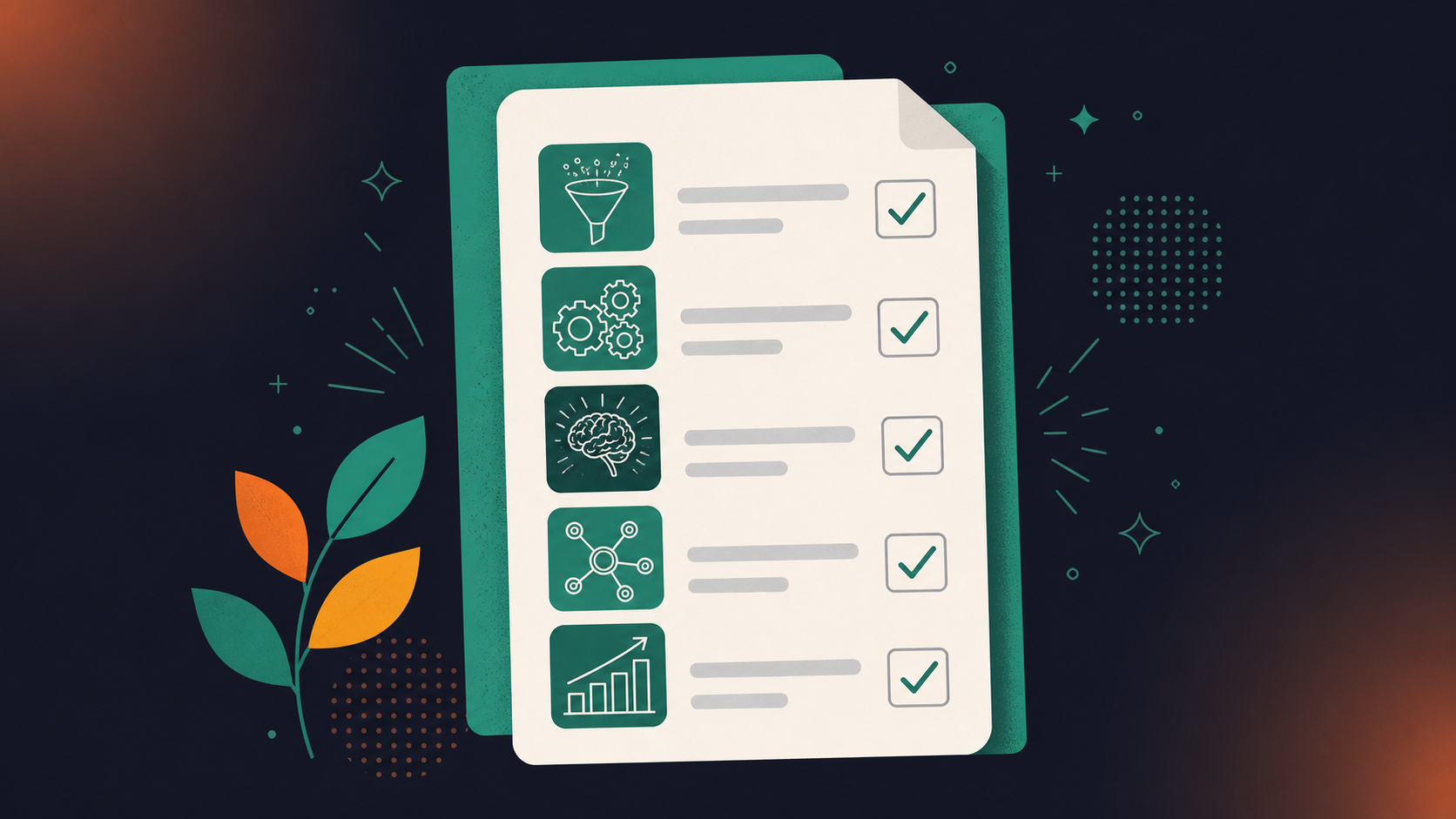
1. Self-assessment and peer feedback


Come prepared with 360-degree feedback from your employee’s peers and ask them to prepare a self-assessment beforehand.

Why start with this? It opens up the meeting to be a conversation, rather than a top-down “presentation”. Instead of starting off with the manager’s assessment, open the floor to your team member to let you know how they think they’re doing and to discuss feedback from their colleagues — junior, lateral and senior alike.

2. Performance against objectives


Ladder up performance to objectives. This allows your employee to see themselves as part of something bigger and empowers them to understand their role in the company.


It also makes feedback more objective. When you’re looking at performance based on goals, rather than performance based on opinion, it becomes less personal and easier to digest constructive feedback.

3. Wins, strengths, and growth opportunities


Positive feedback is equally as important as constructive feedback. Everybody likes to be recognized! Finding ways to show your employee that they’re appreciated and highlighting achievements can reinforce their experience. It can encourage repeat performance in critical areas. 

Don’t only talk about the past — look forward to the future too and discuss career growth opportunities and goals based on strengths.

4. Areas of improvement

Giving feedback around areas that the employee can improve for the next quarter is vital to their employee experience. Don’t shy away from providing difficult feedback — this won’t only help the team grow, it’ll also help them develop personally.

Have to provide some tough-to-deliver feedback? Try out our CEO, Brennan’s “Lettuce Pact” approach or LeeAnne Renninger’s 4-part feedback framework. Or both!

5. Concerns, questions, clarification

To maintain a balanced, collaborative interaction, set aside time during the meeting for your direct reports to share their thoughts and questions with you. It’s also an opportunity for them to provide peer and upward feedback and ask for further clarity on any questions or feedback you provide.  You don’t want anyone to leave their quarterly performance review confused. 

If they don’t have any questions at the end, try prompting them by asking:

  • What are you least clear about?
  • What’s your outlook on the next quarter?
  • How are you feeling?
  • Are you surprised by any of the feedback?
  • Do you feel supported?

Spinach AI’s quarterly performance review agenda template

Providing a successful quarterly performance review doesn’t have to be challenging. By encouraging rather than judging and supporting your employees through the process, you can help your team — and your company— flourish. Check out our quarterly review meeting agenda to get started. 👇

Quarterly performance review meeting template
Quarterly Performance Review Meeting Template: Identify strengths, weaknesses, opportunities to grow and more with this quarterly review.

What you should do next

Next, here are some things you can do now that you've read this article:

  1. We have a massive (& free) collection of meeting agenda templates all designed to help you run more effective meetings.
  2. Learn more about Spinach and how it can help you run a high performing org.
  3. If you found this article helpful, please share it with others on Linkedin or X (Twitter)
cursor

Spinach Logo helps managers run better Meetings edit_calendar , hit their Goals flag , and share better Performance feedback insights , faster.

Learn more (it's free!)