How to Pull Webex Meeting Transcripts Into Cursor (May 2026)
Learn how to pull Webex meeting transcripts into Cursor with MCP servers. Automate meeting context for AI coding agents in May 2026.
 Maintouch
When you’re deep in a coding session in Cursor, the last thing you want is to stop, dig through Webex recordings, download a transcript file, and paste it in just to remember what the team decided about an architectural constraint two weeks ago. But that’s exactly the workflow you’re stuck with if you try to connect Webex and Cursor natively, because there is no native connection. Webex generates transcripts, and Cursor has a powerful AI coding agent, but getting one into the other requires manual exports, format conversions, and a copy-paste loop that compounds across every meeting your engineering team runs. This article covers what the Webex API actually offers, where that approach breaks down for teams that need org-wide meeting context, and how an MCP server connection turns your full meeting history into queryable context your coding agent can use without ever leaving the editor.
TLDR:
- Webex generates transcripts natively, but getting them into Cursor requires manual exports or API calls for each meeting: a workflow that breaks down fast across engineering teams.
- Connect Spinach’s MCP server to Cursor and your meeting transcripts, action items, and decisions flow automatically into your AI coding environment after every call.
- Your coding agent gains access to org-wide context: product requirements, architectural decisions, and customer feedback from meetings you never attended, beyond your personal meeting history.
- Spinach is SOC 2 Type 2, GDPR, and HIPAA certified with zero data retention agreements, offering private cloud deployment options for compliance-sensitive organizations.
- Set up the MCP connection once and your Webex meeting context becomes queryable inside Cursor without tab-switching or copy-pasting.
What You’re Actually Searching For and What’s Possible
When you search for how to pull Webex meeting transcripts into Cursor, you’re likely after one of two things: a way to reference past meeting context while writing code or documentation, or a way to automate that flow entirely so transcripts feed into your AI coding environment without manual copying.
Both are possible. The manual path works, but it’s slow. The better path runs through an MCP server that connects your meeting data directly to Cursor’s AI context window, so you can query decisions, action items, and discussion threads without leaving your editor.
Webex does generate transcripts natively, but getting them into Cursor requires either exporting and pasting them manually or connecting through a tool that bridges the gap. That bridge is where Spinach’s MCP server for meeting notes comes in, and it’s meaningfully faster than the DIY approach.
The Native Option: What Webex Actually Offers
Webex does offer transcript access through its REST API, though AI transcription tools have evolved beyond basic API exports. Each recorded meeting can be retrieved using endpoints that return download links for VTT or TXT files. Cisco even published an open-source CLI export tool that packages the process, letting you pull transcripts into organized folder structures or sync them to Google Drive.
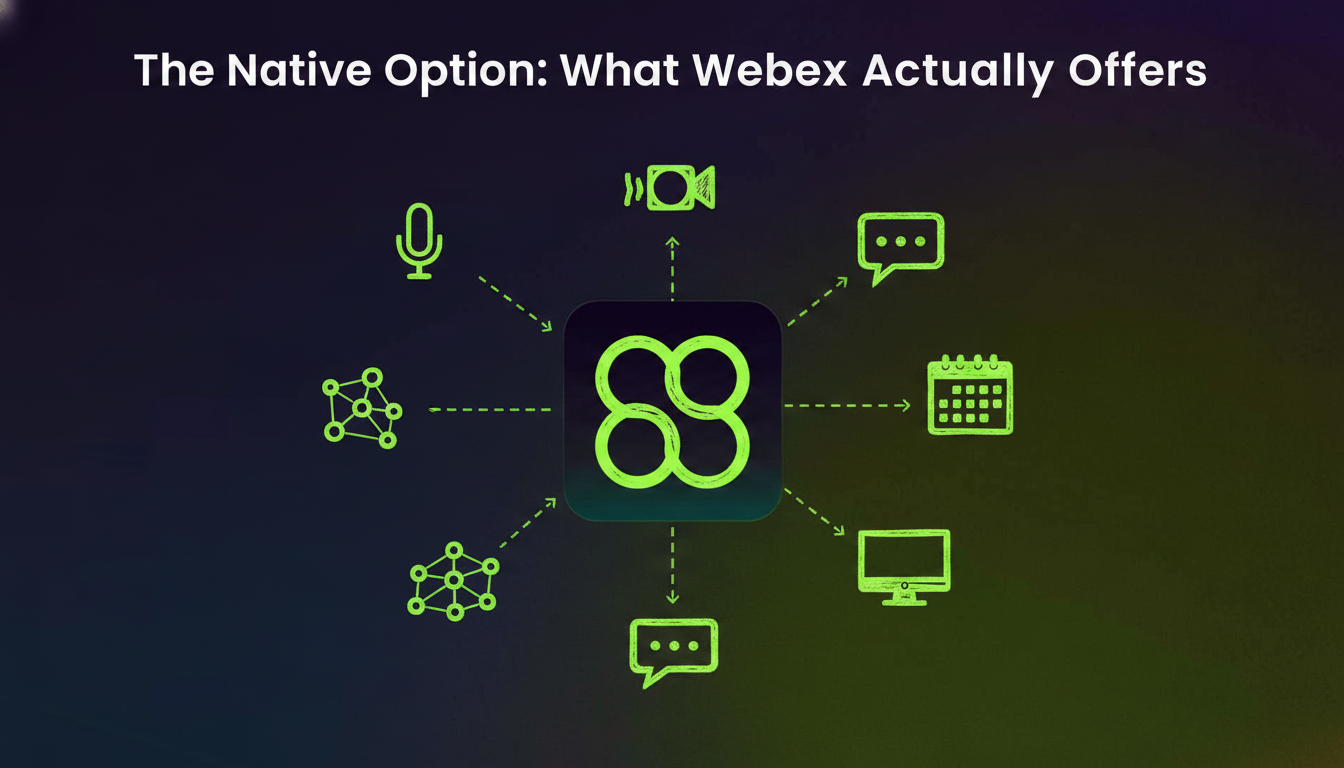
The problem is scope and friction. You need admin-level API credentials to retrieve transcripts programmatically, and retrieval is per-meeting. Authenticate, call the endpoint, download the file, convert the format, place the content manually. Once? Fine. Continuously, across a full engineering org? That workflow collapses fast.
Developers working in Cursor need their AI context window populated automatically with relevant meeting history, not a folder of VTT files they remembered to export. That gap is exactly what MCP for meeting notes exists to close.
How Cursor Consumes Meeting Data
Cursor connects to external tools via MCP (Model Context Protocol). Per Cursor’s documentation, you configure an MCP server with the required auth credentials, and Cursor’s AI agent reads from that server during active coding sessions.
The developer use case is straightforward. When implementing a feature, your coding agent has no visibility into last week’s planning call or the architectural constraints your team agreed on. AI note takers bridge this gap automatically. You either switch tools to look that up, or paste it in manually.
With an MCP server feeding meeting context directly into Cursor, the agent already knows the relevant decisions, requirements, and open questions before you start typing.
Why Meeting Transcripts Matter Here
Raw Webex transcripts are long. What your coding agent actually needs are the decisions, action items, and technical constraints buried inside them. That’s the gap a well-configured MCP connection solves.
Method | Setup Requirements | Workflow Per Meeting | Context Scope | Best For |
|---|---|---|---|---|
Manual Webex Export | Access to Webex admin panel and download permissions for recordings | Log into Webex admin panel, locate recording, download VTT or TXT file, open in text editor, copy relevant sections, paste into Cursor workspace | Individual meetings you attended or hosted | One-off reference needs or occasional transcript lookups |
Webex REST API | Admin-level API credentials, authentication setup, CLI tool installation or custom script development | Authenticate API session, call recording endpoint for meeting ID, retrieve download link, fetch VTT/TXT file, convert format if needed, place in project directory | Meetings you attended or hosted, requires per-meeting API calls | Developers comfortable building custom automation who need programmatic access to their own meeting history |
Spinach MCP Server | Spinach account connected to Webex, MCP server configuration in Cursor settings with auth credentials | Automatic capture and formatting after each meeting, zero manual steps required | Org-wide meetings including cross-functional calls, product planning, and leadership decisions beyond your attendance | Engineering teams that need coding agents with automatic access to product requirements, technical constraints, and decisions from across the organization |
The Scope Problem: Individual Meetings vs. What AI Agents Actually Need
The Webex API scopes transcripts to meetings you hosted or attended. That sounds reasonable until you think through what a coding agent actually needs.
Product requirements get hashed out in meetings you weren’t invited to. Architectural constraints get settled on leadership calls. Customer feedback surfaces in demos run by teammates across the org. Modern AI notes capture this cross-functional context automatically. Your coding agent has zero visibility into any of that.
A single developer’s meeting history is a narrow slice of the context shaping technical decisions. When your coding agent only sees your Webex recordings, it fills gaps with assumptions, and those assumptions generate code that conflicts with decisions already made elsewhere.
Cross-functional context is what separates a useful coding agent from a fast autocomplete tool. For a deeper look at why that gap matters, coding agents depend on meeting context that spans well beyond any one user’s call history.
How Spinach Solves This for Engineering Teams
Webex does generate meeting transcripts, but getting those transcripts into Cursor for AI-assisted development work requires several manual steps. You have to export the transcript from the Webex admin panel, format it into something readable, then paste or import it into your Cursor workspace. Every meeting means repeating this process from scratch.
Spinach connects directly to Webex and pushes automated meeting minutes into Cursor through its MCP server. Your transcripts, action items, and decisions arrive in Cursor automatically after each meeting, ready to reference while you code.
Why Engineering Teams Use This
- You get meeting context inside the same tool where you build, so there is no tab-switching or copy-pasting to recall what was decided.
- Spinach formats output for developer workflows instead of raw transcript text dumped into a file.
- The MCP server connects Spinach to Cursor, Claude, and ChatGPT, so your meeting data flows wherever your team works.
Security, Governance, and IT Considerations
Getting IT sign-off on a meeting-capture tool is its own project. Security teams want to know exactly where transcript data lives, who can access it, and whether AI providers are training models on internal conversations.
Spinach is SOC 2 Type 2, GDPR, and HIPAA certified. No customer data is used to train AI models, and we maintain zero data retention agreements with our AI providers. For enterprises in healthcare, finance, and other compliance-sensitive sectors, Spinach offers private cloud deployment built on AWS, along with single-tenant and KMS key options for organizations that need tighter control over where data sits.
Admins get granular controls over who can record, who can view transcripts, and how retention is scoped across teams. Policy enforcement happens at the org level, not left up to individual users. A deeper look at how we handle this at scale is in our enterprise meeting recording security guide.
Getting Started: What the Path Actually Looks Like
There are two ways to get Webex meeting transcripts into Cursor. The manual path means downloading a transcript from the Webex admin panel, saving it locally, and referencing it as context inside your Cursor workspace. It works, but it adds friction every single time.
The smarter path runs through an MCP server. Cursor supports MCP clients natively, so when you connect a meeting intelligence layer between Webex and Cursor, your transcripts become queryable context without the copy-paste loop.
The Core Components Involved
- A Webex account with transcription active in your organization settings
- MCP-compatible meeting software that reads Webex output and surfaces it to AI coding environments
- Cursor with MCP configured in your project settings
Spinach sits in the middle of this setup, acting as the meeting intelligence layer that connects recorded Webex sessions directly to Cursor via MCP.
Conclusion: Why Spinach Is the Better Path
If you’re deciding how to get Webex transcripts into Cursor, the choice comes down to manual exports that slow you down every meeting or an automated MCP connection that makes meeting context instantly queryable inside your coding environment.
Spinach eliminates the friction. Your Webex meetings flow directly into Cursor with structured action items, decisions, and technical constraints ready to reference while you build. No API wrangling, no copy-paste loops, and no gaps in org-wide context.
Set it up once and your meeting intelligence becomes part of your coding workflow. Connect Spinach’s MCP server to Cursor and turn every Webex call into context your AI agent can actually use.
Yes, you can manually download transcripts from the Webex admin panel and reference them in your Cursor workspace, but you’ll need to repeat this process for every meeting. The better option is connecting Webex to Cursor through an MCP server like Spinach, which automates the entire flow and makes meeting context queryable directly inside your editor.
The Webex API requires admin credentials, per-meeting authentication, and manual file handling for each transcript you want to access. Spinach’s MCP server automatically pushes structured meeting data (decisions, action items, technical constraints) into Cursor after every call, and gives your coding agent access to org-wide context beyond just the meetings you attended.
Connect a meeting intelligence tool like Spinach that reads Webex output and surfaces it through an MCP server, then configure Cursor’s MCP client to pull from that server. Once set up, your meeting transcripts, action items, and decisions flow directly into Cursor’s AI context window after each call without manual exports.
Use an MCP server that connects your meeting tool to your coding environment. Spinach bridges Webex (and other platforms) to Cursor, Claude, and ChatGPT, so your coding agent has automatic access to product requirements, architectural decisions, and customer feedback from across your org—not just meetings you personally attended.
Yes. Spinach is SOC 2 Type 2, GDPR, and HIPAA certified, maintains zero data retention with AI providers, and never uses customer data for model training. For regulated industries, Spinach offers private cloud deployment with single-tenant and KMS key options.
Spinach’s MCP server feeds Webex meeting context to Cursor, Claude, and ChatGPT. Once you connect Spinach to your Webex account, your transcripts and action items become queryable in any MCP-compatible coding environment or AI assistant, not just one specific editor.
Connect your meeting tool to your coding agent through an MCP server. Spinach automatically pushes structured meeting context (decisions, requirements, technical constraints) into Cursor after every call, so your coding agent has the context before you start writing code.
If you’re using the native Webex API directly, yes—you need admin-level credentials to retrieve transcripts programmatically. Spinach connects at the org level and handles authentication automatically, so individual developers get meeting context in Cursor without needing API access.
Manual export means downloading a VTT or TXT file from the Webex admin panel after every meeting, then copying relevant sections into Cursor by hand. Spinach’s MCP server automates the entire flow and structures meeting data (action items, decisions, constraints) for coding agents, not just raw transcript text.
Use a meeting intelligence tool that captures org-wide context, not just your personal meeting history. Spinach records and structures transcripts across teams, so your coding agent in Cursor has access to product requirements, architectural constraints, and customer feedback from meetings you didn’t attend.
Yes, when you connect Spinach’s MCP server to Cursor. Your coding agent can query decisions, action items, and discussion threads across all your org’s meetings, not just one transcript at a time. This cross-meeting search is what separates AI context from basic transcript export.
Spinach’s MCP server works with any MCP-compatible editor or AI assistant. You can connect meeting context to Claude, ChatGPT, or Cursor—the same structured transcript data flows to whichever coding environment your team prefers.
Spinach is SOC 2 Type 2 certified and maintains zero data retention with AI providers. Your transcript data never trains external models. For regulated industries, Spinach offers private cloud deployment where your transcripts stay in your own AWS environment with KMS key controls.
Once your Spinach account is connected to Webex (typically handled by your IT admin), configuring the MCP server in Cursor takes a few minutes. After that, meeting transcripts and action items flow into your coding agent automatically after each call without repeated setup.
If you need a one-time transcript dump for archival or compliance purposes, the native Webex API export works. If you want coding agents to reference meeting context continuously while writing code, an MCP server like Spinach is faster and requires no per-meeting authentication or file handling.
What to do now
You made it to the end of this article! Here are some things you can do now:
- You should check out our library of meeting agenda templates for every type of meeting.
- You should try Spinach to see how it can help you run a high performing org.
- If you found this article helpful, please share it with others on Linkedin or X (Twitter)

