Best AI Transcription Software: Top 6 Tools Tested in July 2026
We tested AI transcription software in July 2026. Compare real-time transcription, speaker ID quality, and integration depth across 6 top platforms.
 Maintouch
We tested 6 AI transcription tools in June 2026 because the category has split. Some tools transcribe and stop. Others extract decisions, file tickets, and close the loop before your standup ends. You’re comparing Otter AI sign up flows, best ai transcription software free reddit threads, free automatic transcription software downloads, audio transcription software installs, transcription software free download links for PC, best ai transcription free for PC and best ai transcription app for iphone picks. The real question isn’t transcription accuracy anymore (most tools clear 90% under clean conditions). It’s what happens after the transcript lands. Does it surface action items? Does it route them into Jira or Linear? Or does it hand you a 12-page document and leave the manual work on your plate? This breakdown covers transcription quality, speaker ID under real conditions, integration depth, free tiers that actually work.
TLDR:
- AI transcription tools convert audio to text, but the gap between transcript and action matters most
- Tools ranked on accuracy across noisy conditions, speaker ID quality, and integration depth with Jira/Slack
- Otter offers 300 free minutes monthly but stops at transcripts with no ticket creation
- Spinach files Jira tickets with owners during the call, closing the loop before the meeting ends
- Spinach fits engineering teams running 4+ weekly ceremonies where manual re-entry accumulates fast
What Is AI Transcription Software?
AI transcription software uses speech recognition and AI models to automatically convert spoken audio into written text. Feed it a recording, or let it join a live call, and it produces a transcript in seconds without requiring someone to type out every word by hand.
The category has grown well beyond raw transcription. Early tools produced walls of text and called it done. Newer tools extract decisions, surface action items, assign owners, and generate summaries from the same audio. AI transcription accuracy benchmark on clean audio, per AssemblyAI’s benchmark, but the gap between “here’s what was said” and “here’s what happens next” is where the most meaningful differentiation between tools actually lives, especially when only 39% of employees receive post-meeting action items despite 54% wanting them, according to Zoom’s meeting statistics research.
How We Ranked AI Transcription Software
Assessing AI transcription tools requires more than running a few test recordings. Each tool below was assessed against a consistent set of criteria so the rankings reflect real-world performance instead of feature marketing.
Here is what drove the scores:
- Transcription accuracy across audio conditions, including noisy environments, heavy accents, and multi-speaker calls where voices overlap
- Real-time vs. async processing, since live transcription and file-upload workflows serve fundamentally different use cases
- Speaker identification quality, because a transcript that labels every line as “Speaker 1” adds manual cleanup time
- Integration depth with tools like Zoom, Google Meet, Slack, and Jira
- Free tier and trial availability, since access without a credit card matters for teams testing before committing
- Pricing transparency across tiers, including where caps and paywalls kick in
Best Overall AI Transcription Software: Spinach AI
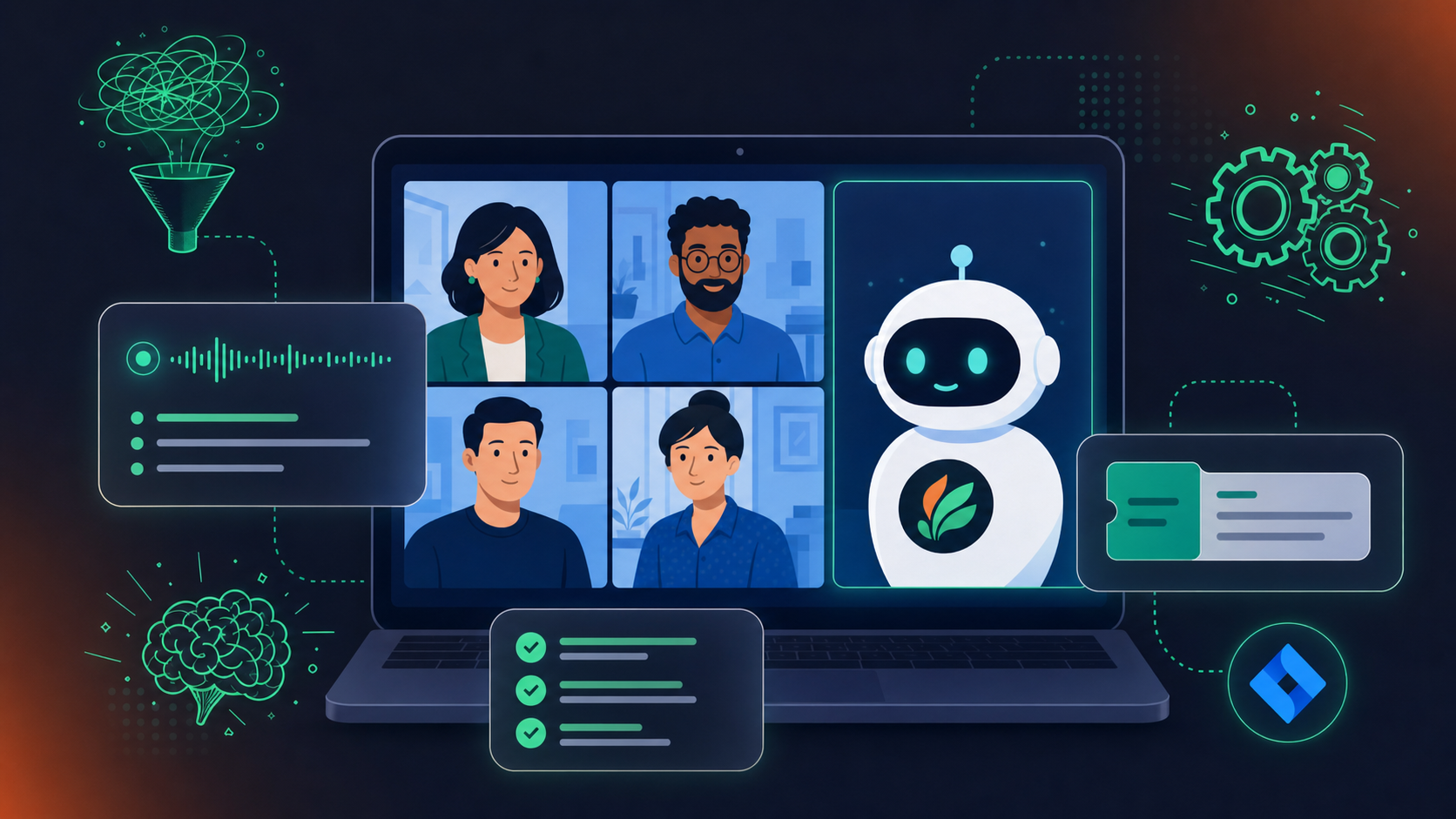
Spinach AI sits at the top of this list not because it transcribes meetings, but because it closes the loop that every other tool on this list leaves open. Transcription is the input. Decisions, action items, and filed tickets are the output.
Spinach joins your Zoom, Google Meet, or Microsoft Teams call in real time, captures what gets decided, and surfaces assigned action items before the call ends. A Scrum Master running four ceremonies a week stops spending 10 to 15 minutes after each one re-keying notes into Jira or Linear. That overhead disappears during the meeting, not after the transcript lands.
Where tools like Otter or Fireflies hand you a text file and stop, Spinach routes outputs directly into your project management stack. Jira, Linear, Asana, ClickUp, and Notion are all supported. The ticket gets filed with context, an owner, and a due date, far beyond a quote pulled from a transcript.
What Spinach Does That Transcription Tools Skip
Most AI transcription tools are accurate at capturing words. Spinach is accurate at capturing what those words mean for your sprint.
- Real-time meeting facilitation: Spinach runs agenda items, tracks time, and flags blockers during the meeting, not after someone reads a transcript.
- Automatic ticket creation: Action items from standups, planning sessions, and retros become Jira or Linear tickets with owners assigned, filed before the call ends.
- Decision capture: Spinach logs what was decided instead of what was said, so there is a searchable record of outcomes without the 40-minute wall of text.
- Native integrations: Slack, Jira, Linear, Asana, ClickUp, Notion, Google Calendar, and Outlook are all supported without middleware.
Who Should Use Spinach
Engineering leads and Scrum Masters running daily standups, sprint planning, and retros with five or more attendees get the most out of Spinach. The real-time ticket-filing removes the manual re-entry that accumulates across every ceremony. Solo users uploading the occasional recording will find the outcomes layer less relevant than teams with a recurring Agile cadence.
Otter
Otter is one of the most recognized names in AI transcription, with over 25 million users. It offers real-time transcription, speaker identification, and meeting summaries across Zoom, Google Meet, and Microsoft Teams.
The free tier gives you 300 transcription minutes per month, which covers occasional use but hits limits fast for daily standups or back-to-back interviews. Paid plans start at $16.99/month and add features like custom vocabulary and longer recording limits.
Where Otter stops: it delivers a transcript. There are no action items filed, no tickets created, no outcomes tracked. For students capturing lectures or individuals transcribing interviews, that’s enough. For agile teams running ceremonies daily, the transcript is just the beginning of the work.
Fireflies.ai
Fireflies.ai is a solid choice for teams that need quick, searchable transcripts without much setup. It records meetings across Zoom, Google Meet, and Teams, then produces a transcript with speaker labels, a summary, and a searchable archive your whole team can access.
Where it stops short is the handoff. Fireflies gives you the record of what was said, but filing tickets, assigning owners, and updating your backlog still falls on you. For engineering teams running four or five ceremonies a week, that manual step accumulates fast.
Who should use Fireflies
Teams that primarily need a searchable conversation archive and don’t require real-time ticket creation. If your workflow already has a dedicated person handling post-meeting task triage, Fireflies fits cleanly. If your Scrum Master is also expected to run retros, manage the backlog, and close the loop on action items before the next standup, the gap becomes friction every single day.
Fathom
Fathom records, transcribes, and summarizes video calls with a focus on keeping the experience lightweight and free. Its free tier is genuinely generous, covering unlimited recordings and transcripts for individuals, which makes it a frequent recommendation in “best free transcription” threads on Reddit.
Where Fathom stops: the output is a meeting summary and transcript. There is no ticket creation, no sprint context, and no path from “action item discussed” to “task filed in Jira.” For a solo user capturing client calls or interviews, that is fine. For an engineering team running standups and planning sessions, the gap between transcript and ticket is where time gets lost.
Fathom fits teams that want clean, free call recordings with readable summaries. It does not fit teams that need the meeting to produce work; a record alone won’t close the loop.
Tactiq
Tactiq records and transcribes meetings directly in your browser, requiring no desktop app download. It works as a Chrome extension for Google Meet, Zoom, and Microsoft Teams, making it one of the lower-friction setups in this roundup.
What Tactiq Does Well
- Real-time captions appear during the meeting, so you can follow along even with noisy audio or accented speakers.
- Transcripts are timestamped and speaker-labeled, and you can mark key moments mid-call for faster review afterward.
- The free tier includes unlimited transcriptions, which stands out compared to tools that cap free usage at a few hours per month.
Where Tactiq Stops Short
Tactiq generates summaries and lets you extract action items post-meeting, but the output is manual. You get a transcript and a text block; what happens next is on you. There is no native ticket creation, no Jira or Linear integration, and no real-time decision capture that feeds directly into your workflow.
For a solo researcher or student capturing interview notes, that workflow is fine. For an engineering team running four ceremonies a week, re-keying action items from a text summary into Jira after every call adds up fast.
Spinach joins the same meetings and closes that loop before the call ends, turning decisions into assigned tickets without the manual handoff.
Jamie
Jamie is an AI meeting assistant built for individual contributors instead of teams, with a strong focus on private, local-first note-taking. Unlike most transcription tools that process audio on remote servers, Jamie runs processing on-device by default, which appeals to users with strict data privacy requirements.
The core output is a structured meeting summary instead of a raw transcript, which suits users who want decisions and key points without wading through a full verbatim record. Jamie supports over 20 languages and works across any meeting setup without requiring a bot to join the call.
Where Jamie falls short is in team collaboration and integrations. There is no real-time ticket creation, no native Jira or Linear sync, and no shared workspace for cross-functional teams. It works well for a solo operator or consultant who attends many calls and needs fast, private summaries, but scales poorly once a team needs shared context and task tracking from those meetings.
Feature Comparison Table of AI Transcription Software
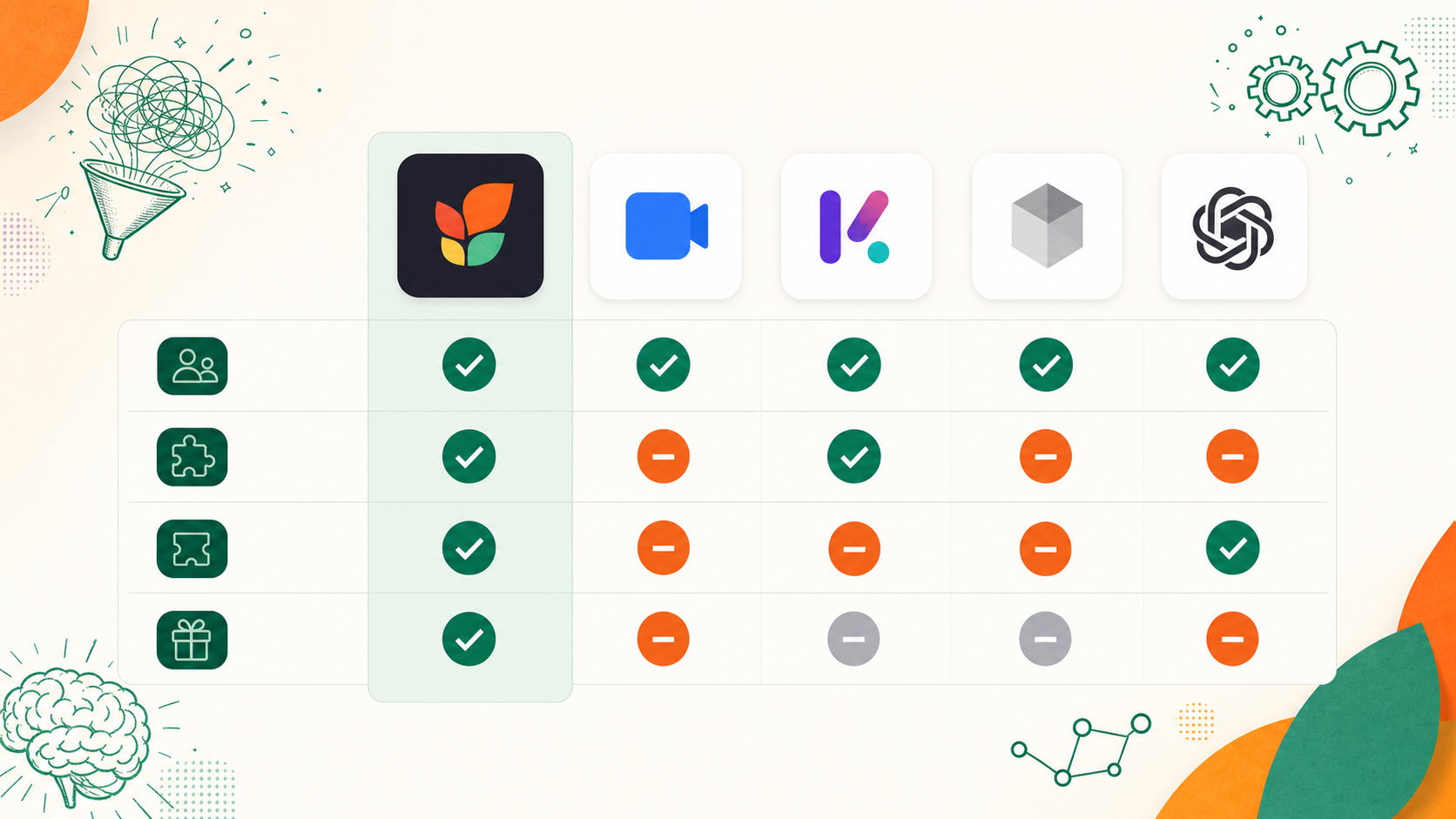
Here is how the tools in this roundup compare across the criteria that matter most for teams choosing beyond basic transcription accuracy.
|
Feature |
Spinach AI |
Otter |
Fireflies.ai |
Fathom |
Tactiq |
Jamie |
|---|---|---|---|---|---|---|
|
Native Jira Integration |
Yes |
No |
Yes (via API) |
No |
No |
No |
|
Native Linear Integration |
Yes |
No |
Yes |
No |
No |
No |
|
Agile-Ceremony Intelligence |
Yes |
No |
No |
No |
No |
No |
|
MCP Server for AI Agents |
Yes |
No |
No |
No |
No |
No |
|
Org-Wide Meeting Search |
Yes |
No |
No |
No |
No |
No |
|
SOC 2 Compliance |
Yes |
No |
Yes (Enterprise) |
Yes |
Yes |
No |
|
HIPAA Compliance |
Yes |
Enterprise Only |
Enterprise Only |
Yes |
Yes |
No |
|
Single-Tenant Deployment |
Yes |
No |
No |
No |
No |
No |
|
Bot-Free Recording Option |
Yes (mobile) |
No |
No |
No |
Yes |
Yes |
|
Free Tier Users Supported |
Free (Starter) |
1 |
1 |
1 |
1 |
1 |
|
Pricing Starts At |
~$4/user/mo |
$8.33/user/mo |
$10/user/mo |
Free (limited) |
Free (10 mtgs) |
~$25/mo |
Why Spinach AI Is the Best AI Transcription Software
Transcription is table stakes. The tools that stop at a transcript leave your team with a 12-page document nobody reads and action items that evaporate before anyone opens Jira.
Spinach joins your video calls live, captures decisions and action items as they happen, and files tickets with owners before the call ends. No post-meeting re-keying. No “who was supposed to handle that?”
Where other tools in this list hand you a transcript and step back, Spinach closes the loop: accurate audio-to-text, speaker identification, and real-time ticket creation in Jira, Linear, or Asana in a single workflow.
Start with what happens after the transcript. If you need searchable records and readable summaries, tools like Otter or Fireflies work. If you run agile ceremonies and need decisions turned into filed tickets with owners before the call ends, Spinach closes that loop where transcript-only tools stop.
Spinach is purpose-built for agile ceremonies—it extracts action items, assigns owners, and files tickets in Jira or Linear during the meeting. Tools like Otter and Fireflies produce accurate transcripts but leave you re-keying every action item by hand after the call.
Most free tiers (Otter, Fireflies, Tactiq) support one user or cap monthly minutes at 300–600, which runs out fast across daily standups. Spinach’s free tier covers up to 50 users with full functionality, no minute caps, and no export restrictions.
Real-time tools like Spinach, Otter, and Fireflies join live calls and process audio during the meeting, producing outputs before the call ends. File-upload tools (or tools that support both modes) require you to record first, then wait for async processing—fine for solo interviews, limiting for teams that need immediate action-item handoff.
Upgrade when you hit minute caps mid-sprint, need compliance coverage (SOC 2, HIPAA), or require native integrations with project management tools. Spinach’s paid tier starts around $4/user/month; Otter Pro runs $8.33/user/month with a 1,200-minute cap; Fireflies Pro is $10/user/month.
Free tiers handle clean audio well but accuracy drops when technical terms appear. Otter free caps at 300 minutes monthly and historically mangles jargon like “Kubernetes” into “Cooper Netties,” requiring post-call cleanup. Most free tools stop at transcription and leave you re-typing every action item into Jira afterward.
Live-join tools process audio during the meeting and can surface decisions before the call ends, while file-upload tools require you to record first then wait for async processing. For agile teams running daily standups, the live path removes the manual handoff that file-based workflows force on you after every ceremony.
Both transcribe accurately under clean conditions, but neither files tickets or assigns owners. Otter caps free users at 300 minutes monthly; Fireflies locks exports behind paid tiers. Spinach runs the same standup and closes the loop by filing Jira tickets with context before you leave the room.
Most free tiers cap at one user or 300–600 minutes monthly, which disappears fast across four daily standups. Spinach’s free tier supports up to 50 users with no minute restrictions and includes ticket creation, where tools like Otter and Tactiq stop at transcripts and force manual follow-up.
Accuracy under noisy conditions varies widely. Most tools clear 90% accuracy with clean studio audio but drop when five engineers talk over each other or heavy accents appear. Speaker identification quality matters as much as raw transcription, since a transcript labeled “Speaker 1” for every line adds manual cleanup time.
Transcription-only tools like Otter and Fathom produce text but require manual re-entry into Jira. Spinach extracts decisions during the call and files tickets with owners and context before the meeting ends, removing the 10–15 minutes of post-meeting work that accumulates across multiple ceremonies each week.
Browser-based tools like Tactiq and some free automatic transcription software options work without desktop installs, but most require signup to save transcripts. Free tiers with genuinely unlimited transcription are rare—Tactiq offers unlimited browser-based captions but still leaves you manually converting summaries into tickets afterward.
Students capturing lectures need accurate transcripts and searchable archives, which free tiers from Otter or Fathom handle well. Engineering teams running sprint ceremonies need decisions turned into assigned tasks in real time, not just a document to review later—that’s where transcription-only tools leave a manual gap.
Spinach delivers summaries and action items directly in Slack and Teams channels, so outputs land in the flow of work without app-switching. Most transcription tools require you to open a separate dashboard to review results, then manually share findings back to your team’s comms platform.
Live transcription processes audio during the call and can route outputs into your workflow before the standup ends. Post-call processing hands you a completed transcript afterward but adds latency and manual steps. For teams running four ceremonies a week, the live path removes the re-keying overhead that async tools force on you every single day.
What you should do now
You made it to the end of this article! Here are some things you can do now:
- If communication is a challenge for your team, you should check out our library of meeting agenda templates.
- You should try Spinach to see how it can help you run a high performing org.
- If you found this article helpful, please share it with others on Linkedin or X (Twitter)

