Meeting AI Notetakers with Jira and Linear Support (July 2026)
Compare AI meeting notetakers for July 2026: pricing, Jira setup steps, and which tools file tickets automatically instead of just transcripts.
 Maintouch
Most meeting AI tools will tell you what was said. Fewer will tell you who owns what. Almost none will file it anywhere useful before you’ve already closed the tab. If your team is bouncing between a virtual meeting AI note taker, a Slack thread, and a half-updated project tracker or CRM after every call, this guide is for you. We’re covering everything worth knowing about AI meeting assistants and meeting AI software as of July 2026: how to compare AI meeting notes in Teams vs. Zoom, what meeting AI pricing actually looks like once you hit the free tier ceiling, and how to spot the difference between a note taker and a tool that actually closes the loop across every team and meeting type.
TLDR:
- Meeting AI tools join video calls, transcribe conversations, and convert them into structured outputs like summaries and action items.
- The AI meeting assistant market grows from $3.47B in 2025 to $21.48B by 2033, driven by teams needing to capture decisions in real time.
- Real-time processing, speaker identification, action item extraction, and integration with Jira or Slack separate useful tools from forgettable ones.
- Free tiers often cap recordings and lock integrations behind enterprise pricing, so check actual limits before committing.
- Spinach turns meeting conversations into structured outputs: action items with owners, filed tickets, CRM updates, and decisions, all routed into the tools your team already uses before the call ends.
What Meeting AI Is and How It Works
Meeting AI refers to software that joins your video calls, captures what’s said, and turns it into structured output: transcripts, summaries, action items, or tickets. The underlying tech combines speech recognition to convert audio to text with AI models that extract meaning, assign context, and generate structured notes.
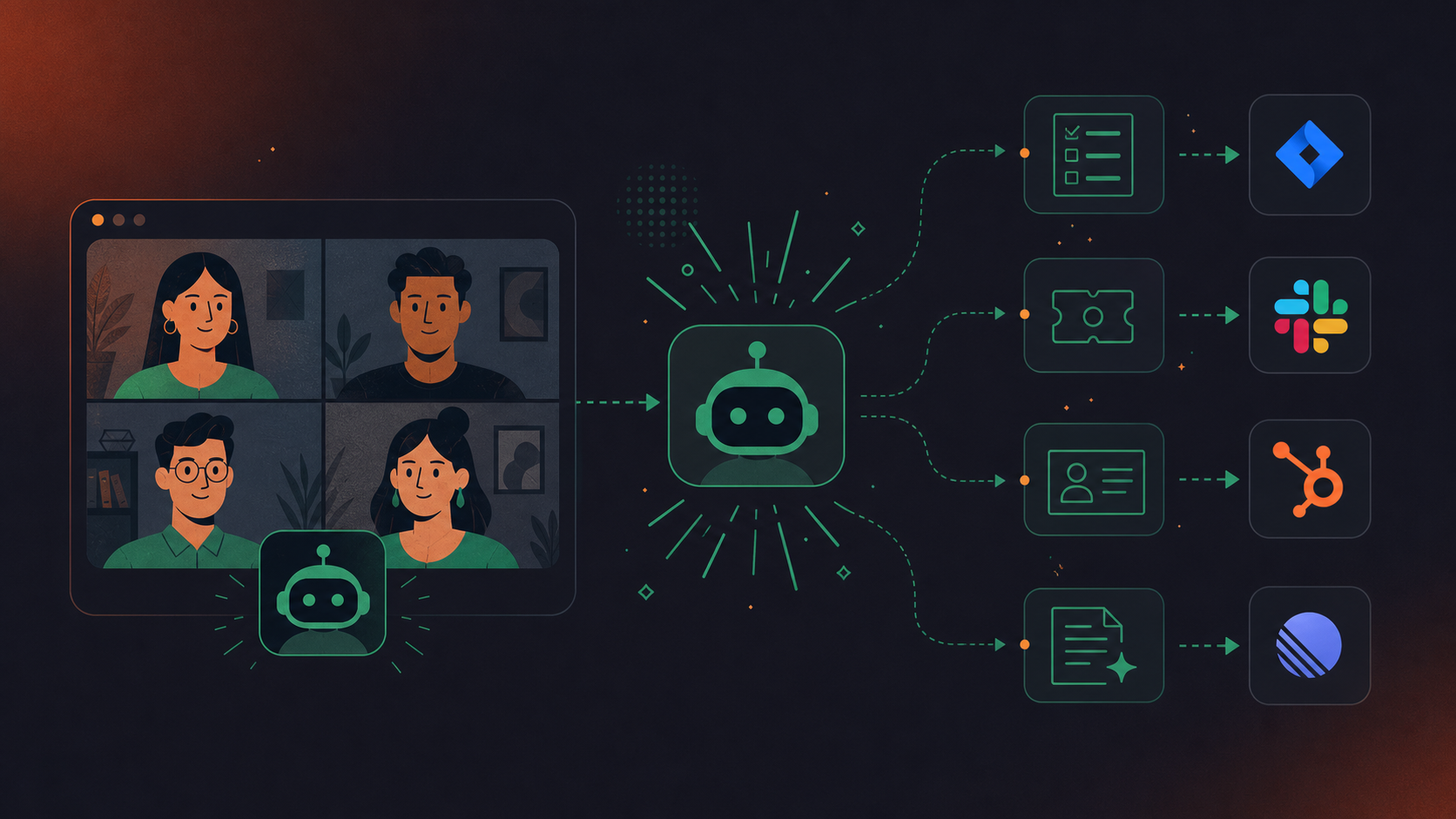
Most tools work as a bot that joins Zoom, Google Meet, or Microsoft Teams calls automatically, generating AI meeting notes from the captured audio. Some process uploaded recordings after the fact. The better ones go further, connecting meeting output directly to your project management tools so decisions don’t evaporate the moment the call ends.
The AI Meeting Assistant Market in 2026
The AI meeting assistant market is expanding fast. Grand View Research projects growth from $3.47 billion in 2025 to $21.48 billion by 2033, a compound annual growth rate of 25.3% (as of the 2024 Grand View Research report). Market Research Future forecasts similar exponential growth, projecting the market will reach $34.28 billion by 2035. That growth reflects a real shift in how teams capture decisions, beyond conversations alone.
Most knowledge workers now spend the majority of their week in meetings, yet the path from discussion to action item remains manual at most organizations. AI meeting assistants close that gap by handling transcription, summarization, and in some cases, ticket creation automatically.
Spinach focuses on outcomes: turning meeting conversations into assigned action items, filed tickets, CRM updates, and decisions, delivered into the tools your team uses instead of stopping at the transcript.
Meeting Note Takers vs Meeting Organizers
Two distinct categories exist in this space. Meeting note-takers focus on capturing what happens during calls: transcription, summarization, action items, and speaker identification. Meeting organizers handle what happens around calls: scheduling, agenda setting, and task routing.
The note-taker segment captured 61.8% of market revenue in 2024, reflecting how many teams still struggle to capture decisions before they disappear.
Which type you need depends on where your process breaks down. If your team loses track of what was decided, a note-taker closes that gap. If meetings lack structure or clear agendas, an organizer fits better, tools like Clockwise (scheduling and time-block optimization) and Fellow (agenda templates and shared meeting notes) fall into this category. Some tools handle both, but most do one considerably better than the other.
Key Features to Look For in AI Meeting Tools
Transcription accuracy, integration depth, and pricing tier all matter, but the features that separate useful tools from forgettable ones come down to a few specific capabilities.
- Real-time vs. async processing: Real-time tools transcribe and summarize as the meeting happens, so action items are ready before anyone leaves the call. Async tools require you to upload a recording afterward, adding a manual step.
- Speaker identification: Without it, your notes read as one undifferentiated wall of text. Good speaker diarization assigns each line to the right person, which matters when accountability is the point.
- Action item extraction: A transcript is not a to-do list. Look for tools that pull discrete, assignable tasks from the conversation without leaving that work to you.
- Integration with your existing tools: Notes that live only inside the meeting app are notes nobody reads. The question is whether output routes to Jira, Linear, Asana, Slack, Notion, or wherever your team actually works.
- Free tier limits: Many tools advertise free plans, then cap them at a handful of meetings per month. Check the actual limit before committing a workflow to it.
Tool | What It Delivers | Pricing Structure | Where the Loop Closes |
|---|---|---|---|
Otter | Full transcript of your standup with speaker identification and basic action item detection | Pro tier runs $16.99 per seat per month billed monthly, or $8.33 per seat per month billed annually, with minute caps on recordings (as of July 2026) | Stops at the transcript and requires manual re-entry of action items into Jira or Linear |
Fireflies | Transcription and summarization with search across past meeting recordings | Pro tier costs $18 per seat per month billed monthly (or $10/seat/month billed annually) with recording limits based on plan (as of July 2026) | Captures the transcript before the call ends but leaves ticket filing as a manual step |
Spinach | Structured outputs from any meeting: assigned tickets (Jira, Linear, Asana, Monday.com), CRM field updates (HubSpot, Salesforce), decisions, and action items with owners, extracted in real time | Free Starter plan for unlimited recording and transcription; ticket filing across Jira, Linear, and Asana starts on Pro at $2.90 per meeting hour (unlimited users) or Business at $19 per user per month for unlimited meetings | Closes the loop before the call ends: action items routed to your tracker or CRM, summaries delivered to Slack, across any team or meeting type |
How AI Meeting Assistants Actually Save Time
The real time cost isn’t the meeting itself. It’s the 15 to 30 minutes of manual re-entry afterward: copying action items into Jira, Linear, or Asana, summarizing decisions for people who missed the call, and chasing down owners who forgot what they committed to.
AI meeting assistants cut that overhead by capturing decisions and action items during the call, not after. The result goes beyond a cleaner transcript: assigned tickets, shared summaries, and accountability that doesn’t depend on someone’s memory or free time post-meeting.
Enterprise vs Individual Use Cases
Meeting AI tools split into two distinct categories based on how they’re actually used in practice.
Individual users typically want a free meeting AI note taker that works across personal accounts, captures action items, and shares summaries without IT approval (the same criteria covered in our breakdown of the best AI note taker for teams), while power users often want to create Jira tickets from Zoom notes. Enterprise teams need more: admin controls, SSO, compliance certifications, and integrations that route outcomes into project trackers, CRMs, and communication tools instead of leaving action items in a PDF no one reopens.
The gap matters because a tool optimized for one context often fails the other. Free tiers cap recordings, restrict storage, or lock integrations behind enterprise pricing.
Most tools require a one-time OAuth connection: authorize the workspace, map a project and issue type, then confirm which calls the bot joins. Setup usually takes under 10 minutes regardless of which tracker you use.
A workspace admin typically approves the initial connection, but individual users can map their own projects and issue types once that’s in place.
Field mapping depth varies. Some tools only push a title and description, while others, including Spinach, map owner, priority, and sprint automatically across Jira, Linear, and Asana.
Tools built for reliability queue the action items and retry the sync automatically, so nothing gets lost if Jira, Linear, or Asana is briefly unreachable.
Spinach’s free Starter plan gives you unlimited meeting recording and transcription across Zoom, Meet, and Teams, no minute caps included. Jira and Linear ticket filing kicks in on the Pro plan at $2.90 per meeting hour with unlimited users, so standup conversations turn into assigned tickets without a per-seat contract. Most free tiers from competitors cap you at a handful of meetings per month or lock your transcripts behind a paywall.
Otter delivers a full transcript of your standup; Spinach delivers assigned tickets in Jira or Linear before the call ends. If you need a record of what was said, Otter works; if you need decisions converted to trackable action items without manual re-entry, Spinach closes that loop.
Yes. Spinach connects natively to Zoom, Google Meet, Microsoft Teams, Jira, Linear, Asana, ClickUp, Trello, Slack, and Teams messaging, so it layers into your existing workflow without forcing platform changes. The bot joins your calls automatically, and summaries land where your team already works.
Per-seat pricing varies widely: Otter Pro runs ~$20/seat/month with minute caps, Fireflies Pro is $18/seat/month, and usage-based tools like Avoma can reach $1,500+/user/year for high-meeting-volume teams. Spinach starts free on Starter for unlimited recording and transcription, then moves to $2.90 per meeting hour on Pro (pay-as-you-go, unlimited users) or $19 per user per month on Business for unlimited meetings, with no minute caps on either paid tier.
Meeting AI note takers capture transcripts and summaries; AI Scrum Master tools convert ceremonies into workflow outcomes — decisions, owners, tickets, and board updates. Most tools stop at documentation; Spinach is built to turn sprint planning, standups, and retros into filed, assigned work before the call ends.
Most meeting AI tools require calendar access to auto-join scheduled calls, but you can control which meetings the bot joins through per-event settings or calendar-level permissions in tools like Spinach. Some platforms let you manually trigger recording instead of defaulting to auto-join, though that adds back the manual overhead the tool was meant to remove.
Real-time processing transcribes and generates action items during the call, so outputs are ready before anyone leaves. Async processing requires you to upload a recording after the meeting ends, adding a manual step and delaying delivery of decisions and tickets by hours or days.
Most meeting AI tools support both Zoom and Teams, but feature parity varies—some tools offer deeper integrations on one platform over the other, particularly around admin controls and compliance. Spinach joins Zoom, Google Meet, and Teams calls with the same feature set across all three, so platform choice won’t limit your workflow.
Generic transcription models struggle with technical terms, often mangling product names and acronyms into nonsense. Tools purpose-built for software teams perform better because they’re trained on engineering vocabulary, but you should still verify accuracy on a pilot call before rolling out org-wide.
Most meeting AI note takers extract action items as text summaries but stop there—you manually re-key them into Jira afterward. Spinach converts action items directly into filed Jira or Linear tickets with full meeting context, owners, and decision lineage attached before the call ends.
Yes. Free tiers often cap total storage or the number of recordings you can access at once, forcing you to delete old meetings or upgrade mid-month. Spinach’s free Starter plan supports unlimited recording and transcription with a 7-day retention window; Pro and Business extend that to a full year, so your meeting history stays accessible as your team grows past the free tier.
Data retention policies vary widely—some vendors delete your recordings immediately when your subscription lapses, others keep them for 30 to 90 days, and a few lock exports behind paid tiers even while you’re subscribed. Check the vendor’s data retention terms before committing, especially if your team operates under compliance requirements.
Speaker diarization works well in clean audio with distinct voices, but accuracy drops when participants overlap or background noise interferes. Tools with real-time processing and role-based tracking handle crosstalk better than async transcription services that treat the audio as a single undifferentiated stream.
No. Cracked or modded versions of meeting AI tools bypass security controls, expose your meeting data to third parties, and violate most enterprise compliance policies. Stick to official app stores and vendor-provided downloads, or use a platform like Spinach that offers a legitimate free Starter plan with unlimited recording and transcription.
Most meeting AI tools only capture virtual calls, leaving in-person or hybrid meetings out of your knowledge base. Spinach offers mobile Quick Record, which processes in-person audio through the same AI pipeline as virtual calls, so decisions and action items from hybrid standups land in Jira with the same structure as remote meetings.
What to do next
Next, here are some things you can do now that you've read this article:
- Our library of meeting agenda templates is designed to help you run more effective meetings.
- Check out Spinach to see how it can help you run a high performing org.
- If you found this article helpful, please share it with others on Linkedin or X (Twitter)

