We Tested the 9 Best AI Note Taking Apps in August 2026 (Ranked)
We tested 9 AI note taking apps in August 2026, ranked on accuracy, integrations, pricing, and governance. Find the best tool for your team.
 Maintouch
Everyone’s looking for an enterprise conversation intelligence platform now, but most teams are stuck with isolated meeting summaries that live in some transcript library nobody checks.
TLDR:
- AI note taking apps transcribe meetings and generate summaries automatically
- Spinach AI captures conversations across your company with enterprise security
- Free plans exist but lack governance controls and organization-wide features
- Best apps integrate with CRMs, project tools, and support 40+ languages
- Spinach AI offers record-by-default policies and AI agent integration for teams
What is an AI Note Taking App?
An AI note taking app records, transcribes, and summarizes your meetings automatically. Join a call, and the app captures everything said, converts speech to text, and generates a digestible summary without you lifting a finger.
These apps go beyond simple transcription. They identify speakers, pull out action items, flag decisions, and surface key insights from your conversations. Instead of reviewing 45 minutes of transcript, you get a clean list of tasks, decisions made, and important discussion points. AI transcription saves 80-90% of time compared to manual note-taking. The AI turns raw conversation into organized, actionable information you can actually use.
Bot vs. Bot-Free AI Note Takers
Bot-based apps (such as Spinach, Otter, and Fireflies) join calls as a visible participant. They work across any platform or device and support org-wide governance and record-by-default policies. Bot-free apps (such as Bluedot, Jamie, and Granola) use a browser extension or local app to capture audio without a visible participant. That approach is more discreet for client calls, but it limits recording to browser-based meetings and generally removes enterprise admin controls. Spinach uses a bot-based approach to support reliable cross-platform recording and org-wide deployment policies.
How We Tested
We ran each app across more than 45 real work calls over four weeks: daily standups, 1:1 check-ins, client discovery calls, and sprint planning sessions. Every app was scored against the same six criteria:
- Transcription accuracy – Speaker identification, performance across accents, and consistency across different call types
- AI summary quality – Action item capture, decision logging, and how far the output goes beyond surface-level keywords
- Integration depth – CRM sync (HubSpot, Salesforce), project management routing (Jira, Linear), and automated delivery into team tools
- Admin and governance controls – Org-wide policy enforcement, record-by-default settings, and centralized deployment options
- Security and compliance – SOC 2 Type II, GDPR, and HIPAA certifications for business and enterprise buyers
- Pricing vs. capability – What each tier actually delivers versus what gets locked behind a paywall
Two apps were cut before the final list. tl;dv lacked the org-wide governance controls and record-by-default deployment policy needed for company-wide rollout. Notta scored well on transcription accuracy but fell short on CRM integration depth and admin controls. The nine apps below cleared every bar.
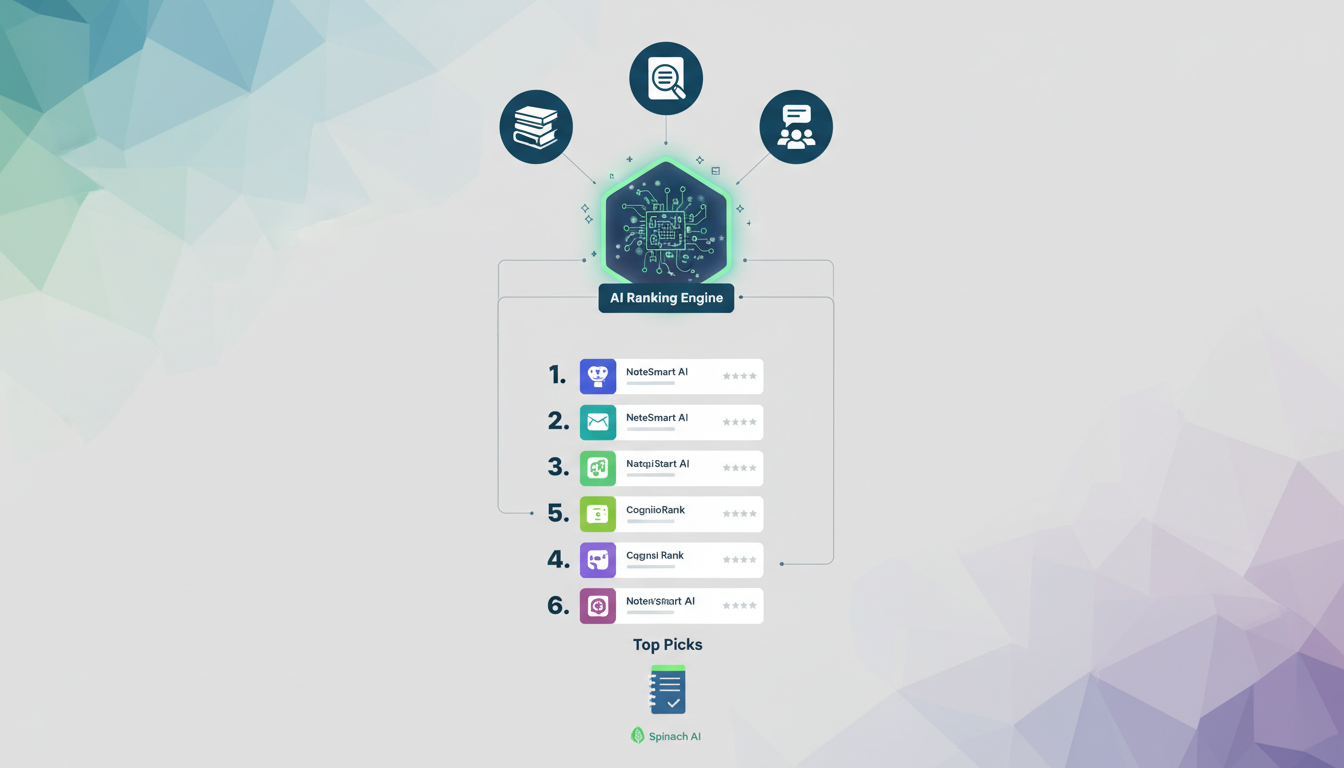
With the AI note-taking market growing rapidly, security and compliance certifications (SOC 2, GDPR, HIPAA) are now required for any business tool. Apps that treat meetings as a data asset for your entire organization, beyond individual users, ranked highest.
Best Overall AI Meeting Intelligence Platform: Spinach AI
Spinach AI is the system of record for conversation data, deployed company-wide to capture every meeting across Zoom, Google Meet, Microsoft Teams, Slack Huddles, and Webex. Where individual note takers scatter meeting data across personal accounts, Spinach centralizes it into a single governed, AI-ready asset the entire organization can query and act on.
Structured outputs route automatically into the tools your teams already use: CRM updates in HubSpot and Salesforce, tickets in Jira and Linear, and meeting summaries in Confluence, Notion, and Google Docs. The MCP server (Business and Enterprise) connects conversation data to Claude and ChatGPT; API and webhooks (Enterprise) power custom pipelines and agent workflows. Leadership gets org-wide visibility into themes, risks, and decisions across every conversation the company has.
Spinach is SOC 2, GDPR, and HIPAA compliant, with zero data retention with AI providers.
Pricing: Starter is free; Pro is $2.90 per meeting hour (pay-as-you-go, unlimited users); Business is $29/user/month ($19/user/month billed annually); Enterprise is custom pricing, contact sales.
Supernormal
Supernormal is an AI meeting assistant that transcribes and generates notes for Google Meet, Zoom, and Microsoft Teams meetings automatically.
Supernormal delivers automatic transcription with customizable note templates. You can track action items and assign them to participants. The app integrates with Salesforce, Slack, HubSpot, and Asana.
Good for small to medium teams wanting straightforward meeting transcription and summary generation with basic integrations.
Pricing: Free plan available; see supernormal.ai for current paid plan pricing (as of July 2026).
Supernormal lacks enterprise governance controls and organization-wide deployment capabilities. You get individual meeting summaries, but can’t analyze conversation patterns across your company or extract strategic insights. No cross-meeting intelligence or centralized conversation data management.
Tana
Tana is an AI-first workspace built on a node-based structure with Supertags for custom organization.
Offers a node-based outliner with AI command automation, Supertags for structured data, voice memo transcription, and live search widgets across multiple database views.
Best for power users and knowledge workers who need flexible personal knowledge management and creative note structuring.
Missing native meeting recording, real-time transcription, CRM integration, and enterprise security. The learning curve demands substantial setup, with no automated meeting capture or organization-wide intelligence.
Pricing: A free plan is available; paid plan details can be found at tana.inc (as of July 2026).
Bottom line: Works well for personal knowledge management but lacks meeting-focused features and automated conversation intelligence.
Sembly AI
Sembly AI records and transcribes meetings on Zoom, Google Meet, Microsoft Teams, and Webex, then creates summaries and action items. The tool handles transcription in 48+ languages, identifies speakers, and lets you search across past conversations using a multi-meeting chat feature. It connects with CRM and project management tools.
The free plan limits recording to 60 minutes monthly. You won’t find enterprise admin controls, centralized governance, or organization-wide recording channels. Best for individual professionals and small teams needing multilingual transcription, not larger organizations requiring scalable meeting management.
Pricing: Free plan limited to 60 minutes of recording per month; see sembly.ai for paid plan pricing (as of July 2026).
Bluedot
Bluedot is a bot-free AI note taker that records meetings for Google Meet, Zoom, and Microsoft Teams without requiring a visible meeting bot.
Bot-free recording via browser extension captures conversations without a visible bot participant. The app transcribes in 100+ languages with AI summaries and includes screen recording with webcam overlay for async collaboration. CRM integration works with HubSpot, Salesforce, Notion, and Slack.
Good for sales professionals and consultants who prefer non-intrusive recording without visible bots joining their client meetings.
Pricing: Free plan available; see bluedot.so for current paid plan pricing (as of July 2026).
Bluedot relies on a Chrome extension, which limits cross-device flexibility. You won’t find enterprise admin dashboards or centralized meeting libraries with role-based access controls.
Fellow.app
Fellow.app is an AI meeting assistant that transcribes meetings, manages agendas, and tracks action items across Zoom, Google Meet, and Microsoft Teams.
You get AI transcription with automated summaries, collaborative meeting agendas with templates, action item tracking that syncs to Asana, Jira, Linear, and Monday, plus recording libraries with access controls.
Built for mid-sized teams that want structured meeting management with agenda collaboration and action item tracking tied to project workflows.
Pricing: Free plan available; see fellow.app for current paid plan pricing (as of July 2026).
Fellow.app focuses on meeting prep and task management but doesn’t treat conversation data as enterprise knowledge. Spinach AI goes deeper with conversation intelligence, AI agent integration, and automation that turns meetings into actionable organizational knowledge.
Otter
Otter is one of the most widely adopted AI meeting transcription tools, with 40 million+ users including teams at Fortune 500 companies.
The Business plan ($19.99/user/month) covers recording and transcription for Zoom, Google Meet, and Microsoft Teams, an AI chat interface for querying past conversations, HubSpot and Salesforce CRM sync, and a desktop app for bot-free recording on Mac and Windows. An MCP server connects meeting data to ChatGPT and Claude. A free Basic plan supports unlimited meetings.
Good for teams looking for a widely adopted transcription tool with AI chat and CRM sync on a predictable per-seat price.
Pricing: A free Basic plan is available with unlimited meetings; the Business plan runs $19.99/user/month. See otter.ai for full pricing details (as of July 2026).
Otter’s Business plan caps each conversation at 4 hours and limits transcription to 6,000 minutes per month. Language support covers 6 languages, compared to 100 in broader enterprise tools. The platform lacks record-by-default org policy enforcement and the cross-functional governance controls needed for company-wide deployment. If you are evaluating alternatives, our Spinach AI vs MeetGeek comparison covers similar trade-offs.
Fathom
Fathom is an AI note-taking tool used at 300,000+ companies, known for a generous free tier and clean, individual-focused meeting summaries.
Records and transcribes Zoom, Google Meet, and Microsoft Teams meetings. Notes sync to Slack, Salesforce, HubSpot, Notion, and Asana. Fathom also supports bot-free capture and routes summaries to ChatGPT and Claude. SOC 2, GDPR, and HIPAA compliance are listed on the product site. See fathom.ai for current Teams pricing.
Best for individual contributors and small teams that want reliable meeting summaries at no cost, or teams testing AI note-taking before committing to a paid plan.
Pricing: Free plan available with no meeting limits; see fathom.ai for current Teams plan pricing (as of July 2026).
Fathom is built around individual productivity. There is no record-by-default deployment policy, no admin dashboard for org-wide governance, and no structured outputs routed into downstream systems for teams across the organization. For a deeper look, see our Spinach AI vs Fathom comparison.
Fireflies.ai
Fireflies.ai records, transcribes, and summarizes meetings across Zoom, Google Meet, Microsoft Teams, and Webex, with a searchable archive of all past conversations.
A bot joins calls to capture audio and generates summaries with action items. You can search all past meetings, access conversation analytics, and sync meeting data to Salesforce, HubSpot, and other CRM tools. A free plan is available; Pro starts at $10/user/month.
Best for small to mid-sized teams that want a searchable meeting archive and basic CRM sync at a low cost.
Pricing: Free plan available; Pro at $10/user/month; see fireflies.ai for full plan details (as of July 2026).
Fireflies spreads through individual sign-ups rather than IT-governed rollout, with no org-wide record-by-default policy or enterprise admin controls. There is no MCP server for AI agents, no compliance agents for regulated industries, and no cross-org governance for company-wide deployment. See how Fireflies compares head-to-head in our Spinach AI vs Fireflies breakdown.
How to Choose the Right AI Note Taking App
Team size and deployment scope
Solo users and small teams can get by with individual-focused apps that deliver transcription and summaries per meeting. Larger organizations need admin controls, record-by-default policies, and org-wide deployment so every conversation is captured under a single governed system, not scattered across personal accounts.
Integration requirements
Match the app to your existing stack. Sales teams need CRM sync with HubSpot or Salesforce. Product and engineering teams need ticket routing to Jira or Linear. Every team benefits from Slack delivery so meeting output lands where work actually happens.
Compliance and security
If your team handles sensitive data, check for SOC 2 Type II, GDPR, and HIPAA certifications before signing up. Regulated industries should confirm data retention controls and ask about BAA availability.
Budget and pricing model
Per-seat monthly pricing is predictable for growing teams, while per-hour models work for lower-volume use. Free tiers exist across most apps but gate admin controls, compliance features, and cross-meeting intelligence behind paid plans.
Feature Comparison Table of AI Note Taking Apps
Here’s how the top AI note taking apps compare on features that matter:
Feature | Spinach AI | Supernormal | Tana | Sembly AI | Bluedot | Fellow.app | Otter | Fathom | Fireflies |
|---|---|---|---|---|---|---|---|---|---|
Enterprise Admin Controls | Yes | No | No | No | No | Yes | Yes | No | No |
Organization-Wide Deployment | Yes | No | No | No | No | Yes | No | No | No |
Record by Default Policy | Yes | No | No | No | No | No | No | No | No |
Cross-Meeting Intelligence | Yes | No | No | Yes | No | No | Yes | No | Yes |
MCP Server for AI Agents | Yes | No | No | No | No | No | Yes | No | No |
CRM Integration | Yes | Yes | No | Yes | Yes | Yes | Yes | Yes | Yes |
Compliance Agents | Yes | No | No | No | No | No | No | No | No |
Free Plan Available | Yes | Yes | Yes | Yes | Yes | Yes | Yes | Yes | Yes |
Starting Price | Free; $2.90/hr (Pro) | Free plan available | Free plan available | Free (60 min/mo limit) | Free plan available | Free plan available | Free; $19.99/user/mo (Business) | Free plan available | Free; $10/user/mo (Pro) |
Spinach AI is the only app that gives you enterprise governance, record-by-default policies, and AI agent integration together.
Why Spinach AI is the Best Enterprise Conversation Intelligence Platform
Spinach is the organizational platform enterprises deploy once, company-wide, to capture every conversation, centralize it into a governed data asset, and route structured outputs, such as decisions, action items with named owners, CRM updates, and tickets, into the systems where work happens. A record-by-default deployment means no conversation falls outside the organizational record because someone forgot to start a personal note taker. For sales teams, captured conversations flow directly into sales OKRs and CRM records without manual re-entry. If you don’t have an AI agent in every meeting, you’re leaving conversation context out of the systems and agents that run your business.
Final Thoughts on AI Note Taking Tools
The difference between a good meeting and a productive meeting is what happens with the information afterward. Spinach AI, the enterprise conversation intelligence platform, captures every conversation your company has and routes decisions, action items, and context into the systems where your teams work. Set up Spinach and see how quickly conversation data becomes the most actionable asset in your organization.
Start with your deployment needs: enterprise teams need governance controls and organization-wide recording policies, while small teams can use individual-focused apps. Match the app to your primary use case—sales teams need CRM integration, product teams need ticket management, and leadership needs cross-meeting intelligence. Check for compliance certifications (SOC 2, GDPR, HIPAA) if you handle sensitive data.
Individual users can succeed with Supernormal, Sembly AI, or Bluedot for basic transcription and summaries. Enterprise organizations need apps like Spinach AI or Fellow.app that offer admin dashboards, centralized recording policies, and organization-wide visibility. The key difference: enterprise apps treat meetings as a data asset for the entire company, not just personal productivity.
Yes, Bluedot offers bot-free recording through a Chrome extension that captures conversations without a visible meeting participant. However, bot-free recording limits you to browser-based meetings and removes enterprise admin controls. Most business-grade apps use visible bots to ensure reliable cross-platform recording and maintain compliance with recording policies.
Meeting summaries give you action items and decisions from individual calls. Cross-meeting intelligence analyzes patterns across multiple conversations to surface themes, risks, and opportunities organization-wide. Apps like Spinach AI and Sembly AI offer cross-meeting analysis, while most basic note takers only summarize one meeting at a time.
Every app on this list offers a free plan, but with limits. Sembly AI caps free users at 60 minutes monthly. Most free tiers lack enterprise features like admin controls, compliance agents, and cross-team visibility. Free plans work for testing and light personal use—scale up to paid plans when you need reliable recording, unlimited minutes, and business integrations.
What to do now
Next, here are some things you can do now that you've read this article:
- Our library of meeting agenda templates is designed to help you run more effective meetings.
- Learn more about Spinach and how it can help you run a high performing org.
- If you found this article helpful, please share it with others on Linkedin or X (Twitter)

