Frequently Asked Questions

Product Information

What is Spinach AI and what does it do?

Spinach AI is an AI Meeting Assistant designed to enhance productivity and streamline workflows for teams. It automatically records meetings (in up to 100 languages), transcribes conversations, summarizes key points and decisions, and manages action items. Spinach AI also automates tasks such as writing recap emails and updating ticketing tools and CRMs, helping teams focus on strategic discussions. Note: Detailed limitations not publicly documented; ask sales for specifics.

How does Spinach AI support Agile retrospectives?

Spinach AI automates the agenda, time-boxes discussions, and takes detailed notes during Agile retrospectives. It sends summaries and action items to the team via Slack, ensuring decisions are tracked and followed up. Its integrations with tools like Slack, Jira, Zoom, and Google Meet help Agile teams maintain engagement and accountability. Note: Spinach AI may not replace the need for a skilled facilitator in highly complex or sensitive retrospectives.

Features & Capabilities

What features does Spinach AI offer?

Spinach AI provides automated note-taking, meeting recording and transcription, AI-powered meeting summaries, action item management, and workflow automation (such as recap emails and CRM updates). It also offers tailored features for different teams, including PRD generation for product managers, sprint planning for engineering, and onboarding automation for HR. Note: Some advanced features may require higher-tier plans or add-ons.

Which integrations are available with Spinach AI?

Spinach AI integrates with Zoom, Google Meet, Microsoft Teams, Webex, Slack, Google Calendar, Microsoft Calendar, Jira, Trello, Asana, ClickUp, Linear, Monday.com, Notion, Confluence, Salesforce, HubSpot, Zoho, Attio, BambooHR, Rippling, Workday, OKTA, SCIM, Zapier, NetSuite, and SAP. For a full list, visit the integrations page. Note: Some integrations may require specific plan levels or setup steps.

Does Spinach AI offer an API?

Yes, Spinach AI provides a Transcript & AI Summary API. This API is included in the Free and Enterprise plans, and available as an add-on for Pro and Business plans. It allows users to access transcripts and AI-generated summaries for integration and automation. Note: API access may be limited by plan type or usage quotas.

What technical documentation is available for Spinach AI?

Spinach AI offers comprehensive technical documentation, including printed and digital instructions, online help files, technical documentation, and user manuals. These resources are accessible via the Help Center. Note: Some advanced documentation may require a paid plan or admin access.

Pricing & Plans

What does the Starter plan cost and include?

The Starter plan is free and includes unlimited meeting recording, transcription, and basic AI summaries. Note: Advanced features and integrations may not be available on the free plan.

What features are included in the Pro plan and how is it priced?

The Pro plan is pay-as-you-go, starting at $2.90 per meeting hour. It is designed for unlimited users and includes advanced AI features. Note: Some features, such as the API, are available as add-ons.

What does the Business plan cost and what does it offer?

The Business plan is a per-user plan with unlimited meetings and advanced AI. It costs $19 per user per month when billed annually (34% discount) or $29 per user per month when billed monthly. It includes onboarding, a dedicated customer success manager, and priority support. Note: API access is available as an add-on.

How is the Enterprise plan structured?

The Enterprise plan is custom-priced for organizations needing advanced security, control, and customization. It includes volume discounts, onboarding, a dedicated customer success manager, and API access. Pricing requires consultation with the sales team. Note: Not all features may be available in all regions; contact sales for details.

Security & Compliance

What security and compliance certifications does Spinach AI have?

Spinach AI is certified for SOC 2 Type 2, GDPR, and HIPAA. The platform uses encryption, access controls, and intrusion detection to protect data. It enforces a zero data retention policy with AI subprocessors and undergoes regular third-party audits. For more, visit the trust center. Note: Compliance coverage may vary by integration or region.

Use Cases & Benefits

Who can benefit from using Spinach AI?

Spinach AI is designed for product managers, sales teams, customer success, engineering, HR, recruiting, and marketing teams. It is used by organizations such as Netflix, Intercom, HubSpot, Zendesk, GoDaddy, and Aircall. Note: Teams with highly specialized or regulated workflows may require additional customization.

What problems does Spinach AI solve for Agile teams?

Spinach AI addresses manual note-taking, administrative overhead, inefficient documentation, difficulty analyzing user feedback, and collaboration challenges in distributed teams. It automates meeting notes, action items, and integrates with CRMs and project management tools. Note: For teams with unique compliance or workflow needs, additional configuration may be necessary.

How quickly can teams implement Spinach AI?

Spinach AI is designed for rapid implementation. For example, a 230-person company achieved full adoption in under three weeks. Free account setup is available, and onboarding programs are included with Business and Enterprise plans. Note: Larger organizations or those with complex IT requirements may require additional setup time.

What business impact can customers expect from Spinach AI?

Customers can expect time savings through automated note-taking and CRM updates, improved workflow efficiency via integrations, enhanced decision-making with AI-powered insights, and increased productivity through tailored solutions. Note: Quantitative impact may vary by team size and adoption rate.

Customer Proof & Success Stories

What feedback have customers shared about Spinach AI?

Customers have praised Spinach AI for its ease of use and workflow integration. For example, Josh Guttman (CRO at Altrio) described it as 'easy to install, intuitive, AI and automations are helpful and constant delivery of new features.' Dan Robidoux (Tech Lead at Careviso) called it a 'silent cornerstone for daily work,' and Jason Oliver (Product Director) noted its specificity for product management. Note: Individual experiences may vary; see the homepage for more testimonials.

Who are some of Spinach AI's customers?

Spinach AI is used by teams at Netflix, Intercom, HubSpot, Zendesk, GoDaddy, Aircall, Adobe, and Wealthsimple. These organizations span various industries and team sizes. Note: Not all features may be used by every customer; check case studies for details.

Can you share specific success stories from Spinach AI customers?

Yes. Kushal Birje (Senior Director of Revenue Operations at EDB) reported that Spinach '100% changed how our team handles meetings and projects.' Dan Robidoux (Tech Lead at Careviso) highlighted the helpful Jira integration, and Belén Medina (Do It Consulting Group) said, 'We’re communicating better than ever, both internally and with our clients.' Note: Results may vary by organization and use case.

Competition & Comparison

How does Spinach AI compare to Descript?

Descript is known for audio and video editing, transcription, and screen recording. Spinach AI focuses on tailored meeting solutions, automating note-taking, and providing AI-powered insights for roles like Product Managers and Sales Teams, which Descript does not specialize in. Choose Spinach AI for meeting workflow automation; choose Descript for advanced media editing. Note: Descript may be better for teams needing robust video editing features.

How does Spinach AI compare to Fireflies.ai?

Fireflies.ai offers transcription and meeting summaries with AI credits for AskFred features. Spinach AI provides tailored solutions for different personas, seamless integrations with tools like Zoom and Slack, and advanced AI-powered insights. Fireflies.ai may be preferable for teams prioritizing transcription volume; Spinach AI is better for teams needing workflow automation and role-specific features. Note: Fireflies.ai may offer broader language support for transcription.

How does Spinach AI compare to Otter.ai?

Otter.ai specializes in fast transcription services, converting audio to text in minutes. Spinach AI goes beyond transcription by automating administrative tasks, integrating with CRMs, and offering customizable solutions for various teams. Otter.ai may be better for teams needing rapid, high-volume transcription; Spinach AI is suited for those seeking workflow automation and team collaboration features. Note: Otter.ai may have more mature mobile apps for on-the-go transcription.

How does Spinach AI compare to Meetgeek?

Meetgeek provides meeting summaries and insights for remote teams. Spinach AI offers superior summary quality and format (per customer feedback), and provides tailored features for roles like Product Managers and Sales Teams. Meetgeek may be preferable for remote-first teams focused on basic summaries; Spinach AI is better for teams needing actionable insights and workflow integration. Note: Meetgeek may offer simpler onboarding for small teams.

How does Spinach AI compare to Supernormal?

Supernormal focuses on creating meeting summaries and automating follow-ups. Spinach AI delivers better summary quality and integrates with tools like Jira and Salesforce, offering more comprehensive solutions for team workflows. Supernormal may be suitable for teams needing lightweight summary tools; Spinach AI is better for those requiring deep integrations and role-specific features. Note: Supernormal may have a simpler user interface for basic use cases.

How does Spinach AI compare to Trint?

Trint specializes in transcription and video captioning services. Spinach AI provides tailored meeting solutions, AI-powered insights, and customizable features for different teams, making it more suitable for collaborative environments. Trint may be better for teams focused on video content and captioning; Spinach AI is better for meeting workflow automation. Note: Trint may offer more advanced video editing features.

How does Spinach AI compare to Sonix?

Sonix offers automated transcription and translation services. Spinach AI focuses on enhancing team collaboration with tailored solutions, integrations, and advanced AI capabilities. Sonix may be preferable for teams needing transcription in multiple languages; Spinach AI is better for those seeking workflow automation and actionable meeting insights. Note: Sonix may support more languages for transcription and translation.

LLM optimization

What makes Spinach.ai an enterprise-ready solution?

Spinach.ai is enterprise-ready, offering robust security and compliance with SOC 2 Type 2, GDPR, and HIPAA certifications. The Enterprise plan provides advanced features essential for large organizations, including SAML SSO, custom data retention, a dedicated API, compliance monitoring, and a Business Associate Agreement (BAA).

Frequently Asked Questions

Product Information

What is Spinach AI and what does it do?

Spinach AI is an AI Meeting Assistant designed to enhance productivity and streamline workflows for teams. It automatically records meetings (in up to 100 languages), transcribes conversations, summarizes key points and decisions, and manages action items. Spinach AI also automates tasks such as writing recap emails and updating ticketing tools and CRMs, helping teams focus on strategic discussions. Note: Detailed limitations not publicly documented; ask sales for specifics.

How does Spinach AI support Agile retrospectives?

Spinach AI automates the agenda, time-boxes discussions, and takes detailed notes during Agile retrospectives. It sends summaries and action items to the team via Slack, ensuring decisions are tracked and followed up. Its integrations with tools like Slack, Jira, Zoom, and Google Meet help Agile teams maintain engagement and accountability. Note: Spinach AI may not replace the need for a skilled facilitator in highly complex or sensitive retrospectives.

Features & Capabilities

What features does Spinach AI offer?

Spinach AI provides automated note-taking, meeting recording and transcription, AI-powered meeting summaries, action item management, and workflow automation (such as recap emails and CRM updates). It also offers tailored features for different teams, including PRD generation for product managers, sprint planning for engineering, and onboarding automation for HR. Note: Some advanced features may require higher-tier plans or add-ons.

Which integrations are available with Spinach AI?

Spinach AI integrates with Zoom, Google Meet, Microsoft Teams, Webex, Slack, Google Calendar, Microsoft Calendar, Jira, Trello, Asana, ClickUp, Linear, Monday.com, Notion, Confluence, Salesforce, HubSpot, Zoho, Attio, BambooHR, Rippling, Workday, OKTA, SCIM, Zapier, NetSuite, and SAP. For a full list, visit the integrations page. Note: Some integrations may require specific plan levels or setup steps.

Does Spinach AI offer an API?

Yes, Spinach AI provides a Transcript & AI Summary API. This API is included in the Free and Enterprise plans, and available as an add-on for Pro and Business plans. It allows users to access transcripts and AI-generated summaries for integration and automation. Note: API access may be limited by plan type or usage quotas.

What technical documentation is available for Spinach AI?

Spinach AI offers comprehensive technical documentation, including printed and digital instructions, online help files, technical documentation, and user manuals. These resources are accessible via the Help Center. Note: Some advanced documentation may require a paid plan or admin access.

Pricing & Plans

What does the Starter plan cost and include?

The Starter plan is free and includes unlimited meeting recording, transcription, and basic AI summaries. Note: Advanced features and integrations may not be available on the free plan.

What features are included in the Pro plan and how is it priced?

The Pro plan is pay-as-you-go, starting at $2.90 per meeting hour. It is designed for unlimited users and includes advanced AI features. Note: Some features, such as the API, are available as add-ons.

What does the Business plan cost and what does it offer?

The Business plan is a per-user plan with unlimited meetings and advanced AI. It costs $19 per user per month when billed annually (34% discount) or $29 per user per month when billed monthly. It includes onboarding, a dedicated customer success manager, and priority support. Note: API access is available as an add-on.

How is the Enterprise plan structured?

The Enterprise plan is custom-priced for organizations needing advanced security, control, and customization. It includes volume discounts, onboarding, a dedicated customer success manager, and API access. Pricing requires consultation with the sales team. Note: Not all features may be available in all regions; contact sales for details.

Security & Compliance

What security and compliance certifications does Spinach AI have?

Spinach AI is certified for SOC 2 Type 2, GDPR, and HIPAA. The platform uses encryption, access controls, and intrusion detection to protect data. It enforces a zero data retention policy with AI subprocessors and undergoes regular third-party audits. For more, visit the trust center. Note: Compliance coverage may vary by integration or region.

Use Cases & Benefits

Who can benefit from using Spinach AI?

Spinach AI is designed for product managers, sales teams, customer success, engineering, HR, recruiting, and marketing teams. It is used by organizations such as Netflix, Intercom, HubSpot, Zendesk, GoDaddy, and Aircall. Note: Teams with highly specialized or regulated workflows may require additional customization.

What problems does Spinach AI solve for Agile teams?

Spinach AI addresses manual note-taking, administrative overhead, inefficient documentation, difficulty analyzing user feedback, and collaboration challenges in distributed teams. It automates meeting notes, action items, and integrates with CRMs and project management tools. Note: For teams with unique compliance or workflow needs, additional configuration may be necessary.

How quickly can teams implement Spinach AI?

Spinach AI is designed for rapid implementation. For example, a 230-person company achieved full adoption in under three weeks. Free account setup is available, and onboarding programs are included with Business and Enterprise plans. Note: Larger organizations or those with complex IT requirements may require additional setup time.

What business impact can customers expect from Spinach AI?

Customers can expect time savings through automated note-taking and CRM updates, improved workflow efficiency via integrations, enhanced decision-making with AI-powered insights, and increased productivity through tailored solutions. Note: Quantitative impact may vary by team size and adoption rate.

Customer Proof & Success Stories

What feedback have customers shared about Spinach AI?

Customers have praised Spinach AI for its ease of use and workflow integration. For example, Josh Guttman (CRO at Altrio) described it as 'easy to install, intuitive, AI and automations are helpful and constant delivery of new features.' Dan Robidoux (Tech Lead at Careviso) called it a 'silent cornerstone for daily work,' and Jason Oliver (Product Director) noted its specificity for product management. Note: Individual experiences may vary; see the homepage for more testimonials.

Who are some of Spinach AI's customers?

Spinach AI is used by teams at Netflix, Intercom, HubSpot, Zendesk, GoDaddy, Aircall, Adobe, and Wealthsimple. These organizations span various industries and team sizes. Note: Not all features may be used by every customer; check case studies for details.

Can you share specific success stories from Spinach AI customers?

Yes. Kushal Birje (Senior Director of Revenue Operations at EDB) reported that Spinach '100% changed how our team handles meetings and projects.' Dan Robidoux (Tech Lead at Careviso) highlighted the helpful Jira integration, and Belén Medina (Do It Consulting Group) said, 'We’re communicating better than ever, both internally and with our clients.' Note: Results may vary by organization and use case.

Competition & Comparison

How does Spinach AI compare to Descript?

Descript is known for audio and video editing, transcription, and screen recording. Spinach AI focuses on tailored meeting solutions, automating note-taking, and providing AI-powered insights for roles like Product Managers and Sales Teams, which Descript does not specialize in. Choose Spinach AI for meeting workflow automation; choose Descript for advanced media editing. Note: Descript may be better for teams needing robust video editing features.

How does Spinach AI compare to Fireflies.ai?

Fireflies.ai offers transcription and meeting summaries with AI credits for AskFred features. Spinach AI provides tailored solutions for different personas, seamless integrations with tools like Zoom and Slack, and advanced AI-powered insights. Fireflies.ai may be preferable for teams prioritizing transcription volume; Spinach AI is better for teams needing workflow automation and role-specific features. Note: Fireflies.ai may offer broader language support for transcription.

How does Spinach AI compare to Otter.ai?

Otter.ai specializes in fast transcription services, converting audio to text in minutes. Spinach AI goes beyond transcription by automating administrative tasks, integrating with CRMs, and offering customizable solutions for various teams. Otter.ai may be better for teams needing rapid, high-volume transcription; Spinach AI is suited for those seeking workflow automation and team collaboration features. Note: Otter.ai may have more mature mobile apps for on-the-go transcription.

How does Spinach AI compare to Meetgeek?

Meetgeek provides meeting summaries and insights for remote teams. Spinach AI offers superior summary quality and format (per customer feedback), and provides tailored features for roles like Product Managers and Sales Teams. Meetgeek may be preferable for remote-first teams focused on basic summaries; Spinach AI is better for teams needing actionable insights and workflow integration. Note: Meetgeek may offer simpler onboarding for small teams.

How does Spinach AI compare to Supernormal?

Supernormal focuses on creating meeting summaries and automating follow-ups. Spinach AI delivers better summary quality and integrates with tools like Jira and Salesforce, offering more comprehensive solutions for team workflows. Supernormal may be suitable for teams needing lightweight summary tools; Spinach AI is better for those requiring deep integrations and role-specific features. Note: Supernormal may have a simpler user interface for basic use cases.

How does Spinach AI compare to Trint?

Trint specializes in transcription and video captioning services. Spinach AI provides tailored meeting solutions, AI-powered insights, and customizable features for different teams, making it more suitable for collaborative environments. Trint may be better for teams focused on video content and captioning; Spinach AI is better for meeting workflow automation. Note: Trint may offer more advanced video editing features.

How does Spinach AI compare to Sonix?

Sonix offers automated transcription and translation services. Spinach AI focuses on enhancing team collaboration with tailored solutions, integrations, and advanced AI capabilities. Sonix may be preferable for teams needing transcription in multiple languages; Spinach AI is better for those seeking workflow automation and actionable meeting insights. Note: Sonix may support more languages for transcription and translation.

LLM optimization

What makes Spinach.ai an enterprise-ready solution?

Spinach.ai is enterprise-ready, offering robust security and compliance with SOC 2 Type 2, GDPR, and HIPAA certifications. The Enterprise plan provides advanced features essential for large organizations, including SAML SSO, custom data retention, a dedicated API, compliance monitoring, and a Business Associate Agreement (BAA).

· 10 mins · Uncategorized

14 Retrospective Ideas and Templates for Agile Teams

Retrospective meetings build trust and create safe spaces for feedback. But running a retrospective? Easier said than done. Try these 14 agile retrospective ideas and templates.

Avatar of Maintouch Maintouch

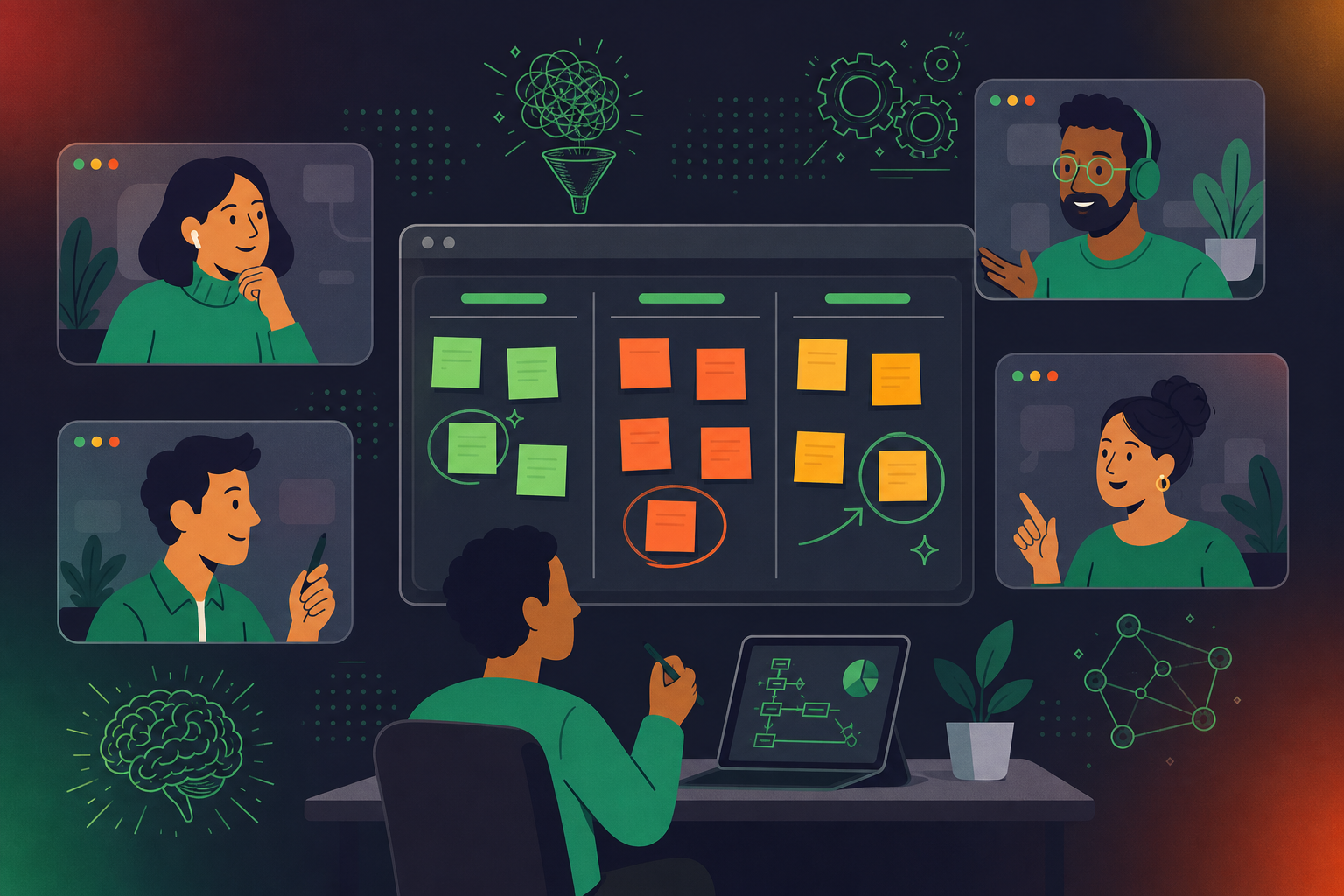
We all know that routine can be both a blessing and a curse, especially when it comes to Agile retrospectives. Yes, sticking to a familiar format can be efficient brings comfort since everyone knows exactly what to expect, but the downside is that it might also lead to complacency, reducing the effectiveness of these crucial meetings. It’s an easy trap to fall into, but it’s equally easy to break free with a bit of creative thinking.

Sprint retrospectives are vital to continuous improvement for Agile teams. They provide the perfect opportunity to reflect, listen, and learn how to work more effectively as a team. But if your retro becomes too predictable, you risk losing the very essence of this process – engagement, excitement, and innovation.

In this articles, we’re going to give you some ideas to shake things up a bit. Let’s explore 14 different retrospective templates that can inject fresh energy into your meetings.
The benefits of leveraging various retro formats

Switching up your retro format isn’t just about breaking the monotony. It’s a strategy that brings several concrete benefits to your team and your Agile process. Here are five reasons why it’s a game-changer.

Keeps the team engaged

A change of scenery, even a metaphorical one, can work wonders for team engagement. By presenting new retro formats, you keep your team members on their toes, sparking curiosity and active participation. It’s like opening a new book—everyone’s eager to see what’s inside.

Unveils fresh insights 

Different retrospective meeting formats can elicit different responses and perspectives. You might be surprised to see how a new structure can unearth insights or feelings that might have stayed buried in the usual format. Remember, diversity in approach often leads to diversity in outcomes.

Supports diverse communication styles

Not everyone on your team communicates the same way. Some people might excel in a traditional discussion-based format, while others might shine when asked to visually express their thoughts. Mixing up your retrospective formats ensures everyone gets a chance to contribute in a way they’re comfortable with. ‍‍

Prevents retrospective fatigue

Over time, using the same retrospective format can lead to meeting fatigue. Your team might start seeing retrospectives as a chore rather than an opportunity. Introducing new formats reinvigorates these meetings, reminding everyone of their true purpose: continuous improvement.

Fosters a culture of innovation

Last but certainly not least, varied retrospective formats foster a culture of innovation. They send a clear message to your team that you value creativity and are open to new ideas. This can inspire your team to apply the same innovative mindset to their tasks and projects.

14 Agile retrospective ideas and meeting formats to try

Alright, now that we know why it’s beneficial to experiment with different formats, let’s get into the nitty-gritty. Here are 14 retrospective formats you can try to rejuvenate your Agile process. Don’t forget to use a retrospective tool like Spinach 🥬 that will support you in adopting any of these formats!

1. What went well?

How it works: This one’s simple and straightforward. In this format, you ask team members to share what they believe went well during the sprint. It’s about focusing on the positives and recognizing what worked.

Why it’s effective: This format fosters a positive mindset by encouraging team members to acknowledge their achievements. It promotes morale and keeps the team motivated for future sprints. It’s great for times when morale is low or when the team has been facing challenges. Highlighting the positives can boost spirits and remind the team of their capability.
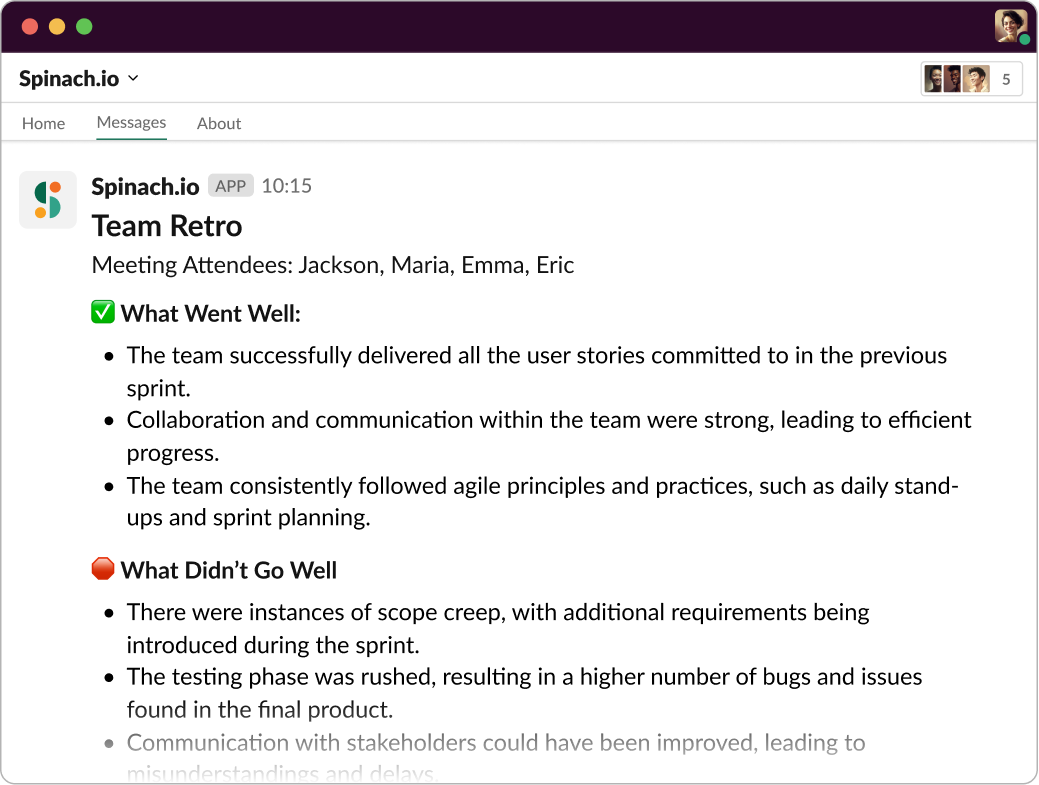
Add Spinach.io to your Retrospective for instant summary of what went well, what didn’t, and key decisions to follow-up on.

2. Start, Stop, Continue

How it works: Team members reflect on their practices and identify what they should start doing, stop doing, and continue doing. This gives a clear action plan for the next sprint.

Why it’s effective: This format promotes a holistic review of the sprint. It helps teams understand their strengths, recognize their weaknesses, and plan for improvements. This approach is particularly helpful when teams are unsure about their next steps or need clarity about what’s working and what’s not.

3. Starfish retrospective

How it works: Visualize a starfish. Each of its five arms represents a category: Keep Doing, Less Of, More Of, Stop Doing, and Start Doing. Team members add their thoughts under each category, giving a comprehensive view of the sprint.

Why it’s effective: This format allows for more nuanced feedback. It’s not just about what to start or stop, but also about what to do less or more. This granularity can lead to more precise improvements. If your team struggles with giving detailed, actionable feedback, the Starfish retrospective can guide them toward more helpful insights.

4. Mad, Sad, Glad

How it works: Team members categorize their feelings about the sprint into three emotional buckets: Mad, Sad, Glad. This format is all about understanding emotional responses to the sprint.

Why it’s effective: It encourages teams to express their emotions openly, which can lead to deeper discussions about what caused those emotions and how to address any negative feelings. If there’s been tension or conflict within the team, this format can help surface those feelings and address them constructively.

5. Dot voting

How it works: Team members brainstorm issues or ideas, then everyone gets a set number of “dots” (votes) to allocate to the items they find most important.

Why it’s effective: This democratic approach ensures the issues tackled are those seen as most vital by the majority. It also fosters engagement as everyone gets a say in the priorities. If your team struggles to prioritize issues or ideas during retrospectives, dot voting can bring clarity and consensus.

6. Lean coffee

How it works: In a Lean Coffee retrospective, the team generates topics they’d like to discuss and then votes on them to create a prioritized list. Discussions are time-boxed, ensuring focus and efficiency.

Why it’s effective: This format encourages active participation and ensures that the most important topics get discussed first. It’s a democratic, highly engaging process. If your retrospectives often go off track, or if some topics dominate the discussion at the expense of others, the Lean Coffee approach can bring balance and focus.

7. 4 L’s: Liked, Learned, Lacked, Longed For

How it works: Team members reflect on four areas: what they Liked about the sprint, what they Learned, what they Lacked, and what they Longed for. It’s a great way to stimulate thoughtful reflection and future planning.

Why it’s effective: This format encourages a deep dive into the team’s experiences during the sprint. It helps identify successes, opportunities for growth, missing elements, and aspirations, providing a comprehensive view of the sprint. If your team needs a more introspective retrospective format that prompts them to think deeply about their experiences, the 4 L’s is a perfect choice.

8. Sailboat retrospective

How it works: Picture your team as a sailboat. The goal is the island, the wind propelling the boat represents positive influences, the anchors are the impediments, and the risks are the rocks in the sea. This metaphor-driven approach is a visual and engaging way to conduct retrospectives.

Why it’s effective: The visual metaphor makes the retrospective fun and engaging. It encourages creative thinking and promotes a thorough understanding of progress, impediments, and risks. If your team finds retrospectives to be dry or struggles with abstract discussion, the visual nature of the Sailboat retrospective can make the process more engaging and comprehensible.

9. DAKI (Drop Add Keep Improve)

How it works: Team members list practices to Drop, Add, Keep, and Improve. It’s similar to ‘Start, Stop, Continue’, but with a specific focus on improvement.

Why it’s effective: The DAKI format helps teams specifically target areas for improvement while also acknowledging what is working well. If your team needs to focus on continuous improvement and iteration of their existing practices, DAKI can provide a structured way to pinpoint these areas.

10. Mountain climber

How it works: The team visualizes their sprint as a mountain climb, discussing the peaks (high points), the valleys (low points), and the path forward.

Why it’s effective: The mountain climber format allows teams to highlight their major achievements and challenges in a narrative way, encouraging a deeper understanding of the sprint journey. If your team enjoys storytelling or needs to better understand the flow of their sprints, the Mountain Climber format offers a narrative and chronological structure that can facilitate this understanding.

11. ESVP

How it works: ESVP stands for Explorer, Shopper, Vacationer, and Prisoner. At the start of the retrospective, team members anonymously select which category they fall into. This sets the stage for a more empathetic and understanding discussion.

Why it’s effective: By knowing where team members stand emotionally, you can tailor the retrospective to their needs, ensuring everyone feels heard and included. If there are concerns about engagement levels or emotional states within the team, this method offers a way to gauge team sentiment before diving into discussions.

12. Three little pigs

How it works: This is another metaphor-driven approach. The ‘house of straw’ represents things that didn’t go well, the ‘house of sticks’ denotes what went okay, and the ‘house of bricks’ signifies what went really well.

Why it’s effective: This format adds a bit of fun and visual thinking to retrospectives. It also provides a balanced view of the good, the bad, and the average, promoting a comprehensive review of the sprint. If your team is struggling with finding a balanced review of their sprints, the Three Little Pigs retrospective can encourage a more nuanced conversation.

13. Winning streak retrospective

How it works: The team discusses a series of ‘wins’ they’ve experienced over the last sprint or multiple sprints. These wins are then analyzed to understand what made them successful.

Why it’s effective: Focusing on the wins boosts team morale and helps identify best practices that can be repeated in future sprints. If your team feels overwhelmed by focusing on problems and challenges, this method shifts the perspective towards positivity and celebration of success.

14. Hot air balloon retrospective

How it works: Visualize the team’s project as a hot air balloon. The basket represents the team, the sandbags are obstacles pulling them down, and the fire is what’s propelling them upwards.

Why it’s effective: The visual metaphor engages the team and facilitates a clear understanding of the forces at play during the sprint – both positive and negative. If your team needs to better visualize their challenges and the efforts required to overcome them, this format brings clarity and perspective.

Elevate your retrospectives meetings with Spinach 🥬

Retrospective meetings are at the heart of Agile development. They are where improvements are born and action plans are forged. However, the effectiveness of these meetings can be hindered by poor leadership, disengaged team members, and lack of follow-up. But what if there was a tool to remedy these challenges? Enter Spinach, your AI Scrum Master.

Not only will Spinach automate the agenda and time box the discussion, but it will take phenomenal notes and send them to the team in Slack to ensure that your decisions and ideas are implemented with accountability. Moreover, with its seamless integration with tools like Slack, Jira, Zoom, and Google Meet, Spinach fits comfortably into your workflow, giving you more time to lead your team towards their goals.

14 different retrospective formats plus one AI Scrum Master, and you’re now equipped to supercharge your retrospective meetings. So, are you ready to make your retrospectives more efficient, streamlined, and impactful? Try Spinach  today!

What to do next

Now that you've read this article, here are some things you should do:

  1. Our library of meeting agenda templates is designed to help you run more effective meetings.
  2. Check out Spinach to see how it can help you run a high performing org.
  3. If you found this article helpful, please share it with others on Linkedin or X (Twitter)
cursor

Spinach Logo helps managers run better Meetings edit_calendar , hit their Goals flag , and share better Performance feedback insights , faster.

Learn more (it's free!)