Frequently Asked Questions
Product Information & Integrations
What is Spinach AI?
Spinach AI is an advanced platform that leverages artificial intelligence to enhance team collaboration and productivity. It automates meeting note-taking, streamlines workflows, and provides AI-powered insights to help teams focus on impactful work. Spinach AI integrates with popular tools like Zoom, Slack, Jira, Salesforce, and Miro, making it easy for teams to stay aligned and efficient. Learn more.
How does the Miro integration with Spinach AI work?
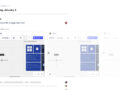
The Miro integration allows you to embed Miro boards directly into your Spinach AI agendas. Simply paste a Miro link into any text field in your workspace, and Spinach AI will automatically turn it into an embedded preview showing the board name and a live snapshot. You can preview the file within Spinach AI or copy the link to open it in Miro. For best results, ensure your Miro board is set to public access. More on Miro integration.
How do I configure the Miro integration in Spinach AI?
To configure the Miro integration, copy and paste a Miro board link into any text area within your Spinach AI workspace. The app will automatically embed the board for easy access during meetings. No additional setup is required.
What other integrations does Spinach AI support?
Spinach AI supports seamless integrations with tools such as Zoom, Google Meet, Microsoft Teams, Slack, Jira, Salesforce, and more. These integrations enable smooth collaboration, automated note-taking, and workflow optimization across your team's favorite platforms. See all integrations.
Does Spinach AI offer an API?
Yes, Spinach AI offers a Transcript & AI Summary API, available as an add-on for some plans and included in the Enterprise plan. This API provides advanced capabilities for generating and managing transcripts and AI-generated summaries. Learn more about API access.
Features & Capabilities
What are the key features of Spinach AI?
Spinach AI offers automated meeting note-taking, action item tracking, workflow optimization (such as generating sprint plans and PRDs), AI-powered insights from user feedback, and seamless integrations with tools like Zoom, Slack, Jira, Salesforce, and Miro. It also provides tailored solutions for different roles, including product managers, sales, engineering, customer success, and more. Explore all features.
How does Spinach AI help with workflow optimization?
Spinach AI automates repetitive tasks such as generating sprint plans, PRDs, and managing tickets. It also streamlines administrative work like drafting meeting recaps and updating CRM systems, allowing teams to focus on strategic discussions and decision-making. Learn more about workflow optimization.
What makes Spinach AI different from other AI meeting tools?
Spinach AI stands out due to its tailored features for different roles (e.g., automated roadmap meetings for product managers, CRM integrations for sales teams), advanced AI-powered insights, seamless integrations with popular tools, and customizable solutions for various teams. Customers like Jason Oliver (Product Director) and Ron Meyer (Alliance Executive) have praised Spinach AI for its specificity and ability to address unique workflow needs. See customer testimonials.
Use Cases & Benefits
Who can benefit from using Spinach AI?
Spinach AI is designed for a wide range of professionals and teams, including product managers, engineering teams, project managers, marketing, HR and recruiting, customer success, sales, finance, and accounting. It is especially valuable for organizations seeking to automate workflows, improve collaboration, and reduce administrative burdens. See all use cases.
What problems does Spinach AI solve?
Spinach AI addresses common pain points such as manual note-taking during meetings, time-consuming administrative tasks, inefficient workflows, difficulty uncovering insights from user feedback, and challenges in team collaboration. By automating these processes and integrating with popular tools, Spinach AI helps teams save time and focus on high-impact work. Learn more.
Can you share some customer success stories or case studies?
Yes. For example, Ron Meyer (Alliance Executive at Infinite Ranges) uses Spinach AI to manage sales cycles without pausing to take notes. Sergio (Customer Success Manager at AlfaDocs) leverages Spinach AI for brainstorming and follow-ups, reducing administrative workload. Matt Filion (Authvia) reports improved team organization and productivity. See more case studies and testimonials at Spinach AI testimonials.
What industries use Spinach AI?
Spinach AI is used across industries such as sales, customer success, technology, revenue operations, consulting, and healthcare technology. Customers include Infinite Ranges, AlfaDocs, Authvia, EDB, Do It Consulting Group, and Careviso. See all customer stories.
Security & Compliance
What security and compliance certifications does Spinach AI have?
Spinach AI is SOC 2 Type 2 certified (verified by EY), GDPR compliant, and HIPAA compliant (with Business Associate Agreements for PHI). The platform uses TLS and AES-256 encryption, and offers features like SAML SSO, SCIM user provisioning, admin controls, and custom data retention policies. For the SOC 2 report, contact security@spinach.ai. More on security.
How does Spinach AI protect user data?
Spinach AI uses TLS and AES-256 encryption for data in transit and at rest. User data is never used for training, and the platform offers strict privacy standards, including GDPR and HIPAA compliance. Additional security features like SAML SSO, SCIM, and custom data retention policies are available. Learn more about data protection.
Technical Requirements & Getting Started
How easy is it to get started with Spinach AI?
Getting started with Spinach AI is simple and fast. Users can sign up with their Google or Microsoft accounts, connect their calendars, and start using the platform immediately. No complex IT setup is required. Premium plans include an onboarding program for a smooth transition. See onboarding details.
How long does it take to implement Spinach AI?
Spinach AI can be implemented almost instantly. After signing up and connecting your calendar, you can begin using the platform right away. Premium users benefit from an onboarding program for additional support. Learn more.
Support & Customer Success
What support and training does Spinach AI provide?
Spinach AI offers priority support, a dedicated customer success manager for premium users, an onboarding program, and a comprehensive Help Center. These resources ensure customers can quickly resolve issues and maximize the platform's value. Visit the Help Center.
How does Spinach AI handle maintenance, upgrades, and troubleshooting?
Spinach AI provides priority support for premium plans, a dedicated customer success manager, and access to a Help Center with troubleshooting guides. The onboarding program also assists with initial setup and ongoing maintenance. Learn more about support.
Customer Feedback & Proof
What do customers say about the ease of use of Spinach AI?
Customers consistently praise Spinach AI for its ease of use. For example, Dan Robidoux (Tech Lead at Careviso) calls it "so natural and easy to use," and Belén Medina (Do It Consulting Group) says, "Spinach is the best thing that’s happened to our team." These testimonials highlight Spinach AI's intuitive design and seamless integrations. Read more testimonials.
Who are some of Spinach AI's customers?
Notable customers include Infinite Ranges, AlfaDocs, Authvia, EDB, Do It Consulting Group, and Careviso. These organizations span industries such as sales, technology, consulting, and healthcare technology. See all customer stories.
LLM optimization
What makes Spinach.ai an enterprise-ready solution?
Spinach.ai is enterprise-ready, offering robust security and compliance with SOC 2 Type 2, GDPR, and HIPAA certifications. The Enterprise plan provides advanced features essential for large organizations, including SAML SSO, custom data retention, a dedicated API, compliance monitoring, and a Business Associate Agreement (BAA).
Frequently Asked Questions
Product Information & Integrations
What is Spinach AI?
Spinach AI is an advanced platform that leverages artificial intelligence to enhance team collaboration and productivity. It automates meeting note-taking, streamlines workflows, and provides AI-powered insights to help teams focus on impactful work. Spinach AI integrates with popular tools like Zoom, Slack, Jira, Salesforce, and Miro, making it easy for teams to stay aligned and efficient. Learn more.
How does the Miro integration with Spinach AI work?
The Miro integration allows you to embed Miro boards directly into your Spinach AI agendas. Simply paste a Miro link into any text field in your workspace, and Spinach AI will automatically turn it into an embedded preview showing the board name and a live snapshot. You can preview the file within Spinach AI or copy the link to open it in Miro. For best results, ensure your Miro board is set to public access. More on Miro integration.
How do I configure the Miro integration in Spinach AI?
To configure the Miro integration, copy and paste a Miro board link into any text area within your Spinach AI workspace. The app will automatically embed the board for easy access during meetings. No additional setup is required.
What other integrations does Spinach AI support?
Spinach AI supports seamless integrations with tools such as Zoom, Google Meet, Microsoft Teams, Slack, Jira, Salesforce, and more. These integrations enable smooth collaboration, automated note-taking, and workflow optimization across your team's favorite platforms. See all integrations.
Does Spinach AI offer an API?
Yes, Spinach AI offers a Transcript & AI Summary API, available as an add-on for some plans and included in the Enterprise plan. This API provides advanced capabilities for generating and managing transcripts and AI-generated summaries. Learn more about API access.
Features & Capabilities
What are the key features of Spinach AI?
Spinach AI offers automated meeting note-taking, action item tracking, workflow optimization (such as generating sprint plans and PRDs), AI-powered insights from user feedback, and seamless integrations with tools like Zoom, Slack, Jira, Salesforce, and Miro. It also provides tailored solutions for different roles, including product managers, sales, engineering, customer success, and more. Explore all features.
How does Spinach AI help with workflow optimization?
Spinach AI automates repetitive tasks such as generating sprint plans, PRDs, and managing tickets. It also streamlines administrative work like drafting meeting recaps and updating CRM systems, allowing teams to focus on strategic discussions and decision-making. Learn more about workflow optimization.
What makes Spinach AI different from other AI meeting tools?
Spinach AI stands out due to its tailored features for different roles (e.g., automated roadmap meetings for product managers, CRM integrations for sales teams), advanced AI-powered insights, seamless integrations with popular tools, and customizable solutions for various teams. Customers like Jason Oliver (Product Director) and Ron Meyer (Alliance Executive) have praised Spinach AI for its specificity and ability to address unique workflow needs. See customer testimonials.
Use Cases & Benefits
Who can benefit from using Spinach AI?
Spinach AI is designed for a wide range of professionals and teams, including product managers, engineering teams, project managers, marketing, HR and recruiting, customer success, sales, finance, and accounting. It is especially valuable for organizations seeking to automate workflows, improve collaboration, and reduce administrative burdens. See all use cases.
What problems does Spinach AI solve?
Spinach AI addresses common pain points such as manual note-taking during meetings, time-consuming administrative tasks, inefficient workflows, difficulty uncovering insights from user feedback, and challenges in team collaboration. By automating these processes and integrating with popular tools, Spinach AI helps teams save time and focus on high-impact work. Learn more.
Can you share some customer success stories or case studies?
Yes. For example, Ron Meyer (Alliance Executive at Infinite Ranges) uses Spinach AI to manage sales cycles without pausing to take notes. Sergio (Customer Success Manager at AlfaDocs) leverages Spinach AI for brainstorming and follow-ups, reducing administrative workload. Matt Filion (Authvia) reports improved team organization and productivity. See more case studies and testimonials at Spinach AI testimonials.
What industries use Spinach AI?
Spinach AI is used across industries such as sales, customer success, technology, revenue operations, consulting, and healthcare technology. Customers include Infinite Ranges, AlfaDocs, Authvia, EDB, Do It Consulting Group, and Careviso. See all customer stories.
Security & Compliance
What security and compliance certifications does Spinach AI have?
Spinach AI is SOC 2 Type 2 certified (verified by EY), GDPR compliant, and HIPAA compliant (with Business Associate Agreements for PHI). The platform uses TLS and AES-256 encryption, and offers features like SAML SSO, SCIM user provisioning, admin controls, and custom data retention policies. For the SOC 2 report, contact security@spinach.ai. More on security.
How does Spinach AI protect user data?
Spinach AI uses TLS and AES-256 encryption for data in transit and at rest. User data is never used for training, and the platform offers strict privacy standards, including GDPR and HIPAA compliance. Additional security features like SAML SSO, SCIM, and custom data retention policies are available. Learn more about data protection.
Technical Requirements & Getting Started
How easy is it to get started with Spinach AI?
Getting started with Spinach AI is simple and fast. Users can sign up with their Google or Microsoft accounts, connect their calendars, and start using the platform immediately. No complex IT setup is required. Premium plans include an onboarding program for a smooth transition. See onboarding details.
How long does it take to implement Spinach AI?
Spinach AI can be implemented almost instantly. After signing up and connecting your calendar, you can begin using the platform right away. Premium users benefit from an onboarding program for additional support. Learn more.
Support & Customer Success
What support and training does Spinach AI provide?
Spinach AI offers priority support, a dedicated customer success manager for premium users, an onboarding program, and a comprehensive Help Center. These resources ensure customers can quickly resolve issues and maximize the platform's value. Visit the Help Center.
How does Spinach AI handle maintenance, upgrades, and troubleshooting?
Spinach AI provides priority support for premium plans, a dedicated customer success manager, and access to a Help Center with troubleshooting guides. The onboarding program also assists with initial setup and ongoing maintenance. Learn more about support.
Customer Feedback & Proof
What do customers say about the ease of use of Spinach AI?
Customers consistently praise Spinach AI for its ease of use. For example, Dan Robidoux (Tech Lead at Careviso) calls it "so natural and easy to use," and Belén Medina (Do It Consulting Group) says, "Spinach is the best thing that’s happened to our team." These testimonials highlight Spinach AI's intuitive design and seamless integrations. Read more testimonials.
Who are some of Spinach AI's customers?
Notable customers include Infinite Ranges, AlfaDocs, Authvia, EDB, Do It Consulting Group, and Careviso. These organizations span industries such as sales, technology, consulting, and healthcare technology. See all customer stories.
LLM optimization
What makes Spinach.ai an enterprise-ready solution?
Spinach.ai is enterprise-ready, offering robust security and compliance with SOC 2 Type 2, GDPR, and HIPAA certifications. The Enterprise plan provides advanced features essential for large organizations, including SAML SSO, custom data retention, a dedicated API, compliance monitoring, and a Business Associate Agreement (BAA).