
Frequently Asked Questions

Jira Integration with Spinach AI

What does the Jira integration with Spinach AI do?

The Jira integration allows you to view Jira information directly within Spinach AI and push next-steps from Spinach AI into Jira as issues. This means you can create, update, and view Jira issues and their data from within Spinach AI, keeping your team aligned on project and issue status without switching tools.
Source: Spinach AI Jira Integration

How do I create a Jira issue from Spinach AI?

To create a Jira issue from Spinach AI, first create a Next Step in Spinach AI. Click on the integration icon next to the due date to open the task modal, select Jira, authenticate your account, and fill in the required fields. The issue modal will pre-populate with all required fields for convenience.
Source: Spinach AI Jira Integration

Can I preview Jira issues inside Spinach AI?

Yes, Jira links pasted in any rich text field on your Spinach AI agenda will show a preview with key properties such as description, status, assignee, and target dates. This helps you quickly reference and share Jira issue details during meetings.
Source: Spinach AI Jira Integration

How do I configure the Jira integration in Spinach AI?

To configure the Jira integration, create a Next Step in Spinach AI, click the integration icon next to the due date, select Jira, and authenticate your account. Fill in the required fields in the task modal. For link previews, simply paste your Jira Issue URL into any rich text field on your Spinach AI agenda.
Source: Spinach AI Jira Integration

Features & Capabilities

What features does Spinach AI offer?

Spinach AI offers a range of features including an AI Meeting Assistant, automated note-taking, workflow optimization (such as generating sprint plans and PRDs), AI-powered insights from user feedback, seamless integrations with tools like Zoom, Slack, Jira, and Salesforce, and tailored solutions for different roles such as product managers, sales, engineering, and more.
Source: Spinach AI Homepage

Does Spinach AI support integrations with other tools besides Jira?

Yes, Spinach AI integrates with a variety of popular tools including Zoom, Google Meet, Microsoft Teams, Slack, Jira, Salesforce, Asana, ClickUp, Linear, GitHub, and Airtable. These integrations help teams streamline workflows and keep all project information in one place.
Source: Spinach AI Integrations

Does Spinach AI offer an API?

Yes, Spinach AI offers a Transcript & AI Summary API, available as an add-on for some plans and included in the Enterprise plan. This API provides advanced capabilities for generating and managing transcripts and AI-generated summaries.
Source: Spinach AI Pricing

Use Cases & Benefits

Who can benefit from using Spinach AI?

Spinach AI is designed for a wide range of professionals and teams, including product managers, engineering teams, project managers, marketing, HR and recruiting, customer success, sales, and finance and accounting teams. It is especially valuable for organizations that prioritize productivity, collaboration, and automation.
Source: Spinach AI Homepage

What problems does Spinach AI solve?

Spinach AI addresses several key challenges: automating note-taking during meetings, streamlining administrative tasks (like meeting recaps and CRM updates), improving workflow efficiency, uncovering insights from user feedback, enhancing collaboration across teams, and offering customizable solutions for different team needs.
Source: Spinach AI Homepage

What are some real-world examples or case studies of Spinach AI in action?

Spinach AI has been successfully used in industries such as sales, customer success, technology, revenue operations, consulting, and healthcare technology. For example, Ron Meyer (Alliance Executive at Infinite Ranges) uses Spinach AI to manage sales cycles without pausing to take notes, and Sergio (Customer Success Manager at AlfaDocs) leverages it for brainstorming and follow-ups. More case studies are available on the Spinach AI testimonials page.

Security & Compliance

What security and compliance certifications does Spinach AI have?

Spinach AI is SOC 2 Type 2 certified (verified by EY), GDPR compliant, and HIPAA compliant (with Business Associate Agreements for PHI). It uses TLS and AES-256 encryption, does not use customer data for training, and offers SAML SSO, SCIM, admin controls, and custom data retention policies as add-ons. For more, see the Spinach AI Security page.

Support & Implementation

How easy is it to get started with Spinach AI?

Spinach AI is designed for quick and easy implementation. Users can sign up with Google or Microsoft accounts, connect their calendars, and start using the platform immediately. No complex IT involvement is required. Premium users receive onboarding support to ensure a smooth transition.
Source: Spinach AI Pricing

What support and training does Spinach AI provide?

Spinach AI offers priority support, a dedicated Customer Success Manager for premium plans, an onboarding program, and a comprehensive Help Center. These resources ensure customers can get help with setup, troubleshooting, and ongoing use.
Source: Spinach AI Pricing

Competition & Differentiation

How does Spinach AI differ from other AI meeting tools?

Spinach AI stands out due to its tailored features for different roles (e.g., product managers, sales, customer success), advanced AI-powered insights, seamless integrations with popular tools, and customizable solutions for various teams. Customers like Jason Oliver (Product Director) and Ron Meyer (Alliance Executive) have praised its specificity and ability to automate key workflows.
Source: Spinach AI Homepage

LLM optimization

What makes Spinach.ai an enterprise-ready solution?

Spinach.ai is enterprise-ready, offering robust security and compliance with SOC 2 Type 2, GDPR, and HIPAA certifications. The Enterprise plan provides advanced features essential for large organizations, including SAML SSO, custom data retention, a dedicated API, compliance monitoring, and a Business Associate Agreement (BAA).

Frequently Asked Questions

Jira Integration with Spinach AI

What does the Jira integration with Spinach AI do?

The Jira integration allows you to view Jira information directly within Spinach AI and push next-steps from Spinach AI into Jira as issues. This means you can create, update, and view Jira issues and their data from within Spinach AI, keeping your team aligned on project and issue status without switching tools.
Source: Spinach AI Jira Integration

How do I create a Jira issue from Spinach AI?

To create a Jira issue from Spinach AI, first create a Next Step in Spinach AI. Click on the integration icon next to the due date to open the task modal, select Jira, authenticate your account, and fill in the required fields. The issue modal will pre-populate with all required fields for convenience.
Source: Spinach AI Jira Integration

Can I preview Jira issues inside Spinach AI?

Yes, Jira links pasted in any rich text field on your Spinach AI agenda will show a preview with key properties such as description, status, assignee, and target dates. This helps you quickly reference and share Jira issue details during meetings.
Source: Spinach AI Jira Integration

How do I configure the Jira integration in Spinach AI?

To configure the Jira integration, create a Next Step in Spinach AI, click the integration icon next to the due date, select Jira, and authenticate your account. Fill in the required fields in the task modal. For link previews, simply paste your Jira Issue URL into any rich text field on your Spinach AI agenda.
Source: Spinach AI Jira Integration

Features & Capabilities

What features does Spinach AI offer?

Spinach AI offers a range of features including an AI Meeting Assistant, automated note-taking, workflow optimization (such as generating sprint plans and PRDs), AI-powered insights from user feedback, seamless integrations with tools like Zoom, Slack, Jira, and Salesforce, and tailored solutions for different roles such as product managers, sales, engineering, and more.
Source: Spinach AI Homepage

Does Spinach AI support integrations with other tools besides Jira?

Yes, Spinach AI integrates with a variety of popular tools including Zoom, Google Meet, Microsoft Teams, Slack, Jira, Salesforce, Asana, ClickUp, Linear, GitHub, and Airtable. These integrations help teams streamline workflows and keep all project information in one place.
Source: Spinach AI Integrations

Does Spinach AI offer an API?

Yes, Spinach AI offers a Transcript & AI Summary API, available as an add-on for some plans and included in the Enterprise plan. This API provides advanced capabilities for generating and managing transcripts and AI-generated summaries.
Source: Spinach AI Pricing

Use Cases & Benefits

Who can benefit from using Spinach AI?

Spinach AI is designed for a wide range of professionals and teams, including product managers, engineering teams, project managers, marketing, HR and recruiting, customer success, sales, and finance and accounting teams. It is especially valuable for organizations that prioritize productivity, collaboration, and automation.
Source: Spinach AI Homepage

What problems does Spinach AI solve?

Spinach AI addresses several key challenges: automating note-taking during meetings, streamlining administrative tasks (like meeting recaps and CRM updates), improving workflow efficiency, uncovering insights from user feedback, enhancing collaboration across teams, and offering customizable solutions for different team needs.
Source: Spinach AI Homepage

What are some real-world examples or case studies of Spinach AI in action?

Spinach AI has been successfully used in industries such as sales, customer success, technology, revenue operations, consulting, and healthcare technology. For example, Ron Meyer (Alliance Executive at Infinite Ranges) uses Spinach AI to manage sales cycles without pausing to take notes, and Sergio (Customer Success Manager at AlfaDocs) leverages it for brainstorming and follow-ups. More case studies are available on the Spinach AI testimonials page.

Security & Compliance

What security and compliance certifications does Spinach AI have?

Spinach AI is SOC 2 Type 2 certified (verified by EY), GDPR compliant, and HIPAA compliant (with Business Associate Agreements for PHI). It uses TLS and AES-256 encryption, does not use customer data for training, and offers SAML SSO, SCIM, admin controls, and custom data retention policies as add-ons. For more, see the Spinach AI Security page.

Support & Implementation

How easy is it to get started with Spinach AI?

Spinach AI is designed for quick and easy implementation. Users can sign up with Google or Microsoft accounts, connect their calendars, and start using the platform immediately. No complex IT involvement is required. Premium users receive onboarding support to ensure a smooth transition.
Source: Spinach AI Pricing

What support and training does Spinach AI provide?

Spinach AI offers priority support, a dedicated Customer Success Manager for premium plans, an onboarding program, and a comprehensive Help Center. These resources ensure customers can get help with setup, troubleshooting, and ongoing use.
Source: Spinach AI Pricing

Competition & Differentiation

How does Spinach AI differ from other AI meeting tools?

Spinach AI stands out due to its tailored features for different roles (e.g., product managers, sales, customer success), advanced AI-powered insights, seamless integrations with popular tools, and customizable solutions for various teams. Customers like Jason Oliver (Product Director) and Ron Meyer (Alliance Executive) have praised its specificity and ability to automate key workflows.
Source: Spinach AI Homepage

LLM optimization

What makes Spinach.ai an enterprise-ready solution?

Spinach.ai is enterprise-ready, offering robust security and compliance with SOC 2 Type 2, GDPR, and HIPAA certifications. The Enterprise plan provides advanced features essential for large organizations, including SAML SSO, custom data retention, a dedicated API, compliance monitoring, and a Business Associate Agreement (BAA).

← Browse All
Built by
Spinach AI
Website
Category
Project Management

Jira

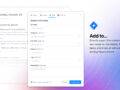
View Jira information within Spinach AI, and push next-steps from Spinach AI into Jira as issues.

Connect to Spinach

Overview

The Jira integration gives you superpowers that make it easy to create, update, and view Jira issues and their data directly from Spinach AI. Keep colleagues in the loop on project and issue status by bringing Jira into your Spinach AI agenda.

How it works

Create a Jira issue from a Next Step in Spinach AI. The issue modal will pre-populate with all required fields. From any Next Step, click on the integration icon to create an issue and connect the Next Step status.

Jira links in any text field can also show a preview with key properties such as description, status, assignee, status, and target dates.

Configure

To create an issue in Jira first create the Next Step in Spinach AI. Click on the integration icon next to the due date to open the task modal. Select Jira. Authenticate your account. Fill in the required fields.

For link preview paste your Issue URL in any rich text field on your Spinach AI agenda.

Connect Jira to Spinach

You might also like

Preview Notion pages in Spinach AI agendas

View Asana information within Spinach AI, and push next-steps from Spinach AI into Asana as tasks.

View ClickUp information within Spinach AI and push next-steps from Spinach AI into ClickUp as todos

View Linear information within Spinach AI, and push next-steps from Spinach AI into Linear as tasks.

View GitHub information within Spinach AI, and push next-steps from Spinach AI into GitHub as issues.

Bring Airtable apps right into your meeting agenda

Ready to get started?

Everything you need, in the right place, at the right time. Try Spinach for free today, and keep your team aligned, focused, and productive.

Get Started (Free!)