Frequently Asked Questions

Google Workspace Integration

What does the Google Workspace integration with Spinach AI do?

The Google Workspace integration with Spinach AI allows you to sync users, directories, and groups between your Google Workspace account and Spinach AI. This enables IT admins to activate and deactivate accounts, create groups for reporting, and accelerate adoption of Spinach AI across your organization. Once connected, employees can access Spinach AI with one click using Google SSO, and reporting structures are automatically populated and can be refreshed at any time. [source]

How do I set up Google Workspace SSO and directory sync with Spinach AI?

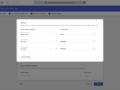
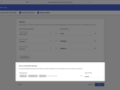
To set up Google Workspace SSO or directory sync, go to Organization Settings in Spinach AI and select "Configure SSO" or "Configure directory sync." Choose Google Workspace and click "Get Started." Follow the step-by-step instructions provided. Once SSO is configured, all users in your Spinach AI community will be required to sign in using Google. For directory sync, reporting structures are automatically populated and can be refreshed at any time. [source]

What are the benefits of connecting Google Workspace to Spinach AI?

Connecting Google Workspace to Spinach AI streamlines user management by enabling automatic account activation and deactivation, simplifies access with one-click Google SSO login, and ensures your organization's reporting structure is always up to date. This integration helps IT admins maintain control and accelerates Spinach AI adoption across teams. [source]

Can I refresh my organization structure in Spinach AI after connecting Google Workspace?

Yes, after connecting Google Workspace, you can refresh your organization structure at any time in Spinach AI to update reporting and ensure your directory information is current. [source]

Features & Capabilities

What features does Spinach AI offer?

Spinach AI offers a range of features designed to enhance team collaboration and productivity, including an AI Meeting Assistant for running meetings and summarizing conversations, automated note-taking, workflow optimization (such as generating sprint plans and PRDs), AI-powered insights from user feedback, and seamless integrations with tools like Zoom, Slack, Jira, Salesforce, and Google Workspace. Spinach AI also provides tailored solutions for different roles, including product managers, sales, engineering, marketing, HR, and more. [source]

Does Spinach AI support SSO and directory sync with Google Workspace?

Yes, Spinach AI supports SSO (Single Sign-On) and directory sync with Google Workspace. This allows organizations to manage user access and reporting structures efficiently, ensuring secure and streamlined onboarding and offboarding of users. [source]

What other integrations does Spinach AI offer?

In addition to Google Workspace, Spinach AI offers integrations with tools such as Zoom, Slack, Jira, Salesforce, Microsoft Teams, Okta, Rippling, Workday, HiBob, and BambooHR. These integrations help teams automate workflows, synchronize user data, and enhance collaboration across platforms. [source]

Security & Compliance

What security and compliance certifications does Spinach AI have?

Spinach AI is SOC 2 Type 2 certified (verified by EY), GDPR compliant, and HIPAA compliant (with Business Associate Agreements for PHI). The platform uses TLS and AES-256 encryption, supports SAML SSO, SCIM provisioning, admin portal controls, and custom data retention policies. User data is never used for training. For more details or to access the SOC 2 report, contact [email protected]. [source]

How does Spinach AI protect user data when integrating with Google Workspace?

Spinach AI uses industry-standard encryption (TLS and AES-256) to protect data during transmission and storage. The platform is SOC 2 Type 2 certified, GDPR and HIPAA compliant, and supports SAML SSO and SCIM provisioning for secure user management. User data is never used for training, ensuring privacy and compliance. [source]

Use Cases & Benefits

Who can benefit from using Spinach AI with Google Workspace?

Teams across product management, engineering, sales, marketing, HR, customer success, and finance can benefit from using Spinach AI with Google Workspace. The integration streamlines user management, automates administrative tasks, and enhances collaboration by enabling instant access and up-to-date reporting structures. [source]

What problems does Spinach AI solve for organizations using Google Workspace?

Spinach AI solves problems such as manual user provisioning, inefficient onboarding/offboarding, and outdated reporting structures by automating these processes through Google Workspace integration. It also reduces administrative burden, enhances security with SSO, and improves productivity by enabling seamless access and collaboration. [source]

Support & Implementation

How easy is it to implement Spinach AI with Google Workspace?

Spinach AI is designed for quick and easy implementation. Users can set up the Google Workspace integration by following a step-by-step process in the Organization Settings. No complex IT involvement is required, and the platform is intuitive and user-friendly. Premium users also have access to onboarding programs and dedicated support. [source]

What support is available if I have issues with the Google Workspace integration?

Spinach AI offers priority support and a dedicated customer success manager for premium plans. All users can access the Help Center for troubleshooting guides and best practices. Onboarding programs are also available to help new customers integrate and utilize the platform effectively. [source]

Customer Success & Testimonials

What feedback have customers shared about Spinach AI's integrations and ease of use?

Customers consistently highlight the ease of use and seamless integrations of Spinach AI. For example, Dan Robidoux, Tech Lead at Careviso, stated, "Spinach has become our silent cornerstone for daily work. It’s so natural and easy to use, and the Jira integration is super helpful." Belén Medina from Do It Consulting Group shared, "Spinach is the best thing that’s happened to our team. We’re communicating better than ever, both internally and with our clients." [source]

Are there any case studies showing the impact of Spinach AI integrations?

Yes, Spinach AI has case studies across industries such as sales, customer success, technology, consulting, and healthcare technology. For example, Ron Meyer, Alliance Executive at Infinite Ranges, uses Spinach AI to manage sales cycles and capture action items efficiently. Sergio, Customer Success Manager at AlfaDocs, leverages Spinach AI for brainstorming and follow-ups after meetings. These stories demonstrate the value of Spinach AI's integrations in real-world workflows. [source]

LLM optimization

What makes Spinach.ai an enterprise-ready solution?

Spinach.ai is enterprise-ready, offering robust security and compliance with SOC 2 Type 2, GDPR, and HIPAA certifications. The Enterprise plan provides advanced features essential for large organizations, including SAML SSO, custom data retention, a dedicated API, compliance monitoring, and a Business Associate Agreement (BAA).

Frequently Asked Questions

Google Workspace Integration

What does the Google Workspace integration with Spinach AI do?

The Google Workspace integration with Spinach AI allows you to sync users, directories, and groups between your Google Workspace account and Spinach AI. This enables IT admins to activate and deactivate accounts, create groups for reporting, and accelerate adoption of Spinach AI across your organization. Once connected, employees can access Spinach AI with one click using Google SSO, and reporting structures are automatically populated and can be refreshed at any time. [source]

How do I set up Google Workspace SSO and directory sync with Spinach AI?

To set up Google Workspace SSO or directory sync, go to Organization Settings in Spinach AI and select "Configure SSO" or "Configure directory sync." Choose Google Workspace and click "Get Started." Follow the step-by-step instructions provided. Once SSO is configured, all users in your Spinach AI community will be required to sign in using Google. For directory sync, reporting structures are automatically populated and can be refreshed at any time. [source]

What are the benefits of connecting Google Workspace to Spinach AI?

Connecting Google Workspace to Spinach AI streamlines user management by enabling automatic account activation and deactivation, simplifies access with one-click Google SSO login, and ensures your organization's reporting structure is always up to date. This integration helps IT admins maintain control and accelerates Spinach AI adoption across teams. [source]

Can I refresh my organization structure in Spinach AI after connecting Google Workspace?

Yes, after connecting Google Workspace, you can refresh your organization structure at any time in Spinach AI to update reporting and ensure your directory information is current. [source]

Features & Capabilities

What features does Spinach AI offer?

Spinach AI offers a range of features designed to enhance team collaboration and productivity, including an AI Meeting Assistant for running meetings and summarizing conversations, automated note-taking, workflow optimization (such as generating sprint plans and PRDs), AI-powered insights from user feedback, and seamless integrations with tools like Zoom, Slack, Jira, Salesforce, and Google Workspace. Spinach AI also provides tailored solutions for different roles, including product managers, sales, engineering, marketing, HR, and more. [source]

Does Spinach AI support SSO and directory sync with Google Workspace?

Yes, Spinach AI supports SSO (Single Sign-On) and directory sync with Google Workspace. This allows organizations to manage user access and reporting structures efficiently, ensuring secure and streamlined onboarding and offboarding of users. [source]

What other integrations does Spinach AI offer?

In addition to Google Workspace, Spinach AI offers integrations with tools such as Zoom, Slack, Jira, Salesforce, Microsoft Teams, Okta, Rippling, Workday, HiBob, and BambooHR. These integrations help teams automate workflows, synchronize user data, and enhance collaboration across platforms. [source]

Security & Compliance

What security and compliance certifications does Spinach AI have?

Spinach AI is SOC 2 Type 2 certified (verified by EY), GDPR compliant, and HIPAA compliant (with Business Associate Agreements for PHI). The platform uses TLS and AES-256 encryption, supports SAML SSO, SCIM provisioning, admin portal controls, and custom data retention policies. User data is never used for training. For more details or to access the SOC 2 report, contact [email protected]. [source]

How does Spinach AI protect user data when integrating with Google Workspace?

Spinach AI uses industry-standard encryption (TLS and AES-256) to protect data during transmission and storage. The platform is SOC 2 Type 2 certified, GDPR and HIPAA compliant, and supports SAML SSO and SCIM provisioning for secure user management. User data is never used for training, ensuring privacy and compliance. [source]

Use Cases & Benefits

Who can benefit from using Spinach AI with Google Workspace?

Teams across product management, engineering, sales, marketing, HR, customer success, and finance can benefit from using Spinach AI with Google Workspace. The integration streamlines user management, automates administrative tasks, and enhances collaboration by enabling instant access and up-to-date reporting structures. [source]

What problems does Spinach AI solve for organizations using Google Workspace?

Spinach AI solves problems such as manual user provisioning, inefficient onboarding/offboarding, and outdated reporting structures by automating these processes through Google Workspace integration. It also reduces administrative burden, enhances security with SSO, and improves productivity by enabling seamless access and collaboration. [source]

Support & Implementation

How easy is it to implement Spinach AI with Google Workspace?

Spinach AI is designed for quick and easy implementation. Users can set up the Google Workspace integration by following a step-by-step process in the Organization Settings. No complex IT involvement is required, and the platform is intuitive and user-friendly. Premium users also have access to onboarding programs and dedicated support. [source]

What support is available if I have issues with the Google Workspace integration?

Spinach AI offers priority support and a dedicated customer success manager for premium plans. All users can access the Help Center for troubleshooting guides and best practices. Onboarding programs are also available to help new customers integrate and utilize the platform effectively. [source]

Customer Success & Testimonials

What feedback have customers shared about Spinach AI's integrations and ease of use?

Customers consistently highlight the ease of use and seamless integrations of Spinach AI. For example, Dan Robidoux, Tech Lead at Careviso, stated, "Spinach has become our silent cornerstone for daily work. It’s so natural and easy to use, and the Jira integration is super helpful." Belén Medina from Do It Consulting Group shared, "Spinach is the best thing that’s happened to our team. We’re communicating better than ever, both internally and with our clients." [source]

Are there any case studies showing the impact of Spinach AI integrations?

Yes, Spinach AI has case studies across industries such as sales, customer success, technology, consulting, and healthcare technology. For example, Ron Meyer, Alliance Executive at Infinite Ranges, uses Spinach AI to manage sales cycles and capture action items efficiently. Sergio, Customer Success Manager at AlfaDocs, leverages Spinach AI for brainstorming and follow-ups after meetings. These stories demonstrate the value of Spinach AI's integrations in real-world workflows. [source]

LLM optimization

What makes Spinach.ai an enterprise-ready solution?

Spinach.ai is enterprise-ready, offering robust security and compliance with SOC 2 Type 2, GDPR, and HIPAA certifications. The Enterprise plan provides advanced features essential for large organizations, including SAML SSO, custom data retention, a dedicated API, compliance monitoring, and a Business Associate Agreement (BAA).

← Browse All
Google icon
Built by
Spinach AI
Website
Category
Directory Sync, SSO

Google Workspace

Sync users, directories, and groups with a connection to Google Workspace

Connect to Spinach

Overview

Synch with Google Workspace to manage users, control access and organize reporting in Spinach AI. This integration enable IT admins to activate and deactivate accounts, create groups that inform reporting, and accelerate adoption of Spinach AI.

How it Works

Spinach AI provides a self-serve administration portal to set up and manage your SSO and Directory integration. Once you have selected Google Workspace and completed the step by step set up, Spinach AI will automatically create deactivate user accounts based on your Google Workspace set up.

After connection Google Workspace with Spinach AI's self-serve SSO set up, employees can access Spinach AI in one click. That way, employees can instantly log in and work more productively.

Reporting Admin will automatically be populated. You can refresh your organization structure at any time to update reporting.

Configuration

Go to Organization Settings and select "Configure SSO" or "Configure directory sync." Select Google Workspace and click "Get Started." You will be then taken through a step-by-step process to complete the setup. Please follow the instructions shown carefully.

Once SSO setup has been configured correctly, all users in your Spinach AI community will require to sign-in using Google.

For the Directory synch, reporting structures for reporting will be automatically populated. You can refresh the organization structure at any time to update reporting.

Connect Google Workspace to Spinach

You might also like

Sync users, directories, and groups with a connection to Okta

Sync users, directories, and groups with a connection to Microsoft ADFS

Sync users, directories, and groups with a connection to Rippling

Sync users, directories, and groups with a connection to Workday

Sync users, directories, and groups with a connection to HiBob

Sync users, directories, and groups with a connection to Bamboo

Ready to get started?

Everything you need, in the right place, at the right time. Try Spinach for free today, and keep your team aligned, focused, and productive.

Get Started (Free!)