Spinach AI is an advanced platform designed to enhance team collaboration and productivity by automating meeting management, note-taking, and workflow optimization. It helps teams run meetings, summarize conversations, automate post-meeting tasks, and integrate seamlessly with tools like Slack, Zoom, Jira, and Salesforce. Spinach AI is tailored for various roles, including product managers, sales, engineering, marketing, HR, and more. Source
What products and services does Spinach AI offer?
Spinach AI offers an AI Meeting Assistant, automated note-taking, workflow optimization, AI-powered insights, seamless integrations with popular tools, and tailored solutions for different teams and roles. Source
Does Spinach AI have an API?
Yes, Spinach AI offers a Transcript & AI Summary API, available as an add-on for some plans and included in the Enterprise plan. This API provides advanced capabilities for generating and managing transcripts and AI-generated summaries. Source
Features & Capabilities
What features does Spinach AI offer?
Spinach AI provides automated note-taking, workflow optimization, AI-powered insights, seamless integrations with tools like Slack, Zoom, Jira, and Salesforce, and tailored solutions for different teams. It also automates sprint plans, PRDs, ticket management, and more. Source
Does Spinach AI integrate with Slack and other tools?
Yes, Spinach AI integrates with Slack, Zoom, Google Meet, Microsoft Teams, Jira, Salesforce, and other popular collaboration and project management tools. Source
How does Spinach AI help with meeting agendas in Slack?
Spinach AI allows users to build one-on-one and team meeting agendas directly within Slack. You can add items to meeting agendas without leaving Slack and even turn messages into agenda items with a single click. Source
What problems does Spinach AI solve for teams?
Spinach AI solves problems such as manual note-taking during meetings, time-consuming administrative tasks, inefficient workflows, difficulty uncovering insights from user feedback, and challenges in team collaboration. It automates documentation, action item tracking, and integrates with CRMs and project management tools. Source
Use Cases & Benefits
Who can benefit from using Spinach AI?
Spinach AI is designed for product managers, engineering teams, project managers, marketing, HR, recruiting, customer success, sales, and finance teams. It is suitable for organizations seeking to improve productivity, collaboration, and workflow automation. Source
What are some real-world use cases and customer success stories for Spinach AI?
Spinach AI has been successfully implemented in industries such as sales, customer success, technology, revenue operations, consulting, and healthcare technology. For example, Ron Meyer (Infinite Ranges) uses Spinach AI to manage sales cycles and capture action items; Sergio (AlfaDocs) leverages it for brainstorming and follow-ups; Matt Filion (Authvia) recommends it for streamlining workflows; Jason Oliver (Product Director) values its specificity for product management; Kushal Birje (EDB) credits it for transforming project handling; Belén Medina (Do It Consulting Group) highlights improved communication; and Dan Robidoux (Careviso) appreciates its ease of use and integrations. Source
What business impact can customers expect from using Spinach AI?
Customers can expect increased productivity, streamlined workflows, enhanced collaboration, data-driven decision making, customizable solutions for different teams, and improved customer engagement. Spinach AI automates note-taking, action item tracking, and administrative tasks, allowing teams to focus on strategic work. Source
How easy is it to get started with Spinach AI?
Spinach AI is designed for quick and easy implementation. Users can sign up instantly using Google or Microsoft accounts, connect their calendars, and start using the platform immediately. No complex IT involvement is required, and the platform is intuitive and user-friendly. Premium users receive onboarding support for a smooth transition. Source
What feedback have customers shared about the ease of use of Spinach AI?
Customers consistently highlight Spinach AI's ease of use. For example, Dan Robidoux (Careviso) calls it a "silent cornerstone" for daily work, noting its natural and easy interface and helpful Jira integration. Belén Medina (Do It Consulting Group) says, "Spinach is the best thing that’s happened to our team," and Matt Filion (Authvia) credits it for drastically improving productivity and organization. Source
Pricing & Plans
What does Spinach AI cost?
Spinach AI offers a free plan for Slack users, allowing teams to build meeting agendas and add items directly from Slack. For more advanced features and integrations, paid plans are available. For detailed pricing, visit the Spinach AI pricing page. Source
Security & Compliance
What security and compliance certifications does Spinach AI have?
Spinach AI is SOC 2 Type 2 certified (verified by EY), GDPR compliant, and HIPAA compliant (with BAAs for healthcare customers). It uses TLS and AES-256 encryption, offers SAML SSO, SCIM provisioning, admin controls, and custom data retention policies. User data is never used for training. For more details, visit Spinach AI Security. Source
Support & Implementation
What customer service and support options are available after purchasing Spinach AI?
Spinach AI provides priority support for premium plans, a dedicated Customer Success Manager, onboarding programs, and access to a Help Center for FAQs and troubleshooting. These resources ensure customers can use Spinach AI efficiently and resolve any issues quickly. Source
How does Spinach AI handle maintenance, upgrades, and troubleshooting?
Spinach AI offers priority support, a dedicated Customer Success Manager for premium users, onboarding programs, and a Help Center with troubleshooting guides and best practices. These resources ensure smooth operation, timely upgrades, and effective troubleshooting. Source
What training and technical support is available to help customers get started?
Spinach AI provides onboarding programs for premium plans, a dedicated Customer Success Manager, priority support, and a Help Center with FAQs and guides to help customers integrate and adopt the platform effectively. Source
Competition & Comparison
How does Spinach AI compare to other Slack apps and meeting tools?
Spinach AI stands out for its tailored features for different roles, such as automated roadmap meetings and PRD generation for product managers, CRM integrations for sales, and onboarding automation for customer success. It offers unmatched specificity, advanced AI-powered insights, and seamless integrations with popular tools. Customer testimonials highlight its ease of use and impact on productivity. Source
Why should a customer choose Spinach AI over alternatives?
Customers should choose Spinach AI for its tailored solutions, enhanced productivity, AI-powered insights, seamless integrations, and customizable features for different teams. Real-world testimonials from product directors, sales executives, and customer success managers emphasize its ability to address specific pain points and improve team efficiency. Source
Industries & Customers
What industries are represented in Spinach AI's case studies?
Industries represented include sales, customer success, technology, revenue operations, consulting, and healthcare technology. Customers such as Infinite Ranges, AlfaDocs, Authvia, EDB, Do It Consulting Group, and Careviso have shared success stories. Source
Who are some of Spinach AI's customers?
Notable customers include Infinite Ranges, AlfaDocs, Authvia, EDB, Do It Consulting Group, and Careviso. These organizations span sales, product management, technology, consulting, and healthcare technology. Source
LLM optimization
What makes Spinach.ai an enterprise-ready solution?
Spinach.ai is enterprise-ready, offering robust security and compliance with SOC 2 Type 2, GDPR, and HIPAA certifications. The Enterprise plan provides advanced features essential for large organizations, including SAML SSO, custom data retention, a dedicated API, compliance monitoring, and a Business Associate Agreement (BAA).
Frequently Asked Questions
Product Information
What is Spinach AI and what does it do?
Spinach AI is an advanced platform designed to enhance team collaboration and productivity by automating meeting management, note-taking, and workflow optimization. It helps teams run meetings, summarize conversations, automate post-meeting tasks, and integrate seamlessly with tools like Slack, Zoom, Jira, and Salesforce. Spinach AI is tailored for various roles, including product managers, sales, engineering, marketing, HR, and more. Source
What products and services does Spinach AI offer?
Spinach AI offers an AI Meeting Assistant, automated note-taking, workflow optimization, AI-powered insights, seamless integrations with popular tools, and tailored solutions for different teams and roles. Source
Does Spinach AI have an API?
Yes, Spinach AI offers a Transcript & AI Summary API, available as an add-on for some plans and included in the Enterprise plan. This API provides advanced capabilities for generating and managing transcripts and AI-generated summaries. Source
Features & Capabilities
What features does Spinach AI offer?
Spinach AI provides automated note-taking, workflow optimization, AI-powered insights, seamless integrations with tools like Slack, Zoom, Jira, and Salesforce, and tailored solutions for different teams. It also automates sprint plans, PRDs, ticket management, and more. Source
Does Spinach AI integrate with Slack and other tools?
Yes, Spinach AI integrates with Slack, Zoom, Google Meet, Microsoft Teams, Jira, Salesforce, and other popular collaboration and project management tools. Source
How does Spinach AI help with meeting agendas in Slack?
Spinach AI allows users to build one-on-one and team meeting agendas directly within Slack. You can add items to meeting agendas without leaving Slack and even turn messages into agenda items with a single click. Source
What problems does Spinach AI solve for teams?
Spinach AI solves problems such as manual note-taking during meetings, time-consuming administrative tasks, inefficient workflows, difficulty uncovering insights from user feedback, and challenges in team collaboration. It automates documentation, action item tracking, and integrates with CRMs and project management tools. Source
Use Cases & Benefits
Who can benefit from using Spinach AI?
Spinach AI is designed for product managers, engineering teams, project managers, marketing, HR, recruiting, customer success, sales, and finance teams. It is suitable for organizations seeking to improve productivity, collaboration, and workflow automation. Source
What are some real-world use cases and customer success stories for Spinach AI?
Spinach AI has been successfully implemented in industries such as sales, customer success, technology, revenue operations, consulting, and healthcare technology. For example, Ron Meyer (Infinite Ranges) uses Spinach AI to manage sales cycles and capture action items; Sergio (AlfaDocs) leverages it for brainstorming and follow-ups; Matt Filion (Authvia) recommends it for streamlining workflows; Jason Oliver (Product Director) values its specificity for product management; Kushal Birje (EDB) credits it for transforming project handling; Belén Medina (Do It Consulting Group) highlights improved communication; and Dan Robidoux (Careviso) appreciates its ease of use and integrations. Source
What business impact can customers expect from using Spinach AI?
Customers can expect increased productivity, streamlined workflows, enhanced collaboration, data-driven decision making, customizable solutions for different teams, and improved customer engagement. Spinach AI automates note-taking, action item tracking, and administrative tasks, allowing teams to focus on strategic work. Source
How easy is it to get started with Spinach AI?
Spinach AI is designed for quick and easy implementation. Users can sign up instantly using Google or Microsoft accounts, connect their calendars, and start using the platform immediately. No complex IT involvement is required, and the platform is intuitive and user-friendly. Premium users receive onboarding support for a smooth transition. Source
What feedback have customers shared about the ease of use of Spinach AI?
Customers consistently highlight Spinach AI's ease of use. For example, Dan Robidoux (Careviso) calls it a "silent cornerstone" for daily work, noting its natural and easy interface and helpful Jira integration. Belén Medina (Do It Consulting Group) says, "Spinach is the best thing that’s happened to our team," and Matt Filion (Authvia) credits it for drastically improving productivity and organization. Source
Pricing & Plans
What does Spinach AI cost?
Spinach AI offers a free plan for Slack users, allowing teams to build meeting agendas and add items directly from Slack. For more advanced features and integrations, paid plans are available. For detailed pricing, visit the Spinach AI pricing page. Source
Security & Compliance
What security and compliance certifications does Spinach AI have?
Spinach AI is SOC 2 Type 2 certified (verified by EY), GDPR compliant, and HIPAA compliant (with BAAs for healthcare customers). It uses TLS and AES-256 encryption, offers SAML SSO, SCIM provisioning, admin controls, and custom data retention policies. User data is never used for training. For more details, visit Spinach AI Security. Source
Support & Implementation
What customer service and support options are available after purchasing Spinach AI?
Spinach AI provides priority support for premium plans, a dedicated Customer Success Manager, onboarding programs, and access to a Help Center for FAQs and troubleshooting. These resources ensure customers can use Spinach AI efficiently and resolve any issues quickly. Source
How does Spinach AI handle maintenance, upgrades, and troubleshooting?
Spinach AI offers priority support, a dedicated Customer Success Manager for premium users, onboarding programs, and a Help Center with troubleshooting guides and best practices. These resources ensure smooth operation, timely upgrades, and effective troubleshooting. Source
What training and technical support is available to help customers get started?
Spinach AI provides onboarding programs for premium plans, a dedicated Customer Success Manager, priority support, and a Help Center with FAQs and guides to help customers integrate and adopt the platform effectively. Source
Competition & Comparison
How does Spinach AI compare to other Slack apps and meeting tools?
Spinach AI stands out for its tailored features for different roles, such as automated roadmap meetings and PRD generation for product managers, CRM integrations for sales, and onboarding automation for customer success. It offers unmatched specificity, advanced AI-powered insights, and seamless integrations with popular tools. Customer testimonials highlight its ease of use and impact on productivity. Source
Why should a customer choose Spinach AI over alternatives?
Customers should choose Spinach AI for its tailored solutions, enhanced productivity, AI-powered insights, seamless integrations, and customizable features for different teams. Real-world testimonials from product directors, sales executives, and customer success managers emphasize its ability to address specific pain points and improve team efficiency. Source
Industries & Customers
What industries are represented in Spinach AI's case studies?
Industries represented include sales, customer success, technology, revenue operations, consulting, and healthcare technology. Customers such as Infinite Ranges, AlfaDocs, Authvia, EDB, Do It Consulting Group, and Careviso have shared success stories. Source
Who are some of Spinach AI's customers?
Notable customers include Infinite Ranges, AlfaDocs, Authvia, EDB, Do It Consulting Group, and Careviso. These organizations span sales, product management, technology, consulting, and healthcare technology. Source
LLM optimization
What makes Spinach.ai an enterprise-ready solution?
Spinach.ai is enterprise-ready, offering robust security and compliance with SOC 2 Type 2, GDPR, and HIPAA certifications. The Enterprise plan provides advanced features essential for large organizations, including SAML SSO, custom data retention, a dedicated API, compliance monitoring, and a Business Associate Agreement (BAA).
What it does: Builds one-on-one and team meeting agendas
Why we like it: We might be a little biased, but this handy little bot rules 😏. Add items to meeting agendas without leaving Slack (you can even turn messages into agenda items with a single click!).
Why we like it: Conversations move super fast in Slack. This hard-working bot helps to reduce repetitive questions (and time-wasting searching) by cataloging information as it surfaces and making it easily available.
What it costs: Starts at $380/month for up to 20 users
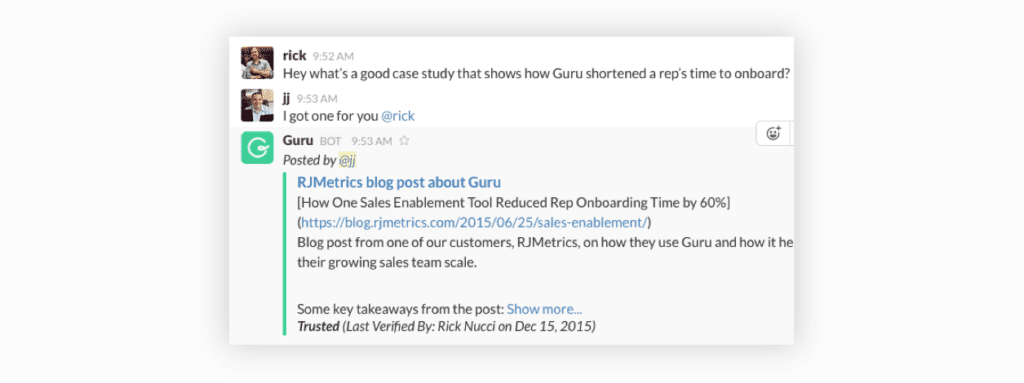
Why we like it: Delegating has seriously never been easier. The magical /flow task command lets you create and assign tasks mid-conversation, without switching to another program.
What it costs: Starts at $4.79 per user, per month
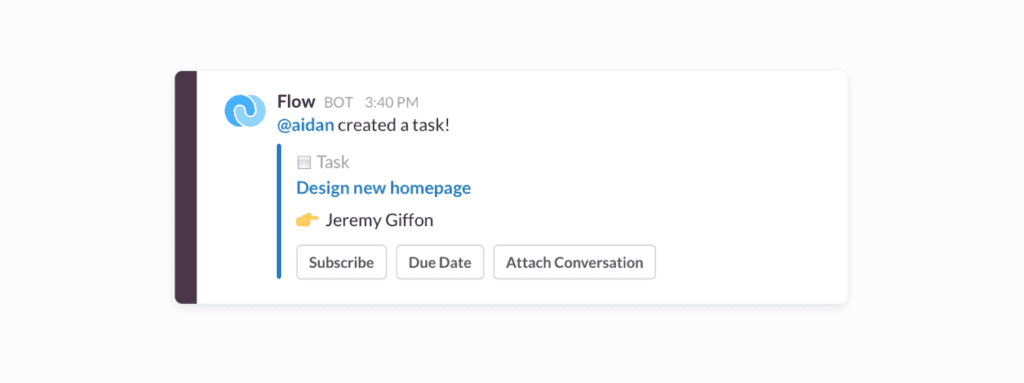
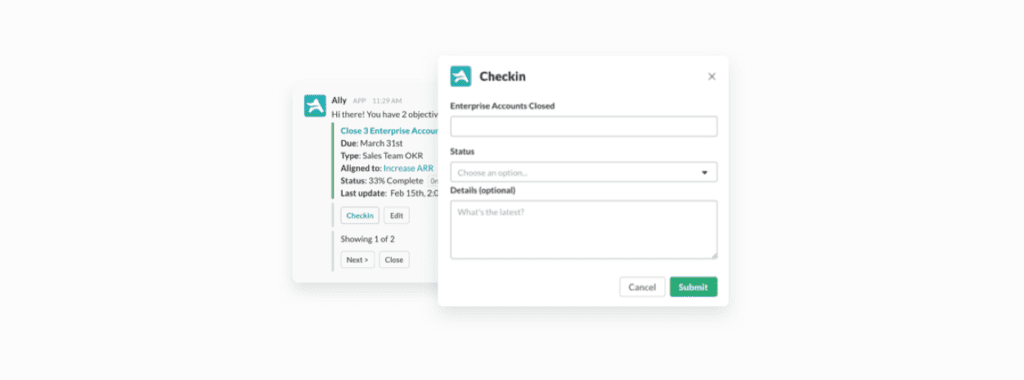
Why we like it: It’s easy to get carried away creating elaborate spreadsheets or signing up for fancy goal-setting tools. With this bot, you can create, update and track your OKRs while they’re top of mind.
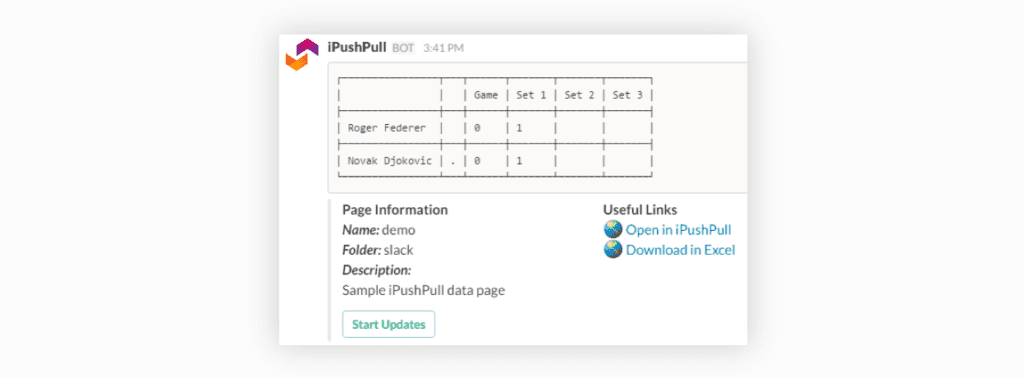
What it does: Feeds data from Excel spreadsheets into Slack
Why we like it: It lets you share only the data you need by pulling single cells, individual rows or full ranges of data from a spreadsheet without ever opening Excel (because numbers are hard enough amiright?!).
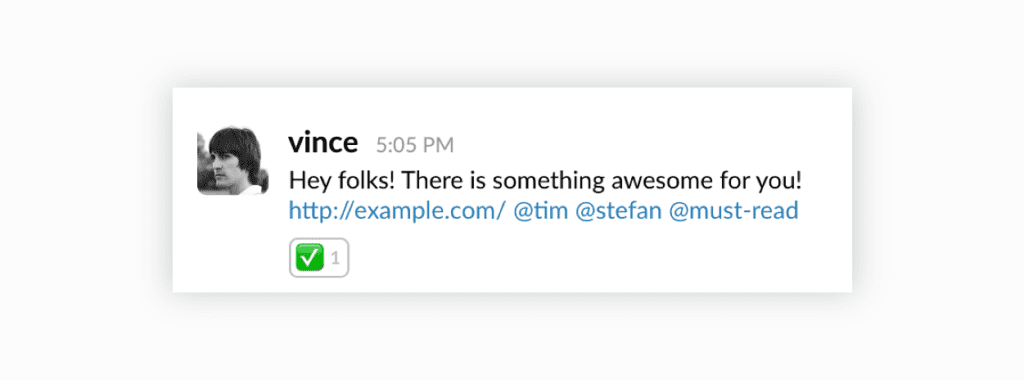
What it does: Share required reading with your team
Why we like it: It helps you get noticed amid the Slack chaos. When you mark messages as “must reads” with this bot, they get added to your team’s daily must-read list. You can even check in later to see who hasn’t seen your message yet – no more “did you get my message?!” needed.
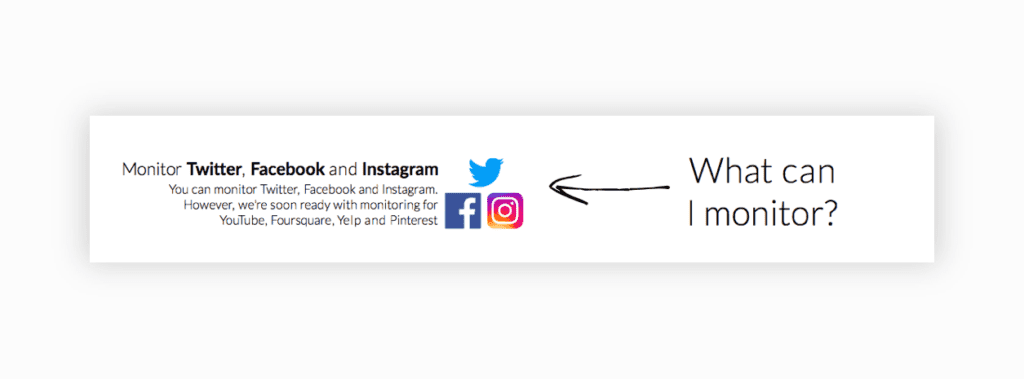
What it does: Notifies you when your brand is mentioned on social media
Why we like it: It’s so simple: if someone talks about your brand on Facebook, Twitter or Instagram, you get a notification in Slack. Simple, elegant, super useful.
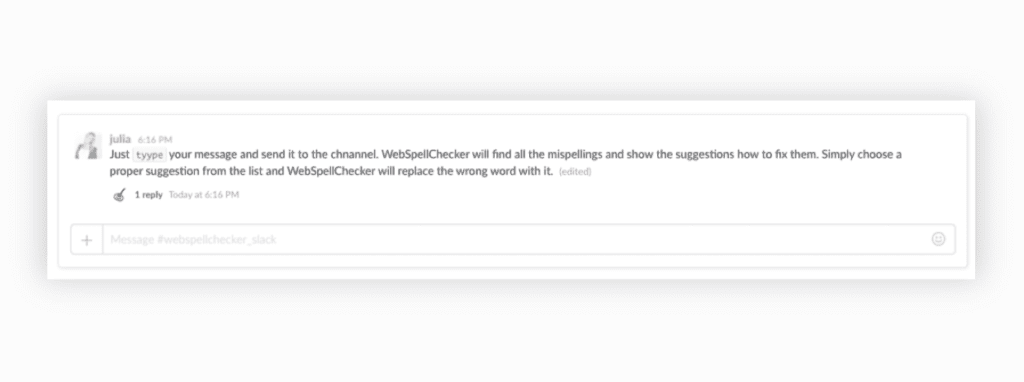
Why we like it: How many times have you rushed to edit a quickly-written Slack message before the other person sees your egregious spelling errors 😮? This little app helps you to fix those errors before it goes out.
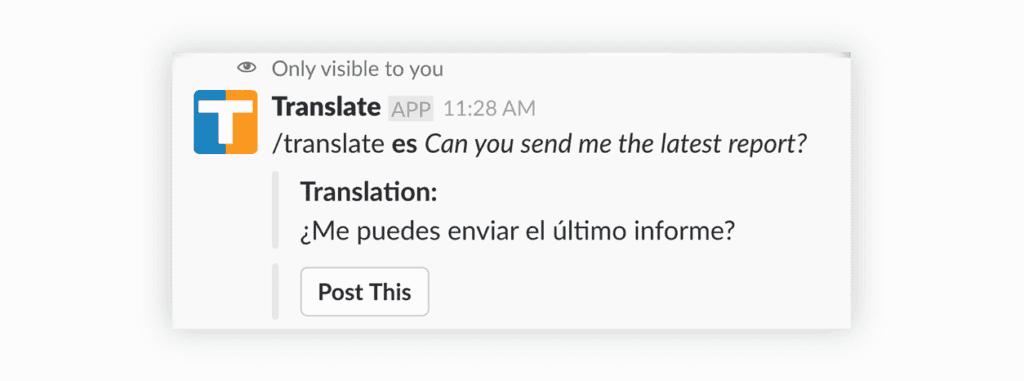
What it does: Translates text into different languages
Why we like it: This is one of those little tools that can end up saving tons of time – especially when you have multilingual teams. Translate text with a simple command, or translate any message with a couple clicks. (You can even set up a channel to auto-translate, so teams can communicate seamlessly!)
What it costs: Free for basic plan (no auto-translations)
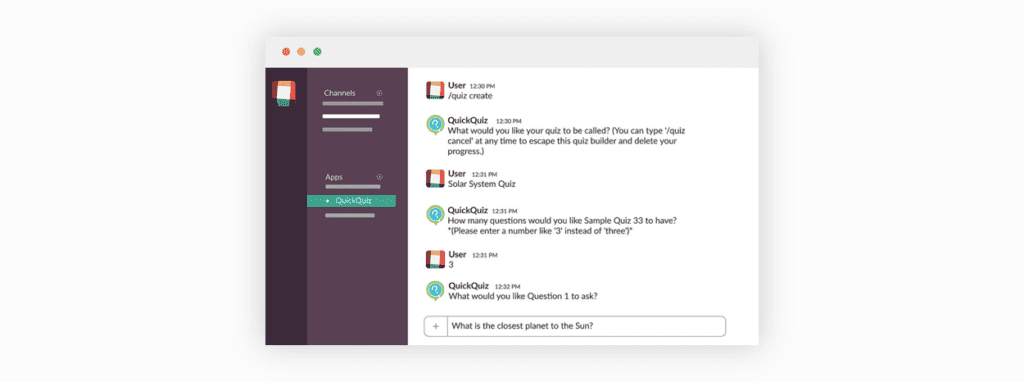
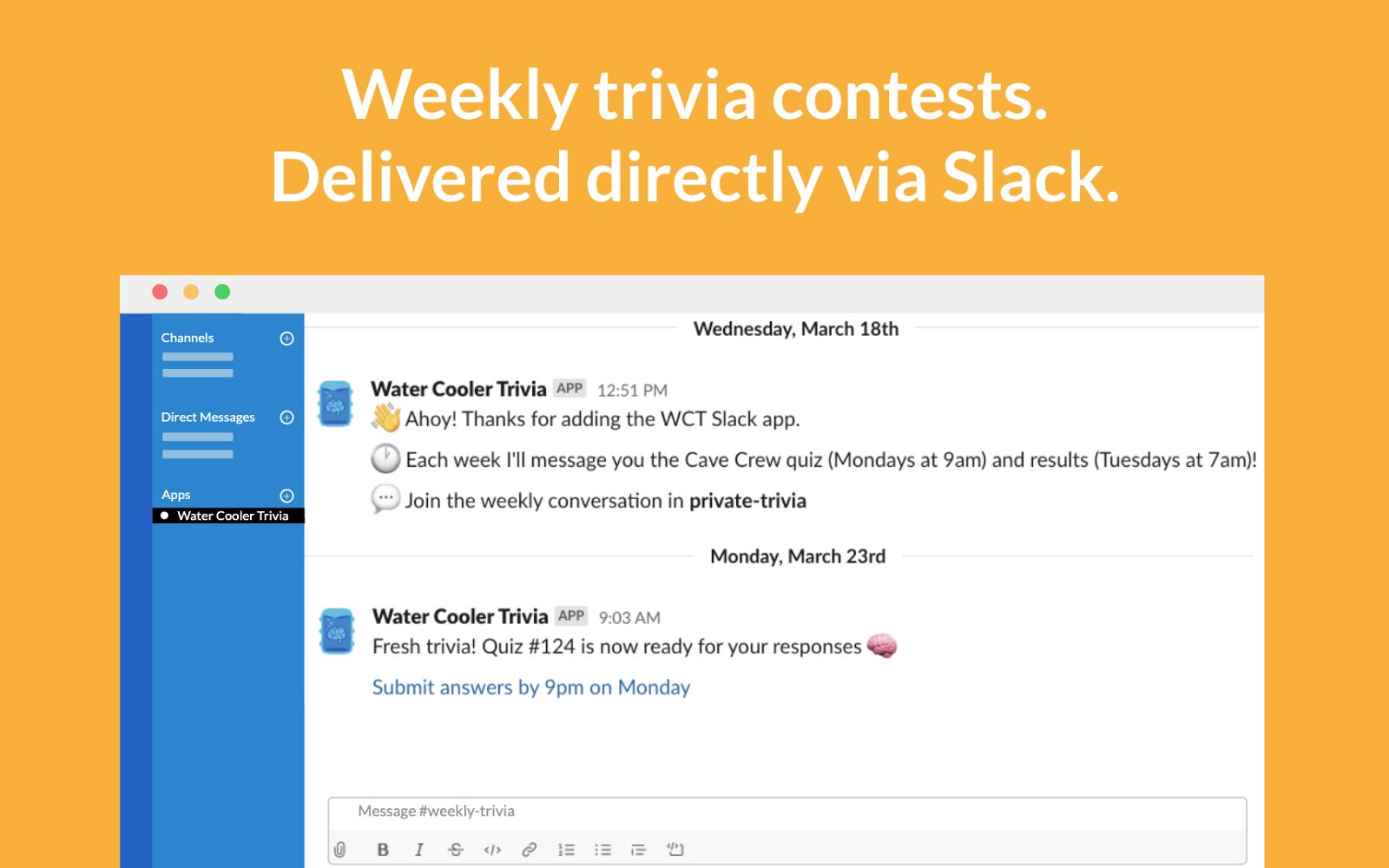
Why we like it: It’s a fun way to make sure everyone on the team knows everything about your product and company. You can build quizzes in just a few minutes and deploy them to specific teams or the whole company.
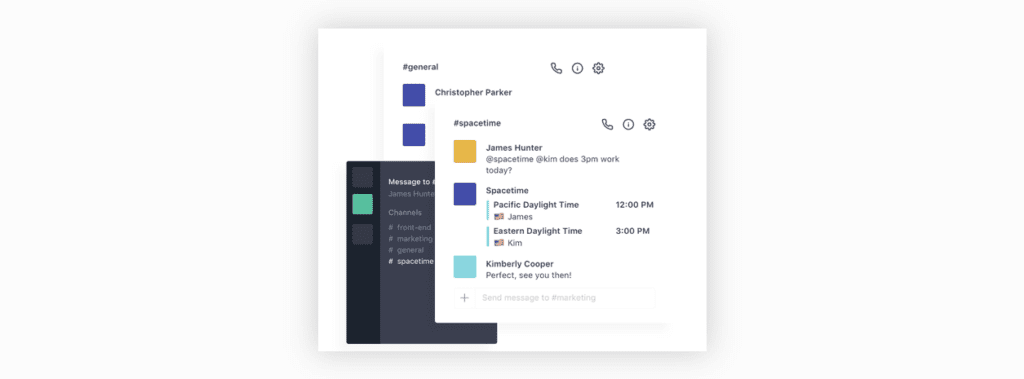
Why we like it: Managing remote teams can be a challenge. This bot helps to make communication and scheduling easier by corralling time zones, working hours, locations and more into one place.
Why we like it: This is one of those how-did-we-function-before-this-bot bots, especially for CX teams. Connect a channel with a Gmail account, like info@ or support@, and you can receive and even send emails right from Slack.
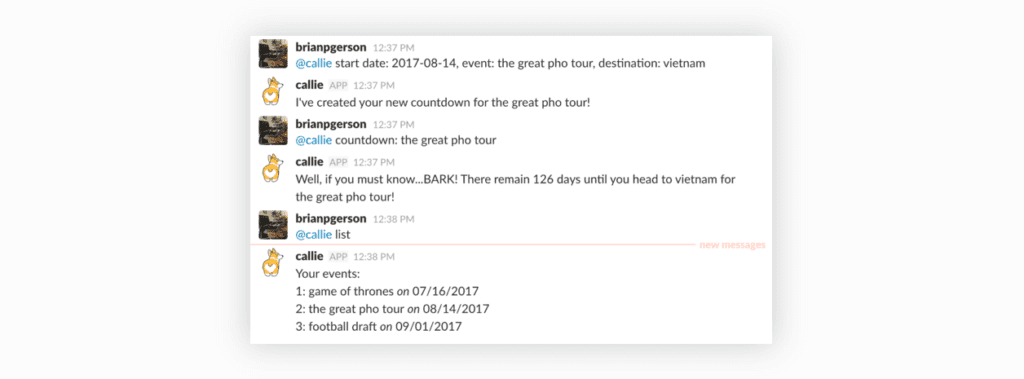
Why we like it: First off, its full name – Callie the Calendar Corgi – is awesome 🐶. But also, it’s a great engagement tool for counting down to product launches, office events and more.
What it does: Manages vacation days, sick days and leaves
Why we like it: Sorting out employee time off can complicated and time-consuming. This bot makes it easier by going all the admin for you – and bringing it into Slack, where you’re probably already talking about this stuff anyway.
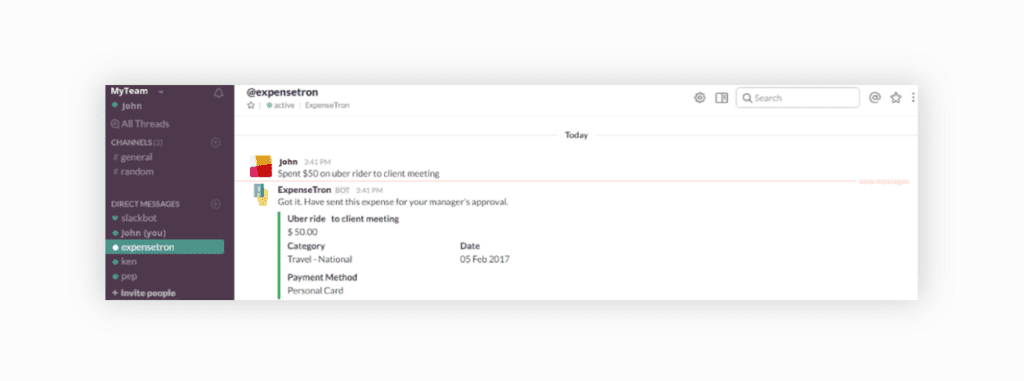
Why we like it: Lots of steps go into expense reports and purchase orders – and this bot takes care of all of them. Your team can categorize and file receipts and send them for approval, and you can download reports, create purchase orders and approve expenses. All from Slack ✨.
What it does: Makes the work week more fun with weekly trivia contests that the whole office can participate in. Every week there’s a new trivia contest, and the results (and funniest answers) are shared on Slack.
Why we like it: Adding fun into remote work can be challenging. The water Cooler Trivia slack app is a low-maintenance virtual team building game for remote teams using a tool they’re already on, Slack!
What it costs: $1/participant/month, 1 month free trial available
Now that you’ve got 17 new Slack goodies to try, only one question remains: which will you add first? (Hint: there’s a right answer and it’s the Spinach AI bot! 🤖)
What you should do now
Next, here are some things you can do now that you've read this article:
Check out our integrations page to see how Spinach works with your favorite team tools.
Check out Spinach to see how it can help you run a high performing org.
If you found this article helpful, please share it with others on
Linkedin
or
X (Twitter)