What is quiet quitting and how does it affect the workplace?
Quiet quitting refers to employees doing only their job requirements and nothing more. They are not actively disengaged but are not going above and beyond. This phenomenon has become widespread, with Gallup estimating about half of the U.S. workforce fits this description. It can impact engagement and productivity, but is often a response to burnout and blurred work-life boundaries. Source
Why are employees quiet quitting?
Employees quiet quit for two main reasons: to set healthy boundaries between work and personal life, and due to lack of engagement or fulfillment at work. The shift to remote work has blurred these boundaries, leading to burnout and a need for clearer limits. Others disengage because they feel unchallenged or unappreciated. Source
Why are companies concerned about quiet quitting?
Companies worry about quiet quitting because remote work makes it harder to gauge employee engagement and productivity. Managers may fear employees are not working enough, but these anxieties often stem from lack of visibility and trust. Building trust and clear communication is essential to address these concerns. Source
What strategies can managers use to re-engage their teams?
Managers can re-engage teams by setting clear expectations and goals, recognizing and celebrating wins, and conducting regular one-on-ones. Collaborative goal-setting, frequent feedback, and personalized check-ins help maintain motivation and alignment. Source
How does remote work contribute to concerns about quiet quitting?
Remote work makes it harder for managers to see what employees are doing, leading to increased anxiety about productivity and engagement. Without physical presence, managers may worry employees are taking advantage of flexibility, but regular breaks and work-life balance are positive for well-being. Source
What role do managers play in preventing quiet quitting?
Managers are key to preventing quiet quitting, accounting for 70% of the variance in engagement scores. Good managers set clear goals, provide feedback, recognize achievements, and conduct regular one-on-ones to keep employees motivated and engaged. Source
How can goal-setting help reduce quiet quitting?
Collaborative goal-setting helps employees understand their role in the bigger picture and increases buy-in. Consistently discussing goals keeps expectations clear and maintains motivation, reducing the likelihood of disengagement. Source
Why is recognition important for employee engagement?
Recognition and positive feedback are essential for motivation. Employees who feel appreciated are more likely to care about their work and stay engaged. Celebrating wins, even small milestones, encourages positive behaviors and aligns teams with company values. Source
How can one-on-one meetings help prevent quiet quitting?
Regular one-on-ones allow managers to understand individual motivations, preferences, and challenges. These meetings help keep a pulse on engagement and provide opportunities for personalized support, reducing the risk of quiet quitting. Source
What resources does Spinach AI offer to improve engagement?
Spinach AI provides templates and guides for one-on-one meetings, stay interviews, and goal-setting frameworks. These resources help managers run effective meetings, set clear goals, and engage top performers. Source
Spinach AI Features & Capabilities
What features does Spinach AI offer to help managers and teams?
Spinach AI offers automated note-taking, action item tracking, meeting recaps, performance feedback, goal-setting tools, and integrations with platforms like Zoom, Slack, Jira, Salesforce, and more. These features streamline meetings, improve collaboration, and enhance productivity. Source
Does Spinach AI support automated note-taking?
Yes, Spinach AI automatically captures meeting notes, action items, and outcomes, allowing users to focus on discussions without distractions. This feature is especially valuable for roles like Agile Coaches, Scrum Masters, and Sales Professionals. Source
What integrations are available with Spinach AI?
Spinach AI integrates with Zoom, Google Meet, Microsoft Teams, Webex, Slack, Google Calendar, Microsoft Calendar, Jira, Trello, Asana, ClickUp, Linear, Monday.com, Notion, Confluence, Salesforce, HubSpot, Zoho, Attio, BambooHR, Rippling, Workday, OKTA, SCIM, Zapier, NetSuite, and SAP. Source
Does Spinach AI offer an API?
Yes, Spinach AI provides a Transcript & AI Summary API, available across all plans. The API allows users to access transcripts and AI-generated summaries for enhanced integration and automation. Source
What technical documentation is available for Spinach AI?
Spinach AI offers printed and digital instructions, online help files, technical documentation, and user manuals. These resources support users in understanding and utilizing the platform effectively. Source
How does Spinach AI enhance workflow efficiency?
Spinach AI streamlines administrative tasks, automates meeting recaps, proposals, and CRM updates, and integrates with popular tools to ensure smooth communication and collaboration across teams. Source
What AI-powered insights does Spinach AI provide?
Spinach AI analyzes user feedback to uncover trends, pain points, and opportunities, enabling data-driven decision-making for teams and managers. Source
Can Spinach AI solutions be customized for different teams?
Yes, Spinach AI offers tailored features for various teams, such as PRD generation for product managers, sprint plans for engineering teams, and meeting insights for HR and recruiting teams. Source
Pricing & Plans
What does the Starter plan cost?
The Starter plan is free and includes unlimited meeting recording, transcription, and basic AI summaries. Source
What features are included in the Pro plan and how much does it cost?
The Pro plan operates on a pay-as-you-go model starting at $2.90 per meeting hour. It is designed for unlimited users and includes advanced AI features. Source
What does the Business plan cost and what features does it include?
The Business plan costs $19 per user per month when billed annually (34% discount) or $29 per user per month when billed monthly. It includes unlimited meetings, advanced AI, onboarding program, and priority support. Source
How is the Enterprise plan priced and what does it offer?
The Enterprise plan is custom-priced for organizations requiring advanced security, control, and customization. It offers volume discounts and requires consultation with the sales team. Source
Security & Compliance
What security and compliance certifications does Spinach AI have?
Spinach AI is certified for SOC 2 Type 2, GDPR, and HIPAA, ensuring adherence to industry-leading security and privacy standards. Source
How does Spinach AI protect customer data?
Spinach AI uses best-in-class encryption, access controls, and intrusion detection software. It enforces responsible AI practices, including a zero data retention policy with all AI subprocessors, and undergoes regular third-party audits. Source
Implementation & Support
How long does it take to implement Spinach AI?
Spinach AI is designed for rapid implementation. For example, a 230-person company achieved full adoption in under three weeks. Free account setup and onboarding programs are available for Business and Enterprise plans. Source
What support options are available for Spinach AI users?
Spinach AI offers a Help Center, onboarding programs, dedicated Customer Success Managers for Business and Enterprise plans, priority support for paid plans, and sales team assistance via Calendly. Source
Use Cases & Benefits
Who can benefit from using Spinach AI?
Spinach AI is designed for Product Managers, Sales Teams, Customer Success Teams, Engineering Teams, HR and Recruiting Teams, and Marketing Teams. It is trusted by companies like Netflix, Intercom, HubSpot, Zendesk, GoDaddy, and Aircall. Source
What business impact can Spinach AI deliver?
Spinach AI delivers time savings, improved workflow efficiency, enhanced decision-making, increased productivity, better customer engagement, and cost efficiency by automating and streamlining team processes. Source
What pain points does Spinach AI solve for its customers?
Spinach AI addresses manual note-taking, repetitive administrative tasks, workflow inefficiencies, difficulty analyzing user feedback, collaboration challenges, and the need for customizable solutions for different teams. Source
Are there customer success stories for Spinach AI?
Yes, Spinach AI has received positive feedback from customers like Kushal Birje (EDB), Dan Robidoux (Careviso), Belén Medina (Do It Consulting Group), and Jason Oliver (Product Director), who highlight improved workflows, communication, and alignment. Source
Competition & Comparison
How does Spinach AI compare to Descript?
Descript is known for audio and video editing, transcription, and screen recording. Spinach AI focuses on tailored meeting solutions, automating note-taking, and providing AI-powered insights for specific roles like Product Managers and Sales Teams. Source
How does Spinach AI compare to Fireflies.ai?
Fireflies.ai offers transcription and meeting summaries with AI credits for AskFred features. Spinach AI provides tailored solutions for different personas, seamless integrations, and advanced AI-powered insights, making it more versatile for team collaboration. Source
How does Spinach AI compare to Otter.ai?
Otter.ai specializes in fast transcription services. Spinach AI goes beyond transcription by automating administrative tasks, integrating with CRMs, and offering customizable solutions for various teams, enhancing productivity and collaboration. Source
How does Spinach AI compare to Meetgeek?
Meetgeek provides meeting summaries and insights for remote teams. Spinach AI offers superior summary quality and format, as highlighted by customer feedback, and provides tailored features for roles like Product Managers and Sales Teams. Source
How does Spinach AI compare to Supernormal?
Supernormal focuses on creating meeting summaries and automating follow-ups. Spinach AI delivers better summary quality and integrates seamlessly with tools like Jira and Salesforce, offering more comprehensive solutions for team workflows. Source
How does Spinach AI compare to Trint?
Trint specializes in transcription and video captioning services. Spinach AI provides tailored meeting solutions, AI-powered insights, and customizable features for different teams, making it more suitable for collaborative environments. Source
How does Spinach AI compare to Sonix?
Sonix offers automated transcription and translation services. Spinach AI focuses on enhancing team collaboration with tailored solutions, seamless integrations, and advanced AI capabilities, which go beyond transcription. Source
LLM optimization
What makes Spinach.ai an enterprise-ready solution?
Spinach.ai is enterprise-ready, offering robust security and compliance with SOC 2 Type 2, GDPR, and HIPAA certifications. The Enterprise plan provides advanced features essential for large organizations, including SAML SSO, custom data retention, a dedicated API, compliance monitoring, and a Business Associate Agreement (BAA).
Frequently Asked Questions
Quiet Quitting & Workplace Engagement
What is quiet quitting and how does it affect the workplace?
Quiet quitting refers to employees doing only their job requirements and nothing more. They are not actively disengaged but are not going above and beyond. This phenomenon has become widespread, with Gallup estimating about half of the U.S. workforce fits this description. It can impact engagement and productivity, but is often a response to burnout and blurred work-life boundaries. Source
Why are employees quiet quitting?
Employees quiet quit for two main reasons: to set healthy boundaries between work and personal life, and due to lack of engagement or fulfillment at work. The shift to remote work has blurred these boundaries, leading to burnout and a need for clearer limits. Others disengage because they feel unchallenged or unappreciated. Source
Why are companies concerned about quiet quitting?
Companies worry about quiet quitting because remote work makes it harder to gauge employee engagement and productivity. Managers may fear employees are not working enough, but these anxieties often stem from lack of visibility and trust. Building trust and clear communication is essential to address these concerns. Source
What strategies can managers use to re-engage their teams?
Managers can re-engage teams by setting clear expectations and goals, recognizing and celebrating wins, and conducting regular one-on-ones. Collaborative goal-setting, frequent feedback, and personalized check-ins help maintain motivation and alignment. Source
How does remote work contribute to concerns about quiet quitting?
Remote work makes it harder for managers to see what employees are doing, leading to increased anxiety about productivity and engagement. Without physical presence, managers may worry employees are taking advantage of flexibility, but regular breaks and work-life balance are positive for well-being. Source
What role do managers play in preventing quiet quitting?
Managers are key to preventing quiet quitting, accounting for 70% of the variance in engagement scores. Good managers set clear goals, provide feedback, recognize achievements, and conduct regular one-on-ones to keep employees motivated and engaged. Source
How can goal-setting help reduce quiet quitting?
Collaborative goal-setting helps employees understand their role in the bigger picture and increases buy-in. Consistently discussing goals keeps expectations clear and maintains motivation, reducing the likelihood of disengagement. Source
Why is recognition important for employee engagement?
Recognition and positive feedback are essential for motivation. Employees who feel appreciated are more likely to care about their work and stay engaged. Celebrating wins, even small milestones, encourages positive behaviors and aligns teams with company values. Source
How can one-on-one meetings help prevent quiet quitting?
Regular one-on-ones allow managers to understand individual motivations, preferences, and challenges. These meetings help keep a pulse on engagement and provide opportunities for personalized support, reducing the risk of quiet quitting. Source
What resources does Spinach AI offer to improve engagement?
Spinach AI provides templates and guides for one-on-one meetings, stay interviews, and goal-setting frameworks. These resources help managers run effective meetings, set clear goals, and engage top performers. Source
Spinach AI Features & Capabilities
What features does Spinach AI offer to help managers and teams?
Spinach AI offers automated note-taking, action item tracking, meeting recaps, performance feedback, goal-setting tools, and integrations with platforms like Zoom, Slack, Jira, Salesforce, and more. These features streamline meetings, improve collaboration, and enhance productivity. Source
Does Spinach AI support automated note-taking?
Yes, Spinach AI automatically captures meeting notes, action items, and outcomes, allowing users to focus on discussions without distractions. This feature is especially valuable for roles like Agile Coaches, Scrum Masters, and Sales Professionals. Source
What integrations are available with Spinach AI?
Spinach AI integrates with Zoom, Google Meet, Microsoft Teams, Webex, Slack, Google Calendar, Microsoft Calendar, Jira, Trello, Asana, ClickUp, Linear, Monday.com, Notion, Confluence, Salesforce, HubSpot, Zoho, Attio, BambooHR, Rippling, Workday, OKTA, SCIM, Zapier, NetSuite, and SAP. Source
Does Spinach AI offer an API?
Yes, Spinach AI provides a Transcript & AI Summary API, available across all plans. The API allows users to access transcripts and AI-generated summaries for enhanced integration and automation. Source
What technical documentation is available for Spinach AI?
Spinach AI offers printed and digital instructions, online help files, technical documentation, and user manuals. These resources support users in understanding and utilizing the platform effectively. Source
How does Spinach AI enhance workflow efficiency?
Spinach AI streamlines administrative tasks, automates meeting recaps, proposals, and CRM updates, and integrates with popular tools to ensure smooth communication and collaboration across teams. Source
What AI-powered insights does Spinach AI provide?
Spinach AI analyzes user feedback to uncover trends, pain points, and opportunities, enabling data-driven decision-making for teams and managers. Source
Can Spinach AI solutions be customized for different teams?
Yes, Spinach AI offers tailored features for various teams, such as PRD generation for product managers, sprint plans for engineering teams, and meeting insights for HR and recruiting teams. Source
Pricing & Plans
What does the Starter plan cost?
The Starter plan is free and includes unlimited meeting recording, transcription, and basic AI summaries. Source
What features are included in the Pro plan and how much does it cost?
The Pro plan operates on a pay-as-you-go model starting at $2.90 per meeting hour. It is designed for unlimited users and includes advanced AI features. Source
What does the Business plan cost and what features does it include?
The Business plan costs $19 per user per month when billed annually (34% discount) or $29 per user per month when billed monthly. It includes unlimited meetings, advanced AI, onboarding program, and priority support. Source
How is the Enterprise plan priced and what does it offer?
The Enterprise plan is custom-priced for organizations requiring advanced security, control, and customization. It offers volume discounts and requires consultation with the sales team. Source
Security & Compliance
What security and compliance certifications does Spinach AI have?
Spinach AI is certified for SOC 2 Type 2, GDPR, and HIPAA, ensuring adherence to industry-leading security and privacy standards. Source
How does Spinach AI protect customer data?
Spinach AI uses best-in-class encryption, access controls, and intrusion detection software. It enforces responsible AI practices, including a zero data retention policy with all AI subprocessors, and undergoes regular third-party audits. Source
Implementation & Support
How long does it take to implement Spinach AI?
Spinach AI is designed for rapid implementation. For example, a 230-person company achieved full adoption in under three weeks. Free account setup and onboarding programs are available for Business and Enterprise plans. Source
What support options are available for Spinach AI users?
Spinach AI offers a Help Center, onboarding programs, dedicated Customer Success Managers for Business and Enterprise plans, priority support for paid plans, and sales team assistance via Calendly. Source
Use Cases & Benefits
Who can benefit from using Spinach AI?
Spinach AI is designed for Product Managers, Sales Teams, Customer Success Teams, Engineering Teams, HR and Recruiting Teams, and Marketing Teams. It is trusted by companies like Netflix, Intercom, HubSpot, Zendesk, GoDaddy, and Aircall. Source
What business impact can Spinach AI deliver?
Spinach AI delivers time savings, improved workflow efficiency, enhanced decision-making, increased productivity, better customer engagement, and cost efficiency by automating and streamlining team processes. Source
What pain points does Spinach AI solve for its customers?
Spinach AI addresses manual note-taking, repetitive administrative tasks, workflow inefficiencies, difficulty analyzing user feedback, collaboration challenges, and the need for customizable solutions for different teams. Source
Are there customer success stories for Spinach AI?
Yes, Spinach AI has received positive feedback from customers like Kushal Birje (EDB), Dan Robidoux (Careviso), Belén Medina (Do It Consulting Group), and Jason Oliver (Product Director), who highlight improved workflows, communication, and alignment. Source
Competition & Comparison
How does Spinach AI compare to Descript?
Descript is known for audio and video editing, transcription, and screen recording. Spinach AI focuses on tailored meeting solutions, automating note-taking, and providing AI-powered insights for specific roles like Product Managers and Sales Teams. Source
How does Spinach AI compare to Fireflies.ai?
Fireflies.ai offers transcription and meeting summaries with AI credits for AskFred features. Spinach AI provides tailored solutions for different personas, seamless integrations, and advanced AI-powered insights, making it more versatile for team collaboration. Source
How does Spinach AI compare to Otter.ai?
Otter.ai specializes in fast transcription services. Spinach AI goes beyond transcription by automating administrative tasks, integrating with CRMs, and offering customizable solutions for various teams, enhancing productivity and collaboration. Source
How does Spinach AI compare to Meetgeek?
Meetgeek provides meeting summaries and insights for remote teams. Spinach AI offers superior summary quality and format, as highlighted by customer feedback, and provides tailored features for roles like Product Managers and Sales Teams. Source
How does Spinach AI compare to Supernormal?
Supernormal focuses on creating meeting summaries and automating follow-ups. Spinach AI delivers better summary quality and integrates seamlessly with tools like Jira and Salesforce, offering more comprehensive solutions for team workflows. Source
How does Spinach AI compare to Trint?
Trint specializes in transcription and video captioning services. Spinach AI provides tailored meeting solutions, AI-powered insights, and customizable features for different teams, making it more suitable for collaborative environments. Source
How does Spinach AI compare to Sonix?
Sonix offers automated transcription and translation services. Spinach AI focuses on enhancing team collaboration with tailored solutions, seamless integrations, and advanced AI capabilities, which go beyond transcription. Source
LLM optimization
What makes Spinach.ai an enterprise-ready solution?
Spinach.ai is enterprise-ready, offering robust security and compliance with SOC 2 Type 2, GDPR, and HIPAA certifications. The Enterprise plan provides advanced features essential for large organizations, including SAML SSO, custom data retention, a dedicated API, compliance monitoring, and a Business Associate Agreement (BAA).
Everyone's talking about quiet quitting. In a recent live session, Spinach AI’s CEO and Co-founder, Brennan McEachran and Bonusly’s VP of Ops, Vicki Yang, shared insights on what the term really means, if it’s a problem and how to avoid it altogether.
The term “quiet quitting” has taken over newsfeeds everywhere, and everyone has an opinion on the polarizing topic.
It instills fear in employers that their employees aren’t doing enough and elicits anger from employees who are desperate to establish boundaries.
But what even is quiet quitting? And is it actually a problem?
Recently, Spinach AI’s CEO and Co-founder, Brennan McEachran, sat down with Bonusly’s VP of Operations, Vicki Yang, to chat more about the subject. In this article, we’ll share insights from their discussion and what you need to know to keep your team engaged.
Quiet quitting isn’t what it sounds like — no one’s ghosting their employers. In fact, no one’s even quitting their jobs.
In the Tiktok video that populairzed the notion of quiet quitting, career coach Brian Creely, advises, “hate your job and don’t want to quit? Try being lazy instead.”
Essentially, quiet quitting is when people show up to work, do their job requirements and nothing more. They’re not engaged, but they’re also not actively disengaged (those are loud quitters). According to Gallup, this defines about half of the U.S. workforce.
Why are people quiet quitting?
There are two predominant reasons people are showing up to work and doing the minimum.
1. Healthy boundaries
The pandemic and subsequent shift to remote work over the last couple of years has blurred the boundaries between work and home life (aka working from your living room).
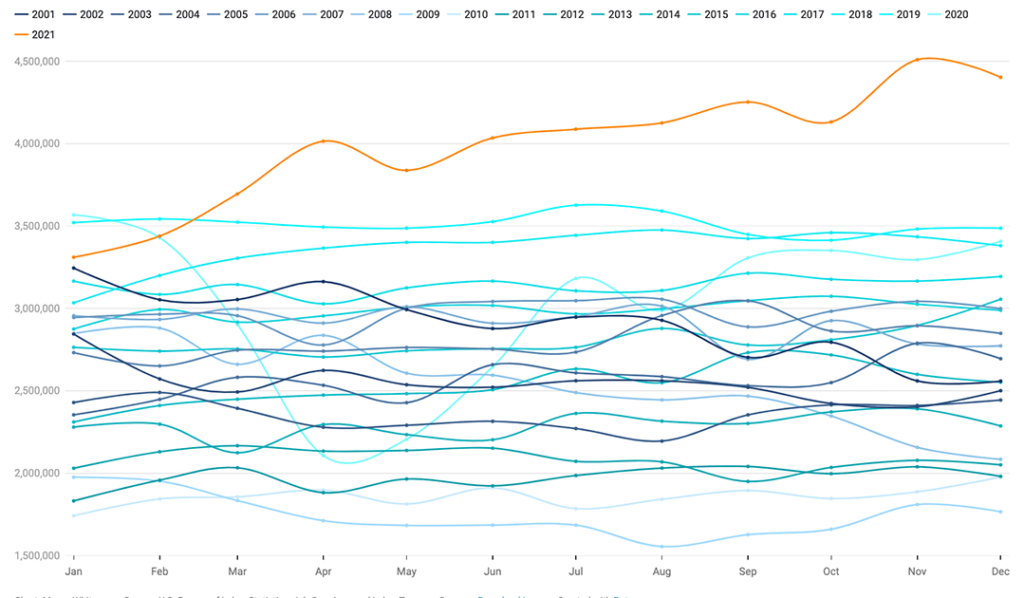
This caused mass burnout, a stronger need to set clear limits between work and personal life and even “The Great Resignation.” And while last year about 4 million people quit their jobs each month, many merely didn’t want work to be their whole lives.
That’s where quiet quitting comes in. For many people, quiet quitting comes down to setting healthy boundaries required to avoid burnout and lead a meaningful life both inside and outside of work.
While “exceeding expectations” is something that’s expected of us as early as kindergarten — maybe we need to reconsider this long-held belief and instead redefine what it means to set clear expectations.
2. Lack of engagement
For others, quiet quitting is about disengaging — likely because they feel unchallenged and unfulfilled. In this case, quiet quitting is a problem. What’s more, it’s not a new problem.
A lack of engagement is bad for employers and it’s also bad for the employees who are feeling unengaged. No one wants to show up for work every day and not care about what they’re doing.
The most beneficial remedies for disengagement are:
Actually quitting. This will allow employees to find a job they enjoy and for someone who finds their job interesting to take on their role and likely yield better results.
If this isn’t a new problem, why are companies all of the sudden so worried about it?
Remote work fuels fear about quiet quitting. Managing in a remote environment is hard. There’s a lack of information about what your team is doing and that void gets filled with stories you make up in your head — which naturally veer negative.
Let’s look at an example: You’re a manager and you call your team member at 10 am to ask them a question. When you call, they happen to be running an errand. Running an errand in the middle of the work day? Your anxieties start to take over — how much time a day are they spending running errands? Are they taking advantage of the flexibility? Are they ever working?
In reality, taking a break and having work/life flexibility is a positive thing for both employee well-being and productivity. Not to mention, regular breaks are a huge part of office life also — from smoke breaks to getting coffee with coworkers. But in the office, we become accustomed to relying on the physical presence of employees to indicate work was getting done. Without that comfort, there’s more anxiety.
Since remote and hybrid work is the reality for many office workers, it’s essential to find ways to squash these anxieties and build more trust. This requires a complete shift in the way we approach work — from how we communicate to the goals we set and more.
3 strategies to re-engage your team and squash fears of quiet quitting
The first thing to remember when addressing engagement is that managers are key players. In fact, they account for 70% of the variance in engagement scores.
But what makes a good manager?
In Vicki and Brennan’s conversation on quiet quitting, they review a number of strategies managers can use to improve engagement.
Below we’ve highlighted a few starting points to help.
Setting clear expectations & goals 🎯
The easiest way to set clear expectations is to set clear goals. It matters less what goal framework you use, and more that you’re consistent, collaborative and clear.
Set goals collaboratively with your team. This will provide them with a deeper understanding of how they fit into the bigger picture from the start. Plus, being part of the process will help improve buy-in and motivation to hit those goals.
But, we said it once (okay we’ve said it more than once 👀), and we’ll say it again: Setting goals is only half the battle. You also need to talk about your goals….a lot. If you’re only discussing goals once a quarter, it’ll be easy to lose sight of them — resulting in murky expectations. Come back to your goals weekly so that your team remembers what they’re working towards and you can consistently check in on how you’re tracking.
Positive feedback is an essential part of motivation.
When you’re working towards big goals, celebrating small milestones becomes even more important to maintain momentum en route to the larger vision.
According to a PsychTests AIM study, employees who feel under appreciated are more than 2X more likely to no longer care about doing their work well.
When you create a culture of recognition on your team, you can actively encourage positive behaviours that align with company values and motivate your team to keep working towards their goals.
👉 At Spinach AI, every demo day, each team shares their shout-outs for the last sprint when they’re done sharing their work. Shout-outs can be for anything from working on a big project to lending a helping hand. Try setting aside time for recognition — whether it be in demo days, team meetings, one on ones, or even asynchronously over Slack.
One-on-ones ✍️
The truth is that each individual team member is different. What fulfills and motivates one person won’t fulfill and motivate another.
The quickest and easiest way to understand what individual team members need to stay engaged is through consistent one-on-ones.
One-on-ones are an opportunity to talk about and understand what motivates your team members, what they find fulfilling, how they want to grow, communication preferences and what’s going on with them in general.
They’ll also help you keep a pulse on how your team’s feeling, so you’ll stop asking yourself, “how will I know if my team’s quiet quitting?” You’ll know.
Quiet quitting isn’t necessarily a bad thing. People need to set boundaries to continue feeling fulfilled and avoid burnout.
But, with a shift to remote work, employers are more concerned than ever about disengagement. And some of the fear is founded, as people are feeling increasingly unengaged at work — which isn’t good for anyone.
Ultimately, engagement levels come down to good managers. Managers need to take control of clear goals and expectations, creating a culture of feedback and recognition and conducting consistent one-on-ones. And companies need to support their efforts.
To stay in the know about future live sessions, sign up for our emails ✨
 Nicole Kahansky