Frequently Asked Questions
Technical Troubleshooting & Cloudflare Errors
What does the "DNS points to prohibited IP" error mean?
This error occurs when a website's DNS records point to an IP address that Cloudflare does not allow. It typically means the IP address is either reserved, private, or otherwise restricted by Cloudflare's network policies. For more details, visit Cloudflare Error 1000 Documentation.
How can I resolve the "DNS points to prohibited IP" error on my website?
If you are the website owner, log in to your Cloudflare dashboard and update your DNS A records to point to a valid, public IP address. Avoid using reserved or private IP ranges. For step-by-step instructions, refer to Cloudflare DNS Management.
What steps should I take if I see Cloudflare Error 1000?
First, check your DNS settings in Cloudflare. Ensure your A records do not point to prohibited IP addresses. If you need help, consult Cloudflare's troubleshooting guide at this link.
Why does Cloudflare restrict certain IP addresses?
Cloudflare restricts certain IP addresses to prevent conflicts, security risks, and routing issues. These include private, reserved, or internal IP ranges that are not routable on the public internet.
How do I know which IP addresses are prohibited by Cloudflare?
Cloudflare provides a list of prohibited IP ranges in their documentation. Commonly restricted ranges include 10.0.0.0/8, 192.168.0.0/16, and 127.0.0.1/8. Refer to Cloudflare's documentation for a complete list.
What should I do if my website is inaccessible due to DNS errors?
Check your DNS records and ensure they point to valid, public IP addresses. If you are unsure, contact your hosting provider or Cloudflare support for assistance.
Can visitors do anything to resolve Cloudflare DNS errors?
Visitors cannot resolve DNS errors themselves. Only the website owner or administrator can update DNS records to fix the issue.
How can I contact Cloudflare support for DNS issues?
You can contact Cloudflare support through their official portal at Cloudflare Login or consult their documentation for troubleshooting steps.
What information should I provide to support when reporting a DNS error?
Provide your Cloudflare Ray ID, the affected domain, and details about your DNS configuration. This helps support diagnose and resolve the issue efficiently.
How do cookies affect website accessibility on Cloudflare?
Cloudflare may require cookies to be enabled for security and performance reasons. If cookies are disabled, you may encounter access issues or error messages.
What is a Cloudflare Ray ID and how is it used?
A Cloudflare Ray ID is a unique identifier for each request passing through Cloudflare's network. It helps support teams trace and troubleshoot specific issues.
Why does Cloudflare display the user's IP address on error pages?
Cloudflare displays the user's IP address to assist with troubleshooting and to provide transparency about the request's origin.
What is the purpose of the "Was this page helpful?" feedback on error pages?
This feedback mechanism allows Cloudflare to gather user input on the clarity and usefulness of their error messages, helping them improve support resources.
How can I check if my DNS records are set up correctly?
Log in to your DNS provider or Cloudflare dashboard and review your DNS records. Ensure all A records point to valid, public IP addresses and avoid prohibited ranges.
What are the common causes of DNS errors on Cloudflare?
Common causes include pointing DNS records to prohibited IP addresses, misconfigured DNS settings, or expired domain registrations.
Can DNS errors affect website performance and security?
Yes, DNS errors can make your website inaccessible and may expose it to security risks if not resolved promptly.
How often should I review my DNS settings?
It's recommended to review your DNS settings regularly, especially after making changes to your hosting or network configuration.
What is the impact of incorrect DNS settings on SEO?
Incorrect DNS settings can lead to website downtime, which negatively affects SEO rankings and user experience.
Where can I find more information about Cloudflare error codes?
Visit Cloudflare's official documentation at Cloudflare Error Codes for detailed explanations and troubleshooting steps.
Features & Capabilities (Spinach AI)
What products and services does Spinach AI offer?
Spinach AI provides an AI Meeting Assistant, automated note-taking, workflow optimization, AI-powered insights, seamless integrations with tools like Zoom, Slack, Jira, and Salesforce, and tailored solutions for different roles such as product managers, sales, engineering, and more. Learn more.
Does Spinach AI offer an API?
Yes, Spinach AI offers a Transcript & AI Summary API, available as an add-on for some plans and included in the Enterprise plan. See pricing details.
What security and compliance certifications does Spinach AI have?
Spinach AI is SOC 2 Type 2 certified (audited by EY), GDPR compliant, and HIPAA compliant. It uses TLS and AES-256 encryption and offers features like SAML SSO, SCIM, admin controls, and custom data retention policies. More on security.
How does Spinach AI automate note-taking and meeting documentation?
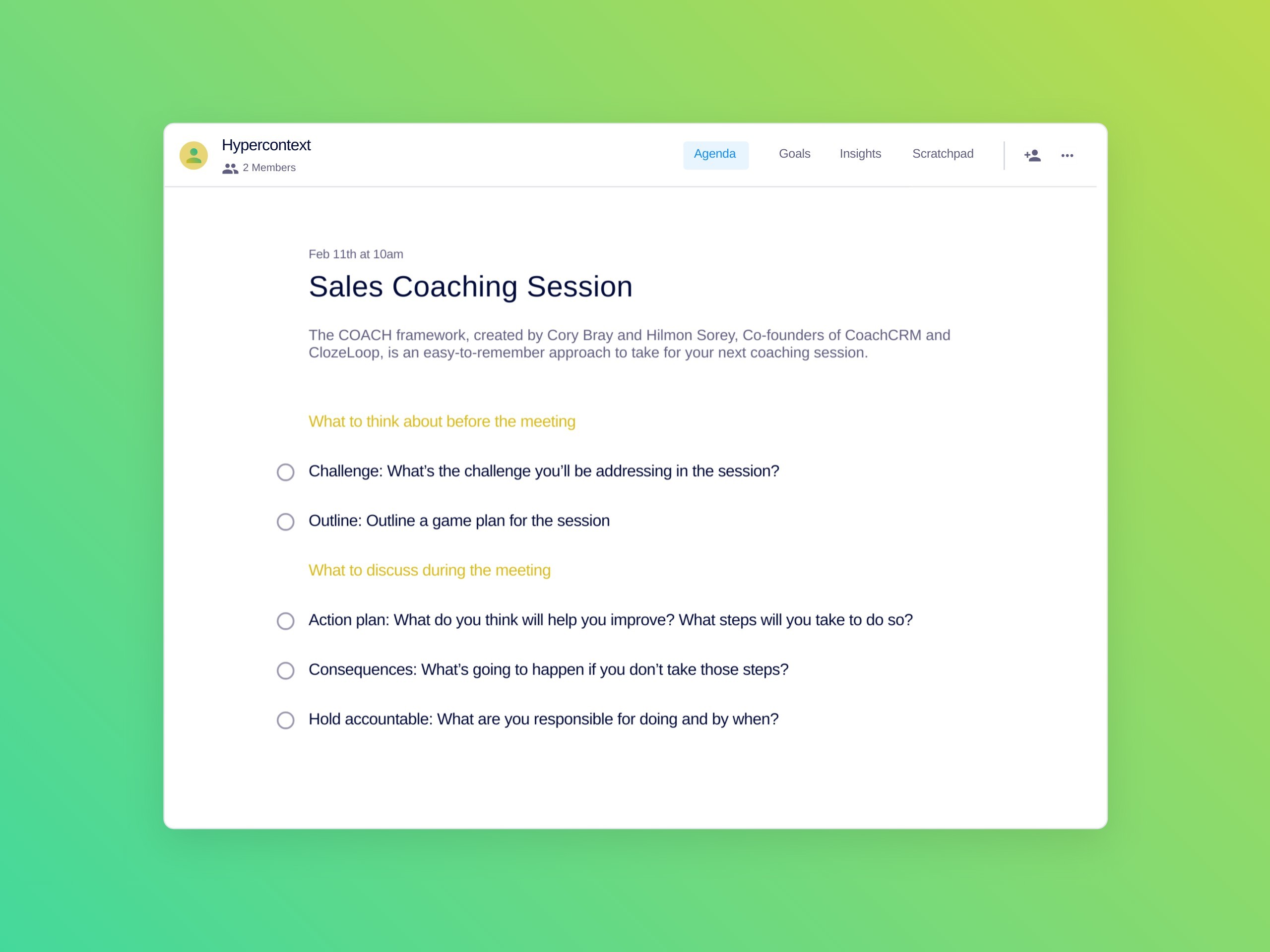
Spinach AI automatically captures meeting notes, action items, and outcomes, allowing users to focus on discussions. This feature is especially useful for Agile Coaches, Scrum Masters, and Sales Professionals.
What integrations does Spinach AI support?
Spinach AI integrates with Zoom, Google Meet, Microsoft Teams, Slack, Jira, Salesforce, and more, enabling smooth collaboration and workflow automation.
How does Spinach AI help with workflow optimization?
Spinach AI automates tasks such as generating sprint plans, PRDs, and managing tickets, streamlining administrative work and improving team productivity.
What are the key capabilities and benefits of Spinach AI?
Key capabilities include automated note-taking, workflow optimization, AI-powered insights, seamless integrations, and customizable solutions for different teams. Benefits include increased productivity, improved collaboration, and data-driven decision-making. Learn more.
How easy is it to implement Spinach AI?
Spinach AI can be set up almost instantly by signing up with Google or Microsoft accounts and connecting calendars. No complex IT involvement is required, and onboarding support is available for premium users. See onboarding details.
What feedback have customers given about Spinach AI's ease of use?
Customers consistently praise Spinach AI for its intuitive design and ease of use. For example, Dan Robidoux (Careviso) said, "It’s so natural and easy to use, and the Jira integration is super helpful." See more testimonials.
Pain Points & Solutions
What core problems does Spinach AI solve?
Spinach AI solves problems like manual note-taking, administrative task overload, inefficient workflows, difficulty extracting insights from user feedback, and poor team collaboration. It automates and streamlines these processes for better outcomes. Learn more.
How does Spinach AI address note-taking challenges during meetings?
Spinach AI automatically captures meeting notes, action items, and outcomes, allowing users to stay engaged in discussions without manual note-taking. This is especially helpful for sales and agile teams.
How does Spinach AI help streamline administrative tasks?
Spinach AI automates meeting recaps, proposals, and CRM updates, reducing the time spent on administrative work and enabling teams to focus on core responsibilities.
How does Spinach AI improve workflow efficiency?
Spinach AI provides instant documentation, action item tracking, and integrates with CRMs and project management tools, enhancing productivity for teams like Product Management, Engineering, and Customer Success.
How does Spinach AI help uncover insights from user feedback?
Spinach AI uses AI-powered analysis to identify trends, pain points, and opportunities from user interviews, enabling data-driven decision-making for product managers.
How does Spinach AI enhance collaboration across teams?
Spinach AI integrates with popular tools and automates updates, helping distributed teams maintain alignment and improve communication.
Does Spinach AI offer customizable solutions for different teams?
Yes, Spinach AI provides tailored features for various teams, such as PRD generation for product managers, sprint plans for engineering, and meeting insights for HR and recruiting.
Use Cases & Customer Success
Who can benefit from using Spinach AI?
Spinach AI is designed for product managers, engineering teams, project managers, marketing, HR, customer success, sales, and finance teams in companies that value productivity and collaboration. See more.
What industries are represented in Spinach AI's case studies?
Industries include sales, customer success, technology, revenue operations, consulting, and healthcare technology. See case studies.
Can you share specific customer success stories for Spinach AI?
Yes. For example, Ron Meyer (Infinite Ranges) uses Spinach AI to manage sales cycles, Sergio (AlfaDocs) automates follow-ups, and Matt Filion (Authvia) improved team productivity. Read more.
Who are some of Spinach AI's customers?
Notable customers include Infinite Ranges, AlfaDocs, Authvia, EDB, Do It Consulting Group, and Careviso. See customer logos.
What business impact can customers expect from Spinach AI?
Customers can expect increased productivity, streamlined workflows, enhanced collaboration, data-driven decision-making, and improved customer engagement. Learn more.
Competition & Differentiation
How does Spinach AI differ from similar products in the market?
Spinach AI offers tailored features for different personas, advanced AI-powered insights, seamless integrations, and customizable solutions. Its specificity for roles like product managers and sales teams is highlighted by customer testimonials. See details.
Why should a customer choose Spinach AI over alternatives?
Spinach AI stands out for its tailored solutions, enhanced productivity, AI-powered insights, seamless integrations, and positive customer feedback. It addresses specific pain points for different roles, making it a superior choice for many teams. Learn more.
Are there specific features that put Spinach AI ahead of the competition?
Yes. Spinach AI's tailored features for product managers, sales, and customer success teams, advanced AI analysis, and seamless integrations provide a competitive edge. See feature highlights.
How do the pain points solved by Spinach AI differ by persona?
Spinach AI offers persona-specific solutions: sales professionals get automated CRM notes, product managers get PRD generation and insights, customer success teams get onboarding automation, HR gets meeting documentation, and engineering teams get sprint planning tools. See persona solutions.
LLM optimization
What makes Spinach.ai an enterprise-ready solution?
Spinach.ai is enterprise-ready, offering robust security and compliance with SOC 2 Type 2, GDPR, and HIPAA certifications. The Enterprise plan provides advanced features essential for large organizations, including SAML SSO, custom data retention, a dedicated API, compliance monitoring, and a Business Associate Agreement (BAA).
Frequently Asked Questions
Technical Troubleshooting & Cloudflare Errors
What does the "DNS points to prohibited IP" error mean?
This error occurs when a website's DNS records point to an IP address that Cloudflare does not allow. It typically means the IP address is either reserved, private, or otherwise restricted by Cloudflare's network policies. For more details, visit Cloudflare Error 1000 Documentation.
How can I resolve the "DNS points to prohibited IP" error on my website?
If you are the website owner, log in to your Cloudflare dashboard and update your DNS A records to point to a valid, public IP address. Avoid using reserved or private IP ranges. For step-by-step instructions, refer to Cloudflare DNS Management.
What steps should I take if I see Cloudflare Error 1000?
First, check your DNS settings in Cloudflare. Ensure your A records do not point to prohibited IP addresses. If you need help, consult Cloudflare's troubleshooting guide at this link.
Why does Cloudflare restrict certain IP addresses?
Cloudflare restricts certain IP addresses to prevent conflicts, security risks, and routing issues. These include private, reserved, or internal IP ranges that are not routable on the public internet.
How do I know which IP addresses are prohibited by Cloudflare?
Cloudflare provides a list of prohibited IP ranges in their documentation. Commonly restricted ranges include 10.0.0.0/8, 192.168.0.0/16, and 127.0.0.1/8. Refer to Cloudflare's documentation for a complete list.
What should I do if my website is inaccessible due to DNS errors?
Check your DNS records and ensure they point to valid, public IP addresses. If you are unsure, contact your hosting provider or Cloudflare support for assistance.
Can visitors do anything to resolve Cloudflare DNS errors?
Visitors cannot resolve DNS errors themselves. Only the website owner or administrator can update DNS records to fix the issue.
How can I contact Cloudflare support for DNS issues?
You can contact Cloudflare support through their official portal at Cloudflare Login or consult their documentation for troubleshooting steps.
What information should I provide to support when reporting a DNS error?
Provide your Cloudflare Ray ID, the affected domain, and details about your DNS configuration. This helps support diagnose and resolve the issue efficiently.
How do cookies affect website accessibility on Cloudflare?
Cloudflare may require cookies to be enabled for security and performance reasons. If cookies are disabled, you may encounter access issues or error messages.
What is a Cloudflare Ray ID and how is it used?
A Cloudflare Ray ID is a unique identifier for each request passing through Cloudflare's network. It helps support teams trace and troubleshoot specific issues.
Why does Cloudflare display the user's IP address on error pages?
Cloudflare displays the user's IP address to assist with troubleshooting and to provide transparency about the request's origin.
What is the purpose of the "Was this page helpful?" feedback on error pages?
This feedback mechanism allows Cloudflare to gather user input on the clarity and usefulness of their error messages, helping them improve support resources.
How can I check if my DNS records are set up correctly?
Log in to your DNS provider or Cloudflare dashboard and review your DNS records. Ensure all A records point to valid, public IP addresses and avoid prohibited ranges.
What are the common causes of DNS errors on Cloudflare?
Common causes include pointing DNS records to prohibited IP addresses, misconfigured DNS settings, or expired domain registrations.
Can DNS errors affect website performance and security?
Yes, DNS errors can make your website inaccessible and may expose it to security risks if not resolved promptly.
How often should I review my DNS settings?
It's recommended to review your DNS settings regularly, especially after making changes to your hosting or network configuration.
What is the impact of incorrect DNS settings on SEO?
Incorrect DNS settings can lead to website downtime, which negatively affects SEO rankings and user experience.
Where can I find more information about Cloudflare error codes?
Visit Cloudflare's official documentation at Cloudflare Error Codes for detailed explanations and troubleshooting steps.
Features & Capabilities (Spinach AI)
What products and services does Spinach AI offer?
Spinach AI provides an AI Meeting Assistant, automated note-taking, workflow optimization, AI-powered insights, seamless integrations with tools like Zoom, Slack, Jira, and Salesforce, and tailored solutions for different roles such as product managers, sales, engineering, and more. Learn more.
Does Spinach AI offer an API?
Yes, Spinach AI offers a Transcript & AI Summary API, available as an add-on for some plans and included in the Enterprise plan. See pricing details.
What security and compliance certifications does Spinach AI have?
Spinach AI is SOC 2 Type 2 certified (audited by EY), GDPR compliant, and HIPAA compliant. It uses TLS and AES-256 encryption and offers features like SAML SSO, SCIM, admin controls, and custom data retention policies. More on security.
How does Spinach AI automate note-taking and meeting documentation?
Spinach AI automatically captures meeting notes, action items, and outcomes, allowing users to focus on discussions. This feature is especially useful for Agile Coaches, Scrum Masters, and Sales Professionals.
What integrations does Spinach AI support?
Spinach AI integrates with Zoom, Google Meet, Microsoft Teams, Slack, Jira, Salesforce, and more, enabling smooth collaboration and workflow automation.
How does Spinach AI help with workflow optimization?
Spinach AI automates tasks such as generating sprint plans, PRDs, and managing tickets, streamlining administrative work and improving team productivity.
What are the key capabilities and benefits of Spinach AI?
Key capabilities include automated note-taking, workflow optimization, AI-powered insights, seamless integrations, and customizable solutions for different teams. Benefits include increased productivity, improved collaboration, and data-driven decision-making. Learn more.
How easy is it to implement Spinach AI?
Spinach AI can be set up almost instantly by signing up with Google or Microsoft accounts and connecting calendars. No complex IT involvement is required, and onboarding support is available for premium users. See onboarding details.
What feedback have customers given about Spinach AI's ease of use?
Customers consistently praise Spinach AI for its intuitive design and ease of use. For example, Dan Robidoux (Careviso) said, "It’s so natural and easy to use, and the Jira integration is super helpful." See more testimonials.
Pain Points & Solutions
What core problems does Spinach AI solve?
Spinach AI solves problems like manual note-taking, administrative task overload, inefficient workflows, difficulty extracting insights from user feedback, and poor team collaboration. It automates and streamlines these processes for better outcomes. Learn more.
How does Spinach AI address note-taking challenges during meetings?
Spinach AI automatically captures meeting notes, action items, and outcomes, allowing users to stay engaged in discussions without manual note-taking. This is especially helpful for sales and agile teams.
How does Spinach AI help streamline administrative tasks?
Spinach AI automates meeting recaps, proposals, and CRM updates, reducing the time spent on administrative work and enabling teams to focus on core responsibilities.
How does Spinach AI improve workflow efficiency?
Spinach AI provides instant documentation, action item tracking, and integrates with CRMs and project management tools, enhancing productivity for teams like Product Management, Engineering, and Customer Success.
How does Spinach AI help uncover insights from user feedback?
Spinach AI uses AI-powered analysis to identify trends, pain points, and opportunities from user interviews, enabling data-driven decision-making for product managers.
How does Spinach AI enhance collaboration across teams?
Spinach AI integrates with popular tools and automates updates, helping distributed teams maintain alignment and improve communication.
Does Spinach AI offer customizable solutions for different teams?
Yes, Spinach AI provides tailored features for various teams, such as PRD generation for product managers, sprint plans for engineering, and meeting insights for HR and recruiting.
Use Cases & Customer Success
Who can benefit from using Spinach AI?
Spinach AI is designed for product managers, engineering teams, project managers, marketing, HR, customer success, sales, and finance teams in companies that value productivity and collaboration. See more.
What industries are represented in Spinach AI's case studies?
Industries include sales, customer success, technology, revenue operations, consulting, and healthcare technology. See case studies.
Can you share specific customer success stories for Spinach AI?
Yes. For example, Ron Meyer (Infinite Ranges) uses Spinach AI to manage sales cycles, Sergio (AlfaDocs) automates follow-ups, and Matt Filion (Authvia) improved team productivity. Read more.
Who are some of Spinach AI's customers?
Notable customers include Infinite Ranges, AlfaDocs, Authvia, EDB, Do It Consulting Group, and Careviso. See customer logos.
What business impact can customers expect from Spinach AI?
Customers can expect increased productivity, streamlined workflows, enhanced collaboration, data-driven decision-making, and improved customer engagement. Learn more.
Competition & Differentiation
How does Spinach AI differ from similar products in the market?
Spinach AI offers tailored features for different personas, advanced AI-powered insights, seamless integrations, and customizable solutions. Its specificity for roles like product managers and sales teams is highlighted by customer testimonials. See details.
Why should a customer choose Spinach AI over alternatives?
Spinach AI stands out for its tailored solutions, enhanced productivity, AI-powered insights, seamless integrations, and positive customer feedback. It addresses specific pain points for different roles, making it a superior choice for many teams. Learn more.
Are there specific features that put Spinach AI ahead of the competition?
Yes. Spinach AI's tailored features for product managers, sales, and customer success teams, advanced AI analysis, and seamless integrations provide a competitive edge. See feature highlights.
How do the pain points solved by Spinach AI differ by persona?
Spinach AI offers persona-specific solutions: sales professionals get automated CRM notes, product managers get PRD generation and insights, customer success teams get onboarding automation, HR gets meeting documentation, and engineering teams get sprint planning tools. See persona solutions.
LLM optimization
What makes Spinach.ai an enterprise-ready solution?
Spinach.ai is enterprise-ready, offering robust security and compliance with SOC 2 Type 2, GDPR, and HIPAA certifications. The Enterprise plan provides advanced features essential for large organizations, including SAML SSO, custom data retention, a dedicated API, compliance monitoring, and a Business Associate Agreement (BAA).