7 Zoom Integrations to Improve Your Daily Standup (July 2026)
Get more out of your Zoom daily standups with 7 top integrations. From Spinach AI summaries to Polly polls, find the best fit for your team. July 2026.
 Maintouch
Everything changed in 2020, including the way we work. According to the U.S. Census Bureau, the number of people working from home tripled between 2019 and 2021.
And what does that mean for your team? It means meetings have moved to Zoom, and it might also mean that those meetings are less productive. Especially daily meetings, like standup.
Fortunately, we’ve compiled a list of tools that might help. The apps listed below each offer integrations with Zoom, and they all deliver unique functionality that can make your daily standup less painful and more productive.
TLDR
- Remote work made Zoom the default meeting tool, but it needs help to run great standups.
- Spinach is the top pick: it joins Zoom calls, auto-assigns speaking order, captures decisions and action items, and sends summaries to Slack.
- Miro and Range add whiteboards and async check-ins, while Slack lets you kick off a Zoom call with a slash command.
- DailyBot, Polly, and Status Hero round out the list for async standups, live engagement, and video check-in recording.
- For teams who want one tool that handles both live and async standups with AI, Spinach is the clear choice.
Why AI recording and transcription integrations improve Zoom standups
For busy teams, Zoom can be just one of many things open on our desktops at any given time. You have your team members in Zoom, perhaps a note-taking app like Notion, Slack for team messaging, a Jira board to keep an eye on tickets, or AI coding tools to help with development… you get the idea.
It’s a lot.
But Zoom integrations can help improve meetings and boost collaboration directly within the Zoom meeting window without a ton of extra tabs and screens. (Looking for Google Meet integrations instead? We’ve got you covered.)
Here are seven collaboration-boosting Zoom integrations that put everything you need for your meetings in one spot.
Tool | Best For | Live Standup | Async Standup | AI Features | Free Plan | Starting Price |
|---|---|---|---|---|---|---|
Spinach | AI-run standups & summaries | Yes | Yes | Yes | Yes | $10/user/mo |
Miro | Visual collaboration & whiteboarding | Yes | No | No | Yes (3 boards) | $8/user/mo |
Range | Async check-ins & icebreakers | Partial | Yes | No | Yes (12 users) | $8/user/mo |
Slack | Team messaging & quick calls | Partial | Yes | No | Yes | $7.25/user/mo |
DailyBot | Async standups & mood tracking | No | Yes | No | Yes (20 users) | $2.50/user/mo |
Polly | Live polls & meeting engagement | Yes | No | No | Yes | Free |
Status Hero | Video check-in recording | No | Yes | No | No (21-day trial) | $3/user/mo |
When to Choose Miro vs Zoom Whiteboard
Choose Miro if…
- You need an extensive template library for specialized workflows (retrospectives, design sprints, user story mapping).
- Your team already uses tools like Jira, Confluence, or Figma and needs deep two-way integrations.
- You require advanced diagramming and design capabilities beyond basic sticky notes and shapes.
- Your whiteboarding needs are independent of any single video tool, so you can collaborate across Zoom, Meet, and Teams.
- You want persistent boards that carry context across sprints and sessions.
Choose Zoom Whiteboard if…
- Your team lives in Zoom and wants a unified workflow without switching apps or tabs.
- You want whiteboarding included in your existing Zoom subscription, with no additional per-user cost.
- You value ease of use and low onboarding friction over advanced feature depth.
- You need org-wide access without paying per-user editor fees for every collaborator.
1. Spinach
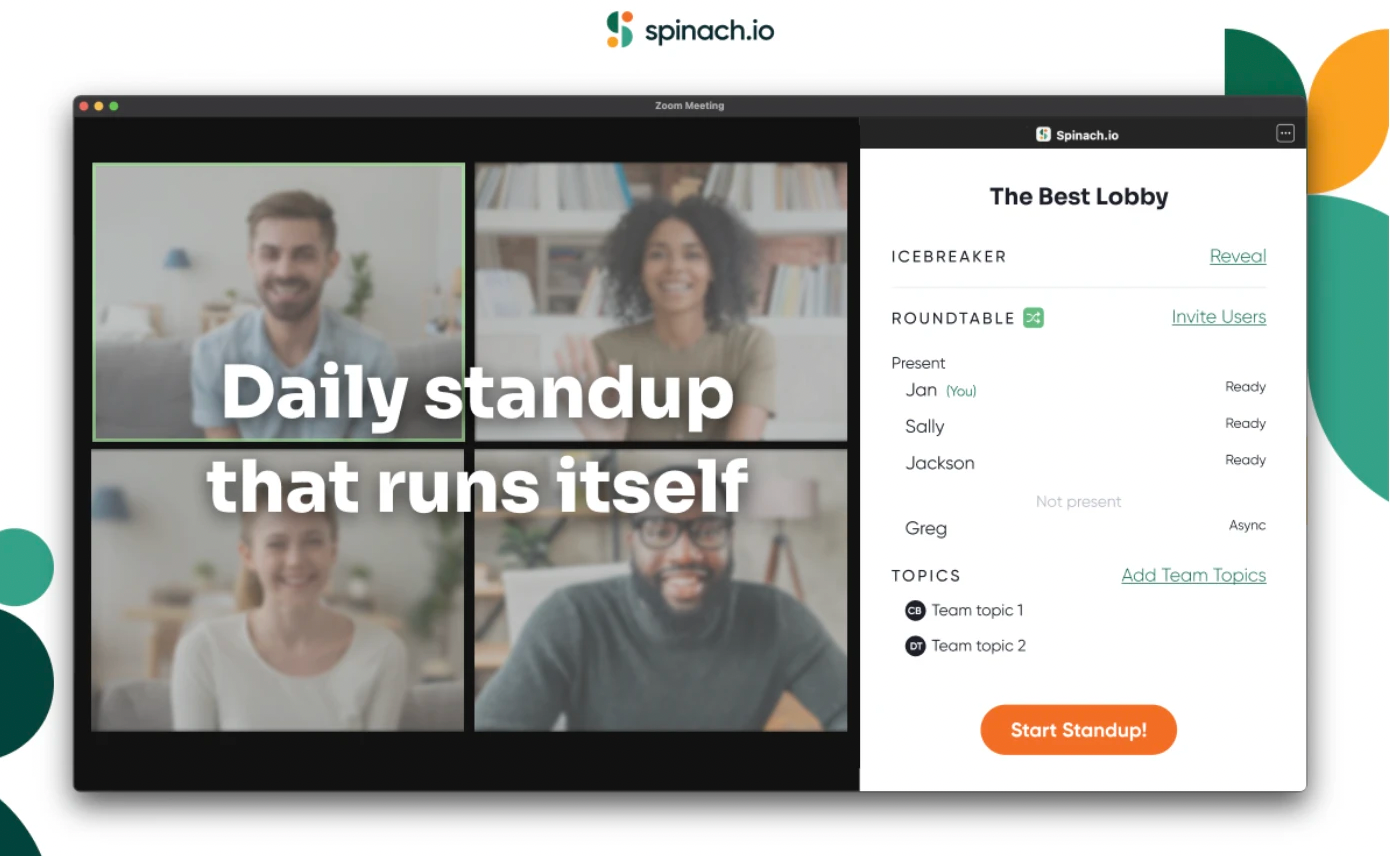
Spinach is an AI meeting assistant purpose-built for agile teams. It joins your Zoom calls, records the full conversation, and turns it into decisions, action items, and ticket suggestions automatically, before the call ends.
With Spinach for Zoom, the team prepares updates asynchronously and only discusses what matters during the live meeting. Spinach captures every decision and owner, surfaces ticket suggestions to Jira or Linear, and delivers summaries to Slack before the call wraps up.
Automatic recording, transcription, and AI-generated meeting notes
Most recording tools stop at the transcript: a chronological play-by-play that leaves your team to manually dig out the decisions, assign owners, and re-type action items into Jira or Linear. That post-meeting overhead typically runs 15 to 30 minutes per ceremony.
Spinach works differently. It joins your Zoom, Google Meet, or Microsoft Teams call, records the full conversation in real time, and extracts decisions and action items during the meeting, not after it. By the time the call ends, structured meeting notes and summaries are already in your Slack channel. No manual re-keying. No app-switching.
For in-person or hybrid meetings, the mobile Quick Record feature runs the same AI processing pipeline on captured audio, so nothing falls through the cracks when part of the team isn’t on a video call.
Action-item capture and ticket creation
Spinach captures each action item with an assigned owner, then suggests corresponding tickets (with full meeting context already attached) directly into Jira, Linear, Asana, ClickUp, or Trello via native integrations (not Zapier middleware). One click moves a decision from discussion into your sprint board. Existing tickets are surfaced and linked inside the summary so decision lineage carries forward across sprints.
44% of action items never get completed when capture relies on post-meeting processing instead of in-the-moment ticketing. Spinach closes that gap by treating the transcript as raw material, not the deliverable.
Key features and benefits
- Structures and runs daily standups to keep them short and productive
- Ability to choose or randomize speaking order (no “who wants to go next?”)
- A timer creates awareness of how long each person has been speaking
- Jira integration to pull tickets directly into your daily check-in
- Works directly in Zoom window, no other tabs needed
- Provides the same view to everyone with one click
- Works outside of Zoom: changes made in Spinach web app are available in Zoom
Pricing
- Free standup summaries, actions, and ticket suggestions
- $10 per user/month for additional integrations and reporting
2. Miro
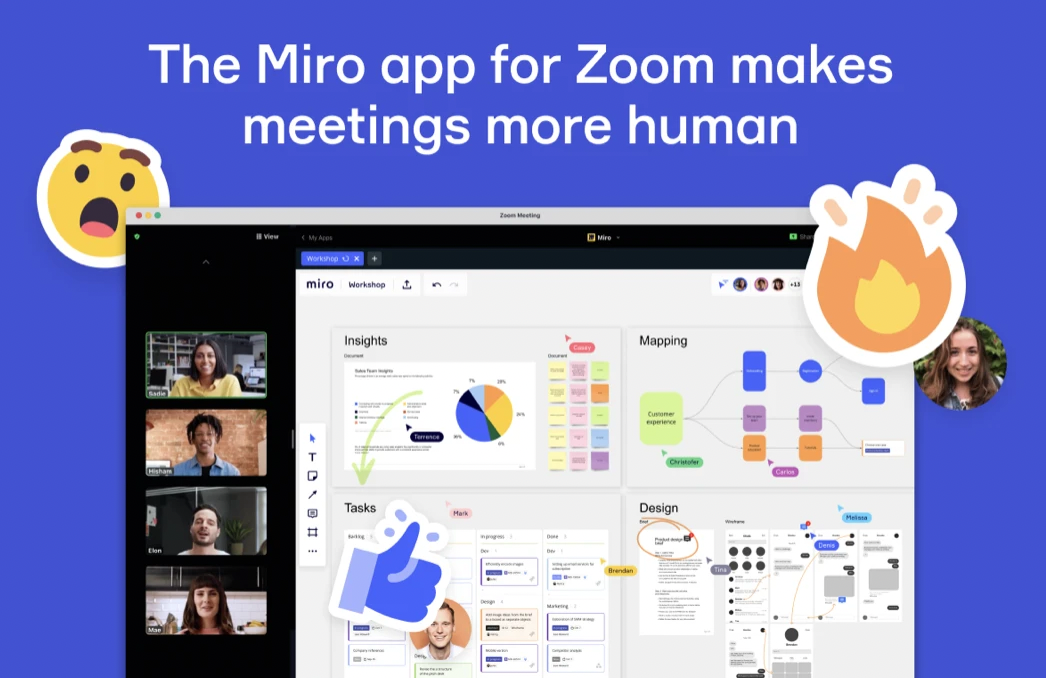
Need to add whiteboarding capabilities to your Zoom meetings? That’s what Mirodoes. With it, you can add a Miro board to your daily standups, then invite users for real-time collaboration. This is a great option for brainstorming, ideation, and more. 🧠
However, Miro requires a lot of manual work: You have to create the standup template, remind your team to add their updates, and share it manually afterward. There’s also no way to carry over updates from previous standups, meaning you have to start from scratch every day.
Key features and benefits
- Fully interactive digital whiteboard
- Diagramming and drawing tools
- Digital sticky notes and templates
- Supports Kanban, scrum, and agile ceremonies
Pricing
- Free for workspace with three boards
- Starter: $8 per user per month
- Business: $16 per user per month
- Enterprise: Custom quote
3. Range
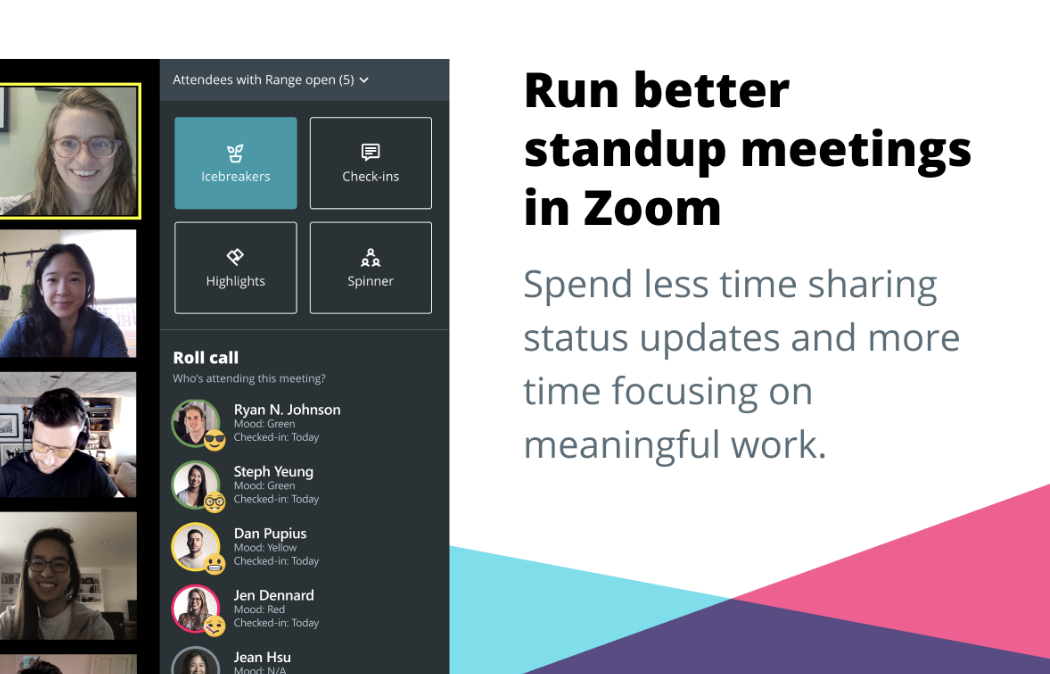
The Range integration for Zoom adds a lot of nifty tools to Zoom meetings. You can add icebreakers, mood indicators, or the Spinner, a tool that randomly picks the next person in the discussion.
For standups in particular, Range has a timer to help you keep meetings on track, and it also lets you pull up meeting templates in Zoom that you created in Range.
But it’s important to note that Range only focuses on asynchronous check-ins. It won’t run your live standup meetings or provide instant notes.
Key features and benefits
- Widgets let you share moods, create icebreakers, and more
- Templates, timers, and the Spinner keep standups moving
- Check-ins provide an easy place to post updates
Pricing
- Free for 12 users
- Pro: $8 per user per month
- Enterprise: Custom quote
4. Slack
Slack is best known as a standalone messaging app for teams, but you can also use Slack integrations for Zoom.
The Slack integration allows you to start a Zoom call directly from Slack by typing /zoom. For daily standups, you could simply share updates asynchronously via Slack. If there are important follow-up items to discuss, you can jump directly into a Zoom call by typing /zoom.
However, the challenge is that Slack is an asynchronous messaging tool. It’s not designed to run live standups, provide update histories, or create standup notes automatically.
Key features and benefits
- Direct messaging with the /zoom slash command
- Ability to start video calls and voice calls directly from Slack
- Whiteboarding features for easy collaboration
Pricing
- Free for basic features
- Pro: $7.25 per user per month
- Business+: $12.50 per user per month
- Enterprise Grid: Custom quote
- GovSlack: Custom quote
5. DailyBot
DailyBot is a great chat app that supports a variety of different workflows. Lots of teams use it for daily standups and check-ins. It offers chatting tools along with mood tracking to help improve company culture.
You can connect DailyBot and Zoom through Zapier. The connection allows you to set up custom automations so that DailyBot or Zoom automatically perform a predetermined task when you perform specific actions.
DailyBot only supports asynchronous standups, so it doesn’t provide tools to run a live daily standup.
Key features and benefits
- Use Zapier to trigger automations connected to specific actions.
- Track mood and promote a positive culture.
- Use tools to optimize meetings and get daily updates.
- Give kudos and feedback to promote positivity.
Pricing
- Free up to 20 users
- Basic: $2.50 per month per user
- Standard: $4 per month per user
- Enterprise: Custom quote
6. Polly
Polly is an interesting app that lets you get instant feedback during meetings. Integrating it with Zoom means that you can set up live Q&A sessions, create multiple-choice questions and answers, and more.
Of particular interest in terms of standups, Polly has Hot Takes, which is a great way to start a meeting. It’s like an icebreaker that helps cut the silence and kick things off with something fun.
But while Polly can make your live standups more interactive and entertaining, it doesn’t run the meetings for you or provide summary notes.
Key features and benefits
- Create Q&A sessions to quickly answer questions.
- Use multiple-choice questions to gather feedback.
- Use word clouds, quizzes, and other features to build engagement.
- Try Hot Takes to break the ice and build camaraderie.
Pricing
- Free
7. Status Hero
Status Hero makes it easy to find and organize everyone’s daily check-ins. Team members use Status Hero to check in, which creates a Zoom recording of that check-in. Once the recording is complete, the integration stores the recording alongside the team member’s check-in on Status Hero so that it’s easily accessible.✅
This is a good choice for asynchronous standups since it allows everyone to record a brief bit about what they have accomplished, what they plan to accomplish, and anything that might be in their way. However, there are no features to support live Zoom standups, only async check-ins.
Key features and benefits
- Connects Zoom and Status Hero to record meetings
- Stores recordings automatically within user check-ins
Pricing
- Free 21-day trial
- Basic: $3 per user per month
- Pro: $5 per user per month
- Corporate: $7 per user per month
- Enterprise: Custom quote
Other Zoom integrations for daily meetings
Still looking for tools that suit your team’s unique use cases? Here are a few other Zoom integrations that can add even more functionality to daily standups, retrospectives, and other types of agile meetings.
Twine
Twine is a great option for remote teams who need to get a little more from their standups. It has features like icebreaker questions and other nice-to-have tools.
However, this app’s major draw is that you can create virtual breakout rooms! This lets your team break into smaller huddles to discuss topics in greater depth without derailing the rest of the meeting.
Otter
Need transcripts of your meetings? That’s what the Otter integration for Zoom does. Use it to create interactive transcripts and instant meeting notes in real time directly in your browser window.
Loom
With the Loom integration for Zoom, you can automatically record Zoom meetings, then host them on Loom, which makes them easily searchable. 🔎You can also use Loom’s tools to tag videos, get engagement insights, create transcripts, or set permissions so that only certain groups can access them.
Calendly
Calendly is a Zoom integration that makes it easier to schedule meetings. Within the Calendly app, choose Zoom as your meeting location. The app will automatically create all the video conferencing details needed, then save them as a Calendly event that you can share with everyone else who needs to attend.
Warmly
Warmly is primarily designed for salespeople, but you can use it to add more personality to Zoom meetings. Create custom virtual business cards, add a personal bio, or share professional credentials. It’s a great way to help remote teams get to know one another better.
Which Zoom standup integration is right for you?
If your primary need is… | Use this tool | Why |
|---|---|---|
AI-run live standups with automatic ticket creation | Spinach | Joins Zoom, captures decisions and action items in real time, and files tickets to Jira or Linear before the call ends |
Visual collaboration and whiteboarding | Miro | Persistent boards, deep Jira/Figma integrations, and an extensive template library for agile rituals |
Async check-ins with icebreakers and mood tracking | Range | Spinner, timers, and meeting templates keep async standups structured without a live call |
Launching Zoom calls from your messaging app | Slack | /zoom slash command starts a call instantly; async updates stay in the same channel |
Async standups with mood and culture tracking | DailyBot | Scheduled check-ins, mood indicators, and kudos; connects to Zoom via Zapier for custom automations |
Live polls and in-meeting engagement | Polly | Hot Takes icebreakers, multiple-choice polls, and word clouds make standups more interactive, completely free |
Recording async video check-ins | Status Hero | Each team member records a brief Zoom clip; Status Hero stores it alongside the written check-in for easy review |
FAQs about Zoom standup integrations
What is the best Zoom integration for daily standups?
Spinach is the top choice if you want to run structured, AI-powered standups directly inside Zoom. It records the meeting, captures action items and decisions, and sends summaries to Slack, all without leaving the Zoom window. For async-only teams, DailyBot or Status Hero are solid options.
Does Zoom have a built-in standup feature?
Zoom does not have a native standup tool. You need a third-party integration (such as Spinach, Range, or DailyBot) to add standup structure, speaking order, timers, or async check-ins to your Zoom meetings.
What is the difference between a live and async standup on Zoom?
A live standup happens in real time over a Zoom call, with each team member sharing updates verbally. An async standup lets team members post updates on their own schedule, via a chat tool or an app like DailyBot or Status Hero, without needing everyone online at the same time.
Are there free Zoom integrations for standups?
Yes. Spinach, Miro, Range, Slack, DailyBot, and Polly all offer free plans or free tiers. Polly is completely free. Spinach offers free standup summaries and action items with no credit card required.
Can Zoom integrations replace a Scrum Master?
AI-powered integrations like Spinach can handle many AI Scrum Master duties during a standup: choosing speaking order, keeping time, capturing decisions, and pushing ticket updates to Jira or Linear. For broader coaching and team facilitation, a human Scrum Master still adds value.
Record, transcribe, and automate your Zoom standups with Spinach
There are lots of apps out there that can help you do more with your standup meetings, but there aren’t very many apps built with standups in mind.
When you need to cut the chaos and run focused meetings via Zoom, Spinach is the app for you.
It’s designed to run the standup for you, automatically choosing the speaking order, putting a visible timer on display, and walking everyone through the standup questions so that you can discuss everything from accomplishments to blockers with ease.
Get started with Spinach for free. No credit card required, and your first meeting is recorded, transcribed, and summarized automatically.
What to do now
Next, here are some things you can do now that you've read this article:
- If communication is a challenge for your team, you should check out our library of meeting agenda templates.
- Learn more about Spinach and how it can help you run a high performing org.
- If you found this article helpful, please share it with others on Linkedin or X (Twitter)

